



















Gaming PC for New Games: What Crimson Desert, PUBG Mobile Esports, Special Force Remaster, and the Next Wave of Game Launches Mean for Canadian PC Buyers
A gaming PC for new games is no longer just about “can it run?” It is about how well it runs, how long it stays relevant, whether it can handle streaming or content creation at the same time, and whether you are buying before demand, component prices, or upgrade pressure move against you. The latest gaming headlines out of South Korea make that point clearly: Pearl Abyss is expanding Crimson Desert Enhanced with its first major downloadable content, NCSoft is preparing a remastered classic, Krafton is sharpening PUBG Mobile esports competition, Smilegate is opening preorders for Special Force Remaster, and Devsisters is pushing CookieRun’s card game further into global markets.
At first glance, that may look like a simple gaming news roundup. For Canadian PC buyers, it is more than that. It is a snapshot of where gaming is going: bigger open worlds, remastered classics rebuilt with modern engines, esports ecosystems that keep players chasing high frame rates, and game brands expanding into streaming, video, community content, and creator-driven culture. If you are thinking about a Custom Gaming PC Canada build, a 1440p gaming PC, a 4K gaming PC, a streaming PC, or a creator workstation, these trends should affect how you buy.
So the practical question is this: what do you want your next PC to do for you? Do you want a system that simply launches the next big game, or do you want a machine that gives you smooth frame rates, clean visuals, fast loading, quiet cooling, strong multitasking, and enough headroom that you are not replacing it too soon?
Why This Gaming News Matters for Anyone Buying a Gaming PC for New Games
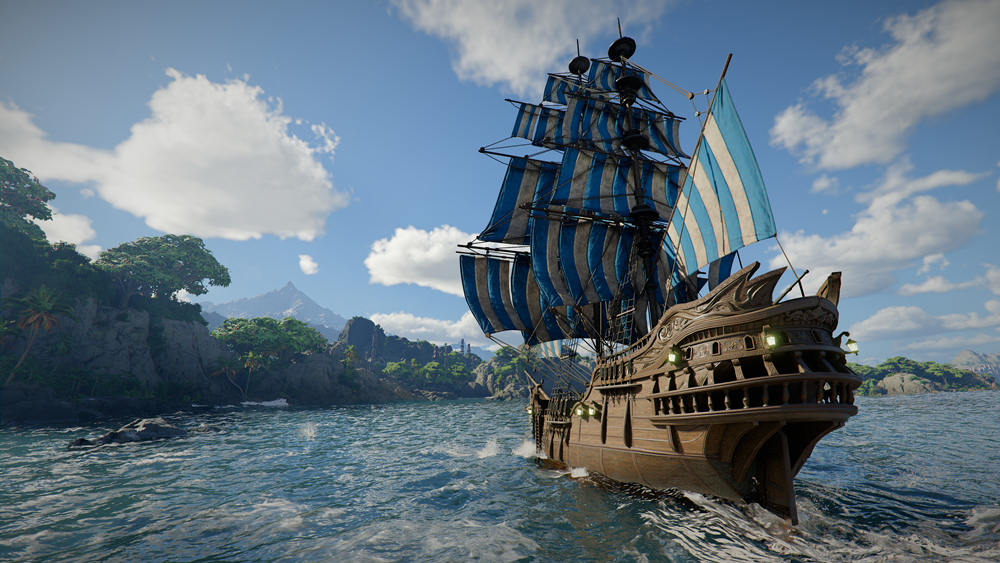
The headline that stands out is Pearl Abyss preparing the first DLC for Crimson Desert Enhanced, an action-adventure game reported to have sold more than 6 million copies worldwide. The new DLC expands the adventure from land to sea, adding ship-based travel, island discovery, underwater exploration, diving suits, ancient ruins, stronger enemies, housing, facility management, and deeper social interaction inside the world of Pywel.
That combination tells us a lot about modern game design. A new game or expansion is rarely just “more levels” anymore. It often adds new environments, more physics interactions, expanded traversal, dense assets, water rendering, particle effects, larger textures, complex lighting, and more AI-driven activity. For players, that is exciting. For hardware, it means more pressure on the GPU, CPU, RAM, storage, and cooling system.
Are you the type of player who wants to explore a massive open world at 1080p with strong value? Or are you aiming for 1440p high refresh gaming with a sharper image and smoother combat? Do you want 4K cinematic visuals with ray tracing and ultra settings? Your answer changes the kind of gaming PC you should buy.
The same pattern appears in the rest of the news. Special Force Remaster is being rebuilt with Unreal Engine 5 while preserving mechanics from the original 2004 FPS. That means nostalgia plus modern rendering. Rhapsody of Zephyr Remaster keeps the story and atmosphere of a 1998 classic while adding full voice acting, improved graphics, and modern quality-of-life features. PUBG Mobile’s Asian Games trials reinforce how competitive gaming continues to reward smooth frame pacing, fast input response, and consistent performance. CookieRun’s card game expansion shows how game communities now spread beyond the game itself into content, events, streaming, collecting, and social media.
If you are buying a PC in Canada, the lesson is simple: a good gaming system should be chosen around what you actually do, not just a generic spec list. The best PC for open-world games may not be the same as the best PC for competitive shooters, streaming, video editing, 3D modeling, or daily productivity.
What Do You Want Your Next PC to Handle?
Before choosing a processor, graphics card, memory capacity, or storage size, ask a more useful question: what do you want your next PC to handle on a normal week?
- Do you mainly play open-world AAA games like action RPGs, adventure titles, racing games, and cinematic single-player releases?
- Do you care most about competitive shooters, esports games, low latency, high FPS, and high refresh monitors?
- Do you want to stream to Twitch, YouTube, TikTok Live, or record gameplay for clips?
- Do you edit videos in Adobe Premiere Pro, DaVinci Resolve, CapCut, or After Effects?
- Do you work with Photoshop, Lightroom, Illustrator, Canva, InDesign, or other design tools?
- Do you create in Blender, Unreal Engine, Unity, SketchUp, AutoCAD, Revit, Maya, 3ds Max, Cinema 4D, or SolidWorks?
- Do you want a system that can game at night and function as a serious workstation during the day?
- Do you want to avoid upgrading again in a year or two because the first build was too weak?
These questions matter because modern gaming PCs often become everything PCs. A system that starts as a gaming desktop can quickly become a streaming machine, a school workstation, a video editing PC, a graphic design desktop, or a 3D rendering workstation. That is why Groovy Computers approaches custom builds around use case first. The right parts are the parts that fit the job.
What the Crimson Desert DLC Suggests About Open-World Gaming Performance
The reported Crimson Desert Enhanced DLC, Journey Into the Unknown, adds ships, islands, underwater ruins, combat encounters, housing upgrades, and exploration across land and sea. Even without official PC requirement details in the source material, the direction is clear: open-world games are demanding because they combine large environments with fast asset streaming, varied lighting, many textures, complex animation, and heavy GPU workloads.
For Canadian players researching a Gaming PC for New Games, open-world titles should push you to think beyond minimum requirements. Minimum requirements are usually about launching a game. Recommended requirements are often about a decent baseline. But the real buying decision is about the experience you want.
Are You Playing at 1080p, 1440p, or 4K?
Resolution is one of the biggest decisions you will make. A 1080p gaming PC can be excellent for budget-conscious players, students, esports players, and anyone using a standard monitor. A 1440p gaming PC Canada build is often the sweet spot for players who want sharper visuals and high frame rates without jumping into the cost of 4K. A 4K Gaming PC Canada build is for players who want premium detail, cinematic visuals, high texture settings, ray tracing, and a longer performance runway.
If you are reading about new open-world DLC and thinking, “I want to see those oceans, islands, ruins, and combat effects at their best,” then you should not buy only for today’s easiest games. You should buy for the game library you expect to play over the next several years.
Do You Care About Ray Tracing, Ultra Settings, or Just Smooth Gameplay?
Not every gamer needs the most expensive hardware. Some players want ultra settings and ray tracing because visual fidelity is part of the experience. Others want medium-to-high settings with stable frame rates because smooth gameplay matters more than every reflection or shadow. Competitive players may lower settings intentionally to maximize frames and reduce distractions.
Ask yourself: would you rather have a better graphics card for visual settings, a faster CPU for esports frame rates, more RAM for multitasking, or a larger SSD for a growing game library? The answer depends on your games and habits. That is where a custom gaming PC builder is different from a one-size-fits-all prebuilt shelf system.
Special Force Remaster and the Return of the Competitive FPS PC
Special Force Remaster is especially interesting because it connects classic FPS mechanics with a modern Unreal Engine 5 rebuild. The source article notes that the remaster aims to preserve the feel of the original, including gun rate-of-fire patterns, quick-zoom sniper mechanics, familiar maps, and movement techniques such as diagonal strafing, ghost stepping, and mid-air direction changes.
That matters because competitive shooters are not only about graphics. They are about response. A competitive gaming PC Canada build should prioritize stable frame rates, fast CPU performance, strong cooling, low-latency peripherals, enough RAM, and a monitor pairing that actually lets you see the frames your PC is producing.
If your main games are shooters, battle royale titles, tactical FPS games, or esports titles, ask yourself: are you losing fights because of skill, or because your PC stutters during the moment that matters? Are you playing at 60Hz while everyone else is on a high-refresh display? Are background apps, browser tabs, Discord, recording software, or streaming tools slowing you down?
A strong esports gaming PC does not always need the most expensive GPU on the market, but it does need the right balance. CPU choice, memory speed, cooling, storage, and system tuning can all influence consistency. Average FPS is useful, but 1% lows and frame pacing are what make a system feel smooth.
PUBG Mobile Esports Shows Why High FPS Culture Is Still Growing
Krafton’s reported Asian Games PUBG Mobile National Team Trials with KeSPA are focused on competitive readiness and international-style match practice. Although PUBG Mobile itself is not the same hardware demand as a desktop AAA PC game, esports culture influences what PC gamers expect: fast reactions, reliable performance, clean streaming, and the ability to analyze or create content around gameplay.
For many players, the PC is not just where they play. It is where they watch VODs, edit clips, stream scrims, manage Discord communities, run overlays, capture highlights, and communicate with teammates. That is why a Streaming PC Canada or gaming-and-streaming PC can be the smarter purchase if you are serious about building a presence around your gameplay.
What PC do you need for streaming? If you want to game and stream from the same machine, you need enough CPU and GPU headroom so the stream does not hurt your gameplay. You also need sufficient RAM for OBS Studio, browser sources, chat, alerts, music, and editing software. If you plan to record high-quality footage while playing, storage speed and capacity become much more important than many first-time buyers expect.
Rhapsody of Zephyr Remaster Shows Why “Older Games” Are Not Always Light Games Anymore
Remasters can be deceptive. Players sometimes assume a remaster of an older title will run easily because the original is decades old. But modern remasters can include enhanced graphics, reworked UI, higher-resolution assets, improved lighting, full voice acting, updated cutscenes, and new quality-of-life features. Rhapsody of Zephyr Remaster, based on the 1998 original, is another example of the industry bringing classic titles forward for modern players.
For a gaming PC buyer, this means your game library may be more demanding than it looks. You might play a mix of remastered RPGs, open-world adventures, esports shooters, indie games, strategy games, and creator software. Your PC should be matched to the heaviest realistic workload, not the easiest title in your Steam library.
Do you want to play remasters at high resolution with smooth frame rates? Do you want your system to handle both nostalgic titles and new AAA releases? Do you want to keep your PC long enough that the next wave of remasters and engine upgrades still feels smooth? Those are buying questions worth asking before you settle for a lower-tier system.
Which Performance Tier Fits You Best?
Choosing a gaming PC for new games becomes easier when you sort yourself into a performance tier. You do not need to memorize every part number. You need to understand what level of experience you are buying.
Tier 1: Budget Gaming PC Canada for 1080p and Smart Value
A budget gaming PC Canada build is ideal for first-time PC gamers, students, younger players, casual gamers, and anyone who wants strong 1080p performance without overspending. This type of system is best for esports games, popular multiplayer titles, lighter RPGs, older games, and many new releases at reasonable settings.
Should you buy a cheap gaming PC or finance a better one? That depends on how long you want the system to last. If the budget build already matches your monitor, your games, and your expectations, it can be a smart choice. But if you already know you want 1440p gaming, streaming, or heavy content creation, buying too low may cost more later.
Tier 2: 1440p Gaming PC Canada for the Modern Sweet Spot
For many Canadian gamers, 1440p is the sweet spot. It looks noticeably sharper than 1080p, pairs well with high-refresh monitors, and can deliver a premium experience without demanding the same investment as 4K. A 1440p Gaming PC Canada build is a strong choice for open-world games, shooters, RPGs, racing games, survival games, and general AAA gaming.
What PC do you need for 1440p gaming? You want a graphics card with enough power and VRAM for higher texture settings, a CPU that will not bottleneck high frame rates, 32GB of RAM for modern multitasking comfort, and a fast NVMe SSD so game worlds load quickly. If you stream or edit, you may want to step up the CPU, RAM, and storage further.
Tier 3: High End Gaming PC Canada for 4K, Ray Tracing, and Ultra Settings
A high end gaming PC Canada build is for buyers who want premium visuals, longer upgrade headroom, and fewer compromises. This tier is where 4K gaming, ray tracing, ultra texture settings, high refresh 1440p, VR, heavy modding, and simultaneous streaming become more realistic.
What PC do you need for 4K gaming? In general, 4K shifts much more load to the GPU. You should prioritize a powerful graphics card, strong cooling, a high-quality power supply, fast storage, and enough RAM for the rest of your workflow. If you are also editing 4K video, working in Blender, or using AI-powered creative tools, the build should be planned as both a gaming PC and a workstation.
Tier 4: Gaming and Creator PC Canada for Players Who Also Make Content
If you record gameplay, edit YouTube videos, design thumbnails, stream, manage social media content, or work in Adobe Creative Cloud, you are not just a gamer. You are a creator. A Content Creation PC Canada build needs more balance than a gaming-only PC. CPU core count, GPU acceleration, RAM capacity, SSD speed, and storage layout all become more important.
What PC do content creators need? If you use Premiere Pro, DaVinci Resolve, After Effects, Photoshop, Lightroom, Illustrator, OBS Studio, and browser-based creator tools, you should strongly consider 32GB to 64GB of RAM depending on workload, a strong GPU for acceleration, a fast SSD for active projects, and additional storage for footage and exports.
Tier 5: 3D Modeling PC Canada or Workstation PC Canada for Serious Production
For Blender, Unreal Engine, Unity, CAD, animation, architectural visualization, product rendering, and professional workstation use, the buying conversation changes again. A 3D Modeling PC Canada or 3D Rendering PC Canada build is often about time saved. Faster renders, smoother viewport performance, larger scene handling, and better multitasking can directly affect productivity.
What PC do you need for Blender or Unreal Engine? The answer depends on whether you rely more on GPU rendering, CPU rendering, simulation, real-time visualization, or large scenes. Many 3D artists benefit from powerful RTX-class graphics, high RAM capacity, fast NVMe storage, and a CPU selected for the software they actually use. A generic prebuilt gaming desktop may work, but a custom 3D workstation is usually better aligned to professional workloads.
Is a Gaming PC Good for Streaming, Editing, Graphic Design, and 3D Modeling?
A gaming PC can be excellent for creative work, but only if it is configured properly. Gaming performance and creator performance overlap, especially when both benefit from strong graphics, fast storage, and modern CPUs. However, the best gaming-only system is not always the best video editing PC, photo editing PC, graphic design PC, or rendering workstation.
For video editing, timeline performance, export speed, codec handling, GPU acceleration, and RAM capacity matter. A Custom Video Editing PC Canada build should be planned around your software. Premiere Pro and DaVinci Resolve can benefit from powerful CPUs, strong GPUs, fast SSDs, and more RAM. If you edit 4K footage, multicam timelines, colour grades, effects, or long-form content, a lower-end gaming PC may feel limiting quickly.
For photo editing, Lightroom and Photoshop performance depends heavily on CPU speed, RAM, SSD speed, and enough GPU capability for acceleration and AI features. If you batch export large RAW galleries or use high-resolution layered files, a Photo Editing PC Canada build should not be treated as an afterthought.
For graphic design, Adobe Illustrator, Photoshop, InDesign, Canva, Affinity tools, and multi-monitor workflows benefit from responsiveness and memory. A Graphic Design PC Canada build should feel fast when switching between apps, handling large canvases, exporting assets, and managing brand files.
For 3D modeling, rendering, and game development, a workstation PC may need more GPU power, more VRAM, more RAM, and better cooling than a typical value gaming machine. If you are building environments in Unreal Engine or creating assets for games, the PC is not just entertainment hardware. It is your production platform.
Should You Buy Before a Major Game Release, Hardware Shortage, Sale Period, or Price Spike?
Timing matters. New game launches, big DLC releases, esports seasons, back-to-school buying, holiday demand, and creator software upgrades can all affect customer demand for stronger PCs. Component pricing can also shift based on GPU availability, memory pricing, storage costs, currency movement, freight costs, and supply pressure.
Is it better to buy a gaming PC now or wait? There is no single answer for every buyer. If your current system still handles your games and work comfortably, waiting may be fine. But if you are already dealing with low FPS, crashes, storage problems, long render times, poor stream quality, or software lag, waiting can mean months of frustration while prices and availability remain uncertain.
Canadian buyers also need to think in Canadian dollars. A small increase in component pricing, exchange rates, or shipping costs can change the final system price. If you are planning a PC around a specific upcoming game, school term, creator project, client workload, or sale window, leaving the purchase too late can reduce your options.
The smarter strategy is to buy when the build fits your needs, your budget, and your timeline. A custom PC should be planned around the experience you want, not panic-bought when your current machine finally fails.
Could Financing Help You Secure a Stronger System Before Replacement Costs Rise?
Financing can make sense when it helps you buy the right tier instead of settling for a system you already know you will outgrow. Groovy Computers offers financing options up to 4 years, which can help Canadian buyers move from a short-term compromise into a more capable custom gaming PC, creator PC, or workstation PC.
Should you finance a better PC instead of buying a cheaper one outright? Consider the cost of upgrading too soon. If a lower-cost build saves money today but forces a GPU upgrade, RAM upgrade, storage upgrade, or full replacement in the near future, the cheaper system may not be the better value. Monthly payments can help spread the cost of a stronger build that better matches 1440p gaming, 4K gaming, streaming, editing, or workstation workloads.
Financing is not about overspending. It is about matching the system to your real needs. If you are a casual 1080p gamer, a value build may be perfect. If you are editing 4K video, streaming while gaming, or preparing for demanding open-world titles, a more capable system may save time, reduce frustration, and last longer.
If you are asking, “Can I finance a gaming PC in Canada?” or “Is financing a gaming PC worth it?” the practical answer is to compare the monthly payment against what you gain: better performance, longer relevance, stronger multitasking, and the ability to buy before component replacement costs potentially climb.
Why Custom Builds Matter More Than Generic Prebuilts
A generic prebuilt PC can look attractive because it gives you a fast answer. But the label on the box rarely tells the full story. Two systems with similar CPU and GPU names can perform differently depending on cooling, motherboard quality, power supply selection, case airflow, memory configuration, storage quality, BIOS settings, cable management, and testing.
That is why choosing a Custom Gaming PC Canada build from experienced builders matters. Groovy Computers focuses on complete system matching. The goal is not just to put expensive parts in a case. The goal is to build a reliable, balanced system that performs properly under load.
Why does testing matter in a gaming PC? Because problems often appear only when the system is stressed. A PC might turn on and browse the internet perfectly but fail during a long gaming session, render, stream, benchmark, or thermal load. Rigorous testing helps catch instability, thermal issues, memory problems, driver conflicts, and configuration mistakes before the computer reaches the customer.
Groovy Computers builds for Canadian gamers, creators, and professionals who want confidence. Custom builds, careful component selection, stress testing, and a 1-year warranty give customers more peace of mind than rolling the dice on a random marketplace tower with unknown parts and unknown history.
What Questions Should You Ask Before Buying a Gaming PC for New Games?
Before you buy, ask the questions that actually predict whether you will be happy six months from now.
- What games do I want to play next? Open-world AAA games, competitive shooters, modded games, simulators, esports titles, and remasters all stress hardware differently.
- What resolution is my monitor? Buying a 4K-class system for a 1080p monitor may be unnecessary, while buying a weak PC for a 1440p or 4K monitor can be disappointing.
- Do I want high FPS or maximum graphics? Competitive players and cinematic players often need different priorities.
- Will I stream or record gameplay? If yes, build extra headroom into the CPU, GPU, RAM, and storage plan.
- Will I edit video or photos? Creator software changes the ideal build quickly.
- Will I use Blender, Unreal Engine, CAD, or rendering tools? If yes, consider a workstation-class configuration instead of a gaming-only build.
- How long do I want to keep this PC? Future-proofing does not mean buying the most expensive parts. It means buying enough performance headroom for your realistic future workload.
- Would financing help me choose the right tier? If monthly payments help you avoid an underpowered system, financing may be worth considering.
- Do I want support from a Canadian PC builder? Warranty, testing, and after-sale support matter when the PC is central to gaming, work, and content creation.
What Kind of Buyer Are You?
Not every customer needs the same recommendation. Here is a practical way to think about your next system.
The Value Gamer
You want smooth 1080p gaming, strong everyday speed, and good value. You may play esports, popular multiplayer games, indie games, and a mix of older or newer titles. You should focus on a balanced Budget Gaming PC Canada build with a capable GPU, modern CPU, 16GB to 32GB of RAM depending on use, and fast SSD storage.
The 1440p Sweet Spot Gamer
You want sharper visuals, high refresh rates, and strong performance in modern titles. You are likely the ideal customer for a 1440p Gaming PC Canada build. This tier is excellent for players who want a system that feels premium without going all-in on 4K.
The Premium 4K and Ray Tracing Gamer
You care about ultra settings, cinematic detail, ray tracing, large textures, and long-term performance. You should look at a High End Gaming PC Canada build with a powerful GPU, strong cooling, high-quality power delivery, and generous memory and storage.
The Competitive Player
You care about high FPS, smooth input, low latency, and consistency. You may play shooters, battle royale games, esports titles, or ranked modes. Your build should prioritize CPU strength, frame pacing, cooling, RAM configuration, and a GPU that can maintain your monitor’s refresh target.
The Streamer or YouTube Creator
You game, record, stream, edit, thumbnail, upload, and multitask. You should consider a Gaming and Streaming PC Canada build or a Content Creation PC Canada build. Do not underestimate RAM, SSD capacity, and GPU encoder support if content is part of your plan.
The Editor, Designer, or 3D Artist
You may still game, but your PC also needs to earn its place as a tool. A Custom Creator PC Canada, Video Editing PC Canada, Graphic Design PC Canada, or Custom 3D Workstation Canada build should be configured around your software, file sizes, render expectations, and deadlines.
How Canadian Buyers Should Think About Component Volatility
PC pricing can move for reasons that have nothing to do with your personal timeline. GPU demand can rise when major games, AI workloads, creator tools, or new product cycles increase pressure. Memory pricing can shift. SSD pricing can change. Currency fluctuations can affect Canadian final pricing. Shipping and supply constraints can also affect what is available at the moment you are ready to buy.
That does not mean you should rush blindly. It means you should avoid waiting until your only option is whatever happens to be available. Planning early gives you time to choose the right case, cooling, GPU tier, CPU platform, RAM capacity, storage setup, and financing option.
Do you need the PC before a major game release? Before school? Before a client project? Before a streaming schedule begins? Before your current computer becomes unreliable? Your personal deadline is just as important as the market.
Why Groovy Computers Is Built for This Kind of Buying Decision
Groovy Computers is a Canadian custom PC builder focused on helping customers choose the right system for the job. Whether you are buying your first gaming desktop, upgrading for new AAA games, moving into 1440p or 4K, starting a streaming channel, editing videos, designing for clients, or building a workstation for 3D modeling, the right PC starts with a clear conversation.
As Canadian Custom PC Builders, Groovy Computers understands that customers are not just comparing part names. They are comparing trust, value, support, warranty, performance, and timing. A Canada Built Gaming PC should be assembled with care, tested properly, and configured for how the customer will actually use it.
Customers across Canada can explore gaming PCs, custom creator systems, and workstation options with the confidence that the build is designed around real performance needs. Groovy Computers also supports financing up to 4 years, helping customers secure stronger systems while managing monthly payments.
If you are wondering which gaming PC for new games fits your budget, your monitor, your favourite titles, and your future plans, visit GroovyComputers.ca and ask a simple question: what do I want my next PC to do for me?
Gaming PC for New Games: Buy for the Experience, Not Just the Spec Sheet
The news around Crimson Desert, Special Force Remaster, Rhapsody of Zephyr Remaster, PUBG Mobile esports, and CookieRun’s global expansion shows how gaming continues to evolve. Games are becoming bigger, remasters are becoming more ambitious, esports remains performance-driven, and gaming communities are becoming more connected to streaming, content, and creator workflows.
For Canadian buyers, the right move is to choose a PC around the experience you want. If you want budget-friendly 1080p gaming, buy for that. If you want 1440p high refresh performance, build for that. If you want 4K, ray tracing, streaming, editing, or rendering, do not pretend a basic system will feel premium forever. If you want to avoid upgrading too soon, build in headroom now.
A Gaming PC for New Games should be fast, stable, upgrade-aware, and matched to your real life. It should handle the games you are excited about, the software you use, the content you create, and the deadlines or release windows that matter to you. With custom builds, rigorous testing, Canadian support, financing options, and a 1-year warranty, Groovy Computers helps make that decision clearer.
The next major release, remaster, DLC drop, esports season, or creator project is always closer than it seems. The question is whether your current PC will be ready, or whether now is the right time to build something better.
#GamingPCForNewGames #CustomGamingPCCanada #GamingPCCanada #1440pGamingPC #4KGamingPC #StreamingPCCanada #ContentCreationPCCanada #GroovyComputers
Groovy Computers | All Rights Reserved


Leave a comment
This site is protected by hCaptcha and the hCaptcha Privacy Policy and Terms of Service apply.