



















GTA 6 Is Driving Hardware Demand: What Canadian Buyers Should Know Before Choosing a Gaming PC Canada Build
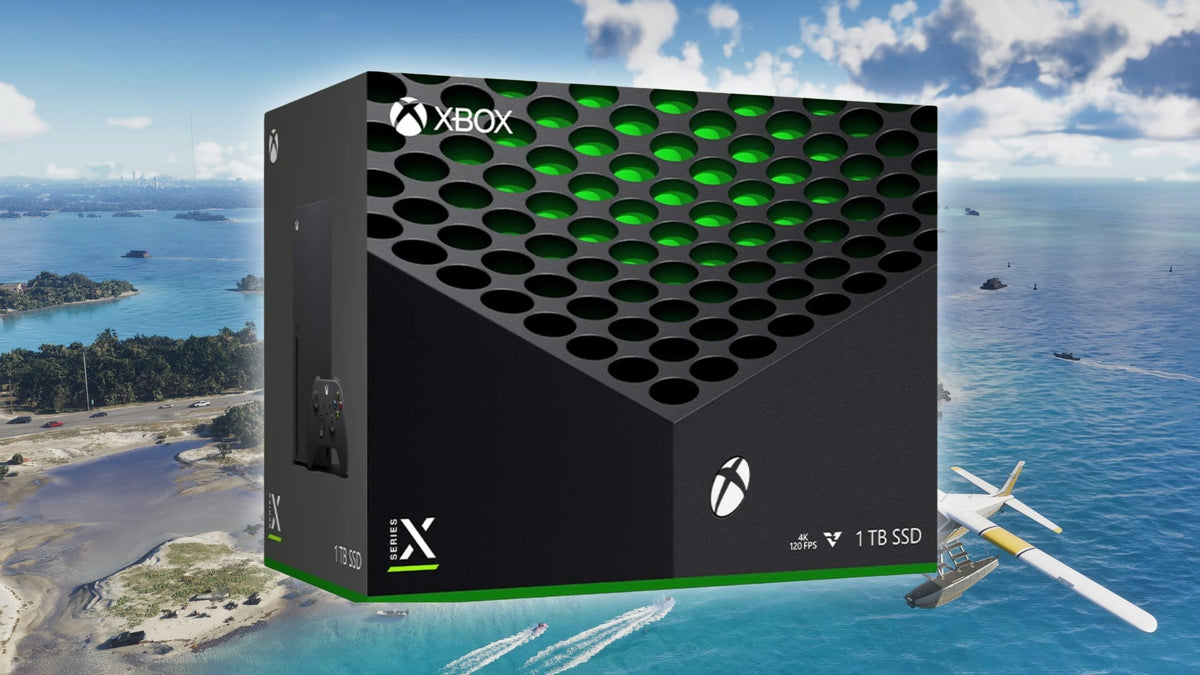
The latest GTA 6 hype is doing more than dominating gaming headlines. It is already influencing real buying behaviour, with the source report pointing to a sharp increase in Xbox Series X and Series S sales in the UK after the game’s extended preview generated massive attention. For Canadian buyers, that matters because whenever a major blockbuster release pushes people to upgrade hardware all at once, it can change pricing, availability, and urgency across the broader gaming market. If you are already asking yourself whether now is the right time to secure a stronger system, this is exactly the kind of moment that makes a Gaming PC Canada purchase feel more strategic than optional.
Big game launches do not just sell games. They sell hardware, displays, SSDs, controllers, accessories, and complete systems. That pattern is especially important for anyone thinking beyond consoles. If one game can motivate a wave of last-minute hardware purchases, what happens when more buyers start looking for smoother frame rates, higher settings, better streaming quality, more storage, or creator-grade performance for recording and editing their gameplay? That is where a carefully selected custom desktop starts making more sense than a rushed, compromise-heavy purchase.
What does the GTA 6 sales spike actually tell us?
The core takeaway is simple: high-demand releases push people to act fast, even after price increases. According to the source article, Xbox console sales in the UK jumped after the GTA 6 extended preview drew enormous viewership and renewed urgency around being ready for launch. In other words, buyers were willing to spend more because the fear of missing out on release-day access outweighed price sensitivity.
That matters in Canada too. The exact hardware may differ, and PC demand does not always move in lockstep with console demand, but buyer psychology is the same. When a major open-world title becomes a must-play event, many people stop asking, “Should I upgrade someday?” and start asking, “What do I need to buy before everyone else does?”
Have you been putting off a gaming system upgrade because your current machine still sort of works? Are you hoping one more graphics setting reduction, one more storage cleanup, or one more driver update will get you through the next wave of AAA games? If so, this kind of headline is worth paying attention to before demand rises further.
Why Canadian buyers should think differently than console-only shoppers
A console spike is one thing. A PC decision is another. Console buyers usually face a simple yes-or-no choice: buy the available model now or wait. PC buyers have more flexibility, which is good, but they also have more decisions to make. You are not just choosing a box. You are choosing your performance ceiling, your upgrade path, your content creation potential, your cooling quality, your storage speed, and how long your system will stay comfortable to use.
That is why Canadian customers should not treat a major game release as a reason to panic-buy any machine they can find. It is a reason to buy smart. A stronger system can do more than play one title. It can become your gaming rig, your streaming station, your editing workstation, your design desktop, or your all-in-one creator machine for years.
Are you buying only for one game, or are you really buying for the next three to five years of games? Do you want 1080p with solid value, 1440p with excellent headroom, or 4K and ray tracing with premium visuals? Would you rather replace a weak machine sooner, or stretch your budget properly once and avoid upgrading too soon?
If one game can move console sales, what could it do to PC buying demand?
Massive game releases often push more people into the PC market for a few reasons. Some want higher frame rates than console can deliver. Some want the freedom of keyboard and mouse. Some are content creators planning to record footage, stream on Twitch or YouTube, and edit highlight reels for social media. Others are simply tired of fixed-platform limitations and want a machine that can handle gaming plus everything else they do.
When that wave hits, certain parts of the PC market can feel pressure. High-demand GPUs, larger SSDs, higher-speed memory kits, and stronger CPUs become more attractive all at once. Even if individual component pricing does not jump overnight, system demand can tighten buying conditions. That is why timing matters.
Are you waiting for a specific upcoming title to force your hand? Are you assuming prices will always improve if you just hold off a little longer? Or would a custom gaming PC built around your real goals put you in a better position now?
What do you want your next PC to do for you?
This is the question many buyers skip, and it is the one that matters most.
Do you want a system mainly for GTA 6-style open-world gaming at high settings? Do you also want to stream with OBS while you play? Are you planning to edit 4K clips in Adobe Premiere Pro or DaVinci Resolve? Do you need Photoshop and Lightroom performance for photography work? Are you designing in Illustrator or managing brand assets across multiple displays? Are you working in Blender, Unreal Engine, or other 3D tools and need a more workstation-oriented configuration?
Your answer determines whether you need an entry-level gaming desktop, a balanced gaming and streaming machine, a custom creator PC, or a full workstation build. That is why one of the biggest advantages of going custom is that you do not have to overpay for the wrong priorities or underspend on the parts that actually matter for your workflow.
What gaming performance tier fits you best?
Not every buyer needs the same class of system. One of the smartest ways to avoid regret is to choose your performance tier based on what you actually expect from modern games.
Entry-level value tier: best for practical 1080p gaming
If your goal is smooth 1080p gameplay, strong everyday responsiveness, fast SSD load times, and a sensible entry point into modern AAA gaming, a Budget Gaming PC Canada build may be the right move. This is ideal for buyers who care about good performance without chasing maximum visual settings in every new title.
Are you mainly playing at 1080p? Are you coming from an older console or outdated desktop and simply want a clearly better experience without moving into premium pricing? Do you want a first gaming PC that still has a usable upgrade path later?
Balanced enthusiast tier: ideal for 1440p gaming and longevity
For many Canadian buyers, this is the sweet spot. A 1440p Gaming PC Canada build often delivers the best mix of image quality, frame rates, future readiness, and value over time. If you want better-than-console visual quality, smoother performance in demanding titles, and room for recording, streaming, and multitasking, this is often where the smartest money goes.
What PC do you need for 1440p gaming? Usually, you want a well-matched CPU and GPU, enough RAM to handle modern game demands, and a fast NVMe SSD so your system feels quick in real use, not just in benchmark charts. This tier is excellent for players who want a machine that still feels strong as game requirements climb.
Premium tier: best for 4K, ray tracing, streaming, and no-compromise gaming
If you want ultra settings, stronger ray tracing capability, high-refresh 1440p, or 4K gaming with premium visual quality, a High End Gaming PC Canada build is the right category. This tier is also ideal for buyers who are blending gaming with creator workloads, because stronger GPUs and CPUs do more than improve frame rates. They also support faster rendering, smoother timeline playback, and better multitasking.
What PC do you need for 4K gaming? What PC do you need for ultra settings in major AAA releases? If you are asking those questions now, a premium custom build is usually more cost-effective long term than buying lower and replacing sooner.
Are you only gaming, or do you also want to stream and create content?
This is where many buyers accidentally choose the wrong machine. A system that feels fine for gaming alone may not feel nearly as comfortable once you start streaming, recording, running chat tools, keeping multiple browser tabs open, and exporting video content.
If you want to go live on Twitch, YouTube, or other platforms, a Gaming and Streaming PC Canada setup makes more sense than a gaming-only build. Streaming places additional demands on your CPU, GPU encoder, memory, storage, and thermal stability. If you are also editing clips after your stream, that adds another layer of workload.
What PC do you need for streaming? Do you need a separate streaming PC? In many cases, no. A well-designed custom system can game, stream, and edit on one machine if it is built with the right balance of hardware. That is why custom planning matters so much more than chasing one flashy spec.
Could this kind of buying urgency also affect creator and workstation customers?
Absolutely. Gaming demand does not stay neatly contained inside the gaming category. Many of the same parts valued by gamers are also valuable to creators and professionals. Strong GPUs help with video editing acceleration, 3D rendering, and certain AI-assisted creative tools. Faster CPUs support exports, simulations, multitasking, and heavier productivity workflows. More RAM helps with large media projects, browser-heavy workdays, design applications, and virtual production tasks.
So if demand spikes around major releases, creator and workstation buyers should pay attention too. Waiting can mean facing higher replacement costs later, limited part choice, or settling for lower-tier components than originally planned.
Are you a video editor who has been delaying an upgrade even though timelines are getting heavier? Are you a designer working across Photoshop, Illustrator, and InDesign on an older desktop that already feels cramped? Are you in Blender or Unreal Engine and finding that your current build is slowing down your workflow more than you want to admit?
Is a gaming PC good for video editing, photo editing, and graphic design?
Sometimes yes, but not always in the way buyers assume. A good gaming system can be a strong foundation for content creation, especially if it has the right CPU, GPU, memory capacity, and storage setup. But the best Creator PC Canada or Video Editing PC Canada configuration often differs from a pure gaming build in important ways.
For video editing
If you work in Premiere Pro, DaVinci Resolve, After Effects, or CapCut, you need more than game-ready graphics. You need smooth timeline performance, quick media imports, responsive scrubbing, fast exports, and enough memory to handle larger projects. A custom editing PC can be optimized around those realities.
What PC do you need for video editing? How much RAM do you need for video editing? If you are handling 4K projects, layered effects, or frequent exports, stepping up your RAM and storage planning is usually one of the smartest choices you can make.
For photo editing
Photographers working in Photoshop, Lightroom Classic, Capture One, or AI-assisted photo tools need snappy responsiveness, strong single-core performance, adequate RAM, and fast SSD storage for catalogs and active projects. If your current computer drags during imports, previews, masking, or batch exports, a dedicated Photo Editing PC Canada build can save time every week.
What PC do you need for photo editing? Do photographers need a dedicated GPU? Often, the answer depends on how heavy your workflow is, how many high-resolution files you process, and how much AI acceleration your tools now use.
For graphic design
Graphic designers working across Illustrator, Photoshop, InDesign, Canva, and Adobe Creative Cloud need stable multitasking, display flexibility, fast file handling, and enough headroom for layered projects and concurrent apps. A smart Graphic Design PC Canada build is less about raw gaming bragging rights and more about smooth professional use.
What PC do you need for graphic design? Is a gaming PC good for Photoshop and Illustrator? Sometimes it is, but only if the full configuration supports your actual workload rather than just your weekend gaming.
For 3D modeling and rendering
If you use Blender, Unreal Engine, Maya, Cinema 4D, AutoCAD, Revit, or similar software, you are in workstation territory more quickly than many buyers expect. A proper 3D Modeling PC Canada or Workstation PC Canada build may need more RAM, more CPU threads, stronger GPU rendering support, and more deliberate cooling than a mainstream gaming desktop.
What PC do you need for Blender? What PC do you need for 3D rendering? If your machine earns money, delays cost more than the upfront difference between an average system and the right system.
Why timing matters when prices and demand are unpredictable
The source article highlighted a key market reality: buyers will still jump in even after price increases if the software demand is strong enough. That should not be ignored. In Canada, PC buyers face their own version of the same issue. Replacement costs can shift because of GPU pressure, memory pricing changes, SSD fluctuations, supply constraints, shipping variables, and sudden buying waves tied to major launches or holiday periods.
If you know you need a stronger system soon, waiting is not always the money-saving strategy people assume it is. Sometimes waiting means paying more. Sometimes it means losing access to the exact configuration you wanted. Sometimes it means buying under pressure when your old system finally becomes too frustrating to use.
Is it better to buy a gaming PC now or wait? The honest answer depends on your workload, your current system’s condition, and how close you already are to needing an upgrade. But if you are already struggling, already planning, and already watching demand-building headlines, delaying just to delay can backfire.
Should you finance a stronger PC instead of settling for a weaker one?
For many buyers, this is the real decision. Not whether to buy a PC, but whether to buy the right PC.
If a weaker machine only saves you money short term but forces an earlier replacement, more compromises, and lower satisfaction, it may not actually be the cheaper option over time. That is where Gaming PC Financing Canada and creator or workstation financing can make practical sense. Instead of stretching a small budget across the wrong performance tier, financing can help you secure a better-balanced system while replacement costs are still manageable.
Should you finance a gaming PC? Is financing a gaming PC worth it? If financing helps you move from “barely enough” to “actually ready,” the answer can be yes. The same logic applies to a creator PC or workstation if your system affects your output, your time, or your client work.
Groovy Computers offers Canadian buyers a path toward stronger custom builds without forcing every decision into an all-at-once payment. For the right customer, financing up to 4 years can be the difference between buying for the moment and buying for the next several years.
What questions should you ask before buying or financing your next PC?
Before you choose any build, ask yourself the questions that actually shape long-term satisfaction:
- What games or software will I use most? One game title is not enough information. Think about your top five uses.
- Am I targeting 1080p, 1440p, or 4K? Resolution changes the whole build strategy.
- Do I care about ray tracing, high refresh, or maximum visual settings? Those priorities affect GPU class.
- Will I stream, record, or edit content? That changes CPU, RAM, storage, and cooling decisions.
- How long do I want this system to feel strong? Buying too low often means upgrading too soon.
- Would monthly payments help me secure a better build before costs rise? That is a smart budget question, not a reckless one.
- Do I want a generic box, or a tested custom system built for my exact use case? This is where value becomes more than a price tag.
Custom PC vs prebuilt PC Canada: why the difference matters more during high-demand periods
When the market feels volatile, build quality matters more, not less. A custom system gives you control over where your budget goes. Instead of paying for flashy marketing or mismatched specs, you can prioritize the components that actually impact your experience.
That means choosing the right GPU for your target resolution, the right CPU for your games and apps, the right RAM capacity for streaming or creative work, and the right storage layout so your system stays responsive. It also means considering airflow, cooling, expansion, and upgrade flexibility from day one.
Is a custom gaming PC worth it? For buyers who care about performance per dollar, upgrade planning, and build quality, it usually is. That is especially true when you want one machine to handle gaming plus streaming, editing, design, or productivity tasks.
Why Groovy Computers makes sense for Canadian buyers right now
Groovy Computers is positioned for the kind of buyer this moment is creating: someone who wants more than a quick checkout and a hope-for-the-best experience. As a Canadian custom PC builder, Groovy Computers helps customers match their system to what they actually want to do, whether that is modern AAA gaming, high-refresh esports play, streaming, 4K editing, photo work, design, or workstation tasks.
That matters because the best system is not always the most expensive one. It is the one that fits your use case properly, arrives tested, and gives you confidence that you are not overspending in the wrong category. Groovy Computers builds systems with rigorous testing and includes a 1-year warranty, which becomes even more important when buyers are trying to avoid costly mistakes during uncertain pricing periods.
Need a Custom Gaming PC Canada build? Need a custom creator machine? Need a workstation that can handle serious rendering or productivity loads? Need financing to make the right tier possible now instead of settling for a weaker stopgap? This is exactly where expert guidance has real value.
Which kind of buyer are you?
Sometimes the fastest way to choose is to identify your buyer type.
The “I just want to play new games properly” buyer
You want a machine that handles major releases without drama. You care about smooth gameplay, modern graphics support, and not having to micromanage settings every time a new game launches. A value-focused or mid-tier gaming system is likely your best fit.
The “I want better visuals and longevity” buyer
You want stronger 1440p or 4K performance, higher settings, and a machine that feels current longer. You are not looking for the absolute cheapest option. You are trying to avoid buyer’s remorse. A balanced enthusiast or premium build is likely the smarter investment.
The “I game and create content” buyer
You need your desktop to pull double duty. You want to play, stream, edit, upload, multitask, and maybe even run creative software professionally. A gaming-and-creator system with stronger CPU, GPU, RAM, and storage planning is the right category.
The “My PC is also my work machine” buyer
You are not just buying entertainment. You are buying productivity, speed, and reliability. If you spend serious time in editing, design, 3D software, CAD, or rendering tools, a custom workstation or creator build is the better route than a generic gaming-only box.
What if you are still unsure what PC specs you need?
That is normal. Most buyers do not need more options. They need clearer answers.
If you are wondering what gaming PC you need, what PC specs make sense for 1440p or 4K, whether a gaming PC is good for content creation, or whether financing a better system would save you from upgrading too soon, the smartest next step is to talk to a builder that understands all of those categories instead of forcing you into a one-size-fits-all machine.
This is where GroovyComputers.ca becomes more than a storefront. It becomes a decision tool for Canadian buyers who want guidance, customization, tested reliability, and a build that actually fits how they game or work.
Final takeaway: GTA 6 hype is a reminder to buy for where demand is going, not where it was
The source story about rising Xbox sales after the GTA 6 extended preview is not just a console headline. It is a market signal. It shows how quickly buyer urgency can return when a major title captures attention. For Canadian shoppers, that is a reminder to plan ahead, not react late.
If you already know you want better gaming performance, smoother streaming, faster editing, stronger creative workflow support, or a more future-ready desktop, now is the time to think seriously about the right Gaming PC Canada strategy. Do you want to scramble later, accept weaker specs, and hope prices improve? Or do you want help choosing a custom build that matches your goals while you still have better control over the decision?
If you are asking what your next PC should do for you, what performance tier fits your budget, or whether financing could help you secure a stronger build before costs rise again, visit GroovyComputers.ca and explore a smarter path to a custom gaming PC, creator PC, or workstation built for real Canadian buyers.
#GamingPCCanada #CustomGamingPCCanada #GamingPCBuilderCanada #GamingPCForNewGames #CreatorPCCanada #VideoEditingPCCanada #StreamingPCCanada #WorkstationPCCanada #CanadianCustomPCBuilders #GamingPCFinancingCanada
Groovy Computers | All Rights Reserved


Leave a comment
This site is protected by hCaptcha and the hCaptcha Privacy Policy and Terms of Service apply.