



































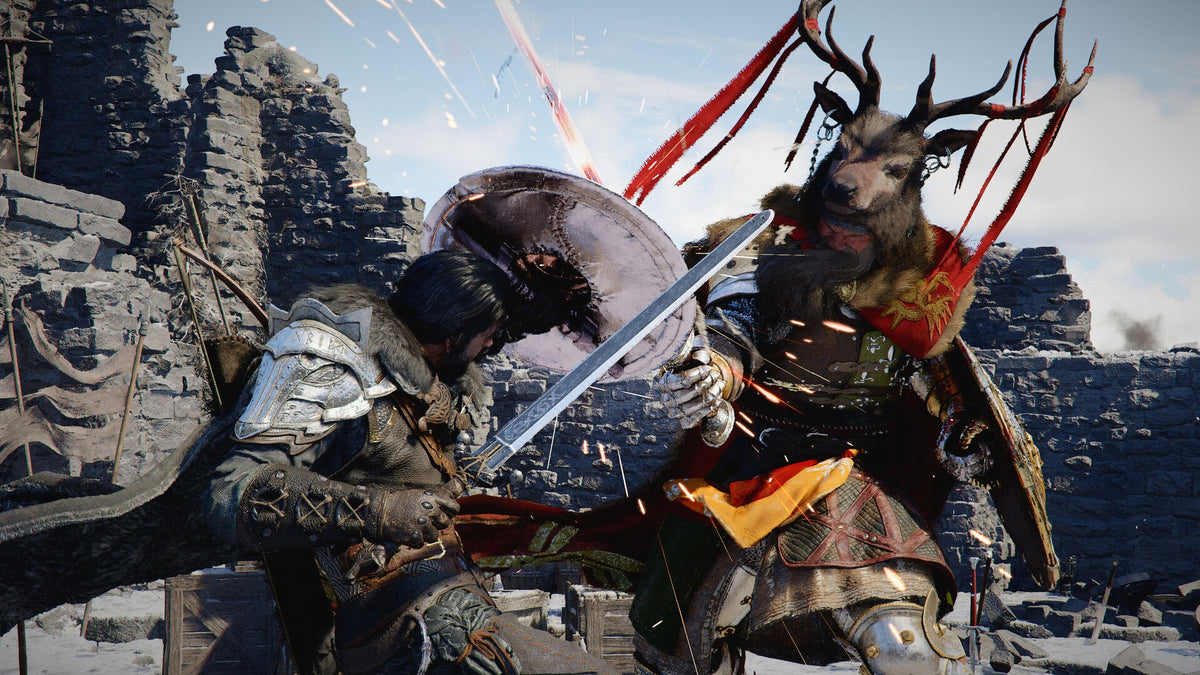
Crimson Desert Update 1.000.428 Shows Why a Gaming PC for New Games Needs More Than Minimum Specs
The latest Crimson Desert update 1.000.428, released as version 1.16.04, is a small hotfix on paper, but it highlights a much bigger buying lesson for Canadian gamers: a Gaming PC for New Games is not just about launching a title on day one. It is about surviving patches, graphical updates, save-data quirks, ray tracing features, upscaling options, future content, and the performance demands that arrive after launch.
Pearl Abyss pushed this Crimson Desert hotfix to address an equipment-related issue where receiving certain equipment, saving, and reloading could cause the quantity of other equipment to become incorrect. That is the headline fix, but the wider patch history includes issues tied to shields disappearing after weapon switching, loading screens persisting, black screens, AMD-specific graphical problems with Ray Regeneration, Mac crashes with upscaling enabled, and housing mode problems. In other words, Crimson Desert is a perfect example of how modern open-world games evolve constantly after release.
For players, that raises an important question: is your current PC ready for the way games actually behave after launch, or only for the minimum requirements printed before launch?
At Groovy Computers, we build custom gaming PCs, creator PCs, streaming PCs, and workstation systems for Canadian customers who want real-world performance, not guesswork. When a major game receives multiple hotfixes in a short window, it is a reminder that hardware decisions matter. A stronger CPU, a better GPU, enough RAM, fast SSD storage, reliable cooling, and proper stress testing can make the difference between enjoying a new game smoothly and fighting your system every time a patch changes performance behaviour.
What Did Crimson Desert Update 1.000.428 Actually Fix?
The August 5 hotfix for Crimson Desert is focused on equipment reliability. The core patch note is straightforward:
Fixed an issue where receiving certain equipment and then saving and reloading the game could cause the quantity of other equipment to become incorrect.
That may sound narrow, but save-data reliability matters in a large adventure game. If you are exploring, collecting gear, completing quests, testing builds, or switching between weapons frequently, inventory bugs can quickly become frustrating. Players invest hours into games like Crimson Desert, and a single save-related issue can disrupt progression.
The earlier hotfixes around version 1.16 also addressed several other problems, including:
- Shields disappearing after switching to dual-wielded weapons, saving, and reloading.
- Loading screens persisting or black screens appearing when loading save data in certain circumstances.
- AMD graphical issues when Ray Regeneration was enabled on certain Radeon GPUs.
- Mac crashes when MetalFX Denoising Upscaler was enabled.
- Indoor housing features becoming unavailable in Housing Mode under certain conditions.
These are not just “game bugs.” For PC buyers, they are clues. Modern games are now deeply tied to GPU drivers, upscaling technologies, ray tracing features, storage behaviour, memory allocation, and ongoing engine updates. That means buying the cheapest system that technically runs today’s games may not be the smartest move if you want to avoid upgrading too soon.
Why This Matters When Buying a Gaming PC for New Games
A Gaming PC for New Games should be chosen with patches, expansions, performance updates, and graphical options in mind. Games do not stand still anymore. Developers adjust lighting, texture streaming, AI behaviour, ray tracing, upscaling, CPU usage, shader compilation, and save systems over time. Sometimes a patch improves performance. Sometimes it adds a feature that pushes hardware harder. Sometimes it fixes one issue while exposing another bottleneck.
So the real question is not only, can my PC run Crimson Desert? The better question is: can my PC keep running Crimson Desert well after multiple updates, driver changes, content patches, and graphics-option tweaks?
This is where Groovy Computers sees many buyers make the same mistake. They shop only around minimum specs, then wonder why a game feels inconsistent at 1440p, stutters in busy areas, struggles with high texture settings, or becomes unstable when ray tracing or frame generation is enabled. Minimum requirements are about launching the game. A properly selected custom gaming PC is about enjoying the game.
What Do You Want Your Next PC to Do for You?
Before choosing a new system, ask yourself what you actually want your next PC to handle. Is it just for Crimson Desert and other AAA open-world games? Do you also want to stream to Twitch or YouTube? Are you recording gameplay clips? Are you editing videos for TikTok, YouTube Shorts, or long-form content? Are you using Photoshop, Lightroom, Premiere Pro, DaVinci Resolve, Blender, Unreal Engine, or CAD software?
If your answer is “I want one machine that can do everything,” then a basic entry-level gaming desktop may not be the best fit. You may be looking for a Gaming and Streaming PC Canada build, a Creator PC Canada system, or a custom workstation-style configuration with stronger multitasking performance.
Ask yourself these questions before buying:
- What games do I want to play most? Crimson Desert, GTA 6, Call of Duty, Cyberpunk-style ray tracing games, competitive shooters, open-world RPGs, survival games, or esports titles?
- What resolution do I care about? 1080p, 1440p, ultrawide, or 4K?
- Do I want ray tracing and high visual settings? If yes, the GPU tier matters much more.
- Will I stream or record while gaming? If yes, you need to think about GPU encoding, CPU headroom, and RAM.
- Will I edit video or create content? If yes, SSD speed, RAM capacity, CPU performance, and GPU acceleration become major factors.
- Do I want to avoid upgrading too soon? If yes, buying with future patches and new games in mind is smarter than chasing the lowest upfront price.
A good gaming PC is not just a box of parts. It is a decision about what you want your time at the desk to feel like for the next several years.
What Performance Tier Fits You Best?
One of the most useful ways to shop for a custom PC is by performance tier. Instead of starting with random parts, start with your screen, your games, your workload, and your expectations. Do you want smooth 1080p? Strong 1440p? Premium 4K? Streaming and editing? 3D rendering? The right build changes depending on your answer.
Entry-Level and Budget Gaming: Is 1080p Enough for You?
If you want a reliable first gaming PC, school-friendly setup, or value-focused system, a 1080p build can still make a lot of sense. A properly configured budget gaming computer can handle esports titles, many popular multiplayer games, and a wide range of modern titles at sensible settings.
But for a demanding open-world game like Crimson Desert, you should be realistic. A budget system may run the game, but you may need to lower settings, avoid the heaviest graphical features, and accept that future patches could shift performance. If you are asking, how much should I spend on a gaming PC?, the answer depends heavily on whether you are comfortable with 1080p medium-to-high settings or whether you want a more premium experience.
A budget gaming PC is best for customers who want:
- 1080p gaming.
- Popular esports and multiplayer titles.
- A first gaming desktop for students or families.
- Good value without chasing ultra settings.
- A system that can be upgraded later if planned correctly.
The key is not buying the cheapest system possible. The key is buying a balanced, tested system with a reasonable upgrade path.
1440p Gaming: Is This the Sweet Spot for Crimson Desert and New AAA Games?
For many Canadian gamers, a 1440p Gaming PC Canada build is the sweet spot. It offers a major visual upgrade over 1080p without demanding the same GPU power as 4K. If you want Crimson Desert to look sharp, run smoothly, and leave room for high settings, 1440p is often where the best balance lands.
If you are wondering, what PC do I need for 1440p gaming?, look for a system with a strong modern GPU, a capable multi-core CPU, at least 32GB of RAM for a more comfortable modern gaming experience, fast NVMe SSD storage, and cooling that can sustain performance during long sessions.
A 1440p gaming PC is ideal if you want:
- High FPS in modern games.
- Sharper visuals than 1080p.
- Better longevity for upcoming releases.
- Room for streaming, recording, and multitasking.
- A strong balance between price and performance.
For many players shopping for a Gaming PC for New Games, this is the tier that delivers the most practical long-term value.
4K and Ray Tracing: Do You Want the Premium Experience?
If your goal is maximum visual quality, ultra settings, high-resolution texture packs, ray tracing, and a premium monitor setup, then you are entering high-end gaming PC territory. A 4K Gaming PC Canada or Ray Tracing Gaming PC Canada build needs a much stronger GPU and a carefully matched CPU, power supply, cooling system, RAM configuration, and case airflow plan.
This tier is for the player who asks, what PC do I need for 4K gaming? and expects the answer to include serious graphics power. If you want to push demanding open-world games, enable advanced lighting features, and keep frame rates smooth, the GPU becomes the centrepiece of the system.
A premium 4K or ray tracing gaming PC is best for customers who want:
- 4K resolution or ultrawide high-refresh gaming.
- High or ultra settings in AAA games.
- Ray tracing where supported.
- Stronger future-proofing.
- Streaming and content creation headroom.
- A build that feels premium now and remains capable longer.
This is also where financing can make sense. Instead of buying a weaker system now and replacing it too soon, some customers prefer to finance a stronger custom PC over time and secure the performance tier they actually want.
Why Patches and Hotfixes Make PC Buying More Complicated
Crimson Desert update 1.000.428 is not unusual. Many new games receive repeated hotfixes, performance updates, balance changes, feature fixes, and platform-specific patches. This is especially common in large open-world games, visually ambitious action titles, and games that support multiple hardware technologies.
For PC gamers, every update can interact differently with your system. Your GPU driver, Windows settings, background apps, storage speed, CPU thread performance, RAM capacity, and even cooling can affect how stable a game feels. A black screen issue or graphical glitch may be a software problem, but a system with outdated hardware or poor thermal behaviour can make troubleshooting harder.
That is why Groovy Computers focuses on full-system balance. A strong GPU is important, but so is the rest of the build. A poorly matched power supply, weak airflow, slow storage, or insufficient RAM can reduce the value of even an expensive graphics card.
Ask yourself: do you want a gaming PC that only looks good on a spec sheet, or one that has been assembled, configured, and stress tested as a complete system?
Known Crimson Desert Issues Also Point to Real Hardware Decisions
The known issues listed around the August 5 update include fishing behaviour bugs, quest progression limitations, control remapping quirks, mount-related quest limitations, Mac cursor and UI issues, PlayStation virtual keyboard freezing, GTX 1060 issues with FSR Upscaling and Frame Generation, and FSR4 upscaling problems in rainy environments.
Some of these are pure game bugs. Others are more relevant to hardware buyers. The GTX 1060 note is especially important because it shows how older GPUs can run into strange behaviour when modern upscaling and frame-generation features are involved. Even if an older card can technically launch a game, newer graphics features may not behave the way players expect.
That does not mean every gamer needs the most expensive GPU available. It means buyers should understand the difference between “minimum playable” and “comfortable.” If you are planning to play new AAA games over the next few years, the GPU you choose today determines how much freedom you have tomorrow.
Should You Buy a Gaming PC Now or Wait?
One of the most common questions Canadian buyers ask is: is it better to buy a gaming PC now or wait? The honest answer depends on your current system, the games you want to play, upcoming releases you care about, and how sensitive you are to price changes.
Waiting can be smart if you do not need a system soon and you are comfortable watching the market. But waiting can also backfire. Component pricing can move because of exchange rates, GPU demand, memory pricing, SSD supply, shipping costs, seasonal demand, and major game releases that push more customers into the market at the same time. Canadian buyers also have to think in Canadian dollars, where currency shifts can affect landed cost and replacement pricing.
If a game you care about is approaching, if your current system is already struggling, or if you want to stream, edit, and game without compromise, waiting for a perfect buying moment may cost you months of poor performance. Worse, if pricing rises or inventory tightens, the same system may become more expensive later.
So ask yourself: are you waiting because it is strategically smart, or because you are unsure what to buy? If the problem is uncertainty, Groovy Computers can help you choose the right build category before prices or availability change.
Should You Finance a Better PC Instead of Buying a Cheaper One?
Another practical question is: should I finance a better PC instead of buying a cheaper one? For many customers, financing is not about overspending. It is about avoiding the false economy of buying a system that is already close to its limit.
If a lower-cost PC forces you to reduce settings immediately, struggle with streaming, wait longer on video exports, or upgrade major components within a year, it may not be the best value. Financing can help you secure a stronger GPU, more RAM, better storage, improved cooling, or a more capable CPU now, then spread the cost over time.
Groovy Computers offers financing options up to 4 years, which can help Canadian customers move into a better performance tier without paying the full amount upfront. This can be especially useful when component prices are uncertain or when you want a build that will last through multiple game releases, software updates, and workload changes.
If you are comparing a budget system against a stronger custom build, ask: will the cheaper PC still feel good two years from now, or will I wish I had chosen more headroom?
Gaming, Streaming, and Editing: Are You Buying for One Job or Three?
Many modern PC buyers are no longer just gamers. They play, stream, record, edit, design thumbnails, create shorts, manage Discord, run OBS, browse guides, and keep multiple apps open on a second monitor. That changes the build recommendation.
A gaming-only PC can prioritize GPU and gaming CPU performance. A streaming PC needs enough headroom for encoding, stable multitasking, and often a stronger RAM and storage setup. A video editing PC benefits from CPU cores, GPU acceleration, fast scratch storage, and enough memory to handle large timelines. A creator PC blends all of these needs into one system.
If you want to stream Crimson Desert, record gameplay, cut highlight videos, and edit thumbnails, you may want a Gaming and Streaming PC Canada configuration rather than a basic gaming desktop. If you are also using Premiere Pro, DaVinci Resolve, Photoshop, Lightroom, or After Effects, then a Custom Creator PC Canada style build may be a better fit.
Ask yourself:
- Do I stream with OBS, Streamlabs, YouTube Live, Twitch, or TikTok Live?
- Do I record gameplay while playing at high settings?
- Do I edit 1080p, 4K, or longer-form video?
- Do I use Photoshop, Lightroom, Illustrator, Canva, or other design tools?
- Do I want one PC for gaming, streaming, and editing?
If the answer is yes to several of these, build planning matters. A gaming PC can be good for content creation, but only if it is configured with creator workloads in mind.
What If You Also Need Photo Editing, Graphic Design, or 3D Modeling Performance?
Crimson Desert may be the news hook, but the buying decision often goes beyond gaming. Many customers who come to Groovy Computers want a system that can run games and also handle professional or creative work. That could mean a photo editing PC for Lightroom and Photoshop, a graphic design PC for Illustrator and InDesign, or a 3D modeling workstation for Blender, Unreal Engine, AutoCAD, Revit, SolidWorks, Maya, 3ds Max, Cinema 4D, or SketchUp.
If you are a photographer, ask: how much RAM do I need for Lightroom, and will my system stay fast during large RAW batch exports? If you are a designer, ask: is my desktop strong enough for Photoshop, Illustrator, multi-monitor design work, and AI-assisted tools? If you are a 3D artist, ask: what PC do I need for Blender or Unreal Engine if I want faster viewport performance and shorter render times?
The right gaming PC can overlap with creator and workstation needs, but not always. Workstation-style tasks may require more RAM, more storage, stronger CPU performance, GPU rendering capability, and a different stability mindset. If you are earning money with your PC, saving time can matter as much as frame rate.
That is why Groovy Computers helps customers match the system to the workload, not just the game title. A custom build lets you prioritize the parts that matter most for your real use case.
Custom PC vs Generic Prebuilt: Why Does Testing Matter?
When new games are receiving frequent hotfixes, you do not want to wonder whether your crashes, stutters, or black screens are caused by the game, the driver, the RAM, the GPU, the power supply, the thermals, or poor assembly. That is where a properly built and tested system becomes valuable.
A generic prebuilt PC may look attractive if the headline GPU is strong, but the full build matters. What is the power supply quality? Is the cooling sufficient? Is the case airflow appropriate? Is the RAM matched correctly? Is the SSD fast enough? Has the system been stress tested? Is there warranty support from a Canadian gaming PC company that understands the build?
Groovy Computers focuses on custom builds, careful part selection, system balance, rigorous testing, and a 1-year warranty. That matters because your PC is not just a product purchase. It is the platform you rely on for gaming, content creation, work, school, and entertainment.
If you are asking, custom PC vs prebuilt PC Canada: which is better?, the answer depends on your expectations. A well-built custom PC gives you more control over performance, aesthetics, cooling, upgrade path, and workload fit. For gamers who want reliability through new releases and patches, that control can be worth it.
How Groovy Computers Helps Canadian Buyers Choose the Right Build
Groovy Computers is built around helping customers across Canada choose systems that match what they actually do. Whether you are in Nova Scotia, Atlantic Canada, Ontario, Alberta, British Columbia, or anywhere else we can support through Canada-wide service, the goal is the same: build the right PC the first time.
Need a budget gaming PC for 1080p? We can help you avoid weak configurations that limit upgrades. Want a strong 1440p gaming PC for new AAA titles? We can help balance GPU, CPU, RAM, SSD, cooling, and price. Want a premium 4K gaming PC with ray tracing? We can help you plan a high-end system with the right power and thermal foundation. Need a creator workstation? We can match the system to Adobe Creative Cloud, DaVinci Resolve, Blender, Unreal Engine, CAD, or your actual production workflow.
Most importantly, we can help you answer the question many buyers struggle with: what gaming PC do I need? Not in vague terms, but based on your monitor, your games, your software, your budget, your upgrade goals, and whether financing makes sense.
Which Groovy Computers Build Category Should You Consider?
If Crimson Desert is the kind of game that made you look at your current PC and wonder whether it is time to upgrade, use this guide to narrow your direction.
Choose a Budget Gaming Computer If...
- You mainly play at 1080p.
- You want a first gaming PC for school, family use, or casual gaming.
- You are focused on value and do not need ultra settings.
- You want something better than a console-style experience but do not need premium graphics.
- You may upgrade later and want a sensible foundation.
Choose a 1440p Custom Gaming PC If...
- You want the best balance for modern AAA games.
- You play open-world, action, RPG, racing, shooter, and survival games.
- You want high settings without jumping all the way to 4K cost.
- You want smoother performance through future patches and game updates.
- You may stream, record, or multitask while gaming.
Choose a Premium RTX Gaming PC If...
- You want 4K, ultrawide, high refresh rates, or ray tracing.
- You care about premium visuals and stronger future-proofing.
- You do not want to upgrade again soon.
- You play demanding AAA games and want more headroom.
- You may also use the system for editing, rendering, or streaming.
Choose a Custom Creator PC If...
- You edit videos for YouTube, TikTok, clients, or business.
- You use Premiere Pro, DaVinci Resolve, After Effects, CapCut, Photoshop, Lightroom, or Illustrator.
- You want faster exports and smoother timelines.
- You need more RAM and storage than a typical gaming-only setup.
- You want one system for gaming and creative work.
Choose a 3D Modeling or Workstation PC If...
- You use Blender, Unreal Engine, Unity, CAD, Revit, SolidWorks, Maya, 3ds Max, Cinema 4D, SketchUp, or ZBrush.
- You care about render speed, viewport performance, and stability.
- You work with complex scenes, high-resolution assets, or professional projects.
- You need 64GB or 128GB of RAM depending on workload size.
- You want a system designed for productivity, not just gaming benchmarks.
What Questions Should You Ask Before Buying or Financing a Custom PC?
Before you buy or finance a gaming PC, take a few minutes to ask the questions that actually affect long-term satisfaction:
- What games will I play most over the next two years?
- Am I targeting 1080p, 1440p, 4K, ultrawide, or high refresh rate?
- Do I care about ray tracing, frame generation, or advanced upscaling?
- Will I stream or record gameplay?
- Will I edit video, photos, or graphics?
- Will I use 3D modeling, rendering, CAD, or AI-assisted creative tools?
- How much RAM will I need for gaming plus multitasking?
- How much fast SSD storage do I need for games, footage, and project files?
- Do I want the option to upgrade later?
- Should I finance a stronger system instead of buying a cheaper one that may age faster?
- Am I buying before a major game release, sale period, software upgrade, hardware shortage, or price spike?
These questions are not meant to slow you down. They help you avoid buyer’s remorse. A PC should fit your life, not just your cart.
Why Canadian Buyers Should Think About Timing
Canadian PC buyers face unique buying conditions. Component costs can shift with exchange rates, import costs, supplier availability, GPU demand, memory pricing, and storage pricing. Add major game releases, seasonal sales, back-to-school demand, holiday demand, and new hardware cycles, and the market can change quickly.
If you already know your current PC is struggling, waiting may not save you money. It may simply delay the upgrade until demand is higher or replacement costs have moved. If you need a system for gaming, streaming, school, client work, or business, the cost of waiting can include lost time, lower performance, missed content opportunities, and frustration.
That does not mean everyone should rush into the most expensive build. It means you should make a confident decision with the right guidance. If financing helps you secure a stronger system before pricing changes, it may be worth considering. If a value build is enough for your needs, buy smart and avoid overbuilding. The right answer depends on your use case.
CTA: Ready to Choose a Gaming PC for New Games?
If Crimson Desert updates have you thinking about performance, patches, ray tracing, 1440p gaming, 4K gaming, streaming, or whether your current system is falling behind, now is the right time to ask: what should my next PC be ready for?
Groovy Computers can help you choose a Gaming PC for New Games, a custom gaming PC, a creator PC, a streaming PC, or a workstation build designed around your actual needs. Whether you want to buy outright or explore financing options up to 4 years, you can start by visiting GroovyComputers.ca and browsing systems built for Canadian gamers and creators.
The Bottom Line: Crimson Desert Is a Reminder to Build for the Future, Not Just Today
Crimson Desert update 1.000.428 may be a small equipment fix, but it points to a larger truth about modern PC gaming. New games change. Patches arrive. Graphics features evolve. Driver behaviour matters. Old GPUs can run into unexpected problems. Save systems, loading behaviour, upscaling, ray tracing, and platform-specific issues can all affect the experience.
A Gaming PC for New Games should be chosen with that reality in mind. If you only buy for minimum specs, you may end up compromising sooner than expected. If you choose a balanced, tested, custom-built system with the right performance tier, you give yourself more room to enjoy the games, software, and creative work that matter to you.
For Canadian gamers, streamers, editors, designers, 3D artists, and professionals, Groovy Computers is here to make that decision easier. Ask what you want your next PC to do, choose the performance tier that fits, and build with enough headroom to enjoy what comes next.
#GamingPCForNewGames #CustomGamingPCCanada #GroovyComputers #GamingComputersCanada #1440pGamingPC #4KGamingPC #CreatorPCCanada #GamingPCFinancingCanada #CanadianCustomPCBuilders
Groovy Computers | All Rights Reserved


Leave a comment
This site is protected by hCaptcha and the hCaptcha Privacy Policy and Terms of Service apply.