




















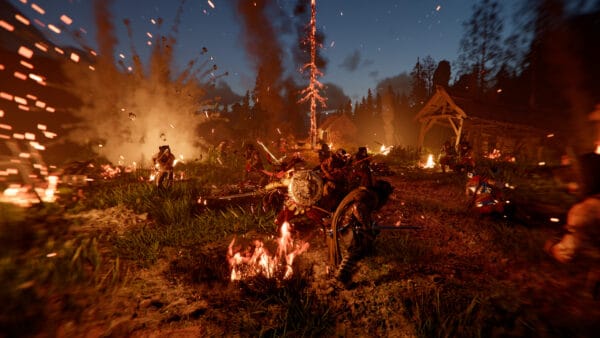
Gaming PC for New Games: What the Crimson Desert 1.18.0 Update Teaches Canadian Buyers About Performance, Patches, and Buying the Right Custom PC
The latest Crimson Desert update, listed as version 1.18.0 on PC and update 1.000.457 on consoles, is a useful reminder for anyone shopping for a Gaming PC for New Games: modern games do not stand still after launch. They evolve through patches, performance fixes, graphics updates, control changes, frame generation adjustments, UI improvements, localization upgrades, and bug fixes that can change how smooth the game feels from one week to the next.
For Canadian gamers, streamers, creators, and workstation users, that matters. A new game may launch with certain performance expectations, then receive updates that improve stability, add features, change graphics behaviour, or expose weaknesses in older hardware. If you are planning to buy a new gaming desktop, finance a stronger custom PC, upgrade before a major release, or avoid replacing your system too soon, patch notes like these are more than news. They are buying signals.
At Groovy Computers, we look at updates like this through a practical lens: what does it tell us about the kind of PC today’s games actually need? Do you want smooth 1080p gaming, high-FPS 1440p gameplay, 4K ultra settings, ray tracing, streaming, video editing, photo editing, graphic design, 3D modeling, or a reliable all-in-one creator workstation? Are you buying for one title, or are you trying to build a system that stays strong through the next wave of open-world games, graphics updates, and demanding software?
Why a Crimson Desert Patch Matters When Choosing a Gaming PC for New Games
The Crimson Desert update focuses heavily on bug fixes, game systems, controls, combat behaviour, UI clarity, graphics stability, localization, and general improvements. On the surface, that may sound like a standard title update. But for PC buyers, several details stand out.
The patch notes mention fixes related to camera jitter or shaking under low-FPS conditions, rendering corruption when FSR Frame Generation or XeSS Frame Generation is enabled on certain lower-end graphics cards, and unstable indoor lighting effects. These are not just isolated patch items. They point to the broader reality of modern PC gaming: your CPU, GPU, RAM, storage, cooling, display resolution, drivers, and game settings all interact with each other.
Have you ever asked, “Can my PC run this game?” and then realized the better question is, “Can my PC run this game smoothly after patches, updates, graphics features, and future content?” That is where a carefully selected custom gaming PC becomes much more valuable than a random bargain desktop with mismatched parts.
A title like Crimson Desert, with large environments, action combat, mounts, quests, visual effects, and performance-sensitive camera movement, rewards a balanced system. A strong graphics card matters, but so does a responsive CPU, enough memory, fast NVMe storage, stable power delivery, and cooling that can handle long gaming sessions without throttling.
What the Update Gets Right: Stability, Controls, Graphics, and Quality of Life
The 1.18.0 update adds a new quest knowledge category with multiple sub-categories, improves how certain animal knowledge can be earned, changes research resources from silver to camp funds, adjusts trade goods, improves stables, fixes quest progression issues, and updates various NPC, animation, mount, sound, and save-related bugs.
For players, that means a smoother experience and fewer immersion-breaking issues. For PC buyers, it shows why game performance is not only about maximum FPS. A good system should help deliver consistent frame pacing, fast loading, responsive controls, stable visuals, and enough headroom for future updates.
The control changes are also notable. The update expands lock-on camera rotation settings into manual, semi-auto, and auto options. That kind of detail matters for action games where camera control, target lock, and input timing affect the feel of combat. If your system is fighting low frame rates, stutter, or unstable frame generation, even a well-designed control system can feel less responsive than it should.
So ask yourself: are you building a PC just to meet the minimum requirement, or are you building a machine that lets the game feel responsive, fluid, and enjoyable?
What Do You Want Your Next PC to Do for You?
Before choosing a build, ask the most important question: what do you want your next PC to do for you?
Do you want it mainly for Crimson Desert and other open-world RPGs? Do you want a machine that can also handle Call of Duty, Fortnite, Counter-Strike 2, Valorant, Cyberpunk-style ray tracing games, simulation titles, and future AAA releases? Are you planning to stream gameplay to Twitch or YouTube? Will you record clips, edit videos, design thumbnails, batch process photos, or work in Adobe Creative Cloud?
Maybe your next PC needs to do more than game. Maybe it has to run Blender, Unreal Engine, Unity, AutoCAD, Revit, SolidWorks, DaVinci Resolve, Premiere Pro, Photoshop, Lightroom, Illustrator, Canva, or OBS Studio. If that sounds like you, the best choice may not be a basic gaming desktop. It may be a custom creator PC, a gaming and streaming PC, a video editing workstation, or a 3D modeling PC built around your actual workload.
This is where Groovy Computers helps Canadian buyers avoid the common mistake of buying only for today’s headline game. A smarter build is chosen around your resolution, refresh rate, software, upgrade plans, budget, financing comfort, and how long you want the system to last.
What PC Do You Need for 1080p, 1440p, 4K, Ray Tracing, and Streaming?
Different buyers need different performance tiers. A player using a 1080p 75Hz monitor does not need the same graphics horsepower as someone chasing high-FPS 1440p gameplay or 4K ultra settings. A streamer running OBS, Discord, overlays, browser tabs, and a competitive game at the same time needs more system balance than someone playing casually after work.
1080p Gaming: Best for Budget Buyers and First Gaming PCs
A well-built 1080p gaming PC is often the right choice for students, first-time PC gamers, esports players, and buyers who want strong value without overspending. If your target is smooth gameplay in popular titles, medium-to-high settings, and dependable everyday use, a budget gaming computer can make sense.
But there is an important question: are you buying for current 1080p gaming only, or do you think you will want 1440p later? If you already know you will upgrade your monitor, record gameplay, or play larger open-world games, it may be worth stepping up now instead of buying a system you outgrow quickly.
For many Canadian buyers, this is where financing becomes part of the decision. A slightly stronger CPU, GPU, RAM configuration, or SSD today can delay the need for another upgrade and make your system feel better for years. If paying all at once pushes you toward a weaker build, financing up to 4 years may help you secure a more future-ready PC.
1440p Gaming: The Sweet Spot for Many Canadian Gamers
A 1440p Gaming PC Canada buyer usually wants a better visual experience than 1080p while still maintaining strong frame rates. This is the sweet spot for many modern gaming desktops because 1440p offers sharper image quality without being as punishing as 4K.
If you are excited about new open-world games, action RPGs, high-refresh monitors, and smooth gameplay with quality settings turned up, 1440p is often the most balanced target. It is also a strong choice for players who stream, record, and edit clips because the system is already built with more GPU and CPU headroom than a basic entry-level machine.
Ask yourself: what PC do I need for 1440p gaming if I do not want to upgrade again next year? The answer usually involves selecting a GPU tier with enough VRAM, a fast modern CPU, 32GB of RAM for multitasking comfort, and fast NVMe storage for modern game libraries.
4K Gaming and Ultra Settings: For Premium Buyers Who Want Long-Term Headroom
A 4K Gaming PC Canada buyer is usually looking for a premium experience: high resolution, better texture detail, stronger graphics settings, ray tracing, and a build that can stay relevant as games become heavier. This category is ideal for players who want the best possible visual presentation on a large monitor or TV.
However, 4K is demanding. It puts major pressure on the graphics card, and if you also want ray tracing, high refresh rates, recording, streaming, or background apps, the build needs to be planned carefully. This is where a high-end gaming PC can be worth it, especially if you value long-term performance and want to avoid replacing your desktop too soon.
So, is a premium gaming PC overkill? Not if you are buying for 4K, ray tracing, demanding AAA titles, content creation, or a multi-year ownership plan. The bigger question is whether you want to pay less today and compromise, or finance a stronger system that better matches the experience you actually want.
Ray Tracing and Frame Generation: Why GPU Choice Matters More Than Ever
The Crimson Desert update specifically mentions a fix for rendering corruption when FSR Frame Generation or XeSS Frame Generation was enabled on certain low-end graphics cards, including GTX 1060-class hardware. That detail is important because it highlights the gap between older GPUs and modern graphics pipelines.
Frame generation, upscaling, ray tracing, and modern rendering features can be powerful, but they work best when the rest of the system is ready. An older GPU may technically launch a game, but that does not mean it will deliver the smooth, clean, consistent experience you want. If you have been holding onto an older graphics card and hoping patches will solve everything, you may be nearing the point where a full-system upgrade makes more sense.
Are you relying on older hardware to play new games? Are you lowering settings more often than you would like? Are patches improving stability but not solving your FPS problem? If so, it may be time to look at a custom gaming PC built around the way you actually play.
What Gaming PC for New Games Should You Buy If You Also Stream?
A gaming PC for new games becomes more complicated when you add streaming. Running a game is one workload. Running a game while broadcasting, recording, monitoring chat, using overlays, managing audio, and possibly editing clips afterward is a different workload entirely.
If you want a Gaming and Streaming PC Canada build, you should think beyond raw game FPS. You need enough CPU threads for multitasking, a GPU with strong encoding support, adequate RAM, fast storage, and thermal stability. OBS Studio, Streamlabs, YouTube Live, Twitch, Discord, browser sources, capture tools, and background utilities all add load.
Ask yourself: what PC do I need for streaming if I want my game to stay smooth? If you are streaming at 1080p while gaming at 1440p, you should not buy the absolute minimum. If you plan to record high-bitrate footage and edit it later, you are entering creator PC territory.
Groovy Computers can help match your build to your streaming goals. Some customers need a compact, affordable gaming and streaming setup. Others need a high-FPS streaming PC with dual monitors, NVENC-style GPU encoding, extra RAM, and a large SSD for recorded footage. The right answer depends on your content plan, not just the game title.
Could Your Gaming PC Also Be a Content Creation PC?
Many gamers are also creators now. A single gaming session can become a YouTube video, TikTok clip, Twitch highlight, thumbnail, short-form reel, Discord post, or portfolio project. That means a modern gaming desktop often needs to double as a Content Creation PC Canada buyers can rely on.
Are you planning to edit gameplay clips in CapCut, Premiere Pro, or DaVinci Resolve? Do you make thumbnails in Photoshop or Canva? Do you manage photos in Lightroom? Do you create overlays, logos, stream graphics, or social media assets in Illustrator or Adobe Creative Cloud? If yes, your PC should be built for more than just FPS.
A good creator-focused gaming PC should consider:
- CPU performance for exports, effects, background tasks, and multitasking.
- GPU performance for gaming, rendering, acceleration, encoding, AI tools, and visual workloads.
- RAM capacity for editing timelines, large photo libraries, design files, browser tabs, and streaming software.
- NVMe storage for fast project loading, game loading, scratch files, and media storage.
- Cooling and power quality for long editing, rendering, and gaming sessions.
- Upgrade path so you can add more storage, memory, or GPU power later.
If you are asking, “Is a gaming PC good for content creation?” the answer is yes, if it is configured properly. A low-cost gaming system with limited RAM and storage may struggle once you add editing and streaming. A custom creator PC from Groovy Computers can be tuned for both play and productivity.
Video Editing, Photo Editing, and Graphic Design: When a Gaming Desktop Needs Creator Hardware
Crimson Desert may be a gaming topic, but the PC buying lesson extends into creative work. Games with rich environments, cinematic presentation, and frequent updates inspire players to create videos, thumbnails, tutorials, guides, social clips, livestreams, and review content. That creative workflow can be more demanding than the game itself.
What PC Do You Need for Video Editing?
If you edit 1080p clips occasionally, a mid-range gaming PC may be enough. If you edit 4K footage, multi-camera projects, colour grading, effects, motion graphics, or frequent YouTube uploads, you should consider a Video Editing PC Canada configuration with a stronger CPU, more RAM, a capable GPU, and fast storage.
How much RAM do you need for video editing? Many casual editors can work comfortably with 32GB, while heavier 4K, 6K, After Effects, or DaVinci Resolve workflows may benefit from 64GB or more. Storage also matters more than many buyers realize. A fast NVMe drive can make a system feel dramatically more responsive when scrubbing timelines, loading project files, and exporting media.
If your PC is for Premiere Pro, DaVinci Resolve, After Effects, YouTube editing, or CapCut editing, tell Groovy Computers what you actually use. A gaming PC can be customized into a creator workstation when the parts are selected around your software.
What PC Do You Need for Photo Editing?
Photographers often underestimate how demanding modern photo editing can be. RAW files, high-megapixel cameras, batch exports, AI masking, denoise tools, panorama stitching, HDR merges, and large Lightroom catalogs can all stress a system.
If you are asking, “What PC do I need for photo editing?” look for a fast CPU, enough RAM, reliable SSD storage, and a GPU that supports acceleration in modern creative apps. A Photo Editing PC Canada build does not always need the most expensive graphics card, but it does need balance, responsiveness, and reliability.
For photographers using Photoshop, Lightroom Classic, Capture One, Luminar Neo, or other creative software, a custom desktop can save time every day. Faster imports, smoother previews, quicker exports, and better multitasking are not luxury features when your PC is part of your income.
What PC Do You Need for Graphic Design?
Graphic designers need a system that feels instant. Large Photoshop files, Illustrator artboards, InDesign documents, Canva projects, mockups, fonts, browser tabs, reference images, and multi-monitor setups can quickly overwhelm entry-level hardware.
A Graphic Design PC Canada buyer should focus on strong single-core CPU performance, enough RAM, fast SSD storage, and a GPU appropriate for Photoshop, Illustrator, InDesign, CorelDRAW, Affinity Designer, and Adobe Creative Cloud. If you also edit video or create motion graphics, the GPU and RAM requirements become more important.
Do graphic designers need a dedicated GPU? Not always for basic work, but many modern design tools use GPU acceleration, AI features, and high-resolution canvases. If your desktop is for both design and gaming, a custom build can give you the best of both worlds.
3D Modeling, Unreal Engine, Blender, and Workstation Use: Should You Build Beyond Gaming?
Open-world games like Crimson Desert also attract 3D artists, mod-minded creators, environment designers, game development students, and workstation buyers who want to understand what kind of hardware powers large scenes, complex lighting, and detailed assets. If you use Blender, Unreal Engine, Unity, Maya, 3ds Max, Cinema 4D, ZBrush, SketchUp, AutoCAD, Revit, or SolidWorks, your PC requirements may go far beyond gaming.
A 3D Modeling PC Canada or 3D Rendering PC Canada build should be planned around the software renderer, scene complexity, texture size, viewport needs, and whether your workloads lean CPU-heavy or GPU-heavy. Blender users may want strong GPU rendering performance. CAD users may prioritize stability, CPU responsiveness, memory, and professional workflow reliability. Unreal Engine users may need a combination of CPU, GPU, RAM, storage, and shader compilation performance.
Ask yourself: workstation PC vs gaming PC for 3D modeling, which one do I need? If your projects are light and you mostly game, a powerful gaming PC may be enough. If you render professionally, work with large assets, or run demanding production tools, a custom workstation PC is safer.
Groovy Computers can help you decide whether you need a gaming-first build, creator-first build, or workstation-grade configuration. The goal is not to oversell parts you do not need. The goal is to avoid underbuilding a PC that slows down your work, limits your projects, or forces another upgrade too soon.
Why Canadian Buyers Should Think Differently About PC Timing
Canadian buyers face a unique purchasing reality. Component pricing can shift due to exchange rates, supply constraints, GPU demand, memory price changes, storage trends, new hardware launches, seasonal sales, and sudden spikes in demand when major games release. Even when a game patch improves performance, hardware costs can move in the opposite direction.
That is why the question “is it better to buy a gaming PC now or wait?” does not have a one-size-fits-all answer. Waiting can be smart if you have a strong system and no urgent need. But waiting can also backfire if your current PC is already struggling, if replacement costs rise, if a major game release increases demand, or if the build you want becomes more expensive.
Are you buying before a major game launch, school term, holiday rush, creator project, business contract, or software upgrade? Are you trying to secure a GPU tier before pricing changes? Are you hoping to stretch an older system that is already showing its age? These are the questions that matter more than chasing the perfect day to buy.
At Groovy Computers, Canadian customers can explore custom gaming PCs, creator PCs, and workstation PCs built for their actual needs, with Canada-wide relevance and support from a Canadian custom PC builder. For local buyers in Nova Scotia, including Trenton, New Glasgow, Halifax, and Atlantic Canada, that local trust matters even more.
Should You Finance a Better PC Instead of Buying a Cheaper One?
Financing is not about buying recklessly. Used properly, it is a tool that can help you avoid compromising on the exact parts that determine whether your PC feels strong for two years or five.
If your budget today pushes you into a weaker GPU, too little RAM, a small SSD, or a CPU that is barely enough, financing may let you move into a more balanced build. For many buyers, a monthly payment gaming PC can be more practical than settling for a cheaper desktop that needs upgrades almost immediately.
So ask yourself: should I finance a better PC instead of buying a cheaper one? If the stronger system helps you play the games you care about, stream smoothly, edit faster, work professionally, avoid downtime, and delay replacement, the answer may be yes.
Groovy Computers offers financing options up to 4 years where available, making it easier for Canadian customers to secure a custom gaming PC, creator PC, or workstation PC before prices change. If you are trying to buy before a major game release, creator workload increase, hardware shortage, sale period, or price spike, financing can help you act sooner without paying the full amount upfront.
How Pricing Volatility Affects GPUs, CPUs, RAM, SSDs, and Full-System Costs
When buyers think about PC pricing, they often focus only on the graphics card. The GPU is important, especially for 1440p, 4K, ray tracing, streaming, rendering, and AI-assisted creative tools. But the full system cost depends on more than one component.
Memory pricing can change. SSD costs can rise. Power supply quality matters more when GPUs draw more power. Cooling can affect long-term performance. Motherboard choice affects upgrade path. Case airflow affects noise and temperatures. A bargain prebuilt can look attractive until you realize it cuts corners on the parts that protect performance and reliability.
Have you compared two gaming computers and wondered why one is cheaper even when the headline CPU and GPU look similar? The answer is often in the details: RAM speed, SSD quality, motherboard tier, power supply reliability, cooling, cable management, BIOS setup, stress testing, warranty, and support.
That is why working with a custom PC builder matters. Groovy Computers can help make sure the build is not just powerful on paper, but stable, balanced, tested, and appropriate for your use.
Which Performance Tier Fits You?
Choosing the right gaming PC for new games becomes easier when you match the tier to your real expectations. Instead of starting with a random component list, start with your use case.
Choose a Budget Gaming PC If...
- You mainly play esports, lighter games, or 1080p titles.
- You want your first gaming desktop and need strong value.
- You are a student or casual player who wants reliable performance without overspending.
- You are comfortable using optimized settings instead of always choosing ultra.
- You do not plan to stream, edit heavily, or move to 1440p immediately.
A budget gaming PC can be a smart purchase when expectations are realistic. The key is avoiding the cheapest possible build if it sacrifices upgrade path, cooling, storage, or reliability.
Choose a Mid-Range 1440p Gaming PC If...
- You want sharper visuals and smoother gameplay than basic 1080p.
- You play open-world games, action RPGs, shooters, and new AAA titles.
- You want better long-term value without going fully premium.
- You may stream, record, or edit clips occasionally.
- You want a balanced gaming desktop that feels fast for everyday use.
For many Canadian buyers, this is the best overall category. It gives you meaningful performance without stepping into the cost of flagship hardware.
Choose a Premium or High-End Gaming PC If...
- You want 4K gaming, ray tracing, ultra settings, or high refresh rates.
- You play demanding AAA games and want strong performance headroom.
- You stream, record, edit, and multitask while gaming.
- You want the system to last longer before needing major upgrades.
- You prefer buying once and buying properly instead of replacing sooner.
A premium gaming PC is not only about bragging rights. It can be a practical choice for buyers who value longevity, visual quality, and flexibility across gaming and creator workloads.
Choose a Custom Creator PC If...
- You edit video, photos, thumbnails, podcasts, or social media content.
- You use Adobe Creative Cloud, DaVinci Resolve, CapCut, OBS, Photoshop, Lightroom, or Illustrator.
- You need fast exports, responsive timelines, smooth previews, and reliable multitasking.
- You want one desktop for gaming, streaming, editing, and design.
- You earn income from creative work or want to grow as a creator.
A custom creator PC should be built around software, not just games. Tell Groovy Computers what programs you use, what resolution you edit, and how often you export. That information changes the ideal CPU, GPU, RAM, and storage configuration.
Choose a 3D Modeling or Workstation PC If...
- You use Blender, Unreal Engine, Unity, CAD, Revit, SolidWorks, Maya, 3ds Max, or Cinema 4D.
- You work with large scenes, high-resolution textures, simulations, or rendering.
- You need more RAM than a typical gaming PC.
- You care about stability during long renders or professional workloads.
- You need a desktop that supports both productivity and high-end gaming.
A workstation PC Canada buyer should focus on reliability and workload fit. The right workstation can save hours of waiting, reduce crashes, improve project responsiveness, and make heavy software feel less frustrating.
Custom PC vs Prebuilt PC Canada: Why the Details Matter
Many buyers compare custom PCs and generic prebuilts by looking at only the CPU and GPU. That is understandable, but incomplete. A custom PC vs prebuilt PC Canada decision should consider build quality, part matching, airflow, power supply quality, RAM configuration, storage layout, upgrade path, warranty, and stress testing.
A generic prebuilt may advertise a recognizable graphics card but hide compromises elsewhere. A custom gaming PC from Groovy Computers is built around your intended use. If you need 1440p gaming, streaming, video editing, and fast storage for a large game library, the build should reflect that. If you need a quiet creator workstation for long editing sessions, the cooling and case selection matter. If you need a budget gaming computer, the part choices should protect future upgrades.
Why does testing matter in a gaming PC? Because a PC can turn on and still be poorly optimized. Rigorous testing helps confirm that temperatures, stability, drivers, memory, storage, and performance are where they should be before the system reaches you.
Groovy Computers builds custom systems for Canadian customers with careful part selection, testing, and a 1-year warranty. That gives buyers more confidence than guessing on a marketplace listing or choosing a system based only on a flashy spec sheet.
Questions to Ask Before Buying a Gaming PC for New Games
If you are unsure what to buy, start with these practical questions:
- What games do I want to play most? Are they esports games, open-world RPGs, shooters, simulation games, ray tracing titles, or upcoming AAA releases?
- What resolution do I want? Is 1080p enough, or do I want 1440p or 4K?
- What frame rate feels good to me? Am I happy with smooth casual play, or do I want high-FPS competitive performance?
- Will I stream or record? If yes, do I need OBS, Twitch, YouTube, Discord, overlays, and editing software running smoothly?
- Will I create content? Do I need Premiere Pro, DaVinci Resolve, Photoshop, Lightroom, Illustrator, Canva, or CapCut performance?
- Do I need workstation capability? Will I use Blender, Unreal Engine, CAD, Revit, SolidWorks, or rendering software?
- How long do I want the PC to last? Am I buying for today only, or do I want a future proof gaming PC Canada buyers can keep longer?
- Should I buy now or wait? Could upcoming game releases, component pricing, exchange rates, or demand spikes make waiting more expensive?
- Would financing help? Could a payment plan let me choose the build I actually need instead of settling for one I will outgrow?
- Who will support the PC? Do I want a Canadian custom PC builder with testing, warranty, and support?
These questions are more useful than asking only, “What is the cheapest gaming PC?” The better question is, “What is the right gaming PC for how I actually play, work, and create?”
Why Older PCs Struggle More as Games Keep Updating
The Crimson Desert patch note about low-end graphics cards and frame generation issues is a reminder that older hardware can reach a point where software support and game optimization can only do so much. Patches can fix bugs. They can improve stability. They can adjust rendering behaviour. But they cannot turn an aging GPU into a modern one, add VRAM where there is none, or make a slow storage drive behave like a fast NVMe SSD.
If your current system has an older graphics card, limited RAM, a small SSD, or a CPU that struggles with modern games, you may notice a pattern: every new patch helps a little, but the experience still feels compromised. You lower textures, reduce shadows, turn off advanced features, cap frame rates, close background apps, and still deal with stutter or inconsistent performance.
At that point, upgrading one part may not be enough. A new GPU in an old system can expose CPU bottlenecks, power supply limits, airflow issues, or storage problems. A full custom build can be the cleaner, safer, longer-lasting answer.
Why Storage and RAM Matter More Than Many Gamers Think
Games today are large, frequently updated, and increasingly dependent on fast storage. Open-world titles, high-resolution textures, large save files, streaming assets, and frequent patches all benefit from a responsive SSD. If you also record gameplay, edit video, manage content files, or work with creative software, storage capacity disappears quickly.
RAM matters too. A basic gaming setup can run with less, but multitasking changes the equation. If you game with Discord, a browser, music, recording software, overlays, and background launchers open, memory headroom improves responsiveness. If you edit video, work with high-resolution photos, or use design software, more RAM can be the difference between smooth workflow and constant slowdowns.
Are you the kind of user who keeps multiple apps open? Do you alt-tab often? Do you record clips while gaming? Do you want to edit right after playing? If yes, do not treat RAM and storage as afterthoughts.
Why Cooling, Power Supply Quality, and Case Airflow Affect Real Performance
Performance is not only about what components are listed. It is also about how those components behave under load. A powerful CPU or GPU can underperform if the system runs too hot, if airflow is poor, or if the power supply is not appropriate for the build.
This matters for gaming sessions that last hours, video exports that run under sustained load, 3D renders that push the GPU, and workstation tasks that stress the CPU. A custom PC should be built for real-world use, not just a quick benchmark.
Would you rather have a PC that looks powerful on paper but gets loud, hot, and unstable, or a balanced system that is tested and built for the way you use it? This is one of the biggest advantages of buying from a Canadian custom PC builder instead of choosing a generic system based on a headline discount.
Buying Before a Major Game Release, Hardware Shortage, Sale Period, or Price Spike
Timing matters. Demand often rises around major game launches, holiday periods, school seasons, creator software updates, and new hardware cycles. When many buyers enter the market at once, popular GPU tiers, RAM kits, SSDs, and full systems can become harder to secure at the same value.
If you already know you want to play a major upcoming game, start a streaming channel, take on editing work, begin a design program, or upgrade your workstation, waiting until the last minute can limit your options. You may end up choosing whatever is available instead of what fits your needs.
Ask yourself: am I buying proactively, or am I waiting until my current PC fails the moment I need it most? If a new game, school term, creative contract, or business project is coming, planning your build early can save stress.
This is also where financing can help. If the right build is available now but the full upfront cost is not ideal, a financing option may let you secure the system before replacement costs rise or availability changes.
How Groovy Computers Helps Canadian Buyers Choose the Right Build
Groovy Computers is built for buyers who want guidance, not guesswork. Whether you need a budget gaming PC, premium RTX gaming PC, custom creator PC, editing workstation, 3D modeling workstation, or balanced gaming and streaming setup, the goal is to match the build to your actual needs.
Instead of asking you to decode every component yourself, Groovy Computers helps you think through resolution, frame rate, software, storage, RAM, upgrade plans, budget, financing, and long-term expectations. That is especially valuable if you are buying your first gaming PC, upgrading from a console, replacing an older desktop, or trying to combine gaming with content creation.
Canadian buyers can shop with confidence knowing Groovy Computers focuses on custom builds, rigorous testing, dependable configuration choices, and a 1-year warranty. For customers in Nova Scotia and across Canada, that combination of expertise and support can make the buying process easier and safer.
Ready to Choose a Gaming PC for New Games?
If Crimson Desert’s latest update has you thinking about performance, patches, graphics features, and whether your current system is ready for modern games, this is the right moment to plan your next build. A Gaming PC for New Games should not only launch today’s titles. It should give you the smoothness, stability, upgrade path, and headroom you need for the games and software you care about next.
What do you want your next PC to handle: 1080p gaming, 1440p high-FPS gameplay, 4K ultra settings, ray tracing, streaming, video editing, photo editing, graphic design, content creation, 3D modeling, or professional workstation use? If you want help choosing the right system instead of guessing, visit GroovyComputers.ca and explore custom gaming PCs, creator PCs, workstation PCs, and financing options built for Canadian buyers.
The smartest PC purchase is not always the cheapest one. It is the one that matches your real workload, avoids premature upgrades, performs reliably under pressure, and gives you confidence before prices, availability, or game requirements shift again.
#GamingPCForNewGames #CustomGamingPCCanada #GamingComputersCanada #1440pGamingPC #4KGamingPC #StreamingPCCanada #CreatorPCCanada #GroovyComputers
Groovy Computers | All Rights Reserved


Leave a comment
This site is protected by hCaptcha and the hCaptcha Privacy Policy and Terms of Service apply.