




















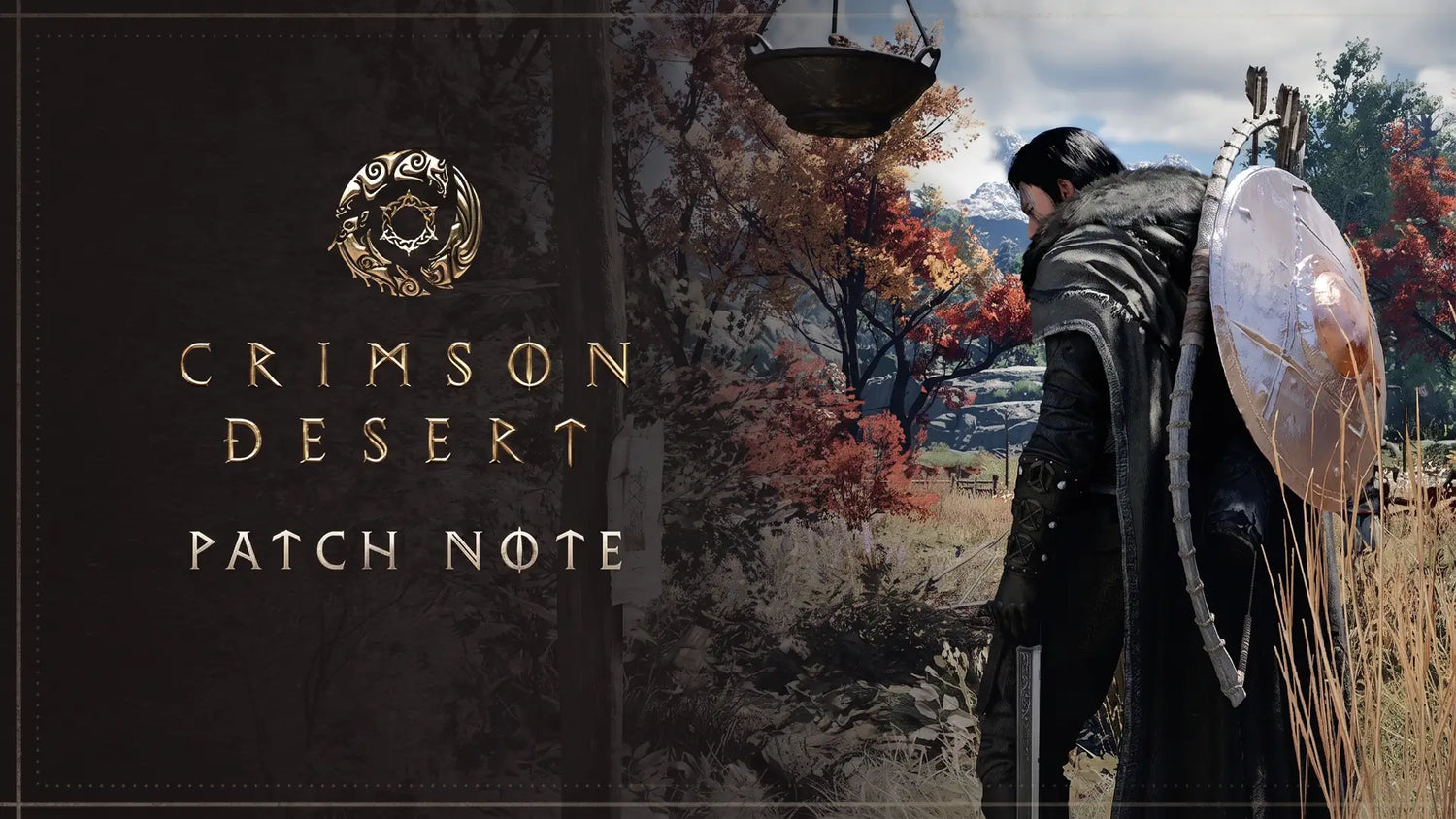
Crimson Desert Update 1.18.00 Is Here: What Canadian Players Should Know Before Buying a Gaming PC for New Games
Crimson Desert update version 1.18.00 has arrived on PC and consoles, and it is exactly the kind of patch that makes players ask a bigger question: is your current system ready for the next wave of large-scale open-world action RPGs? For Canadian gamers watching demanding new releases, visual upgrades, frame generation features, ray tracing options, and performance patches become more common, the answer is not just about whether a game launches. It is about whether it runs smoothly, looks the way you expect, streams cleanly, edits content quickly, and keeps you from upgrading again too soon.
The latest Crimson Desert update brings a wide range of gameplay, stability, control, camera, graphics, and localization improvements. On the surface, that sounds like a standard patch. But for anyone planning a Gaming PC for New Games, it is also a reminder that modern games are constantly evolving after launch. A PC that feels “good enough” today may struggle when a game adds heavier visuals, fixes rendering features, expands content, or leans harder into GPU-intensive effects. If you are buying in Canada right now, especially with component pricing and availability always subject to change, this is the right moment to think carefully about the system you actually need.
At Groovy Computers, we build custom gaming PCs, creator PCs, and workstation PCs for Canadians who want more than a generic box with flashy lights. The Crimson Desert 1.18.00 update is a useful case study in why custom part selection matters: one patch can affect stability, frame generation, camera feel, mounted combat, lighting, and even how older GPUs behave. So the real buying question becomes: what do you want your next PC to do for you over the next several years?
What Changed in Crimson Desert Update 1.18.00?
According to the provided source material, Crimson Desert version 1.18.00 is now available on PC through Steam and the Epic Games Store, as well as on PlayStation and Xbox consoles. The update focuses on comprehensive bug fixes, improved overall stability, and gameplay polish. For an action role-playing game built around movement, combat, exploration, and visual atmosphere, those are not small changes. Stability updates can dramatically affect how a game feels during long sessions, boss fights, travel, and repeated respawns.
One of the major additions is a new knowledge category called Quests, divided into eight thematic subcategories. These include different quest types such as main quests, faction-related quests, and exploration quests. Some knowledge records are awarded retroactively to players who have already completed specific quests. That kind of change matters for completionists, lore-focused players, and anyone who wants a cleaner progression record without replaying content unnecessarily.
The update also changes research fees from silver to camp funds, adds the ability for stables to immediately equip horses with equipment, and improves how the map visually distinguishes zones opened by bells from zones explored manually. These are quality-of-life changes, but they also show how modern games increasingly depend on interface clarity and system responsiveness. If your PC is stuttering while opening menus, managing a map, swapping gear, or riding through dense areas, even a well-designed update can feel less impressive than it should.
Why Does a Game Patch Matter When Choosing a Gaming PC?
Many players only think about hardware when a game refuses to run. But the smarter question is: can your PC keep up as games evolve after launch? Crimson Desert update 1.18.00 demonstrates the modern pattern clearly. Developers are not just releasing a game and walking away. They are adjusting camera behavior, mounted weapon aiming, lighting, frame generation, crashes, worker behavior after save loading, localization, traversal, quest systems, and rendering stability. Every one of those systems can interact with hardware performance.
If you are searching for a Gaming PC for New Games, you are probably not only buying for one title. You may also be looking ahead to open-world RPGs, competitive shooters, racing games, survival games, ray-traced action games, upcoming AAA releases, and maybe even streaming or editing your gameplay. That is where a custom build becomes more valuable than a one-size-fits-all prebuilt. Your GPU, CPU, RAM, SSD, cooling, case airflow, power supply, and upgrade path all matter.
Do you want 1080p high settings, 1440p ultra settings, or 4K gaming with advanced upscaling? Are you planning to stream Crimson Desert gameplay to Twitch or YouTube? Do you want to record cinematic clips, edit them in DaVinci Resolve or Adobe Premiere Pro, and post them to TikTok, Instagram, or YouTube? Are you hoping to keep the same PC through multiple major game releases instead of replacing it again next year? These are the questions that should shape your build before you buy.
Crimson Desert 1.18.00 and Graphics Stability: What It Says About GPU Choice
The source article highlights several graphics-related fixes in update 1.18.00. The developers addressed flickering and instability of indoor lighting, fixed camera shake at low frame rates, and eliminated a serious rendering corruption issue that appeared when enabling AMD FSR or Intel XeSS frame generation on budget graphics cards such as the GeForce GTX 1060. That last point is especially important for PC buyers.
Frame generation and upscaling technologies can help improve perceived smoothness, but they are not magic replacements for proper GPU performance. If your graphics card is already running close to its limit, frame generation may help in some scenarios, but it can also expose weaknesses in older hardware, limited VRAM, weak CPU performance, slow storage, or unstable drivers. A patch can fix a compatibility problem, but it cannot turn an aging budget GPU into a modern high-FPS machine for every new open-world game.
So what GPU tier makes sense for you? If you mainly play esports titles at 1080p, your needs are different from someone chasing 1440p ultra settings in cinematic RPGs. If you want 4K, ray tracing, heavy texture packs, and a smooth experience across demanding AAA games, you need a stronger GPU, more VRAM, and a build designed around heat, power, and long-term reliability. This is where Groovy Computers helps Canadian buyers avoid mismatched systems that look impressive on paper but fall short in real gameplay.
What Do You Want Your Next PC to Do for You?
Before buying a gaming desktop, pause and ask the most important question: what do you want your next PC to handle without stress? Is it only for Crimson Desert and a few single-player RPGs? Is it for competitive gaming at high refresh rates? Is it for streaming, editing, graphic design, school, business work, 3D modeling, or all of the above?
A modern custom PC can be designed around your real workload instead of a generic spec sheet. That matters because the “best” gaming PC for one person can be the wrong choice for another. A student playing at 1080p does not need the same system as a 4K ultra-settings player. A streamer needs stronger multitasking and encoding support. A video editor may need more RAM, fast SSD storage, and a CPU that can handle exports. A 3D artist working in Blender or Unreal Engine may need a workstation-class approach with high GPU power and lots of memory.
Ask yourself these practical questions before choosing:
- What games do I actually play? Open-world RPGs, esports titles, racing games, shooters, survival games, and ray-traced story games all stress hardware differently.
- What resolution do I want? 1080p, 1440p, and 4K gaming each require a different GPU strategy.
- Do I want ultra settings or balanced settings? There is a big difference between “runs fine” and “looks incredible while staying smooth.”
- Will I stream or record gameplay? OBS Studio, YouTube Live, Twitch, and Streamlabs can add CPU, GPU, and RAM demands.
- Will I edit video or photos? Premiere Pro, DaVinci Resolve, Photoshop, Lightroom, and After Effects benefit from carefully chosen components.
- Will I use the PC for 3D modeling, rendering, CAD, or Unreal Engine? Workstation tasks often require more RAM, faster storage, and stronger GPU acceleration.
- How long do I want this PC to last before I feel forced to upgrade? Buying too low can cost more over time.
Which Performance Tier Fits You Best?
If you are wondering what gaming PC do I need, the answer starts with performance tier. Instead of chasing random specs, think in terms of what experience you want. A well-built custom PC should match your monitor, games, workload, upgrade timeline, and budget.
Entry-Level and Budget Gaming: Is a Budget Gaming PC Worth It?
A Budget Gaming PC Canada buyer usually wants strong value, reliable 1080p performance, and enough power for popular titles without overspending. This tier can be a smart choice for students, first-time PC gamers, and players who mainly use medium to high settings rather than ultra settings. If you are asking how much should I spend on a gaming PC, the budget tier is often where the conversation begins.
However, budget systems need careful planning. A low-cost PC with weak airflow, limited RAM, a small SSD, or an underpowered GPU may run today’s games but struggle with tomorrow’s patches. Crimson Desert update 1.18.00 is a good reminder that new games change after release. A system that barely meets the experience you want today may feel outdated sooner than expected. If financing helps you move from a short-term budget build to a stronger, longer-lasting system, that may be worth considering.
1440p Sweet Spot: What PC Do I Need for 1440p Gaming?
For many Canadian gamers, 1440p is the modern sweet spot. It looks sharper than 1080p, is less demanding than 4K, and pairs well with high refresh rate monitors. If you play open-world action RPGs, shooters, racing games, and visually rich AAA releases, a 1440p Gaming PC Canada build is often the best balance of price, performance, and longevity.
This tier usually benefits from a stronger GPU, a capable modern CPU, 32GB of RAM for smoother multitasking, and a fast NVMe SSD. If you plan to stream or record, GPU encoding support and thermal stability become even more important. Are you the type of player who wants smooth camera movement, fast load times, and fewer dips during busy scenes? Then 1440p should be a serious target.
Premium 4K and Ultra Settings: Do You Need a High-End Gaming PC?
A High End Gaming PC Canada build is for players who want the best visual experience, higher resolutions, ray tracing, premium GPUs, and long-term confidence. If you are asking what PC do I need for 4K gaming, the answer is usually a system built around a powerful graphics card, strong CPU support, excellent cooling, and enough memory to handle modern games and background applications.
4K gaming is beautiful, but it is also demanding. Upscaling and frame generation can help, but they work best when the base system is strong. If you are buying for Crimson Desert, future open-world games, ray tracing titles, and cinematic AAA releases, premium hardware gives you more room to breathe. It also reduces the chance that one demanding game or major update makes your system feel outdated.
Gaming and Streaming: What PC Do I Need for Streaming?
If you want a Gaming and Streaming PC Canada build, your system has to do more than generate frames. It also has to encode video, manage overlays, run chat tools, handle browser tabs, record clips, and keep gameplay responsive. OBS Studio, Twitch, YouTube Live, Streamlabs, and multi-monitor setups can all add load.
For streaming, the right GPU can be extremely helpful, especially with modern hardware encoding. A strong CPU and 32GB of RAM can also make a major difference when gaming, streaming, recording, and running Discord at the same time. Are you planning to stream Crimson Desert exploration, boss fights, or guides? Do you want your viewers to see smooth gameplay without stutter or muddy video? Then a dedicated streaming-ready custom PC is a better investment than a basic gaming desktop.
Creator and Editing Builds: Is a Gaming PC Good for Video Editing?
A gaming PC can be good for video editing, but only if it is configured properly. A Video Editing PC Canada build often needs more than a fast gaming GPU. It may require additional RAM, fast scratch storage, a strong CPU, and reliable cooling for long exports. If you create YouTube videos, short-form content, tutorials, gameplay highlights, or cinematic edits, your system should be built for the full workflow.
For Adobe Premiere Pro, DaVinci Resolve, After Effects, CapCut, Photoshop, and Lightroom, smooth timeline playback and fast exports save real time. If your PC is also your creative business machine, every minute lost to lag, crashes, or slow rendering matters. Do you want to play Crimson Desert at night and edit content during the day? Then consider a Creator PC Canada configuration instead of a basic gaming-only build.
3D Modeling and Workstation Use: What PC Do I Need for Blender or Unreal Engine?
Some buyers need more than gaming power. A 3D Modeling PC Canada or Custom Workstation PC Canada build should be planned around rendering, viewport performance, simulation, RAM capacity, and storage speed. Blender, Unreal Engine, Unity, Maya, 3ds Max, Cinema 4D, AutoCAD, Revit, SolidWorks, and SketchUp can all benefit from carefully matched hardware.
If you are a game development student, 3D artist, architectural visualizer, product designer, or creator building assets inspired by large open-world games, workstation planning matters. The GPU that is great for gaming may also be strong for rendering, but your workload may demand more VRAM, more RAM, better cooling, and larger SSD storage. A workstation PC vs gaming PC decision should be based on what you actually create, not just the game you play.
Why Canadian Buyers Should Think Differently About Timing
Canadian PC buyers face a unique reality: prices can shift quickly because of exchange rates, component availability, shipping costs, GPU demand, memory pricing, SSD pricing, and seasonal buying pressure. A game update by itself does not cause a market shift, but major game releases, creator software upgrades, hardware launches, and supply constraints can all increase demand at the same time.
That is why the question is it better to buy a gaming PC now or wait does not have one universal answer. If your current system already handles your games and workloads comfortably, waiting may be fine. But if you are already lowering settings, dealing with crashes, running out of storage, struggling with video exports, or missing out on modern features, waiting can become expensive. Replacement costs may rise, stock can tighten, and the system you want may not be available at the same value later.
Are you buying before a major game release, a school term, a work project, a content schedule, a streaming push, or a holiday sale period? Are you trying to avoid upgrading again in twelve months? Are you worried that GPU or memory prices could climb before you decide? These are practical buying questions, not hype. The right custom PC can help you lock in performance before your old system becomes the bottleneck.
Could Financing Help You Secure a Stronger System Before Prices Change?
For many customers, the real choice is not simply “buy or do not buy.” It is whether to buy a cheaper PC now, wait and risk higher prices, or use financing to secure a better system today. Groovy Computers offers financing options up to 4 years, which can help Canadian buyers step into a stronger build without paying the full amount upfront.
So, should I finance a better PC instead of buying a cheaper one? It depends on your goals. If a lower-end system will meet your needs for years, it may be the right move. But if you already know you want 1440p gaming, streaming, video editing, 3D rendering, or long-term performance, financing can make a stronger system more realistic. Instead of buying a PC that barely meets your needs, you may be able to choose a build with a better GPU, more RAM, faster storage, and a longer upgrade runway.
This is especially relevant for players and creators who use their PC every day. A stronger system can mean smoother games, fewer compromises, faster exports, better multitasking, and more confidence when new patches or software updates arrive. If your PC is part of your hobby, schoolwork, creative income, streaming brand, or business workflow, the value of a reliable machine goes beyond frames per second.
What the Crimson Desert Patch Teaches About Smooth Gameplay
The Crimson Desert 1.18.00 update includes control and camera improvements, including three-position adjustments for camera rotation during target acquisition. Players can choose a manual mode with full control through a mouse or stick, a semi-automatic mode with a limited range, or an automatic mode with complete locking of user rotation. These changes show how deeply camera feel affects combat and exploration.
But camera systems also reveal performance problems. Low frame rates can make camera movement feel heavy, delayed, or unstable. The update specifically fixes camera shake at low frame rates, which is good news, but a strong PC still matters. If your system is constantly dipping below your monitor’s refresh target, combat can feel less responsive even after a patch improves the game itself.
Mounted gameplay also received attention. The developers fixed an issue with aiming long-range weapons while mounted, addressed special mounts getting stuck on low ledges, and restored the ability for characters to climb through windows without physical obstacles. These are gameplay polish fixes, but smooth traversal depends heavily on consistent frame pacing, fast storage, and enough system memory. In open-world games, stutters often happen when moving quickly through environments, loading new assets, or entering dense areas. A properly configured gaming PC helps reduce those interruptions.
Why Storage, RAM, and Cooling Matter More Than Many Buyers Realize
When buyers compare gaming PCs, they often focus almost entirely on the graphics card. The GPU matters, but it is not the whole system. Crimson Desert’s update includes map improvements, stable management changes, quest knowledge records, save loading behavior fixes, and respawn crash fixes. These systems involve more than raw graphics horsepower. They remind us that modern games are complex software environments, not simple benchmark loops.
A fast NVMe SSD can improve loading behavior and reduce friction when moving through large worlds. Enough RAM helps with multitasking, background apps, browser tabs, launchers, voice chat, mods where supported, recording tools, and creator software. Strong cooling helps your CPU and GPU maintain performance under long sessions instead of throttling. A quality power supply protects your investment and supports future upgrades.
If you are buying a custom gaming PC in Canada, ask: is the build balanced, or is it just built around one headline part? Does it have enough RAM for the games and software you actually use? Is the SSD large enough for modern game libraries? Is the case airflow suitable for a powerful GPU? Has the system been stress tested? Does it include a warranty and real support from a Canadian company?
Custom PC vs Prebuilt PC Canada: Why the Difference Matters
The phrase Custom PC vs prebuilt PC Canada matters because not all prebuilts are created with the same care. Some systems advertise a strong GPU but cut corners on the motherboard, cooling, power supply, RAM configuration, or storage. Others may be poorly balanced for the customer’s real needs. A custom build gives you the chance to choose parts around your games, software, resolution, and budget.
At Groovy Computers, the goal is not to push the most expensive system. The goal is to help you choose the right system. A budget gamer should not be pushed into unnecessary 4K hardware. A 4K player should not be sold a system that is only comfortable at 1080p. A streamer should not be given a build that chokes when OBS and a game run together. A video editor should not be limited by too little RAM or slow storage. A 3D artist should not be forced into a gaming-only configuration when a workstation approach would be smarter.
Every Groovy Computers build is designed with real-world use in mind, and our systems are rigorously tested before they reach customers. We also provide a 1-year warranty for confidence after purchase. That matters when you are investing in a PC that needs to handle demanding games, creator workloads, and future updates.
How to Choose a PC for Crimson Desert and Other Open-World Games
Open-world action RPGs are demanding because they combine graphics, CPU simulation, asset streaming, large environments, combat systems, user interface layers, and background progression tracking. Crimson Desert update 1.18.00 touches many of these areas directly: quests, map zones, stables, mounted equipment, camera controls, lighting, respawn behavior, and save-related worker behavior. For buyers, the lesson is simple: build for the whole experience, not just the launch screen.
If you want a PC for open-world games, consider these priorities:
- GPU performance: The graphics card determines how comfortably you can run higher resolutions, visual settings, upscaling, and advanced effects.
- VRAM capacity: More demanding textures and future games can benefit from additional video memory.
- CPU strength: Open-world games often depend on CPU performance for simulation, streaming, physics, AI, and background systems.
- RAM: 16GB may still work for many games, but 32GB is increasingly attractive for smoother multitasking and longer system life.
- SSD speed and capacity: Large game installs and asset-heavy worlds make fast, spacious storage important.
- Cooling and airflow: Long gaming sessions need stable thermals to avoid performance drops.
- Monitor target: A 1080p monitor, 1440p high-refresh monitor, and 4K display all require different hardware choices.
Are you building for one game, or are you building for the next three to five years of PC gaming? That one question can completely change the right recommendation.
What If You Also Create Content?
Many gamers are no longer just gamers. They stream, record, edit, post clips, make thumbnails, design overlays, manage social media, and experiment with AI-enhanced tools. If you plan to turn Crimson Desert gameplay into content, your PC should support the full creator workflow.
A Content Creation PC Canada build may combine gaming GPU power with extra RAM, fast SSD storage, and a CPU suited for editing and multitasking. If you use Adobe Creative Cloud, Premiere Pro, DaVinci Resolve, Photoshop, Lightroom, Illustrator, Canva, OBS Studio, or CapCut, the right configuration can save hours over the life of the machine.
Ask yourself: will you edit 1080p clips, 4K footage, or multi-layer projects? Will you create thumbnails in Photoshop or Lightroom? Will you design stream graphics in Illustrator or Canva? Will you record while playing at high settings? Will you keep multiple monitors open with chat, analytics, browser tabs, and editing software? If the answer is yes, you should not buy a PC based only on average FPS. You need a gaming and creator PC designed for real multitasking.
What If You Use Your PC for School, Business, or Professional Work?
A gaming PC can also be a productivity machine, but professional workloads change the ideal spec. If you are using your system for school projects, business content, CAD, design, rendering, programming, or office multitasking, reliability matters as much as speed. A random low-cost build might run a game, but will it stay quiet and stable during a deadline? Will it export a video without crashing? Will it handle dozens of browser tabs, Teams or Zoom calls, design files, and game launchers?
A Workstation PC Canada customer should think in terms of stability, component quality, upgrade path, and support. Professional users often benefit from more RAM, higher-capacity SSDs, stronger cooling, and a CPU/GPU pairing that matches the software. For Blender, Unreal Engine, CAD, and rendering, the wrong part choice can slow down every project. For graphic design and photo editing, fast storage, memory, and colour workflow can matter more than chasing the most expensive gaming GPU.
What workstation PC do you need? The best answer depends on the software you use every week, not just the game you are excited to play this month.
Why Waiting Too Long Can Lead to Worse Buying Conditions
Waiting can be smart when prices are high or when you do not need an upgrade. But waiting too long can also create risk. Hardware demand can rise around major game releases, back-to-school periods, creator software upgrades, holiday shopping, and new GPU launches. Memory and SSD pricing can shift. Exchange rates can affect Canadian pricing. Popular GPUs may become harder to source at the exact moment more people decide to buy.
If your current PC is already struggling with modern games, you may not be gaining much by waiting. You may be accepting lower settings, longer load times, stuttering, failed streams, slow edits, and lost productivity while hoping for a better deal later. Sometimes the smarter move is to secure a balanced custom PC now, especially if financing allows you to choose the system you actually need instead of settling for the cheapest short-term option.
Are you waiting because your current PC still performs well, or are you waiting because the decision feels overwhelming? If it is the second one, Groovy Computers can help you narrow the choices and build a system around your real budget and goals.
Questions to Ask Before Buying or Financing a Custom PC
Before you buy, finance, or request a custom quote, use these questions to clarify your needs:
- What are my top five games? Include current games and upcoming releases you care about.
- What resolution is my monitor? A 1080p display requires a different build than a 1440p or 4K monitor.
- Do I care more about ultra graphics or high FPS? Competitive players and cinematic players often need different priorities.
- Will I stream, record, or edit? If yes, build around multitasking and encoding, not just gaming benchmarks.
- What software do I use? Premiere Pro, DaVinci Resolve, Photoshop, Lightroom, Blender, Unreal Engine, and CAD tools all change the recommendation.
- How soon do I want to upgrade again? A slightly stronger build now can delay the next major upgrade.
- Does financing make a better system more practical? Monthly payments can help you avoid buying underpowered hardware.
- Do I want Canadian support and warranty coverage? A custom PC is an investment, and support matters.
These questions help transform “which PC should I buy?” into a clear plan. The more specific you are about your use case, the better your build can be.
Why Groovy Computers Is a Strong Fit for Canadian Gamers and Creators
Groovy Computers is a Canadian custom PC builder focused on helping customers choose systems that match their real needs. Whether you need a budget gaming computer, a premium RTX gaming PC, a custom creator PC, a video editing workstation, a photo editing desktop, a graphic design PC, or a 3D modeling workstation, the best build starts with the right conversation.
We understand that Canadian buyers are dealing with real decisions: component pricing, financing, shipping, warranty confidence, game requirements, software performance, and long-term value. A PC is not just a purchase; it is the machine you may use every day for gaming, work, study, streaming, editing, design, and creativity.
Groovy Computers builds systems with careful part matching, clean assembly, rigorous testing, and a 1-year warranty. We support customers looking for Canada-built gaming PCs, custom PCs shipped across Canada, and local trust from Nova Scotia and Atlantic Canada to customers ordering online nationwide. If you are comparing options and want a system designed around you, not just a stock configuration, we can help.
Ready to Choose a Gaming PC for New Games?
If Crimson Desert update 1.18.00 has you thinking about your current hardware, do not wait until your PC becomes the reason you cannot enjoy the next major game, stream, edit, or project. A Gaming PC for New Games should be built with your resolution, performance goals, software, and upgrade timeline in mind.
Do you want help deciding between a budget gaming PC, a 1440p sweet-spot build, a 4K premium system, a streaming and editing PC, or a workstation for 3D modeling and creative work? Visit GroovyComputers.ca to explore custom gaming PCs, financing options, and builds designed for Canadian gamers, creators, and professionals who want dependable performance before prices or availability shift again.
The Bottom Line: Patches Improve Games, but the Right PC Improves Your Experience
Crimson Desert version 1.18.00 brings meaningful improvements: new quest knowledge tracking, better map clarity, stable management upgrades, camera control options, mounted combat fixes, traversal polish, lighting stability, frame generation rendering fixes, crash reductions, worker behavior improvements, and localization refinements. It is a strong example of how modern games continue to improve after release.
But even the best patch cannot fully compensate for outdated hardware, poor cooling, weak storage, limited RAM, or a mismatched GPU. If you want smooth gameplay, clean streaming, fast editing, reliable content creation, and a system that will not feel obsolete too soon, a properly planned custom PC is the smarter path.
For Canadian buyers, the best time to think seriously about a new gaming PC is before you are forced into an emergency upgrade. Ask what you want your next PC to handle, decide which performance tier fits your goals, consider whether financing can help you secure a stronger build, and choose a builder that understands gaming, creator work, and workstation demands. Groovy Computers is ready to help you build the right PC for Crimson Desert, upcoming AAA games, streaming, editing, design, 3D rendering, and everything you want your next system to become.
#GamingPCForNewGames #CustomGamingPCCanada #GamingPCCanada #CrimsonDesertPC #1440pGamingPC #4KGamingPC #StreamingPCCanada #CreatorPCCanada #GroovyComputers
Groovy Computers | All Rights Reserved


Leave a comment
This site is protected by hCaptcha and the hCaptcha Privacy Policy and Terms of Service apply.