



































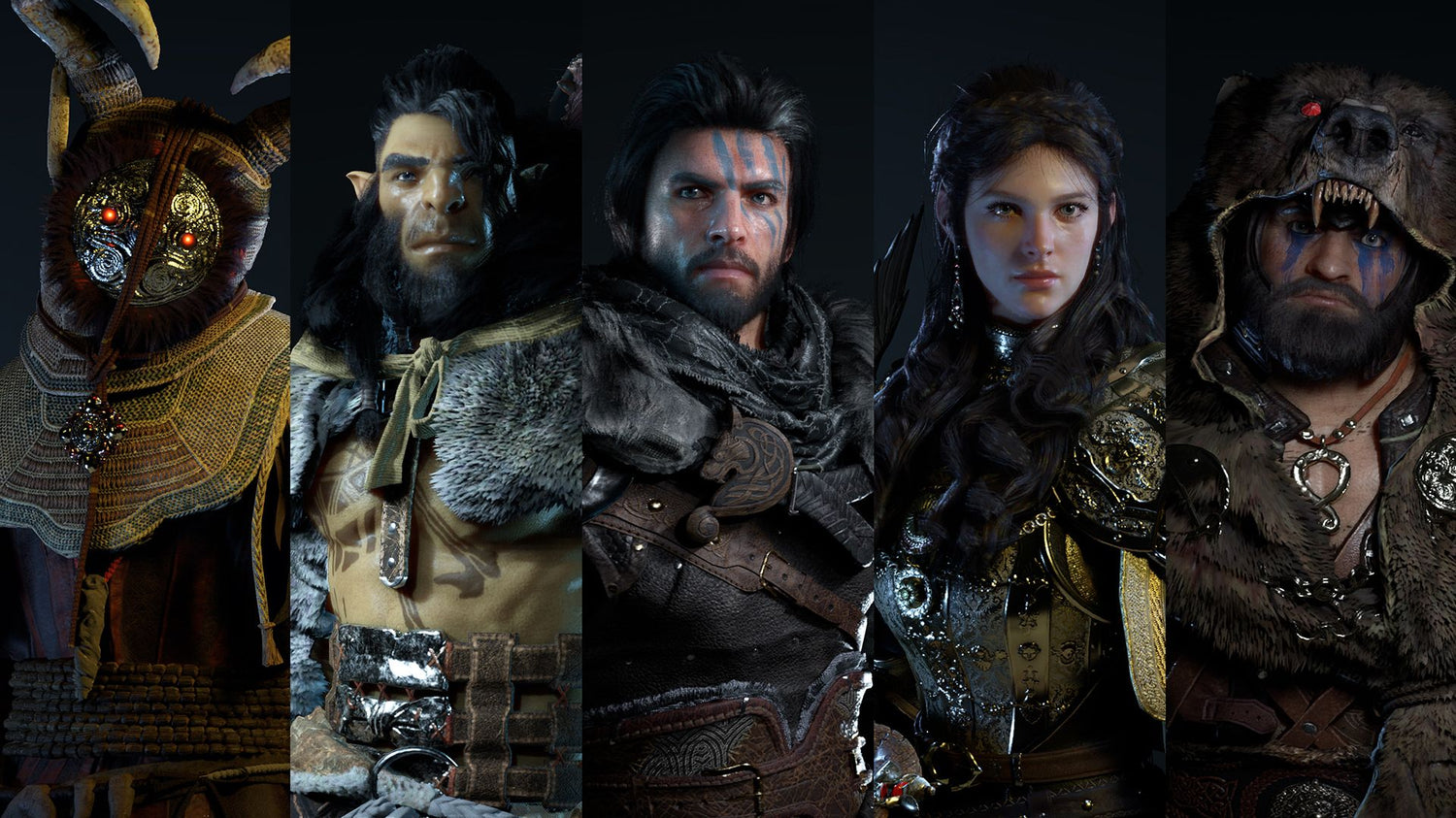
Crimson Desert Update 1.11.00: What It Means for a Gaming PC for New Games in Canada
Crimson Desert Update 1.11.00 is another reminder that modern open-world games are not static experiences anymore. They grow, expand, rebalance, and demand more from the systems we play them on over time. For Canadian players researching a Gaming PC for New Games, this kind of update matters because it highlights exactly why your next computer should not be chosen only for today’s minimum requirements. It should be built for the way games evolve after launch.
The latest Crimson Desert update focuses on smoother exploration, expanded pet systems, easier wyvern discovery, mount fixes, rare item recovery, improved controller mapping, combat adjustments, mini-game tuning, UI polish, and quality-of-life improvements across Pywel. On paper, many of those changes sound like game design details. In practice, they also tell us something important about PC buying: huge open worlds are becoming denser, more interactive, more traversal-heavy, and more systems-driven.
If you are in Canada and wondering whether your current PC is ready for games like Crimson Desert, upcoming AAA RPGs, large open-world adventures, streaming gameplay, video editing, or content creation, this update is a perfect moment to ask a bigger question: what do you actually want your next PC to do for you?
At Groovy Computers, that question is where a better build starts. A budget gaming computer, a high-FPS 1440p system, a premium RTX gaming PC, a streaming and editing PC, or a 3D modeling workstation are not the same purchase. The right answer depends on what you play, what you create, how long you want the system to last, and whether financing a stronger computer now could help you avoid upgrading too soon.
Why Crimson Desert Update 1.11.00 Matters Beyond the Patch Notes
Crimson Desert’s Update 1.11.00 is built around making Pywel easier and more enjoyable to navigate. The update increases the number of pets that can be registered, adds map icons for baby wyverns, improves mount behaviour, preserves pet names as they grow, allows lost rare equipment to be bought back from shopkeepers, makes Pinball easier, gives Damiane and Oongka access to useful gathering tools, expands controller mapping, fixes combat-related issues, and improves UI details.
For players, that means more convenience. For PC buyers, it points to a trend: open-world games are increasingly layered with traversal systems, companions, inventory rules, mini-games, controller support, photo modes, gathering mechanics, AI behaviours, and persistent world interactions. A game like this is not just about whether your GPU can push a pretty screenshot. It is about whether your entire system can keep up with a living, constantly patched world.
Ask yourself this: do you want a PC that simply launches the game, or do you want a PC that lets you enjoy the game smoothly when it adds new mounts, map systems, UI features, combat effects, photo mode improvements, and more complex world interactions?
That distinction is important. A lower-end system may handle the early version of a game at reduced settings, but the experience can change as updates add visual polish, new behaviours, expanded systems, and heavier background simulation. If you are shopping for a Gaming PC for New Games, it is smart to think beyond the launch window.
What the Crimson Desert Update Gets Right for Players
The update is not just a collection of small fixes. It targets the exact parts of an open-world RPG that determine whether players stay immersed: movement, discovery, accessibility, recovery, combat feel, and personalization.
One of the biggest quality-of-life changes is the increase in registered pets. Players can now register up to one hundred pets, with fifty able to appear around camp at a time. For players who enjoy collecting creatures, building a personal camp, or engaging with the world beyond combat, that is a meaningful expansion. It creates a more personal connection to Pywel and encourages longer-term play.
Baby wyverns now receiving their own map icons is another practical improvement. Instead of wandering blindly in search of future flying mounts, players can more clearly pursue one of the most exciting traversal options in the game. Since wyverns can be used as mounts and do not have the same summoning cooldown limitations mentioned for Blackstar in the source coverage, this makes sky travel much more accessible.
Mounting fixes matter too. Open-world games live or die by traversal feel. If your mount spawns into danger, refuses to cooperate, walks into water, or behaves unpredictably after a high-speed aerial dive, that friction builds up quickly. Update 1.11.00 addresses several of those frustrations and makes travel companions feel more reliable.
The rare equipment buyback feature is also a smart player-friendly addition. Anyone who has managed a large RPG inventory knows how easy it is to discard something important. Allowing lost rare items to reappear in shopkeeper inventories after a waiting period, at a higher price, reduces the fear of permanently ruining a build through one inventory mistake.
Controller mapping improvements are especially important for PC players. Many Canadian gamers now play PC games from a desk, couch, racing chair, TV setup, or dual-monitor battle station. Expanded controller mapping for inventory, map, skills, photo mode, and journal access makes the PC experience more flexible and console-friendly without sacrificing the benefits of PC performance.
What should you take away from all of this as a buyer? Modern games are not just asking for more frames per second. They are asking for a system that can support comfort, convenience, immersion, and multitasking over hundreds of hours.
What Do You Want Your Next PC to Do for You?
Before comparing CPUs, GPUs, RAM, cooling, storage, or financing options, start with the most important question: what do you want your next PC to do for you?
Do you want to explore Crimson Desert at 1080p with smooth settings and good value? Do you want a 1440p Gaming PC Canada buyers can rely on for high frame rates in open-world games? Do you want a 4K Gaming PC Canada setup that makes sweeping landscapes, detailed armour, large towns, and cinematic battles look their best? Do you want ray tracing, high refresh rates, streaming, recording, editing, or photo mode content creation?
Those are different build targets. A player who wants stable 1080p gaming on a budget does not need the same system as someone who wants to capture 4K gameplay, edit YouTube videos, run OBS, manage Discord, and keep a browser open on a second monitor. A 3D artist using Blender or Unreal Engine for game asset work does not need the same PC as a competitive esports player chasing maximum frames in lighter titles.
Here are the kinds of questions Groovy Computers encourages buyers to ask before choosing a custom build:
- What games do I actually play? Open-world RPGs, competitive shooters, survival games, racing sims, strategy games, and sandbox games all stress hardware differently.
- What resolution do I want? 1080p, 1440p, ultrawide, and 4K gaming require very different GPU planning.
- Do I care more about high FPS or maximum visual settings? Competitive players often prioritize speed, while cinematic RPG players may prefer image quality.
- Will I stream or record gameplay? A Gaming and Streaming PC Canada buyers can depend on should be selected differently than a gaming-only desktop.
- Will I edit video, photos, or social media content? Creator workloads benefit from stronger CPUs, more RAM, fast SSDs, and GPU acceleration.
- Will I use 3D modeling, CAD, Blender, Unreal Engine, or rendering software? Workstation needs can push beyond typical gaming specs.
- How long do I want this system to feel powerful? Buying too low can lead to earlier upgrades and higher total cost over time.
- Would financing help me secure a stronger system now? If a better GPU, more RAM, or larger SSD would extend the life of the PC, monthly payments may make more sense than settling for a build you will outgrow quickly.
Gaming PC for New Games: Why Open-World RPGs Need More Than Minimum Specs
A Gaming PC for New Games should be judged by real play conditions, not only by minimum requirements. Minimum specs are usually about launching the game. They do not always represent the experience most players actually want: smooth exploration, stable frame pacing, good visual quality, fast loading, responsive controls, and enough overhead for future updates.
Crimson Desert is a strong example because its update notes revolve around traversal, mounts, pets, combat, UI, gathering, photo mode, and mini-games. Those systems touch multiple parts of your PC. The GPU renders the world. The CPU handles simulation, AI, physics, and game logic. RAM supports the open world and background tasks. Storage affects loading, asset streaming, and how quickly the world can feed data into memory. Cooling determines whether the system can sustain performance during long play sessions.
Have you ever noticed a game that runs well in small areas but stutters in cities, forests, battles, or fast travel moments? That is often where open-world PC planning matters most. A game may look fine in a benchmark scene but feel inconsistent when you are sprinting across terrain, flying on a mount, entering a busy settlement, or fighting enemies while the game streams in new assets.
For buyers in Canada, the lesson is simple: if you want a gaming desktop that feels good in modern open-world games, do not shop only by the lowest acceptable graphics card. Think about the full system balance.
Which Performance Tier Fits You Best?
Not every player needs a flagship build. The right Gaming PC for New Games depends on your monitor, your expectations, and your other workloads. Here is a practical way to think about performance tiers without getting trapped in confusing spec sheets.
Should You Choose a Budget Gaming Computer for 1080p?
A Budget Gaming PC Canada buyer is usually focused on strong value, reliable 1080p gaming, and avoiding unnecessary extras. If you mainly play at 1080p, do not need ray tracing at high settings, and want a system that handles modern games with sensible graphics settings, a well-built budget gaming computer can be the right move.
This tier is ideal if you are asking: how much should I spend on a gaming PC without overbuying? It also works well for students, first-time PC gamers, families buying for younger players, and anyone who wants a dependable entry into PC gaming.
However, there is a caution. If you already know you want 1440p, streaming, heavy modding, video editing, or a longer upgrade runway, buying too low can become expensive later. A cheaper system can feel attractive at checkout but frustrating after a few major game releases.
Is a 1440p Gaming PC the Sweet Spot for Open-World Games?
For many Canadian gamers, 1440p is the sweet spot. A 1440p Gaming PC Canada setup can deliver a major visual upgrade over 1080p while remaining more practical than 4K for high frame rates. Open-world games benefit from the added sharpness because distant terrain, foliage, character detail, UI elements, and map markers are easier to read and enjoy.
If Crimson Desert’s wyvern traversal, sweeping landscapes, and detailed world are the kind of experience you care about, 1440p may be where performance and visual quality meet best. It also gives streamers and creators a strong base because gameplay footage looks cleaner than 1080p while still being manageable for recording and editing.
Ask yourself: do you want your next PC to feel like a clear upgrade without jumping into the cost and GPU demand of 4K? If yes, this is likely the tier to consider.
Do You Need a 4K Gaming PC Canada Build?
A 4K Gaming PC Canada build is for players who want premium image quality, high-end monitors or TVs, cinematic visuals, and a longer performance runway. If you want to experience large open worlds with maximum detail, richer textures, sharper edges, and immersive landscapes, 4K can be incredible.
But 4K is demanding. It requires stronger GPU planning, better cooling, more attention to airflow, and often a higher overall budget. If you also want ray tracing, high frame rates, streaming, or editing, the system needs to be built with enough headroom.
This tier is best for players asking: what PC do I need for 4K gaming, ultra settings, and long-term performance? It is also where financing can become especially useful, because a stronger GPU and better supporting components may extend the life of the system significantly.
When Does a Premium RTX Gaming PC Make Sense?
A premium RTX gaming PC makes sense when you care about high-end visuals, ray tracing, AI-enhanced performance features, content creation acceleration, and long-term flexibility. If you want a Ray Tracing Gaming PC Canada build for modern AAA games, do not look only at the GPU name. Look at the complete build: processor, memory, motherboard quality, SSD speed, power supply, cooling, case airflow, and stress testing.
High-end buyers often ask: should I finance a high-end gaming PC instead of buying a cheaper one? The answer depends on how long you want the system to last and whether the lower-tier build will force compromises immediately. If you are already planning to stream, edit, play at 1440p or 4K, and keep the system for years, financing a stronger build can be more logical than buying a system that starts near its limit.
What Crimson Desert’s Pet, Mount, and Map Changes Tell Us About Modern PC Gaming
The pet and mount changes in Update 1.11.00 may seem unrelated to hardware, but they point to the design direction of modern open-world games. Players are not just walking through static environments. They are collecting companions, raising creatures, flying across large maps, managing camps, tracking icons, and moving quickly between dense zones.
That creates more opportunities for performance dips. Fast traversal can expose storage and asset streaming weaknesses. Large camps with many visible pets can increase scene complexity. More map markers and UI features can add overlays and background tracking. Mount behaviour fixes and physics interactions can involve CPU-side calculations. Combat changes can add effects, projectiles, enemy behaviour adjustments, and animation complexity.
Does that mean every player needs the most expensive PC? No. It means a good custom PC should be balanced for the kind of world you want to play in. A rushed off-the-shelf configuration may advertise a flashy GPU but pair it with weak cooling, limited RAM, a small SSD, or a power supply that limits future upgrades. That is where a custom approach matters.
Groovy Computers builds systems around actual use cases. If your goal is open-world gaming, your build should reflect open-world realities: steady frame pacing, fast storage, reliable thermals, enough RAM, and a GPU selected for your monitor resolution.
Controller Mapping, Photo Mode, and Couch Gaming: Are You Building for How You Really Play?
Crimson Desert Update 1.11.00 expands controller mapping, including quicker access to inventory, map, skills, photo mode, and journal functions. That is a small detail with a big lifestyle message: PC gaming is no longer limited to keyboard-and-mouse desk setups.
Many players use controllers for action RPGs, adventure games, sports games, racing titles, and cinematic open-world experiences. Some play on a high-refresh monitor. Others connect their gaming desktop to a 4K TV. Some use a dual-monitor setup with Discord, YouTube, Twitch chat, OBS, guides, or music on the second screen.
So here is a practical question: are you buying a PC for benchmark charts, or are you buying it for the way you actually play?
If you want a living-room style gaming experience, your build may need to prioritize quiet cooling, strong wireless or wired connectivity, HDMI/DisplayPort planning, storage for a large game library, and a GPU suited to your TV or monitor. If you want a desk setup, you may care more about high-refresh 1440p, low latency, multiple monitors, and enough USB connectivity for peripherals.
A Custom Gaming PC Canada buyer should not be forced into a generic box. Your PC should match your games, your monitor, your room, your noise tolerance, and your upgrade plans.
Streaming Crimson Desert or Other Open-World Games? Plan for More Than Gameplay
If you want to stream Crimson Desert, record gameplay, make guides, capture wyvern locations, review updates, or post cinematic clips, you are no longer just buying a gaming PC. You are buying a gaming and streaming workstation.
A Streaming PC Canada build needs enough performance to run the game smoothly while also handling encoding, overlays, alerts, browser sources, chat, audio processing, and recording. If you use OBS Studio, Streamlabs, YouTube Live, Twitch, or TikTok Live, your PC needs headroom. The gameplay may be smooth when nothing else is open, but streaming can expose weak CPUs, limited RAM, slow storage, or underpowered GPUs.
Ask yourself: what PC do I need for streaming if I also want high settings in modern open-world games? For many players, the answer is not a separate streaming PC. It is a well-balanced gaming and streaming PC with the right GPU encoder support, a strong multi-core CPU, enough RAM, and fast SSD storage.
If you are streaming at 1080p, your needs may be moderate. If you want 1440p gameplay while streaming, recording, and editing clips afterward, you should plan higher. If you want to record in high bitrate, keep VODs, edit YouTube content, and run multiple monitors, storage and RAM become just as important as graphics performance.
That is where Groovy Computers can help Canadian buyers avoid a common mistake: buying a gaming PC that is technically fast, but not built for the full creator workflow.
Is a Gaming PC Good for Video Editing, Photo Editing, and Content Creation?
Many people ask whether a gaming PC is good for content creation. The answer is: it can be, if it is configured properly. A gaming-first PC with a strong GPU can be excellent for certain creative workflows, but video editing, photo editing, graphic design, and 3D work each benefit from different hardware priorities.
If you plan to turn Crimson Desert gameplay into YouTube videos, TikToks, Shorts, thumbnails, livestream clips, guides, or cinematic edits, your PC should be chosen as a Content Creation PC Canada build, not just a gaming desktop.
For video editing, programs like Adobe Premiere Pro, DaVinci Resolve, After Effects, and CapCut can benefit from a strong CPU, capable GPU, plenty of RAM, and fast SSD storage. A Video Editing PC Canada buyer should think about timeline smoothness, export speed, 4K editing, effects, colour work, and storage capacity.
For photo editing and thumbnails, tools like Photoshop, Lightroom, Capture One, and AI-powered editing software benefit from fast single-core performance, enough RAM, SSD speed, and a reliable GPU where acceleration is used. A Photo Editing PC Canada build does not always need the same GPU as a 4K gaming monster, but it should feel fast when working with RAW files, batch exports, masks, layers, and high-resolution images.
For graphic design, Adobe Illustrator, Photoshop, InDesign, Canva, CorelDRAW, Affinity Designer, and branding workflows benefit from responsive performance, fast storage, multiple monitor support, and enough RAM for large files. A Graphic Design PC Canada setup should feel instant when switching between apps, exporting assets, and managing client work.
For creators, the real question is not simply “can this PC game?” It is: can this PC play, record, edit, export, upload, multitask, and stay reliable under pressure?
What If You Use Blender, Unreal Engine, 3D Modeling, or Game Development Tools?
Crimson Desert’s world, mounts, creatures, combat systems, terrain, and cinematic presentation may inspire more than gameplay. Many players are also creators, 3D artists, modders, game development students, animation hobbyists, architects, product designers, or professionals who use demanding software after gaming hours.
If you use Blender, Unreal Engine, Unity, Maya, 3ds Max, Cinema 4D, ZBrush, AutoCAD, Revit, SolidWorks, SketchUp, or rendering tools, you should look beyond a standard gaming configuration. A 3D Modeling PC Canada or 3D Rendering PC Canada build may require more VRAM, more RAM, stronger CPU performance, better cooling, and storage planning for large project files.
Ask yourself: what PC do I need for Blender or Unreal Engine if I also want to game at high settings? That is a very different question from “what is the cheapest PC that can play a game?”
A workstation-style custom build can still be a fantastic gaming computer, but the balance may change. GPU rendering, CPU rendering, scene complexity, texture memory, simulation, compiling shaders, and multitasking all matter. If your PC is also your income tool, class project machine, or creative business workstation, reliability becomes just as important as raw FPS.
Groovy Computers can help you choose whether your workload is best served by a gaming-focused PC, a creator PC, or a Custom Workstation PC Canada configuration designed around heavier professional tasks.
Why Canadian Buyers Should Think Differently About Timing
Canadian PC buyers face a different decision than shoppers in larger markets. Component availability, shipping costs, exchange-rate pressure, regional demand, sales periods, and replacement costs can all affect the final price of a gaming desktop or workstation. Waiting is not always wrong, but waiting without a plan can be risky.
If a major game release, popular update, creator software upgrade, holiday sale period, back-to-school rush, or hardware demand spike is coming, pricing can change quickly. GPUs, memory, SSDs, and power supplies are especially sensitive to demand and supply pressure. A build that fits your budget today may be more expensive later, or the exact part combination you wanted may not be available.
So ask yourself: are you buying before a major game release because you want to be ready, or are you waiting and hoping prices move in your favour?
For some buyers, waiting makes sense if they do not need the system soon. For others, especially those with an aging PC, creator deadlines, streaming plans, school projects, or a specific game they want to play at launch, waiting can lead to a worse experience. You may end up compromising on parts, paying more during a demand spike, or rushing into a build that is not properly matched to your goals.
This is where Groovy Computers’ Canadian custom PC approach becomes valuable. Instead of guessing, you can work from your actual use case: games, resolution, budget, workload, financing comfort, upgrade plans, and timeline.
Could Financing Help You Secure a Stronger PC Before Prices Change?
Financing is not about buying more than you need. Used properly, it is about matching the system to your real needs without forcing yourself into a weak build that may cost more over time. If you need a stronger GPU for 1440p or 4K gaming, more RAM for editing, a larger SSD for huge game libraries, or better cooling for sustained workloads, financing can help you secure the right system sooner.
Groovy Computers offers financing options up to 4 years where appropriate, which can help Canadian buyers spread payments while building a PC that is better aligned with long-term performance. That can be especially helpful if you are preparing for new games, starting a streaming channel, upgrading for school or work, replacing an older system, or trying to avoid buying twice.
Should you finance a better PC instead of buying a cheaper one? Consider these questions:
- Will the cheaper PC meet your needs for the next few years, or only for the next few months?
- Will you need to upgrade the GPU, RAM, or storage almost immediately?
- Are you buying for 1440p, 4K, ray tracing, streaming, editing, or workstation tasks?
- Would a stronger build save time on exports, rendering, multitasking, or content production?
- Are component prices or availability likely to affect your ability to buy the same build later?
- Would predictable monthly payments be easier than one large upfront purchase?
If the answer points toward long-term value, financing can be a practical tool. The key is choosing the right build, not simply the most expensive one.
Custom PC vs Generic Prebuilt PC Canada: Why the Difference Matters
When buying a gaming desktop in Canada, it is easy to compare systems by GPU and price alone. That is a mistake. Two PCs with similar headline specs can perform very differently depending on cooling, motherboard quality, RAM configuration, SSD speed, power supply reliability, case airflow, assembly quality, BIOS setup, cable management, and testing.
A generic prebuilt may look appealing if it lists a recognizable CPU and GPU, but what about thermal performance during a long Crimson Desert session? What about upgrade room? What about power supply headroom? What about noise? What about storage for modern game sizes? What about warranty support from a Canadian company that understands the build?
A Custom PC Builder Canada customer should expect more than parts in a box. You should expect a system matched to your needs, assembled carefully, stress tested, and supported after purchase. Groovy Computers focuses on custom builds, rigorous testing, and a 1-year warranty so buyers can feel confident that the PC is ready for real use, not just a spec sheet.
Why does testing matter in a gaming PC? Because instability often appears under load. A system may boot fine and still struggle with heat, crashes, memory issues, driver conflicts, or power spikes when running demanding games, streaming, rendering, or multitasking. Stress testing helps catch problems before the PC becomes the centre of your gaming setup or creative workflow.
How to Match a Groovy Computers Build to Your Real Workload
If you are not sure which category fits you, start with what you do most often. The best PC is not always the most expensive PC. It is the one that solves the right problem.
Choose a Budget Gaming PC Canada Build If...
You play at 1080p, want strong value, do not need maximum ray tracing, and mainly care about reliable gaming performance in popular titles. This tier is a smart choice for first gaming PCs, student gaming setups, family systems, and buyers who want affordability without going into random marketplace risk.
Choose a 1440p Gaming PC Canada Build If...
You want a noticeable visual upgrade, smoother open-world gaming, higher frame rates, and a system that feels more future-ready than entry-level options. This is one of the most balanced choices for players who want modern AAA games to look and feel great without jumping straight to premium 4K costs.
Choose a 4K Gaming PC Canada Build If...
You use a 4K monitor or TV, care deeply about visual fidelity, want cinematic open-world experiences, and plan to keep the system powerful for years. This is also a strong category for buyers who want premium RTX features, high-end cooling, and more headroom for future game updates.
Choose a Streaming PC Canada Build If...
You want to play, stream, record, talk to chat, manage overlays, and create clips without your system struggling. If you are serious about Twitch, YouTube, TikTok Live, OBS Studio, or recording guides and update breakdowns, your PC should be planned as a gaming and streaming system from the start.
Choose a Creator PC Canada Build If...
You edit video, design thumbnails, create social media content, work in Adobe Creative Cloud, batch edit photos, manage multiple apps, and want exports to finish faster. A Custom Creator PC Canada build can still be excellent for gaming, but it gives more attention to CPU performance, RAM, storage, and software acceleration.
Choose a 3D Modeling PC Canada or Workstation PC Canada Build If...
You work in Blender, Unreal Engine, CAD, rendering, animation, simulation, product visualization, architecture, or professional design software. This tier should be built around reliability, memory capacity, GPU compute needs, render performance, and long sustained workloads.
What Specs Should You Prioritize for Games Like Crimson Desert?
Without inventing exact benchmark claims, we can still identify the hardware areas that matter for modern open-world action RPGs. A balanced system usually matters more than one overpowered part paired with weak supporting components.
- GPU: The graphics card drives resolution, settings, ray tracing, visual quality, and frame rate. For 1440p and 4K gaming, GPU selection becomes one of the most important decisions.
- CPU: The processor affects simulation, combat responsiveness, AI, physics, background tasks, streaming, and minimum frame rates in busy areas.
- RAM: Modern games, launchers, browsers, Discord, OBS, and editing apps can use significant memory. More RAM helps multitasking and creator workflows.
- SSD storage: Fast SSDs help with loading, asset streaming, project files, large games, and overall responsiveness.
- Cooling: Sustained performance matters. A powerful system that overheats or runs loudly is not a good long-term experience.
- Power supply: Reliable power delivery supports stability and upgrade options.
- Case airflow: Good airflow protects performance, component lifespan, and noise levels.
- Monitor pairing: A 1080p monitor, 1440p high-refresh display, ultrawide, or 4K TV should influence your build choice.
What PC specs do you need? The answer depends on your target experience. A player focused on 1080p value should not copy a 4K creator workstation build. A streamer should not choose the same configuration as a casual single-player gamer. A Blender user should not ignore VRAM and memory capacity just because a gaming benchmark looks good.
Why Avoiding an Early Upgrade Can Save Money
One of the most expensive PC buying mistakes is buying a system that is too weak for your real needs. It may feel cheaper on day one, but if you need to replace the GPU, add RAM, upgrade the SSD, improve cooling, or move to a better power supply within a short period, the total cost can climb quickly.
Modern games like Crimson Desert keep changing. Updates add systems, fix behaviours, improve UI, expand traversal, and sometimes increase expectations around smoothness and quality. Creator software also evolves. Video editors, photo tools, AI features, 3D renderers, and game engines continue to use more CPU, GPU, RAM, and storage.
Do you want to avoid upgrading too soon? If yes, it may be worth stepping up one performance tier now, especially if you already know your plans include 1440p gaming, streaming, video editing, or workstation use.
This does not mean everyone should buy a top-tier system. It means your build should have enough headroom for your actual life. If your PC is for gaming only, build for your games and monitor. If your PC is for gaming and income-producing creative work, build for productivity and reliability too.
Canadian Support, Warranty Confidence, and Why Groovy Computers Fits This Moment
Buying a custom PC is not just a hardware transaction. It is a trust decision. Canadian customers want to know who built the system, whether it was tested, how warranty support works, whether the parts make sense together, and whether the build is appropriate for their needs.
Groovy Computers is a Canadian custom PC builder serving buyers who want gaming computers, creator PCs, streaming PCs, workstations, and custom desktops built with care. For customers in Nova Scotia, Atlantic Canada, and across Canada through online ordering, that local Canadian trust matters.
When you buy from Groovy Computers, you are not left trying to decode conflicting spec lists alone. You can choose a ready-to-ship gaming PC, explore custom options, ask for guidance, or look at financing if a stronger build makes sense. Systems are built with attention to compatibility, performance balance, cooling, and reliability, with rigorous testing and a 1-year warranty for added confidence.
Whether you are in Trenton, New Glasgow, Halifax, elsewhere in Nova Scotia, or ordering from another province, the goal is the same: help you get a PC that fits your games, workload, budget, and upgrade plans.
What Should You Ask Before Buying a Gaming PC for New Games?
If Crimson Desert Update 1.11.00 has you thinking about upgrading, use it as a prompt to ask better buying questions. The right questions can prevent overspending, underspending, and mismatched hardware.
- What games do I want to play over the next two to three years? If your list includes open-world AAA games, plan for more headroom than minimum specs.
- What resolution and refresh rate do I want? 1080p, 1440p, 4K, ultrawide, and high-refresh esports all change the build.
- Do I want ray tracing or ultra settings? Visual features can significantly increase GPU demand.
- Will I stream, record, or edit? If yes, build for gaming and creator performance together.
- How much storage do I need? Modern game libraries, footage, projects, and software can fill small drives quickly.
- How long do I want to avoid upgrading? A better build now may be more cost-effective than replacing parts too soon.
- Should I buy now or wait? Consider upcoming releases, sales periods, component availability, and whether your current PC is already limiting you.
- Could financing help me get the right system? Monthly payments may help you avoid settling for a weaker PC if your workload justifies a stronger one.
- Who will support the PC after purchase? Warranty, testing, and Canadian support matter when the system is central to gaming, school, work, or content creation.
Ready Before the Next Big Update, Game Release, or Price Shift?
Game updates like Crimson Desert 1.11.00 keep players engaged because they refine the world, remove friction, and add reasons to return. But they also remind us that PC gaming is moving fast. If your current system is already struggling, waiting for the next major release or sale rush may not put you in a better position.
Are you buying before a major game release? Are you upgrading before your old PC fails? Are you preparing for streaming, editing, school, or client work? Are you worried that GPU, RAM, SSD, or full-system replacement costs could rise before you are ready?
If you answered yes to any of those, it may be time to look seriously at your next build. A Gaming PC for New Games should be chosen with your next several years in mind, not just one title. That includes the games you plan to play, the content you may create, the software you may learn, and the performance level you expect every day.
If you want help choosing a budget gaming computer, premium RTX gaming PC, custom creator PC, editing workstation, or 3D modeling workstation, visit GroovyComputers.ca. Groovy Computers can help Canadian buyers compare performance tiers, explore financing options, and choose a custom PC that fits the way they actually game, stream, edit, design, render, and work.
Final Take: Crimson Desert’s Update Is a Buying Signal for Smarter PC Planning
Crimson Desert Update 1.11.00 improves the player experience through pet expansion, wyvern discovery, mount fixes, controller mapping, rare item recovery, combat polish, UI improvements, and smoother world interaction. For players, it is a quality-of-life update. For PC buyers, it is a reminder that modern games are living platforms that keep evolving after launch.
If you are shopping for a Gaming PC for New Games in Canada, think beyond the minimum. Decide whether you want 1080p value, 1440p balance, 4K immersion, ray tracing, streaming, video editing, photo editing, graphic design, content creation, 3D modeling, or workstation reliability. Then choose a system that gives you enough headroom to enjoy what comes next.
Groovy Computers is here to help you make that decision with confidence. Whether you want to buy now, finance a stronger system, or ask for guidance before prices and availability shift, the right custom PC can keep you ready for the next update, the next release, and the next creative project.
#GamingPCForNewGames #GamingPCCanada #CustomGamingPCCanada #1440pGamingPC #4KGamingPC #StreamingPCCanada #CreatorPCCanada #GroovyComputers
Groovy Computers | All Rights Reserved
![Monster Hunter Stories 3: Twisted Reflection [Review]](http://groovycomputers.ca/cdn/shop/articles/634884eb-mhst3_yamatsukami_103125-d225e12867b31b132c91.jpg?v=1781551284&width=1920)


Leave a comment
This site is protected by hCaptcha and the hCaptcha Privacy Policy and Terms of Service apply.