























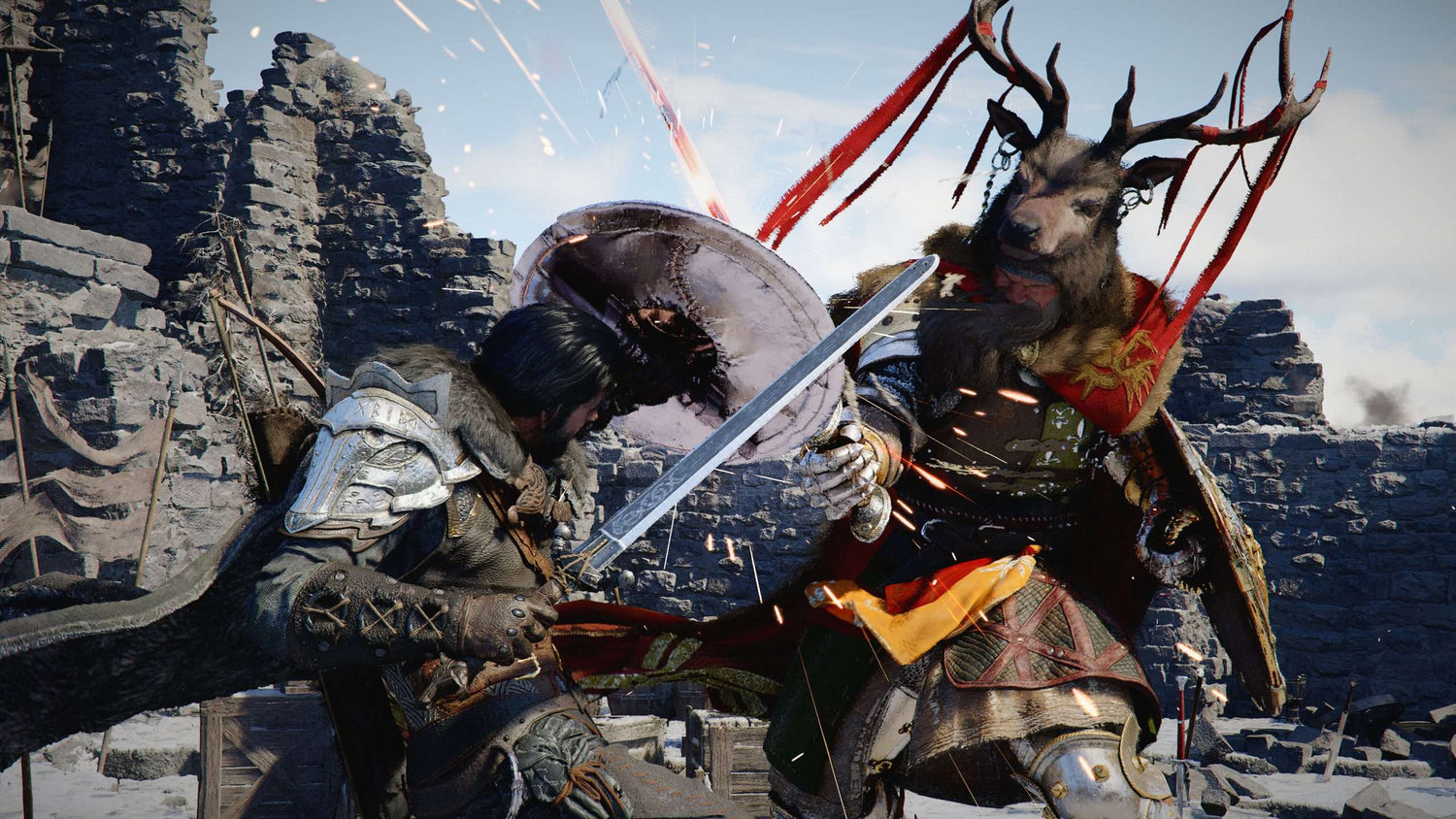
Gaming PC for New Games: What Crimson Desert Update 1.13.00 Means for Canadian Players Planning Their Next Custom Build
Crimson Desert Update 1.13.00 is a reminder that modern open-world games do not stand still after launch. New Abyss access, expanded gear, fresh crafting recipes, dye improvements, combat refinements, UI upgrades, stability fixes, and platform optimizations all point to one bigger trend: if you want a smooth experience in today’s evolving PC games, you need more than a computer that barely meets launch-day requirements. You need a Gaming PC for New Games that can handle patches, expansions, higher-resolution textures, heavier combat encounters, streaming, recording, multitasking, and future updates without forcing you into another upgrade too soon.
For Canadian gamers, creators, streamers, and workstation buyers, this update is not just gaming news. It is a buying signal. When a large action-adventure game continues adding content, new systems, more equipment, more combat behaviours, and more bug fixes across platforms, the real question becomes: is your current PC ready for the way games are evolving now, or only for the way games were built a few years ago?
At Groovy Computers, we look at game updates like this through a practical lens. What does a patch tell us about real-world hardware needs? What kind of GPU makes sense if you want 1440p instead of 1080p? How much RAM should you consider if you also stream, edit videos, or run Discord and browser tabs while gaming? Should you buy a budget gaming computer now, finance a stronger system, or wait and risk higher replacement costs if parts shift in price?
This detailed guide breaks down what Crimson Desert’s latest update suggests about modern gaming performance, why Canadian buyers should think ahead, and how to choose the right Groovy Computers build for your actual use case.
What Changed in Crimson Desert Update 1.13.00?
Crimson Desert Update 1.13.00 introduced a wide range of additions and improvements. The biggest headline is that Oongka and Damiane can now enter the Abyss, opening up more character access to late-game-style content and supporting a broader range of gameplay possibilities. That alone matters because expanded playable content can change how often players revisit demanding zones, boss encounters, combat systems, and character builds.
The update also adds a substantial amount of gear and customization. Kliff and Oongka receive dozens of new equipment pieces, including boss equipment sets, armour, and headgear. Damiane gains new armour options as well, and more outfit compatibility has been added across characters. Dye support has expanded, disguise outfits are more customizable, and more weapons and secondary weapons now support dyeing.
There are also quality-of-life changes that matter for long sessions: summoned pets rest beside the player when using a bed, the minimap and status display can be hidden, firefly gathering can produce more resources, and certain teleport restrictions have been reduced. The new Hunter’s Sigil lets bird pets retrieve prey and gathering materials based on their abilities, adding another layer to exploration and resource interaction.
Combat has been refined too. The update improves Axiom Force targeting, allows muskets and pistols to be fired while sliding, fixes several sliding attack and weapon-switching issues, and adjusts character-specific problems for Oongka and Damiane. New special attacks have been added for enemies such as Flame Knight, Wyvernflames, Savage Fang, and Goldenscale Bandits, which means encounters may feel more dynamic and more visually active.
Finally, the update addresses stability, performance, UI, localization, camera issues, clipping, quest progression, controller prompts, mount animations, crashes, map behaviour, boss rematches, long loading instances, and platform-specific issues such as occasional cutscene stuttering on PlayStation 5. In short, this is not a tiny cosmetic patch. It is a broad systems update that touches content, visuals, interface, performance, combat, and reliability.
Why Does a Game Update Matter When Choosing a Gaming PC for New Games?
A major update like this matters because many players buy a gaming computer based on what a game needs at launch, not what the game becomes after months or years of patches. Modern games often grow. They add new zones, new bosses, new cosmetic systems, new AI behaviours, new effects, new interface options, and new content loops. Every additional layer can place more pressure on your CPU, GPU, RAM, storage, cooling, and overall system stability.
If you are shopping for a Gaming PC for New Games, you should ask a more useful question than “Can it run the game?” The better question is: can it run the game the way I actually want to play it after updates, expansions, mods, high-resolution settings, Discord, streaming software, and background apps are involved?
For a game like Crimson Desert, the answer depends on your goals. Are you playing casually at 1080p? Are you targeting 1440p high settings? Do you want 4K cinematic visuals? Are you planning to stream on Twitch or YouTube? Do you want to record gameplay for clips? Are you editing those clips later in Premiere Pro, DaVinci Resolve, CapCut, or another video editor? The same game can require very different PC builds depending on how you use it.
This is where a custom gaming PC makes a major difference. A generic, one-size-fits-all desktop might technically play the game, but a properly matched build from Groovy Computers can be configured around your resolution, frame-rate target, budget, storage needs, upgrade path, and whether you also create content.
What Do You Want Your Next PC to Do for You?
Before comparing processors, graphics cards, RAM, SSDs, cooling, and financing options, start with the most important question: what do you want your next PC to do for you?
Do you want a reliable gaming desktop for Crimson Desert, open-world RPGs, competitive shooters, and upcoming AAA releases? Do you want a 1440p Gaming PC Canada buyers can count on for smoother visuals without jumping all the way to premium 4K pricing? Do you want a 4K Gaming PC Canada setup that can drive a high-end monitor with ultra settings and strong frame rates? Or are you trying to build one machine that can game, stream, edit, design, render, and handle school or business work?
Think about your real workload. Many Canadian buyers come to Groovy Computers saying they “just need a gaming PC,” but after a few questions, the actual requirement is more specific. They might need a Gaming and Streaming PC Canada setup for OBS, a Content Creation PC Canada build for YouTube editing, a Video Editing PC Canada workstation for 4K timelines, or a 3D Rendering PC Canada build for Blender, Unreal Engine, Revit, SolidWorks, or animation work.
Ask yourself:
- What games do I play now, and what games am I buying next?
- Do I want 1080p, 1440p, or 4K performance?
- Do I care about ray tracing, high textures, and ultra settings?
- Will I stream, record, or edit gameplay?
- Do I use Adobe Creative Cloud, DaVinci Resolve, Blender, AutoCAD, Revit, or other demanding software?
- Do I want a PC that lasts several years before a major upgrade?
- Would financing help me secure a stronger build now instead of buying a weaker system that I outgrow quickly?
These questions matter because the right PC is not always the most expensive PC. It is the system that matches your actual performance target and avoids wasting money in the wrong places.
Which Performance Tier Fits You Best?
Choosing a gaming PC becomes easier when you think in tiers instead of random parts. Crimson Desert’s update is a good example of why tier planning matters: expanded content, combat effects, character swapping, new gear visuals, interface changes, and ongoing patches all benefit from balanced hardware. A weak GPU can limit visuals. Too little RAM can create stutters. Slow storage can make load times feel painful. Poor cooling can reduce sustained performance during long sessions.
Entry-Level and Budget Gaming PC Canada Buyers: Is 1080p Enough?
If your main goal is affordable PC gaming, schoolwork, esports, and enjoying new games at sensible settings, a budget gaming computer can still be a smart choice. This tier is for players who want smooth 1080p gaming, reasonable graphics settings, fast SSD storage, and a modern upgrade path without overspending.
A Budget Gaming PC Canada buyer should focus on value. That usually means choosing a balanced CPU, a capable GPU for 1080p, at least 16GB of RAM for modern gaming, and an SSD large enough to handle today’s oversized game installs. If you are asking, “Can a budget gaming PC play new games?” the answer is often yes, but expectations matter. You may need to lower some visual settings, avoid heavy ray tracing, and plan storage carefully.
This tier is ideal if you play at 1080p, enjoy games like Fortnite, Valorant, Minecraft, Roblox, Counter-Strike 2, RPGs, action games, and open-world titles without demanding 4K ultra settings. It is also a good starting point for students or first-time PC gamers who want better flexibility than a console without jumping into premium pricing.
Mid-Range 1440p Gaming PC Canada Buyers: Do You Want the Sweet Spot?
For many players, 1440p is the current sweet spot. It looks noticeably sharper than 1080p, does not demand as much hardware as 4K, and pairs well with high-refresh monitors. If Crimson Desert, open-world RPGs, action adventures, racing games, and shooters are on your list, a 1440p Gaming PC Canada build can deliver the kind of visual upgrade that feels meaningful every day.
This tier is where many Canadian buyers get the best long-term value. You can choose a stronger GPU, a modern multi-core CPU, 32GB of RAM if you multitask or stream, and a fast NVMe SSD for large games and quick loading. If you are asking, “What PC do I need for 1440p gaming?” the answer usually involves more GPU headroom than a basic 1080p build and better system balance overall.
A 1440p gaming desktop is also a smart fit if you want to stream lightly, record clips, keep multiple apps open, or use your PC for school and work during the day. It is the tier many players choose when they want a strong system but do not want to pay for flagship 4K performance.
Premium and 4K Gaming PC Canada Buyers: Do You Want Ultra Settings Without Compromise?
If you want 4K resolution, high frame rates, ray tracing, ultra settings, and premium monitor support, you are shopping in high-end gaming territory. A 4K Gaming PC Canada build needs a much stronger GPU, better power delivery, excellent airflow, and careful part matching. It is not only about buying a powerful graphics card; it is about building a system that can sustain performance under long gaming sessions.
This tier is for players who want cinematic visuals in modern open-world games, maximum texture quality, smoother ray tracing where supported, and a longer runway before the next major upgrade. If you are asking, “What PC do I need for 4K gaming?” the answer is usually a premium GPU-focused build with enough CPU strength and RAM to avoid bottlenecks.
A premium PC can also make sense if you do more than game. If your system doubles as a video editing workstation, 3D modeling workstation, streaming computer, or AI-assisted creative machine, the higher upfront cost can translate into saved time, smoother work, and fewer upgrade interruptions.
Do You Need a Gaming PC, Streaming PC, Creator PC, or Workstation?
One of the biggest mistakes buyers make is assuming every powerful desktop is the same. A Gaming PC for New Games may prioritize GPU performance and frame rates. A streaming PC may need extra CPU or GPU encoding headroom. A video editing PC may need more RAM, fast storage, and strong export performance. A 3D rendering workstation may need a GPU with serious VRAM, a high-core CPU, and memory capacity that makes large projects stable.
So what are you actually building?
Gaming First: Smooth FPS, Fast Loading, and Visual Quality
If your priority is gaming, Groovy Computers can help match your build to your monitor and games. A competitive esports player needs different hardware than someone who wants immersive 4K open-world gameplay. Crimson Desert-style action, large environments, fast combat, gear customization, and visual effects all reward a system that is balanced rather than cheaply assembled.
For gaming-first buyers, the key questions are:
- Do I want high FPS for competitive games or cinematic settings for AAA games?
- Am I playing on a 1080p, 1440p, ultrawide, or 4K monitor?
- Do I want ray tracing, high textures, and future-proof GPU headroom?
- How many games do I want installed at once?
- Will I upgrade my monitor soon?
A gaming desktop should be planned around the monitor you use now and the monitor you might buy next. If you are already thinking about upgrading from 1080p to 1440p, it may be smarter to build for 1440p now instead of replacing the GPU later.
Streaming: Can Your PC Game and Broadcast at the Same Time?
If you plan to stream Crimson Desert, record walkthroughs, create clips, or run OBS while gaming, you need a different level of planning. A Streaming PC Canada buyer should think about encoding, multitasking, audio tools, camera software, overlays, chat, browser sources, and extra monitors. Streaming is not just “gaming plus one app.” It is a workload stack.
If you are asking, “What PC do I need for streaming?” start with your target. Are you streaming 1080p? Are you gaming at 1440p while broadcasting at 1080p? Do you want to record high-quality footage at the same time? Do you use TikTok Live, YouTube Live, Twitch, Streamlabs, or OBS Studio?
A strong Gaming and Streaming PC Canada build often benefits from a capable NVIDIA RTX GPU for hardware encoding, a modern multi-core CPU, 32GB of RAM for smoother multitasking, and enough SSD space for recorded footage. If streaming is serious for you, do not buy the cheapest gaming PC and hope it handles everything. Build around the full workflow.
Video Editing and Content Creation: Will Your Gaming PC Also Save You Time?
Many gamers are also creators. They record boss fights, make YouTube guides, edit short-form clips, create thumbnails, manage social media, and run design apps. If that sounds like you, a Content Creation PC Canada build may be a better fit than a gaming-only system.
Video editing places different pressure on a PC. Timeline smoothness, export speed, effects processing, proxy workflows, and storage organization all matter. If you edit in Adobe Premiere Pro, DaVinci Resolve, After Effects, CapCut, or similar tools, you may benefit from more RAM, faster NVMe storage, and a GPU that supports acceleration in your software.
Ask yourself: what PC do content creators need if they game at night and edit during the day? The answer depends on resolution and workload. A 1080p clip editor can use a more modest system. A 4K YouTube editor should plan more carefully. A creator working with 6K or 8K footage, heavy colour grading, motion graphics, and AI tools should consider a higher-end creator workstation.
Photo Editing and Graphic Design: Do You Need Colour Workflow and Multitasking?
If your PC is for photography, graphic design, branding, marketing, or social media content, the right build may look different again. A Photo Editing PC Canada or Graphic Design PC Canada setup should focus on responsive editing, fast file access, enough RAM for large projects, and support for multi-monitor workflows.
If you use Photoshop, Lightroom Classic, Capture One, Illustrator, InDesign, Canva, CorelDRAW, Affinity Designer, or Adobe Creative Cloud, you should ask: how many large files do I work with at once, and how much time do I lose waiting on exports, previews, filters, and batch processing?
A gaming PC can be good for Photoshop or graphic design if it is configured properly, but a random gaming desktop may not be ideal for your exact workload. Groovy Computers can help balance CPU, RAM, GPU, storage, and monitor support so your system is not only fast in games but responsive in creative apps.
3D Modeling, Rendering, and Workstation Use: Are You Building for Projects, Not Just Play?
For Blender, Unreal Engine, Unity, Maya, 3ds Max, Cinema 4D, SketchUp, ZBrush, AutoCAD, Revit, SolidWorks, and other professional tools, the conversation becomes more serious. A 3D Modeling PC Canada or Custom 3D Workstation Canada build should be planned around project complexity, render method, GPU memory, CPU core count, RAM capacity, storage speed, and stability under long workloads.
If you are asking, “What PC do I need for Blender?” or “What PC do I need for 3D rendering?” you should not base your decision only on gaming benchmarks. Workstation tasks can stress hardware differently. Rendering, compiling shaders, handling large scenes, baking lighting, and navigating complex projects can demand more memory and sustained cooling than typical gaming sessions.
A workstation PC may cost more upfront, but if it saves hours every week, reduces crashes, and lets you take on bigger projects, it can quickly become a productivity investment rather than a luxury purchase.
Why Canadian Buyers Should Think Differently About Timing
Canadian PC buyers face a unique buying environment. Component pricing can move quickly due to currency shifts, supply constraints, GPU demand, memory market changes, storage pricing, seasonal sales cycles, shipping costs, and demand spikes around major game releases or school and holiday buying periods. Waiting can sometimes save money, but waiting can also mean replacement costs rise or the exact configuration you wanted becomes harder to secure.
That does not mean everyone should panic-buy a computer. It means timing should be part of your decision. If you already know your current PC is struggling, and you already plan to play new games, stream, edit, or work in heavier software, delaying may simply push the same purchase into a worse market.
Ask yourself: are you buying before a major game release, a school term, a software upgrade, a creative project deadline, or a possible component price spike? If the answer is yes, it may be smarter to configure your system early instead of waiting until demand rises.
Game updates like Crimson Desert 1.13.00 also show why buying for today’s minimum requirement can be short-sighted. New content keeps arriving. Games receive more patches. Creators add more tools. Software becomes heavier. Storage fills up. What feels “good enough” now may become frustrating sooner than expected if you buy too close to the edge.
Should You Finance a Better PC Instead of Buying a Cheaper One?
Financing is not about overspending. Used responsibly, it can help you avoid the common mistake of buying a system that is too weak simply because it fits today’s cash budget. If a cheaper computer forces you to upgrade the GPU, add RAM, replace storage, or change the power supply within a year, the “budget” choice may not be the best value.
Groovy Computers offers financing options up to 4 years, which can help Canadian buyers secure a stronger custom gaming PC, creator PC, or workstation before replacement costs rise. The key is choosing a system that makes sense for your needs, not simply maximizing the payment plan.
Ask yourself: should I finance a better PC instead of buying a cheaper one if I want to avoid upgrading too soon? For many buyers, the answer depends on how serious their workload is. If you only play light games, a budget system may be perfect. If you want 1440p, streaming, editing, or 3D rendering, financing a stronger build can be more practical than buying a weak system and replacing it early.
A financing conversation is especially useful if you are weighing two options: a lower-cost system that meets your needs today, or a more capable system that better fits the next three to five years. Groovy Computers can help you compare those paths clearly so you understand where the extra money goes and whether it actually benefits your use case.
What Parts Matter Most for a Gaming PC for New Games?
A balanced custom build matters more than chasing one impressive part. A high-end GPU paired with a weak CPU, limited RAM, poor storage, or inadequate cooling can still disappoint. A well-designed Gaming PC for New Games should be matched across the entire system.
Graphics Card: The Heart of Gaming Performance
The GPU is usually the most important part for gaming performance, especially at 1440p, ultrawide, 4K, high textures, and ray tracing. If you want a Ray Tracing Gaming PC Canada build or a 4K gaming desktop, this is where you need meaningful headroom. For creators, the GPU can also accelerate rendering, editing, effects, encoding, and AI-assisted tools depending on the software.
The right GPU depends on your monitor and goals. A 1080p player does not always need a flagship card. A 4K player should not underbuy. A streamer or editor should consider both gaming FPS and software acceleration.
Processor: Frame Consistency, Multitasking, and Creator Speed
The CPU matters for game logic, background tasks, streaming, exporting, rendering, simulation, and responsiveness. Open-world games, large battle scenes, physics, AI, and multitasking can all benefit from a modern processor. If you run Discord, browsers, OBS, recording tools, and game launchers at the same time, the CPU becomes even more important.
If your question is “Is CPU or GPU more important?” the honest answer is that it depends on the workload. Gaming at high resolution often leans heavily on the GPU. Streaming, editing, rendering, and multitasking can make the CPU much more important. A custom PC builder can help you avoid bottlenecks instead of guessing.
RAM: The Difference Between Smooth Multitasking and Frustration
Modern games, browsers, launchers, chat apps, streaming software, editing tools, and creative software all consume memory. For many gaming builds, 16GB can still work, but 32GB is increasingly attractive for players who multitask, stream, or want longer-term comfort. For video editing, 3D modeling, and workstation tasks, 64GB or more may make sense depending on project size.
Ask yourself: how much RAM do I need if I want to game, stream, keep browser tabs open, and edit clips later? If your answer includes several workloads at once, do not treat RAM as an afterthought.
Storage: Game Sizes, Load Times, and Project Files
Fast NVMe SSD storage is one of the easiest ways to make a PC feel modern. New games can be massive, and creators can fill drives quickly with footage, project files, exports, RAW photos, asset libraries, and recordings. If you install several AAA games plus editing software, a small drive becomes a problem fast.
A smart build may include a fast primary SSD for Windows, games, and apps, plus extra storage for recordings, project files, and media. For many buyers, storage planning is not exciting until they run out of space. Plan ahead and you avoid that frustration.
Cooling, Power Supply, and Case Airflow: Reliability Matters
Performance is not only about benchmark numbers. Sustained performance depends on cooling, airflow, power quality, and assembly. Long sessions in demanding games, repeated video exports, and rendering workloads can expose weak cooling quickly. A system that looks powerful on paper may throttle, crash, or run loud if it is poorly built.
Groovy Computers focuses on careful part matching, clean builds, and testing because reliability matters. When you are investing in a custom gaming PC, creator PC, or workstation, you should expect the system to be built properly, stress tested, and backed by support.
Custom PC vs Generic Prebuilt PC Canada: Why Does It Matter?
A generic prebuilt can look tempting if the price is low and the spec sheet highlights one recognizable part. But Canadian buyers should look deeper. What motherboard is used? Is the power supply reliable? Is there enough airflow? Is the RAM configuration sensible? Is the SSD fast and large enough? Can the system be upgraded later? Has the full system been tested under real load?
When comparing a custom PC vs prebuilt PC Canada purchase, the issue is not always “custom good, prebuilt bad.” The issue is transparency and fit. A well-configured custom build gives you control over the parts that matter for your workload. It also lets you avoid paying for flashy features you do not need while strengthening the areas that affect performance and longevity.
If you are buying a PC for Crimson Desert and other new games, a custom build can be matched to your resolution and upgrade plans. If you are buying for streaming, it can be configured for OBS and dual monitors. If you are buying for video editing, it can be configured around RAM, storage, and export performance. If you are buying for 3D rendering, it can prioritize GPU memory, CPU cores, and stability.
That level of matching is difficult when you only choose from fixed systems that were not designed around your actual use case.
Why Testing and Warranty Support Matter More Than Ever
When parts are expensive, waiting times matter, and workloads are heavier, reliability becomes a buying feature. A PC is not just a box of parts. It is a system that should boot properly, run under load, manage heat, maintain stable performance, and survive real-world use.
Groovy Computers builds systems with testing and support in mind. A stress tested gaming PC gives you more confidence than a random marketplace desktop with unknown assembly quality. A 1-year warranty adds reassurance for Canadian customers who want support after the purchase, not just a spec list before checkout.
This matters for gamers and professionals alike. A crash during a boss rematch is annoying. A crash during a client render, export, or project deadline can cost real money. A stable system is part of the value.
What If You Are Buying From Nova Scotia, Atlantic Canada, or Anywhere in Canada?
Groovy Computers is a Canadian custom PC builder serving customers who want expert guidance, reliable systems, and practical build recommendations. Whether you are looking for a Custom Gaming PC Nova Scotia, gaming computers in Trenton, New Glasgow, Halifax, Atlantic Canada, or a system shipped elsewhere in Canada, the goal is the same: build a PC that fits what you actually do.
Canadian buyers also benefit from working with a company that understands local buying conditions, Canadian pricing, component availability, shipping considerations, financing needs, and warranty expectations. You should not have to decode a confusing part list alone or gamble on a system that may not match your games, software, or monitor.
If you are comparing options, ask: do I want the cheapest possible desktop, or do I want a Canada built gaming PC configured for my resolution, workload, budget, and future upgrade path? The answer will guide you toward the right category.
Questions to Ask Before You Buy or Finance Your Next PC
Before you choose a system, slow down and answer the questions that actually affect satisfaction. A PC that is perfect for one customer may be wrong for another, even if the price is similar.
- What games, software, and workloads will I use most often?
- Do I want 1080p value, 1440p balance, or 4K premium performance?
- Do I want ray tracing, ultra settings, or high FPS competitive gaming?
- Will I stream, record, edit, design, render, or multitask heavily?
- How much storage do I need for games, footage, photos, projects, and software?
- How long do I want this PC to feel strong before upgrading?
- Am I buying before a major release, sale period, school term, business project, or possible price increase?
- Would financing help me buy the system I actually need instead of settling for one I may replace too soon?
- Do I want expert help choosing parts, or am I comfortable guessing from spec sheets?
These questions are not complicated, but they prevent expensive mistakes. The best PC purchase is not about buying the most expensive build. It is about buying the right build at the right time with the right support behind it.
Ready to Choose a Gaming PC for New Games?
If Crimson Desert Update 1.13.00 has you thinking about whether your current system is ready for new content, bigger games, streaming, editing, and future patches, this is the right time to plan your next move. A Gaming PC for New Games should be built around your monitor, your game library, your creative goals, your budget, and your upgrade timeline.
So what do you want your next PC to handle: 1080p gaming on a budget, 1440p high-FPS performance, 4K ultra settings, ray tracing, Twitch streaming, YouTube editing, Adobe Creative Cloud, Blender rendering, CAD work, or all of the above?
If you want help choosing the right build, financing a stronger system, or avoiding an underpowered PC that you outgrow too soon, visit GroovyComputers.ca. Groovy Computers can help you compare gaming PCs, creator PCs, workstations, and financing options so you can buy with confidence in Canada.
Final Takeaway: Game Updates Are Getting Bigger, and Your PC Should Be Ready
Crimson Desert’s latest update shows how modern games continue expanding after release. More content, more character options, more customization, more combat refinements, and more stability work all point toward a future where PC buyers need to think beyond minimum requirements. If you want smoother performance, better visuals, reliable multitasking, and a longer-lasting setup, choose a Gaming PC for New Games that is built with headroom.
Whether you need a budget gaming computer, a 1440p gaming desktop, a premium RTX gaming PC, a custom creator PC, a video editing workstation, or a 3D modeling workstation, Groovy Computers can help you make a smarter Canadian buying decision. The best time to plan your next PC is before your current one becomes the bottleneck, before a major game release pushes demand higher, and before replacement costs make the same build harder to secure.
#GamingPCCanada #GamingPCForNewGames #CustomGamingPCCanada #1440pGamingPCCanada #4KGamingPCCanada #StreamingPCCanada #CreatorPCCanada #GroovyComputers
Groovy Computers | All Rights Reserved


Leave a comment
This site is protected by hCaptcha and the hCaptcha Privacy Policy and Terms of Service apply.