






















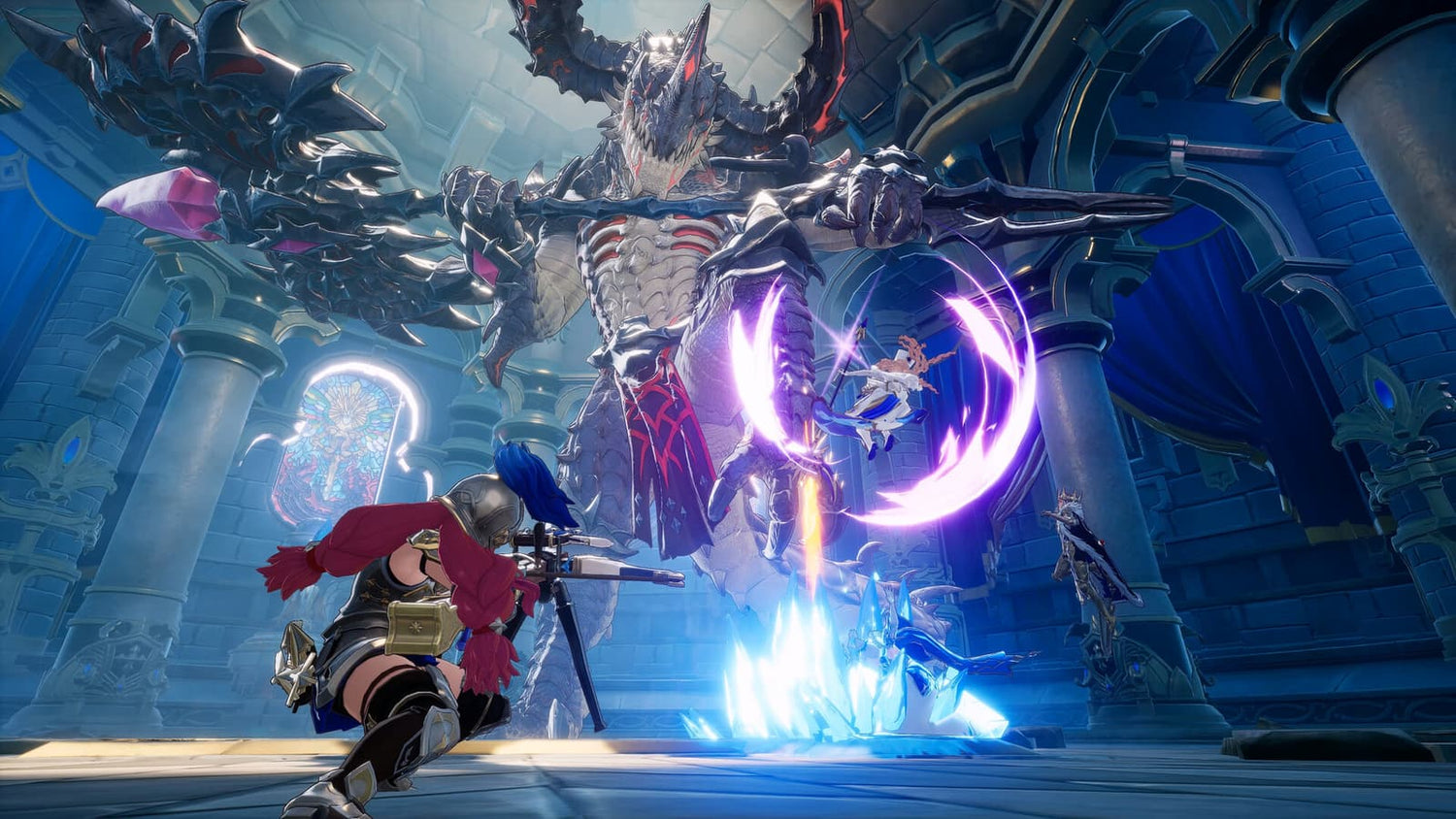
Gaming PC for New Games: What DragonSword: Awakening Tells Canadian Players About Building the Right PC Before Launch
DragonSword: Awakening is already shaping up to be one of the more interesting upcoming PC action-RPGs because it represents a trend Canadian gamers should be watching closely: bigger single-player worlds, heavier combat systems, optional co-op, and a premium one-time purchase model instead of gacha-driven live-service monetization. For anyone planning a gaming PC for new games, this is exactly the kind of announcement that should start a practical question: is your current computer ready for the next wave of ambitious PC releases, or are you going to be upgrading in a rush when launch day gets closer?
South Korean studio Hound13 has confirmed that DragonSword: Awakening is planned for PC release on July 23, 2026, with a demo currently available through Steam. The important detail is not only the date. The bigger story is that the game is being positioned as a primarily single-player action-RPG with three-player co-op support, and the developers have stated that it will not be free-to-play, will not use a gacha system, and will not be built around microtransactions. In other words, DragonSword: Awakening is moving toward the kind of traditional, premium PC game experience that rewards immersion, performance, visual quality, and stable hardware.
For Groovy Computers customers across Canada, this is more than gaming news. It is a useful buying signal. When a game moves away from mobile-style monetization and toward a full PC-first action-RPG structure, expectations change. Players start caring more about frame rate, smooth traversal, combat responsiveness, visual fidelity, loading speed, controller support, co-op stability, streaming quality, and whether their desktop will still feel powerful when the game finally launches.
So the real question is simple: what do you want your next PC to do for you when the next big action-RPG lands? Do you want a budget-friendly 1080p gaming computer? A 1440p high-FPS system that feels smooth for years? A 4K gaming PC with ray tracing headroom? A gaming and streaming PC for Twitch or YouTube? Or a custom creator PC that can handle gameplay, video editing, thumbnails, graphic design, and 3D work without slowing down?
Why DragonSword: Awakening Matters for PC Buyers in Canada
DragonSword: Awakening follows a path that will sound familiar to anyone tracking Korean RPG development. Like Crimson Desert before it, the project reportedly began with more online-focused ambitions before shifting into a single-player action-RPG direction. That shift matters because a single-player RPG is built around different priorities than a gacha title or a lightweight online game.
A gacha or mobile-first title often has to scale widely across lower-end devices. A premium PC action-RPG can push world density, animation systems, combat feedback, particle effects, cinematic presentation, character detail, and environmental streaming much harder. Even when official PC requirements are not yet known, the genre itself gives buyers a clear clue: open areas, real-time action combat, fantasy effects, co-op, and modern rendering techniques tend to reward stronger CPUs, GPUs, memory, and SSDs.
Are you planning to play only DragonSword: Awakening, or are you also looking at the broader 2026 and beyond PC release calendar? That distinction matters. A PC built only to “run” one game at minimum settings is very different from a system designed to keep up with several years of action-RPGs, open-world games, ray tracing titles, Unreal Engine projects, competitive shooters, and creator software updates.
Canadian buyers also have to think about timing differently. Component prices can shift with exchange rates, supply availability, memory pricing, GPU demand, and seasonal buying pressure. Waiting until a major game is almost here can mean shopping during the exact moment when everyone else is also looking for an upgrade. If you already know you want a better system before a major PC release, the smarter move is often to plan earlier, choose the right performance tier, and avoid panic-buying whatever configuration happens to be available later.
What the Source News Gets Right: No Gacha, No Microtransactions, and a PC-Focused Premium Model
The biggest headline from the DragonSword: Awakening announcement is that Hound13 is not positioning the game as a free-to-play gacha product. Instead, the developers have confirmed a standard one-time purchase model. For many PC players, that is refreshing. It suggests the game is being designed around a complete purchase experience rather than constant monetization prompts.
Why does that matter when buying a gaming PC? Because premium single-player and co-op PC games often create a different kind of value. You are not only paying for access to a game; you are paying for an experience that can look, feel, and perform dramatically better on the right desktop hardware. When the focus is on immersion rather than monetization loops, the quality of your PC becomes part of the experience.
Do you want to see the world at low settings just to make it playable, or do you want a system that lets the art direction, combat effects, and environments actually shine? Do you want to join friends in co-op while your frame rate dips, or do you want stable performance that keeps combat responsive? These are the kinds of questions that separate a basic gaming computer from a custom gaming PC built with your real use case in mind.
The announcement also confirms that DragonSword: Awakening is primarily single-player but includes co-op for up to three players. That combination is important. Co-op can add CPU and networking demands, while modern single-player presentation can increase GPU load. If you plan to play with friends, stream your sessions, record clips, or run voice chat and a browser in the background, you should not think about the game as a simple solo-only workload.
Gaming PC for New Games: What Performance Should You Target?
When customers ask Groovy Computers what kind of gaming PC for new games they should buy, the answer depends less on one title and more on the experience they want. A modern PC build should be matched to your monitor, your expectations, your game library, and whether you also create content. A smart build is not just about the most expensive parts; it is about balanced performance.
Here is the practical question: are you trying to play at 1080p, 1440p, or 4K? That one choice affects almost everything else. It changes the GPU tier you should consider, the CPU pairing that makes sense, the cooling requirements, the power supply headroom, and whether financing a stronger system may be more practical than settling for a cheaper build that you outgrow too quickly.
1080p Gaming: Is a Budget Gaming PC Enough?
If you play on a 1080p monitor, a well-built budget gaming PC can still deliver a strong experience in many modern games. This tier is ideal for students, first-time PC gamers, casual RPG fans, esports players, and buyers who want excellent value without pushing into premium GPU territory.
A 1080p gaming PC Canada buyer should still avoid going too low. New games are becoming more demanding, and even when a title can run on modest hardware, minimum settings often do not provide the experience players actually want. If your goal is smooth action combat, reliable co-op, fast loading, and enough headroom for updates, you should focus on a modern CPU, a dedicated graphics card, at least 16GB of RAM for entry-level gaming, and a fast NVMe SSD.
Ask yourself: is this a first gaming PC, or do you want to avoid upgrading again in a year? If you mostly play esports and lighter titles, a value-focused system can make sense. If you want to play upcoming action-RPGs, open-world games, and visually ambitious releases, it may be worth stepping up to a stronger 1440p-capable build even if you currently own a 1080p monitor.
1440p Gaming: The Sweet Spot for Many Canadian PC Gamers
For many customers, 1440p is the best balance of visual quality, smooth frame rates, and long-term value. A 1440p gaming PC Canada build gives you a noticeably sharper image than 1080p without the extreme GPU demands of native 4K. It is also a strong target for action-RPGs because world detail, character models, foliage, lighting, and effects benefit from the extra resolution.
If DragonSword: Awakening is the kind of game you are excited about, 1440p is likely the performance tier many players will want to target. You get better visual immersion, smoother camera movement, and more flexibility for high or ultra settings depending on the final requirements and optimization. It is also a strong tier for players who want to keep multiple games installed, run Discord, browse guides, capture gameplay, or stream occasionally.
What PC do you need for 1440p gaming? In general, you want a balanced modern CPU, a capable mid-to-high tier GPU, 32GB of RAM for better long-term comfort, and a fast SSD with enough storage for large game installs. If you also edit videos, stream, or work in design software, the configuration should be adjusted so your system is not only a gaming desktop but a multi-purpose powerhouse.
4K Gaming: Do You Want Cinematic Visuals and Longer-Term Headroom?
A 4K gaming PC Canada build is for players who want premium visuals, high detail settings, and the strongest experience on large monitors or TVs. This is the tier where GPU selection becomes especially important. 4K multiplies the rendering workload, and demanding action-RPGs can quickly expose weak graphics hardware.
Should every DragonSword: Awakening player buy a 4K system? Not necessarily. But if you already own a 4K monitor, want ray tracing where supported, plan to play other AAA games at high settings, or want your PC to stay relevant longer, a premium gaming PC can make sense. The cost is higher, but the experience can be dramatically better when the build is properly balanced and tested.
Here is the key question: do you want to buy the minimum PC that works today, or a stronger system that still feels fast when game requirements climb? For many premium buyers, avoiding an early upgrade is part of the value. A high-end gaming PC is not only about showing off; it is about reducing compromises, extending useful life, and making every major release feel smoother.
Will DragonSword: Awakening Need Ray Tracing or an RTX Gaming PC?
Official final hardware requirements were not included in the provided source article, so it would be irresponsible to claim exact specs today. However, modern PC gamers can still plan intelligently. Games with large fantasy environments, detailed combat effects, cinematic lighting, and co-op features often benefit from strong GPU performance. Even if ray tracing is optional or not confirmed, choosing a system with modern graphics technology can improve longevity across many titles.
A ray tracing gaming PC Canada buyer should think beyond one release. Do you play Cyberpunk-style visually demanding games? Do you want higher settings in open-world RPGs? Do you want upscaling technologies, stronger encoding for streaming, and better support for future graphics features? If the answer is yes, stepping into an RTX-class gaming PC or equivalent modern GPU tier can be a smart move.
Ray tracing is not the only factor. Raster performance, VRAM, driver support, cooling, power delivery, and case airflow all matter. At Groovy Computers, the goal is not to throw expensive parts into a case and hope for the best. The goal is to match the GPU and CPU to your monitor, your games, your software, and your upgrade timeline so the system performs reliably under real workloads.
What Do You Want Your Next PC to Do for You?
Before choosing a build, pause and ask the most important question: what do you want your next PC to do for you over the next three to five years? Not just on launch day. Not just in one demo. Over the full life of the system.
- Do you mainly want to play new RPGs and AAA games? Focus on GPU performance, CPU balance, memory, and SSD storage.
- Do you want to stream gameplay to Twitch, YouTube, or TikTok Live? Consider a gaming and streaming PC Canada build with strong encoding support, enough RAM, and smooth multitasking.
- Do you record clips, edit videos, or make YouTube content? A creator PC Canada configuration with more RAM, a faster CPU, and GPU acceleration may save hours over time.
- Do you work with Photoshop, Lightroom, Illustrator, or Canva? A custom creator PC can be tuned for photo editing, graphic design, multitasking, and fast file handling.
- Do you use Blender, Unreal Engine, Unity, CAD, or 3D rendering tools? A 3D modeling PC Canada or custom workstation PC Canada build should be planned around render engines, VRAM, CPU threads, and memory capacity.
- Do you want one computer for school, work, gaming, and content creation? A balanced custom PC may be better value than buying a cheaper system and replacing it too soon.
The right answer depends on your daily reality. A player who only games at 1080p needs a different system than a creator who records 1440p gameplay, edits in DaVinci Resolve, designs thumbnails in Photoshop, and keeps OBS open on a second monitor. That is why Groovy Computers focuses on custom builds instead of one-size-fits-all recommendations.
Gaming, Streaming, Editing, and Creation: Should You Build for More Than Just One Game?
Many modern PC buyers start with one game in mind, but their needs quickly expand. DragonSword: Awakening might be the reason you begin shopping, but what happens after that? Will you also play competitive shooters? Record boss fights? Stream co-op sessions? Edit highlight reels? Run AI tools? Manage schoolwork or business tasks on the same machine?
This is where a gaming PC for new games becomes more than a gaming purchase. It becomes the centre of your entertainment, productivity, and creative workflow. A smart custom build can be tuned to handle multiple roles without wasting money on the wrong components.
Do You Need a Gaming and Streaming PC?
If you plan to stream DragonSword: Awakening or similar games, you should not buy based only on average FPS. Streaming adds background workload. OBS Studio, Streamlabs, browser tabs, alerts, chat, audio tools, and recording can all affect performance. A gaming PC for streaming Canada customer should prioritize not only the GPU but also CPU capability, memory, storage speed, and encoder support.
What PC do you need for streaming? For casual 1080p streaming, a well-balanced mid-range gaming PC may be enough. For 1440p gaming while streaming, recording, and running a dual-monitor setup, a stronger system is much more comfortable. If you want to stream at high quality and edit the footage later, a gaming and creator PC is usually the better direction.
Do you need a separate streaming PC? Many people do not. With modern hardware, a properly configured single custom desktop can handle gaming, streaming, and recording very well. The key is choosing the right build from the beginning instead of trying to patch a weak system later.
Is a Gaming PC Good for Video Editing?
A gaming PC can be good for video editing if it has the right parts. But not every gaming desktop is automatically a good editing workstation. Video editing in Adobe Premiere Pro, DaVinci Resolve, After Effects, CapCut, and other tools benefits from CPU performance, GPU acceleration, RAM capacity, fast storage, and stable cooling.
If you are asking, “What PC do I need for video editing?” the answer depends on resolution and workflow. 1080p editing is easier. 4K editing needs more power. Heavy effects, colour grading, noise reduction, motion graphics, and long timelines increase the requirement again. A video editing PC Canada build may need 32GB or 64GB of RAM, a stronger processor, a capable GPU, and multiple SSDs for operating system, projects, cache, and exports.
If you plan to play DragonSword: Awakening, record footage, edit guides, post clips, or build a YouTube channel around RPG content, do not buy the cheapest gaming PC and hope it becomes a creator workstation. Ask Groovy Computers to help you choose a system that supports the full workflow.
What About Photo Editing and Graphic Design?
Photo editors and graphic designers often underestimate how much a strong desktop can improve everyday workflow. Lightroom batch exports, Photoshop compositing, high-resolution RAW files, Illustrator projects, InDesign documents, and Canva-heavy marketing work can all feel much faster on the right PC.
Do photographers need a dedicated GPU? Not always for basic work, but many modern creative tools increasingly use GPU acceleration and AI features. A photo editing PC Canada or graphic design PC Canada build should prioritize a fast CPU, enough RAM, a quality SSD, and a GPU that fits the software workload. If the same PC is also used for gaming, the build can be tuned to cover both needs.
Are you buying a gaming computer for fun, or a system that also helps you earn money, finish client work, and produce content faster? That difference can justify a stronger configuration and may make financing a higher-performance PC more sensible than compromising on a cheaper machine.
Do You Need a 3D Modeling or Rendering Workstation?
For Blender, Unreal Engine, Unity, Maya, 3ds Max, Cinema 4D, SketchUp, AutoCAD, Revit, SolidWorks, and similar software, the build strategy changes again. A 3D modeling PC Canada or 3D rendering PC Canada system needs to be planned around your rendering method, scene complexity, viewport performance, memory usage, and GPU VRAM requirements.
Is a gaming PC good for Blender? Sometimes, yes. A strong gaming PC with a powerful GPU can be excellent for many Blender users. But serious rendering, large scenes, simulation work, game development, architecture, and professional visualization may require more RAM, more VRAM, stronger cooling, and a workstation-focused configuration.
If your next PC needs to handle DragonSword-style gaming at night and Unreal Engine development during the day, tell Groovy Computers that up front. A custom build can be designed around both roles instead of forcing you into a generic prebuilt that is strong in one area and weak in another.
Should You Buy Now or Wait Before a Major Game Release?
One of the most common questions Canadian buyers ask is: is it better to buy a gaming PC now or wait? The honest answer depends on your current system, your budget, and how close you are to needing better performance. But there are real reasons to plan earlier when a major wave of games is approaching.
Game releases can create demand spikes. New GPU launches can create availability pressure. Memory and SSD pricing can move. Exchange rates can affect Canadian retail pricing. Seasonal sales can sell out popular configurations. If you wait until the exact moment a new game launches, you may have fewer choices and less time to make a smart decision.
That does not mean everyone should rush. It means you should evaluate your needs now. Can your current PC run the demo smoothly? Are you already lowering settings in newer titles? Is your SSD nearly full? Are you stuck with 16GB of RAM while trying to game, stream, and edit? Is your GPU already struggling at 1440p? If the answer is yes, waiting may not save you money; it may simply delay the upgrade until you are under pressure.
A custom PC is easier to plan when you are not desperate. You can choose the right case, cooling, GPU tier, storage capacity, RAM amount, power supply, upgrade path, and financing option calmly instead of buying whatever is left in stock later.
Could Financing Help You Secure a Stronger PC Before Prices Change?
For some buyers, the choice is not between buying a PC and not buying a PC. The real choice is between buying a weaker system today with cash or using financing to secure a stronger system that lasts longer. Groovy Computers offers financing options up to 4 years, which can help Canadian customers access a better custom gaming PC, creator PC, or workstation without paying the full amount upfront.
Is financing a gaming PC worth it? It can be, if it helps you avoid underbuying. A cheaper system that needs upgrades too soon may cost more in the long run than a better-balanced build financed over time. This is especially true if you need the PC for more than gaming, such as streaming, video editing, graphic design, 3D modeling, school, or professional work.
Should you finance a better PC instead of buying a cheaper one? Ask yourself:
- Will a stronger GPU let you play at 1440p or 4K for longer?
- Will more RAM prevent slowdowns when editing, streaming, or multitasking?
- Will a faster CPU save time on exports, renders, or content creation?
- Will better storage prevent you from constantly deleting games and project files?
- Will buying earlier protect you from possible price increases or lower availability later?
- Will the PC help with work, school, client projects, or income-generating content?
If the answer to several of those questions is yes, financing may be a practical tool rather than a luxury. The goal is not to overspend. The goal is to avoid buying a system that is already close to its limits the day it arrives.
Which Performance Tier Fits You Best?
Choosing the right PC becomes easier when you match yourself to a performance tier. The best build for you is not always the most expensive one. It is the one that delivers the right experience for your monitor, games, software, and budget.
Tier 1: Value 1080p Gaming PC
This tier is for buyers who want a practical, affordable gaming PC in Canada for 1080p gaming, esports, RPGs, schoolwork, and everyday use. It is ideal if you want a first gaming PC or a budget gaming computer that still feels modern.
Choose this tier if you mostly play at 1080p, do not need ultra settings in every new game, and want the best gaming PC for the money. Consider stepping up if you plan to stream, edit videos, or keep the system for many years without upgrades.
Tier 2: Strong 1440p Gaming PC
This is the sweet spot for many Groovy Computers customers. A 1440p gaming build is excellent for players who want sharper visuals, high frame rates, and better long-term flexibility. It is a smart match for upcoming action-RPGs, open-world games, co-op titles, and players who want a smoother experience without jumping all the way to premium 4K pricing.
Choose this tier if you want a future-proof gaming PC Canada build that can handle new releases more comfortably and still support light streaming, recording, and editing.
Tier 3: Gaming and Streaming PC
This tier is for players who want to game and broadcast at the same time. It should be built for stable frame rates, encoder quality, multitasking, and dual-monitor workflows. It is a strong fit for Twitch streamers, YouTube creators, and players who want to record gameplay without constantly fighting performance drops.
Choose this tier if you run OBS Studio, Streamlabs, Discord, browser tabs, alerts, capture tools, and editing software alongside your games.
Tier 4: Creator PC for Gaming, Editing, and Design
A creator PC is for customers who do more than play. If you edit 4K video, manage social media content, design thumbnails, work in Photoshop or Illustrator, produce podcasts, or build YouTube content, you need a more balanced system. CPU, RAM, SSDs, and GPU acceleration all matter.
Choose this tier if your PC is part of your creative workflow and you want fewer slowdowns, faster exports, smoother timelines, and better multitasking.
Tier 5: 3D Modeling, Rendering, and Workstation PC
This tier is for Blender, Unreal Engine, CAD, architectural visualization, product rendering, animation, and professional workloads. It may require more RAM, more VRAM, stronger cooling, and carefully selected parts for long rendering sessions.
Choose this tier if your computer needs to handle serious work, not just entertainment. A workstation PC Canada build should be planned around the software you actually use, not just gaming benchmarks.
Tier 6: Premium 4K and High-End Gaming PC
This tier is for buyers who want top-tier visuals, 4K gaming, ultra settings, ray tracing where supported, long-term headroom, and a premium desktop experience. It is ideal for customers who own high-end monitors, want the smoothest possible experience, or prefer buying strong now instead of upgrading frequently.
Choose this tier if you want a flagship-level gaming desktop that feels powerful across new AAA games, demanding RPGs, content creation, and heavy multitasking.
Custom PC vs Generic Prebuilt: Why It Matters More for Upcoming Games
When a major PC game is still months away, some buyers are tempted to grab any generic prebuilt with a flashy GPU name and call it done. That can work sometimes, but it can also lead to hidden compromises: weak power supplies, poor airflow, limited upgrade paths, mismatched CPUs, slow storage, low RAM capacity, and thermal issues under long gaming sessions.
A custom gaming PC Canada build gives you more control. You can choose the right performance tier, cooling setup, case airflow, storage capacity, memory configuration, and upgrade path. You can also avoid paying for parts that do not help your workload while investing more where it matters.
Why buy a custom gaming PC instead of a generic prebuilt? Because the best system is not just a list of parts. It is a balanced machine. A high-end GPU paired with weak cooling can throttle. A strong CPU with too little RAM can struggle in creator software. A beautiful case with poor airflow can become noisy. A cheap SSD can slow down installs, loading, and project work. A custom build lets those details be planned correctly.
Groovy Computers builds for Canadian customers who want confidence, not guesswork. Systems are assembled with care, tested, and backed by a 1-year warranty. That matters when you are investing in a PC for new games, streaming, editing, school, work, or professional workloads.
Why Testing and Warranty Support Should Be Part of Your Buying Decision
A gaming PC is not truly finished when the parts are installed. It needs to be tested. Stability matters. Thermals matter. Cable management matters. BIOS settings, drivers, memory profiles, storage configuration, and stress testing all affect the real-world experience.
Would you rather discover a cooling problem during a long co-op session, or before the system ever reaches your desk? Would you rather troubleshoot random crashes during a launch weekend, or buy from a Canadian custom PC builder that takes testing seriously? These questions matter because modern games and creator workloads can push a system hard for hours at a time.
A tested gaming PC Canada customer gets more than convenience. They get peace of mind. For buyers in Nova Scotia, Atlantic Canada, Ontario, Alberta, British Columbia, Quebec, and across the country, buying from a Canadian gaming PC company also means support is closer to home than dealing with random marketplace sellers or mystery configurations.
Groovy Computers offers custom builds, Canada-wide service, and a practical warranty experience for customers who want gaming computers shipped Canada wide without sacrificing support. Whether you are near Trenton, New Glasgow, Halifax, elsewhere in Nova Scotia, or ordering online from another province, the goal is the same: a reliable PC matched to your needs.
How Canadian Buyers Should Think About Component Volatility
Canadian PC pricing is affected by more than just the sticker price of a single graphics card. Exchange rates, international supply, GPU demand, memory pricing, SSD availability, shipping costs, and seasonal demand can all influence full-system pricing. When interest rises around major game releases, the best-value configurations can disappear quickly.
This is why “I’ll wait until the game launches” is not always the best strategy. If you already know your current PC is aging, planning early gives you more flexibility. You can compare budget, mid-range, premium, creator, and workstation options without being forced into a last-minute decision.
Should you buy a gaming PC before prices go up? Nobody can promise exactly what component pricing will do, but the risk is real enough to consider. If your current PC is already limiting you, waiting for perfect conditions may simply mean losing months of better performance. Financing can also help secure a stronger build now while spreading payments over time, especially if you expect replacement costs to rise.
What Questions Should You Ask Before Choosing a Gaming PC for DragonSword: Awakening and Other New Games?
Before you choose a build, ask questions that connect directly to your actual use. This is how you avoid overspending in the wrong places or underbuying in ways you regret later.
- What games do I want to play over the next few years? Include DragonSword: Awakening, upcoming RPGs, competitive games, open-world titles, and ray tracing games if those matter to you.
- What resolution do I want? 1080p, 1440p, and 4K require different GPU tiers.
- Do I care more about high FPS or maximum graphics settings? Competitive players and cinematic RPG fans often need different priorities.
- Will I stream, record, or edit gameplay? If yes, build for multitasking and content creation from the start.
- How much storage do I need? Modern games are large, and creators need room for footage, projects, cache files, and exports.
- How long do I want to keep this PC before upgrading? Longer ownership usually justifies more headroom.
- Would financing help me buy the build I actually need? A monthly payment gaming PC Canada option may be more practical than settling for a weak system.
- Do I need help choosing parts? If you are unsure, a custom PC builder can prevent expensive mistakes.
These questions are not just technical. They are buying strategy. The right answers help Groovy Computers recommend a build that fits your gaming, creator, and budget priorities.
Why Groovy Computers Is a Strong Fit for Canadian Gamers Preparing for New Releases
Groovy Computers is built around a simple idea: Canadian customers deserve custom PCs that match how they actually play, work, stream, edit, design, and create. Instead of pushing one generic configuration, Groovy Computers helps buyers think through the real use case: resolution, games, software, budget, financing, upgrade path, and warranty confidence.
If you are shopping for a gaming PC for new games, Groovy Computers can help you decide whether a budget gaming PC, 1440p gaming PC, 4K gaming PC, streaming PC, creator PC, 3D workstation, or custom workstation PC is the smarter fit. The best build is the one that makes sense for your workload, not the one with the loudest marketing label.
Want to play DragonSword: Awakening when it launches, but also stream co-op sessions, edit videos, and keep your PC useful for school or work? Want to avoid upgrading too soon? Want to know whether financing a stronger system now is better than buying a cheaper system that may feel outdated quickly? Visit GroovyComputers.ca and explore custom gaming PCs, creator systems, workstation options, and financing choices built for Canadian buyers.
Final Take: DragonSword: Awakening Is a Reminder to Build for the Future, Not the Minimum
DragonSword: Awakening’s move toward a premium single-player action-RPG model with optional co-op is good news for players who want complete PC games without gacha mechanics or microtransaction pressure. It is also a reminder that modern PC gaming continues to move forward. The next wave of games will reward players who have the right hardware, enough memory, fast storage, strong graphics performance, and a system built for more than minimum settings.
The smartest approach is not to panic-buy. It is to plan. Decide whether you want 1080p value, 1440p smoothness, 4K visuals, ray tracing headroom, streaming capability, editing performance, design productivity, or workstation strength. Then choose a custom PC that fits that future.
If you are asking what gaming PC do I need, whether a custom gaming PC is worth it, or whether financing could help you secure a stronger build before prices shift, Groovy Computers is ready to help. A well-planned gaming PC for new games can make DragonSword: Awakening and the next generation of PC releases feel the way they should: smooth, immersive, responsive, and ready for whatever you play next.
#GamingPCForNewGames #CustomGamingPCCanada #GamingPCCanada #1440pGamingPC #4KGamingPC #StreamingPCCanada #CreatorPCCanada #GroovyComputers
Groovy Computers | All Rights Reserved


Leave a comment
This site is protected by hCaptcha and the hCaptcha Privacy Policy and Terms of Service apply.