

















Gaming PC for New Games: What Crimson Desert Update 1.13.00 Means for Canadian PC Buyers
Crimson Desert Update 1.13.00 is live, and it is another reminder that a gaming PC for new games is no longer just about launching a title on day one. Modern open-world action RPGs keep expanding after release with new areas, new systems, new gear, new character options, stability fixes, visual improvements, and performance-impacting updates that can change what players expect from their hardware over time.
For Canadian gamers following Crimson Desert, Pearl Abyss has rolled out a substantial 1.13.00 update across platforms. The patch adds Abyss access for Oongka and Damiane, expands outfit and equipment options, introduces more dyeable gear, adds a new Hunter’s Sigil item for bird pets, includes crafting recipes, improves controls and combat interactions, and delivers a long list of bug fixes, crash fixes, UI updates, localization improvements, and stability improvements. It even lets summoned pets rest with the character in bed, which may be the most charming quality-of-life change in the entire update.
But if you are reading this as a PC gamer in Canada, the bigger question is not only “what changed in Crimson Desert?” It is “what kind of gaming computer do I need if I want new games to stay smooth after launch, after patches, after DLC, after graphics updates, and after my own expectations rise?”
That is where a custom PC buying decision becomes more important. A game like Crimson Desert can appeal to many different players: open-world explorers, action combat fans, 4K gamers, streamers, YouTube creators, benchmark chasers, photo mode enthusiasts, and players who want a system that can handle tomorrow’s games instead of barely surviving today’s. If you are planning your next upgrade, the 1.13.00 update is a useful moment to step back and ask what your next PC should actually do for you.
Why Crimson Desert Update 1.13.00 Matters Beyond the Patch Notes
Crimson Desert’s 1.13.00 update is not a tiny hotfix. According to the patch details, Oongka and Damiane can now enter the Abyss, Memory Fragment locations for certain rematchable bosses have changed, and the update adds new gear options across multiple characters. Kliff and Oongka receive 39 new pieces of equipment, including boss equipment and new armour and headgear, while Damiane receives 8 new pieces of armour. Oongka can now equip most outfits available to Kliff, and Damiane gains access to specific boss equipment sets.
The update also expands dyeable equipment options, improves weapons and secondary weapons so more of them can be dyed, adds carpet crafting recipes, adds special attacks to several enemy groups, and includes new crafting recipes for armour such as Lightning Bolt Plate Armor, Scorchflame Plate Armor, and Frostcursed Plate Armor.
For players, that means more reasons to return. More outfits mean more character customization. More dyeable equipment means more visual personalization. More Abyss access means more endgame or challenge-driven play. More bug fixes and stability improvements mean the game is being actively maintained. And when a game keeps growing, your PC is not just running the launch version. It is running the evolving version.
Have you ever bought a system that felt good for the first few months, only to feel underpowered once a game added new content, heavier areas, ray tracing options, high-resolution texture packs, or more demanding streaming workflows? That is exactly why Canadian buyers should think beyond minimum requirements and focus on the full experience they want.
Gaming PC for New Games: Are You Buying for Today’s Patch or the Next Two Years?
A strong gaming PC for new games should not be designed around one patch, one benchmark, or one launch trailer. It should be built around your real habits. Do you want to play Crimson Desert casually at 1080p, or are you aiming for high FPS at 1440p? Are you upgrading because you want 4K gaming? Do you want ray tracing when supported, smooth frame pacing, quiet cooling, fast loading, and enough memory to keep Discord, browsers, launchers, capture software, and background apps open?
New game updates often reveal the difference between a cheap system and a well-balanced custom gaming PC. A budget gaming computer may run a new game acceptably at lower settings, but the experience can become less consistent when you add multitasking, recording, streaming, higher-resolution monitors, or future updates. A stronger custom build gives you more headroom, and headroom is what keeps your PC feeling good after the excitement of the first week wears off.
If you are buying a gaming computer in Canada right now, ask yourself this: are you trying to meet the bare minimum, or are you trying to avoid upgrading too soon?
What Does the Crimson Desert Update Tell Us About Modern PC Gaming Trends?
The 1.13.00 update highlights several trends that matter to PC buyers. Modern games are no longer static products. They are long-running platforms with seasonal content, major patches, character updates, visual systems, new combat tuning, bug fixes, and technical improvements. That means the right gaming desktop Canada buyers choose today should be flexible, powerful, and stable enough for a changing software environment.
The update includes improvements and fixes in several categories: content, controls, combat and action, UI, graphics and settings, localization, and miscellaneous gameplay systems. That breadth matters because performance is not only about the GPU. Smooth gameplay depends on the interaction between the CPU, GPU, RAM, storage, cooling, drivers, operating system stability, and how the game handles streaming assets, animations, physics, menus, and background systems.
For example, a fast SSD can help reduce loading frustration. A strong CPU can help maintain smoother performance in busy scenes. A capable GPU gives you more room for higher settings, resolution scaling, and visual quality. More RAM can help when you play while browsing, chatting, recording, or streaming. Proper cooling helps the PC sustain performance instead of throttling after long sessions.
What games, software, and creative workloads do you want open at the same time? If the answer is “Crimson Desert, Discord, OBS, a browser with guides, Spotify, and maybe video capture,” then your PC needs to be planned as a real-world gaming system, not just a spec sheet.
What Do You Want Your Next PC to Do for You?
Before choosing a custom gaming PC, pause and define the job. Do you want your next computer to be a dedicated gaming machine? A gaming and streaming PC? A gaming and creator PC? A video editing workstation that also plays AAA games? A 3D modeling workstation that can handle Blender or Unreal Engine after hours? The best build depends on the answer.
A player who only wants smooth 1080p gameplay has a very different ideal system than someone who wants 4K, ultra settings, ray tracing, livestreaming, and fast video exports. A student buying a first gaming PC has different priorities than a full-time content creator editing 4K footage. A competitive gamer may care more about high FPS and low latency, while a visual open-world player may care more about high resolution, texture quality, and GPU strength.
Ask yourself these questions before buying:
- What games do I play now, and what games am I excited to play next?
- Do I want 1080p, 1440p, or 4K gaming performance?
- Do I care about ray tracing, ultra settings, or high refresh rates?
- Will I stream on Twitch, YouTube, TikTok Live, or record gameplay for clips?
- Will I edit video in Adobe Premiere Pro, DaVinci Resolve, CapCut, or After Effects?
- Will I use Photoshop, Lightroom, Illustrator, Canva, Blender, Unreal Engine, AutoCAD, or other creator software?
- Do I want a budget gaming computer, a premium RTX gaming PC, a custom creator PC, or a workstation PC?
- Would financing help me buy the right system now instead of settling for a weaker one?
These are the questions that separate a random prebuilt from a computer that actually fits your life.
Which Performance Tier Fits You Best?
Choosing the right gaming PC for new games becomes easier when you think in performance tiers instead of chasing one part at a time. The GPU matters, the CPU matters, RAM matters, storage matters, and cooling matters, but the right combination depends on your target experience.
Entry-Level and Budget Gaming PC: Is 1080p Your Main Goal?
A budget gaming PC Canada buyer is usually focused on value: smooth 1080p gameplay, good settings, dependable everyday performance, and the ability to play popular titles without overspending. This tier is ideal if you play at 1080p, do not need every setting maxed out, and want a first gaming PC or student gaming PC that still feels modern.
For games like Crimson Desert and other open-world titles, an entry-level system should still be built carefully. You want enough RAM, a real gaming GPU, a modern CPU, and fast SSD storage. The mistake is buying the cheapest computer that has “gaming” in the title but lacks balance. A weak power supply, poor airflow, limited upgrade room, or low memory can turn a bargain into an early replacement.
How much should you spend on a gaming PC? The honest answer depends on your monitor, your games, and how soon you want to upgrade again. If you want a system to last, spending strategically often beats buying the cheapest possible option.
Mid-Range 1440p Gaming PC: Do You Want the Sweet Spot?
For many Canadian gamers, a 1440p gaming PC Canada build is the sweet spot. It offers a major visual upgrade over 1080p without the cost and GPU pressure of full 4K. If you want open-world games to look sharp, action combat to feel responsive, and new releases to run at strong settings, 1440p is often the best balance.
This tier is also ideal for players who want to stream, record clips, use a dual-monitor setup, or do light creative work. With the right GPU and CPU pairing, a mid-range custom gaming PC can handle gaming, OBS, Discord, browsing, and moderate editing without feeling stretched.
What PC do you need for 1440p gaming? You need a system built around balanced performance: a capable modern graphics card, a CPU that will not hold it back, enough RAM for multitasking, and storage that keeps large games loading quickly. At Groovy Computers, that is where custom configuration matters because a balanced PC is usually better than a flashy but lopsided spec list.
High-End and Premium Gaming PC: Are You Chasing 4K, Ray Tracing, and Ultra Settings?
If you want 4K gaming, high refresh rates, ray tracing when supported, heavy visual settings, and long-term performance headroom, you are in high-end gaming PC Canada territory. This is for buyers who want the premium experience and do not want to wonder whether their PC can handle the next major AAA game.
A premium gaming PC Canada build can also make sense if you are not only gaming. If you edit 4K video, create YouTube content, render 3D scenes, work in Adobe Creative Cloud, or use GPU-accelerated applications, a stronger graphics card and CPU can save time every week. For creators, performance is not just a luxury. It can affect deadlines, output quality, and workflow frustration.
What PC do you need for 4K gaming? In practical terms, you need a GPU-focused build with strong cooling, a capable CPU, generous RAM, fast NVMe storage, and a power supply selected for stability and upgrade confidence. A high-end system should be designed as a complete platform, not just a graphics card with a case around it.
Should Crimson Desert Players Prioritize GPU, CPU, RAM, or Storage?
For open-world gaming, the GPU usually drives the biggest visual difference, especially at 1440p and 4K. If you want higher settings, sharper resolution, smoother frame rates, and better visual features, you need a graphics card that fits your monitor and expectations. However, focusing only on the GPU can create problems.
The CPU matters for frame consistency, simulation, background tasks, and keeping your GPU fed. RAM matters because modern games, launchers, browsers, voice chat, overlays, recording tools, and creative software all compete for memory. Storage matters because large games and updates are now normal, and slow drives can make loading and system responsiveness feel dated. Cooling matters because performance is only useful if the system can sustain it quietly and reliably.
Are you the type of player who keeps ten browser tabs open while gaming? Do you use Discord, Spotify, and capture software? Do you alt-tab between guides, maps, and settings? If yes, do not buy a PC as if the game is the only thing running.
What About Streaming Crimson Desert or Recording Gameplay?
Crimson Desert’s expanded gear, boss rematches, open-world moments, and pet interactions all create content opportunities. If you stream or record, your PC needs more than basic gaming performance. A gaming PC for streaming Canada buyers should be designed for gameplay and encoding at the same time.
For OBS Studio, Streamlabs, Twitch, YouTube Live, and recorded gameplay, the system should have enough CPU and GPU headroom to avoid dropped frames, stutters, and inconsistent capture quality. GPU encoding can help, especially with modern RTX streaming PC Canada configurations, but the rest of the system still matters. RAM, storage speed, and cooling all affect the experience.
What PC do you need for streaming? If you are streaming at 1080p while gaming, a balanced gaming and streaming PC Canada build may be enough. If you want 1440p gaming, high FPS, overlays, alerts, browser sources, camera input, and local recording, you should step up to a stronger configuration. If you want to stream, edit, and render, you are moving closer to a creator PC.
Is a Gaming PC Good for Content Creation?
Yes, a gaming PC can be excellent for content creation when it is configured properly. The key phrase is “configured properly.” A gaming-first system may have a strong GPU but not enough RAM or storage for serious editing. A creator-first system may need a stronger CPU, more memory, additional storage, or a different cooling strategy. A custom creator PC Canada build can be tuned for both.
If you play Crimson Desert and then edit gameplay clips for YouTube, TikTok, Instagram, or a stream highlight channel, your PC should be built for the full workflow. That may include gaming, recording, importing footage, editing in Premiere Pro or DaVinci Resolve, rendering, exporting, thumbnail creation in Photoshop, and uploading while multitasking.
What PC do content creators need? They need enough GPU power for gaming and acceleration, enough CPU performance for timelines and exports, enough RAM to avoid slowdowns, and enough fast SSD storage to handle large video files. If you are working with 4K footage, multiple audio tracks, effects, colour grading, or After Effects compositions, a basic gaming PC may not be enough.
Video Editing, Photo Editing, Graphic Design, and 3D Work: When Should You Move Beyond a Gaming Build?
Many Groovy Computers customers want one system that does everything. They want to game at night, edit during the day, run design software for work, and maybe experiment with Blender or Unreal Engine. That is where a gaming and creator PC Canada build makes sense.
If your workload includes Adobe Premiere Pro, DaVinci Resolve, After Effects, CapCut, Photoshop, Lightroom, Illustrator, InDesign, Canva, Blender, Unreal Engine, Unity, AutoCAD, Revit, SolidWorks, Maya, 3ds Max, Cinema 4D, or SketchUp, your PC should be planned around those applications as well as your games.
For a video editing PC Canada buyer, the important questions are: how much RAM do you need for video editing, what resolution do you edit, how many layers do you use, and how fast do you need exports to finish? For a photo editing PC Canada buyer, the questions shift to RAW file sizes, Lightroom catalog performance, Photoshop layers, AI tools, and colour workflow. For a graphic design PC Canada buyer, the focus may be multi-monitor performance, Adobe Creative Cloud responsiveness, fast SSD storage, and reliable multitasking. For a 3D modeling PC Canada buyer, GPU rendering, CPU rendering, VRAM, and memory capacity become much more important.
Is a gaming PC good for Blender? It can be, especially if it has a strong GPU and enough memory, but a true 3D rendering PC Canada build should be configured with rendering workloads in mind. Workstation PC vs gaming PC decisions are not about which label sounds better. They are about what you actually do every day.
Why Canadian Buyers Should Think About Timing Before the Next Big Demand Spike
Gaming hardware does not exist in a vacuum. Component pricing can move because of GPU demand, memory supply pressure, SSD pricing, currency changes, shipping costs, new game launches, holiday buying periods, back-to-school demand, creator hardware demand, and broader supply chain constraints. Canadian buyers also have to think in Canadian dollars, where exchange rates and import costs can make replacement pricing feel different from headline prices seen elsewhere.
Is it better to buy a gaming PC now or wait? That depends on your current system, your target games, and how painful your current limitations are. If your PC already struggles with new releases, waiting may mean months of lower settings, stutters, and frustration. If you are planning around a major game release, a software upgrade, a school program, a creator workload, or a work deadline, buying earlier can give you time to set up, test, transfer files, and enjoy the system before demand rises.
Waiting can help if you truly do not need a PC yet. But waiting can also backfire if GPU pricing climbs, RAM pricing shifts, popular configurations sell through, or your current computer fails at the worst possible time. If you know you need a stronger system, the smarter move is often to choose the right tier before pressure increases.
Could Financing Help You Secure a Stronger System Before Costs Rise?
For many customers, the real decision is not “cheap PC or expensive PC.” It is “buy a weaker system outright or finance a better system that lasts longer.” Groovy Computers offers financing options up to 4 years, which can help Canadian buyers move into a stronger custom gaming PC, custom creator PC, or workstation PC without paying the full amount upfront.
Is financing a gaming PC worth it? It can be, especially if a better build prevents an early upgrade, supports your work, improves your content output, or lets you buy before replacement costs rise. Financing is not about overspending blindly. It is about matching the monthly payment to a system that actually fits your needs.
Should you finance a better PC instead of buying a cheaper one? Ask yourself whether the cheaper system will still feel good in two years. Will it handle 1440p gaming if you upgrade your monitor? Will it stream smoothly? Will it edit your videos without long export delays? Will it support future games, larger updates, and heavier software? If the answer is no, a stronger financed system may be the more practical choice.
Custom PC vs Prebuilt PC Canada: Why the Details Matter More Than Ever
A generic prebuilt gaming PC can look attractive at first glance, especially when the headline GPU or CPU is strong. But the hidden details matter: motherboard quality, power supply reliability, airflow, cooling, cable management, RAM configuration, SSD quality, case design, BIOS settings, driver setup, and stress testing. Those details affect noise, temperature, stability, upgrade potential, and long-term satisfaction.
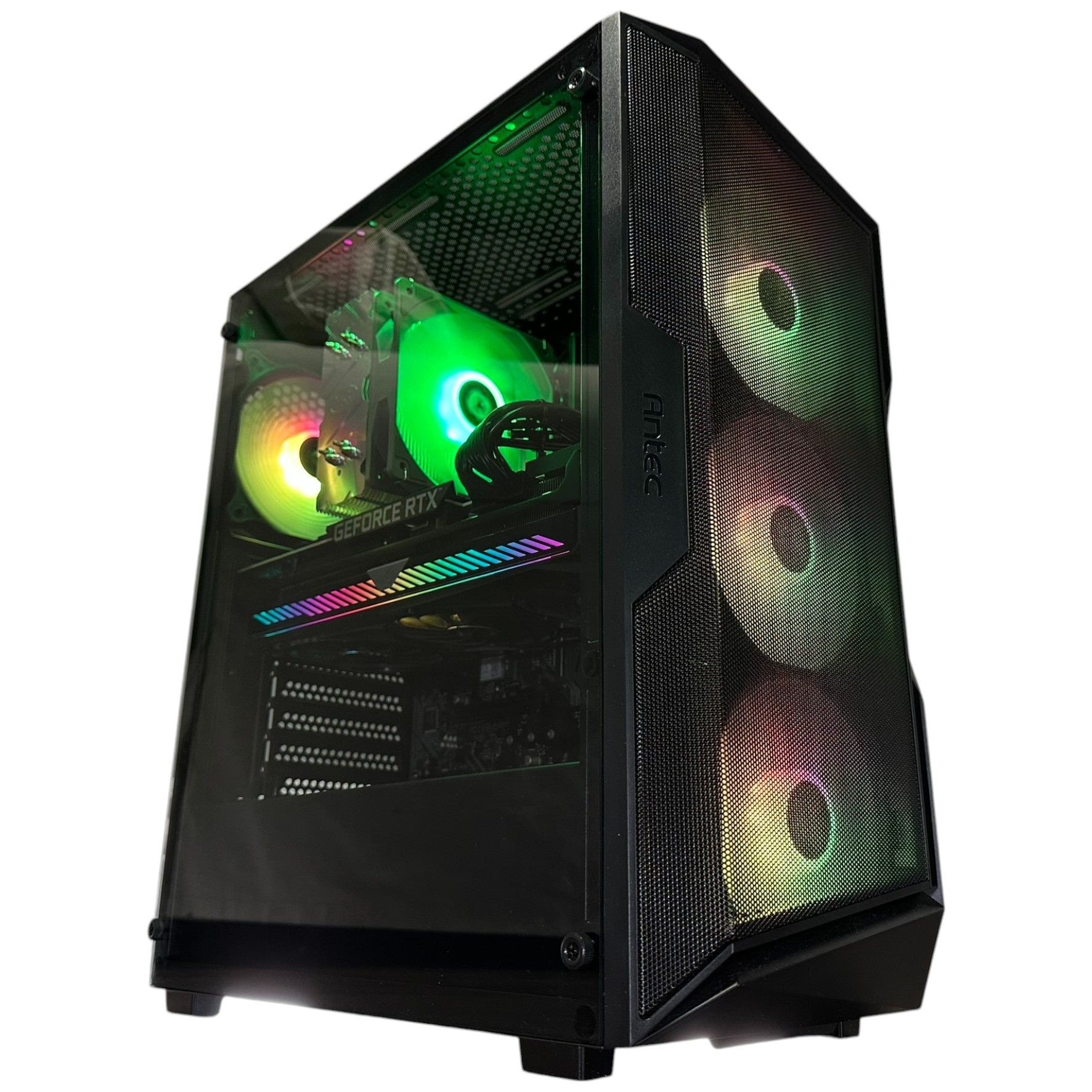
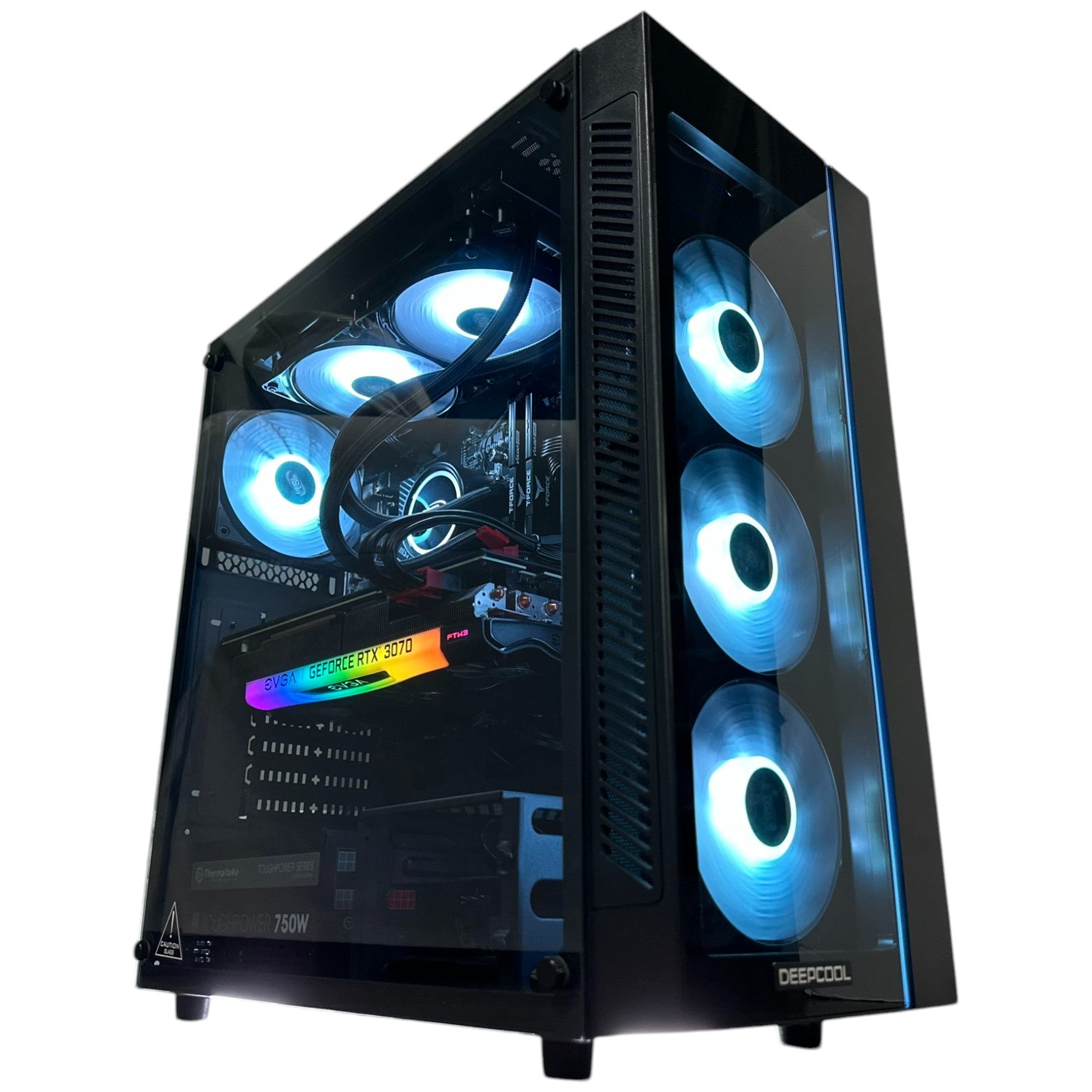
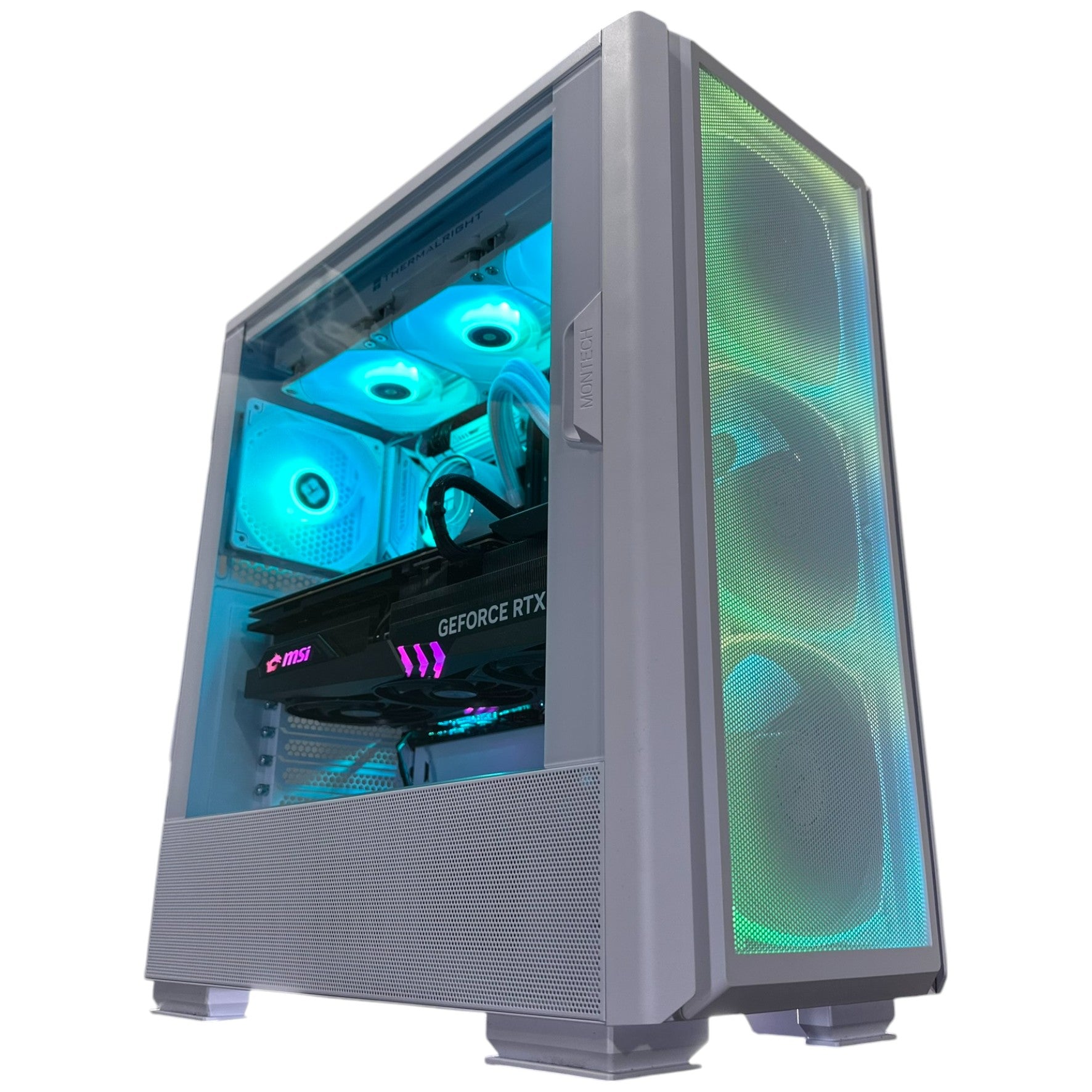
A custom gaming PC Canada build from Groovy Computers is designed around your use case. That means the system can be matched to your monitor, games, software, storage needs, budget, and upgrade plans. If you are buying a gaming PC for new games, you do not want random part matching. You want a system built with the full experience in mind.
Why does testing matter in a gaming PC? Because a PC that boots is not the same as a PC that is ready for serious gaming. Groovy Computers emphasizes rigorous testing so customers receive a system built for stability, not guesswork. When you are investing in a gaming desktop, creator desktop, or workstation, testing is part of the value.
What Should Crimson Desert Players Look for in a New Gaming PC?
If Crimson Desert is one of the games motivating your upgrade, focus on the experience you want rather than a single minimum requirement. Do you want smooth exploration, responsive combat, fast loading, high visual quality, and enough headroom for future updates? Then build around resolution, frame rate, and multitasking.
For 1080p players, value and balance are key. For 1440p players, prioritize GPU strength, CPU balance, and enough RAM. For 4K players, invest in a premium GPU tier and strong cooling. For streamers, make sure encoding and multitasking are covered. For creators, consider RAM, CPU, GPU acceleration, and storage capacity. For workstation users, plan around software requirements and long render sessions.
What specs do you need for this game? Without relying on one-size-fits-all assumptions, the better question is: what settings, resolution, and workload do you expect from your entire PC? A build for casual 1080p gaming is different from a build for 4K gaming, recording, streaming, and editing.
Budget, Mid-Range, or Premium: Which Buyer Are You?
If you are unsure which tier fits, use your monitor and workload as your guide. Your monitor resolution is one of the clearest signs of how much GPU power you need. Your multitasking habits reveal how much CPU and RAM headroom you should consider. Your creative software determines whether you need more memory, more storage, or more workstation-style performance.
Choose a Budget Gaming Computer If...
- You mainly play at 1080p.
- You want strong value and do not need every setting maxed out.
- You are buying a first gaming PC or student gaming PC.
- You want to play new games but are comfortable adjusting settings.
- You want an affordable gaming PC Canada option with a sensible upgrade path.
Choose a Mid-Range Custom Gaming PC If...
- You want 1440p gaming performance.
- You use a high refresh rate monitor.
- You stream casually or record gameplay clips.
- You multitask with Discord, browser tabs, music, launchers, and capture tools.
- You want a system that feels powerful without moving into flagship pricing.
Choose a Premium Gaming PC If...
- You want 4K gaming, ultra settings, or ray tracing when supported.
- You want the best experience in open-world AAA games.
- You stream, record, edit, and game on the same system.
- You want a longer useful lifespan before your next major upgrade.
- You are considering financing to secure a higher-performance build now.
Choose a Creator or Workstation PC If...
- You edit 4K, 6K, or 8K video.
- You work in Adobe Creative Cloud, DaVinci Resolve, Blender, Unreal Engine, CAD, or rendering software.
- You need high RAM capacity, fast storage, and reliable sustained performance.
- You use your PC for income, school, business, or professional projects.
- You want a system built for both productivity and gaming.
Why Groovy Computers Is Built for Canadian Gamers, Creators, and Workstation Buyers
Groovy Computers is a Canadian custom PC builder focused on matching customers with systems that make sense for how they actually play and work. Whether you are in Nova Scotia, Atlantic Canada, Ontario, Alberta, British Columbia, or elsewhere in Canada, the goal is the same: a computer that is properly selected, professionally built, tested, and supported.
Customers come to Groovy Computers for custom gaming PCs, creator PCs, video editing PCs, streaming PCs, 3D modeling workstations, and high-performance desktops because the right build is not always obvious. Should you spend more on the GPU or CPU? Is 32GB RAM enough, or should you move to 64GB? Do you need more SSD storage now? Should you finance a stronger system? Should you buy before a major game release or wait?
Those are exactly the questions a good custom PC builder should help answer. Groovy Computers also provides a 1-year warranty, giving customers confidence that their system is backed after purchase. In a market where component pricing can shift and low-quality prebuilts can cut corners, warranty support and testing matter.
Buying Before a Major Game Release, Sale Period, or Price Spike: What Should You Consider?
If you are upgrading because of Crimson Desert, another AAA game, a new monitor, a school program, a creator project, or a work requirement, timing matters. Waiting until the exact week you need the PC can create avoidable pressure. Popular configurations may be in higher demand. Component prices may shift. Shipping times may matter more. You may not have time to transfer files, install software, test settings, and get comfortable with the system.
Are you buying before a major game release? Before a content update? Before a sale period? Before a software upgrade? Before prices move? If yes, consider choosing your build early enough that you are not forced into a rushed decision. A gaming PC should feel exciting, not stressful.
For financing customers, timing can be even more important. If monthly payments allow you to secure the right build now, you may avoid compromising on a system that you already know will need upgrading too soon. The best time to buy is not always when the internet says a part is cheapest. Sometimes it is when your needs are clear, your budget is planned, and the right configuration is available.
Questions to Ask Before You Buy or Finance a Custom PC
Before you choose your next system, use these questions to clarify your priorities:
- What gaming PC do I need for the games I actually play?
- Do I want 1080p value, 1440p balance, or 4K premium performance?
- Will I stream, record, edit, design, render, or multitask heavily?
- Is my current PC holding back my monitor, internet setup, or creative work?
- Do I need a budget gaming PC, high-end gaming PC, custom creator PC, or workstation PC?
- Would financing help me choose a system that lasts longer?
- Am I buying before a game release, hardware shortage, seasonal rush, or price increase?
- Do I want expert help instead of guessing which parts belong together?
If you can answer those questions, you are already closer to the right build than most buyers comparing random spec sheets.
CTA: What Should Your Next PC Be Ready For?
What do you want your next PC to do for you: play Crimson Desert smoothly, handle new AAA games, stream to your audience, edit 4K video, run Photoshop and Lightroom, create in Blender, power a business workflow, or all of the above? If you want a gaming PC for new games that is built around your real goals, visit GroovyComputers.ca to browse custom systems, explore financing options, or ask for help choosing the right build.
A weaker system may get you started, but the right system keeps you playing, creating, and working without second-guessing every new update. Groovy Computers can help you choose a budget gaming computer, a premium RTX gaming PC, a custom creator PC, a video editing workstation, or a 3D modeling workstation that fits your needs and your budget in Canadian dollars.
Final Takeaway: Crimson Desert Is a Reminder to Buy for the Experience, Not Just the Spec Sheet
Crimson Desert Update 1.13.00 adds new content, customization, Abyss access for more characters, quality-of-life improvements, crash fixes, stability updates, and a long list of gameplay refinements. For players, it is a reason to jump back in. For PC buyers, it is a reminder that modern games evolve, and your hardware should be ready for more than launch-day performance.
The best gaming PC for new games is the one that matches your resolution, frame rate goals, multitasking habits, creative software, upgrade plans, and budget. Whether you are targeting 1080p value, 1440p smoothness, 4K visual quality, streaming performance, video editing speed, or workstation reliability, Groovy Computers can help you choose a custom-built system with the right balance of performance, testing, warranty confidence, and Canadian support.
If you are tired of asking “can my PC run this game?” every time a major update arrives, it may be time to move from barely enough to properly ready.
#GamingPCForNewGames #GamingPCCanada #CustomGamingPCCanada #CrimsonDesertPC #1440pGamingPC #4KGamingPC #StreamingPCCanada #CreatorPCCanada #GroovyComputers
Groovy Computers | All Rights Reserved



Leave a comment
This site is protected by hCaptcha and the hCaptcha Privacy Policy and Terms of Service apply.