



















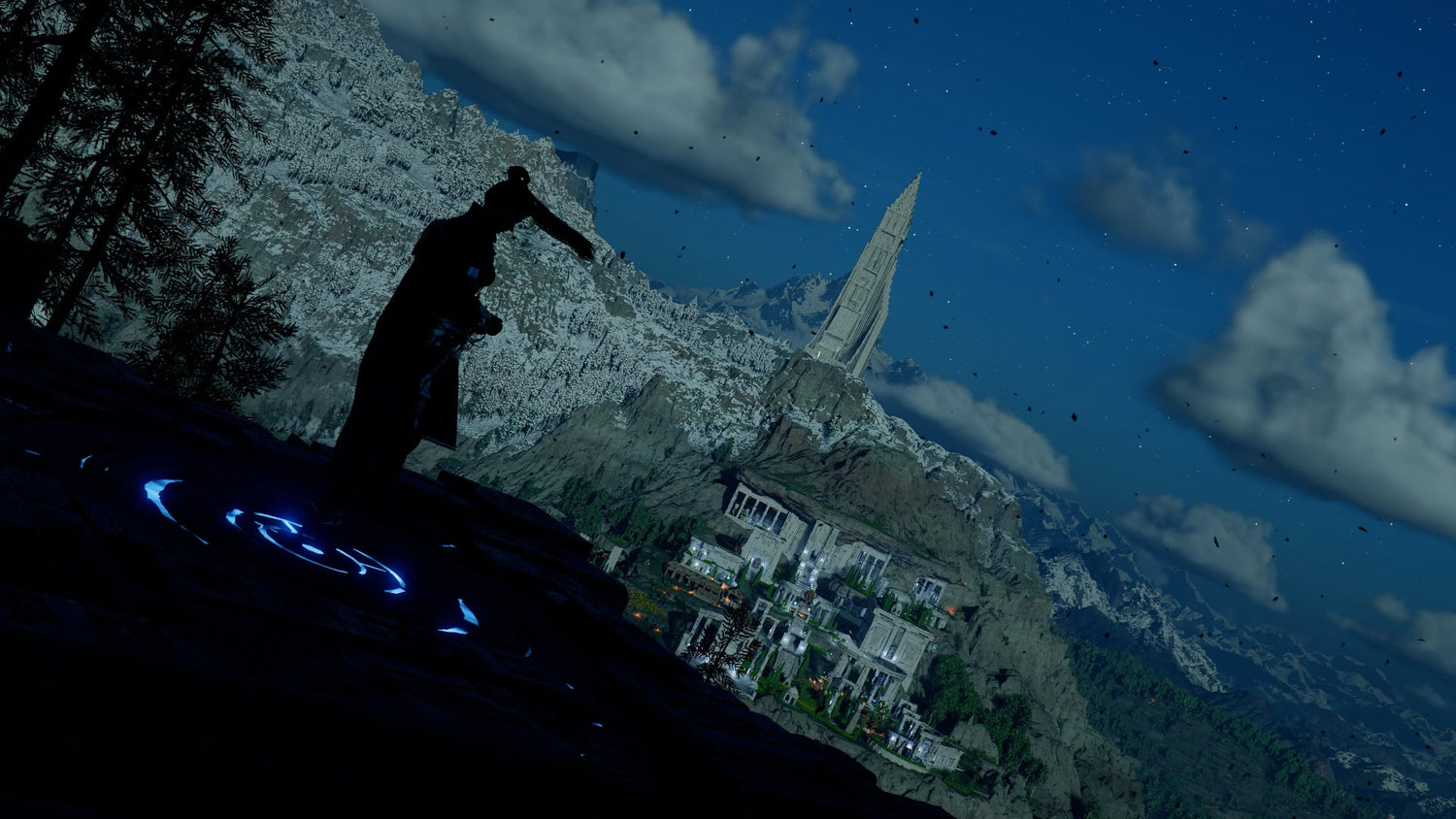
Crimson Desert Update 2.01 Shows Why a Gaming PC for New Games Needs More Than Just “Good Enough” Specs
Crimson Desert Update 2.01 is a useful reminder that a Gaming PC for New Games is not just about launching the title on day one. It is about handling the game after patches, enhanced editions, visual updates, weather improvements, quality-of-life changes, and performance-impacting features become part of the real experience. For Canadian gamers watching big open-world releases, streaming their gameplay, capturing photo mode shots, editing videos, or upgrading before the next major wave of demand, this patch is a practical case study in why the right custom gaming PC matters.
The 2.01 update for Crimson Desert follows the release of the Enhanced Edition and focuses on bug fixes, gameplay improvements, reduced visual noise during rainy weather, better Photo Mode controls, increased Camp Funds from donations, and new Gold Bar Investment Missions. On paper, that sounds like a patch note roundup. In practice, it highlights something Canadian PC buyers should pay attention to: modern games keep evolving after launch, and your computer needs enough headroom to evolve with them.
Are you buying a gaming desktop for one game, or are you buying a system that should stay smooth through future updates, expansions, higher-resolution monitors, streaming, recording, and creator workloads? That question matters more than many buyers realize.
At Groovy Computers, we build custom PCs for Canadian gamers, streamers, editors, designers, creators, students, professionals, and workstation users who want performance that fits their real workload. Crimson Desert’s Update 2.01 gives us a timely opportunity to talk about what gamers should actually look for when choosing a custom gaming PC in Canada, especially if they want to play demanding open-world games at 1080p, 1440p, or 4K without upgrading too soon.
What Crimson Desert Update 2.01 Changes and Why PC Buyers Should Care
Crimson Desert Update 2.01 is not a massive feature expansion, but it touches several areas that matter for the real-world PC gaming experience. The update includes improvements to Photo Mode, visual cleanup during rainy weather and around puddles, better Camp Fund conversion from Silver donations, new Gold Bar Investment Missions, horse-riding quest improvements, skill menu clarity, UI fixes, combat fixes, localization improvements, and multiple bug fixes across quests, mounts, NPC interaction, equipment display, map behavior, and more.
Why does that matter when shopping for a PC? Because modern AAA-style games are no longer static products. A game can change significantly over months of patches. Visual systems may be improved. Lighting may be adjusted. weather effects may become cleaner or more demanding. Photo Mode may receive more tools. New content may increase how much time players spend in complex locations. Bug fixes may encourage players to return to areas they previously avoided.
If your PC was already struggling before an update, patches can sometimes help. But if a game continues to grow visually and mechanically, a low-end or poorly balanced system may still leave you chasing settings instead of enjoying the game.
So ask yourself: do you want a PC that simply runs Crimson Desert today, or do you want a gaming PC built for new games, future patches, DLC, streaming, and years of upgrades?
Why a Gaming PC for New Games Needs Performance Headroom
A Gaming PC for New Games should be built around headroom. Headroom means your system is not constantly maxed out. It gives your GPU room to handle weather, shadows, reflections, high-resolution textures, and dense open-world scenes. It gives your CPU room for combat logic, NPC activity, physics, background tasks, and streaming software. It gives your RAM enough space for the game, your browser, Discord, launchers, capture software, and creator tools. It gives your SSD enough speed and capacity to handle large games, updates, recordings, and project files.
Crimson Desert’s Update 2.01 specifically mentions reduced visual noise during rain and around puddles. That may sound like a graphics polish item, but it points to the kind of visual complexity that open-world games often use: weather layers, water surfaces, reflections, lighting, particles, foliage, terrain, and post-processing. These are the moments when cheap or poorly configured gaming computers can start to feel inconsistent.
Have you ever had a game feel smooth in one area, then suddenly choppy in a storm, city, forest, boss fight, or cutscene? That is often the difference between a PC that technically meets expectations and a PC that was properly matched to the game’s real workload.
For Canadian buyers, the smarter approach is to choose a custom gaming PC that matches the experience you actually want, not just the minimum experience you are willing to tolerate.
Do You Want 1080p, 1440p, or 4K Performance?
Before choosing parts, financing a system, or browsing ready-to-ship gaming PCs, the first question is simple: what resolution do you actually want to play at?
A 1080p gaming PC in Canada can still be a great choice for budget-conscious gamers, esports players, students, and anyone using a standard high-refresh monitor. If you care more about smoothness than maximum visual detail, a well-built 1080p system can deliver excellent value. But open-world games like Crimson Desert are built around visual scale, cinematic landscapes, weather, and detailed environments. If you are buying specifically for immersive AAA games, 1440p often becomes the sweet spot.
A 1440p gaming PC in Canada gives you sharper visuals, a more premium experience, and better long-term value if you plan to keep your system for several years. It is also a smart target for players who want high settings without jumping all the way to the cost of 4K.
A 4K gaming PC in Canada is for players who want the cinematic experience: ultra settings, large monitors or TVs, premium visuals, and maximum immersion. This tier usually requires a stronger GPU, more careful cooling, a high-quality power supply, and a balanced CPU to keep the system smooth.
Which one sounds like you?
- Choose 1080p if you want strong value, smooth gameplay, and a lower total build cost.
- Choose 1440p if you want the best mix of sharp visuals, performance, and long-term flexibility.
- Choose 4K if you want premium open-world immersion, high-end visuals, and a system built to last.
If you are not sure which tier fits your monitor, budget, and game library, Groovy Computers can help match your build to your actual use instead of overselling you parts you do not need.
What Do You Want Your Next PC to Do for You?
Before buying, ask the question most people skip: what do you want your next PC to do for you beyond simply playing one game?
Do you want to play Crimson Desert and other open-world games at high settings? Do you want to stream on Twitch or YouTube? Do you want to record gameplay and edit clips for TikTok, Instagram, or YouTube Shorts? Do you want to capture Photo Mode screenshots and edit them in Photoshop or Lightroom? Do you want to run Discord, OBS, a browser, music, and game launchers all at once? Do you want your PC to double as a school, business, design, or productivity workstation?
These questions change the build. A gamer who only plays at 1080p has different needs than a creator who games at 1440p, records footage, edits in DaVinci Resolve, and keeps multiple applications open. A streamer needs different priorities than someone who only plays offline. A 3D artist using Blender, Unreal Engine, or CAD software needs a different system balance again.
This is where a custom PC builder in Canada becomes valuable. A generic computer may look powerful because it has one recognizable part, but a properly planned custom gaming PC balances the entire system: GPU, CPU, RAM, storage, cooling, airflow, motherboard, power supply, case, and future upgrade path.
Crimson Desert Photo Mode: Why Creators Should Think Beyond FPS
One of the notable changes in Update 2.01 is the addition of camera tilt in Photo Mode. It is a small feature, but it matters for players who enjoy capturing dramatic landscapes, action shots, character moments, and cinematic compositions. Modern games are not just games anymore; they are content engines.
If you are the type of player who stops to capture screenshots, share clips, make thumbnails, edit reels, or build a social media presence around gaming, your PC needs to support more than frames per second. You may need a Content Creation PC Canada buyers would recognize as capable of gaming, recording, editing, exporting, and multitasking.
Do you plan to use Photo Mode screenshots in Photoshop? Are you building YouTube thumbnails? Are you editing short-form clips in CapCut, Premiere Pro, or DaVinci Resolve? Are you recording long gameplay sessions that need fast storage? If so, the right system may need more RAM, a larger SSD, and a stronger CPU than a pure gaming-only build.
A gaming PC can be good for content creation, but only if it is configured correctly. A strong GPU helps with games and many accelerated creative workloads. A capable CPU helps with editing, exporting, multitasking, and smooth system response. Enough RAM keeps your timeline, browser tabs, assets, and editing software from fighting each other. Fast SSD storage keeps your projects moving.
Streaming Crimson Desert? Ask This Before You Buy
Crimson Desert’s flashy combat, open-world exploration, horse-riding quests, weather effects, and cinematic environments make it the kind of game people may want to stream or record. But streaming adds another workload on top of the game.
What PC do you need for streaming? The answer depends on your target. Are you streaming at 1080p? Are you gaming at 1440p while broadcasting at 1080p? Do you want to record high-quality local footage at the same time? Are you using OBS Studio, Streamlabs, Twitch, YouTube Live, TikTok Live, or multiple platforms?
A Gaming and Streaming PC Canada buyers can rely on should be built with the full workload in mind. That usually means a modern GPU with strong encoding support, enough CPU power to avoid background slowdowns, 32GB or more RAM for smoother multitasking in many creator setups, and enough SSD space for recordings.
If you want to stream new games smoothly, do not buy only for the game. Buy for the game plus the stream plus the overlays plus the browser plus the chat plus the recording plus tomorrow’s patch.
Which Performance Tier Fits You?
Not every customer needs the same level of PC. The best gaming computer is the one that matches your games, monitor, budget, workload, and upgrade expectations. Here is a practical way to think about your options.
Budget Gaming PC: Are You Focused on Value?
A budget gaming PC is best for players who want solid 1080p performance, good everyday speed, and a system that can handle popular titles without chasing ultra settings. If you are a student, first-time PC gamer, or budget-conscious buyer, this can be a smart entry point.
But ask yourself: will you be satisfied lowering settings in demanding open-world games, or will that frustrate you after a few months? If you already know you want higher settings, smoother performance, and longer usability, financing a better system may be smarter than buying the cheapest option and upgrading too soon.
Mid-Range 1440p Gaming PC: Do You Want the Sweet Spot?
For many Canadian gamers, the 1440p tier is the best balance. It gives a noticeable jump in image quality over 1080p, strong performance in modern games, and better future flexibility. If you want Crimson Desert and other AAA games to look impressive without paying for a full flagship 4K setup, this is often the tier to consider.
This is also a strong choice for gaming plus streaming, light editing, schoolwork, business use, and general multitasking. If you want one system that can do a bit of everything, a balanced 1440p custom gaming PC is often the most practical recommendation.
Premium 4K Gaming PC: Do You Want Ultra Settings and Longevity?
A premium gaming PC is for buyers who want high-end performance, 4K visuals, ray tracing where supported, heavy multitasking, content creation, and longer-term confidence. This tier makes sense if you want fewer compromises and do not want to feel outdated quickly.
Should you finance a high-end gaming PC instead of buying a cheaper one outright? For some customers, yes. If monthly payments help you secure the performance tier you actually need, financing can be a practical way to avoid the cycle of buying underpowered hardware, getting frustrated, upgrading early, and spending more over time.
Creator PC or Workstation: Is Gaming Only Part of the Job?
If your PC also needs to handle video editing, photo editing, graphic design, 3D modeling, rendering, CAD, or business productivity, your priorities change. A creator or workstation build may need more RAM, more storage, a stronger CPU, a higher-end GPU, quieter cooling, or better expansion options.
What PC do content creators need? Usually, they need balance. A creator does not just need high FPS. They need fast exports, responsive editing timelines, smooth multitasking, reliable storage, and hardware that does not slow down when the project gets bigger.
Why Weather, Visual Noise, and Open-World Detail Put Pressure on Your GPU
Update 2.01 improves visual noise during rainy weather and around puddles. That detail matters because weather-heavy scenes often reveal weak points in a gaming PC. Rain effects, wet surfaces, reflections, lighting, transparency, particles, shadows, foliage, and post-processing can all increase GPU workload.
If you are shopping for a gaming PC for open-world games, the graphics card is one of the most important choices. But the best GPU for you depends on resolution and expectations. A GPU that is great for 1080p may not be ideal for 4K. A GPU that handles medium settings today may feel limited after future DLC, larger monitors, or heavier games.
Do you want high FPS, cinematic visuals, or both? Do you plan to use a 144Hz, 165Hz, or higher refresh monitor? Do you care about ray tracing where supported? Do you want to record gameplay while playing? Your answers should shape the build.
Groovy Computers helps Canadian buyers avoid mismatched systems, such as a powerful GPU paired with weak cooling, too little RAM, slow storage, or a power supply that limits future upgrades. Performance is not just one part; it is the complete build working together.
CPU, RAM, and SSD Choices Matter More Than Patch Notes Suggest
Patch notes often mention gameplay bugs, UI fixes, quest fixes, combat issues, NPC interaction delays, and graphics improvements. Behind the scenes, these systems can touch many parts of your PC’s performance.
Your CPU matters for simulation, combat logic, background processes, streaming, editing, and general responsiveness. Your RAM matters when modern games, browsers, chat apps, launchers, capture tools, and creative software run together. Your SSD matters because today’s games are large, updates can be frequent, and recorded footage can consume storage quickly.
How much RAM do you need for gaming and streaming? Many modern gaming-focused builds are more comfortable with 32GB, especially if you multitask. For serious video editing, heavy content creation, or 3D workloads, 64GB may be a better fit. For demanding workstation tasks, even more may be justified.
How much storage do you need? If you only install a few games, a smaller SSD may work. But if you play large AAA games, record footage, edit videos, keep project files, and store media, you can run out of space quickly. A fast primary SSD and a sensible storage plan can save headaches later.
Should You Buy Before a Major Game Release, DLC, Sale Period, or Price Spike?
One of the smartest questions a PC buyer can ask is: is it better to buy a gaming PC now or wait?
The answer depends on your current system, the games you want to play, and market conditions. But waiting is not always cheaper. Component pricing can shift. GPU demand can rise around major game releases. Memory and SSD pricing can move. Sale periods can create temporary demand spikes. New software requirements can make older systems feel weak faster than expected.
If you are planning around a major game release, a DLC launch, a creator workload upgrade, a new monitor purchase, or a school or business deadline, buying at the last minute can limit your options. You may end up choosing whatever is available instead of the system that actually fits your needs.
Are you buying because your current PC is already struggling? Are you waiting for a game that you know you want to play at launch? Are you hoping to start streaming or editing soon? Are you concerned that replacement costs may rise? These are good reasons to explore a custom build before urgency forces a rushed decision.
Could Financing Help You Secure a Stronger PC Before Costs Change?
Financing is not about buying recklessly. It is about matching your PC to your real needs without forcing yourself into an underpowered system just because the full upfront cost feels uncomfortable.
Groovy Computers offers financing options up to 4 years where available, which can help Canadian customers secure a stronger gaming PC, creator PC, video editing PC, or workstation before replacement costs climb or demand tightens availability. If you were going to buy a cheaper system now and upgrade parts soon after, financing a more balanced build from the start may be the more practical long-term move.
Should you finance a better PC instead of buying a cheaper one? Ask yourself these questions:
- Will the cheaper PC meet your needs for at least the next few years?
- Will you be happy at 1080p, or are you already planning a 1440p or 4K monitor?
- Do you want to stream, record, edit, or create content?
- Will you lose time or money if your PC slows down your workflow?
- Are you buying before a game release, software upgrade, school term, business project, or content push?
- Would a monthly payment let you choose the system you actually need?
If the answers point toward a stronger build, financing may be worth considering. The goal is not to overspend. The goal is to avoid buying twice.
Custom PC vs Generic Prebuilt: Why the Build Quality Matters
A generic prebuilt gaming PC can look appealing because the headline specs are easy to compare. But a gaming computer is more than a CPU and GPU name. Cooling quality, airflow, motherboard selection, power supply reliability, RAM configuration, SSD performance, cable management, case design, BIOS setup, driver readiness, stress testing, and warranty support all affect the final experience.
Why buy a custom gaming PC? Because the system can be matched to your actual games, monitor, software, budget, and future upgrade plans. A proper custom build avoids common compromises such as weak cooling, limited upgrade space, low-quality power supplies, insufficient storage, or mismatched parts.
Groovy Computers builds custom gaming PCs in Canada with careful component matching, rigorous testing, and a 1-year warranty for added confidence. That matters when you are buying a system for demanding new games, streaming, editing, design, or workstation use. You are not just buying parts; you are buying a complete computer that should work reliably from day one.
What Crimson Desert Players Should Prioritize in a New Gaming PC
If Crimson Desert is one of the games pushing you to upgrade, focus on the experience you want. It is a visually ambitious open-world action game with cinematic environments, combat encounters, weather, exploration, mounts, quest systems, and Photo Mode potential. That means your system should be balanced for visual quality and responsiveness.
For a smoother Crimson Desert experience and strong readiness for other new games, consider these priorities:
- GPU strength for your resolution: Choose graphics performance based on 1080p, 1440p, or 4K targets.
- CPU balance: Avoid bottlenecks, especially if you stream, record, or multitask.
- Enough RAM: 32GB is a strong target for many modern gaming and streaming builds, while creator and workstation users may need more.
- Fast SSD storage: Large games, patches, recordings, and editing projects benefit from fast and spacious storage.
- Cooling and airflow: Sustained performance matters during long sessions, boss fights, rendering, and livestreaming.
- Upgrade path: A well-planned custom PC should make future upgrades easier, not harder.
Can your current PC handle this kind of workload comfortably, or are you already turning down settings and closing apps just to keep things playable?
For Video Editors: Is a Gaming PC Good for Editing Crimson Desert Content?
A gaming PC can be excellent for video editing if it is configured with editing in mind. If you plan to record Crimson Desert gameplay, make guides, edit YouTube videos, create shorts, or produce social clips, your PC needs to handle both gaming and post-production.
A Video Editing PC Canada creators can depend on should focus on CPU performance, GPU acceleration, RAM capacity, fast SSDs, and stable cooling. For 4K video editing, more RAM and storage become especially important. If you use Adobe Premiere Pro, DaVinci Resolve, After Effects, or CapCut, a balanced creator PC can save time on exports and make timelines feel more responsive.
What PC do you need for video editing? Start with your footage. Are you editing 1080p clips, 4K gameplay, multi-layer timelines, colour grading, effects, or long-form content? The heavier the project, the more important it becomes to build beyond a basic gaming specification.
For Photo Editors and Designers: Photo Mode Can Become a Real Workflow
Photo Mode improvements may sound like a gamer-only feature, but they can feed real creative workflows. Players capture high-resolution screenshots, edit them in Photoshop, organize them in Lightroom, design thumbnails, create social media graphics, and build portfolios or fan content.
If you use your PC for photo editing or graphic design, ask whether your system is ready for high-resolution images, multiple Adobe Creative Cloud applications, browser research, file management, and multitasking. A Photo Editing PC Canada photographers and creators can rely on should prioritize responsive CPU performance, enough RAM, fast SSD storage, and colour-conscious monitor planning.
Is a gaming PC good for Photoshop or graphic design? Often, yes, but the configuration matters. A flashy gaming build with too little RAM or limited storage may feel worse in real creative work than a properly balanced creator-focused desktop.
For 3D Artists and Workstation Users: Open-World Games Show Where Hardware Is Going
Modern open-world games are becoming increasingly dense, cinematic, and systems-heavy. For 3D artists, game development students, architectural visualization users, and workstation buyers, that trend is familiar. The same broad hardware themes apply to Blender, Unreal Engine, Unity, Maya, 3ds Max, Cinema 4D, SketchUp, AutoCAD, Revit, and rendering workloads: GPU strength, CPU performance, RAM, storage, and cooling all matter.
If you are deciding between a gaming PC and a workstation PC, ask what you do most. Do you mainly play games and occasionally create? A high-quality custom gaming PC may be enough. Do you render, model, simulate, animate, or work with large CAD files professionally? A custom workstation PC Canada buyers can depend on may be the better long-term fit.
Workstation PC vs gaming PC is not about which is “better.” It is about workload. Groovy Computers can help you choose a build that fits both your gaming goals and your professional software needs.
Why Canadian Buyers Should Think Locally When Buying a Custom PC
Canadian PC buyers face unique considerations: Canadian-dollar pricing, shipping timelines, component availability, warranty support, seasonal demand, and regional service expectations. A customer in Nova Scotia, Halifax, New Glasgow, Trenton, Atlantic Canada, Ontario, Alberta, British Columbia, or anywhere else in Canada needs a system that makes sense for Canadian pricing and support realities.
Buying from a Canadian custom PC company like Groovy Computers means you can shop with a clearer understanding of Canadian costs and customer support. It also means you can work with a builder focused on complete systems, not just isolated parts.
Are you comparing a random marketplace listing against a properly tested custom PC with warranty coverage? Are you sure the used or bargain system has the power supply, cooling, storage health, and upgrade path you need? Saving money upfront can become expensive if the system is unstable, poorly cooled, or already near the end of its useful life.
Questions to Ask Before Buying Your Next Custom Gaming PC
If Crimson Desert Update 2.01 has you thinking about upgrading, use these questions before choosing a build:
- What games do I want to play over the next two to three years?
- Do I want 1080p, 1440p, or 4K gaming?
- Do I care about ultra settings, high FPS, ray tracing, or quiet operation?
- Will I stream on Twitch, YouTube, or TikTok Live?
- Will I record gameplay and edit videos?
- Do I use Adobe Premiere Pro, DaVinci Resolve, Photoshop, Lightroom, Illustrator, Canva, Blender, Unreal Engine, CAD, or other creative software?
- How much storage do I need for games, recordings, and projects?
- Do I want to avoid upgrading too soon?
- Would financing help me choose the right performance tier now?
- Do I want expert help choosing parts instead of guessing?
If you are unsure about any of these answers, that is exactly where Groovy Computers can help.
CTA: What Should Your Next PC Be Ready For?
What should your next PC be ready for: Crimson Desert, the next wave of AAA games, streaming, 4K editing, Photoshop work, graphic design, Blender rendering, school, business, or all of the above? If you want a Gaming PC for New Games that is built around your real goals instead of a generic spec sheet, visit GroovyComputers.ca to browse custom gaming PCs, explore stronger performance tiers, and ask about financing options up to 4 years.
A better PC is not only about higher FPS. It is about smoother sessions, fewer compromises, faster work, better content, less frustration, and more confidence when the next patch, DLC, game release, or software update arrives.
Final Take: Crimson Desert Update 2.01 Is a Small Patch With a Big PC-Buying Lesson
Crimson Desert Update 2.01 improves Photo Mode, reduces visual noise during rain, boosts Camp Fund donation value, adds Gold Bar Investment Missions, and fixes a long list of gameplay, UI, graphics, localization, and interaction issues. For players, it is a quality-of-life patch. For PC buyers, it is a reminder that modern games keep changing, and your hardware should not be chosen only for the bare minimum.
If you are buying a Gaming PC for New Games, think beyond launch-day requirements. Think about resolution, visual settings, streaming, editing, future patches, DLC, storage, cooling, warranty, and whether you want to avoid upgrading too soon. A carefully built custom PC can give you a better gaming experience today and a stronger foundation for tomorrow.
Groovy Computers is here for Canadian gamers, creators, designers, editors, streamers, and workstation users who want expert-built systems, rigorous testing, a 1-year warranty, and build guidance that actually matches the way they use their PC. If you are ready to move from “Can my PC run it?” to “My PC is ready for it,” start with Groovy Computers.
#GamingPCForNewGames #CustomGamingPCCanada #GamingComputersCanada #1440pGamingPC #4KGamingPC #StreamingPCCanada #CreatorPCCanada #GroovyComputers
Groovy Computers | All Rights Reserved


Leave a comment
This site is protected by hCaptcha and the hCaptcha Privacy Policy and Terms of Service apply.