



















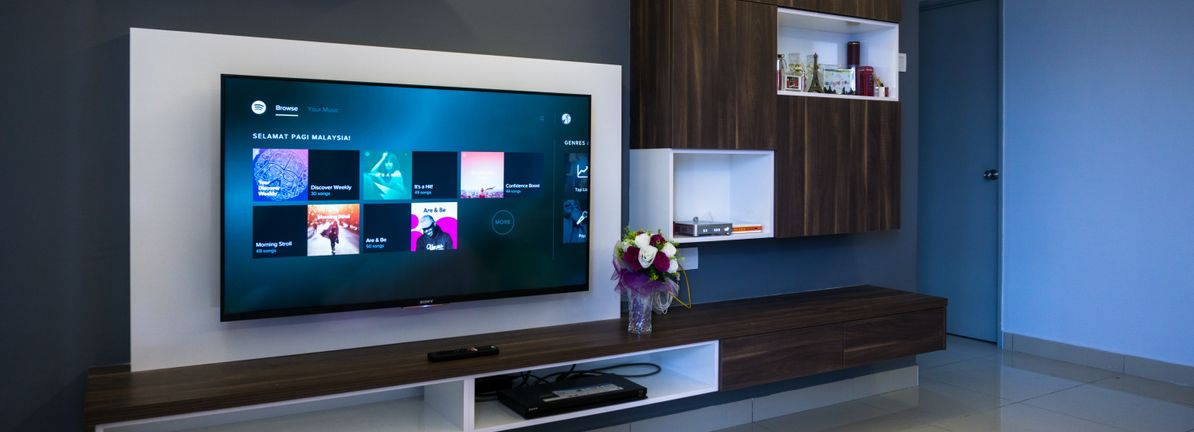
Gaming PC for GTA 6 in Canada: Is Now the Right Time to Buy Before Demand Spikes?
The latest valuation discussion around Take-Two and the market reaction to GTA 6 news highlights something Canadian buyers should not ignore: when a game this big dominates headlines, it does not just move stock sentiment, it can also influence Gaming PC for GTA 6 demand, upgrade urgency, and the way customers think about buying their next system. If you are already asking yourself whether your current computer will be ready for a major open-world release, whether you should upgrade now, or whether financing a stronger build makes more sense than settling for less, this is the right time to think strategically.
For Groovy Computers, the real takeaway is simple. Hype around blockbuster game launches tends to raise performance expectations across the market. Players who were comfortable at 1080p start looking at 1440p. Buyers who never cared about ray tracing suddenly want better visuals, smoother frame pacing, more storage, and more headroom for future titles. And once enough people reach that conclusion at the same time, demand pressure can affect complete system pricing, component availability, and replacement costs in Canada.
So what should you actually do with that information as a buyer? Should you wait? Should you buy now? Should you finance a stronger system so you do not need another upgrade too soon? And most importantly, what kind of custom PC fits the way you actually play, stream, edit, create, or work?
What the GTA 6 market reaction really tells PC buyers
The source discussion focused on whether Take-Two stock looks fairly valued after fallout tied to GTA 6 leaks. From an investor perspective, that is about expectations, valuation models, and how much optimism is already priced in. From a PC buyer perspective in Canada, the message is different but just as important: major game releases create major buying waves.
When a title like GTA 6 becomes the center of attention, buyers begin planning around it well before release. Some want a budget gaming PC Canada setup that can get them in the door. Others want a 1440p Gaming PC Canada build that feels balanced for modern AAA titles. Premium buyers start asking whether they need a 4K Gaming PC Canada system with stronger ray tracing performance and more long-term headroom. That is how hype becomes real market demand.
Have you noticed how often one anticipated title becomes the excuse for a full upgrade? Maybe you were already dealing with low storage, aging hardware, rising temperatures, or inconsistent FPS in newer games. A release like GTA 6 simply pushes that decision forward.
Why Canadian buyers should think differently about a Gaming PC for GTA 6
Canadian shoppers face a different buying environment than U.S. readers often see in market commentary. Full-system pricing is affected by exchange rates, shipping realities, regional inventory flow, and replacement-cost pressure. Even when game news starts in U.S. financial media, the practical question here in Canada is not whether a stock is 1.4% below a modelled fair value. The practical question is whether your current PC is going to feel underpowered at exactly the wrong time.
Do you want to be shopping during a rush period when everyone else is trying to secure a GPU upgrade? Do you want to discover too late that the “cheap” option now becomes expensive once you add more RAM, a larger SSD, better cooling, and a stronger graphics card later? Or would you rather lock in a properly matched custom build before demand around upcoming AAA games puts more pressure on the market?
That is where a Canadian custom builder matters. Groovy Computers helps buyers move beyond vague hype and into a real decision based on budget, target resolution, game library, workflow, and upgrade timeline.
What do you want your next PC to do for you?
This is the most important question in the entire buying process. Before comparing specs, before worrying about whether to finance, and before deciding between entry-level and premium, ask yourself what your next system actually needs to handle.
- Do you want a gaming PC for GTA 6, new AAA games, and open-world titles at solid settings?
- Do you want high-FPS multiplayer performance for esports plus enough GPU power for cinematic single-player games?
- Do you want one machine for gaming and streaming?
- Do you need a creator system for video editing, Photoshop, Illustrator, OBS, or Adobe Creative Cloud?
- Do you need a 3D workstation for Blender, Unreal Engine, rendering, CAD, or content production?
- Do you want a system that will still feel strong two or three years from now instead of forcing another upgrade early?
If you are not clear on that yet, your best move is not guessing. Your best move is choosing a custom build path that matches the workloads you actually care about.
What gaming performance tier fits you best?
Not every buyer needs the same class of system. A lot of disappointment comes from buying too low for future needs or overspending on performance that never gets used. The right tier depends on your monitor, your settings expectations, your game mix, and whether you plan to stream or create content.
Entry-level to value tier: for 1080p players who want smart performance
If your goal is straightforward 1080p gaming, strong value, and a system that handles many current titles well without chasing maximum visual features, this is often the best category for first-time buyers and budget-conscious players. It can also be ideal for students or households buying their first dedicated desktop.
Are you mainly playing competitive titles, lighter online games, or a mix of older AAA releases and newer games at tuned settings? If so, you may not need a flagship GPU. A well-balanced value-oriented build can be a much better answer than buying the absolute cheapest machine and regretting it later.
This tier makes sense if you are searching for questions like What gaming PC do I need or How much should I spend on a gaming PC and you want honest guidance instead of overselling.
Mainstream sweet spot: for 1440p gaming and longer-term value
For many buyers, a 1440p Gaming PC Canada build is the sweet spot. It gives a much more premium visual experience than 1080p, better suits modern AAA demand, and often offers the best balance between cost and longevity.
Is your goal to enjoy newer open-world games with strong textures, better lighting, smoother performance, and more future readiness? Do you want enough overhead for demanding titles without stepping all the way into ultra-premium pricing? This is often the performance tier where long-term satisfaction is highest.
For a Gaming PC for GTA 6, this is likely where many serious buyers should be looking. It is the tier that usually avoids feeling outdated too quickly while still staying grounded in real-world budgets.
High-end tier: for 4K, ray tracing, and premium AAA experiences
If you want 4K gaming, heavy visual settings, stronger ray tracing, and a system designed for major new releases with fewer compromises, you are in premium territory. This is also where buyers start thinking more carefully about power delivery, cooling, case airflow, storage planning, and future upgrade flexibility.
Are you buying once and expecting your system to stay at a high level for years? Do you care about visual fidelity as much as frame rate? Are you pairing your desktop with a higher-end display and want your hardware to match? Then a High End Gaming PC Canada approach may be the right fit.
This is also the category where financing can make the most strategic sense, especially if the alternative is buying too low now and replacing major parts sooner than expected.
Do you also want to stream, record, or create content?
A lot of buyers no longer fit into a gaming-only category. The same person who wants a Gaming PC for GTA 6 may also want to stream on Twitch, edit YouTube videos, record gameplay, make TikTok clips, use OBS, or manage Adobe Creative Cloud projects. That changes the build logic.
If you want a Gaming and Streaming PC Canada setup, you need more than game-ready hardware. You need balanced CPU performance, enough RAM for background tasks, fast SSD storage for footage and applications, and the right GPU capabilities for encoding and visual performance. If you are asking What PC do I need for streaming or Best specs for gaming and streaming, the answer is usually not the lowest-priced gaming tower you can find.
If your workflow also includes Premiere Pro, DaVinci Resolve, After Effects, Photoshop, Lightroom, Illustrator, or Canva-heavy multitasking, then you may be better served by a Creator PC Canada or Content Creation PC Canada build rather than a pure gaming configuration.
Do you want one PC that can game at night, stream on weekends, and edit content during the week? That kind of hybrid use is exactly why custom configuration matters.
Is a gaming PC good for video editing, photo editing, and graphic design?
Sometimes yes, but not always by default. A gaming-first system can overlap with creator needs, especially when it has a capable CPU, dedicated GPU, fast NVMe storage, and enough memory. But the best Video Editing PC Canada or Photo Editing PC Canada setup is not just about gaming FPS.
For video editing, you should think about export times, timeline responsiveness, media cache speed, codec support, RAM capacity, and whether you work in 4K or higher. For photo editing and graphic design, you should think about smooth multitasking, fast scratch performance, reliability under long sessions, and support for colour-accurate monitor workflows.
Are you asking Is a gaming PC good for video editing, What PC do I need for photo editing, or Best PC for Photoshop and Illustrator? Then a custom recommendation matters more than a generic label. Some buyers need a gaming-forward machine with creator headroom. Others need a creator workstation that can also game very well.
What if your work includes 3D modeling, rendering, or workstation tasks?
This is where buyers often underestimate their needs. A system for Blender, Unreal Engine, Maya, Cinema 4D, CAD, product rendering, or architectural visualization can look similar to a gaming desktop at a glance, but the priorities can be very different.
A proper 3D Modeling PC Canada or Workstation PC Canada build may need more RAM, different CPU priorities, heavier cooling, larger project storage, and a stronger focus on sustained performance under long render or simulation workloads. If you are asking What PC do I need for Blender or Workstation PC vs gaming PC, it is worth choosing a build that is designed around your actual software, not just game benchmarks.
And if GTA 6 hype is making you upgrade anyway, does it make sense to buy a system that only meets your gaming needs if your work also includes rendering, editing, or client production? For many professionals and serious hobbyists, the smarter move is to use this buying moment to cover both entertainment and productivity.
Why timing matters before a blockbuster game release
One of the strongest lessons from big-title hype cycles is that waiting is not always the safer move. Many buyers assume they will just see how things go and order closer to launch. But demand surges can affect the parts that matter most: graphics cards, memory, SSDs, cooling, and the cost of fully assembled systems.
Even without claiming a specific future shortage, it is reasonable to say this: when market excitement rises around major games, buyers become more performance-conscious. That tends to increase interest in stronger GPUs, larger drives, and more future-proof systems. And when more people chase the same categories at once, your options can narrow.
Are you comfortable buying late and competing with everyone who waited until the last minute? Or would you rather secure a custom PC while you still have more flexibility in build planning?
Should you buy now or wait for a cheaper gaming PC?
This is one of the most common questions in Canada, and it deserves an honest answer. If your current machine already struggles in recent games, runs hot, has limited storage, or lacks the GPU headroom you know you will want, waiting does not necessarily save money. Sometimes it simply delays the inevitable while reducing your choices.
Ask yourself a few practical questions:
- Will your current PC realistically handle the next 12 to 24 months of games and software?
- Are you already compromising on settings, frame rate, or stability?
- Would one stronger system now cost less than a weak stopgap plus another upgrade later?
- Are you planning around a major game release, a content project, back-to-school season, or holiday demand?
If the answer to those questions points toward an upgrade, then waiting purely out of habit may not be the value move it seems like.
Could financing help you buy the right system instead of the cheapest one?
For many customers, this is where the decision becomes much easier. If the gap between a merely acceptable system and a truly satisfying long-term build is manageable through monthly payments, financing can be the smarter route. Groovy Computers can help customers explore options that make a stronger desktop more accessible, including financing up to 4 years where applicable.
That matters because underbuilding is expensive in its own way. A machine that needs more RAM too soon, runs out of SSD space, or falls short for new games and creator software often leads to repeat spending. The cheaper tower is not always the cheaper ownership experience.
Are you wondering Should I finance a gaming PC, Can I finance a gaming PC in Canada, or Should I finance a better PC instead of buying a cheaper one? If financing helps you move from a short-lived compromise to a far better long-term system, that can be a practical decision rather than an impulsive one.
How to decide between a budget gaming PC, premium gaming PC, and creator/workstation build
The easiest way to choose is to match your next two years of use, not just next week’s excitement.
Choose a budget-oriented gaming build if:
- You mainly play at 1080p
- You want strong value first
- You are buying your first desktop
- You mostly play esports or lighter-demand games
- You need a sensible upgrade path later
Choose a mainstream or upper-mid gaming build if:
- You want 1440p performance
- You care about modern AAA visual quality
- You want your PC to stay relevant longer
- You may stream, record, or multitask while gaming
- You are buying specifically for upcoming major games
Choose a premium gaming build if:
- You want 4K or high-refresh 1440p with fewer compromises
- You want stronger ray tracing performance
- You expect a long service life from the system
- You want high-end cooling, component matching, and headroom
- You would rather buy once properly than upgrade too soon
Choose a creator or workstation build if:
- You edit video regularly
- You use Photoshop, Lightroom, Illustrator, or Adobe Creative Cloud daily
- You stream and edit from one machine
- You work in Blender, Unreal Engine, CAD, or rendering software
- You need reliability, multitasking, and sustained performance more than gaming-only optimization
What questions should you ask before buying your next custom PC?
If you want to make a confident decision, ask the questions that actually affect long-term value:
- What games or software will I use most?
- Am I targeting 1080p, 1440p, or 4K?
- Do I care more about high FPS, ultra settings, or balanced value?
- Will I stream, record gameplay, or edit content?
- Do I need more RAM or storage than a basic build usually includes?
- How soon do I want to avoid another upgrade?
- Am I buying before a major game release, seasonal demand spike, or component-price increase?
- Would financing let me secure a better system now and avoid a weaker compromise?
These are the kinds of questions that turn a random PC purchase into a build that actually fits your life.
Why custom builds, testing, and warranty matter even more when buyers feel urgency
When a major release drives excitement, some buyers rush into generic systems that look good on paper but are poorly balanced in practice. That is where working with a trusted Canadian builder becomes important.
Groovy Computers focuses on properly matched custom builds, real-world performance logic, rigorous testing, and support confidence. That includes the value of a tested gaming PC Canada approach, attention to cooling and part compatibility, and a 1-year warranty that adds peace of mind when you are investing in a more serious system.
Would you rather guess your way through a purchase based on flashy specs alone, or get a desktop built for your actual gaming, streaming, editing, and workstation needs? A custom build reduces the risk of overpaying for the wrong parts mix or underbuying in the areas that matter most.
Why Groovy Computers makes sense for Canadian buyers
Groovy Computers is built around the needs of Canadian customers who want more than an off-the-shelf answer. Whether you are shopping from Nova Scotia, Halifax, Trenton, New Glasgow, Atlantic Canada, Ontario, Alberta, British Columbia, or elsewhere across the country, the goal is the same: get a system that matches your workload, your budget, and your future plans.
If you need a Custom Gaming PC Canada build for upcoming games, a balanced Gaming and Streaming PC Canada setup, a Custom Creator PC Canada for editing and design, or a workstation-class machine for rendering and professional tasks, Groovy Computers is positioned to help with the build logic, testing confidence, and financing flexibility buyers actually need.
And because this is a Canadian custom PC company, the advice can stay grounded in Canadian pricing reality instead of generic U.S.-centric assumptions.
So, is now the right time to buy a Gaming PC for GTA 6?
If GTA 6 hype has already made you think harder about your current hardware, that is your answer starting to form. You do not need to panic-buy, but you also should not ignore the buying signal. If your current machine is already near its limit, if you want higher settings or better resolution, if you plan to stream or create content, or if financing would let you secure a better long-term system now, then this may be the smartest window to act before broader demand ramps up further.
The stock market can debate whether Take-Two is fairly valued. As a customer, your job is different. Your job is to decide whether your next PC will be ready for the games, software, and workloads you actually care about.
What do you want your next PC to do for you? If you want help choosing between a budget gaming desktop, a premium RTX-focused build, a creator system, or a workstation that can do more than just game, visit GroovyComputers.ca and get the right custom build for your needs in Canada.
#GamingPCforGTA6 #GamingPCCanada #CustomGamingPCCanada #GamingPCBuilderCanada #CreatorPCCanada #VideoEditingPCCanada #StreamingPCCanada #WorkstationPCCanada #GamingPCNovaScotia #CanadianCustomPCBuilders
Groovy Computers | All Rights Reserved


Leave a comment
This site is protected by hCaptcha and the hCaptcha Privacy Policy and Terms of Service apply.