



















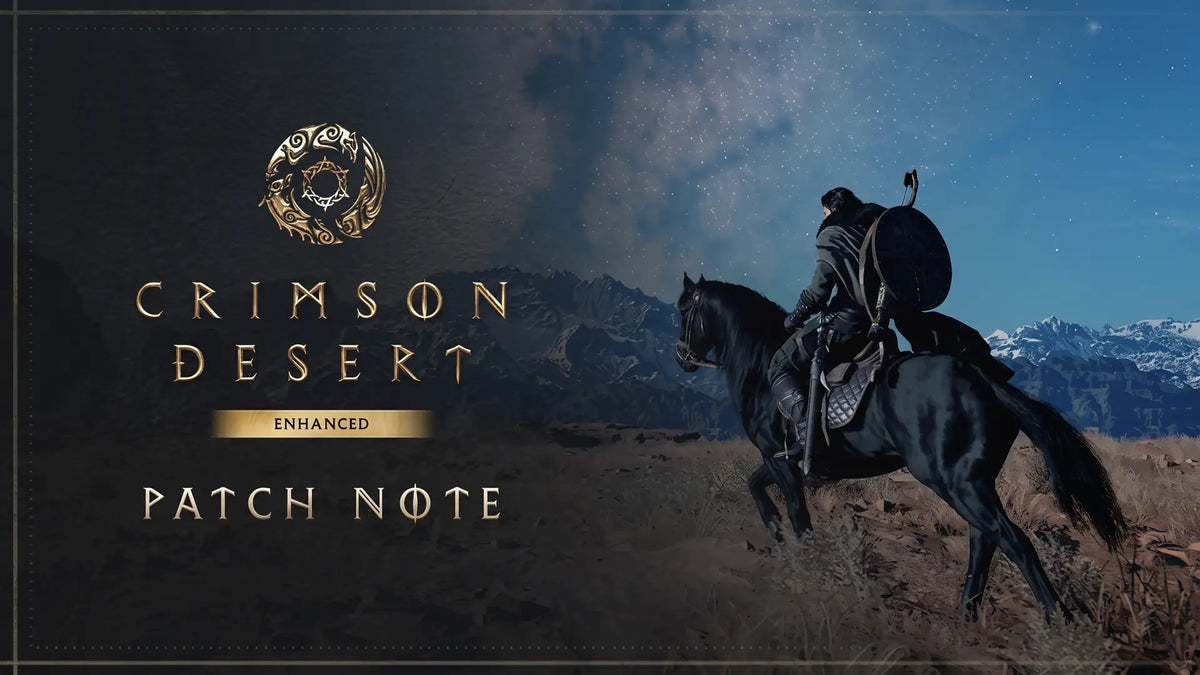
Crimson Desert Patch 2.01.00 Shows Why a Gaming PC for New Games Needs More Than Minimum Specs
Crimson Desert patch 2.01.00 is a useful reminder for Canadian PC gamers: a gaming PC for new games is not just about launching the title on day one. It is about staying smooth after major patches, handling open-world performance swings, avoiding frustrating crashes, supporting higher visual settings, and having enough headroom for future updates.
Pearl Abyss Studio has released a major update for Crimson Desert, version 2.01.00, focused on system fixes, gameplay polishing, stability improvements, visual cleanup, quest fixes, interface updates, and performance-related corrections across platforms. According to the source material, the patch reached PC players through Steam and the Epic Games Store, as well as PlayStation and Xbox consoles, while the Mac App Store version was still being prepared. The update addressed issues such as incorrect furniture placement in Greymane camp, a crash tied to the “Cursed Knight” questline, mounted trial improvements, companion and mount combat behaviour, underwater movement bugs, visual noise in rainy weather, frame rate drops near certain placed objects, Photo Mode camera improvements, font-size menu updates, localization edits, and a lighting issue on Mac computers with M5 chips.
That may sound like a routine patch note summary, but for anyone shopping for a new gaming desktop in Canada, it points to a bigger truth: modern open-world action RPGs are living software. They are patched, rebalanced, optimized, expanded, and visually refined over time. If your PC is already barely meeting requirements, every new update can become a gamble. Will the next patch improve performance, or will it introduce new visual features, heavier effects, or more demanding scenes? Will your system stay smooth at 1440p, or will it start to stutter when weather effects, combat encounters, high-density environments, and background tasks stack up?
At Groovy Computers, we look at news like this through a practical buying lens. If you are planning to play Crimson Desert, upcoming AAA games, ray tracing titles, open-world RPGs, competitive shooters, or creator workloads on the same machine, the smartest question is not simply “Can my PC run this game?” The better question is: what do you want your next PC to keep doing well two, three, or four years from now?
What Does Crimson Desert Patch 2.01.00 Tell PC Buyers?
The latest Crimson Desert update appears to focus heavily on polish rather than just adding headline content. That matters. Stability patches are often where developers fix the details that players feel every session: crashes, movement problems, quest blockers, animation behaviour, frame pacing issues, graphical noise, and interface friction. When a game has mounted combat, camp systems, expedition missions, companions, weather effects, furniture placement, action combat, Photo Mode, and platform-specific rendering behaviour, it is not a small workload for your hardware.
For Canadian gamers comparing a budget gaming computer, a premium RTX gaming PC, or a custom built gaming PC, this is where the buying decision becomes more serious. A major patch can improve the game, but it cannot magically turn an underpowered PC into a high-FPS machine. If your graphics card is short on memory, your processor struggles in dense open-world areas, your RAM is too limited for multitasking, or your storage drive is slow and nearly full, patches may make the experience better in some areas while exposing weaknesses in others.
Have you ever noticed a game running fine in one area but dropping frames near crowds, rain, reflections, physics objects, or heavy combat? That is the difference between a PC that technically runs a game and a PC that is actually built for the way modern games behave.
Why a Gaming PC for New Games Should Be Built Around Headroom
A gaming PC for new games needs headroom because today’s releases are not static. New games often receive major updates after launch, and those updates can change how the game uses the CPU, GPU, RAM, storage, shaders, drivers, and graphics settings. In a large open-world action RPG like Crimson Desert, the load is rarely consistent. One moment your system may be rendering a scenic landscape; the next it may be processing weather, combat effects, AI companions, mounts, physics interactions, reflections, and post-processing all at once.
That is why Groovy Computers does not treat every gaming desktop as a generic box of parts. A proper gaming PC build should be matched to the buyer’s real target: 1080p, 1440p, 4K, ultra settings, ray tracing, high refresh rate monitors, streaming, recording, editing, or all of the above.
If you are shopping right now, ask yourself this: are you buying for the games you already play, or for the games you are excited to play next? Those are not always the same build.
A PC that is “good enough” for older esports titles may not be the best PC for new games with open-world environments, cinematic lighting, large textures, advanced upscaling, physics-heavy combat, or frequent patches. A system designed only around entry-level 1080p gaming may start to feel old quickly if you upgrade to a 1440p monitor, start streaming, or move into video editing and content creation.
What Do You Want Your Next PC to Do for You?
Before choosing a gaming computer, step back and define the job. Not the brand. Not the RGB. Not only the graphics card. The job.
Do you want your next PC to play Crimson Desert and other AAA games at 1080p with smooth settings? Do you want 1440p gaming with higher textures and better visual quality? Do you want a 4K gaming PC for cinematic single-player titles? Do you want ray tracing turned on without feeling like you sacrificed responsiveness? Do you want to stream to Twitch or YouTube while gaming? Do you want to record gameplay, edit videos, design thumbnails, process RAW photos, build 3D models, or render projects in Blender?
Those questions matter because modern buyers rarely use a desktop for only one thing. Many gamers are also creators. Many streamers are also editors. Many students are also designers. Many professionals want a system that can game at night and handle workstation tasks during the day.
At Groovy Computers, that is where a custom gaming PC Canada buyers can trust becomes more useful than a one-size-fits-all prebuilt. A properly planned system can be shaped around what you actually do: gaming, streaming, video editing, photo editing, graphic design, content creation, 3D modeling, or workstation use.
Which Performance Tier Fits You Best?
Not every buyer needs the most expensive system, and not every buyer should settle for the cheapest one. The right gaming PC tier depends on your monitor, your games, your settings, and how long you want to avoid upgrading.
Entry-Level and Budget Gaming PCs: Are You Focused on 1080p?
A budget gaming PC Canada buyers consider should be built for realistic expectations. If you play esports games, older titles, lighter multiplayer games, or single-player games at tuned settings, a value-focused 1080p gaming PC can make sense. This tier is often ideal for first gaming PC buyers, students, casual players, and families looking for strong value without overbuying.
But here is the important question: are you buying a budget PC because it truly fits your workload, or because you are trying to avoid the upfront cost of the system you actually need?
If your goal is to play new open-world games for several years, stream gameplay, edit video, or move to a 1440p monitor, an entry-level build may become limiting faster than expected. A cheaper system can look attractive today but cost more later if you need a GPU upgrade, more RAM, a larger SSD, or a stronger power supply sooner than planned.
Mid-Range Gaming PCs: Is 1440p the Sweet Spot?
For many Canadian gamers, 1440p is the best balance between sharp visuals and high frame rates. A 1440p gaming PC Canada buyers can rely on should have a capable modern GPU, a strong gaming CPU, enough RAM for current titles, fast NVMe storage, good airflow, and a power supply that supports future upgrades.
This tier is often the smartest choice for players who want modern games to feel smooth without jumping all the way into flagship pricing. If you are asking “What PC do I need for 1440p gaming?” the answer usually depends on whether you prefer high settings, ultra settings, ray tracing, high refresh rate, or streaming at the same time.
For a title like Crimson Desert, where patches can affect visual behaviour, combat responsiveness, scene complexity, and stability, 1440p headroom is valuable. You do not want your system running at the edge of its ability every time the game receives an update.
High-End Gaming PCs: Do You Want 4K, Ray Tracing, and Long-Term Headroom?
A high end gaming PC Canada buyers choose is not just about maximum bragging rights. It is about maintaining performance across demanding titles, high-resolution monitors, ray tracing games, streaming workloads, recording, AI-enhanced tools, and future software updates. If you want a 4K gaming PC, ultra settings, premium ray tracing, or a system that remains relevant longer, a higher-end configuration can make sense.
Ask yourself: do you want to avoid upgrading too soon, or are you comfortable replacing major components sooner?
Premium builds are especially useful for players who want a single desktop to handle gaming, content creation, 4K video editing, streaming, 3D rendering, and heavy multitasking. When matched correctly, a high-end system can be more than a gaming machine; it can become your entertainment hub, creator workstation, and productivity platform.
Crimson Desert, Open-World Games, and Why CPU Choice Still Matters
Many buyers focus almost entirely on the graphics card, and the GPU is absolutely important. But open-world games also place serious pressure on the CPU. Game logic, AI behaviour, background simulation, physics, asset streaming, quest scripting, companion behaviour, mount interactions, and dense world traversal can all create CPU demand. A patch that fixes companion and mount engagement, questline crashes, mounted trial behaviour, or scene-specific frame drops reminds us that a game’s performance is not only about raw GPU power.
If you are shopping for a gaming desktop, ask: will this CPU keep up with the GPU I am buying? A powerful graphics card paired with a weak processor can still produce uneven frame pacing, stutter, or poor minimum FPS. A balanced build matters more than a flashy parts list.
Groovy Computers focuses on matching components properly. That includes the CPU, GPU, motherboard, memory speed and capacity, cooling, storage, power supply, case airflow, and upgrade path. A strong gaming PC is a system, not a single component.
GPU, VRAM, and Visual Settings: What Should Gamers Watch For?
Modern games increasingly rely on large textures, advanced lighting, complex environments, and upscaling technologies. Even when a patch improves visual quality or reduces graphical noise, the graphics card remains central to the experience. For Crimson Desert and other visually ambitious games, the GPU affects resolution, texture quality, ray tracing options, frame generation support, upscaling, and overall smoothness.
Are you planning to play at 1080p, 1440p, or 4K? Do you want ray tracing? Do you care more about maximum FPS or maximum visual quality? Do you use a high-refresh monitor? Do you want the system to stay strong for upcoming games rather than just current ones?
Those answers determine whether you should prioritize a value GPU, a stronger mid-range card, or a premium RTX gaming PC. A lower-tier graphics card can be perfectly sensible for 1080p gaming, but it may struggle sooner with 1440p ultra settings, 4K textures, or heavy ray tracing. A stronger GPU can also benefit creators using GPU acceleration in editing, rendering, AI tools, and design software.
How Much RAM Do You Need for Gaming, Streaming, and Creative Work?
RAM is one of the most underestimated parts of a modern PC. Games, launchers, browsers, Discord, streaming software, recording tools, RGB utilities, overlays, and background updates can all use memory. If you are only gaming at 1080p, you may not need a workstation-level amount of RAM, but if you are streaming, editing, running multiple monitors, or keeping creative apps open, extra memory can make the whole system feel more stable.
If you are asking “How much RAM do I need for streaming?” or “Is a gaming PC good for video editing?” the answer depends on what you do at the same time. Gaming alone is one workload. Gaming while recording is another. Gaming while streaming, monitoring chat, running browser sources, saving replays, and editing clips afterward is a bigger workload.
A custom creator PC Canada buyers use for gaming and content creation should be planned differently from a basic gaming desktop. For video editing, Adobe Creative Cloud, DaVinci Resolve, Photoshop, Lightroom, Blender, and multitasking, memory capacity and storage speed can become just as important as frame rate.
Storage Speed Matters More Than Many Buyers Think
Large open-world games can be massive. Patches can be large. High-resolution texture packs, recorded gameplay, project files, cache files, RAW photos, 4K footage, and render outputs can consume storage quickly. A slow or nearly full drive can make a powerful PC feel less responsive than it should.
When you are planning a gaming PC for new games, ask: how many large games do you want installed at once? If you rotate between AAA games, esports titles, editing software, creator tools, and project folders, a small SSD may become frustrating quickly.
Fast NVMe storage improves boot times, game loading, file transfers, project access, and general responsiveness. For creators, storage layout can also affect editing performance, cache behaviour, and export workflow. A good build is not only about the GPU; it is about removing bottlenecks across the entire system.
Are You Gaming Only, or Gaming and Streaming?
Many players start with gaming and later decide to stream, record, or create content. That is why a gaming and streaming PC Canada buyers choose should be built with extra headroom from the beginning. OBS Studio, Streamlabs, browser sources, capture tools, microphones, webcams, overlays, and chat applications all add workload.
What PC do you need for streaming? If you want smooth gameplay and a clean stream, you should think about CPU cores, GPU encoding support, RAM, storage, USB connectivity, cooling, and network reliability. A system that performs well when gaming alone may not feel as smooth when streaming and recording at the same time.
If Crimson Desert becomes part of your streaming rotation, viewers will notice stutter, dropped frames, poor visual quality, or audio issues. A custom streaming PC can help you avoid those problems by balancing game performance and broadcast performance together.
Are You Also Editing Videos, Photos, or Social Content?
Gaming and content creation are now closely connected. A player may record a boss fight, cut clips for YouTube Shorts, edit thumbnails in Photoshop, colour-grade footage, stream on Twitch, post to TikTok, and manage a community all from the same desktop. If that sounds like you, a standard gaming PC may work, but a properly configured content creation PC Canada creators can rely on will feel better every day.
For video editing, the conversation changes. A video editing PC Canada buyers choose should consider CPU performance, GPU acceleration, RAM capacity, fast storage, and export speed. A PC for Adobe Premiere Pro Canada editors use may not need the exact same configuration as a PC for DaVinci Resolve Canada creators prefer, but both benefit from a balanced build.
For photo editing and design, a photo editing PC Canada photographers use should focus on fast responsiveness, enough RAM, strong single-core performance, fast SSDs, and support for colour-accurate workflows. A graphic design PC Canada professionals use for Photoshop, Illustrator, InDesign, Canva, and Adobe Creative Cloud should be smooth under multitasking, not just powerful in games.
So ask yourself: will your next PC only play games, or will it help you create, publish, earn, study, and build a portfolio?
What About 3D Modeling, Rendering, and Game Development?
Open-world games like Crimson Desert are built with complex 3D assets, animation systems, materials, lighting, terrain, physics, and cinematic design. That often inspires players to explore game development, 3D modeling, animation, modding, rendering, or digital art. If you are interested in Blender, Unreal Engine, Unity, Maya, 3ds Max, Cinema 4D, SketchUp, ZBrush, AutoCAD, Revit, or SolidWorks, your PC requirements become more workstation-focused.
A 3D modeling PC Canada artists can depend on should be selected around viewport performance, render workload, scene complexity, GPU memory, CPU rendering needs, RAM capacity, and storage speed. A 3D rendering PC Canada professionals use may need more memory and GPU power than a gaming-only build.
What PC do you need for Blender? What PC do you need for Unreal Engine? Is a gaming PC good for Blender? The answer is often yes if the gaming PC is properly configured, but not if it is built only for average frame rates in lighter games. Workstation use benefits from stability, thermals, memory, storage, and sustained performance under long loads.
Why Canadian Buyers Should Think About Timing Before Major Games and Updates
Timing matters in the Canadian PC market. New games, major patches, school seasons, holiday demand, creator software updates, GPU availability shifts, memory pricing changes, storage pricing pressure, and exchange-rate movement can all influence full-system costs. A buyer who waits for “the perfect moment” may end up facing higher replacement costs, reduced availability, longer build times, or fewer ideal component choices.
Is it better to buy a gaming PC now or wait? The answer depends on your current system, your target games, your budget, and whether upcoming releases matter to you. If your PC is already struggling with current games, waiting may not save you enough to justify months of poor performance. If you are planning for a major game release, a new creator workload, a school program, a business upgrade, or a software requirement change, buying earlier can give you time to set up, test, transfer files, install games, and make sure everything is ready.
For players following Crimson Desert and other visually ambitious games, the best buying window is often before demand spikes. Once a major title becomes a must-play release, more buyers start looking for the same GPU tiers, RAM capacities, and storage configurations. That can make good builds harder to secure quickly.
Could Financing Help You Secure a Stronger System Before Prices Shift?
Financing is not about buying recklessly. Used correctly, it can help buyers avoid the trap of purchasing a system that is too weak simply because the upfront price is lower. Groovy Computers offers financing options up to 4 years, which can help Canadian customers move into a stronger gaming PC, creator PC, or workstation PC while spreading payments over time.
Should you finance a better PC instead of buying a cheaper one? That depends on your budget, needs, and comfort level. But if a lower-cost system would force you to upgrade sooner, financing a stronger build may make more practical sense. For example, moving from a bare-minimum setup to a well-balanced 1440p gaming PC, a streaming-ready desktop, or a creator-focused workstation can improve daily performance and extend useful lifespan.
Can you finance a gaming PC in Canada? With Groovy Computers, eligible customers can explore payment options and choose a build that better matches their goals. If you are preparing for a major game, a new monitor, a video editing workflow, or a work-from-home upgrade, financing can be a way to secure the right system before pricing or availability becomes less favourable.
Want a gaming PC for new games without settling for a build you may outgrow too soon? Visit GroovyComputers.ca to explore custom builds, financing options, and systems designed for real Canadian buyers.
Custom PC vs Generic Prebuilt: Why Build Quality Matters After Patches
A generic prebuilt may look appealing if the headline specs are familiar, but the details often decide whether the PC feels reliable after months of gaming, patching, updating, and multitasking. Cooling, motherboard quality, power supply selection, cable management, case airflow, SSD choice, RAM configuration, BIOS settings, driver setup, and stress testing all matter.
Why buy a custom gaming PC? Because the goal is not only to assemble parts; it is to build a system that makes sense together. A high-wattage GPU in a poorly ventilated case can run hotter and louder than expected. A powerful CPU with inadequate cooling can throttle. A small SSD can fill up quickly. A weak power supply can limit future upgrades. A mismatched configuration can waste money in one area while bottlenecking another.
Groovy Computers builds systems with Canadian customers in mind, including gamers in Nova Scotia, Atlantic Canada, and buyers across the country looking for reliable custom PC support. Systems are configured around the customer’s intended use, then tested so buyers can feel confident when the PC arrives. A 1-year warranty adds peace of mind, especially for customers who want a reliable gaming PC Canada buyers can use without worrying about mystery parts or rushed assembly.
What Should You Ask Before Buying a Gaming PC for Crimson Desert and Other New Games?
Before choosing a system, ask better questions. Better questions lead to better builds.
- What games do I actually want to play? Are you focused on Crimson Desert, open-world RPGs, esports games, ray tracing titles, survival games, racing games, or upcoming AAA releases?
- What resolution do I want? A 1080p gaming PC, 1440p gaming PC, and 4K gaming PC should not be configured the same way.
- Do I care about ray tracing and ultra settings? If yes, your GPU choice becomes more important.
- Will I stream or record gameplay? If yes, plan for encoding, multitasking, RAM, and storage.
- Will I edit videos or photos? If yes, consider a creator PC rather than a gaming-only build.
- Will I use Blender, Unreal Engine, CAD, or rendering software? If yes, workstation planning matters.
- How long do I want to avoid upgrading? Buying too close to the minimum can shorten the comfortable life of the PC.
- Would financing help me choose the system I actually need? Monthly payments can make a stronger configuration more reachable.
- Do I want expert help choosing parts? A custom PC builder can help prevent bottlenecks and wasted money.
Why Patch Notes Are Really Performance Clues
Patch notes often reveal the hidden complexity of a modern game. When developers fix frame rate drops near certain objects, adjust visual noise in weather, repair quest-related crashes, improve character abilities, change companion behaviour, correct lighting, and tune interface elements, they are showing how many systems are active under the surface.
For PC buyers, that is a clue. A game is not just a benchmark number. It is an evolving workload. Your hardware has to deal with rendering, simulation, storage streaming, input response, background applications, drivers, updates, overlays, and sometimes mods. A stronger, well-balanced PC gives you more room to handle that complexity.
If you are frustrated by games that feel inconsistent, your next upgrade should not be chosen by one spec alone. Ask what part of your current experience is failing. Is it low FPS? Stutter? Long load times? Crashes? Noise? Heat? Poor streaming quality? Slow video exports? Not enough storage? Once you know the problem, Groovy Computers can help shape the solution.
Gaming Desktop vs Gaming Laptop: Which Makes More Sense for New AAA Games?
Some buyers compare gaming laptops and gaming desktops when preparing for new games. Laptops are portable, which can be useful, but a gaming desktop often offers better cooling, quieter performance, stronger upgrade paths, better long-term value, easier repairs, larger power budgets, and more customization. For demanding games and creator workloads, those advantages matter.
If you do not need portability, a gaming desktop Canada buyers can upgrade over time is often the smarter long-term choice. You can choose the right monitor, keyboard, mouse, storage capacity, cooling setup, and future upgrade path. You are not locked into the thermal and power limits of a thin chassis.
Ask yourself: will your PC stay mostly in one place? If yes, a custom desktop is usually the stronger option for gaming, streaming, editing, 3D modeling, and workstation use.
How Groovy Computers Helps Canadian Buyers Choose the Right Build
Groovy Computers is built around practical guidance, not guesswork. Whether you are buying your first gaming PC, upgrading for a major game release, preparing for streaming, building a creator workflow, or replacing an aging workstation, the goal is to match the system to your real needs.
That means considering the games you play, the monitor you use, the settings you want, the software you rely on, your upgrade timeline, your budget, and whether financing makes sense. A customer looking for a budget gaming computer should not be pushed into unnecessary flagship hardware. A customer planning 4K gaming, video editing, and 3D rendering should not be undersold a system that will struggle under real workloads.
Groovy Computers can help with custom gaming PCs, ready-to-ship style configurations when available, creator desktops, editing workstations, streaming PCs, and high-performance builds designed for Canadian customers. With custom build guidance, testing, and warranty support, buyers get more than a list of parts; they get a system planned around what they want to accomplish.
Should You Buy Before the Next Big Game, Sale Period, or Price Spike?
Many buyers wait until the last possible moment before a major release, holiday sale, or school/work deadline. That can work sometimes, but it can also create pressure. If parts become constrained, if shipping timelines get longer, if memory or storage prices move, or if demand spikes around a major game, you may have fewer ideal options.
Should you buy a gaming PC before prices go up? If your current system is already struggling, if you know the games you want to play, if you are moving to a better monitor, or if you need the PC for work and creation too, waiting may not deliver the savings you hope for. The value of smooth performance, fewer compromises, and longer useful life can outweigh the uncertainty of trying to time the market perfectly.
A smart approach is to plan early, choose the performance tier that fits your goals, and consider financing if it helps you secure a stronger system now. That way, when the next major game, patch, content update, or creative project arrives, your PC is ready instead of rushed.
Best PC Categories to Consider After the Crimson Desert Patch
If Crimson Desert patch 2.01.00 has you thinking about whether your current system is ready for new games, here are the main build categories to consider.
Budget Gaming PC for 1080p Players
Choose this tier if you want strong value, play at 1080p, prefer tuned settings, and want an affordable gaming PC without overspending. This is a practical option for students, first-time buyers, and casual gamers who still want a reliable desktop.
1440p Gaming PC for Modern AAA Games
Choose this tier if you want sharper visuals, higher settings, and smoother performance in new games. This is often the best balance for players who want strong performance without going all the way to flagship hardware.
Premium Gaming PC for 4K, Ray Tracing, and Ultra Settings
Choose this tier if you want a premium gaming PC Canada buyers can use for demanding games, high-end monitors, ray tracing, content creation, and longer-term headroom. This is the strongest fit for enthusiasts who want fewer compromises.
Gaming and Streaming PC for Twitch, YouTube, and Recording
Choose this tier if you want to play and broadcast at the same time. A streaming gaming PC should consider encoding, RAM, CPU performance, GPU strength, storage, and multitasking.
Creator PC for Editing, Design, and Social Content
Choose this tier if you use Premiere Pro, DaVinci Resolve, Photoshop, Lightroom, Illustrator, Canva, After Effects, or other creative tools. A creator PC should feel fast while editing, exporting, designing, and multitasking.
3D Modeling and Workstation PC for Rendering and Professional Software
Choose this tier if you use Blender, Unreal Engine, CAD, Revit, SolidWorks, Maya, Cinema 4D, or other demanding professional applications. A workstation PC should be stable under sustained loads, not just fast in short gaming bursts.
The Bottom Line: A Patch Can Improve a Game, But the Right PC Improves Everything
Crimson Desert patch 2.01.00 appears to be a meaningful polish update, addressing stability, quest progression, combat behaviour, visuals, interface details, localization, and platform-specific issues. For players, that is good news. For PC buyers, it is also a reminder that modern games evolve, and your hardware needs to be ready for that evolution.
A gaming PC for new games should be selected with headroom, balance, cooling, storage, RAM, and future needs in mind. Whether you are targeting 1080p value, 1440p smoothness, 4K visual quality, ray tracing, streaming, video editing, photo editing, graphic design, 3D modeling, or workstation productivity, the right build will feel better every day.
If you are unsure what tier fits you, start with one question: what do you want your next PC to do for you? If the answer includes new games, smooth FPS, creative software, streaming, editing, or long-term reliability, Groovy Computers can help you choose a custom build that makes sense for your budget and goals.
Ready to plan a gaming PC for new games before the next big release, patch, sale rush, or price shift? Visit GroovyComputers.ca to explore custom gaming PCs, creator PCs, workstation options, and financing up to 4 years from a Canadian custom PC builder focused on performance, testing, and real buyer needs.
#GamingPCForNewGames #CustomGamingPCCanada #GamingComputersCanada #CrimsonDesertPC #1440pGamingPC #4KGamingPC #StreamingPCCanada #CreatorPCCanada #GroovyComputers
Groovy Computers | All Rights Reserved


Leave a comment
This site is protected by hCaptcha and the hCaptcha Privacy Policy and Terms of Service apply.