



































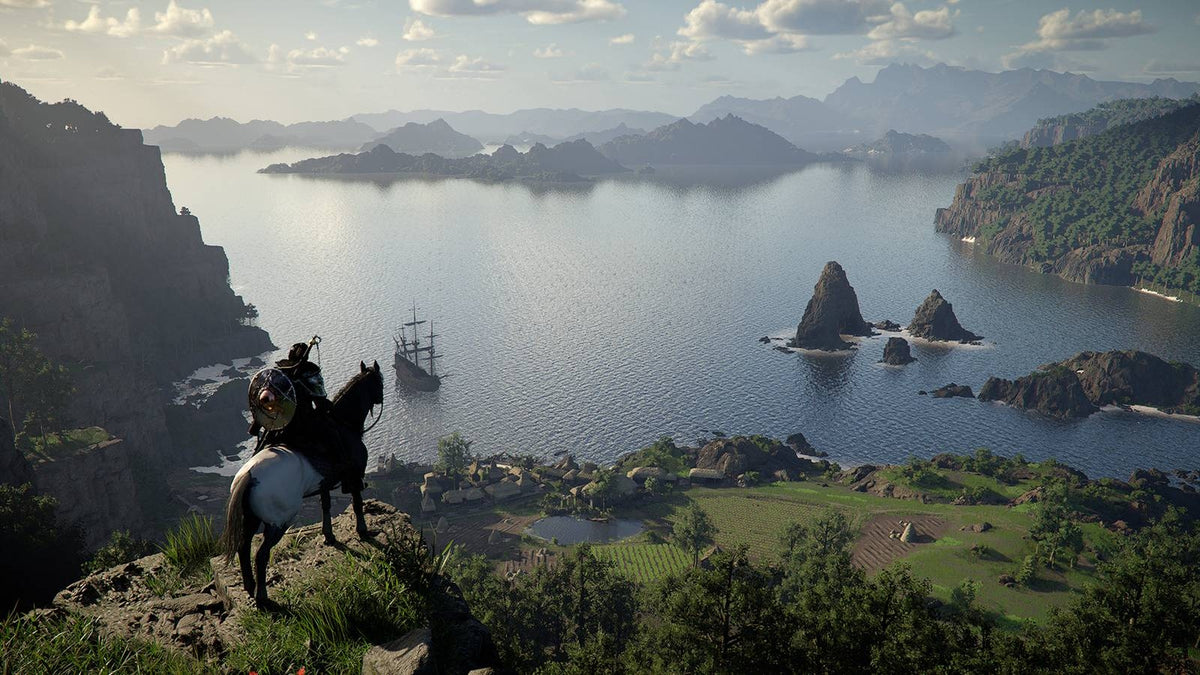
Crimson Desert Update 1.12 Shows Why a Gaming PC for New Games Needs More Than Minimum Specs
The latest Crimson Desert update is a reminder that a Gaming PC for New Games is no longer just about launching a title on day one. According to the source coverage, Crimson Desert patch 1.12 continues Pearl Abyss’ post-launch strategy of adding new features, improving the overall experience, responding to player feedback, and expanding the game with more lifestyle-style customization options such as house-related features. For Canadian PC buyers, that matters because modern games are not static anymore. They evolve, grow, receive bigger updates, add richer systems, and often become more demanding over time.
If you are shopping for a custom gaming PC in Canada, the real question is not only, “Can this PC run Crimson Desert?” The better question is, will this PC still feel fast after several updates, new content drops, graphics patches, driver changes, streaming goals, creator workflows, and the next wave of AAA games?
That is where Groovy Computers comes in. As a Canadian custom PC builder, Groovy Computers helps gamers, streamers, creators, editors, designers, and workstation users choose a system based on what they actually want to do, not just the lowest spec sheet that technically qualifies. Whether you are looking for a budget gaming computer, a premium RTX gaming PC, a gaming and streaming PC, a Custom Creator PC Canada buyers can rely on, or a workstation for 3D modeling and rendering, the right build should match your real workload and your upgrade timeline.
Why the Crimson Desert Update Matters for PC Buyers in Canada
Crimson Desert’s ongoing update approach is important because it reflects a bigger trend across PC gaming. Developers are increasingly improving, expanding, and reshaping games after release. Patch 1.12 is described as adding more content, more features, more house customization, and continued improvements. That type of support is great for players, but it also reinforces a practical buying lesson: your PC should be ready for the game as it becomes, not just the game as it launched.
Are you buying a gaming PC for one title, or are you buying a system that needs to handle the next three to five years of open-world games, esports titles, creator tools, and Windows updates?
For many Canadian gamers, the answer is both. You might want to play Crimson Desert today, Grand Theft Auto 6 when it arrives on PC, Call of Duty, Fortnite, Warzone, Forza, Cyberpunk-style ray tracing games, survival games, RPGs, and competitive shooters. You might also want to stream to Twitch, record gameplay for YouTube, edit short-form clips, run Discord, keep browser tabs open, and use a second monitor. That changes the PC recommendation completely.
A generic entry-level system might run a game at reduced settings. A properly selected custom gaming PC can deliver smoother frame rates, better visuals, stronger thermals, more upgrade room, and a longer useful lifespan. For buyers comparing Gaming PC Canada options, the difference between “it runs” and “it runs well for years” is where custom part selection becomes valuable.
What the Source Article Gets Right: Player Feedback Is Driving Bigger Games
The source article highlights that Pearl Abyss has been focused on player feedback rather than simply following a locked post-launch roadmap. That is significant. When a developer keeps watching how players actually interact with a game, updates often target real-world frustrations, missing features, interface issues, performance problems, balancing, quality-of-life improvements, and content requests.
For players, this is encouraging. For PC buyers, it is also a signal. If games are going to keep changing, your hardware should not be selected with a narrow, one-time mindset. The best PC for new games should have enough performance headroom for patches, expansions, visual improvements, higher-resolution texture packs, future drivers, background apps, and the way you personally play.
Do you tend to install mods? Do you run voice chat, music, browser guides, capture software, and RGB control utilities while gaming? Do you want to avoid closing every background app just to keep frame rates stable? These practical questions matter more than a simple minimum requirement list.
At Groovy Computers, the buying conversation usually starts with the customer’s goals. A PC for someone playing at 1080p on medium settings is different from a PC for someone targeting 1440p ultra settings. A system for casual solo play is different from a high FPS streaming build. A workstation that also plays games is different from a pure gaming desktop. The more honestly you define the workload, the better the final build becomes.
What Do You Want Your Next PC to Do for You?
Before choosing parts, financing a system, or comparing gaming desktops online, ask one simple question: what do you want your next PC to do for you?
Do you want a smooth 1080p gaming PC for Canada’s best value? Do you want a 1440p Gaming PC Canada gamers can use for open-world titles, esports, and streaming? Do you want a 4K Gaming PC Canada buyers can keep for longer without feeling outdated too soon? Do you need ray tracing, high refresh rates, content creation performance, or workstation reliability?
Your answer should guide the build. A strong gaming PC is not just a graphics card in a case. It is the balance of CPU, GPU, RAM, storage, cooling, power supply, motherboard quality, airflow, noise, warranty support, and upgrade path. If one part is mismatched, you can pay for performance you never fully use or create a bottleneck that makes the system feel older faster.
Are You Mainly Gaming?
If your goal is gaming first, resolution and frame rate should drive the recommendation. A 1080p esports player may benefit from a different CPU and GPU balance than someone playing cinematic open-world games at 1440p. A 4K player needs substantially stronger graphics performance, more VRAM headroom, and better cooling to maintain stability during long sessions.
Are You Gaming and Streaming?
If you want a Gaming and Streaming PC Canada setup, you need to think beyond average FPS. Streaming adds encoding, multitasking, audio processing, overlays, chat, alerts, browser sources, and recording. A PC for OBS Studio, Twitch streaming, YouTube Live, or gameplay recording should be selected to maintain smooth gameplay while also delivering clean output to your audience.
Are You Creating Content?
If you want to edit videos, post gameplay clips, create thumbnails, design graphics, or manage social media content, you may need a Creator PC Canada configuration rather than a pure gaming build. Premiere Pro, DaVinci Resolve, After Effects, Photoshop, Lightroom, Illustrator, CapCut, and other creator tools can benefit from more RAM, faster storage, stronger CPU performance, and GPU acceleration.
Are You Working in 3D, CAD, or Rendering?
If your workload includes Blender, Unreal Engine, Unity, Maya, 3ds Max, Cinema 4D, AutoCAD, Revit, SolidWorks, SketchUp, or product rendering, you may need a 3D Modeling PC Canada or Custom Workstation PC Canada configuration. Gaming performance still matters, but reliability, memory capacity, GPU compute, storage speed, and cooling under sustained loads become even more important.
Gaming PC for New Games: Why Minimum Specs Are Not the Goal
A Gaming PC for New Games should not be designed around minimum requirements unless the customer is intentionally buying the lowest-cost entry point. Minimum specs are usually built around simply launching the game, often at low settings, lower resolution, or limited frame rates. They do not always reflect what feels good on a modern monitor.
Recommended specs are a better starting point, but even they may not match your actual goals. What if you want 1440p instead of 1080p? What if you want ultra textures? What if you want ray tracing? What if you want to stream? What if you want a high refresh monitor? What if you want to keep the PC for several years without upgrading the graphics card right away?
That is why Groovy Computers focuses on use-case matching. A good gaming desktop should be chosen around the way you play and the way games are moving. Open-world games, live-service updates, advanced lighting, higher texture quality, more complex environments, and AI-assisted creator tools all increase pressure on hardware.
So instead of asking, “What is the cheapest PC that can run this game?” ask, what gaming PC do I need if I want smooth performance, strong visuals, and fewer upgrade headaches later?
Which Performance Tier Fits You?
Choosing the right performance tier is one of the most important decisions when buying a gaming PC in Canada. It affects your experience, your cost, your upgrade timeline, and whether financing a stronger system makes sense. Below is a practical way to think about it.
Entry-Level and Budget Gaming PCs: Best for 1080p Value
A budget gaming computer can be a smart choice if you mainly play esports titles, lighter games, older games, or new games at 1080p with optimized settings. This tier is often ideal for students, first-time PC gamers, families, and players moving from console to PC without overspending.
Ask yourself: are you comfortable lowering settings to keep frame rates smooth, or do you want higher visual quality without constant tweaking?
A Budget Gaming PC Canada buyer should pay close attention to upgrade potential. Some low-cost systems look attractive upfront but cut corners on the power supply, motherboard, airflow, storage, or case quality. That can make future upgrades more difficult or expensive. A custom build from Groovy Computers can prioritize value while still avoiding the most common entry-level mistakes.
Mid-Range Gaming PCs: The Sweet Spot for 1080p High FPS and 1440p Gaming
For many players, the mid-range tier is the best balance. This is where a 1440p Gaming PC Canada customer often lands. You get stronger GPU performance, better multitasking, smoother gameplay in demanding titles, and a much more comfortable experience in open-world games.
If you are following Crimson Desert updates, playing modern RPGs, exploring big worlds, and switching between competitive shooters and cinematic single-player games, this tier can make a lot of sense. It is also a strong option for casual streaming, gameplay recording, school work, content creation, and everyday productivity.
Ask yourself: do you want your PC to feel powerful only today, or do you want enough headroom to handle the next wave of new games without immediately upgrading?
High-End Gaming PCs: Best for 1440p Ultra, 4K, Ray Tracing, and Long-Term Headroom
A High End Gaming PC Canada buyer is usually looking for premium performance, higher resolution, better ray tracing capability, stronger frame rates, and more future-proofing. This tier is ideal for gamers with 1440p high refresh monitors, ultrawide displays, 4K monitors, VR setups, or demanding game libraries.
If you want a Ray Tracing Gaming PC Canada configuration, the GPU becomes especially important. Ray tracing can dramatically increase the visual quality of lighting, reflections, and shadows, but it also increases GPU load. Pairing the right graphics card with the right CPU, memory, cooling, and power supply is essential.
Ask yourself: would you rather buy a cheaper PC now and upgrade sooner, or invest in a stronger build that stays satisfying longer?
Premium Creator and Workstation PCs: Best for Gaming Plus Serious Production
Some customers do not fit neatly into a gaming-only category. Maybe you game at night, edit client videos during the day, design graphics for your business, stream on weekends, and experiment with Blender or Unreal Engine. In that case, a Custom Creator PC Canada or Custom Workstation PC Canada build may be the better path.
This tier often benefits from more RAM, faster NVMe SSD storage, stronger multi-core CPU performance, GPU acceleration, improved cooling, and carefully selected components for sustained workloads. If you export 4K video, batch-edit RAW photos, render 3D scenes, or use Adobe Creative Cloud, the right build can save hours over time.
Ask yourself: is your PC just for entertainment, or does it also affect your income, workflow, deadlines, and creative output?
What PC Do I Need for 1440p Gaming?
One of the most common questions Canadian buyers ask is: what PC do I need for 1440p gaming? The answer depends on the games, settings, and refresh rate you care about. For modern titles, 1440p is often the sweet spot because it looks significantly sharper than 1080p without being as demanding as 4K.
For a game like Crimson Desert, where players may care about open-world visuals, animation quality, environmental detail, and smooth combat, 1440p can be an excellent target. But the build needs to be balanced. A stronger GPU matters, but the CPU still affects frame pacing, simulation, background tasks, and high refresh performance. RAM helps with multitasking, game assets, browser tabs, launchers, and creator tools. Fast SSD storage improves load times and overall system responsiveness.
If you are buying a 1440p gaming PC, think about the monitor too. Are you using 60Hz, 144Hz, 165Hz, 240Hz, or an ultrawide display? A system built for 1440p at 60 FPS is different from one designed for 1440p high refresh gaming. Groovy Computers can help match the build to the monitor you already own or the one you plan to buy next.
What PC Do I Need for 4K Gaming?
4K gaming is beautiful, but it is demanding. A 4K Gaming PC Canada buyer should prioritize GPU strength, VRAM headroom, cooling quality, and long-term upgrade planning. The higher the resolution, the more the graphics card carries the experience. If you also want ray tracing, ultra textures, or high frame rates, the performance target rises quickly.
Ask yourself: are you buying 4K because you already have a 4K monitor or TV, or because you want the most premium gaming experience possible?
For many gamers, 1440p high refresh is the smarter balance. For others, 4K is absolutely worth it. The key is choosing intentionally. A custom build lets you put the budget where it matters instead of paying for unnecessary extras while underbuying the GPU, cooling, or power supply.
Is a Gaming PC Good for Streaming, Editing, and Content Creation?
Yes, a gaming PC can be good for streaming and content creation, but only if it is configured properly. Many gaming components overlap with creator needs: strong CPUs, powerful GPUs, fast storage, and plenty of memory. However, creator workloads can expose weaknesses that gaming alone may not reveal.
If you edit videos, how much RAM do you need? If you work in Adobe Premiere Pro or DaVinci Resolve, should you prioritize CPU, GPU, or storage? If you stream with OBS, do you need a stronger graphics card for hardware encoding? If you use Photoshop, Lightroom, Illustrator, or Canva, will a fast SSD and enough RAM improve your workflow? These questions matter because creators do not just need a PC that benchmarks well; they need a PC that saves time every day.
A Gaming and Streaming PC Canada build should handle gameplay, encoding, chat, alerts, recording, and multitasking without stutters. A Video Editing PC Canada configuration should focus on timeline responsiveness, export speed, media cache storage, and memory. A Graphic Design PC Canada build should feel snappy in Adobe Creative Cloud, handle large files, support multiple monitors, and keep the workflow stable. A 3D Rendering PC Canada system should sustain heavy loads without overheating or throttling.
That is why Groovy Computers looks at the full workload. If your PC has to game, stream, edit, design, and render, the build should reflect that from the beginning.
Should You Buy a Gaming PC Now or Wait?
One of the most practical questions for Canadian buyers is: is it better to buy a gaming PC now or wait? There is no one-size-fits-all answer, but waiting can carry real risks. Component pricing can shift. GPU demand can rise around major game releases. Memory and SSD pricing can move with supply conditions. Exchange rates can affect Canadian replacement costs. Sale periods can sell through popular configurations. New software requirements can make older systems feel outdated faster.
If your current PC is already struggling, waiting may cost you time, performance, and enjoyment. If you need a system for school, work, content creation, streaming, or client projects, waiting can also affect productivity. On the other hand, if your current system still meets your needs and you are not in a rush, planning ahead can help you choose better.
The best approach is to think in terms of readiness. Are you buying before a major game release? Are you preparing for a new streaming schedule? Are you upgrading before school, business demand, or a software change? Are you trying to avoid higher replacement costs if parts become more expensive?
If the answer is yes, it may be smart to secure the right build sooner rather than stretching an aging PC until it fails or becomes frustrating.
Could Financing Help You Secure a Stronger System Before Prices Change?
Financing is not just about buying something you cannot afford upfront. For many customers, Gaming PC Financing Canada options can help them choose the right performance tier now instead of settling for a cheaper system that needs upgrading too soon.
Should you finance a better PC instead of buying a cheaper one? That depends on your goals, budget, and timeline. If a stronger GPU, more RAM, better storage, or a higher-quality platform extends the life of the system and improves your daily experience, financing can be a practical tool. Groovy Computers offers financing options up to 4 years, making it easier for Canadian buyers to secure a gaming PC, creator PC, or workstation without paying the full amount at once.
Ask yourself: would monthly payments help you move from “barely enough” to “actually right for my workload”? Would a stronger build help you avoid a costly upgrade next year? Would better performance improve your streaming, editing, design, or rendering output?
If you are unsure, Groovy Computers can help you compare value-focused builds, premium RTX gaming PCs, and creator workstations so you can make a confident decision.
Why Custom Builds Matter More When Games Keep Evolving
Crimson Desert’s update strategy highlights a bigger point: modern PC use is dynamic. Games evolve. Drivers improve. Content gets added. Creators adopt new tools. AI features become more common. Monitors get upgraded. Storage fills up. Streaming setups become more advanced. A one-size-fits-all prebuilt PC may not adapt well to those changes.
A custom gaming PC is built around your priorities. That means the parts can be selected for your resolution, your preferred games, your monitor, your software, your budget, and your upgrade path. Instead of blindly buying a system because it has a flashy GPU name, you can choose a configuration where the CPU, GPU, RAM, SSD, cooling, case, motherboard, and power supply work together properly.
Why does testing matter in a gaming PC? Because a system that looks good on paper still needs to be stable under load. Groovy Computers emphasizes rigorous testing, clean builds, and dependable support. A gaming PC should not just boot; it should perform reliably when you are hours into a demanding session, exporting a video, rendering a scene, or streaming live.
Groovy Computers also includes a 1-year warranty, giving customers confidence when buying a custom gaming PC, creator PC, or workstation in Canada. That matters especially when you are investing in a system meant to last.
Canadian Buyers Should Think Beyond the Sticker Price
When comparing PCs, it is tempting to look only at the total price. But the cheapest system is not always the best value. In Canada, buyers also need to consider shipping, warranty support, replacement costs, exchange rate pressure, component availability, and whether the system is built for long-term use.
A low-cost PC with weak airflow, a limited power supply, minimal RAM, small storage, or poor upgrade options can become expensive later. You may end up replacing parts sooner, dealing with heat and noise, or discovering that the system cannot support the GPU upgrade you want. A better-balanced PC can often save money over the full lifespan of ownership.
Are you shopping for the lowest checkout price, or are you shopping for the best long-term experience?
For Canadian customers in Nova Scotia, Atlantic Canada, Ontario, Alberta, British Columbia, Quebec, and across the country, buying from a Canadian Gaming PC Company can also simplify the process. Groovy Computers serves Canadian buyers who want expert guidance, custom builds, financing options, and gaming PCs shipped Canada wide.
How to Choose Between a Budget Gaming Computer, Premium RTX Gaming PC, Creator PC, or Workstation
If you are not sure where you fit, use your primary workload as the decision anchor. The right PC category becomes clearer when you rank what matters most.
- Choose a budget gaming computer if you want affordable 1080p gaming, esports performance, school use, and a strong first step into PC gaming.
- Choose a mid-range custom gaming PC if you want 1080p high FPS, 1440p gaming, modern AAA titles, smoother multitasking, and better upgrade potential.
- Choose a premium RTX gaming PC if you want 1440p ultra settings, 4K gaming, ray tracing, high refresh displays, VR, or longer-term performance headroom.
- Choose a gaming and streaming PC if you want to play, stream, record, use OBS, manage overlays, and create content without performance drops.
- Choose a custom creator PC if you work in video editing, photo editing, graphic design, social media content, YouTube production, or Adobe Creative Cloud.
- Choose a 3D modeling or rendering workstation if you use Blender, Unreal Engine, CAD, animation tools, architectural visualization, product rendering, or simulation workloads.
- Choose a professional workstation if uptime, sustained performance, high RAM capacity, storage speed, and reliability are more important than RGB or gaming aesthetics.
What games, software, and workloads do you actually use every week? That is the question that should shape your build.
Questions to Ask Before Buying Your Next Gaming PC
A better PC purchase starts with better questions. Before you buy, finance, or request a custom quote, consider the following:
- What games do I want to play now, and what upcoming games am I preparing for?
- Do I want 1080p, 1440p, ultrawide, or 4K performance?
- Do I care more about high FPS, ultra settings, ray tracing, or long-term value?
- Will I stream, record gameplay, or edit videos?
- Do I use Adobe Premiere Pro, DaVinci Resolve, Photoshop, Lightroom, Illustrator, Blender, Unreal Engine, CAD, or other creative software?
- How much storage do I need for games, footage, project files, and backups?
- How much RAM do I need for gaming, streaming, editing, or workstation tasks?
- Do I want a PC that can be upgraded easily later?
- Am I buying before a major game release, sale period, school term, work project, or possible price spike?
- Would financing help me choose the right build instead of underbuying and upgrading too soon?
If you do not know the answers yet, that is normal. Most customers are not trying to memorize every CPU, GPU, motherboard, SSD, and power supply model. They just want a reliable PC that does what they need. Groovy Computers can help translate your goals into the right system.
Why Groovy Computers Is a Strong Choice for Canadian Custom PCs
Groovy Computers is built around the idea that customers deserve more than a generic box. Whether you are buying a Gaming PC for New Games, a creator desktop, a workstation, or a financed high-performance build, the goal is to match the system to your real use case.
That means clear recommendations, quality component matching, rigorous testing, support, and a 1-year warranty. It also means helping customers think through performance tiers instead of pushing every buyer into the most expensive system. Some customers need a smart budget build. Others need premium 4K power. Others need a workstation that can render overnight and still game smoothly after work.
Want help choosing the right PC before your current system falls behind, before a major game release, or before component prices shift again? Visit GroovyComputers.ca to explore custom gaming PCs, creator PCs, workstation options, and financing solutions built for Canadian buyers.
Final Takeaway: Crimson Desert Is a Reminder to Buy for the Future, Not the Past
Crimson Desert update 1.12 is more than another patch. It is a useful example of where gaming is heading: more updates, more features, more player-driven improvements, and more reasons to own a PC with real performance headroom. If you are investing in a Gaming PC for New Games, do not build around yesterday’s minimum requirements. Build around the way you want to play, stream, edit, create, and work next.
Do you need a value-focused 1080p gaming computer, a 1440p powerhouse, a 4K ray tracing system, a streaming PC, a video editing desktop, a graphic design PC, a 3D rendering workstation, or a financed custom build that helps you avoid upgrading too soon? Groovy Computers can help you choose with confidence.
The best time to plan your next PC is before your current one becomes the bottleneck. If you are preparing for new games, heavier software, higher-resolution monitors, or a bigger creative workload, the right custom build can make the difference between frustration and smooth performance.
#GamingPCForNewGames #GamingPCCanada #CustomGamingPC #GroovyComputers #1440pGamingPC #4KGamingPC #CreatorPCCanada #GamingPCFinancing #CanadianCustomPCBuilders
Groovy Computers | All Rights Reserved
![GTA 6 PC Release Date: Steam, Epic & Rockstar Launcher [2026]](http://groovycomputers.ca/cdn/shop/articles/gta-6-pc-release-date-steam-epic-2026-1.webp?v=1781966894&width=1344)


Leave a comment
This site is protected by hCaptcha and the hCaptcha Privacy Policy and Terms of Service apply.