
























Crimson Desert Security Bypass News: Why a Gaming PC for New Games Should Be Fast, Safe, and Future-Ready
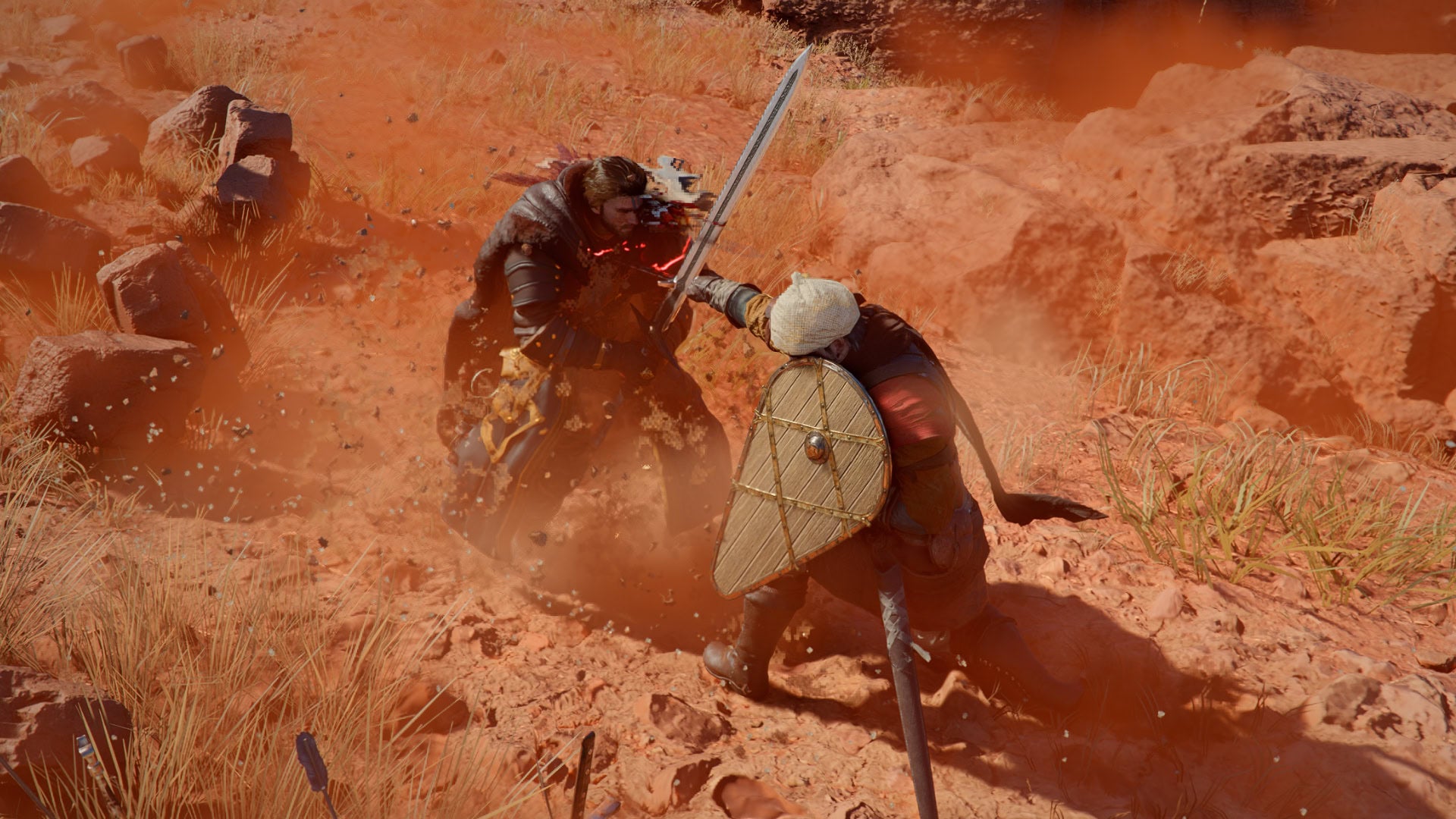
The latest discussion around a reported third-party hypervisor bypass for Crimson Desert version 1.13.00 is a reminder that a Gaming PC for New Games is not just about raw frame rates. It is also about stability, operating system safety, trusted software, driver reliability, and choosing hardware that can handle demanding AAA titles without forcing you into risky shortcuts.
For Canadian gamers watching Crimson Desert, future open-world releases, ray tracing updates, anti-cheat systems, DRM changes, and performance-heavy patches, the real question is simple: is your current PC ready for the next wave of games, or are you already close to the edge?
At Groovy Computers, we look at stories like this from a practical buyer’s perspective. A bypass tool that modifies or interacts with low-level system protections may sound like a workaround to some users, but it can also create serious security, privacy, and stability risks. When software touches kernel-level or hypervisor-level behaviour, the stakes are much higher than a normal game mod. That is exactly why gamers, streamers, creators, and workstation users should care about building or buying a reliable custom PC that runs licensed software properly, receives updates safely, and does not depend on questionable utilities to function.
If you are planning to play Crimson Desert, GTA 6, Call of Duty, Cyberpunk-style open-world games, Forza, Battlefield, Helldivers, Elden Ring-style action RPGs, or the next generation of PC-first AAA releases, this is the right time to ask: what gaming PC do I need for the games I actually want to play?
What Happened With the Crimson Desert Hypervisor Bypass News?
The source report describes a developer using the name DenuvOwO releasing an update to a tool intended to run Crimson Desert while bypassing its built-in Denuvo Hypervisor security system. The reported tool was said to support official build 24048102, associated with game version 1.13.00. The article also noted that Linux testing had been announced, with potential implications for Steam Deck-style play, although stability remained uncertain.
The most important part for everyday gamers is not the bypass itself. Groovy Computers does not recommend or support piracy, unauthorized bypass tools, or system-level modifications designed to neutralize commercial protection systems. The important takeaway is that modern PC games are becoming more complex at every layer: graphics engines, DRM, anti-cheat systems, shader compilation, driver support, Windows security, Linux compatibility, handheld gaming, and GPU feature support all affect the real experience.
When a game requires high-performance hardware and also runs advanced protection systems, weak PCs feel the pressure first. Stutters become more noticeable. CPU limitations become more obvious. Old storage drives can cause streaming issues. Low RAM capacity can make open-world traversal rough. Outdated GPUs may struggle with modern rendering paths, ray tracing, upscaling, or high-resolution textures.
So if you are reading this because you are interested in Crimson Desert, the bigger buying question is not “how do I bypass protection?” It is: how do I get a PC that runs new games properly, safely, and for years without constant compromise?
Why Canadian Gamers Should Care About Security, Not Just FPS
Canadian PC buyers often compare graphics cards, CPUs, RAM, and SSDs based on benchmark numbers. That matters, but it is not the whole story. A fast PC that is unstable, poorly cooled, badly wired, underpowered, or full of risky software is not a good gaming PC. A reliable system should be built to handle real-world conditions: long sessions, large patches, driver updates, Windows security changes, demanding launch-day performance, and future game updates.
Modern games are no longer simple applications that just launch and run. They may include anti-tamper protection, anti-cheat layers, online verification, shader caching, asset streaming, GPU scheduling, CPU-heavy simulation, and background services. If a user starts installing unknown third-party system tools, especially ones that claim to bypass low-level protections, the risk is not theoretical. Potential problems can include:
- Operating system instability or boot issues
- Driver conflicts that reduce gaming performance
- Security exposure from kernel-level access
- Privacy risks involving personal files, accounts, and payment information
- Game bans or account restrictions when online services detect tampering
- Performance inconsistency caused by unsupported modifications
- Loss of trust in the system when troubleshooting becomes impossible
Would you rather spend your gaming time chasing risky fixes, or would you rather own a properly tested system designed to run demanding games from day one?
That is where a Canadian custom PC builder matters. Groovy Computers focuses on matching the build to the user’s actual needs, not just throwing parts together and hoping the spec sheet looks impressive. A Canada Built Gaming PC should be stable, upgradeable, well-cooled, stress tested, and backed by support.
What Do You Want Your Next PC to Do for You?
Before choosing a graphics card or deciding whether to finance a stronger system, start with the most important question: what do you want your next PC to do for you?
Are you buying mainly for 1080p gaming, or do you want smooth 1440p with high refresh rates? Are you planning to move into 4K gaming, ray tracing, ultra textures, or open-world games with heavy CPU demands? Do you want to stream on Twitch or YouTube while gaming? Are you editing clips for TikTok, YouTube Shorts, or full-length videos? Do you use Photoshop, Lightroom, Illustrator, Blender, Unreal Engine, AutoCAD, Revit, SolidWorks, DaVinci Resolve, Premiere Pro, or After Effects?
A PC that is “good enough” for one task may be frustrating for another. For example, a budget esports system can be excellent for Valorant, Fortnite, Counter-Strike 2, or Roblox, but it may not be the best choice for a massive open-world AAA title with ray tracing and ultra textures. A gaming PC can often edit video, but a serious editing workstation may need more RAM, more storage, a stronger CPU, and a GPU selected for acceleration in specific creative software. A 3D artist working in Blender or Unreal Engine may benefit from a very different balance than a gamer chasing the highest FPS at 1080p.
So ask yourself: do you need a budget gaming computer, a premium RTX gaming PC, a custom creator PC, a video editing workstation, or a 3D modeling workstation?
Why a Gaming PC for New Games Needs More Than Minimum Requirements
Minimum requirements are not buyer recommendations. They are usually the lowest hardware level that may launch the game in acceptable conditions. If you are buying a Gaming PC for New Games, you should think beyond the launch screen. You should think about resolution, frame rate, patch support, graphics settings, storage space, background apps, Discord, browser tabs, game launchers, recording software, and future updates.
New AAA games often become more demanding over time. Launch patches, texture packs, expansions, ray tracing updates, higher quality assets, online systems, and engine improvements can raise the real hardware demand. If your PC is barely enough today, it may feel outdated sooner than expected.
That is why Groovy Computers often guides buyers through questions like:
- Do you want smooth 1080p gaming at high settings, or are you aiming for 1440p?
- Are you using a high refresh rate monitor, such as 144Hz, 165Hz, or higher?
- Do you want ray tracing enabled, or do you prefer maximum FPS?
- Do you play competitive esports, cinematic single-player games, or both?
- Will you be streaming, recording, or editing gameplay?
- Do you want to avoid upgrading again in a year or two?
- Are you buying before a major game release, sale period, hardware shortage, or possible component price increase?
The right answer depends on your use case. A smart build is not just the most expensive build. It is the build that gives you the best match between performance, budget, upgrade path, and expected lifespan.
Which Performance Tier Fits You Best?
Choosing a custom PC becomes easier when you think in performance tiers instead of random part names. Not every gamer needs a flagship GPU. Not every creator needs 128GB of RAM. But buying too low can cost more later if you end up replacing major components sooner than expected.
Entry-Level and Budget Gaming: Are You Focused on 1080p and Value?
A Budget Gaming PC Canada buyer is usually focused on value, reliability, and getting into modern games without overspending. This tier is ideal for students, first-time gaming PC buyers, esports players, and families looking for a practical system.
If your main games are Fortnite, Minecraft, Roblox, Valorant, Counter-Strike 2, Rocket League, League of Legends, or similar titles, a well-designed budget build can make a lot of sense. But if you also want to play the newest open-world games at high settings, you should be careful not to choose the absolute lowest tier. A cheap system that struggles with new AAA titles may not feel like a bargain for long.
Ask yourself: can a budget gaming PC play the new games you actually care about, or will you be disappointed six months after buying it?
1440p Gaming: Is This the Sweet Spot for Most Canadian Gamers?
For many buyers, a 1440p Gaming PC Canada build is the sweet spot. It offers a major visual upgrade over 1080p without demanding the same level of GPU investment as full 4K ultra gaming. If you want crisp visuals, strong frame rates, and a system that feels modern for years, 1440p is often the best performance target.
This tier is especially appealing for open-world games, action RPGs, shooters, racing games, and immersive single-player titles. A stronger GPU, a capable multi-core CPU, 32GB of RAM, and a fast NVMe SSD can make a major difference in how smooth the system feels.
If you are asking, what PC do I need for 1440p gaming?, the answer depends on whether you want high settings, ultra settings, ray tracing, streaming, or long-term upgrade flexibility. Groovy Computers can help match your budget to the right build instead of pushing a one-size-fits-all configuration.
4K and Ray Tracing: Do You Want a Premium Experience?
A 4K Gaming PC Canada build is for buyers who want a premium visual experience, especially on large monitors, high-end displays, or living room gaming setups. This tier is where GPU choice becomes extremely important. 4K gaming pushes far more pixels than 1080p or 1440p, and ray tracing adds another major performance load.
If you want cinematic open-world visuals, ultra textures, advanced lighting, and high refresh rates at 4K, you should be looking at premium GPU tiers, strong CPU support, high-quality cooling, and a power supply selected for long-term reliability. You should also think carefully about case airflow, GPU clearance, cable routing, and future upgrades.
Do you need a flagship system today, or would a high-end 1440p build give you better value? Would financing help you step into a stronger GPU tier now instead of buying a weaker PC and replacing it sooner?
Creator and Hybrid Builds: Are You Gaming, Streaming, and Editing?
More Canadian buyers are no longer just gaming. They are gaming, streaming, recording, editing, designing, posting, and building online brands. If that sounds like you, a standard gaming PC may not be the best target. You may need a Content Creation PC Canada configuration that balances GPU power, CPU cores, RAM, storage, and software acceleration.
A gaming and creator PC may need to handle OBS Studio, YouTube Live, Twitch streaming, Premiere Pro, DaVinci Resolve, Photoshop, Lightroom, CapCut, Discord, browser dashboards, and multiple monitors at the same time. This is where a stronger CPU, 32GB or 64GB of RAM, fast NVMe storage, and an RTX GPU for encoding and acceleration can make the workflow feel dramatically smoother.
If you are asking, is a gaming PC good for content creation?, the honest answer is: sometimes. A gaming PC can be excellent for content creation if it is configured correctly. But a gaming-focused build with limited RAM or storage may become frustrating once your projects get larger.
Workstations and 3D Modeling: Are You Building More Than Gaming Performance?
For 3D artists, CAD users, architects, animators, product designers, game developers, and serious creators, the buying decision moves beyond gaming FPS. A 3D Modeling PC Canada or Custom Workstation PC Canada must be built around workload reliability.
Software such as Blender, Unreal Engine, Unity, Maya, 3ds Max, Cinema 4D, ZBrush, AutoCAD, Revit, and SolidWorks can benefit from different combinations of CPU power, GPU acceleration, RAM capacity, VRAM, and fast storage. A workstation may need 64GB or 128GB of RAM, multiple SSDs, strong cooling, and a GPU that fits the scale of your scenes or renders.
If you are asking, what PC do I need for Blender or 3D rendering?, do not buy based only on a generic gaming label. Talk to a builder who understands the difference between gaming performance, GPU rendering, CPU rendering, viewport performance, and project file management.
Why Security Tools, DRM, and Anti-Cheat Make Hardware Stability More Important
The Crimson Desert bypass discussion matters because it highlights how deeply modern games may interact with system-level features. Whether you like DRM or not, the practical reality is that many major PC games now use complex security systems. Some titles also use strict anti-cheat or account verification. If your PC is already unstable, outdated, or overloaded, every extra background process can feel like another source of stutter or crashes.
A properly built gaming PC helps reduce these problems. It cannot control every game optimization issue, but it can give you a stronger foundation: current drivers, adequate CPU performance, enough RAM, fast storage, quality cooling, clean Windows installation, and proper stress testing.
Would you trust an unknown system-level bypass tool with your personal accounts, banking information, saved passwords, creative files, and gaming libraries? For most users, the better path is clear: use legitimate software and run it on a PC that is powerful enough to do the job.
Should You Buy a Gaming PC Now or Wait?
One of the biggest questions Canadian buyers ask is: is it better to buy a gaming PC now or wait? There is no single answer for everyone, but waiting is not always the safe move.
PC component pricing can shift quickly. GPU demand can spike when a major game launches, when a new graphics card generation becomes hard to find, when creator software increases hardware requirements, or when supply chains tighten. Memory and SSD pricing can also move upward, especially when demand from AI systems, data centres, laptops, consoles, and consumer PCs competes for supply.
If you know you need a system for an upcoming game, school program, content channel, freelance work, editing workload, or business project, waiting until the last minute can reduce your choices. It can also force you into rushed decisions, weaker parts, or higher prices.
Ask yourself: are you buying before a major game release, a hardware shortage, a sale period, a software upgrade, or a potential price spike? If yes, it may be smarter to plan now rather than react later.
Could Financing Help You Secure a Stronger System Before Prices Change?
Financing can be a practical tool when used responsibly. For some buyers, the choice is not simply “buy or do not buy.” It is whether to buy a weaker system today with a lower upfront cost, or finance a stronger system that lasts longer and better matches their actual needs.
If you are deciding between a budget build and a more capable 1440p gaming PC, or between a basic editing PC and a serious creator workstation, financing may help you avoid an underpowered purchase. Groovy Computers offers financing options up to 4 years where appropriate, giving Canadian buyers more flexibility when building a system for gaming, streaming, editing, design, or workstation use.
Is financing a gaming PC worth it? It can be, especially if the stronger PC helps you avoid upgrading too soon, improves productivity, supports your creative income, or lets you buy before replacement costs rise. The key is choosing a build that makes sense for your use case and monthly budget.
If you are asking, should I finance a better PC instead of buying a cheaper one?, think about the total cost of ownership. A cheaper PC that needs a GPU upgrade, more RAM, a larger SSD, or a stronger power supply within a year may not be cheaper in the long run.
Gaming, Streaming, Editing, or Workstation: What Should You Prioritize?
The best custom PC is built around priority. If you tell Groovy Computers what matters most, the parts list becomes clearer. Here is how to think about it.
If You Mainly Game
Prioritize the GPU, a strong gaming CPU, enough RAM, fast NVMe storage, and a monitor target. A 1080p esports player needs a different build than a 4K ray tracing player. If you want high FPS in competitive games, CPU and monitor pairing become very important. If you want cinematic AAA visuals, GPU power and VRAM matter more.
Ask: do I want maximum FPS, maximum visuals, or the best balance?
If You Game and Stream
Prioritize GPU encoding, CPU headroom, RAM, storage, and stable thermals. A Gaming PC for Streaming Canada should handle the game, OBS Studio, alerts, chat, browser sources, audio tools, and recording without becoming unstable. NVIDIA RTX GPUs can be especially useful for hardware encoding in many streaming workflows.
Ask: what PC do I need for streaming if I want to play and broadcast at the same time?
If You Edit Video
Prioritize CPU performance, RAM, GPU acceleration, fast storage, and enough drive space for media. A Video Editing PC Canada build for 4K footage should not be treated like a basic gaming tower. Premiere Pro, DaVinci Resolve, After Effects, and CapCut can all benefit from a system designed for timelines, effects, exports, and multitasking.
Ask: what specs do I need for 4K video editing, and how much time could a faster export save me every week?
If You Edit Photos or Design Graphics
Prioritize fast single-core performance, RAM, SSD speed, colour workflow, and enough GPU support for modern AI tools. A Photo Editing PC Canada or Graphic Design PC Canada build can make Lightroom, Photoshop, Illustrator, InDesign, Canva, Capture One, and Adobe Creative Cloud feel more responsive, especially with large RAW files or multi-layer documents.
Ask: is your current desktop slowing down your creative process every time you batch export, apply AI tools, or work across multiple monitors?
If You Do 3D Modeling, CAD, or Rendering
Prioritize GPU VRAM, CPU core count, RAM capacity, storage speed, and cooling. A Rendering Workstation Canada build should be selected based on your actual software, scene complexity, project size, and render method. Blender GPU rendering, Unreal Engine development, SolidWorks modelling, Revit projects, and AutoCAD workflows can all have different requirements.
Ask: are you losing billable hours waiting for previews, exports, renders, or simulations?
Why Custom Builds Matter More Than Generic Specs
A generic prebuilt PC can look attractive if the headline GPU and CPU sound strong. But a custom PC is about the full system, not just two parts. The motherboard, power supply, case airflow, CPU cooler, RAM speed, SSD quality, BIOS setup, cable management, and testing process all affect long-term reliability.
Groovy Computers builds custom gaming PCs, creator PCs, and workstation PCs for Canadian buyers who want confidence. That means the build can be matched to your target resolution, games, software, budget, upgrade path, and financing preference. It also means you are not stuck guessing whether a random configuration was chosen for performance, clearance, thermals, or simply to hit a marketing price.
When a system is properly selected and stress tested, you reduce the risk of crashes, overheating, poor airflow, weak power delivery, storage bottlenecks, and upgrade limitations. Groovy Computers also provides a 1-year warranty, adding peace of mind for buyers who want a reliable gaming PC or workstation rather than a risky bargain.
Would you rather buy a PC that looks good on paper, or one that was built around how you actually use it?
What Should You Ask Before Buying a Custom Gaming PC in Canada?
If you are considering a new system, these questions can help you avoid common buying mistakes:
- What games, creative software, or work applications do I use most often?
- Do I want 1080p, 1440p, or 4K gaming?
- Do I care more about esports FPS, ray tracing visuals, or all-around performance?
- Will I stream, record, or edit content from the same PC?
- Do I need 32GB, 64GB, or more RAM for my workload?
- How much SSD storage do I need for games, footage, photos, projects, and backups?
- Do I want an upgrade path for future GPU, RAM, or storage improvements?
- Am I buying before a major game release or possible component price increase?
- Would monthly payments let me choose a better long-term system?
- Do I want help from a Canadian custom PC builder instead of guessing alone?
These questions are not just technical. They are financial and practical. A good PC should match how you spend your time. If you game every night, edit every weekend, stream several times a week, or use your workstation for paid projects, the right system can affect both enjoyment and productivity.
Why Open-World Games Like Crimson Desert Push PCs Harder
Crimson Desert is part of a broader trend: visually ambitious, large-scale games that ask more from the entire PC. Open-world games are demanding because they often combine large environments, complex lighting, high-resolution assets, physics systems, AI behaviour, fast traversal, dense effects, and background streaming from storage.
In these games, performance problems do not always come from the GPU alone. A weak CPU can cause inconsistent frame pacing. Limited RAM can create hitching. A slow drive can struggle with asset streaming. Poor cooling can reduce sustained boost clocks. A low-quality power supply can limit upgrade options. An older GPU may lack the VRAM or feature support needed for modern settings.
That is why a Future Proof Gaming PC Canada mindset matters. Future-proof does not mean buying the most expensive components blindly. It means choosing the right performance headroom so the system can handle the games and software you expect to use over the next several years.
Do you want to lower settings as soon as the next big patch arrives, or do you want a system with enough headroom to stay comfortable?
Why Linux, Steam Deck Talk, and Handheld Gaming Still Point Back to Desktop Power
The source article mentioned closed benchmarking for a Linux-based tool and the possibility of Steam Deck-style compatibility. That discussion reflects another trend: gamers want more flexibility in how and where they play. Linux gaming, Proton compatibility, handheld PCs, SteamOS-style devices, and portable consoles are all part of the modern gaming conversation.
However, handheld and compact systems come with limits. They are impressive for portability, but they cannot replace the sustained performance, cooling capacity, upgrade path, and GPU power of a well-built gaming desktop. If you want high refresh 1440p, 4K gaming, ray tracing, streaming, video editing, and 3D rendering, a custom desktop remains the stronger long-term platform.
So the question becomes: do you need portability first, or do you want the best performance per dollar, better cooling, easier upgrades, and a longer useful lifespan?
How Groovy Computers Helps Canadian Buyers Choose With Confidence
Groovy Computers is built for Canadian buyers who want expert guidance, custom configuration, and dependable support. Whether you are shopping from Nova Scotia, Atlantic Canada, Ontario, Alberta, British Columbia, Quebec, or anywhere else in Canada, the goal is the same: help you get the right PC for your games, software, budget, and future plans.
Instead of forcing every customer into the same preset tower, Groovy Computers can help you think through the actual buying decision. Are you building around 1440p gaming? Do you need a premium RTX gaming PC? Are you looking for a Gaming and Streaming PC Canada setup? Do you need a Custom Video Editing PC Canada build? Are you choosing a Custom 3D Workstation Canada configuration for Blender, Unreal Engine, or CAD?
The right build is personal. A streamer needs different priorities than a photographer. A student buying a first gaming PC needs different advice than a business owner financing a workstation. A competitive gamer needs different performance tuning than someone playing cinematic open-world RPGs at 4K.
If you want help choosing a Gaming PC for New Games, visit GroovyComputers.ca to browse systems, explore custom options, and ask about a build that fits your goals before prices or availability change.
Should You Choose a Ready-to-Ship PC or a Custom Build?
A ready-to-ship gaming PC can be a great choice if you need a system quickly and the configuration matches your needs. If you are replacing a dead PC, preparing for a new game launch, starting school, or upgrading before a sale period ends, a ready-to-ship option can save time.
A custom build is better when you have specific performance targets or software requirements. For example, if you want a quiet 4K editing workstation, a compact streaming PC, a premium 1440p gaming system, a high-RAM Lightroom desktop, or a 3D rendering workstation with serious GPU power, custom configuration is usually the smarter route.
Ask yourself: do you need a PC fast, or do you need a PC tailored exactly to your workload? Groovy Computers can help you compare both paths.
Why Warranty and Testing Matter When Buying a Gaming PC
When PC prices move and demand spikes, some buyers rush into the cheapest option they can find. That can backfire if the system is not tested properly. A gaming PC should be checked for thermals, stability, memory behaviour, storage health, GPU performance, CPU performance, and general reliability before it becomes your daily machine.
A Stress Tested Gaming PC is especially important for demanding games, streaming sessions, editing workloads, and workstation tasks. Problems that do not appear during a five-minute boot test can show up during long gaming sessions, heavy exports, shader compilation, rendering, or multitasking.
Groovy Computers’ custom builds and 1-year warranty help reduce risk for Canadian buyers. That matters when your PC is not just a toy, but also your entertainment hub, school tool, creator platform, or professional workstation.
What If You Want to Avoid Upgrading Too Soon?
Many buyers underestimate how quickly their needs grow. You may start with 1080p gaming, then buy a 1440p monitor. You may start casually recording gameplay, then begin editing YouTube videos. You may start with Photoshop, then add Lightroom, Premiere Pro, and After Effects. You may start learning Blender, then move into larger scenes and GPU rendering.
If you want to avoid upgrading too soon, do not buy only for today’s lowest requirement. Buy for the next stage of what you realistically want to do.
That might mean choosing 32GB of RAM instead of 16GB for a gaming and creator PC. It might mean choosing a stronger GPU for 1440p or 4K. It might mean selecting a better power supply now so a future GPU upgrade is easier. It might mean adding more SSD space for large games and project files. It might mean financing a stronger system instead of settling for a cheaper one that becomes a bottleneck.
Ask: what will I wish this PC could do one year from now?
The Groovy Computers Recommendation: Build for Legitimate Performance, Not Risky Workarounds
The Crimson Desert hypervisor bypass story should not push gamers toward unsafe software. It should push buyers toward a smarter PC strategy. Use licensed games. Keep your operating system secure. Avoid unknown system-level tools. Choose hardware that gives you enough performance headroom. Buy from a builder that tests the full system and supports you after the sale.
A strong gaming PC is not just about higher settings. It is about fewer compromises. It is about launching games confidently, updating drivers without panic, streaming without dropped frames, editing without constant lag, and working without wondering whether your system will crash under load.
If you are in Canada and you are trying to decide between a budget gaming computer, a 1440p gaming PC, a 4K RTX gaming PC, a creator PC, or a workstation, Groovy Computers can help you choose the right category before you spend. The best time to ask for guidance is before you buy the wrong system, not after you discover the bottleneck.
Final Buying Question: What Should Your Next PC Be Ready For?
Before you decide, imagine the next 24 months. What games are you excited to play? What software do you want to learn? What content do you want to create? What projects do you want to finish faster? What monitor do you want to upgrade to? What performance problems are you tired of dealing with?
If your answer includes demanding open-world games, 1440p or 4K gaming, ray tracing, streaming, video editing, photo editing, graphic design, content creation, Blender, Unreal Engine, CAD, or serious multitasking, then your next PC should be chosen carefully.
A Gaming PC for New Games should be safe, stable, upgradeable, and built for the way you actually play and create. Groovy Computers is ready to help Canadian buyers choose custom gaming PCs, creator PCs, and workstation PCs with financing options, rigorous testing, and a 1-year warranty for added confidence.
Ready to stop guessing and start building around your real goals? Visit GroovyComputers.ca and let Groovy Computers help you choose a custom PC that is ready for the games, software, and workloads you care about most.
#GamingPCForNewGames #CustomGamingPCCanada #GamingComputersCanada #1440pGamingPC #4KGamingPC #CreatorPCCanada #StreamingPC Canada #VideoEditingPCCanada #3DModelingPCCanada #GroovyComputers
Groovy Computers | All Rights Reserved


Leave a comment
This site is protected by hCaptcha and the hCaptcha Privacy Policy and Terms of Service apply.