






















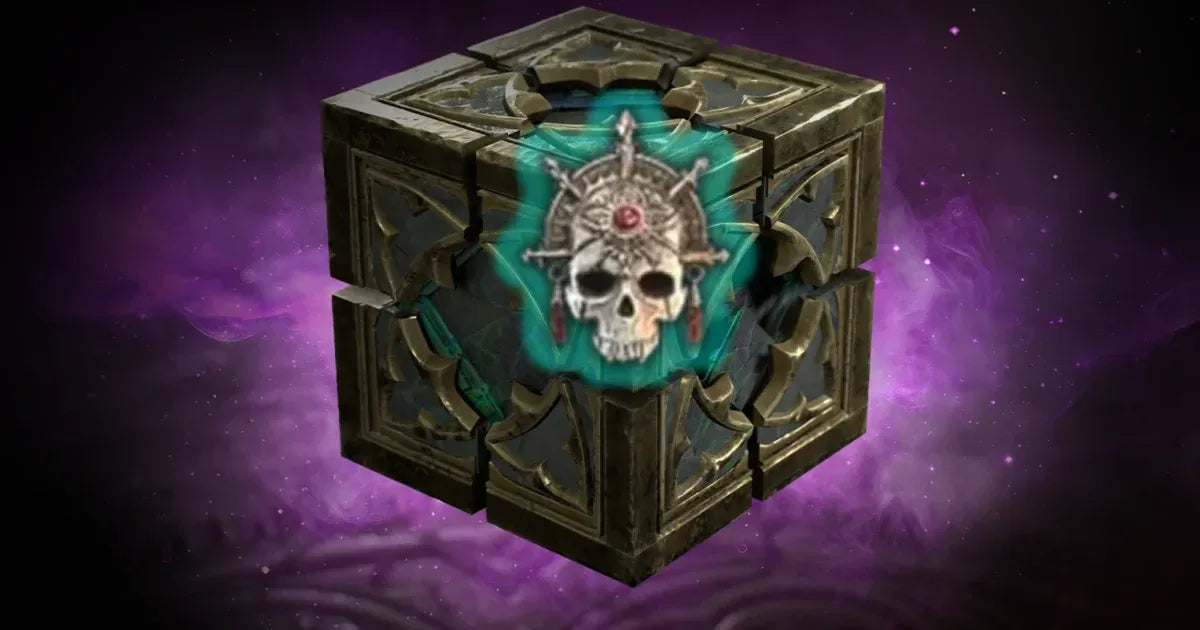
Diablo 4 Season 14 Makes the Gem Grind Easier: What That Means for Your Next Gaming PC in Canada
Diablo 4 Season 14 makes the gem grind easier, and that matters for more than just one endgame system. When a major live-service game reduces repetitive farming and shifts more value toward smooth, high-tier gameplay, it changes what players expect from their hardware too. For Canadian gamers, this is a useful reminder: if your current system struggles during heavy combat, stutters in crowded effects, or turns long sessions into a compromise between visuals and responsiveness, the real bottleneck may not be the game anymore. It may be your PC.
The recent Diablo IV changes focus on one of the most frustrating endgame loops players dealt with in the previous season: farming huge amounts of gem fragments to craft Horadric Gems and Flawless Horadric Gems. With higher drop rates in tougher content and simpler conversion requirements, players can spend less time repeating one narrow activity and more time actually pushing builds, testing classes, and enjoying the game. That sounds like a game-design story, but it is also a buying guide signal for anyone researching a Gaming PC Canada shoppers can rely on for today’s grind-heavy, effects-heavy, always-online action RPGs.
What changed in Diablo 4 Season 14, and why should PC buyers care?
Based on the source material provided, the big improvement is straightforward. Blizzard reduced friction in Diablo 4’s gem progression by increasing gem fragment drops at higher Torment levels and by reducing conversion recipe complexity. In plain English, the game now rewards stronger progression more cleanly, and players are less likely to get stuck in a frustrating loop where they have the wrong gem types or too few fragments to make meaningful upgrades.
Why does that matter when you are shopping for a custom desktop? Because systems like this reward sustained performance. If you are spending long nights farming, clearing endgame content, swapping builds, and playing in high-density combat scenarios, you need a PC that stays responsive for hours, not just one that launches the game. Are you trying to enjoy stable 1080p performance, move into a 1440p Gaming PC Canada setup, or finally play on ultra settings with room for background apps, Discord, browser tabs, and capture tools running at the same time?
Many gamers ask the wrong question first. They ask, “Can this PC run Diablo 4?” A better question is, “Can this PC run Diablo 4 smoothly during the kind of endgame I actually play?” Those are very different standards.
What made the gem grind feel so painful?
The source article highlights a familiar live-service problem: progression systems that sound manageable on paper can become exhausting in practice. In this case, top-tier gems were not simply found as loot. They had to be crafted through layered conversion recipes, requiring a large amount of farming and repeated resource processing. That meant players often spent too much time in narrow content loops just to upgrade one piece of gear.
That kind of game design exposes weak hardware fast. Why? Because repetitive farming tends to magnify every annoyance in your setup. Long load times become more noticeable. Frame drops become harder to ignore. Fan noise feels louder. Alt-tabbing to check a build guide or stream starts to interrupt the flow. If you already felt burned out by the grind, did your PC also make the experience worse than it needed to be?
For many players, the real issue is not whether they need the most expensive rig possible. It is whether they need a better balanced machine. A custom build with the right CPU, GPU, memory, and SSD can make grind-based games feel dramatically smoother over weeks and months, not just in a benchmark video.
Diablo 4 Season 14 makes the gem grind easier, but is your PC still the grind?
This is the key question for buyers. If the game has become more respectful of your time, but your hardware is still causing slowdowns, are you really getting the full benefit of the update?
A lot of Canadian gamers are now in that exact position. Their old desktop still works, but “works” is not the same as “feels good.” Maybe frame pacing gets messy in intense fights. Maybe your system is fine at low settings but loses the premium feel you wanted from a modern action RPG. Maybe you are also playing other demanding titles and want one machine that handles all of them without forcing an upgrade again too soon.
If that sounds familiar, this is where a Custom Gaming PC Canada buyers choose carefully can make more sense than another stopgap upgrade. Instead of replacing one weak part and hoping the rest of the system keeps up, a properly matched build gives you balanced performance, cooling, upgrade path planning, and cleaner reliability.
What do you want your next PC to do for you?
Before you compare price tags, ask the more important question: what do you want your next PC to handle over the next few years?
- Only Diablo 4 and similar games at 1080p?
- 1440p high-refresh gaming across multiple AAA titles?
- 4K gaming with higher settings and stronger longevity?
- Gaming and streaming at the same time?
- Gaming plus editing clips for YouTube, TikTok, or Twitch?
- A machine that also handles Photoshop, Premiere Pro, or OBS?
- A future-proof desktop so you are not shopping again too soon?
Your answer determines far more than the game itself. It shapes how much CPU headroom you need, how much VRAM matters, how much RAM makes sense, and whether a value-focused system or premium RTX build is the smarter investment.
Which performance tier fits you best?
1. Budget-conscious 1080p players
If you mainly want a solid Diablo IV experience, play at 1080p, and care about strong value, a Budget Gaming PC Canada shoppers consider should prioritize balanced parts over flashy specs. This kind of build is ideal if you want smooth gameplay, fast boot times, enough memory for modern titles, and room to enjoy seasonal content without paying for performance you will never use.
Are you mainly playing action RPGs, esports titles, and a few AAA games at sensible settings? Do you want a first gaming desktop that feels clearly better than a console-like experience at a desk? This tier can be the sweet spot.
2. 1440p gamers who want the best mix of visual quality and value
For many buyers, 1440p is where PC gaming starts to feel truly premium. A good Gaming PC Builds Canada shoppers choose for this tier should deliver strong image quality, smoother combat clarity, and more breathing room for future games. If Diablo 4 is one of several titles in your rotation, and you want your system to stay relevant as newer releases arrive, this is often the smartest performance bracket.
Are you using a high-refresh monitor? Do you want better texture quality, steadier frame rates, and enough horsepower for heavier late-game effects? If yes, 1440p may be where you should buy, not compromise.
3. Premium 4K or ultra-settings buyers
If you want maximum visual quality, stronger ray tracing headroom where relevant, and a system built for more demanding future titles, then a 4K Gaming PC Canada buyers invest in is the right category to explore. This tier is for gamers who want fewer compromises, more long-term confidence, and a system that feels like a serious upgrade rather than a temporary improvement.
Do you want your machine to handle Diablo, major open-world releases, and newer AAA games for years with less pressure to upgrade? Are you trying to avoid buying twice because your current desktop is already falling behind? Premium hardware often makes the most sense when longevity matters as much as raw performance.
What if you also want to stream your gameplay?
Many action RPG players do more than just play. They stream, record, clip highlights, chat in Discord, watch build videos, and run browser tools while gaming. That changes your hardware needs fast. A dedicated Streaming PC Canada solution or a balanced gaming-and-streaming custom build should account for encoding, multitasking, thermal stability, and memory overhead.
What PC do you need for streaming if Diablo 4 is only one part of your routine? If you want to game and stream smoothly from one system, you should think beyond average FPS. You need stable performance while OBS, voice apps, overlays, and maybe even editing software are also open.
Are you planning to stream at 1080p? Do you want cleaner playback while keeping your in-game experience fluid? Do you need a system that can record locally while you push seasonal content? A stronger GPU and enough RAM can make the difference between a smooth session and constant compromises.
Is a gaming PC also good for content creation?
Often, yes, but only if it is configured correctly. A lot of customers reading gaming news are also creators. They may edit guides, cut reaction clips, design thumbnails, retouch social media images, or build short-form content around the games they play. That is where a Content Creation PC Canada buyers trust becomes highly relevant.
If you game at night and edit during the day, your system should not force you to choose one identity. A proper creator-oriented desktop can still game extremely well while giving you stronger multitasking, better export performance, and more productive workflow speed.
Ask yourself: are you only buying for gameplay today, or are you buying for gaming, streaming, editing, and content growth over the next two to four years?
For video editing
If you use Premiere Pro, DaVinci Resolve, After Effects, or CapCut regularly, a Video Editing PC Canada build should emphasize CPU strength, GPU acceleration where appropriate, fast SSD storage, and enough RAM to stop your workflow from choking on timelines and exports. If your Diablo sessions turn into YouTube content, this category may fit you better than a pure gaming-only desktop.
For photo editing and design
If your workflow includes Photoshop, Lightroom, Illustrator, Canva, or InDesign, then a creator system with strong responsiveness, colour workflow awareness, and reliable multitasking becomes more important. Maybe you came in thinking about one game update, but the real need is a custom PC that handles both play and paid work. Why buy a system that is only half-right for your life?
For 3D modeling and rendering
If you use Blender, Unreal Engine, Maya, Cinema 4D, or CAD-related software, a gaming-focused machine may not be enough on its own. A 3D Modeling PC Canada or workstation-oriented build should be configured for rendering, simulation, viewport performance, and larger memory requirements. If your hobby or career crosses into game assets, animation, or visualization, that changes the buying conversation completely.
Why Canadian buyers should think about timing now
Even when a source article is about game systems rather than hardware pricing, it still intersects with buying timing. Why? Because player demand shifts around seasonal launches, new game hype, and wider hardware cycles. If you already know your current PC is underperforming, waiting too long can mean you buy under worse conditions.
Have you been telling yourself you will upgrade “after the next patch,” “after the next release,” or “when prices settle”? Sometimes that wait works out. Sometimes it means you spend another season dealing with a weak setup while replacement costs on GPUs, memory, or complete systems remain volatile.
That is especially important if you are looking for a stronger desktop before a major release period, sale window, software upgrade, or broader spike in gaming demand. A custom PC is not just about buying parts. It is about buying at the right moment for your actual use case.
Should you buy a cheaper PC now or finance a better one?
This is one of the most practical questions customers ask, and it matters because the wrong answer can be expensive. If you buy too cheap, you may end up replacing the system sooner, upgrading in pieces, or living with compromises you already know will bother you. If you stretch into a better balanced build now, you may actually spend more wisely over the life of the machine.
That is why many shoppers explore Gaming PC Financing Canada options when they want stronger long-term value without having to settle for a weak configuration today. If financing up to 4 years helps you move from an entry-level compromise into a desktop that genuinely matches your gaming, streaming, or editing goals, is that the smarter move?
Should you finance a gaming PC instead of buying the cheapest option available? If your current system is already costing you time, performance, and upgrade frustration, the answer may be yes. Monthly flexibility can help you secure a build that lasts longer, feels better now, and avoids the “buy twice” problem.
What specs should you prioritize for games like Diablo 4 and beyond?
The source article is really about reducing wasted time. Your hardware decision should do the same. For modern gaming in Canada, especially if you play live-service or endgame-focused titles, the key is balanced system design.
- CPU: Important for smooth overall responsiveness, background tasks, and maintaining consistency in busy gameplay.
- GPU: Critical for resolution, settings, visual effects, and longevity across newer games.
- RAM: Essential for modern multitasking, smoother gameplay behaviour, and streaming or creator workloads.
- SSD storage: Major quality-of-life upgrade for load times, patch installs, game launches, and system responsiveness.
- Cooling and airflow: Often overlooked, but important for sustained gaming sessions and quieter operation.
What PC do you need for 1440p gaming if you want Diablo, newer AAA games, and some streaming on the side? What PC do you need for 4K gaming if visual quality and long-term performance matter more than finding the lowest possible price? These are exactly the kinds of decisions a custom builder should help you solve properly.
Why custom PC building matters more than ever
Not every desktop is assembled with the same care. Generic mass-market systems can look attractive at first glance, but many buyers later discover weak airflow, poor part balance, limited upgrade paths, or lower-value configurations hidden behind headline specs. A custom build gives you a better chance of getting the right machine, not just a machine.
When you work with a Canadian custom builder, you are not just paying for parts. You are paying for compatibility planning, performance matching, assembly quality, stress testing, and support confidence. That matters whether you need a Custom Creator PC Canada build, a premium gaming tower, or a workstation that supports heavier software without constant instability.
Would you rather gamble on a spec sheet alone, or get a desktop designed around what you actually play and create?
Why Groovy Computers makes sense for Canadian buyers
Groovy Computers is positioned for the customer who wants more than a generic box. If you are looking for a custom gaming desktop, creator PC, or workstation in Canada, the value is in the matching process as much as the final hardware. The right system should fit your games, your monitor, your software, your budget, and your upgrade horizon.
That is why Groovy Computers stands out for shoppers who want expert guidance, custom build options, rigorous testing, and a 1-year warranty. Whether you are in Nova Scotia, Atlantic Canada, or ordering from elsewhere in the country, confidence matters. A Canadian Custom PC Builders approach is not just about national trust; it is about knowing your machine was assembled for real use, not generic inventory movement.
Are you trying to avoid upgrading too soon? Do you want a machine that is stress tested, balanced, and ready for long sessions? Do you want help choosing between a value gaming PC, a stronger RTX system, or a creator-focused build that can pull double duty? That is exactly where Groovy Computers can help.
Who should choose a budget build, and who should step up?
Choose a value-focused build if:
- You mainly play at 1080p
- You want strong everyday gaming without chasing max settings
- You are buying your first desktop
- You want a sensible entry point into PC gaming
Step into a higher tier if:
- You want 1440p or 4K gaming
- You stream or record gameplay
- You keep many apps open while gaming
- You edit videos or create content
- You want your system to stay relevant longer
- You know you dislike upgrading too often
How much should you spend on a gaming PC? The better question is how long you want it to satisfy you. The cheapest answer upfront is not always the lowest cost over time.
What should you ask before buying your next PC?
Before you make a decision, ask yourself a few practical questions:
- What games do I actually play most? Is Diablo 4 one title among many, or the type of game I sink hundreds of hours into?
- What resolution am I targeting? 1080p, 1440p, or 4K?
- Do I want ray tracing or ultra settings, or do I care more about stable frame rates?
- Will I stream, record, or edit content too?
- Do I use creator software like OBS, Premiere Pro, Photoshop, Lightroom, or Blender?
- Am I buying for today only, or for the next few years?
- Would financing help me get the right system now instead of settling?
- Do I want support from a Canadian builder with testing and warranty confidence?
Those questions lead to better decisions than chasing one flashy component or one short-term sale.
So, what does Diablo 4 Season 14 really tell us?
It tells us that players value time, efficiency, and smooth progression. When a game removes one layer of unnecessary grind, it throws every remaining source of friction into sharper focus. If your PC is still the thing slowing down your sessions, making your multitasking messy, or pushing you toward compromises you are tired of, this may be the moment to fix that properly.
Diablo 4 Season 14 makes the gem grind easier, but it also highlights a bigger truth for PC buyers in Canada: once a game respects your time more, your hardware needs to keep up. If you are ready for a better gaming experience, stronger multitasking, or a custom build that can handle gaming, streaming, editing, or creation without constant compromise, visit GroovyComputers.ca. What do you want your next PC to do for you, and how much smoother would your games feel if your desktop finally matched your ambition?
For Canadian gamers, creators, and power users, this is exactly where a custom system becomes more than a luxury. It becomes the practical way to avoid replacing weak hardware too soon, to buy with confidence before costs shift, and to get a machine built around how you actually play and work. If you want help choosing the right tier, comparing gaming versus creator performance, or deciding whether financing makes sense, Groovy Computers is the place to start.
#Diablo4 #DiabloIV #GamingPCCanada #CustomGamingPCCanada #GamingPCBuilderCanada #GamingComputersCanada #1440pGamingPCCanada #4KGamingPCCanada #StreamingPCCanada #ContentCreationPCCanada #VideoEditingPCCanada #CanadianCustomPCBuilders #GroovyComputers
Groovy Computers | All Rights Reserved



Leave a comment
This site is protected by hCaptcha and the hCaptcha Privacy Policy and Terms of Service apply.