



































Top Upcoming Games and the Right Gaming PC Canada Buyers Need Before New Releases Hit
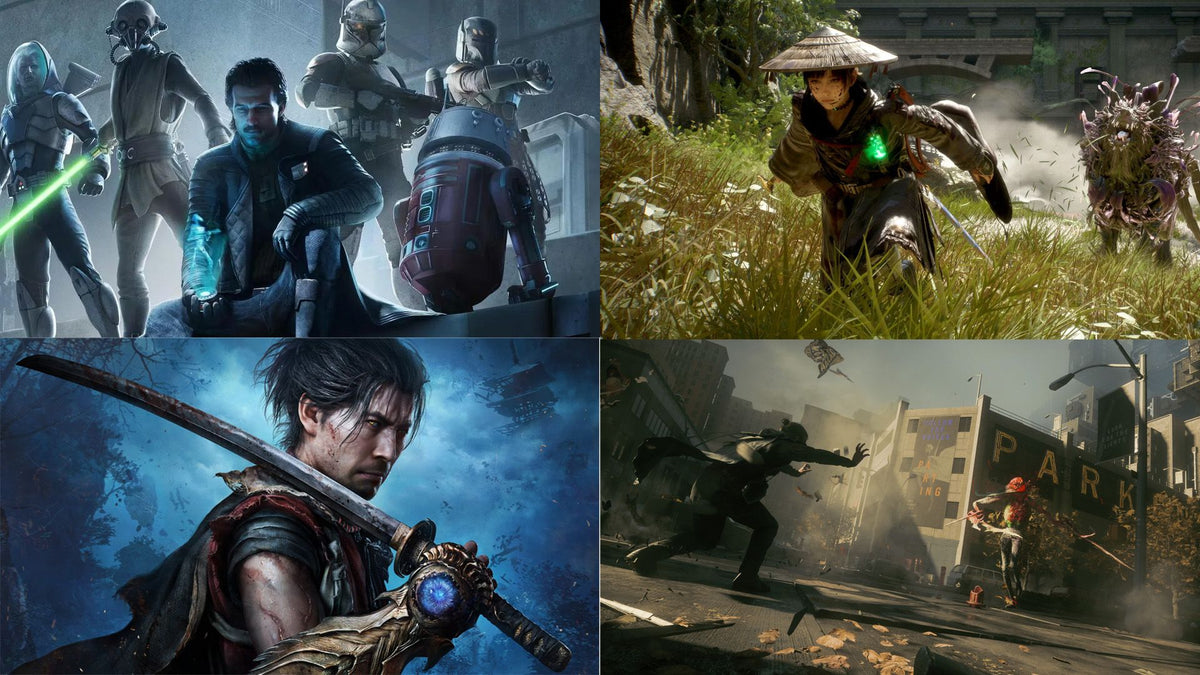
The source discussion around the most anticipated upcoming games is more than just a hype list. It is also a timely reminder that every major release cycle puts new pressure on hardware expectations, upgrade decisions, and buying confidence. If you are watching titles like Star Wars: Zero Company, Beast of Reincarnation, Gears of War: E-Day, Onimusha: Way of the Sword, and other visually ambitious releases, this is exactly when a smart gaming PC Canada buyer should start planning, not after launch-day demand spikes.
For Canadian shoppers, that matters even more. New game launches do not just create excitement. They often trigger a rush toward stronger GPUs, faster CPUs, more RAM, larger SSDs, and better cooling. That means the real question is not only which games you are most excited for. It is also this: what do you want your next PC to do for you when those games arrive?
Do you want a system that simply runs the next wave of AAA games at 1080p? Do you want a 1440p setup with high refresh rate performance? Are you aiming for 4K, ray tracing, streaming, recording, and content creation on the same machine? Or are you trying to avoid the common mistake of buying too little now and upgrading again too soon?
That is where Groovy Computers comes in. As a Canadian custom PC builder, Groovy Computers helps buyers match real workloads and real gaming goals to the right build category, whether that means a budget gaming desktop, a premium RTX gaming system, a creator-focused machine, or a heavier workstation-class setup for rendering and production.
Why the upcoming games conversation matters for anyone shopping for a Gaming PC Canada build
The original discussion highlights a simple truth: there is a huge amount of major game content on the horizon. Some of it is cinematic and GPU-heavy. Some of it is likely to reward fast CPUs and low-latency performance. Some of it will push storage, memory, and thermal demands harder than many players expect. That makes this a useful buying moment for anyone researching a gaming PC for upcoming games.
When a release calendar gets stacked, buyers usually split into a few groups. Some know exactly what they want to play. Others only know they want a PC that feels ready for the next few years. And many are somewhere in the middle, wondering whether now is the right time to buy, whether financing a stronger system is worth it, and whether a custom build is better than settling for a generic box.
If that sounds familiar, ask yourself a few practical questions. Are you preparing for one flagship game, or for a full year of new releases? Are you mostly playing competitive titles, large open-world games, tactical strategy games, or visually dense action RPGs? Will you just play, or do you also want to stream, clip gameplay, edit videos, and manage a multi-app setup at the same time?
What the source article gets right about upcoming games and anticipation
The source article captures the emotional side of PC buying really well. Anticipation drives demand. A game like Gears of War: E-Day creates a different hardware conversation than a tactics-heavy game like Star Wars: Zero Company. A stylish action title like Onimusha: Way of the Sword or a visually striking project like Beast of Reincarnation can instantly make older systems feel less future-ready.
That does not mean every buyer needs the most expensive build available. It does mean buyers should stop thinking in vague terms like “I need a decent PC” and start thinking in use-case terms. What kind of performance are you actually chasing? What display are you using? How long do you want the system to feel current? Are you buying for one release, or are you buying to stay comfortable through the next several big launches?
Those questions matter because the best PC for new games is not one universal answer. It depends on whether you care most about smooth frame rates, visual fidelity, multitasking, streaming stability, editing speed, or long-term upgrade flexibility.
What do you want your next PC to do for you?
This is the most important buying question in the whole article.
Do you want your next computer to handle new AAA games at high settings without compromise? Do you want a gaming and streaming PC Canada buyers can rely on for OBS, Discord, browser tabs, game launchers, and recording software all at once? Do you want a creator-friendly system that can game at night and edit video during the day? Or do you need a heavier workstation for Blender, Unreal Engine, Adobe apps, or demanding rendering tasks?
Many Canadian buyers shop by budget alone and only later realize they were actually shopping for a role. A budget is important, but the role comes first. If you understand the role of the machine, it becomes much easier to choose the right performance tier and much less likely that you will overspend in the wrong area or underspend in the one that really matters.
Which upcoming games point to which PC performance needs?
Star Wars: Zero Company and strategy-heavy titles
Games in the strategy and tactics category are not always the most GPU-brutal titles on the market, but they still benefit from modern hardware. You want smooth interface responsiveness, quick loading, stable performance during larger scenes, and enough CPU and memory headroom for background apps. If you also plan to stream strategy games or record content around them, the build needs to be stronger than many buyers assume.
Are you the kind of player who keeps multiple apps open while gaming? Do you watch guides on a second monitor, run Discord, and leave browser tabs open? If yes, you should be thinking beyond minimum specs and toward a more balanced custom gaming PC Canada setup.
Beast of Reincarnation and cinematic action games
Visually ambitious action games typically shift the conversation toward stronger GPUs, fast storage, and enough CPU power to keep frame delivery consistent. If your goal is immersive visuals, better effects, and smooth gameplay at higher resolutions, this is where GPU tiering starts to matter a lot.
Do you want 1080p high settings, 1440p ultra settings, or are you trying to move into 4K territory? Are features like ray tracing important to you, or would you rather prioritize raw frame rate? Those answers will shape whether you need an entry-level value build, a mid-range sweet spot, or a premium gaming desktop.
Gears of War: E-Day and flagship visual showcases
Big franchise releases often become hardware showcase moments. If a title is expected to deliver dense environments, high-action combat, large effects, and modern lighting techniques, it can quickly expose the limits of older systems. This is especially true if you want high refresh gameplay at 1440p or a visually rich 4K experience.
Are you buying a PC because one game finally pushed your old system too far? If so, do not just buy for that one title in isolation. Buy for the type of releases that usually follow it. A future proof gaming PC Canada shoppers choose today should still feel capable when the next wave of demanding titles arrives.
Onimusha: Way of the Sword and modernized classics
Games that revive classic franchises often combine nostalgia with current-generation visuals and effects. That can create a gap between what players expect emotionally and what their older hardware can comfortably deliver technically. You may be thinking, “I just want to enjoy this series again,” but what you really need may be a modern SSD-based system with stronger thermal control, more VRAM headroom, and a more current CPU platform.
What gaming performance tier fits you best?
If you are asking, “What gaming PC do I need,” the cleanest answer is to choose by target resolution, frame rate, and workload overlap.
Entry tier: best for budget-conscious 1080p gamers
An entry-level or budget gaming PC Canada build is ideal for buyers who mainly want 1080p gaming, esports titles, lighter AAA settings, and a solid first desktop experience. This tier can make a lot of sense for students, first-time PC gamers, or households upgrading from older hardware.
But ask yourself this before choosing the lowest price point: are you okay turning settings down sooner on new releases? If you already know you want upcoming AAA games to look impressive, a purely budget build may save money today but feel limited earlier than you hoped.
Mid-range tier: the sweet spot for 1440p gaming
For many buyers, the best gaming PC Canada value sits in the mid-range. This is often the tier where 1440p gaming becomes realistic, visuals improve meaningfully, and the machine remains comfortable for newer games over a longer period. It is also a strong choice for players who want gaming plus some streaming, recording, or creative work.
Do you want your PC to feel like a clear upgrade, not just a replacement? Mid-range builds are often where that happens. They are usually the best balance of performance, longevity, and cost control.
High-end tier: for 4K, ray tracing, and longer-term confidence
A high end gaming PC Canada buyer should be thinking about 4K gaming, ray tracing gaming PC performance, premium cooling, stronger power delivery, and a more ambitious long-term use case. If you want a machine that is built around major upcoming titles rather than merely surviving them, this category deserves serious attention.
Are you trying to avoid upgrading again in two years? Are you pairing the system with a high-refresh 1440p or 4K monitor? Do you want better overhead for future games rather than buying at the edge of current playability? A premium build can be the more economical decision over time if it prevents an early second purchase.
What if you also want to stream, edit, or create?
This is where many gaming buyers underestimate their actual needs. A system that is “good enough” for gaming alone can feel much tighter when you add OBS, video capture, editing timelines, photo exports, browser tabs, communication apps, music apps, and AI-assisted creator tools.
If you plan to stream, a streaming PC Canada build should prioritize not just graphics performance but also encoding support, CPU stability, enough RAM, and reliable thermals. If you plan to edit footage for YouTube, TikTok, or client work, then a creator PC Canada configuration may be a smarter fit than a pure gaming-first spec list.
Ask yourself: will this PC only play games, or will it help make content too? Do you need a gaming and streaming PC Canada buyers can use for live sessions and post-production? Do you want one desktop that can run new games, edit 4K footage, handle Photoshop, and stay responsive under load?
Is a gaming PC good for video editing, photo editing, and graphic design?
Sometimes yes, but not always in the way buyers expect.
A gaming-oriented system can be a strong base for editing and design work, especially if it has a capable CPU, enough RAM, fast SSD storage, and a modern GPU. However, a proper video editing PC Canada build or graphic design PC Canada setup may shift part choices toward memory capacity, storage configuration, quieter cooling, and workflow stability rather than raw gaming focus alone.
For video editing
If you work in Adobe Premiere Pro, DaVinci Resolve, After Effects, or even lighter creator apps, your needs may quickly exceed a basic gaming machine. A custom video editing PC Canada build should focus on playback smoothness, faster exports, responsive timelines, and enough memory for large projects.
What PC do you need for video editing? That depends on whether you are cutting 1080p clips, multi-cam 4K footage, short-form social video, or heavier layered timelines with effects. The more serious the footage, the more important CPU class, RAM capacity, storage speed, and GPU acceleration become.
For photo editing
A photo editing PC Canada system should feel quick in Lightroom, Photoshop, batch exports, and AI-assisted image tools. You may not need the same GPU focus as a high-end gaming build, but you absolutely benefit from fast storage, responsive CPU performance, and enough memory to avoid slowdown when handling large RAW libraries.
Are you editing a few photos at a time, or thousands? Do you need a colour-accurate workflow and lots of local storage? If photography is part of your income, choosing the right desktop matters just as much as choosing the right camera lens.
For graphic design and content creation
A graphic design PC Canada build needs to stay responsive across Photoshop, Illustrator, InDesign, browser-based design tools, and multi-monitor workflows. A content creation PC Canada system may combine all of that with video editing, live streaming, and social media production.
Do you want one system for gaming and Adobe Creative Cloud? Are you designing during the day and gaming at night? A custom creator PC can often be the smartest all-in-one answer.
What if your next PC needs to handle Blender, Unreal Engine, or 3D workloads too?
This is where the conversation moves beyond mainstream gaming. If your interest in upcoming games also overlaps with modding, environment work, animation, game development, or 3D asset creation, then you may actually need a 3D modeling PC Canada build or custom workstation rather than a standard gaming desktop.
A PC for Blender Canada users, Unreal Engine creators, or rendering-heavy workflows should be selected around project complexity, viewport needs, GPU acceleration, CPU rendering demands, and memory requirements. A workstation PC Canada setup may also place more emphasis on sustained load reliability and component matching.
What PC do you need for Blender? What PC do you need for 3D rendering? If those are your real questions, a custom workstation route is usually safer than trying to force a budget gaming box into professional use.
Why Canadian buyers should think about timing before major game releases
When the release calendar gets stronger, waiting is not always the safer move. Demand can rise around major launches. Buyers who delayed too long often end up making rushed decisions because their old system finally feels unbearable, a favourite title launches, or they suddenly need to replace a failing machine during a busy demand window.
That is why the better question is not simply “Should I wait?” It is “What am I risking by waiting?” Are you risking higher replacement costs? Fewer ideal part combinations? Needing to settle for a weaker system because your budget no longer reaches the same tier later?
Even without making claims about exact future pricing, it is reasonable for buyers to understand that GPU pressure, memory volatility, storage pricing changes, and demand spikes can all affect full-system value. If you already know new games are coming and your current PC is close to its limit, planning ahead is often the more stable path.
Should you buy a cheaper system now or finance a better one?
This is one of the most practical questions Canadian shoppers ask, and it deserves a serious answer.
If you buy the absolute cheapest build that technically fits your budget, will it still meet your needs after the next several major releases? Or will you end up spending again sooner than expected? In many cases, financing a stronger system can be the more rational move, especially if the upgraded performance tier gives you better longevity, better game settings, better streaming performance, and more creator flexibility.
Should you finance a gaming PC? That depends on your timeline, your workload, and how much compromise you are willing to accept now. If spreading payments helps you secure a significantly more capable custom gaming PC Canada build, avoid upgrading too soon, and stay ready for upcoming games, then financing can be a smart tool rather than an impulse decision.
For buyers who also create, financing can make even more sense. A stronger system may save real time in exports, renders, and workflow responsiveness. If your desktop supports both entertainment and productivity, the value equation changes fast.
How to decide between a budget gaming computer, a premium RTX gaming PC, or a creator build
Start with your actual use pattern.
- Choose a budget-focused build if you mainly want 1080p gaming, lighter competitive titles, a first desktop, or the most careful possible spend.
- Choose a mid-range custom gaming PC if you want stronger AAA performance, 1440p gaming, smoother longevity, and some overlap with streaming or editing.
- Choose a premium RTX gaming PC if you care about 4K, ray tracing, ultra settings, or maximizing long-term confidence.
- Choose a creator PC if gaming is only part of the job and your machine also needs to support Premiere Pro, DaVinci Resolve, Photoshop, Illustrator, or content production.
- Choose a workstation or 3D build if your workflow includes Blender, Unreal Engine, rendering, CAD, or sustained professional workloads.
Still unsure? Ask a more precise question: what frustrates you most about your current computer? Long load times? Stutters in new games? Weak multi-app performance? Slow exports? Running out of SSD space? Loud cooling under load? The answer often reveals the right category faster than a raw budget number does.
Why custom PC selection matters more when game demands keep rising
A custom build is not only about picking flashy parts. It is about matching the full system to the job. That includes CPU and GPU balance, RAM capacity, SSD planning, motherboard features, airflow, cooling, power headroom, and upgrade path logic.
Why does that matter for upcoming games? Because poorly matched systems often look decent on paper but disappoint in real use. One part bottlenecks another. Cooling is insufficient. Storage is too small. Memory is too limited for streaming or editing. The result is a machine that felt affordable at checkout but frustrating not long after.
Canadian Custom PC Builders who understand gaming, creator workloads, and future-use planning can help buyers avoid those mistakes. That is especially important if you want a computer that handles both the game list you are excited about today and the workload list you may grow into tomorrow.
Why Groovy Computers is a strong fit for Canadian buyers
Groovy Computers is built for buyers who want more than a generic off-the-shelf answer. Whether you need a custom gaming PC Canada build, a creator system, or a heavier workstation, the value comes from getting a desktop matched to your actual goals rather than guessing alone.
For Canadian shoppers, trust matters. It matters when you are spending serious money. It matters when you want support from a Canadian PC builder. And it matters when you want confidence that the system has been properly assembled, tested, and backed by warranty.
Groovy Computers offers custom-built systems designed around real gaming and productivity needs, with rigorous testing and a 1-year warranty that adds peace of mind. If you are comparing the risk of underpowered hardware against the confidence of a tested custom desktop, that difference is not small. It is often the difference between enjoying your purchase and regretting your compromise.
Are you trying to buy before the next wave of releases, sales pressure, or replacement costs hit?
This is the timing question many buyers avoid until the last minute.
Are you upgrading before a major title drops because you want to enjoy it properly on day one? Are you trying to replace a system that is already showing its age? Are you shopping ahead of a busy season when demand usually rises? Do you want to lock in a stronger build while the option is available instead of scrambling later?
If yes, then acting earlier can give you more control. More time to choose the right tier. More time to decide whether financing up to 4 years helps you reach a better configuration. More time to think about gaming, streaming, editing, and future upgrades in one plan instead of three separate purchases.
Questions every buyer should ask before choosing their next PC
- What games am I actually buying this system for? One title, or a full year of upcoming releases?
- What resolution do I really want? 1080p, 1440p, or 4K?
- Do I care more about ultra settings or high FPS?
- Will I stream or record gameplay? If yes, is my build selected for that?
- Will I use Adobe apps, video editing software, or creator tools too?
- Do I want this PC to last comfortably, or just barely meet today’s needs?
- Would financing a better system save me from upgrading too soon?
- Do I want help from a Canadian custom builder instead of guessing alone?
The smart move for buyers excited about upcoming games
The source article is about anticipation, but the smarter Canadian takeaway is preparation. Every stacked release schedule creates two stories at once: the games everyone wants to play, and the systems people suddenly realize they need.
If you already know your current PC is borderline, this is the right time to think seriously about your next move. A gaming PC Canada buyer who plans early has more flexibility, more control, and a better chance of landing in the right performance tier without overpaying in stress later.
Want help deciding whether you need a budget gaming computer, a stronger 1440p setup, a premium RTX gaming PC, a streaming-ready desktop, a custom creator PC, or a workstation-class build for heavier software? Visit GroovyComputers.ca and let Groovy Computers help you match your next system to the games, creative work, and performance goals that actually matter to you.
Final thoughts: buy for the games you want, but build for everything you will do next
The biggest lesson from every upcoming games conversation is that hardware decisions should not be reactive. They should be intentional. If the next wave of titles has you excited, use that excitement wisely. Think about the experience you want, the software you use, the display you own, and the pressure your current machine is already under.
The right gaming PC Canada build is not just about playing one release. It is about choosing a system that fits your next few years more intelligently. And if financing, a custom build, proper testing, and warranty support help you get there with more confidence, that is exactly the kind of advantage a serious buyer should consider.
#GamingPCCanada #CustomGamingPCCanada #GamingPCForUpcomingGames #BestPCForNewGames #1440pGamingPCCanada #4KGamingPCCanada #CreatorPCCanada #StreamingPCCanada #VideoEditingPCCanada #CanadianCustomPCBuilders #NovaScotiaPCBuilder #GroovyComputers
Groovy Computers | All Rights Reserved


Leave a comment
This site is protected by hCaptcha and the hCaptcha Privacy Policy and Terms of Service apply.