























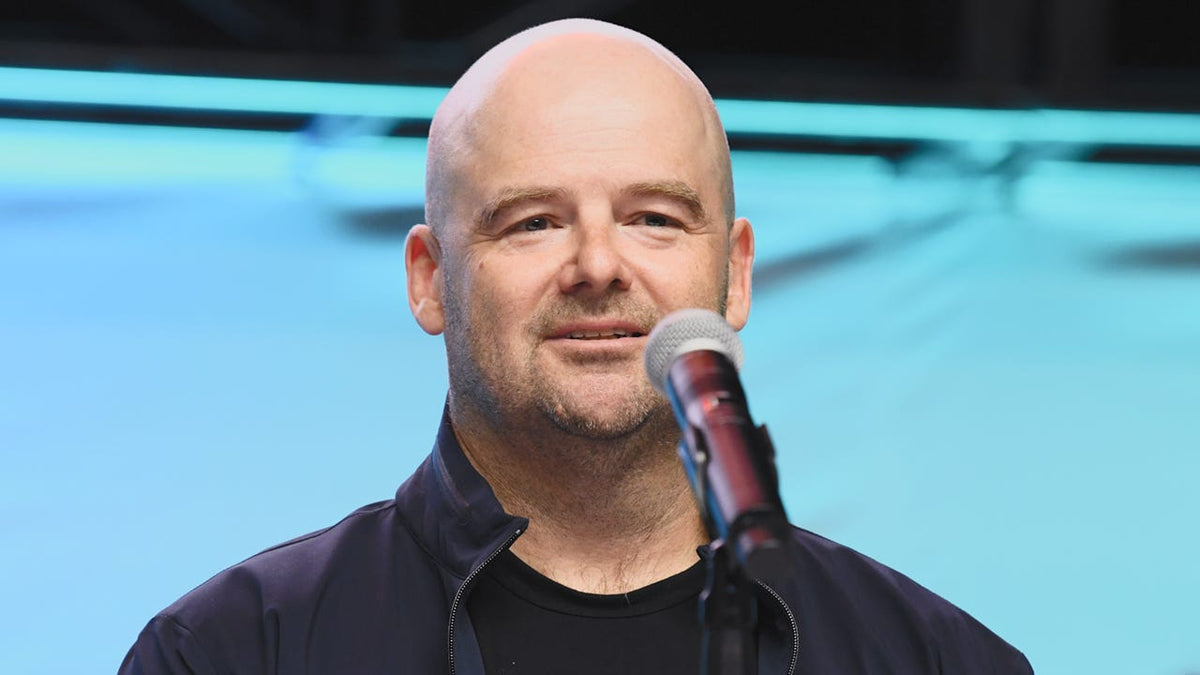
Gaming PC for Open-World Games: What Dan Houser’s GTA 6 Comment Really Means for Canadian Buyers
If you have been following the latest discussion around former Rockstar creative lead Dan Houser saying he does not play many open-world games and does not plan to play GTA 6, there is a bigger takeaway for PC buyers than the headline alone. For anyone shopping for a gaming PC for open-world games, this story highlights something important: truly ambitious games are built by people who think hard about scale, detail, systems, immersion, and technical limits. That matters because when a major open-world release captures attention, Canadian gamers start asking the same practical question at once: what kind of PC do I actually need to enjoy games like this properly?
Houser’s reasoning was creative. He said he avoids being overly influenced by what others are doing because he wants to think differently. That creative mindset matters to players too. Why? Because the biggest open-world games are rarely just about launching the game and getting any frame rate at all. They are about city density, world simulation, draw distance, texture quality, reflections, ray tracing, high-speed streaming of assets, background AI systems, and whether your PC can deliver a smooth experience without forcing an upgrade too soon.
So what should Canadian shoppers take from this? If a headline about GTA 6, Rockstar talent, or the future of open-world design gets you thinking about your next system, this is the right time to step back and ask a better question: are you buying a PC only for one game, or are you buying a system that can handle the next wave of demanding AAA releases, streaming, editing, and creator workloads too?
What the headline gets right: big open-world games change buying behaviour
The source story is not a hardware article, but it still reveals something useful for shoppers. Whenever a franchise as massive as Grand Theft Auto dominates gaming conversation, demand follows. Players who have delayed upgrading suddenly start comparing GPUs. Console users start considering desktop performance. Existing PC owners begin wondering whether their system will hold up at 1080p, 1440p, or 4K. And content creators start asking if one system can handle gameplay, capture, streaming, editing, and short-form clips all at once.
Have you found yourself thinking that way already? Are you wondering whether your current PC is fine for today, but maybe not for the next two or three major open-world releases? Are you worried that waiting until launch season could mean paying more for the same level of performance?
That is where a custom PC decision becomes less about hype and more about planning.
Why Canadian buyers should think differently about a gaming PC for open-world games
In Canada, buying decisions are often shaped by more than just game requirements. Availability, replacement cost, shipping confidence, warranty support, and overall value matter a lot. A flashy spec list is not enough if the build is poorly balanced, thermally constrained, hard to upgrade, or assembled without proper testing.
That is why many shoppers looking for a Gaming PC Canada solution are better off thinking in categories instead of chasing one exact part number. The right question is not always “What is the cheapest way to run the game?” It is often “What build gives me the best long-term experience for the types of games and workloads I actually use?”
For example, are you mainly interested in open-world gaming at high settings? Do you also want to stream on OBS? Are you planning to cut YouTube videos in Premiere Pro or DaVinci Resolve? Do you edit photos in Lightroom or Photoshop? Are you working in Blender or Unreal Engine on the side? The right answer changes the ideal CPU, GPU, RAM, storage, and cooling profile of your build.
What do you want your next PC to do for you?
Before you focus on one game, start here. What do you want your next PC to do over the next several years?
- Play new AAA games smoothly at 1080p, 1440p, or 4K
- Handle ray tracing without crushing frame rate
- Stream gameplay to Twitch, YouTube, or other platforms
- Edit videos faster for YouTube, TikTok, or client work
- Run Adobe Creative Cloud for content creation and design
- Process photos with large RAW libraries
- Work in 3D with Blender, Unreal Engine, or rendering tools
- Avoid replacing the system too soon because you bought too low
If your answer is “a bit of everything,” you are not alone. Many buyers today want a single custom desktop that can cover gaming and creative work together. That is where choosing the right tier matters more than ever.
What PC do you need for open-world gaming at 1080p, 1440p, or 4K?
Open-world games tend to expose weaknesses quickly. Fast traversal, large maps, dense traffic or NPC populations, lighting effects, and heavy background streaming can punish underpowered systems. That means your ideal build depends heavily on your target resolution and whether you value competitive frame rates, cinematic visuals, or both.
1080p: good for budget-conscious buyers who still want strong results
If you are targeting 1080p, you can still get an excellent experience with a properly balanced Budget Gaming PC Canada build. But be careful: “budget” should not mean underbuilt. A weak CPU, too little RAM, or a slow SSD can make a demanding open-world game feel worse than expected even if the GPU looks acceptable on paper.
Ask yourself: do you only want to play at medium-to-high settings, or do you want headroom for future titles too? If your system also needs to handle Discord, browser tabs, recording, mods, and background apps, you may want to move one tier higher than the bare minimum.
For many players, 1080p is ideal if the goal is strong value, stable performance, and a lower overall spend. It is also a practical starting point for first-time buyers, students, and gamers moving from older hardware.
1440p: the sweet spot for most serious PC gamers
For many Canadian shoppers, 1440p is where a Custom Gaming PC Canada build starts to feel truly premium without immediately jumping to top-end pricing. This resolution offers a noticeable visual upgrade over 1080p while still leaving room for high refresh gameplay in many titles.
If you are thinking about a gaming PC for GTA 6-style releases, modern open-world games, and future AAA titles, 1440p is often the smartest long-term target. Why? Because it gives you excellent image quality, stronger monitor longevity, and a more future-proof overall experience.
Do you want ultra textures, strong lighting, smoother frame pacing, and room for streaming or recording at the same time? Then 1440p is likely your lane.
4K: best for visual-first buyers and premium systems
If your goal is maximum detail on a large display, then a 4K Gaming PC Canada build is where you should be looking. But this is also where build quality matters most. 4K is unforgiving. Weak GPU choices, limited cooling, or compromises in power delivery can show up fast once you push high settings, ray tracing, texture packs, and demanding world detail.
Are you the type of player who wants to experience massive single-player games at ultra settings? Do you care more about immersion than chasing esports-style frame rates? Are you investing in a premium monitor or TV setup? Then it may be worth stepping into a higher GPU tier now rather than upgrading early later.
Do you need ray tracing, or do you just want stable high settings?
This is one of the most important buying questions today. Ray tracing can dramatically improve lighting, reflections, shadows, and atmosphere in the right game, especially in urban open-world environments. But it is also one of the fastest ways to increase GPU demand.
So what matters more to you?
- Highest possible frame rates?
- Better visuals with ray tracing enabled?
- A balanced mix of both?
If you mostly play story-driven games and cinematic open-world titles, a Ray Tracing Gaming PC Canada build may be worth prioritizing. If you value responsiveness first, then you may prefer stronger raster performance with settings tuned intelligently. A custom build helps you choose for your style instead of overpaying for features you may barely use.
Are you only gaming, or do you want to stream and create too?
Major game releases do not just drive gaming demand. They also fuel streaming, clip creation, reaction content, walkthrough channels, mods, and social media editing. That means a lot of buyers searching for a new system are not just gamers anymore. They are hybrid users who need a Gaming and Streaming PC Canada or even a full Creator PC Canada solution.
Are you planning to go live while playing? Record high-bitrate footage? Edit clips for YouTube Shorts, TikTok, or Reels? Add overlays and alerts in OBS? Run voice chat, browser windows, and music apps in the background?
If yes, then CPU core count, RAM capacity, encoder support, and SSD layout all become more important. A gaming-first system can still work, but it needs to be chosen carefully.
For streaming
A proper Streaming PC Canada build should not only run the game. It should preserve gameplay smoothness while handling encoder workloads, multiple applications, and sustained session stability. Good streaming systems benefit from balanced thermals, sufficient memory, and a GPU that supports efficient modern encoding features.
Do you need a separate streaming PC? Most buyers do not. A well-designed single-PC setup is enough for many Canadian streamers, especially if the system is built with streaming in mind from day one.
For video editing
If you are cutting gameplay footage, cinematic edits, or channel content, a Video Editing PC Canada or Custom Video Editing PC Canada category may actually fit better than a pure gaming build. Timeline responsiveness, faster exports, high-capacity fast storage, and RAM headroom can make a major difference in daily use.
What PC do you need for video editing if gaming is still important? In many cases, a hybrid creator-gaming build is ideal. That means enough GPU for gaming performance, enough CPU strength for exports, and enough RAM to avoid bottlenecks in Premiere Pro, DaVinci Resolve, After Effects, or CapCut.
For photo editing and graphic design
If your workflow includes Photoshop, Lightroom, Illustrator, InDesign, or Canva-style design work, then the conversation changes again. A Photo Editing PC Canada or Graphic Design PC Canada does not always need the same GPU priority as a high-end gaming rig, but it benefits hugely from fast storage, responsive system memory, and dependable multi-tasking performance.
Do you batch export RAW photos? Work with very high-resolution assets? Keep many creative applications open at once? Need colour workflow consistency with multiple monitors? A well-chosen creator desktop can save time every day, not just raise benchmark scores.
For 3D modeling and workstation use
Some buyers reading about major game worlds are also aspiring developers, 3D artists, or Unreal Engine users. If that sounds like you, a 3D Modeling PC Canada, 3D Rendering PC Canada, or Workstation PC Canada build may be the right direction.
Are you building game assets in Blender? Learning Unreal Engine? Rendering animation? Working in CAD, simulation, or design visualization? Then you may need more RAM, stronger sustained cooling, higher core counts, and a build designed around productivity as much as entertainment.
Which performance tier fits you best?
One of the biggest mistakes buyers make is choosing by price alone instead of by usage tier. Here is a more helpful way to think about your next system.
Entry tier: best for lighter 1080p gaming and everyday use
This tier works well if you mainly want esports, older AAA titles, indie games, and moderate settings in newer releases. It can also suit students and first-time desktop buyers who want better performance than a console-like experience without overspending.
But ask yourself honestly: will you be frustrated if the next big open-world game forces too many compromises? If yes, do not buy too low just to save a little upfront.
Mid tier: best value for modern AAA gaming
This is the most popular category for shoppers asking what gaming PC do I need. A strong mid-tier build is often ideal for 1080p ultra or 1440p high settings, depending on the title. It is also a great match for gamers who want streaming, some editing, and room to grow.
If you want to avoid upgrading too soon, this is often the smartest balance of cost, longevity, and real-world enjoyment.
Upper mid to premium tier: best for 1440p high refresh or 4K ambitions
This range is ideal for serious enthusiasts, content creators, and buyers who want stronger long-term performance. If you are eyeing ray tracing, demanding open-world games, high-end monitors, or a system that doubles as a creator workstation, this category deserves a close look.
Are you the kind of buyer who would rather invest once in a better-balanced system than replace or rebuild sooner? Then moving up a tier can be the more economical decision over time.
Workstation-class hybrid tier: best for gaming plus professional workloads
If your PC must play new games and also handle video editing, Adobe workloads, 3D rendering, or heavy multitasking, then a hybrid custom build may offer the best return. This is especially true for people who earn from their system, whether through freelance design, editing, streaming, or content production.
Is it better to buy now or wait?
This is one of the most common and most important questions in the market. The problem is that waiting does not always improve your buying position. When hype around major releases builds, buyers often wait for “more news,” only to shop at the same time as everyone else.
What happens then?
- High-demand GPUs can tighten up
- Popular performance tiers can sell faster
- Replacement costs can shift upward
- Buyers settle for weaker alternatives
- Urgent purchases leave less time to compare properly
If you already know a major open-world title, software upgrade, or creator project is on your horizon, waiting may simply compress your decision window. Are you buying ahead of a launch season? Before your current PC starts struggling? Before a back-to-school rush, holiday surge, or another demand spike? Those timing factors matter.
Could financing help you secure a stronger system before prices rise?
For many shoppers, the real question is not whether they can afford a better build eventually. It is whether they want to lock in a better-performing system now instead of settling for a weaker configuration that may age out faster.
This is where financing can make practical sense. Rather than buying too low and facing an early upgrade, some customers choose monthly payments to move into a stronger tier immediately. If your use case includes open-world gaming, streaming, editing, or workstation tasks, that jump can be worthwhile.
Should you finance a gaming PC? That depends on your goals. If a better system helps you avoid replacing parts too soon, improves your work output, supports content creation, or gives you the gaming experience you actually want, financing may be the smarter long-term move. Groovy Computers offers options that can help qualified buyers spread out the cost, including financing up to 4 years, which can be especially helpful when you want a stronger build before full-system replacement costs climb further.
Are you comparing a cheaper PC that may feel outdated quickly against a better custom build that can last longer and handle more? That is the real financing question.
Why custom PC selection matters more than ever
Open-world gaming performance is not just about having “a good graphics card.” It is about system balance. CPU choice affects simulation and frame consistency. RAM affects background stability and multitasking. SSD speed affects responsiveness and asset handling. Cooling affects sustained performance. Power supply quality affects reliability and future upgrade confidence.
That is why many buyers comparing custom PC vs prebuilt PC Canada options eventually realize that build logic matters as much as the parts list. A custom machine designed for your actual use is often a better investment than a generic configuration built around one headline component.
Do you want a system tuned for gaming first? A hybrid creator machine? A workstation that can game on the side? A properly matched build saves money in the long run by avoiding mismatched priorities.
Why testing and warranty support matter when buying in Canada
When you order a custom desktop, you are not just buying components. You are buying confidence. That includes assembly quality, stress testing, thermal tuning, part compatibility, and post-purchase support.
Groovy Computers is positioned for shoppers who want more than box specs. Canadian buyers want a Canada Built Gaming PC they can trust, especially when major purchases are involved. That means rigorous testing, sensible part matching, and warranty protection. A 1-year warranty adds peace of mind, but the bigger value is knowing the system was built with care instead of rushed together.
Would you rather troubleshoot a questionable marketplace purchase on your own, or start with a properly built system that has been prepared for real-world use?
What kind of Groovy Computers build makes sense for you?
If this news cycle has you thinking about your next desktop, here is a practical way to narrow it down.
Choose a budget-oriented gaming build if:
- You mainly play at 1080p
- You want strong value over maximum settings
- You play a mix of esports and some AAA titles
- You want a first desktop that still feels upgrade-worthy
Choose a stronger RTX-focused gaming build if:
- You want 1440p performance for modern open-world games
- You care about visual quality and smoother long-term relevance
- You may stream or record while gaming
- You want better support for ray tracing and future titles
Choose a custom creator PC if:
- You game and also edit videos or create online content
- You use Adobe Creative Cloud, DaVinci Resolve, or CapCut
- You want faster exports and smoother multitasking
- You need one system for both fun and productivity
Choose a workstation or 3D-focused build if:
- You use Blender, Unreal Engine, CAD, or rendering tools
- You need more RAM and sustained heavy-load stability
- You work professionally or study in design, animation, or engineering
- You need reliability as much as gaming capability
Questions to ask before you buy your next gaming or creator PC
Before you commit, ask yourself these practical questions:
- What games or software will I use most in the next 2 to 3 years?
- Am I targeting 1080p, 1440p, or 4K?
- Do I care more about FPS, visuals, or a balance of both?
- Will I stream, record, or edit content on the same machine?
- Do I use Premiere Pro, DaVinci Resolve, Photoshop, Lightroom, Illustrator, Blender, or Unreal Engine?
- How much multitasking do I actually do while gaming or working?
- Would I rather buy once at a stronger tier than upgrade too soon?
- Am I shopping before a major game release, sale period, or price spike?
- Would financing a better PC make more sense than compromising now?
- Do I want expert help choosing a custom build that fits my real use?
Why Groovy Computers is a smart fit for Canadian buyers
Groovy Computers speaks directly to the buyer who wants clarity, not confusion. Whether you need a gaming desktop for upcoming open-world games, a streaming and editing rig, or a workstation-grade custom build, the goal is the same: match the system to the workload properly.
For shoppers in Nova Scotia, Atlantic Canada, and across the country, Groovy Computers offers the trust advantages that matter: custom PC focus, Canada-based relevance, careful build logic, rigorous testing, and a 1-year warranty. If you are in Trenton, New Glasgow, Halifax, or ordering elsewhere in Canada, the value of working with a dedicated Canadian builder becomes even clearer when you care about support and long-term confidence.
Need help deciding between a budget gaming computer, a premium RTX gaming PC, a creator system, or a workstation build? That is exactly the point of buying from a specialist instead of guessing.
Ready to choose the right gaming PC for open-world games?
If a story about Dan Houser, GTA 6, and the future of open-world games has pushed you to finally evaluate your current hardware, this is the time to turn that interest into a smart buying decision. A gaming PC for open-world games should not just launch the next big title. It should match your resolution goals, your content plans, your upgrade timeline, and your budget reality.
Do you want a custom gaming PC that is built around how you actually play and create? Do you want to avoid the trap of buying too weak now and replacing too soon later? Do you want to see whether a stronger system or financing option makes better long-term sense? Visit GroovyComputers.ca to explore custom builds, get guidance, and move toward a PC that fits the way you game, stream, edit, and work in Canada.
In the end, the source story is really about creative independence, but for buyers it points toward something just as important: think ahead, choose intentionally, and buy a system that is ready for where games and workloads are going next. If you are shopping for a gaming PC for open-world games, the best move is not chasing hype blindly. It is choosing a properly built system from a Canadian custom PC expert that can handle what comes next with confidence.
#GamingPCForOpenWorldGames #GamingPCCanada #CustomGamingPCCanada #GamingAndStreamingPCCanada #VideoEditingPCCanada #CreatorPCCanada #3DModelingPCCanada #WorkstationPCCanada #CanadianCustomPCBuilders #NovaScotiaComputers
Groovy Computers | All Rights Reserved


Leave a comment
This site is protected by hCaptcha and the hCaptcha Privacy Policy and Terms of Service apply.