























Open-World Games, Creative Focus, and the Real Question for Buyers: What Should Your Next Custom Gaming PC in Canada Actually Be Built to Do?
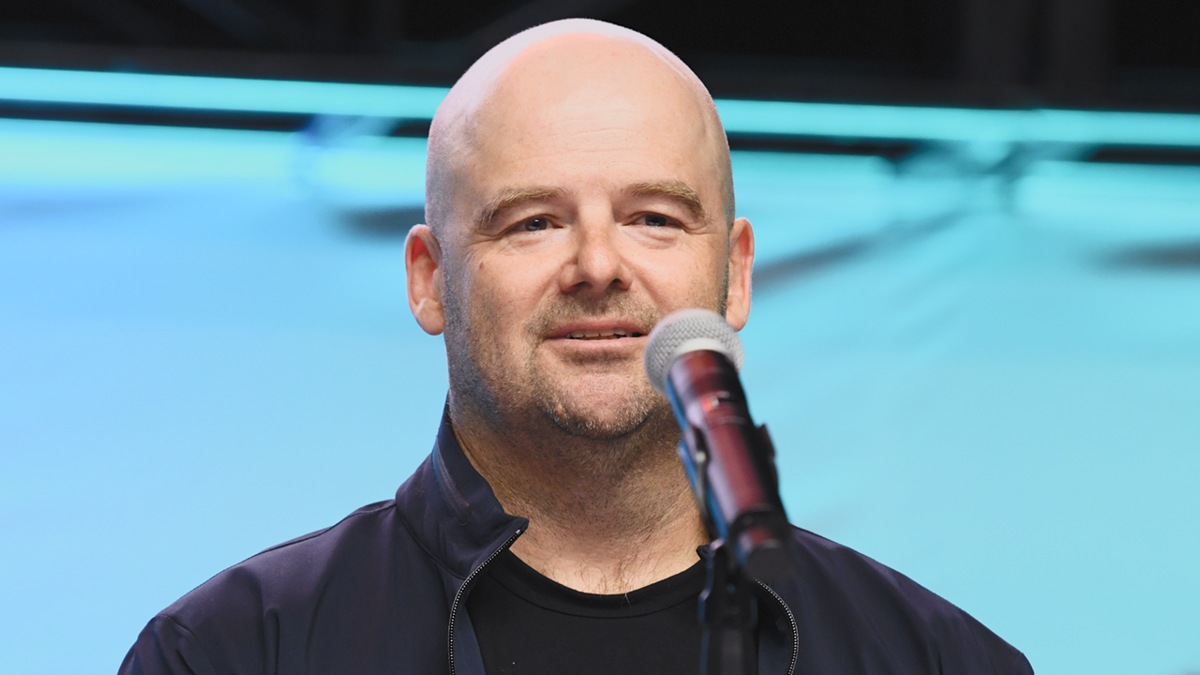
The source story centers on a striking idea: a major game creator chose not to spend much time playing other open-world games, and does not plan to play a hugely anticipated new release, because he wants to protect his creative instincts. That is a fascinating creative philosophy, but for everyday buyers, it raises a more practical question. If massive open-world games keep getting bigger, heavier, and more demanding, what kind of custom gaming PC Canada buyers should be planning for right now?
At Groovy Computers, that question matters because hype alone does not help you choose the right system. A customer in Canada reading about open-world gaming trends is usually not just looking for industry commentary. They are asking themselves something more useful: will my current PC hold up, should I upgrade now, and what kind of build makes sense if I also stream, edit videos, create content, or work in 3D?
The answer depends on what you want your next computer to do, how long you want it to last, and whether you are trying to avoid another upgrade too soon. That is where a carefully planned custom system becomes far more valuable than a generic one-size-fits-all desktop.
What the source story gets right about modern game development
The source article highlights a reality that many players overlook: open-world games are incredibly complex. They are not just “big maps.” They involve dense environments, AI systems, streaming assets, cinematic animation, lighting, simulation, massive memory usage, and performance balancing across a wide range of hardware. When experienced developers look at games, they often see technical decisions, compromises, and strengths in real time.
That matters for buyers because it tells us something important about where gaming is headed. If the people making blockbuster open-world titles treat the genre as technically demanding and creatively high-stakes, you should expect the PC hardware needed to enjoy those games properly to keep climbing as well.
Are you hoping to play future open-world releases at 1080p and solid settings? Are you trying to hit 1440p with stronger visual quality? Or are you planning for 4K, ray tracing, high texture packs, and smoother frame pacing over the next few years? Those are very different buying decisions.
Why Canadian buyers should think differently before the next wave of major game releases
In Canada, PC buyers often face a tougher balancing act than shoppers in larger U.S. markets. Hardware pricing can shift quickly. GPU demand can spike around major game launches. Premium graphics cards can stay expensive longer. Full system replacement costs can rise when memory, storage, or cooling parts move upward at the same time.
That means timing matters. If you already know your current machine is struggling, waiting for the perfect moment can backfire. A lot of customers ask, Is it better to buy a gaming PC now or wait? The honest answer is that waiting only makes sense if your current system still matches your goals. If it does not, delay can mean spending more later just to reach the same performance tier you could have locked in earlier.
This is especially true if you are not just gaming. If you also stream through OBS, cut footage in Adobe Premiere Pro, edit in DaVinci Resolve, work in Photoshop or Lightroom, design in Illustrator, or render in Blender, your “gaming PC” may actually need to be a more flexible creator system.
What do you want your next PC to do for you?
Before choosing parts, choose your real use case. Do you want a machine mainly for open-world gaming? Do you want a system that handles multiplayer games today and upcoming AAA titles tomorrow? Do you want one PC for gaming and streaming? Do you need a creator PC Canada users can rely on for editing, design, and content production as well?
Ask yourself a few practical questions:
- What games do you actually play most? Competitive esports titles, cinematic single-player games, mod-heavy sandbox games, or upcoming open-world releases?
- What resolution are you targeting? 1080p, 1440p, or 4K?
- Do you care about ray tracing, ultra settings, or high FPS more than anything else?
- Will you stream or record while gaming?
- Do you edit videos, photos, or social media content on the same machine?
- Do you want a value-focused build, or do you want to avoid upgrading again in the near future?
These questions sound simple, but they decide whether you need a budget gaming desktop, a premium RTX build, a balanced gaming-and-streaming PC, or a true workstation-class setup.
Why open-world gaming changes the buying guide conversation
Open-world games are one of the clearest examples of why “can it run games?” is no longer a good enough buying standard. A system that runs older games well may still struggle with newer large-scale titles because modern open-world experiences hit multiple areas at once: GPU load, CPU scheduling, RAM usage, storage streaming, and thermals.
So what gaming PC do you need if your priority is open-world gaming? In most cases, you want a balanced system rather than a lopsided one. An oversized graphics card paired with too little RAM or a weak processor can create a poor experience. Likewise, a strong CPU cannot save a system that lacks the GPU horsepower for high-resolution texture-heavy gameplay.
This is one reason a custom-built machine matters. It lets your budget go toward the parts that actually affect your use case rather than into marketing fluff or mismatched components.
What PC do you need for 1080p, 1440p, or 4K gaming?
1080p gaming: who is this tier really for?
A 1080p-focused build is ideal for buyers who want strong value, solid frame rates, and dependable performance without pushing into premium pricing. If you mainly play esports titles, older AAA games, or want a budget gaming PC Canada shoppers can start with confidently, this tier can be a smart entry point.
But here is the question: are you buying only for today, or for the next few years of increasingly demanding releases? If your library is shifting toward larger open-world titles, max settings expectations, and future releases, the cheapest path now may turn into the faster upgrade cycle later.
1440p gaming: the sweet spot for many Canadian buyers
For a huge number of customers, 1440p is the real target. It offers a clear visual upgrade over 1080p, pairs well with high refresh monitors, and gives modern GPUs room to deliver the kind of image quality people now expect from major PC releases. A 1440p gaming PC Canada buyers choose today often delivers the best mix of longevity, visual quality, and overall value.
If you are asking, What PC do I need for 1440p gaming? you are usually the buyer who wants a machine that feels meaningfully current rather than merely acceptable. This is also a strong tier for customers who stream, multitask, and want some overhead for editing or creative software.
4K gaming: premium performance, premium planning
4K gaming is where every decision matters more. If your goal is ultra settings, ray tracing, and future-heavy titles, a 4K gaming PC Canada buyers can trust needs stronger GPU performance, stronger cooling, enough RAM, fast storage, and a CPU that will not hold back the rest of the build.
Are you the kind of buyer who would rather invest once in a higher-end system than compromise now and replace sooner? If so, premium planning may actually be the more economical long-term route, especially if financing helps you move into a stronger class of build right away.
Do you want to game only, or game and stream at the same time?
This is one of the most important buying questions today. A lot of customers do not think of themselves as “streamers,” but they still capture gameplay, upload clips, use Discord while gaming, run browser windows in the background, and record footage for YouTube, TikTok, or school and work projects.
If that sounds like you, then you may need more than a basic gaming machine. A proper gaming and streaming PC Canada buyers can depend on should be built with enough CPU headroom, memory capacity, and GPU features to keep gameplay smooth while handling encoding and multitasking.
What PC do you need for streaming? That depends on your format. Are you casually streaming 1080p gameplay a few times a week? Are you trying to run OBS, webcam sources, overlays, and chat tools while playing demanding titles? Are you also editing those streams afterward? Those are three very different system profiles.
If your answer is yes to all of that, then a stronger all-in-one custom build is usually the better route than buying too low and immediately feeling constrained.
Could your next gaming PC also be your editing, design, and content creation machine?
For many buyers, the smartest desktop is not a pure gaming system. It is a hybrid machine built to perform across gaming and creative workloads. If you stream, cut videos, design graphics, edit photos, produce course content, run a side business, or build social media assets, then a content creation PC Canada customers choose should be designed with that blend in mind.
Ask yourself:
- Do you edit 1080p footage or 4K footage?
- Are you using Adobe Premiere Pro, DaVinci Resolve, After Effects, or CapCut?
- Do you work with Photoshop, Lightroom, Illustrator, or InDesign?
- Do you want one machine that can game at night and produce client work during the day?
If so, component balance matters even more. More RAM can improve multitasking and large project handling. Faster SSDs can reduce load and transfer delays. A capable GPU can help with both gaming and accelerated creative workflows. The right CPU can make exporting, rendering, and timeline responsiveness noticeably better.
What PC do you need for video editing, photo editing, or graphic design?
Video editing buyers
A proper video editing PC Canada users should consider is not just about gaming-grade power. It is about smooth timeline playback, export speed, codec handling, thermal stability, and enough memory for larger projects. If you are working in 4K or layering effects, buying too light can become frustrating very quickly.
What specs do you need for 4K video editing? Usually, you want a modern multi-core CPU, a capable GPU, healthy RAM capacity, and fast SSD storage. If your editing workload is growing, it often makes sense to step above a base gaming build and into a true creator-focused custom machine.
Photo editing buyers
A photo editing PC Canada photographers and creative professionals use should feel fast, consistent, and responsive with large RAW libraries, batch exports, AI tools, and colour-critical workflows. Do you mostly retouch stills, or do you process large volumes of high-resolution images? Do you work in Lightroom all day, or are you combining Photoshop, design tools, and browser-heavy business tasks?
If your system pauses during previews, imports, or export batches, your issue may not be “old age” alone. It may be a mismatch between your workload and your hardware tier.
Graphic design buyers
A graphic design PC Canada professionals can rely on should handle Adobe Creative Cloud smoothly, support multitasking across multiple apps, and remain stable through long sessions. If you build branding packages, social graphics, print layouts, packaging mockups, or digital campaigns, your productivity is tied directly to system responsiveness.
Is a gaming PC good for graphic design? Sometimes, yes. But only if it is configured with the right CPU, RAM, storage, and display support for design work. A smart custom build can bridge both worlds.
What if your workload goes beyond gaming and editing into 3D or workstation use?
Some buyers come in thinking they need a gaming rig, but their software says otherwise. If you use Blender, Unreal Engine, Unity, Maya, AutoCAD, Revit, SolidWorks, or other rendering-heavy tools, then you may be in workstation territory.
A proper 3D modeling PC Canada customers choose should reflect whether they are focused on viewport performance, GPU rendering, CPU rendering, simulation, scene complexity, or all of the above. A workstation PC Canada professionals invest in should also prioritize stability, cooling, upgrade planning, and the right memory and storage layout.
What PC do you need for Blender or Unreal Engine? It depends on project size and render demands, but this is exactly why custom guidance matters. Overbuying the wrong part is expensive. Underbuying the right one is even worse if it costs you hours every week.
How do you decide which performance tier fits you?
If you are unsure where you fit, this simplified breakdown can help.
Entry-value tier
Best for buyers focused on 1080p gaming, lighter esports titles, everyday use, school tasks, and occasional creative work. This tier suits first-time desktop buyers and people who need a practical starting point.
Balanced mainstream tier
Best for players targeting stronger 1080p or 1440p performance, regular AAA gaming, streaming, content capture, and moderate editing. This is often the sweet spot for buyers who want solid longevity without jumping straight to a flagship budget.
Performance creator tier
Best for users who game and also do serious editing, design, production, or multi-app workflows. If your desktop needs to feel fast across both entertainment and work, this is often where the best value lives.
High-end enthusiast tier
Best for 4K gaming, ray tracing, premium monitors, heavier streaming, large editing projects, advanced content creation, and customers trying to avoid near-term upgrades. If you want your system to feel powerful for years rather than months, this may be your lane.
Workstation tier
Best for 3D modeling, rendering, development, CAD, heavy multitasking, and revenue-generating professional workloads. If your PC downtime costs you time or money, a workstation approach is usually justified.
So where do you fit? Are you buying the cheapest system that can technically do the job, or the smartest system that will still feel right a year from now?
Should you buy now or wait if you are planning for upcoming games and software demands?
This is one of the biggest customer questions in Canada right now. People see game announcements, creator software updates, AI-assisted tools, larger textures, and heavier workflow demands, and they wonder whether to hold off for a future sale or move now.
Here is the practical lens: if your current desktop already struggles with the games or software you use most, waiting usually means extending frustration and risking a higher replacement cost later. Full-system pricing is not driven by one part alone. GPU pressure, RAM pricing, SSD costs, cooling availability, and demand spikes around new hardware or new games can all affect what a complete build costs.
Are you buying before a major open-world release? Before a busy holiday sale season? Before your school term, editing workload, or content schedule ramps up? Before your current system fails completely? Those moments often matter more than trying to guess the perfect market bottom.
Could financing help you secure a stronger PC before prices change?
For many customers, the real question is not whether they can afford a new PC at all. It is whether they can afford the right PC in one payment. That is where financing becomes a practical tool rather than an impulse decision.
If a weaker system saves you money today but forces an earlier upgrade, did it really save you money? If stepping up one performance tier gives you better gaming, better streaming, faster exports, and longer usable life, the monthly difference may be worth it.
That is why many Canadian buyers look at financing up to 4 years when they want a stronger build without paying the full amount up front. It can be especially useful if you are trying to move from “good enough” into “actually right for my workload.”
Should you finance a better PC instead of buying a cheaper one? If the stronger system aligns better with your real needs and helps you avoid replacing parts too soon, that can be a very rational decision. It is not about overspending. It is about right-sizing the machine once.
Why custom builds matter more when hardware decisions get expensive
In lower-budget categories, mistakes are annoying. In mid-range and premium categories, mistakes get costly. That is why custom builds matter. A properly planned custom desktop should not just look good on a spec sheet. It should make sense as a complete system.
At Groovy Computers, the value of custom building comes from matching the system to the customer. If your priority is open-world gaming at 1440p, that affects part selection. If your priority is gaming plus OBS plus video editing, that changes the balance. If your system will also handle design work, large projects, or workstation tasks, it changes again.
This is also where testing and warranty support become critical. A desktop is not just a list of parts. It is thermals, power delivery, stability, cable management, airflow, compatibility, and quality control working together.
Why rigorous testing and warranty support should matter to every Canadian buyer
When you buy a custom system, you are buying more than performance numbers. You are buying confidence. That matters even more if you are ordering online, shipping across Canada, or depending on the machine for both entertainment and serious work.
Groovy Computers builds for buyers who want that confidence. Rigorous testing helps reduce the chance of surprises after delivery. A 1-year warranty adds reassurance. And dealing with a Canadian custom PC builder means your system is being prepared with real-world use in mind, not just boxed up as another anonymous commodity.
If you are in Nova Scotia, Atlantic Canada, or ordering elsewhere in the country, that trust factor matters. So does the ability to get guidance before spending your money on the wrong category.
Custom gaming PC vs generic prebuilt: what are you really paying for?
Many buyers compare a custom build to a generic off-the-shelf system only by headline specs. But a meaningful comparison asks better questions. Does the prebuilt use balanced components? Is the power supply trustworthy? Is cooling adequate? Is the motherboard limiting future upgrades? Is the RAM enough for gaming plus streaming or editing? Was the system tested thoroughly?
Custom PC vs prebuilt PC Canada is not just a price conversation. It is a value conversation. A custom system is often the better long-term buy when it is built around your actual use case, includes stronger parts in the areas that matter, and arrives tested for stable operation.
Questions you should ask yourself before buying your next PC
- What games or software will I actually use every week?
- Do I need 1080p value, 1440p balance, or 4K premium performance?
- Am I planning to stream, record, or edit on the same machine?
- Would more RAM or faster storage save me time every day?
- Am I buying for the next six months or the next three to five years?
- Do I want to avoid upgrading again too soon?
- Would financing help me secure the right build instead of settling?
- Do I want help from a Canadian custom PC builder that can match the build to my actual goals?
Why Groovy Computers is a strong fit for Canadian buyers right now
Groovy Computers is built around the needs that matter most to serious buyers: custom configuration, performance matching, Canada-first support, tested systems, and practical upgrade logic. Whether you need a gaming desktop, a creator machine, or a workstation-class build, the point is not to push one template on every buyer. The point is to help you land in the right category with the right level of power.
That matters if you are shopping from Nova Scotia, Atlantic Canada, or elsewhere in the country and want a Canadian custom PC builder that understands both performance and value. It matters if you want a machine that is tested before it ships. And it matters if you want the option to finance a stronger system before prices or requirements move higher.
So what should your next custom gaming PC in Canada actually be built to do?
If the source story teaches us anything, it is that the future of gaming is being shaped by increasingly ambitious experiences. Bigger worlds, heavier assets, more visual complexity, and more demanding engines are not going away. That means your buying decision should be based on where gaming and creative workloads are headed, not just on what barely works today.
Do you want a PC for new open-world games? Do you want a system that can also stream, edit, create, and multitask? Do you want a balanced machine now rather than an expensive regret later?
If you are asking those questions, the next step is simple: visit GroovyComputers.ca and explore the right path for your needs. Whether you need a value-focused gaming desktop, a premium RTX-ready system, a custom creator build, or a workstation designed for heavier software, Groovy Computers can help you choose a machine that fits your goals instead of forcing your goals to fit a generic PC.
For Canadian buyers trying to make the smartest move before the next major upgrade cycle, the best answer is often not “wait and see.” It is “choose the right custom gaming PC Canada buyers can grow into, not out of.”
#CustomGamingPCCanada #GamingPCCanada #CreatorPCCanada #VideoEditingPCCanada #StreamingPCCanada #3DModelingPCCanada #WorkstationPCCanada #CanadianCustomPCBuilder #NovaScotiaComputers #GroovyComputers
Groovy Computers | All Rights Reserved


Leave a comment
This site is protected by hCaptcha and the hCaptcha Privacy Policy and Terms of Service apply.