























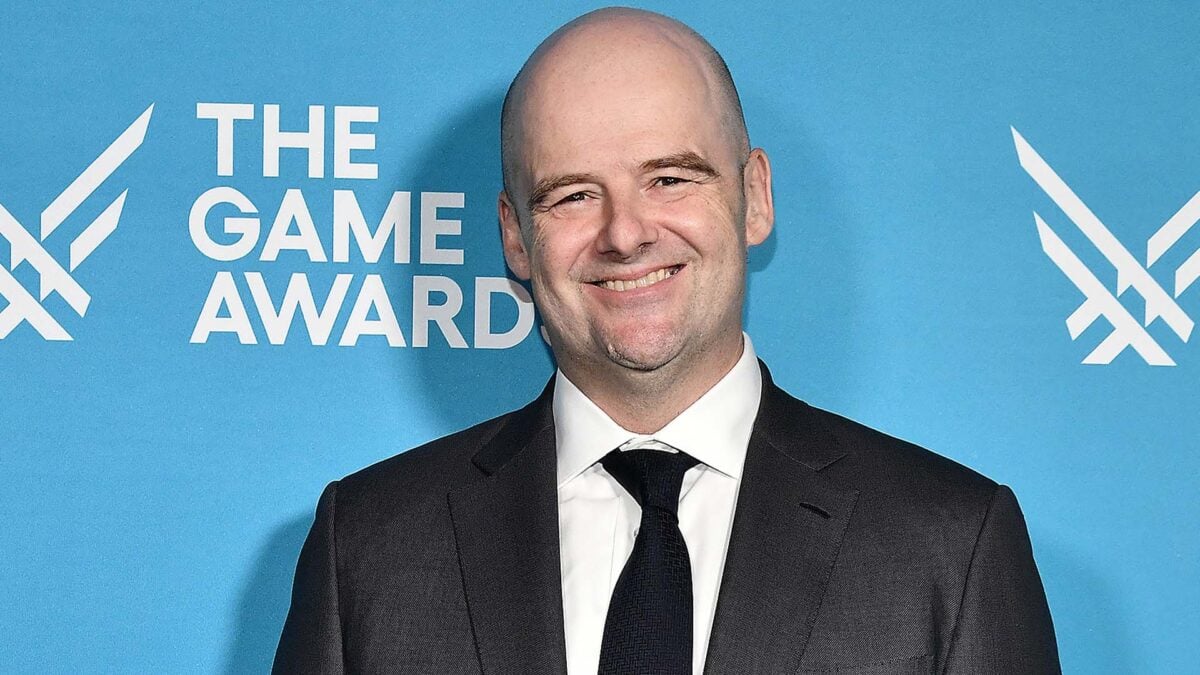
Dan Houser, GTA 6 Hype, and Why a Gaming PC Canada Buyers Choose Matters More Than Ever
The latest comments from Rockstar co-founder Dan Houser about avoiding the big GTA 6 gameplay reveal are more than just a headline for fans. They highlight something bigger: when a massive open-world game dominates the conversation, PC buyers start asking serious questions about performance, upgrade timing, and whether their current system is ready for what comes next. For anyone shopping for a gaming PC Canada customers can rely on, this moment matters.
Houser explained that he has deliberately avoided watching the GTA 6 reveal because he does not want it to distract or disrupt him creatively while he works on new open-world projects. That is a fascinating insight into how top creative minds think. But for everyday gamers, streamers, and creators across Canada, the more practical takeaway is this: major game releases change buying behaviour fast. When a title as large as GTA 6 drives hype, demand for stronger GPUs, faster CPUs, more RAM, and better storage can rise quickly.
So what should you be thinking about right now? Are you planning for open-world gaming at 1080p, 1440p, or 4K? Do you also want to stream, edit videos, or create content around new releases? Are you trying to avoid buying a system that feels outdated too soon? And if pricing pressure increases, would financing a stronger custom build now make more sense than settling for less and upgrading again later?
What Dan Houser’s comments really tell us about modern open-world gaming
Houser’s remarks were not about system requirements or PC hardware. Still, they say a lot about the complexity of modern open-world games. He described how he can no longer play many open-world titles casually because he ends up deconstructing the animation, design, team strengths, and production decisions in real time. That is a reminder that blockbuster games are built through massive technical effort. Bigger worlds, denser cities, improved lighting, more advanced AI behaviours, higher resolution assets, and cinematic presentation all increase the hardware demands on the player side too.
That matters if you are shopping for a Gaming PC for GTA 6 or even just a strong PC for upcoming AAA releases. Big open-world games tend to expose weak systems quickly. A machine that was acceptable for older titles at medium settings may struggle with newer games once you add high texture packs, background apps, voice chat, recording software, browser tabs, Discord, mods, or streaming tools.
In other words, the GTA 6 conversation is not only about one game. It is about a broader shift in what players expect from their systems. Smoother frame rates. Better visual fidelity. Faster loading. More multitasking headroom. More longevity. And fewer compromises.
Why Canadian buyers should think differently before the next big game lands
Canadian PC buyers often face a different reality than shoppers in larger U.S. markets. Hardware pricing can move quickly, exchange-rate pressure can affect landed component costs, and premium GPUs can become harder to source during major release windows. If excitement around blockbuster games spikes demand, the effect can reach full-system pricing, especially in higher-performance categories.
That is why timing matters. Are you buying because your current PC still works, or because you know it is already close to its limit? Are you hoping to play future open-world games on high settings with ray tracing, or are you simply trying to maintain stable frame rates without stutters? Are you shopping early enough to choose the right parts calmly, or are you waiting until everyone else is chasing the same upgrade?
For many buyers in Canada, waiting too long can reduce flexibility. You may face fewer component choices, less attractive value in key GPU tiers, and more pressure to compromise on memory, storage, or cooling just to get something available. A properly planned custom build can help you avoid that rushed decision.
What do you want your next PC to do for you?
Before you compare models, prices, or specs, ask the question that actually matters: what do you want your next PC to do for you?
Do you want a budget-friendly system that handles esports titles and lighter games smoothly at 1080p?
Do you want a 1440p gaming machine that feels ready for new open-world games with high settings and strong frame rates?
Do you want a premium RTX-powered build for 4K gaming, ray tracing, and long-term headroom?
Do you need a hybrid system that can game at night and handle OBS, Adobe Premiere Pro, Photoshop, Lightroom, Illustrator, or DaVinci Resolve during the day?
Are you a creator who wants one machine for streaming, editing, thumbnails, social clips, and uploads?
Are you working in Blender, Unreal Engine, CAD, or heavier workstation tasks and wondering whether a gaming-focused system is enough?
The reason these questions matter is simple: the right build is not just about buying “more PC.” It is about buying the right balance of CPU power, GPU capability, RAM capacity, storage speed, motherboard quality, thermal performance, and upgrade path for your real workload.
What PC do I need for open-world gaming in 2026 and beyond?
If a title like GTA 6 has you thinking about an upgrade, start with your target resolution and settings. That is the foundation of a smart buying decision.
1080p gaming buyers
If your main goal is strong 1080p performance, you may not need the highest-end system on the market. But you still want enough GPU power and a capable modern CPU to handle newer games well, especially if you care about high settings, stable frame pacing, and room for future releases. A solid 1080p build is ideal for many players who want great value without overspending.
Ask yourself: do you mainly play competitive games, or are you preparing for large cinematic open-world titles? If it is the second one, cutting too many corners now could mean a shorter useful lifespan.
1440p gaming buyers
For many Canadian gamers, 1440p is now the sweet spot. It offers a major visual upgrade over 1080p while staying more affordable than chasing top-tier 4K performance. If you want a 1440p Gaming PC Canada shoppers can use for demanding new games, this is often the category that delivers the best long-term balance between image quality and cost.
Do you want high settings with excellent detail and smoother performance in the newest games? Do you want your system to feel capable for several years instead of barely passing today? If so, 1440p-focused hardware selection is often the smartest path.
4K and ray tracing buyers
If your goal is 4K gaming, ultra settings, and ray tracing, your parts selection matters even more. Premium GPUs, stronger cooling, high-quality power delivery, and enough CPU headroom all become more important at this level. A high-end build is not just about visuals. It is about consistency under heavy load, lower compromise, and better long-term satisfaction.
But be honest with yourself: do you actually need 4K right now, or would a powerful 1440p system deliver better value for how you really play? The best gaming PC is not always the most expensive one. It is the one that matches your use case without forcing an early replacement.
Are you only gaming, or do you also want to stream and create content?
This is where many buyers underestimate their needs. A PC that is “good enough” for gaming alone may feel cramped once you start recording gameplay, streaming to Twitch or YouTube, editing clips, exporting videos, or running multiple apps at once.
If you are planning to stream, a Gaming and Streaming PC Canada buyers choose should have enough CPU and GPU resources to maintain smooth gameplay while handling encoding, overlays, alerts, browser sources, and background tasks. RTX-based systems can be especially attractive for streamers because GPU-assisted encoding can improve efficiency in many workflows.
So ask yourself: will you be using OBS or Streamlabs? Will you be streaming at 1080p while gaming at high settings? Will you be recording gameplay locally for later editing? Will you have Discord, Spotify, Chrome, and creator tools open at the same time?
If the answer is yes, buying a little more performance today can save you a lot of frustration later.
Is a gaming PC good for video editing, photo editing, and graphic design?
Sometimes yes, but not always in the way buyers assume. A gaming PC can be a strong starting point for creative work, especially if it has a capable CPU, a modern GPU, enough RAM, and fast SSD storage. But the best creator experience comes from choosing components around your software, not just your games.
For video editing
If you work in Premiere Pro, DaVinci Resolve, After Effects, or CapCut, your system needs can escalate quickly. Timeline responsiveness, playback smoothness, render times, export speed, and media cache performance all improve with the right hardware mix. A proper Video Editing PC Canada shoppers invest in should not bottleneck under 4K footage, layered effects, or multiple applications running together.
What PC do you need for video editing? That depends on your footage and workflow. Are you cutting social clips in 1080p, or are you handling long-form 4K projects? Are you using colour grading, effects, motion graphics, or multicam timelines? Do you need 32GB of RAM, or would 64GB make your workflow smoother and more future-ready?
For photo editing
Photographers and image editors often benefit from fast storage, strong single-core responsiveness, enough RAM, and a reliable platform for large RAW libraries and batch exports. If you use Photoshop, Lightroom Classic, Capture One, or AI-assisted photo tools, a carefully balanced build can improve responsiveness and reduce waiting.
Do photographers need a dedicated GPU? In many workflows, yes, especially when you use accelerated features, high-resolution displays, or multitask heavily. But your ideal build still depends on whether you are editing casually, professionally, or at large volume.
For graphic design
Graphic designers using Photoshop, Illustrator, InDesign, Canva, or Adobe Creative Cloud generally want a responsive system with dependable multitasking, fast storage, and enough memory for multiple artboards, large files, linked assets, and browser-heavy workflows. A Graphic Design PC Canada customers choose should also consider monitor support and workspace efficiency, not just raw gaming specs.
Are you creating social ads, brand assets, print layouts, mockups, and web graphics all on one machine? Do you use multiple monitors? Do you want a PC that feels instantly responsive even when your project count grows? Those are the questions that shape the right build.
What if you need one PC for gaming, editing, streaming, and daily work?
This is increasingly common. A lot of Canadian customers no longer want one machine just for games and another just for work. They want one properly configured system that can do everything well. That is where a Content Creation PC Canada buyers choose can be the most practical option.
If your week includes gaming, streaming, Photoshop, video editing, uploads, AI-assisted tools, browser multitasking, and general productivity, a multi-purpose creator build often makes more sense than a narrowly optimized budget gaming tower.
Ask yourself: are you buying a PC to play one big game, or are you buying a machine that supports your whole digital routine for the next several years?
What about Blender, Unreal Engine, and heavier workstation tasks?
Some readers following gaming news are also students, developers, 3D artists, or professionals. If that sounds like you, your hardware needs may go beyond gaming entirely.
A 3D Modeling PC Canada or workstation-oriented build is often the better fit when your workflow includes Blender rendering, Unreal Engine scene work, Maya, Cinema 4D, CAD, product visualization, or simulation-heavy tasks. In these scenarios, GPU power, CPU core count, RAM capacity, thermal management, and storage configuration can all matter more than they do in a gaming-only setup.
What PC do you need for Blender? What PC do you need for Unreal Engine? That depends on whether you are modeling, animating, baking, rendering, compiling shaders, or building large scenes. If your work earns income or supports school deadlines, reliability and time savings become part of the value equation too.
Which performance tier fits you best?
Choosing the right tier is often more useful than fixating on one component. Here is a practical way to think about it.
Entry-level and value-focused builds
- Best for: esports, older AAA titles, lighter content creation, school use, and first-time PC buyers
- Ideal buyer: someone asking, “Is a budget gaming PC worth it for me?”
- Why it works: lower cost of entry, strong everyday performance, and a sensible path into PC gaming
- Watch-outs: less headroom for future demanding releases, streaming, heavy editing, or higher resolutions
If your budget is tight, the smart question is not just how little you can spend. It is whether spending slightly more now helps you avoid replacing the system too soon.
Mid-range performance builds
- Best for: 1080p ultra to 1440p high settings, new open-world games, moderate streaming, and creator crossover use
- Ideal buyer: someone who wants strong performance without entering premium pricing tiers
- Why it works: often the best balance of value, longevity, and versatility
- Watch-outs: may require selective settings if your goal is premium ray tracing or 4K gaming
This is usually the sweet spot for customers who want a Custom Gaming PC Canada players can enjoy for years while still handling everyday creator tasks well.
High-end and enthusiast builds
- Best for: 1440p maxed-out settings, 4K gaming, ray tracing, high refresh rate play, demanding streaming, advanced editing, and premium multitasking
- Ideal buyer: someone asking, “How long will a high-end gaming PC last?”
- Why it works: greater headroom, stronger long-term value for power users, and fewer compromises
- Watch-outs: larger upfront cost, which is why financing can become a useful option
If you know you will push your system hard, underbuying often costs more in the long run.
Is it better to buy now or wait?
This is one of the most common questions around major game releases. There is no one-size-fits-all answer, but there are smart ways to think about it.
If your current PC already struggles with modern games, shows signs of instability, lacks storage, or cannot support your planned creative work, waiting may simply delay the inevitable while reducing your options.
If you are seeing increased hype around major releases, new creator workloads, seasonal buying spikes, or broader GPU demand pressure, that can also be a sign that planning ahead is wiser than panic-buying later.
So ask yourself: is your current system actually serving you well, or are you spending more time managing limitations than enjoying it? Are you hoping prices improve, or are you risking higher replacement costs and weaker choices when you finally do need to act?
Should I finance a better PC instead of buying a cheaper one?
For many buyers, this is the real decision. Not whether to buy a PC, but whether to stretch into the right one.
If your choice is between a weaker system that you outgrow quickly and a stronger build that better matches your real gaming or creative needs, financing can be the smarter path. A monthly payment can sometimes let you secure better GPU performance, more RAM, more SSD space, or a better CPU tier now instead of paying twice through a short upgrade cycle later.
That does not mean everyone should finance. It means you should compare total value over time. Would a stronger system save you from replacing your GPU early? Would it let you stream without frustration? Would it cut export times for your videos? Would it keep your next upgrade further away?
For customers wondering, is financing a gaming PC worth it?, the answer often comes down to this: if financing helps you buy the PC you actually need instead of the PC you will immediately outgrow, it can be a very practical decision.
Groovy Computers offers options that can help Canadian buyers secure the right system with financing up to 4 years, which can be especially useful when timing matters and component replacement costs are not standing still.
Why custom builds matter when game hype and hardware pressure collide
When mass-market excitement rises around a title like GTA 6, shoppers often make rushed decisions based on a single number, a flashy GPU name, or a generic prebuilt listing. That is where custom build expertise becomes valuable.
A proper custom build is not just about choosing strong parts. It is about matching them correctly. CPU and GPU balance. Appropriate cooling. Stable power delivery. Enough memory. Sensible storage layout. Case airflow. Upgrade path. Clean assembly. Stress testing. Reliability.
Why does that matter? Because one of the fastest ways to waste money is buying a system that looks powerful on paper but cuts corners in places that affect real-world use. Cheap motherboard choices, weak cooling, poor airflow, limited storage, and badly matched parts can all undermine the value of a “deal.”
That is why many Canadian buyers prefer working with Canadian Custom PC Builders who understand real use cases instead of selling one-size-fits-all hardware bundles.
Why Groovy Computers fits this moment for Canadian buyers
Groovy Computers is positioned for exactly the kind of customer this news cycle creates: someone excited about the future of gaming, unsure whether to wait or buy, and wanting practical guidance instead of hype.
Whether you need a budget-friendly gaming desktop, a premium RTX-powered system, a creator PC, or a workstation-class machine, Groovy Computers focuses on custom builds that match how you actually use your PC.
That means clearer buying guidance. Better fit between budget and performance goals. Rigorous testing. A 1-year warranty. And support from a Canadian custom PC company that understands what local buyers are navigating when prices shift and demand changes.
If you are in Nova Scotia, Atlantic Canada, or ordering from elsewhere in the country, choosing a builder that understands Canadian expectations around value, trust, and support can make the whole process easier.
What questions should you ask before ordering your next custom PC?
- What games or software will I actually use most?
- Am I targeting 1080p, 1440p, or 4K?
- Do I care about ray tracing, ultra settings, or just smooth frame rates?
- Will I stream, record, or edit content too?
- How much RAM and storage will keep me comfortable for the next few years?
- Do I want to avoid upgrading again too soon?
- Would a slightly stronger build save me money long term?
- Does financing help me secure the right system now?
- Do I want a generic machine, or a tested custom build with warranty support?
- Do I want expert help choosing a build that matches my real needs?
Need help choosing the right PC before the next big upgrade wave?
If GTA 6 hype, open-world gaming trends, or creator workload growth has you rethinking your setup, now is the right time to evaluate what you actually need. Do you want a budget gaming computer, a premium RTX gaming rig, a custom creator PC, a video editing workstation, or a 3D modeling system that will not feel outdated too soon?
If you are asking yourself what gaming PC do I need, or whether now is the right time to buy, the best next step is to talk to a builder that can match your budget to your goals. Visit GroovyComputers.ca to explore custom builds, performance options, and financing that can help you secure the right system before the next demand spike makes the decision harder.
Final thoughts: GTA 6 excitement is really about readiness
Dan Houser may be avoiding GTA 6 footage to protect his creativity, but players do not have that luxury. If a major release has made you realize your current system is falling behind, that awareness is useful. The smart move is not to buy in a panic. It is to buy with clarity.
A strong gaming PC Canada buyers choose today should be ready not just for one headline game, but for the wider reality of modern PC use: bigger worlds, heavier multitasking, more creator tools, higher expectations, and less tolerance for stutter, slowdown, or compromise. If you want a custom-built system that is tested, supported, and designed around how you actually play and work, Groovy Computers is one of the best places in Canada to start.
#GamingPCCanada #CustomGamingPCCanada #GamingPCForGTA6 #GamingAndStreamingPCCanada #VideoEditingPCCanada #ContentCreationPCCanada #CanadianCustomPCBuilders #GamingComputersCanada #CustomPCBuilderCanada #GroovyComputers
Groovy Computers | All Rights Reserved


Leave a comment
This site is protected by hCaptcha and the hCaptcha Privacy Policy and Terms of Service apply.