



































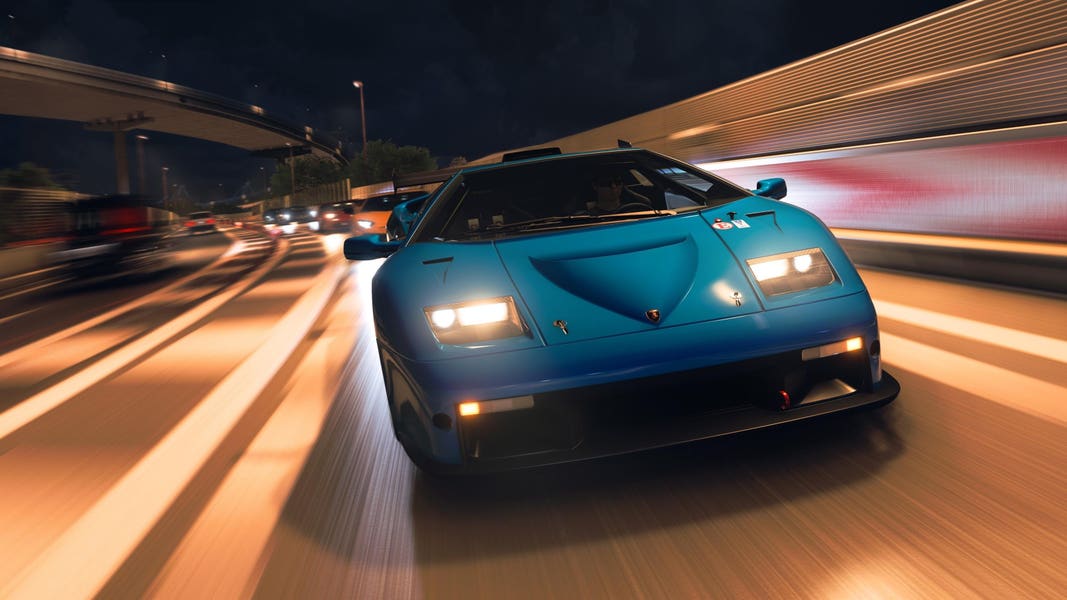
Forza Horizon 6 Patch Notes and the Real Question for Canadian Players: Is Your Gaming PC Ready?
The latest Forza Horizon 6 patch notes do more than explain bug fixes, Drivatar balancing, drag tire changes, and progression updates. They also highlight something bigger for Canadian players: modern open-world racing games are becoming more demanding, more competitive, and more sensitive to hardware quality. If you are planning to play Forza Horizon 6 at high settings, race smoothly online, stream your gameplay, edit clips for YouTube, or simply avoid replacing your PC again too soon, this update is a timely reminder to ask whether your current system is truly ready for what comes next.
That matters because patches like this do not just tweak gameplay. They often shift how a game feels in motion, how stable performance needs to be, and how important consistent frame pacing becomes. When AI behavior changes, when competitive leaderboards reset, when visual fixes roll out, and when future content is confirmed, players start spending more time in the game. More time in the game means more pressure on your hardware. So the real buying question is not only, “What changed in Forza Horizon 6?” It is also, “What kind of gaming PC do I need now, and what kind will I wish I had six months from now?”
What Changed in the Forza Horizon 6 Patch Notes?
Based on the source material, the biggest changes in the newest update include Drivatar AI difficulty balancing, race-start behavior improvements, a faster Horizon Play XP curve, and a major drag tire handling adjustment that removes unrealistic cornering grip while preserving PI cost. The patch also addresses visual issues, Road Discovery inconsistencies, Festival Playlist bugs, and retroactive challenge point rewards.
Those changes matter because they affect several kinds of players at once. Casual players benefit from smoother progression. Competitive players care about fairer AI and leaderboard cleanup. Tuning-focused players need to rethink old setups. Content creators now have fresh material to cover. And anyone planning to jump in later, especially if more content and a wider player base arrive, has a strong reason to think about system performance now instead of waiting until demand spikes.
There is also a roadmap angle here. The source notes mention upcoming monthly updates, the “Welcome to Japan” playlist, an Italian Passion Car Pack, two expansions, and a PlayStation 5 release later in 2026. That is exactly the kind of momentum that keeps a racing game in the conversation for months. If you are asking yourself whether your current desktop can carry you through all of that, you are asking the right question.
Why Do Forza Horizon 6 Patch Notes Matter When Buying a Gaming PC Canada?
For many buyers, patch notes feel like game news. For Groovy Computers customers, they are also a buying signal. A game that is actively evolving is a game that rewards better hardware. Smoother AI interactions, denser traffic, high-speed open-world racing, better effects, replay capture, background apps, Discord, browser tabs, music, streaming software, and clip editing all pile onto your system at once.
If you are shopping for a Gaming PC Canada buyers can trust, game updates like this should change how you think. Are you only trying to launch the game? Or do you want stable high FPS, cleaner image quality, faster loading, strong 1440p performance, and enough CPU headroom for streaming or recording? Those are two very different builds.
Forza is also the type of game that exposes weak balance in a system. A GPU that is just barely enough today may struggle when you turn up resolution scaling, use higher presets, or run a second monitor with streaming tools. A CPU that looks fine in older games may become the bottleneck once open-world traffic, AI behavior, and background tasks all hit at once. A small SSD may become frustrating fast if your library is already full of large modern titles.
What Do You Want Your Next PC to Do for You?
Before choosing parts, ask the question most buyers skip: What do you actually want your next PC to do for you?
Do you want a system that simply runs Forza Horizon 6 at 1080p and gives you a fun experience without overspending? Do you want a 1440p setup with high settings and excellent smoothness? Are you aiming for 4K visuals on a premium display? Do you want ray tracing performance in supported titles, or is raw framerate more important? Will you just race, or do you also want to stream to Twitch or YouTube, record highlights, edit short-form content, and post social clips?
Maybe your needs go beyond gaming. Are you also using Adobe Premiere Pro, DaVinci Resolve, Photoshop, Lightroom, Illustrator, Blender, Unreal Engine, or CAD software? If yes, your smartest move may not be a basic gaming tower at all. It may be a Creator PC Canada customers choose for mixed workloads or even a workstation-class build.
This is where many buyers waste money. They buy for the game they are playing today, not the things they know they will be doing next season. A better question is: what should your PC still be doing well a year from now?
How Much PC Do You Need for Forza Horizon 6 at 1080p, 1440p, or 4K?
The answer depends on your display, your settings expectations, and whether you care more about visual quality or competitive smoothness.
1080p: Who should choose this tier?
If you play on a standard Full HD monitor and mainly want strong value, fast load times, and smooth gameplay in modern titles, a Budget Gaming PC Canada shoppers choose for 1080p can still make a lot of sense. This is a good fit for first-time buyers, students, younger players, and anyone moving up from console or an older office desktop.
But ask yourself: do you want this PC to stay a 1080p machine for years, or will you upgrade your monitor soon? If a 1440p display is already on your wish list, it often makes more sense to buy slightly stronger hardware now instead of paying twice later.
1440p: Is this the sweet spot for most players?
For a lot of Canadian buyers, yes. A 1440p Gaming PC Canada gamers choose offers the best balance of sharpness, immersion, and practical component value. Racing games especially benefit from the extra clarity. You notice it in road detail, draw distance, cockpit views, reflections, and the overall feel of speed.
If you are reading racing game patch notes, following live-service updates, and care enough about performance to research your next system, 1440p is often the real target. It feels premium without forcing you into the most expensive tier of parts.
Ask yourself: do you want your next PC to feel like a meaningful upgrade every time you launch a modern AAA game? If yes, this is often the most satisfying category.
4K: When does a premium build make sense?
A 4K Gaming PC Canada buyers invest in is ideal for enthusiasts with a high-resolution display who want top-tier visual fidelity, better longevity, and stronger performance headroom for future games. This tier is also more relevant if you play cinematic titles, use a large panel, or want one machine that handles gaming and creator work comfortably.
But be honest with yourself. Do you truly want native-looking 4K performance and top visual settings, or are you mostly chasing the idea of “best”? Premium systems are worth it for the right user, but the right user is someone who will actually use that horsepower.
What Gaming PC Do I Need if I Also Want to Stream?
This is where many “good enough” systems start to break down. Racing games are excellent streaming content because they are fast, visually rich, and easy to turn into clips, highlights, challenge videos, and community content. But once you add OBS, browser tabs, chat moderation tools, Discord, capture workflows, overlays, and recording, your hardware requirements shift.
A Gaming and Streaming PC Canada buyers should consider needs more than just a decent GPU. You also need the right CPU balance, enough RAM, strong cooling, and storage that will not fill up instantly with footage.
So ask yourself: are you only planning to play, or are you planning to play and create? If you want to race online, stream at the same time, and save clean footage for edits later, it makes sense to buy a system designed for that from day one.
- Entry-level gaming only: Fine for 1080p play, lighter multitasking, and value-focused buyers.
- Gaming plus streaming: Better CPU/GPU balance, more RAM, and stronger cooling become important.
- Gaming, streaming, and editing: You should start thinking in creator-PC terms, not just gaming-PC terms.
What if You Want to Edit Forza Clips, YouTube Videos, or Social Content Too?
That is where a pure gaming-first purchase can become limiting. If you are clipping races, making montage edits, posting TikToks, exporting YouTube videos, or building a channel around racing games, you may be better served by a Video Editing PC Canada buyers can use for both gaming and production.
Do you edit in Premiere Pro? Prefer DaVinci Resolve? Use Photoshop for thumbnails? Need fast exports and smoother timeline playback? Then your buying logic changes. More RAM, more storage, a better multi-core CPU, and a stronger GPU can directly save time.
The same goes for broader creator workflows. If your hobby is turning into side income, or your side income is turning into real business, a Content Creation PC Canada customers choose should be built for sustained workloads, not just game launches.
It is worth asking: how much is your time worth during exports, re-renders, cache rebuilds, and file transfers? A cheaper PC often looks fine on paper until your workflow expands.
Could a Forza Horizon 6 Buyer Actually Need a Creator PC or Workstation Instead?
In some cases, absolutely. Not every racing game fan is only a racing game fan. Many buyers today use one machine for gaming at night and serious work during the day. If you are handling 4K video editing, RAW photo editing, graphic design projects, or 3D work, your ideal system may be a hybrid build that prioritizes both play and productivity.
For example, if you are working in Photoshop and Lightroom, then jumping into Forza after hours, a Photo Editing PC Canada buyers choose with gaming capability may be smarter than a stripped-down esports build. If you are designing social campaigns, logos, or layout work, a Graphic Design PC Canada setup with strong multitasking and multi-monitor support can serve you better long-term.
And if your workflow includes Blender, Unreal Engine, or rendering tasks, then you may be looking at a 3D Modeling PC Canada or Workstation PC Canada class system. In that case, asking “Can it run Forza?” is actually the easy part. The better question is, “Can it game well and still handle my professional workload without compromise?”
Why the Drag Tire Change Matters for Performance-Focused PC Buyers
The drag tire adjustment in the patch is more than a niche tuning update. It shows that developers are still actively correcting performance exploits and rebalancing the competitive environment. Whenever that happens, players who relied on old shortcuts must adapt. Better hardware does not make you faster by itself, but it gives you a more consistent platform for adapting to physics changes, input timing, and visual conditions.
If you enjoy tuning, testing, comparing, recording runs, or chasing leaderboard gains, then system consistency matters. That means stable thermals, strong CPU responsiveness, fast storage for updates and captures, and a GPU that can keep image quality high without tanking smoothness.
Ask yourself: do you want to spend your time learning a new setup, or fighting frame drops, stutter, and thermal throttling while you do it?
Why Canadian Buyers Should Think About Timing Before Prices Shift
This is one of the biggest reasons this topic matters commercially. Popular live-service games, content cycles, seasonal promotions, and hardware demand waves often collide. When a game gains traction, expansions approach, creator coverage increases, and more players start shopping, system pricing can become less comfortable than buyers expect.
Canadian shoppers also face realities that are easy to underestimate: exchange-rate pressure, freight costs, inventory swings, and component availability that can move differently than U.S. headlines suggest. Even when exact game requirements do not change dramatically, the cost of getting the right PC can.
So ask yourself a practical question: is it better to wait and hope for the perfect deal, or secure the right build while it is available and before another demand cycle changes the price-performance equation?
That question matters even more if you know you will need a stronger GPU, more RAM, or more SSD space eventually. Delaying a purchase often does not remove the need. It just changes what the upgrade costs when you finally act.
Should You Buy a Cheaper PC Now or Finance a Better One?
This is one of the most important buying questions in the current market. Some customers try to stay under a strict budget by dropping too far down in performance. That can work if your needs are simple. But if you already know you want modern AAA gaming, higher resolutions, streaming, editing, or longer system life, underbuying can be the expensive choice in disguise.
For many buyers, Gaming PC Financing Canada options make more sense than settling for a machine they will outgrow quickly. If financing helps you move from an entry-level build to a meaningfully stronger system with better longevity, smoother gaming, and more creator headroom, that can be the better value over time.
Would a monthly payment help you secure the GPU tier you actually want? Would more RAM now save you from an early upgrade? Would a larger SSD spare you the hassle of deleting games and footage constantly? Would a stronger CPU make your PC feel better not just in Forza, but in everything you do?
At Groovy Computers, that is the real financing conversation. It is not about stretching for no reason. It is about avoiding the trap of buying too little performance for the next phase of your gaming or creative life.
Which Performance Tier Fits You Best?
If you are unsure what category makes sense, start with your real-world use case rather than just your budget cap.
Choose a value-focused build if:
- You play mainly at 1080p
- You want strong everyday gaming without chasing ultra settings in every new release
- You are buying your first proper gaming desktop
- You do not plan to stream seriously or edit large video projects
Choose a mid-to-upper 1440p build if:
- You want Forza Horizon 6 and other modern games to feel substantially better than console-level play
- You care about high settings, smooth framerates, and future-proofing
- You may stream occasionally or multitask heavily
- You want your next PC to last longer before feeling dated
Choose a premium or hybrid gaming-creator build if:
- You want 4K gaming, ultra settings, or stronger ray tracing capability
- You stream regularly, record footage, and edit content
- You also use Adobe Creative Cloud, Resolve, Blender, or similar software
- You want one machine for gaming, work, and creation with fewer compromises
Choose a workstation-oriented system if:
- You do serious 3D rendering, CAD, Unreal Engine, or production workloads
- You need heavy multitasking reliability and long-session thermal stability
- You care about productivity time savings as much as gaming performance
- You need your purchase to support income-generating work, not just entertainment
Still wondering where you fit? That is normal. The right answer usually comes from matching your games, software, monitor, and upgrade horizon together, not from chasing the loudest hardware trend.
Why Custom PC Builder Canada Expertise Matters More Than Ever
When buyers are unsure, they often compare random prebuilts by price alone. That is risky. Two systems can look similar in headline specs and feel completely different in actual use because of cooling quality, memory configuration, motherboard quality, storage choices, airflow, power delivery, and whether the build was properly tested.
This is why working with a Custom PC Builder Canada customers can trust matters. A properly planned custom system is not just a pile of parts. It is a balanced machine built around your real goals. At Groovy Computers, that means asking the right questions first. What games do you play? What resolution do you want? Are you streaming? Editing? Rendering? Buying for school? Trying to avoid upgrading again next year?
A strong custom build strategy helps prevent common mistakes:
- Overspending on one part while bottlenecking another
- Buying too little RAM for editing or multitasking
- Choosing weak storage capacity for modern game libraries
- Ignoring cooling and ending up with louder, hotter, less stable performance
- Buying a system with poor upgrade flexibility
That is especially important when market conditions are unpredictable. A custom build gives you a more intentional path forward.
Why Groovy Computers Is a Strong Fit for Canadian Buyers
Groovy Computers is built around what Canadian buyers actually need: custom gaming PCs, creator PCs, and workstation PCs that are matched to real use cases rather than generic spec sheets. Whether you are in Nova Scotia, elsewhere in Atlantic Canada, or ordering from another province, the value is in getting a system that makes sense for the way you play and work.
If you are shopping for a Custom Gaming PC Canada buyers can rely on, Groovy Computers offers the kind of guidance that matters when game demands are rising and hardware choices are easy to get wrong. That includes rigorous testing, practical part matching, and a 1-year warranty for added confidence.
Need more room in your budget planning? Financing options up to 4 years can help eligible customers secure a stronger system now instead of settling for a build they may regret. For the right buyer, that can be the difference between “good enough for now” and “still excellent later.”
What Questions Should You Ask Before Buying Your Next PC?
Before you commit, ask yourself these questions honestly:
- What games am I really buying this PC for over the next 12 to 24 months?
- Do I want 1080p, 1440p, or 4K performance?
- Do I care more about ultra settings, high FPS, or value?
- Will I stream, record gameplay, or edit videos?
- Will I also use this machine for photo editing, graphic design, or 3D work?
- How soon do I want to upgrade my monitor or expand my setup?
- Would financing a better PC now help me avoid replacing a weaker one too soon?
- Do I want help choosing a build that is tested, balanced, and supported in Canada?
Those questions turn a hype-driven purchase into a smart one.
So, Is Your Current PC Ready for Forza Horizon 6 and What Comes Next?
If your current system already struggles with newer games, has limited storage, runs hot, or forces you to compromise on the settings that matter to you, this patch cycle is a good moment to reassess. Forza Horizon 6 is clearly being supported with meaningful updates, competitive changes, and future content. That usually means more player attention, more creator coverage, and more reasons to want better hardware.
The smartest buyers do not wait until their system becomes frustrating. They upgrade when they can still choose calmly, compare intelligently, and buy for the next stage of their gaming or creator needs.
If you are asking what gaming PC you need for Forza Horizon 6, what performance tier makes sense, whether a gaming PC can also handle streaming and editing, or whether financing a stronger custom build is the better long-term move, visit GroovyComputers.ca. If you want a PC that is built around how you actually play, create, and upgrade, Groovy Computers is the right place to start.
In the end, the latest Forza Horizon 6 patch notes are not just about AI tweaks, drag tires, and bug fixes. They are a reminder that modern games keep moving, and your hardware needs to move with them. If you want a balanced custom system, tested reliability, Canadian support, and a better chance of buying before the next wave of demand changes the market again, now is a smart time to act.
#ForzaHorizon6 #ForzaHorizon6PatchNotes #GamingPCCanada #CustomGamingPCCanada #GamingPCBuilderCanada #GamingPCForNewGames #1440pGamingPCCanada #4KGamingPCCanada #CreatorPCCanada #VideoEditingPCCanada #ContentCreationPCCanada #CanadianCustomPCBuilders #NovaScotiaGamingPC #GroovyComputers
Groovy Computers | All Rights Reserved

Leave a comment
This site is protected by hCaptcha and the hCaptcha Privacy Policy and Terms of Service apply.