



































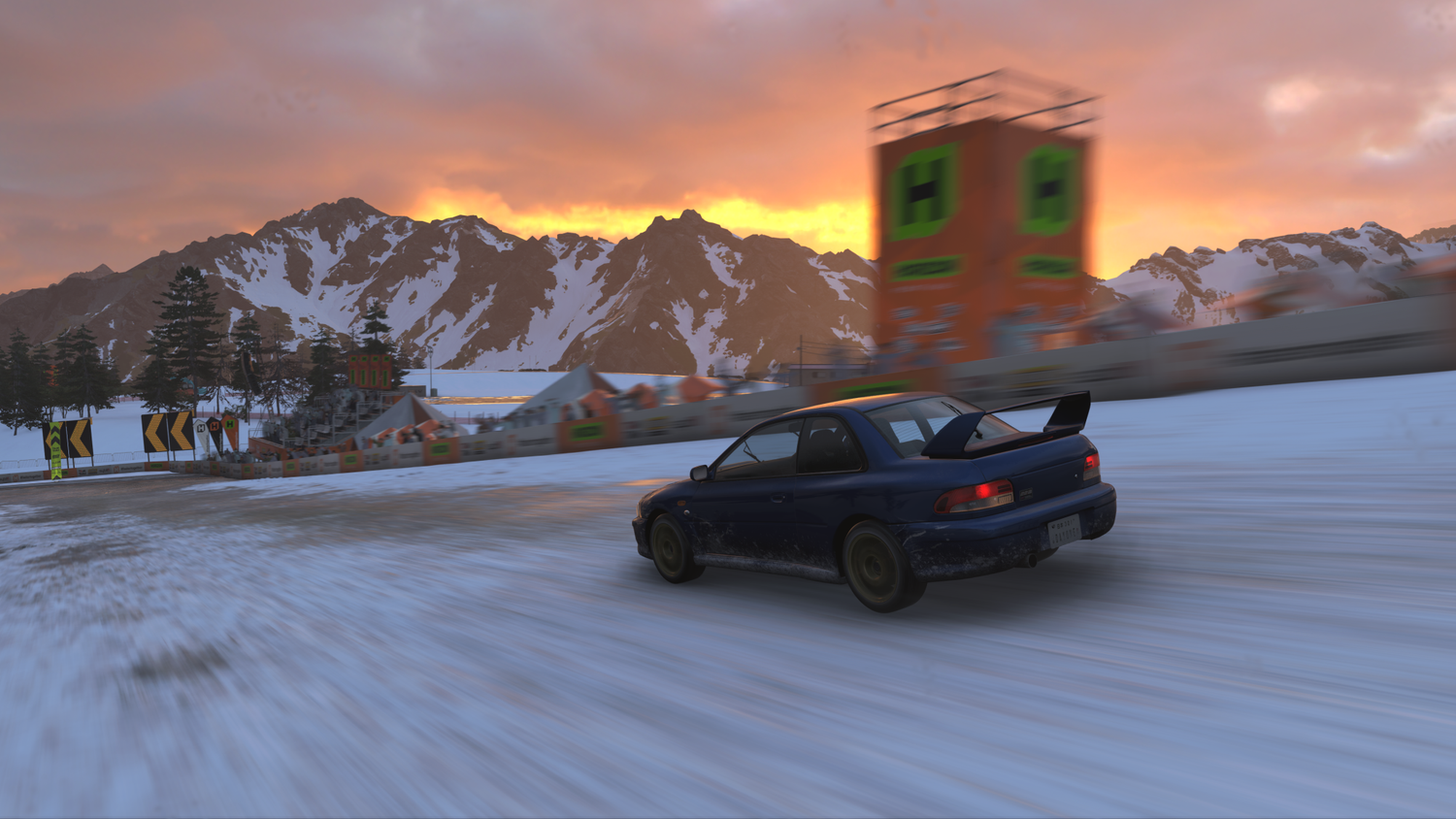
Forza Horizon 6 Series 2 Update: What It Means for Your Next Gaming PC in Canada
The Forza Horizon 6 Series 2 Update is more than a routine patch note drop. It is a reminder that modern racing games are always evolving, constantly being optimized, rebalanced, and expanded in ways that can change how your PC feels from one update to the next. For Canadian players thinking about a new system, this matters. If one patch can improve AI behaviour, fix visual issues, adjust performance on lower-spec hardware, and rebalance tire physics, what does that tell you? It tells you that a capable, well-matched gaming PC is no longer just about launching the game. It is about staying ready for the next update, the next seasonal event, the next graphical improvement, and the next wave of demanding open-world content.
For Groovy Computers, that makes this the perfect time to ask a more useful question than simply, “What changed in the patch?” The better question is this: what kind of PC do you need if you want Forza Horizon 6 to feel smooth, responsive, visually impressive, and ready for future content?
If you are shopping for a Gaming PC Canada buyers can trust, this update gives us a strong real-world example of why build quality, GPU tier, CPU balance, cooling, storage speed, and long-term upgrade planning matter so much. A game like Forza Horizon 6 is not just a casual racing title anymore. It is a large-scale, graphically rich, systems-heavy experience with online features, changing playlists, AI systems, photo features, weather effects, and competitive leaderboard implications. That means your hardware choice affects much more than average frame rate.
What changed in the Forza Horizon 6 Series 2 Update?
Based on the source material provided, the new update includes improvements across performance, stability, AI, audio, badge tracking, leaderboards, Festival Playlist progression, Horizon Play levelling, road discovery, visual quality, and tire behaviour. In simple terms, this was not a tiny cosmetic patch. It touched many of the systems that shape the everyday player experience.
Some of the most notable changes include:
- Performance and stability fixes, including a fix for slow launch times after Benchmark Mode.
- AI balancing improvements, especially Drivatar behaviour at race starts.
- Audio optimization for lower-spec devices.
- Festival Playlist fixes for challenge progression and reward tracking.
- Horizon Play XP adjustments that reduce the grind from Level 26 to Level 100.
- Road Discovery improvements to help tracking and completion accuracy.
- Visual bug fixes for lighting, motion blur, rain particles, loading screens, and upscaling artefacts.
- Drag tire physics changes that reduce their cornering advantage outside drag racing.
For everyday players, this means cleaner racing, fairer leaderboard conditions, more reliable progression, and fewer distracting technical issues. For PC buyers, it means something equally important: games like this continue to shift under the hood. Your hardware should be chosen with enough headroom to handle both current performance and future refinements.
Why does the Forza Horizon 6 Series 2 Update matter if you are buying a gaming PC in Canada?
Because racing games are often misunderstood when people budget a PC.
A lot of buyers assume that a racing game only needs a decent graphics card and they are done. But open-world racing games are some of the most demanding and unpredictable PC experiences on the market. Why? Because they combine high-speed world streaming, weather effects, large map traversal, dense environmental detail, multiplayer elements, physics calculations, AI racers, upscaling features, and visual polish that players notice instantly.
If your current system stutters when loading into events, struggles with image quality during motion, or drops frames when weather and effects stack up, then a patch like this one is very relevant. It highlights exactly where weaker systems begin to show their age.
Are you trying to enjoy smooth 1080p racing now, or are you hoping for a machine that can give you confident 1440p or even 4K performance for upcoming AAA games too? Are you buying only for Forza, or do you also want to play shooters, RPGs, open-world action games, and newer ray-traced titles without replacing the whole system too soon?
That is where the buying decision changes from “Can this run it?” to “How well do I want this to age?”
What does this update tell us about modern game performance?
The patch notes point to a familiar reality in PC gaming: optimization continues after release, but so do demands. When developers improve AI, tweak graphics behaviour, adjust audio handling on lower-end devices, and fix issues tied to upscaling and weather particles, they are effectively telling us that modern engines are doing a lot at once.
That means your next PC should not be chosen based only on minimum expectations. It should be chosen based on the actual experience you want.
Do you want:
- Consistent frame pacing during high-speed racing?
- Stronger image quality at 1440p?
- Enough GPU headroom for upscaling plus higher settings?
- Faster SSD performance for open-world loading?
- A CPU that keeps AI-heavy races feeling responsive?
- A cooler, quieter system under long sessions?
These are not luxury questions anymore. They are practical buying questions, especially if you want a Custom Gaming PC Canada shoppers can rely on for more than one release cycle.
What do you want your next PC to do for you?
This is the most important question in the whole buying process, and too many people skip it.
Do you want a PC mainly for Forza Horizon 6 and similar racing games? Do you want a broader gaming desktop Canada players can use for every major release? Or do you want one machine that handles gaming at night and creator workloads during the day?
Maybe your answer sounds more like this:
- I want smooth 1080p gameplay without worrying about every new patch.
- I want 1440p with high settings and room for future games.
- I want a premium system for ultra settings, high refresh rates, and stronger longevity.
- I want to race, stream, clip highlights, and edit content on the same PC.
- I want a system that can game now but also support video editing, Photoshop, or design work later.
- I want to finance something stronger now instead of settling for a build I will outgrow too fast.
That last point matters more than many buyers realize. A cheap system can become expensive if it forces an early upgrade. A stronger custom build, especially when available through manageable payments, can often be the better long-term value.
What gaming PC do you need for Forza Horizon 6 at 1080p, 1440p, or 4K?
The right answer depends on how you actually play.
1080p players: do you want a budget-friendly entry point or high refresh smoothness?
If your goal is a solid 1080p experience, you may not need an extreme build. But there is still a big difference between “playable” and “consistently satisfying.” A good entry-level or lower mid-range system can be a smart fit for racing games if paired with the right CPU, enough RAM, and fast SSD storage.
A Budget Gaming PC Canada buyers choose for Forza should still be balanced properly. That means avoiding the mistake of overspending on one component while cutting too hard on cooling, memory, or storage. In a large open-world game, those compromises show up quickly.
Ask yourself: are you fine with a value-oriented build if it means medium-to-high settings, or do you want enough performance to keep a high-refresh monitor fed for a more premium 1080p experience?
1440p players: is this your real sweet spot?
For many Canadian gamers, 1440p is where a custom build starts to feel truly special. This resolution offers a big visual upgrade over 1080p while still being more practical than going full 4K. In a game like Forza Horizon 6, that can mean sharper environmental detail, better visual immersion during fast motion, and a more premium feel overall.
If you are wondering what PC do I need for 1440p gaming, the answer is usually a strong mid-range to upper mid-range GPU paired with a modern CPU, healthy cooling, and enough RAM to handle both gaming and background apps comfortably. This is often the best balance between price, performance, and future-proofing.
4K players: do you want visual spectacle or maximum value?
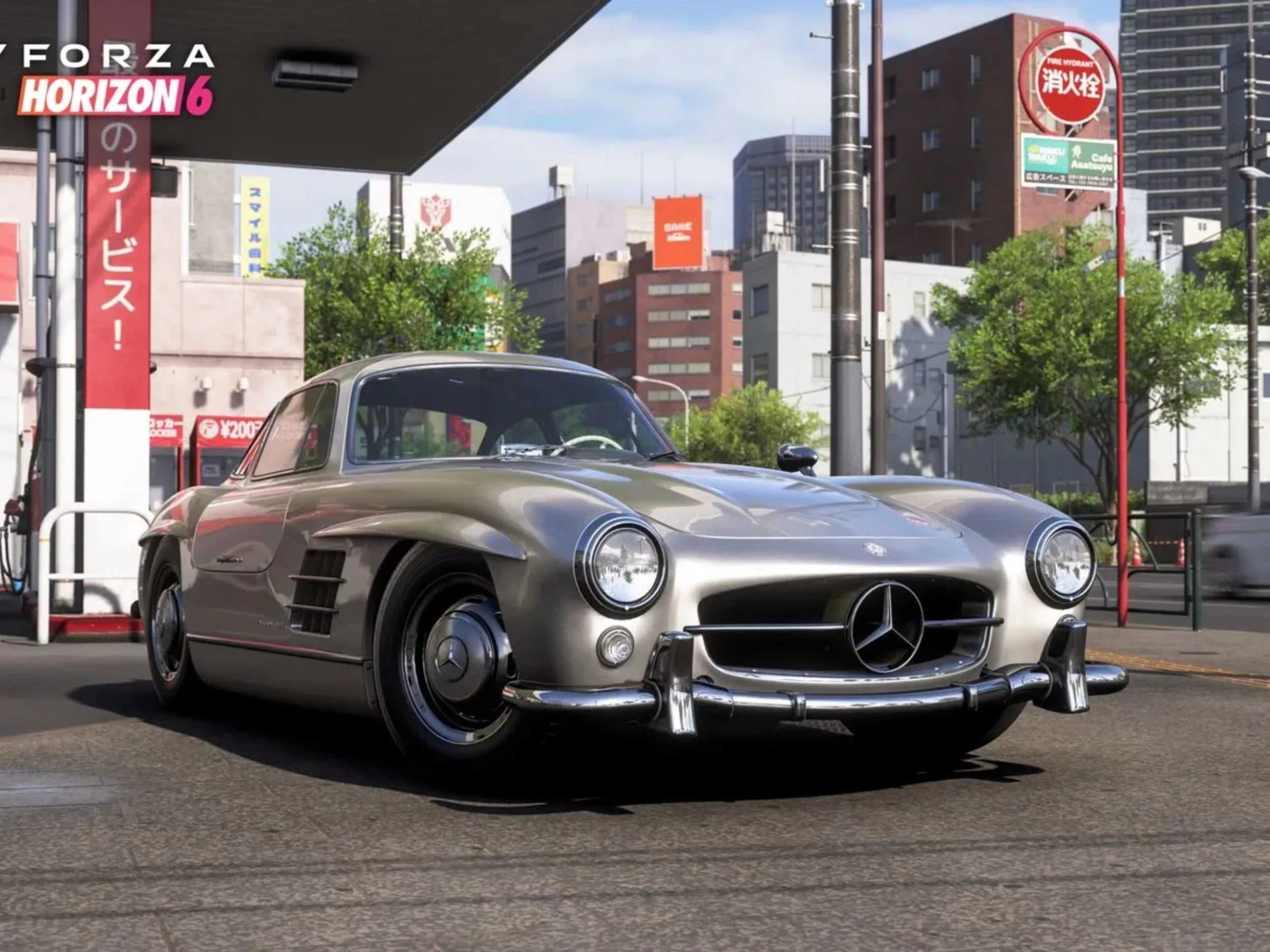
If your goal is a 4K Gaming PC Canada shoppers would consider premium, Forza Horizon 6 is exactly the kind of game that can justify it. Big vistas, changing lighting, weather effects, reflective surfaces, detailed cars, and photo-friendly environments all benefit from higher resolution and stronger GPU performance.
But 4K is where bad planning gets expensive. If you buy too low, you will either compromise hard on settings or feel pressured to upgrade sooner. If you know you want 4K, a high-end graphics card and a stronger overall platform make sense from the start.
So what matters more to you: checking the 4K box today, or building enough GPU overhead that 4K remains satisfying as new updates and new games arrive?
Could this be the right time to upgrade before newer games push your current PC harder?
That is the timing question many shoppers are quietly asking right now.
The patch itself does not claim a hardware crisis, and we are not going to invent one. But what it does show is that live-service style updates, graphical refinements, and competitive balancing continue to make modern games more demanding in practical terms. Add in broader market realities such as changing GPU demand, storage pricing shifts, memory cost fluctuations, and the pressure of major game release windows, and waiting is not always the safest strategy.
Are you buying ahead of a packed gaming season? Are you trying to replace an aging system before it starts failing at exactly the wrong time? Are you hoping to secure a stronger build before the next round of hardware demand makes similar performance cost more?
If so, this is where a custom PC decision becomes about timing, not just specs.
How does the Forza Horizon 6 Series 2 Update connect to streaming and content creation?
A lot of racing players do more than just play. They stream league nights, record gameplay clips, produce YouTube videos, create social media edits, capture screenshots, and build channels around the games they love.
That means your ideal machine may not be just a gaming rig. It may need to be a Gaming and Streaming PC Canada buyers can use for live broadcasting, recording, clipping, and editing too.
If you are asking what PC do I need for streaming, think about your workflow:
- Will you stream gameplay while racing online?
- Will you use OBS or similar software?
- Do you want smooth gameplay and clean stream quality at the same time?
- Will you record high-bitrate footage for later editing?
- Will you also edit videos for YouTube, TikTok, or short-form content?
In that case, GPU encoder quality, CPU multitasking strength, storage capacity, and RAM all become more important. A PC that only just handles the game may feel frustrating once recording, chat tools, browser tabs, plugins, and editing apps enter the picture.
Is a gaming PC good for video editing, photo editing, and graphic design too?
Sometimes yes, but only if it is built with those goals in mind.
A Forza-focused gaming system can double as a creator machine, but the best results come when the build is planned around both worlds. If you spend part of your week gaming and the other part editing videos, processing photos, working in Adobe apps, or creating social content, it may make more sense to choose a Creator PC Canada customers can grow into rather than a narrowly tuned gaming-only system.
Ask yourself:
- Do you need a Video Editing PC Canada users would trust for 4K exports?
- Will you work in Premiere Pro, DaVinci Resolve, or After Effects?
- Do you need a Photo Editing PC Canada photographers can use for large RAW libraries?
- Will you use Photoshop, Lightroom, Illustrator, or InDesign?
- Do you want one build that handles games, stream assets, thumbnails, social graphics, and long-form edits?
If the answer is yes, then CPU core count, memory capacity, fast NVMe storage, and sustained cooling all deserve more weight in the buying decision. This is where a custom builder can help prevent the common mistake of buying a gaming system that feels underpowered in creative work six months later.
What if you also do 3D modelling, Unreal Engine work, or heavier workstation tasks?
Then your decision moves beyond a standard gaming build.
Open-world racing games often attract technically minded users who also enjoy modding, game capture, automotive rendering, 3D scene creation, or development-related workflows. If that sounds like you, the right system may be closer to a 3D Modeling PC Canada professionals would choose or a Workstation PC Canada buyers need for more demanding software.
Do you work in Blender, Unreal Engine, CAD tools, or rendering software? Do you want to game at high settings and also build scenes, animate assets, or render product visuals? Do you need more VRAM, more RAM, more CPU threads, or all of the above?
That is where a true custom approach pays off. Instead of buying a generic one-size-fits-all box, you can choose a build that fits both your racing hobby and your real productivity needs.
Which performance tier fits you best?
One of the biggest reasons buyers hesitate is simple uncertainty. They do not know if they need an entry, mid-range, upper mid-range, or premium build. Here is a practical way to think about it.
Entry or value tier
This tier is best for players who want dependable 1080p gaming, lighter multitasking, and a lower upfront cost. It suits buyers asking, how much should I spend on a gaming PC if they mainly want a good experience without chasing every visual maximum.
Choose this tier if:
- You mainly play at 1080p.
- You want a first gaming PC.
- You play racing, esports, and mainstream games.
- You do not need heavy streaming or editing performance.
Mainstream sweet-spot tier
This is often the smartest choice for players who want strong 1440p gaming, better longevity, and enough performance for streaming or moderate creator work. For many buyers, this is where a custom build feels “worth it.”
Choose this tier if:
- You want high settings at 1440p.
- You care about smoothness and image quality.
- You may stream or record gameplay.
- You want to avoid upgrading too soon.
Premium tier
This tier is for customers who want top-end gaming, stronger future readiness, and room for demanding multitasking or creative workloads. If your goal is ultra settings, higher resolutions, faster refresh rates, and longer useful life, premium hardware makes sense.
Choose this tier if:
- You want 1440p at a very high level or serious 4K gaming.
- You want stronger ray tracing or image-quality headroom.
- You stream, edit, and game on one machine.
- You would rather buy once properly than replace early.
Creator or workstation tier
This tier is ideal for mixed-use buyers who game but also rely on their PC for production work. It is especially useful for users balancing gaming with video editing, Adobe Creative Cloud, heavy photo workflows, 3D software, or business productivity.
Choose this tier if:
- You need one machine for entertainment and income-producing work.
- You care about render times, export speeds, and multitasking stability.
- You use software that benefits from more RAM, faster storage, and stronger CPUs.
- You want a custom build tuned to both play and productivity.
Should you buy a cheaper PC now or finance a better one?
This is one of the most important buyer questions, especially in Canada where full-system replacement costs can add up quickly.
If you buy the absolute lowest tier that can technically run today’s games, what happens if your expectations rise next season? What happens if you start streaming? What happens if a new update, expansion, or game release pushes your frame rates lower than you expected? What happens if you discover that video editing, modding, or content creation becomes part of your routine?
For many buyers, the smarter move is not stretching recklessly. It is choosing the right system once.
That is why Gaming PC Financing Canada shoppers look for can be so practical. If financing helps you secure a stronger GPU tier, a better CPU, more RAM, or faster storage today, you may avoid the much worse value of replacing key parts too early. Groovy Computers can help Canadian customers explore systems that make sense now while supporting future needs, including financing options up to 4 years where appropriate.
So ask yourself honestly: should I finance a better PC instead of buying a cheaper one that I may outgrow fast? In many cases, the long-term answer is yes.
Why do custom builds matter more when games keep changing?
Because preconfigured systems often look fine on paper but hide weak links in the real experience.
For a game like Forza Horizon 6, those weak links can show up as uneven thermals, noisy cooling, limited upgrade paths, poor case airflow, weak power delivery, too little storage, or memory choices that do not complement the rest of the build.
A proper Custom PC Builder Canada buyers can trust should be thinking beyond raw spec labels. The goal is not just to put parts in a box. The goal is to create a balanced machine that performs cleanly across gaming, streaming, editing, and future updates.
Why does that matter? Because smooth racing in an open-world game is about the full system. It is about CPU responsiveness, GPU capability, SSD speed, thermal stability, RAM capacity, driver readiness, and overall tuning. A custom build done properly gives you a more coherent experience.
Why Canadian buyers should care about support, testing, and warranty
Buying a PC online can feel risky if you are not sure what happens after checkout. That is why trust matters.
Groovy Computers is positioned for buyers who want more than random marketplace hardware. A Canada Built Gaming PC from a trusted Canadian builder should offer confidence before and after delivery. That means proper assembly, careful part matching, rigorous testing, and support that understands the full build rather than just one component.
When you are investing in a gaming PC, creator PC, or workstation, ask these questions:
- Has the system been stress tested?
- Is it built with a clear upgrade path?
- Is cooling appropriate for long gaming sessions?
- Will the company stand behind the build?
- Is there warranty support from a Canadian builder?
Those questions matter even more if you are ordering from Nova Scotia, Atlantic Canada, Ontario, Alberta, British Columbia, or anywhere else in the country and want your system shipped with confidence. Groovy Computers emphasizes custom builds, rigorous testing, and a 1-year warranty, which is exactly the kind of reassurance serious buyers should be looking for.
What questions should you ask before buying your next PC?
Before you commit, slow down and ask the questions that actually shape long-term satisfaction.
- What games do I want to play over the next two to three years?
- Do I want 1080p, 1440p, or 4K?
- Do I care about high refresh smoothness or mainly visual quality?
- Will I stream, record, or edit content?
- Do I also need performance for Photoshop, Premiere Pro, or design software?
- Would a creator-focused build suit me better than a gaming-only build?
- Am I buying before a major release, sale period, or possible hardware price increase?
- Do I want to avoid upgrading too soon?
- Would monthly payments help me buy a better long-term system now?
If those questions sound familiar, that is a good sign. It means you are thinking like a smart buyer, not just chasing marketing labels.
Forza players, creators, and power users all need different answers
One reason generic PC advice fails is that it treats every customer the same. But someone playing Forza Horizon 6 casually at 1080p does not need the same build as someone racing at 1440p, streaming to Twitch, editing clips for YouTube, and working in Adobe apps during the week.
Likewise, a buyer using Blender or Unreal Engine alongside gaming has a very different set of priorities than a pure gaming customer. That is why the best recommendation is not a universal “best PC.” It is the best PC for your actual use case.
Are you a value-focused gamer who wants maximum bang for the dollar? Are you a premium buyer who wants longer-term headroom? Are you a creator who needs one system for gaming and business? Or are you still not sure which performance tier fits your budget and goals?
Those are exactly the kinds of questions Groovy Computers is built to help with.
Why Groovy Computers is a strong fit for Canadian custom PC buyers
Groovy Computers speaks directly to the buyer who wants a better way to shop for a PC in Canada. Not a generic warehouse experience. Not a random parts gamble. Not a one-size-fits-all machine that ignores what you actually want to do.
Whether you need a racing-ready gaming system, a stronger multitasking setup for streaming, a creator-focused desktop for editing, or a workstation-grade machine for heavier software, Groovy Computers can help match the build to the workload.
That matters if you are searching for:
- A custom gaming PC with sensible long-term value
- A higher-end gaming build for newer AAA titles
- A system that supports both gaming and content creation
- A Canadian builder with testing and warranty confidence
- A way to finance a stronger PC instead of compromising too hard
And because this is a Canadian custom PC company, the recommendations can be grounded in real Canadian buying conditions, not generic advice that ignores taxes, shipping, replacement costs, and practical value north of the border.
So, what should you do after the Forza Horizon 6 Series 2 Update?
If your current system already runs the game smoothly and still has room for the titles coming next, great. But if this update made you think about launch times, visual issues, AI-heavy performance, image quality, or your ability to keep up with future releases, then this is a smart moment to evaluate your next machine seriously.
The key is not panic buying. It is informed buying.
Do you want a budget-friendly gaming desktop that handles the game properly? Do you want a stronger 1440p setup that feels more future-ready? Do you want a premium build that can handle new open-world games, streaming, and creator tasks without feeling boxed in? Do you want help comparing a gaming system against a creator or workstation build?
If you are asking those questions, you are ready for the next step.
Want help choosing the right system for Forza Horizon 6, upcoming AAA games, streaming, editing, or a mixed-use setup? Visit GroovyComputers.ca to explore custom builds, get guidance on the right performance tier, and see whether a stronger custom PC or financing option makes more sense for your goals. The Forza Horizon 6 Series 2 Update is a useful reminder that buying the right PC is not just about today’s patch. It is about building for what comes next.
#ForzaHorizon6 #ForzaHorizon6Series2Update #GamingPCCanada #CustomGamingPCCanada #GamingPCBuilderCanada #GamingPCForForza #1440pGamingPCCanada #4KGamingPCCanada #CreatorPCCanada #GamingAndStreamingPCCanada #CanadianCustomPCBuilders #NovaScotiaTech
Groovy Computers | All Rights Reserved

Leave a comment
This site is protected by hCaptcha and the hCaptcha Privacy Policy and Terms of Service apply.