



































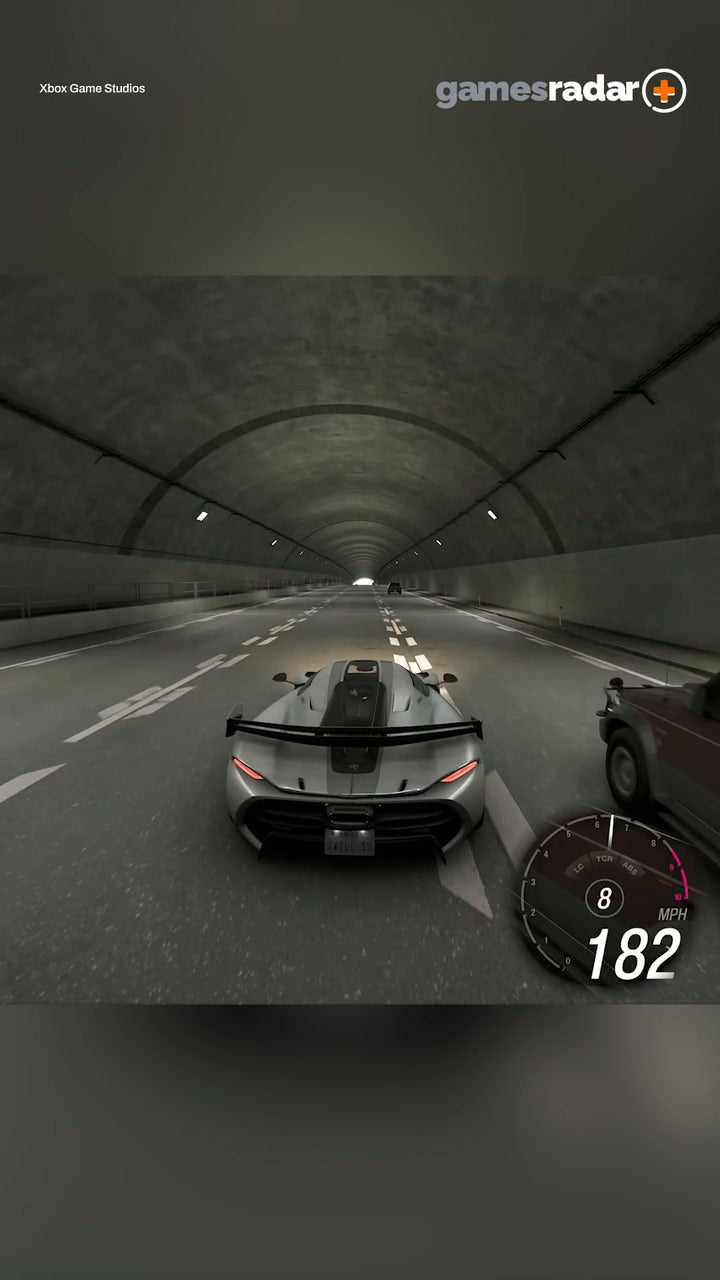
Forza Horizon 6 Fastest Car: What This Viral Moment Really Means for Your Next Gaming PC in Canada
The source headline about the Forza Horizon 6 fastest car is short, punchy, and easy to understand: when a game lets players push extreme speed to the limit, the smallest mistake becomes a spectacular crash. That is entertaining on its own, but for Canadian buyers, there is a more practical takeaway. If open-world racing games are getting faster, denser, and more visually demanding, what kind of system do you actually need to enjoy them properly? More importantly, should you settle for a low-end machine now, or choose a stronger custom build that will still feel fast when the next wave of AAA releases arrives?
At Groovy Computers, this is where the conversation gets useful. A viral gaming clip may start with one car, one highway run, and one brutal off-road mistake, but the buying question underneath it is bigger: what PC do I need for this kind of game experience? If you want smooth racing gameplay, high frame rates, fast loading, detailed environments, ray tracing, streaming, recording, or even a system that can also handle editing your clips afterward, the answer depends on far more than a game title alone.
This guide breaks down what this moment says about modern racing games, how to think about a Gaming PC Canada purchase, which performance tier makes sense for your goals, and why a custom-built system often makes more sense than buying the cheapest option and upgrading too soon.
Why the Forza Horizon 6 Fastest Car Clip Matters to PC Buyers
The original idea is simple: the fastest car in the game is absurdly quick, and once momentum gets out of control, even a tiny error becomes dramatic. But that is exactly what modern racing games do so well. They combine speed, long draw distances, rapidly changing scenery, weather, physics, particle effects, traffic density, and high-resolution assets in a way that can be surprisingly demanding on your hardware.
If you are only thinking, “It is just a racing game,” you may be underestimating what your PC has to do. At speed, the system is constantly rendering scenery, handling texture streaming, maintaining frame pacing, and responding instantly to control inputs. Do you want the game to merely run, or do you want it to feel smooth, responsive, and premium?
That distinction matters. A budget system may launch the game. A better-balanced custom gaming PC is what helps the experience feel exciting instead of compromised.
What Do You Want Your Next PC to Do for You?
Before choosing parts, start with the real question: what do you want your next PC to do for you over the next few years?
Are you buying a system mainly for open-world racing games and other new AAA titles? Do you also want to play competitive shooters at high FPS? Are you planning to stream to Twitch or YouTube? Do you want to clip gameplay and edit videos afterward? Will this same desktop also be used for Photoshop, graphic design, school, work, or 3D software?
That is where many buyers in Canada go wrong. They shop by sticker price first, then discover the machine does not match their actual use case. A better approach is to define your workload honestly:
- Gaming only: You want strong frame rates, good thermals, fast storage, and an easy future upgrade path.
- Gaming and streaming: You need more headroom for encoding, multitasking, memory, and sustained performance.
- Gaming and editing: You need a system that not only plays modern games well, but also handles exports, timeline playback, and creator apps smoothly.
- Gaming plus 3D or workstation tasks: You may need workstation-level CPU, GPU, and RAM planning instead of a basic gaming-first spec sheet.
If a racing game clip got your attention, ask yourself the next logical question: is your next PC just for fun, or should it also help you create, stream, work, and avoid feeling outdated too quickly?
The Real Performance Question: 1080p, 1440p, or 4K?
One of the biggest factors in choosing a custom gaming PC Canada buyers will actually be happy with is resolution target. The right build for 1080p is not always the right build for 1440p, and a true 4K experience is another step up again.
Do you want a 1080p gaming PC?
If your goal is 1080p with high settings and solid performance in racing games, esports titles, and most current releases, an entry-to-mid-range build can still make a lot of sense. This is the practical zone for buyers who want value without overspending. It is also a smart fit for students, first-time PC gamers, and anyone asking, “How much should I spend on a gaming PC?”
But even here, quality matters. A weak CPU, too little RAM, poor airflow, or a slow SSD can make a system feel far less impressive than the GPU alone would suggest.
What PC do you need for 1440p gaming?
For many buyers, 1440p is now the sweet spot. This is where racing games, open-world games, and visually rich AAA titles start to look dramatically better while still remaining achievable without going all the way to ultra-premium pricing. If you are the type of player watching clips of the fastest car in Forza Horizon 6 and thinking about immersion, detail, and smooth driving feel, 1440p is often where the magic starts.
This tier is also ideal if you want a machine that does more than one thing well. A strong 1440p system can often double as a Gaming and Streaming PC Canada option or a light creator system for content clips and social media production.
What PC do you need for 4K gaming?
If your goal is 4K, ultra settings, or heavy use of ray tracing in demanding titles, you are in premium territory. This is where GPU selection becomes much more important, and where cutting corners can become expensive later. A true 4K Gaming PC Canada buyer should think beyond today’s headline game and ask: how long do I want this machine to last before I feel pressure to upgrade?
If your answer is three to five years of strong premium gaming, buying too low now often costs more in the long run.
What Gaming PC Do You Need for Forza-Style Open-World Racing?
Open-world racing games reward balanced systems. You need graphics power, yes, but you also need strong CPU performance, enough RAM for background tasks and asset loading, and fast SSD storage for reducing bottlenecks. The best PC for AAA Games is not always the one with the flashiest single part. It is the one where the entire build has been chosen intelligently.
For this kind of game category, a good build should prioritize:
- Modern multi-core CPU performance for game logic and overall responsiveness
- A capable GPU for high settings, reflections, effects, and higher resolutions
- Sufficient RAM to avoid stutter during gameplay and multitasking
- Fast NVMe SSD storage for quick loads and smoother asset streaming
- Quality cooling and airflow to maintain stable performance during long sessions
Are you the kind of buyer who wants to jump into new releases on day one? Do you want your system ready for the next open-world blockbuster, not just barely meeting today’s minimum? Those are the questions that separate a satisfying purchase from a frustrating one.
Why Racing Games Can Expose Weak PCs So Quickly
In a slower-paced game, uneven frame pacing or delayed asset loading can be annoying. In a high-speed racing title, those problems feel much worse. When scenery is flying past, every dip, hitch, or inconsistency becomes easier to notice. That is why games built around speed often reveal the difference between “playable” and “properly smooth” very quickly.
This matters if you are trying to choose between a basic prebuilt and a carefully selected custom system. A machine with better cooling, cleaner component matching, and stronger overall balance can produce an experience that feels more consistent, more reliable, and more enjoyable over time.
Ask yourself: do you want the cheapest path into PC gaming, or do you want to avoid buying twice?
What If You Also Want to Stream or Record Gameplay?
This is where many racing game fans become content creators without planning for it. One viral clip becomes ten. One fast run becomes a montage. One funny crash turns into TikTok, YouTube Shorts, or a full video. Suddenly, your “gaming PC” also needs to be a Streaming PC Canada or a Content Creation PC Canada build.
If you want to stream your races, record in high quality, run OBS, manage overlays, and keep gameplay smooth, your hardware needs increase. Not massively in every case, but enough that buying too close to the minimum is risky.
Useful questions to ask include:
- Do you want to stream at 1080p while gaming?
- Will you record gameplay locally for later editing?
- Do you want one PC to handle gaming, streaming, Discord, browser tabs, and music apps at once?
- Are you expecting to keep this system through multiple game releases?
If the answer is yes to several of those, your build should include extra headroom. That is exactly where custom configuration matters.
Could Your Gaming PC Also Be Your Editing PC?
For a lot of Canadian buyers, the answer should be yes. If you are already investing in a new machine, it makes sense to consider whether it should also handle clips, YouTube uploads, social content, and editing workloads. That is especially true if your favourite games inspire you to create around them.
A system that works for racing games and fast-paced gameplay can often be configured into a strong Video Editing PC Canada or Creator PC Canada platform with the right CPU, RAM, SSD setup, and GPU pairing.
Do you edit in Adobe Premiere Pro? Are you cutting footage in DaVinci Resolve? Do you use Photoshop for thumbnails, Lightroom for stills, or Illustrator for branding? Are you creating channel assets, social posts, and highlight reels on the same machine?
If so, the buying decision changes. You are no longer just shopping for a game machine. You are choosing a multi-purpose production tool.
Which Performance Tier Fits You Best?
One of the smartest ways to shop is by performance tier, not hype alone. Here is a simple framework for readers trying to decide what kind of build actually suits them.
Entry-Level Value Tier
Best for buyers who want a Budget Gaming PC Canada option for 1080p gaming, mainstream titles, lighter racing games, school use, and general everyday performance. This tier is good if you are price-sensitive but still want a real desktop upgrade path.
Choose this tier if:
- You mainly play at 1080p
- You want strong value per dollar
- You are not focused on heavy ray tracing or 4K
- You want a first gaming PC that does not feel disposable
Mid-Range Sweet Spot Tier
This is often the smartest choice for modern buyers. It is the zone where 1440p gaming, stronger settings, better longevity, and mixed use all start to make sense. If you play new games, want smooth racing gameplay, and may stream or edit later, this is frequently the best balance.
Choose this tier if:
- You want 1440p gaming with confidence
- You expect to play new AAA games over the next few years
- You may stream, record, or create content
- You want to avoid upgrading too soon
Premium High-End Tier
This is for buyers who want top-tier gaming, 4K performance, ray tracing, higher visual ambition, and more breathing room for the future. It is also a better match for hybrid users combining gaming with editing, 3D work, or demanding multitasking.
Choose this tier if:
- You want a High End Gaming PC Canada configuration
- You care about 4K, ultra settings, or long-term performance
- You want strong creator capability at the same time
- You would rather buy once properly than compromise and replace sooner
Is It Better to Buy a Gaming PC Now or Wait?
This is one of the most common questions in the market, and it is a fair one. If a game trend or new release has your attention, should you move now or hold off?
The answer depends on your current system, your expectations, and how close you are to frustration. If your existing PC struggles with newer games, has limited upgrade room, runs hot, uses old storage, or forces you to lower settings more than you want, waiting may not actually save you money in practical terms. It may only extend the period where you are living with a machine you no longer enjoy using.
There is also the broader issue of component volatility. GPU demand pressure, memory pricing shifts, SSD pricing changes, and seasonal sales cycles can all affect full-system costs. No one can responsibly guarantee what happens next, but buyers should understand that waiting does not always produce a better deal. Sometimes it only means buying later under worse conditions.
So ask yourself: are you waiting because your current system still meets your needs, or are you waiting because you hope the perfect price will magically appear?
Why Financing Can Make Sense for a Better Build
For some customers, the smartest move is not buying the absolute cheapest machine upfront. It is securing the right system now while spreading out the cost. That is where financing becomes practical rather than impulsive.
If moving up one performance tier means a much longer useful life, better gaming results, smoother streaming, and less need to replace parts quickly, financing may help you avoid underbuying. Groovy Computers offers options that can help buyers access stronger systems without needing to absorb the full cost all at once, with financing available up to 4 years where applicable.
That raises an honest buyer question: should you finance a better PC instead of buying a cheaper one? If the stronger machine is the one that actually matches your use case, lasts longer, and saves you from an early upgrade cycle, the answer can absolutely be yes.
This is especially relevant if you are buying ahead of a major game launch, during uncertain pricing conditions, or before your old system becomes a complete bottleneck.
What If You Need More Than a Gaming PC?
Not every reader inspired by a racing game article is only a gamer. Many buyers are students, streamers, editors, photographers, designers, and 3D hobbyists all at once. If that sounds like you, your next machine may need to do more than one job well.
Need a PC for video editing too?
If you edit gameplay clips, YouTube videos, or 4K footage, a proper PC for Video Editing Canada setup should prioritize CPU strength, memory capacity, fast SSDs, and GPU support for modern creative apps. Do you want faster exports, smoother playback, and less waiting every time you finish a project?
Need a PC for photo editing or graphic design?
If your workflow includes Photoshop, Lightroom, Illustrator, or other Adobe apps, your needs change again. A strong Photo Editing PC Canada or Graphic Design PC Canada build benefits from fast storage, enough RAM, stable multitasking, and reliable everyday responsiveness. Are you constantly switching between browser tabs, raw files, design documents, and media assets?
Need a PC for 3D modeling or rendering?
If your gaming system also needs to support Blender, Unreal Engine, or heavier design and rendering tasks, you may be better served by a 3D Modeling PC Canada or Workstation PC Canada configuration. In that case, asking “Is a gaming PC good for Blender?” becomes important. Sometimes yes, but only if the build is chosen with that workload in mind.
Custom PC vs Prebuilt PC Canada: Why the Difference Matters
There is a reason serious buyers keep coming back to the custom versus generic prebuilt question. A custom system gives you more control over how your budget is actually being used. Instead of paying for mismatched priorities, weak cooling, limited upgrade paths, or mystery part substitutions, you can focus your spend where it matters most.
That matters for racing games. It matters for streaming. It matters for editing. And it matters even more when prices are volatile, because every component choice has to pull its weight.
A well-planned custom build can offer:
- Better part balancing for your actual use case
- Cleaner upgrade potential over time
- Stronger thermal design and stability
- More confidence in performance expectations
- Less waste from overspending in the wrong places
So if you are asking, is a custom gaming PC worth it? the answer is often yes, especially when you want a machine built around your real goals instead of a one-size-fits-all product sheet.
Why Canadian Buyers Should Think Differently
Canadian shoppers have to think about more than raw component lists. Availability, shipping, total landed cost, support, and trust matter. A system that looks good on paper is not enough if support is poor, the build quality is inconsistent, or warranty confidence is unclear.
That is why working with a Canadian Custom PC Builders brand matters. Groovy Computers builds for customers in Canada with a focus on custom gaming PCs, creator systems, and workstation-ready desktops that are selected for real-world use rather than generic shelf appeal.
For customers in Nova Scotia, Trenton, New Glasgow, Halifax, and across Atlantic Canada, there is also extra value in dealing with a Canadian PC builder that understands local trust and support expectations. And for buyers elsewhere in the country, ordering from a Canadian company still means avoiding the uncertainty that often comes with random marketplace sellers.
Why Testing, Reliability, and Warranty Matter More Than Ever
When you are buying a new PC, speed gets attention. Reliability keeps you happy after the sale. That is why rigorous testing matters. A powerful system that crashes under load, runs too hot, or arrives with questionable tuning is not a premium experience.
Groovy Computers emphasizes tested custom builds and backs systems with a 1-year warranty, which is exactly the kind of confidence many buyers are looking for when they are stepping into a more serious gaming or creator machine.
Would you rather gamble on an unknown box, or buy a system that has been assembled and tested with long-term performance in mind?
Questions Smart Buyers Should Ask Before Ordering
Before you commit to any new desktop, ask the questions that actually shape long-term satisfaction:
- What games do I really want to play over the next two to four years?
- Am I targeting 1080p, 1440p, or 4K?
- Do I care about ray tracing or ultra settings?
- Will I stream, record, or edit gameplay?
- Do I use Adobe apps, OBS, Blender, or other demanding software?
- How much RAM and storage will I realistically need?
- Do I want a budget build now, or a stronger system that lasts longer?
- Would financing help me buy the right machine instead of the cheapest one?
- How soon do I want to avoid upgrading again?
- Do I want help from a Canadian builder who can match the build to my real needs?
These are not filler questions. They are the difference between buying reactively and buying intelligently.
So, What Kind of Buyer Should Choose Which Groovy Computers Category?
If this article started with a fast car and ended with you thinking seriously about your next desktop, here is the practical takeaway.
- Choose a budget gaming build if you want affordable 1080p performance and a solid first entry into PC gaming.
- Choose a mid-range RTX gaming PC if you want the best all-around balance for newer games, 1440p gaming, and some content creation flexibility.
- Choose a premium gaming PC if you want 4K ambitions, stronger ray tracing, longer-term value, and top-tier visual performance.
- Choose a creator PC if your system needs to game, stream, edit, and multitask without compromise.
- Choose an editing workstation if video production, design work, or heavy media tasks are a core part of your workflow.
- Choose a 3D modeling workstation if Blender, Unreal Engine, rendering, CAD, or advanced creation tools matter as much as gaming.
The key is not buying what sounds impressive in isolation. It is choosing the performance category that actually fits your life.
Ready for the Next Big Racing Game, or Still Hoping Your Old PC Holds On?
If the idea of the Forza Horizon 6 fastest car has you thinking about smoother gameplay, higher settings, better responsiveness, or finally stepping into a proper custom desktop, now is a good time to ask the most useful question of all: what do you want your next PC to do better than your current one?
If you want help choosing between a budget gaming system, a premium RTX build, a streaming-ready setup, a creator desktop, or a more serious workstation, Groovy Computers can help you narrow it down based on what you actually play and use. Instead of guessing, start with a build that matches your goals and leaves room to grow.
If you are ready to browse, compare, or ask about a custom build and financing options, visit GroovyComputers.ca. For Canadian buyers who want a custom PC built with performance, testing, and long-term value in mind, that is the smarter next step.
In the end, the clip is entertaining because speed exaggerates every decision. PC buying works the same way. The wrong choice shows up faster than most people expect. The right Forza Horizon 6 fastest car experience on PC is not just about one game. It is about owning a system that is ready for the next game, the next stream, the next project, and the next upgrade cycle before it becomes a problem.
#ForzaHorizon6 #GamingPCCanada #CustomGamingPCCanada #GamingPCBuilderCanada #PCForAAAGames #1440pGamingPCCanada #4KGamingPCCanada #StreamingPCCanada #CreatorPCCanada #CanadianCustomPCBuilders #NovaScotiaGamingPC #GroovyComputers
Groovy Computers | All Rights Reserved


Leave a comment
This site is protected by hCaptcha and the hCaptcha Privacy Policy and Terms of Service apply.