



































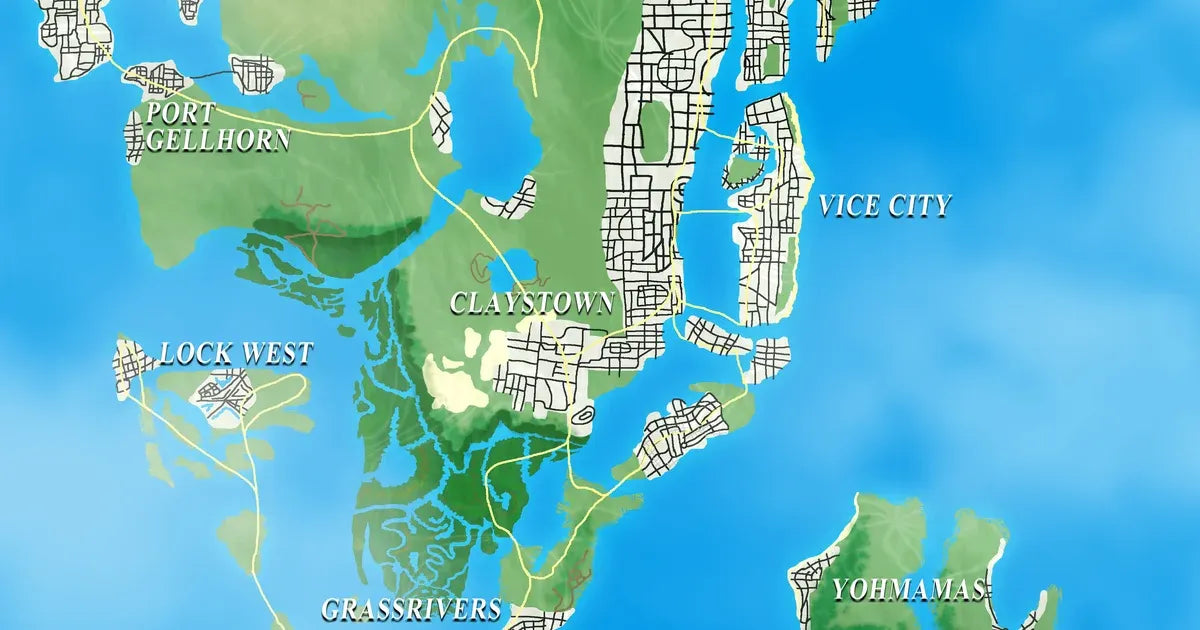
GTA 6 Map Size Must Be Monstrous: What That Means for Your Next Gaming PC in Canada
The latest talk around the GTA 6 map size is doing more than fueling hype. It is pushing PC buyers to ask a practical question: if the next Grand Theft Auto is truly massive, detailed, and built to raise the bar for open-world gaming, what kind of system will you actually want when it arrives? For Canadian gamers, that question matters now, not after demand surges, GPU prices tighten, and last-minute upgrades become more expensive.
A former Rockstar producer recently suggested that Grand Theft Auto 6 will either be monstrous in size or dramatically more detailed than past entries. That is not a small comment. It reflects Rockstar’s long history of making each world bigger, denser, and more technically ambitious. If you are already thinking about a Gaming PC Canada buyers can rely on for major upcoming releases, this is exactly the kind of headline that should shape your buying timeline.
Because here is the real issue: a huge open world is not just about map size. It is about texture quality, draw distance, lighting, ray tracing, traffic density, AI behaviour, streaming assets from storage, and keeping frame rates stable while all of that happens at once. If you are planning your next upgrade around GTA 6, you are really planning for the next wave of AAA gaming.
What Did the Former Rockstar Developer Actually Mean?
The key takeaway from the source story is not simply that GTA 6 might be bigger than GTA 5. It is that Rockstar’s development pattern has always pointed in one direction: more scale, more ambition, and more world simulation. The former producer’s wording matters because he left room for two possibilities.
- A physically larger world than players have seen before
- A denser, more detailed world with higher complexity in every block, road, and interior
For PC buyers, both outcomes point toward stronger hardware needs. Why? Because even if a map is not dramatically larger in raw size, a more detailed world can be even harder to run. Higher density means more objects, more shadows, more reflections, more NPC logic, and more background activity for your CPU, GPU, RAM, and SSD to handle at the same time.
Are you expecting to play at 1080p and simply want smooth performance? Or are you already thinking about 1440p, ultra settings, ray tracing, and high refresh gameplay? Your answer changes what kind of system makes sense.
Why the GTA 6 Map Size Discussion Matters to Canadian PC Buyers
Canadian gamers often make the mistake of waiting for official game requirements before planning a purchase. That sounds cautious, but with major releases, it can backfire. Once a blockbuster title gets closer, demand for stronger GPUs and complete systems usually climbs. That can shrink availability, stretch lead times, and push buyers into lower-value rushed decisions.
If a game like GTA 6 becomes the defining benchmark for open-world performance, a lot of people will suddenly ask the same questions at the same time: Can my PC run this game? Should I upgrade my graphics card? Is now a good time to buy a gaming PC? Should I finance a better system instead of buying something weaker twice?
That is where planning early gives you an advantage. At Groovy Computers, the smarter move is often to choose a balanced custom build before the pressure hits the market. That means selecting the right CPU and GPU tier for your resolution target, making sure your cooling is adequate, choosing enough RAM for modern games and background apps, and using fast SSD storage so large open-world asset streaming does not become a bottleneck.
If GTA 6 Is Bigger, What Will Your PC Need to Do?
Before you shop, ask yourself a better question than “What are the minimum specs?” Ask this instead: What do I want my next PC to do for me?
Do you want to load into a major open-world game and simply get by? Or do you want a system that still feels strong a year or two later when the next demanding release lands? Do you only play games, or do you also stream, edit clips, create thumbnails, render videos, or multitask across Discord, Chrome, Spotify, and OBS while you play?
The bigger and more detailed GTA 6 becomes, the more your PC choice starts to affect your daily experience in ways that go beyond one game. Open-world titles often expose weak storage, insufficient RAM, underpowered CPUs, and older GPUs faster than less demanding games do.
Ask yourself these buying questions first
- Do you want 1080p, 1440p, or 4K performance?
- Do you care about ray tracing, or is raw frame rate the priority?
- Will you only game, or also stream to Twitch or YouTube?
- Do you edit gameplay videos in Premiere Pro, DaVinci Resolve, or CapCut?
- Do you need one system for gaming and content creation?
- Are you trying to avoid upgrading again too soon?
- Would financing a stronger build now make more sense than replacing a weaker one later?
Those questions are where a smart custom PC decision starts.
What PC Do You Need for GTA 6 and Other New AAA Games?
If you are shopping for a gaming PC for GTA 6, the best approach is to buy for a performance tier, not a minimum requirement sheet. Major open-world games reward balanced systems, not just one expensive part.
Entry tier: 1080p gaming for budget-conscious buyers
If your goal is 1080p gaming on sensible settings with good overall playability, a Budget Gaming PC Canada shoppers choose should focus on value without cutting too many corners. This kind of system is ideal if you mainly want to play new games at standard settings and keep your total investment under control.
This tier is often right for first-time buyers, students, and gamers upgrading from aging consoles or older PCs. But ask yourself honestly: if GTA 6 becomes one of the defining visual showcases of the next few years, will you be satisfied turning down settings early in the system’s life?
Sweet spot tier: 1440p gaming for most serious players
For many buyers, 1440p is the real target. A 1440p Gaming PC Canada gamers choose usually delivers the best mix of visual quality, longevity, and performance. This is where high settings, stronger frame rates, better texture handling, and more headroom for future games start to make real sense.
If you are the type of player who wants GTA 6 to feel impressive rather than merely functional, this is often the smartest tier. It also fits buyers who play a mix of AAA titles and competitive games and want one machine that does both well.
Premium tier: 4K, ray tracing, and long-term performance
If you want ultra settings, premium visuals, and stronger long-range value, a 4K Gaming PC Canada buyers invest in should be built with no weak links. This tier is for customers who do not want to wonder whether their system can handle flagship releases, especially as game engines get heavier and visual features become more demanding.
Do you want to play the biggest releases on a high-end display? Do you want ray tracing enabled without feeling like every settings menu is a compromise? Do you want a system that still feels premium years from now? That is when a high-end custom build starts to make sense.
Size Versus Detail: Why Dense Game Worlds Are Harder on Hardware
One of the smartest points in the source article is the distinction between world size and world detail. Gamers often assume a larger map automatically matters most, but density may be the bigger performance factor.
A detailed city with complex reflections, crowded roads, advanced weather, realistic shadows, and more active systems can put sustained pressure on your system in ways that a larger but emptier map does not. That affects:
- GPU load from lighting, textures, and visual effects
- CPU load from traffic, NPC behaviour, and world simulation
- RAM usage from modern game assets and multitasking overhead
- SSD performance from streaming large environments smoothly
That is why buying a PC for big new games should never be reduced to “just get a better graphics card.” A balanced custom build matters more than ever.
Do You Only Game, or Do You Also Stream and Create Content?
Many buyers who start with a GTA 6 question quickly realize they need more than a gaming-only machine. If you are planning to stream gameplay, record content, edit clips, make thumbnails, or run creator software on the same system, your needs change immediately.
A Gaming and Streaming PC Canada buyers should choose needs enough CPU power for background tasks, enough RAM for multiple active applications, and a GPU that supports both strong gaming performance and efficient video workflows. If you are also editing in Adobe Premiere Pro or DaVinci Resolve, your storage and memory decisions become even more important.
What PC do you need for streaming?
If your plan is to play a demanding open-world title while running OBS, voice chat, browser tabs, music, and stream assets, ask yourself whether your current system already struggles in multitasking scenarios. If it does, a one-dimensional upgrade may not solve the problem.
A proper Streaming PC Canada build should be selected around your actual routine. Are you streaming at 1080p? Recording local footage while playing? Running dual monitors? Editing highlights after every stream? Those details matter far more than generic one-line recommendations.
What if you also edit videos?
If GTA 6 is going to become content fuel for your channel, then your next PC may need to be a Creator PC Canada build, not just a gaming rig. Smooth timeline playback, faster exports, and less waiting between edits can save real time every week. That matters if you post regularly to YouTube, TikTok, or social platforms.
Do you want one system that can game at night, stream on weekends, and cut 4K footage without constant slowdowns? Then a custom creator-oriented configuration is the smarter move.
What If Your Next PC Is Also for Video Editing, Photo Editing, or Graphic Design?
Not every reader following GTA 6 news is only a gamer. Some are creators, designers, students, or business users who want a machine that can handle both entertainment and production. If that sounds like you, this release hype is a useful reminder to buy for your full workload.
Video editing buyers
If you work in Premiere Pro, DaVinci Resolve, After Effects, or CapCut, your ideal system may be closer to a Video Editing PC Canada workflow build than a standard gaming desktop. Fast storage, a stronger CPU, more RAM, and a GPU with creator-friendly acceleration can all improve your day-to-day experience.
What PC do you need for video editing if you also want to game? Usually one with stronger multitasking balance, not just gaming-first tuning. If your current system drops frames in the timeline or makes exports painfully slow, that is your sign.
Photo editing buyers
If you spend more time in Photoshop, Lightroom, Capture One, or AI-assisted image tools, your system needs may be different again. A Photo Editing PC Canada buyers trust should prioritize responsiveness, reliable multitasking, memory headroom, and strong storage performance.
Do photographers need the same GPU focus as gamers? Not always. But if you are combining photo work with gaming, then the right hybrid custom build becomes a very smart purchase.
Graphic design and Adobe Creative Cloud users
Graphic designers often need a system that stays responsive across Illustrator, Photoshop, InDesign, Canva, browser-based tools, file transfers, and multiple displays. If that is your workload, ask yourself whether your next purchase should be a pure gaming machine or a more versatile creative desktop.
A balanced custom system can serve gaming at night and Adobe Creative Cloud by day without forcing you into compromises that feel obvious a month later.
3D modeling and workstation users
For buyers using Blender, Unreal Engine, Unity, CAD tools, or rendering software, GTA 6 headlines can still be relevant. Why? Because the same broader hardware trends affect your buying timing. If demand pressure grows around premium GPUs, workstation buyers can feel it too.
If your next system needs to handle rendering, simulation, game asset creation, or professional workloads, a 3D Modeling PC Canada or workstation-focused custom build may be the better fit than any generic gaming prebuilt.
Which Performance Tier Fits You Best?
One of the most useful questions a buyer can ask is this: How much PC do I actually need without overspending? The answer depends on your monitor, games, software, and how long you want the system to stay relevant.
Choose an entry-level gaming build if:
- You mainly want 1080p gaming
- You are price-sensitive and need strong value
- You play a mix of lighter games and newer titles on moderate settings
- You are okay with upgrading sooner than premium buyers
Choose a mid-tier gaming or creator build if:
- You want 1440p gaming to feel smooth and impressive
- You expect to play upcoming AAA games for years
- You stream, multitask, or edit occasionally
- You want stronger longevity without going full flagship
Choose a high-end custom build if:
- You want 4K gaming or heavy ray tracing performance
- You care about premium settings and future-proofing
- You create content, edit videos, or run demanding software too
- You want to avoid replacing your system too soon
If you are stuck between two categories, ask a more useful question: would a cheaper system save money, or just delay the stronger purchase you will eventually need anyway?
Is It Better to Buy a Gaming PC Now or Wait?
This is one of the most common buying questions in Canada, and it becomes even more relevant around blockbuster game releases. Waiting can seem wise, but it depends on what you are waiting for.
If you are waiting for a specific game launch, a sale event, or clearer hardware direction, that may feel logical. But if your current PC already struggles, waiting can also mean spending months with poor performance and then shopping during a period of higher demand.
Major release hype can affect complete-system pricing indirectly through stronger interest in GPUs, better CPUs, faster SSDs, and more premium-tier systems. Add normal market volatility to that, and last-minute shopping can become an expensive strategy.
Should you buy before a major game release, possible shortage, or price spike? If your current machine is near the end of its useful life for modern AAA titles, the answer is often yes. Buying early gives you more choice, more time to configure properly, and less pressure to settle.
Should You Finance a Better PC Instead of Buying a Cheaper One?
This is where a lot of buyers make the wrong move. They focus only on today’s sticker price instead of total ownership value. A weaker machine may cost less now, but if it forces an early upgrade, the long-term value can be worse.
That is why financing can be a practical decision, not just a budget workaround. If financing helps you secure a stronger custom system that lasts longer, performs better in the games and software you care about, and avoids a near-term replacement, it may be the more efficient option.
Would monthly payments on the right build feel better than buying a lower-tier PC that already feels dated when GTA 6 or other major games arrive? Would financing up to 4 years help you move into a better GPU or creator-ready setup without compromising your whole plan? For many Canadian buyers, the answer is yes.
At that point, the better question is not “Should I spend less?” It is “Should I buy once, buy properly, and avoid upgrading too soon?”
Why Custom PC Builds Matter More for Big New Games
When game worlds get larger and more detailed, generic one-size-fits-all systems become a riskier buy. That is because demanding games expose poor balance fast. An oversold GPU paired with weak cooling, insufficient RAM, a slow SSD, or a limited CPU can leave buyers disappointed even if the marketing sounded impressive.
A Custom Gaming PC Canada buyers choose from a dedicated builder gives you a better chance of getting the right balance for your goals. That means:
- Component matching based on your target resolution and workload
- Cooling selected for sustained gaming and creator performance
- Storage choices suited to large modern game installs
- RAM capacity that makes sense for gaming, streaming, or editing
- Upgrade paths that help extend system life
If you are comparing a custom build to a random marketplace system, ask yourself what happens after the sale. Will the machine be stress tested? Will you have support? Will you know why those parts were paired together? Those answers matter more when you are buying for the next generation of demanding software.
Why Groovy Computers Fits This Moment for Canadian Buyers
Groovy Computers is positioned for exactly this kind of decision point. When gaming headlines start pushing buyers toward stronger hardware, what most people need is not hype. They need guidance. They need a system matched to the games they play, the software they use, the monitor they own, and the budget they can actually live with.
For Canadian customers, that means looking at Groovy Computers as more than a seller. It means working with a Canadian custom PC builder focused on practical recommendations, strong performance tiers, careful part selection, rigorous testing, and confidence after purchase.
Whether you need a budget gaming desktop, a premium RTX-based build, a streaming setup, a custom creator PC, or a workstation-style system, Groovy Computers can help match the build to the workload instead of pushing a generic answer.
That matters if you are in Nova Scotia, Atlantic Canada, or ordering from elsewhere in Canada and want support from a builder that understands the Canadian market, price pressure, and real buyer concerns.
What Should You Ask Before Choosing Your Next PC?
Before you place an order, ask yourself these practical questions:
- What games do I actually want this machine to play over the next two to three years?
- Am I aiming for 1080p, 1440p, or 4K?
- Do I care more about high FPS, visual quality, or both?
- Will I stream, record gameplay, or edit content?
- Do I use Photoshop, Premiere Pro, DaVinci Resolve, Blender, or other demanding software?
- Would a cheaper build force me to upgrade too soon?
- Would financing a stronger system now give me better long-term value?
- Do I want a tested system with a 1-year warranty and real support?
If you do not have clear answers yet, that is exactly why custom guidance matters.
Ready for GTA 6, or Just Hoping Your Current PC Survives?
The biggest value in the GTA 6 map size discussion is not speculation. It is the reminder that next-generation game ambition always reaches your hardware eventually. If a former Rockstar producer thinks the world must be monstrous or significantly more detailed, buyers should assume one thing: demanding open-world gaming is not getting lighter.
So what do you want your next PC to do for you? Do you want a budget-friendly gaming machine that gets you into new releases at 1080p? A 1440p sweet-spot build that handles modern AAA gaming with confidence? A premium system for 4K, ray tracing, streaming, and editing? Or a creator or workstation-class build that covers gaming plus serious production work?
If you want help choosing the right path, visit GroovyComputers.ca. Whether you need a custom gaming desktop, a stronger creator system, or financing that helps you secure a better build before prices shift, Groovy Computers can help you buy with more confidence and fewer regrets.
As GTA 6 hype grows, the smartest move is not to panic-buy later. It is to plan properly now. The right Gaming PC Canada buyers choose today can mean smoother launches, better long-term value, and a system that feels ready when the biggest games finally arrive.
#GamingPCCanada #CustomGamingPCCanada #GamingPCForGTA6 #GamingPCForNewGames #1440pGamingPCCanada #4KGamingPCCanada #CreatorPCCanada #StreamingPCCanada #VideoEditingPCCanada #CanadianCustomPCBuilders #NovaScotiaTech #GroovyComputers
Groovy Computers | All Rights Reserved



Leave a comment
This site is protected by hCaptcha and the hCaptcha Privacy Policy and Terms of Service apply.