



















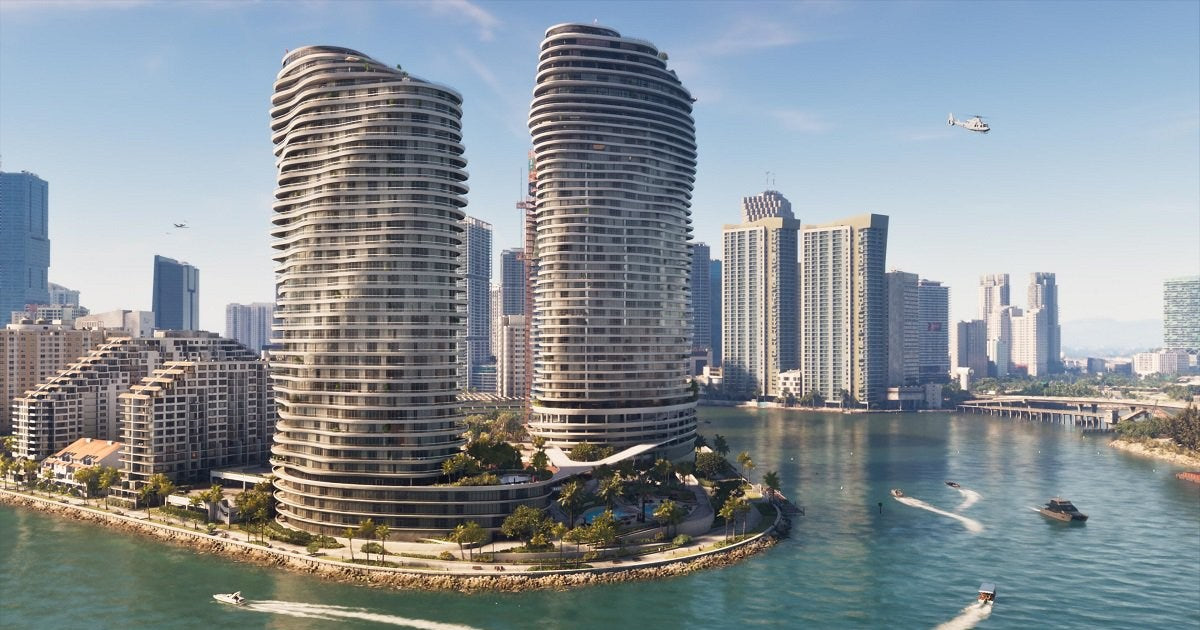
![GTA 6 Anti-Leak: 3 Rules Crimson Desert Broke [2026]](http://groovycomputers.ca/cdn/shop/articles/gta-6-anti-leak-crimson-desert-blueprint-2026-1_74789a1a-e882-4d09-8f5a-96fef70237cc.webp?v=1788591259&width=1500)
GTA 6 Anti-Leak Strategy: What It Means for Buying a Gaming PC in Canada Before the Next AAA Launch
The latest debate around a possible GTA 6 anti-leak strategy is not just an industry security story. It is also a buying signal for Canadian gamers, streamers, and creators who know what happens when a massive open-world release starts pulling hardware demand, upgrade urgency, and performance expectations upward. If publishers are tightening launch control after past leaks, buyers should be thinking just as carefully about their own launch readiness. Will your current system actually deliver the experience you want when the next wave of blockbuster PC games lands?
For Groovy Computers, the more useful angle is not only whether a publisher can stop discs, files, or preview builds from leaking early. It is what this kind of hype cycle tells you about the market. Big releases push more people to upgrade at the same time. They increase pressure on GPUs, premium CPUs, SSD capacity, and high-refresh displays. They also make more buyers ask the same question at once: should I upgrade now, or wait until launch gets closer and hope prices stay friendly?
The source story focuses on how one major game used a stricter pre-release lock approach and how that reopened discussion around Rockstar’s history with the 2022 GTA 6 leak. That part matters. But for Canadian PC buyers, the more practical takeaway is this: when a title as large as Grand Theft Auto 6 dominates gaming conversation, the smart move is to prepare early with the right custom system, not rush later into whatever hardware happens to still be available.
Why does a GTA 6 anti-leak story matter to Gaming PC Canada buyers?
Because security stories around giant releases usually signal something bigger than security. They signal demand. They signal timing. They signal a surge in attention from gamers, content creators, streamers, YouTube reviewers, modding communities, and upgrade shoppers across Canada. Whether you are in Nova Scotia, Ontario, Alberta, British Columbia, or ordering online from anywhere in the country, launch hype changes the PC market.
Think about your own buying timeline. Are you planning to play new open-world games at 1080p with solid settings and value-focused performance? Are you aiming for 1440p ultra with ray tracing? Are you hoping for 4K visuals, streaming, recording, and editing clips after every session? The answer changes everything about the build you should buy.
That is why a headline about launch locks and leak prevention becomes relevant to a custom gaming PC discussion. Not because your PC needs anti-leveal software, but because your buying decision should be proactive instead of reactive.
What the source story gets right about modern AAA game launches
The source article makes a strong point: publishers are under growing pressure to prevent pre-release leaks, especially after the 2022 GTA 6 incident put unfinished footage into public circulation. It also highlights the tension between stronger security and player convenience. A system that stops early access may reduce leaks, but if it depends too heavily on online checks or day-one validation, it can frustrate legitimate customers.
That same tension exists in hardware buying.
Everyone wants to save money. Everyone wants to wait for the perfect moment. But waiting too long can leave buyers stuck with fewer options, weaker inventory, or a rushed purchase that is not well matched to how they actually play or create. The source story is really about control. Publishers want more control over launch timing. Smart buyers want more control over their upgrade timing.
What do you want your next PC to do for you?
Before talking parts, tiers, or budgets, ask the most important question first: what do you want your next PC to do for you over the next two to four years?
Do you want a system mainly for GTA 6 and other AAA games? Do you also play competitive titles and care about high FPS? Do you stream to Twitch or YouTube? Do you edit gameplay clips in Premiere Pro or DaVinci Resolve? Do you create thumbnails in Photoshop, social assets in Illustrator, or short-form content in CapCut? Are you also using Blender, Unreal Engine, CAD, or other heavier workstation tools?
Too many buyers shop by one part number alone. They chase a GPU model or a sale sticker instead of buying a balanced system. A proper custom PC should match your real-world use, not just a trend chart.
If your next machine has to be your gaming rig, your streaming setup, your editing station, and your daily workstation, then a generic low-end prebuilt often becomes the most expensive mistake in the long run because it forces an early replacement cycle.
If GTA 6 is driving your upgrade plan, what level of performance are you really after?
When people search for a Gaming PC for GTA 6, they are usually not all asking the same thing. One customer wants a budget-friendly system that can handle the game smoothly at 1080p. Another wants a 1440p ray tracing setup that feels premium without going fully flagship. Another wants a top-tier machine that can run demanding new releases, stream at the same time, and stay relevant longer.
So which buyer are you?
Entry-level and value buyers: is 1080p your real target?
If your goal is straightforward AAA gaming at 1080p with good settings, fast boot times, enough RAM for modern titles, and a clean upgrade path later, a budget gaming PC Canada build can still make sense. The key is not buying the cheapest machine possible. It is buying the strongest balanced value build that will not feel outdated too quickly.
Ask yourself: do you just need to get into modern PC gaming, or do you already know you will want better visuals and higher settings within a year? If the second answer is yes, then going too low today can cost more tomorrow.
Mainstream enthusiasts: are you really a 1440p gamer?
For many Canadian buyers, 1440p is the smartest sweet spot. It offers a major visual jump over 1080p while staying more realistic than 4K for long-term value. If you want a 1440p gaming PC Canada setup for big open-world games, story-driven AAA titles, and high-refresh competitive play, this is often the performance tier with the best balance.
This is also where many buyers start asking better questions. Do you want ray tracing enabled? Are you pairing the system with a high-refresh monitor? Will you be running Discord, browser tabs, capture software, and background apps while gaming? Do you want enough headroom for next year’s releases too?
High-end buyers: do you want 4K, ray tracing, streaming, and longevity?
A 4K gaming PC Canada or premium RTX gaming system is not just for bragging rights. For some buyers, it is the right answer. If you want maximum visual quality, stronger ray tracing performance, better capture and encode capabilities, smoother creator workflows, and more breathing room for future games, a high-end build can be the smarter long-term purchase.
But only if it fits how you actually use your machine.
Do you want ultra settings and minimal compromises for years? Do you want to avoid a major GPU upgrade too soon? Do you plan to game, stream, edit, and create from one system? That is when a premium build starts making financial sense, especially if monthly payments let you secure the right tier now instead of settling for a weaker stopgap.
Could one PC handle gaming, streaming, and content creation?
Yes, but only if it is designed that way from the start.
Many buyers come in thinking they need a basic gaming desktop, then realize their workflow is broader. Maybe you want to stream gameplay, cut highlight videos, export YouTube content, edit social clips, and run design software. That is no longer just a gaming purchase. That is a creator PC Canada decision.
If that sounds like you, the real question becomes: would you rather buy one stronger custom system now, or buy a lower-tier gaming rig and outgrow it as soon as your streaming or editing workload increases?
A properly planned streaming PC Canada or gaming-and-creator hybrid build should consider more than game FPS. It should consider CPU headroom, GPU encoding support, memory capacity, storage layout, thermal performance, noise, and upgrade flexibility.
Are you streaming too?
If you want to game and broadcast at the same time, your needs change. A gaming and streaming PC Canada build should be able to maintain stable frame rates while handling OBS, overlays, chat tools, browser windows, and recording. If you are asking, what PC do I need for streaming?, the answer depends on your stream resolution, your game settings, and whether you also edit after recording.
Do you need a separate streaming PC? In many cases, no. A well-spec’d custom build can handle both. But if you are pushing high resolutions, ray tracing, heavier overlays, or serious post-production, then build quality and part selection matter more than ever.
Are you editing gameplay, YouTube videos, or shorts?
The source article is about one huge game release, but launch hype also drives creator demand. New game footage means more uploads, more reaction videos, more breakdowns, more clips, more livestream archives, and more editing. If that is your world, then a video editing PC Canada build may be more important than you think.
Are you cutting 1080p clips casually, or editing longer 4K footage in Premiere Pro or DaVinci Resolve? Do you use After Effects? Do you batch export often? Do you need fast storage for project files and captured media? Those questions decide whether you need a gaming-first rig, a creator-first rig, or a hybrid system.
Are you doing graphic design, photo work, or branding too?
Some customers discover they are not just gamers at all. They are running Photoshop, Lightroom, Illustrator, Canva, InDesign, and browser-based work all week, then gaming at night. If that sounds familiar, a graphic design PC Canada or photo editing PC Canada build with more memory, fast SSD performance, and better multitasking value may be the smarter path.
Would you benefit more from slightly lower gaming overhead and stronger all-around productivity? A custom builder can help you avoid overpaying for the wrong bottleneck.
What about Blender, Unreal Engine, and heavier workstation tasks?
If your interest in GTA 6 overlaps with game development, 3D assets, modding ambitions, animation, or Unreal Engine work, then your requirements may belong in 3D modeling PC Canada or workstation PC Canada territory instead.
Are you rendering in Blender? Building environments? Compiling projects? Running simulation-heavy scenes? Then the question is not simply what gaming PC to buy. It is whether you need a custom workstation with more memory, more CPU cores, stronger GPU acceleration, and better sustained thermal stability.
Why Canadian buyers should think earlier than the average hype cycle
In Canada, waiting until the last minute can be riskier than many shoppers expect. Availability can shift. GPU demand can tighten. Memory and SSD pricing can move. Premium parts can become harder to source in the exact combination you want. Shipping timelines matter more when thousands of buyers are chasing the same launch window.
That does not mean panic buying. It means planning.
If a game like GTA 6 is already influencing hardware conversations, then this is the time to ask smarter questions. Is your current PC already near its limit? Are you relying on old storage, too little RAM, or an aging GPU? Are you planning to buy during a peak season when lots of other people are also upgrading? Would you rather order a system that is tested and matched properly before the rush?
Should you buy now or wait for closer-to-launch hardware deals?
This is one of the most common questions, and it deserves an honest answer. Sometimes waiting works. Sometimes it does not. The problem is that most buyers wait without a real plan.
If you are asking, is it better to buy a gaming PC now or wait?, start by thinking about risk, not just hope. What are you hoping happens if you wait? Lower pricing? Better GPU availability? New hardware launches? More game information? Those are valid reasons. But what happens if the opposite occurs and replacement costs rise, inventory narrows, or the build you wanted becomes harder to secure?
For many customers, especially those targeting a stronger long-term system, the better move is to lock in the right performance tier before demand spikes. This is particularly true if financing lets you step into a better class of hardware now instead of delaying until the market is less friendly.
Is financing a better PC now smarter than buying a weaker one and upgrading too soon?
For the right buyer, yes.
If your budget only comfortably fits a lower-tier system today, but your actual needs point toward a more capable build, financing can be the bridge that prevents a short-lived purchase. A system that struggles with tomorrow’s AAA games, streaming, or creative workloads is not really cheaper if it forces a major upgrade early.
That is why Gaming PC financing Canada matters in this conversation. Not as a gimmick, and not as pressure, but as a practical planning tool. If financing up to 4 years helps you secure a stronger GPU tier, a better CPU, more memory, and enough storage for modern games and content creation, then you may end up with a far better ownership experience.
Ask yourself honestly: are you trying to spend the least today, or are you trying to buy the right machine for the next several years? Those are not always the same decision.
And if you are also a creator, financing can make even more sense. A stronger editing or workstation build can save time on exports, previews, renders, and daily multitasking. Time matters too.
What PC do I need for GTA 6, streaming, editing, or creative work?
This is where a strong buying guide should be practical. Instead of guessing, match your system class to your actual use case.
Choose a value-focused gaming build if:
- You mainly want 1080p gaming with good settings.
- You play a mix of new releases and lighter games.
- You want strong value and a sensible upgrade path.
- You are not heavily streaming or editing.
- You want a first gaming PC without overbuying.
Choose a mainstream 1440p gaming build if:
- You want better image quality and smoother long-term AAA performance.
- You care about high settings and stronger frame rates.
- You may stream casually or record gameplay.
- You want better headroom for upcoming titles.
- You want to avoid feeling entry-level too quickly.
Choose a premium RTX gaming build if:
- You want ray tracing, ultra settings, or 4K-class performance.
- You play visually demanding open-world games.
- You want more longevity before your next major upgrade.
- You stream, record, and multitask while gaming.
- You want your build to stay relevant deeper into the next game cycle.
Choose a creator or editing PC if:
- You edit videos regularly in Premiere Pro or DaVinci Resolve.
- You create YouTube, TikTok, or social content.
- You use Adobe Creative Cloud beyond basic photo work.
- You need more RAM, fast storage, and balanced CPU/GPU power.
- You want one machine for gaming and production.
Choose a 3D modeling or workstation system if:
- You use Blender, Unreal Engine, CAD, Revit, or rendering tools.
- You need sustained heavy-load performance.
- You work with larger projects and more demanding assets.
- You want a professional workflow, not just a gaming upgrade.
- You need a workstation-class setup built around reliability.
Why custom PC vs prebuilt PC Canada matters more during hype-driven upgrade periods
When a giant title dominates the market, rushed buying increases. That is when a lot of generic systems get sold to people who needed something better balanced. A custom build is not only about aesthetics or brand preference. It is about fit.
A strong custom gaming PC Canada build should be designed around your target resolution, your game library, your content workflow, your storage needs, your future upgrade plans, and your budget comfort. That is very different from choosing a one-size-fits-all machine with unclear thermals, weak power delivery, limited upgrade room, or mismatched components.
If you have ever wondered, is a custom gaming PC worth it?, consider the hidden costs of compromise. A weaker cooler can reduce sustained performance. Poor airflow can affect stability and acoustics. Too little RAM can hurt multitasking and creator workloads. A small SSD can become a daily frustration once game installs and media files stack up.
The right builder helps you avoid those mistakes before they happen.
Why testing, reliability, and warranty support matter when your next PC is a major purchase
Launch-season excitement often pushes buyers toward speed, but reliability is what matters after checkout. At Groovy Computers, that is why tested systems, practical part matching, and support matter so much. A high-performance machine should not just look good in photos. It should be built for sustained use and backed with confidence.
If you are investing in a new gaming desktop, creator system, or workstation, ask the obvious questions. Has the PC been rigorously tested? Is the cooling appropriate for the hardware? Is the power supply chosen with real stability in mind? Will the storage and memory configuration still make sense six months from now? Do you have warranty protection?
These are not small details. They are the difference between buying a machine and buying peace of mind.
Groovy Computers builds with performance, balance, and real-world use in mind, and backs systems with a 1-year warranty. For buyers in Nova Scotia and across Canada, that trust factor matters more than ever when prices and demand can shift quickly.
What should Canadian buyers ask before ordering their next PC?
Before you commit, ask yourself these practical questions:
- What games do I want to play over the next two years, not just this month?
- Am I targeting 1080p, 1440p, or 4K?
- Do I care about ray tracing or mainly raw frame rate?
- Will I stream, record, or edit content from this same PC?
- How much storage will I really need once modern game installs add up?
- Do I need more RAM because I multitask heavily?
- Would a creator or workstation build fit me better than a gaming-only desktop?
- Am I trying to avoid upgrading again too soon?
- Would financing help me buy the right tier now instead of settling?
- Do I want help from a Canadian custom PC builder instead of guessing alone?
Those questions often reveal the answer faster than any spec sheet does.
What if you are still not sure which performance tier fits you?
That is normal. A lot of buyers know what they want to do, but not what hardware class they need to do it comfortably. Maybe you know you want a gaming PC for new games, but you are unsure whether your budget should prioritize GPU power, CPU strength, storage, or memory. Maybe you are deciding between a gaming-first setup and a creator-first setup. Maybe you are asking whether a stronger build today could save money over time.
This is exactly where one-on-one custom build guidance helps.
A good builder should help you translate goals into a system. Not upsell you blindly, but ask the right questions. What are you playing? What are you editing? What monitor are you using? Do you want longevity or lowest upfront spend? Do you need Canada-wide shipping? Are you comparing buying now versus financing a stronger machine?
How does this GTA 6 anti-leak conversation connect to Groovy Computers directly?
It connects through timing, readiness, and fit.
The source story shows how seriously major launches are now being handled behind the scenes. Publishers know the next blockbuster release can move markets, shape attention, and create pressure. Buyers should treat their hardware decision with the same seriousness.
If GTA 6, the next major AAA cycle, or your broader creator workload is pushing you toward an upgrade, then this is the time to think strategically. Do you want a basic system that just gets by, or a properly matched custom machine built for the way you actually game, stream, edit, and work?
If you are asking that question now, you are already thinking ahead more wisely than the average rush buyer.
Ready to choose the right custom system before the next demand spike?
Are you looking for a custom gaming PC Canada build that is actually matched to your games, monitor, and long-term plans? Do you need a stronger creator rig for editing, streaming, and content work? Do you want to compare a budget-friendly option against a more future-ready system with monthly payments?
Visit GroovyComputers.ca to explore custom builds, get help choosing the right performance tier, and see whether financing up to 4 years makes sense for your upgrade. If your goal is to be ready before the next major wave of AAA demand hits, waiting without a plan is rarely the best strategy.
Final takeaway: the GTA 6 anti-leak story is really a reminder to prepare early
The headline topic may be a GTA 6 anti-leak strategy, but the bigger lesson for Canadian buyers is simple. The closer a massive release gets, the less flexible the market often becomes. Demand rises. Expectations rise. So do the consequences of buying the wrong machine too late.
Whether you need a gaming desktop, a streaming rig, a video editing system, a creator PC, or a workstation that can handle heavier software, the best time to think clearly is before the rush. If your next system needs to last, perform, and stay relevant, a properly planned custom build from Groovy Computers gives you a stronger path than guessing at the last minute.
#GamingPCCanada #CustomGamingPCCanada #GamingPCForGTAVI #GamingPCForNewGames #CreatorPCCanada #StreamingPCCanada #VideoEditingPCCanada #WorkstationPCCanada #CanadianCustomPCBuilders #NovaScotiaBusiness
Groovy Computers | All Rights Reserved


Leave a comment
This site is protected by hCaptcha and the hCaptcha Privacy Policy and Terms of Service apply.