



































GTA 6 Hype Is Real: What Kind of Gaming PC in Canada Do You Need Before Demand Spikes?
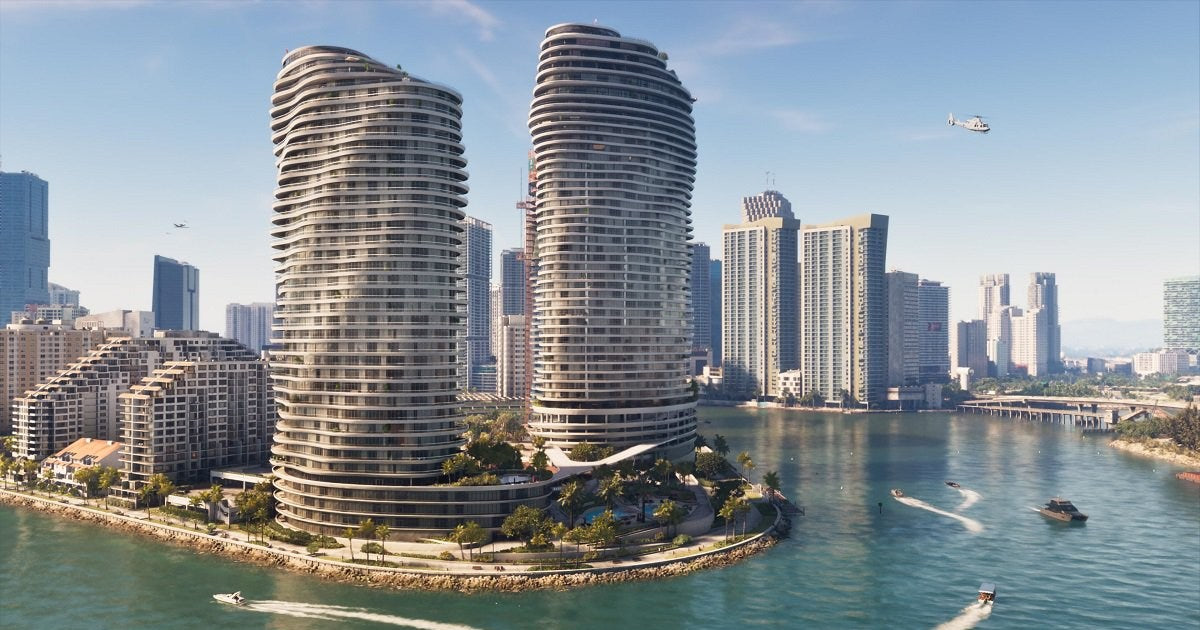
The latest GTA 6 headlines are doing exactly what major game releases always do: driving massive attention toward hardware. In the source story, Rockstar reportedly explored turning parts of Miami into a real-world Vice City style attraction, only to face pushback from local officials over the franchise’s connection to crime and violence. That headline is entertaining on its own, but for Canadian buyers, the more important question is this: if GTA 6 is already big enough to spark real-world controversy before launch, what is that level of hype going to do to gaming PC demand in Canada?
This is where a smart buying decision starts. When a blockbuster title dominates social feeds, trailers, livestreams, and gaming media, more people suddenly ask the same questions at once. Can my current PC run it well? Do I need ray tracing? Should I target 1080p, 1440p, or 4K? Is now the time to upgrade before GPU demand tightens? And if you also stream, edit clips, create content, or work in Adobe apps and 3D software, should your next system be just a gaming tower, or a more balanced custom build?
For many buyers, this is not really just a GTA 6 conversation. It is a broader performance-planning conversation. A game this large tends to become a trigger point for upgrades, and that matters whether you are a student buying your first desktop, a competitive player replacing an aging machine, a streamer trying to record cleaner footage, or a creator who wants one PC that can game at night and work all day.
At Groovy Computers, this is exactly the kind of moment where a custom approach makes more sense than guessing. A generic system may sound good on paper, but what do you actually want your next PC to do for you over the next three to five years?
Why does a GTA 6 headline matter to anyone shopping for a gaming PC in Canada?
Because game hype changes buyer behaviour. When one title becomes a cultural event, people stop thinking only about “a new game” and start thinking about their whole setup. They look at their GPU, CPU, RAM, SSD space, cooling, monitor resolution, and even internet and streaming setup. That is especially true with open-world games that are expected to push visuals, world density, NPC activity, lighting effects, and storage performance harder than older titles.
Even without official final PC requirements in front of every buyer at the same moment, demand psychology is easy to understand. Big releases create urgency. Urgency creates traffic. Traffic creates pressure on the most popular hardware tiers. And pressure on those tiers can affect availability, upgrade timing, and pricing across full systems.
If you are in Canada, you also have an extra layer to think about. Cross-border supply conditions, exchange-rate pressure, and shifting inventory levels can all influence what a complete build costs by the time you decide to act. That is why waiting until the most intense demand period is not always the cheapest move.
What did the original story really reveal about GTA 6 demand?
The source article focused on Rockstar’s proposed Miami-area promotional concept and the resistance it faced from law enforcement and public officials. On the surface, that is a marketing and culture story. Underneath, it is another sign of just how large GTA 6 has become. Brands do not try location-based campaigns around ordinary releases. Cities do not debate the image impact of ordinary games. This is what happens when a launch becomes mainstream entertainment news rather than just gaming news.
For PC buyers, that scale matters. When a game becomes this visible, many players start planning hardware earlier. Some want a better frame-rate experience. Some want higher settings and better image quality. Some want to stream reaction content or gameplay. Some want to edit YouTube videos, TikToks, or shorts around the release window. Others simply do not want to be stuck upgrading after prices move.
So ask yourself: are you just trying to “run the game,” or are you trying to enjoy one of the biggest open-world releases properly on a system that still feels strong next year?
What do you want your next PC to do for you?
This is the most important question in the whole buying process, and it should come before talking about specific parts.
Do you want a system mainly for gaming? Do you also want to stream to Twitch or YouTube? Do you need smooth clip editing for social content? Will you use Photoshop, Lightroom, Illustrator, Premiere Pro, DaVinci Resolve, After Effects, Blender, Unreal Engine, or CAD software? Are you buying for one game, or for the next wave of AAA releases?
If you buy too low, you may save money today but end up upgrading too soon. If you buy too high without a purpose, you may overspend on performance you never use. The goal is not to chase specs blindly. The goal is to match the right category of custom PC to the way you actually game, create, and work.
- Gaming-first buyer: Prioritize GPU strength, a capable gaming CPU, fast SSD storage, and enough RAM for modern titles and background apps.
- Gaming + streaming buyer: Prioritize a stronger CPU or an efficient GPU encoder path, more RAM, and airflow that supports longer sessions.
- Content creator: Balance gaming performance with export speed, timeline responsiveness, application multitasking, and storage planning.
- Designer or photographer: Focus on CPU responsiveness, RAM capacity, SSD speed, reliability, and a workflow-friendly platform.
- 3D artist or workstation buyer: Focus on rendering, viewport performance, memory headroom, cooling, and long-session stability.
What gaming performance tier fits you best before GTA 6 and other new games arrive?
If you are shopping for a Gaming PC Canada buyers would actually be happy with long term, the easiest way to choose is by target experience, not by hype alone.
Entry gaming tier: Is 1080p still enough for you?
If you mainly play esports titles, older AAA games, lighter online games, or you simply want solid 1080p performance at sensible settings, an entry or lower-midrange build can still make sense. This tier is often ideal for first-time desktop buyers, students, and value-focused gamers.
But here is the real question: are you buying for today’s easier games, or are you buying a system you hope will handle tomorrow’s biggest releases without compromise? If the answer is the second one, going too cheap can become expensive later.
A budget-focused build can be smart, but only if expectations are realistic. If your plan is “play GTA 6, newer AAA games, stream occasionally, keep Chrome open, and not upgrade again soon,” the true budget line may be higher than you first expected.
Midrange sweet spot: Do you really want a 1440p gaming PC Canada shoppers can grow into?
For many buyers, 1440p is the smartest target right now. It gives a clear visual jump over 1080p, pairs well with modern high-refresh monitors, and usually offers a much better long-term balance than buying a bare-minimum rig. If you want strong settings, smoother open-world performance, better texture headroom, and a machine that still feels current as future games get heavier, midrange often wins on value.
This is also the range where buyers start asking better questions. Do you want ray tracing? Are you using one monitor or two? Are you recording gameplay locally? Will you edit your own videos? Do you want enough VRAM and RAM to avoid feeling boxed in by the next wave of releases?
For many Canadians, this is the category where a custom system delivers the best mix of longevity and budget control.
High-end tier: Are you aiming for 4K, ray tracing, and ultra settings?
If your goal is a 4K gaming PC Canada buyers can use for premium single-player experiences, maxed-out visuals, heavier ray tracing, and demanding future titles, then the build conversation changes. You are no longer just buying “a gaming computer.” You are investing in a premium performance platform.
This tier is ideal for enthusiasts with high-refresh 1440p monitors, ultrawide displays, or full 4K ambitions. It is also where stronger cooling, power delivery, case airflow, and part balancing become even more important. A high-end GPU deserves a system around it that is stable, tested, and designed properly.
So ask yourself honestly: do you want to play a giant new game at “good enough,” or do you want to experience it the way the trailers make you imagine it?
What PC do you need for GTA 6 if you also stream, record, or create content?
This is where many buyers make the wrong choice. They shop for a pure gaming build, then later discover they also want to stream, capture footage, edit short-form clips, upload videos, or run multiple apps at once. Suddenly the system that looked affordable starts feeling constrained.
If you need a Gaming and Streaming PC Canada shoppers can rely on, you should think beyond average FPS. Streaming adds workload. Recording adds storage demands. Editing adds CPU, GPU, RAM, and scratch-drive considerations. Multitasking changes what “enough” really means.
Do you plan to use OBS? Do you want clean 1080p streaming while gaming? Are you clipping moments for TikTok, YouTube Shorts, or full-length uploads? Would you rather buy one stronger system now than replace a weaker one early?
A balanced custom build can let you game, stream, and edit on one machine without that frustrating feeling that every extra task makes the whole system sluggish.
For streamers: How much overhead do you need?
A streaming setup needs more than just graphics power. CPU selection, encoder support, RAM capacity, SSD speed, thermal management, and noise control all matter. A build that runs a game well in isolation may not feel nearly as good when Discord, OBS, browser tabs, overlays, alerts, music, and background processes all join the party.
If your question is, “What PC do I need for streaming?” the answer depends on whether you want casual occasional streams or a system that can support regular content output. If you are serious, build for overhead, not minimums.
For video editors: Is a gaming PC good for video editing?
Sometimes yes, but not always by default. A decent gaming PC can edit video, but a better creator-focused configuration can feel significantly smoother in Adobe Premiere Pro, DaVinci Resolve, After Effects, and similar tools. More RAM, better storage planning, stronger multicore performance, and a more suitable GPU choice can save real time every week.
If you are editing 1080p highlight reels, your needs are different from someone cutting 4K footage, layering effects, managing proxies, and exporting frequently. So before buying, ask: am I just gaming, or am I also building a content workflow around that gaming?
For creators: Do you need a creator PC Canada customers can use for everything?
Many readers drawn in by GTA 6 coverage are not only gamers. They are creators, students, side-hustlers, freelance editors, or aspiring streamers. If that sounds like you, a Creator PC Canada buyers choose should not force you into compromises every time your workflow changes.
A smarter custom build can support gaming at night, school or business tasks during the day, and content production on weekends. That kind of flexibility matters when software demands keep rising and your own use case evolves faster than expected.
Should Canadian buyers upgrade before major game releases, sale periods, or price pressure?
In many cases, yes, or at least they should start planning earlier than they think.
When a major game release approaches, several things can happen at once. More people shop for GPUs. More people shop for complete systems. Creators build content around preview coverage. Streamers upgrade. Holiday and promotional cycles overlap. Certain high-value component tiers become harder to replace at attractive pricing. Even if every part does not spike, the combinations people actually want can tighten.
That does not mean panic buying is smart. It means delayed buying can cost flexibility. If you wait until the exact moment everyone else wants the same class of system, you may have fewer ideal options.
Ask yourself a practical question: are you trying to time the market perfectly, or are you trying to secure a system that makes sense before pressure builds?
How do pricing shifts affect full custom builds in Canada?
Full-system cost is never just about one part. A buyer may fixate on the GPU, but replacement cost can also move because of CPU pricing, RAM volatility, SSD trends, motherboard availability, power supply quality, and cooling needs. Once you move into stronger hardware tiers, supporting components matter more too.
A powerful graphics card is not enough if the system around it is weak, undercooled, noisy, hard to upgrade, or built with shortcuts. This is why custom PC value is not just “part A plus part B.” It is the whole package: correct matching, thermal planning, cable management, power headroom, BIOS stability, stress testing, and warranty support.
That matters even more in a market where replacing one compromised purchase with a better one later can be much more expensive than getting the right build the first time.
Should you buy a cheaper PC now or finance a better system before replacement costs rise?
This is one of the most important real-world buying questions, especially for gamers and creators. If your budget is tight, it can be tempting to choose the lowest possible specification just to get into a desktop quickly. Sometimes that is reasonable. Sometimes it creates a frustrating upgrade cycle you feel within months.
If a stronger system would last longer, play newer games better, stream more comfortably, and handle editing or design work without feeling strained, then financing can be the smarter long-term move. Instead of buying too low and replacing too soon, some buyers prefer to secure the right performance tier up front.
At Groovy Computers, that is where options like longer payment flexibility can genuinely help. If you are wondering whether a better machine is within reach, it is worth asking whether a payment plan gives you access to a stronger, more useful system now rather than settling for one you outgrow early.
In plain terms: would you rather own a PC that barely survives the next hardware cycle, or a custom system that still feels capable when the next big game, creator tool, or software update lands?
What kind of buyer should choose each PC category?
Choose a budget gaming desktop if:
- You mainly play lighter titles or older games.
- You are targeting practical 1080p gaming.
- You need a first gaming desktop without overspending.
- You understand that future AAA games may require reduced settings sooner.
Choose a midrange custom gaming PC if:
- You want stronger 1080p or comfortable 1440p gaming.
- You play modern AAA games and want better longevity.
- You want a machine that feels balanced rather than bare minimum.
- You may stream, multitask, or edit lightly.
Choose a premium RTX gaming PC if:
- You want high-refresh 1440p or serious 4K ambitions.
- You care about ray tracing, visual quality, and future game readiness.
- You want a longer upgrade runway.
- You expect one system to carry demanding releases for years.
Choose a creator or editing PC if:
- You game, but also edit videos or manage creator workflows.
- You use Adobe Creative Cloud, DaVinci Resolve, or similar software.
- You want faster exports, smoother timelines, and more multitasking comfort.
- You need your PC to make money, not just run games.
Choose a 3D modeling or workstation build if:
- You use Blender, Unreal Engine, CAD, rendering, or simulation tools.
- You need reliability during long production sessions.
- You need more RAM, stronger CPU/GPU pairing, and workstation-style stability.
- You cannot afford downtime from an unstable generic system.
What questions should you ask before buying your next custom PC?
If you are unsure where to start, these are the right questions:
- What games or software will I actually use every week?
- Am I targeting 1080p, 1440p, or 4K?
- Do I care about ray tracing, high FPS, or both?
- Will I stream, record, or edit content from the same machine?
- How much multitasking do I do while gaming or creating?
- Do I want a system that lasts longer, even if it costs more up front?
- Would financing a stronger build make more sense than upgrading too soon?
- Do I want tested reliability and warranty support from a Canadian builder?
These questions help cut through noise. A good system decision is not about buying the most expensive rig or the cheapest sale box. It is about fit.
Why does custom matter more when game hype and hardware demand rise?
Because the wrong compromises are easier to hide in a generic system. During high-demand periods, many buyers focus on one visible headline spec. But custom building is about making sure the entire machine makes sense together.
At Groovy Computers, that means considering airflow, cooler choice, case quality, motherboard fit, RAM capacity, SSD layout, PSU headroom, future upgrade paths, and the actual purpose of the machine. That is especially important if you are buying a Custom Gaming PC Canada buyers want to keep happy with over time rather than replace in frustration.
Would you rather gamble on a machine built to hit a marketing price point, or choose a system built around how you actually play and work?
Why should Canadian buyers look at Groovy Computers right now?
Because this is exactly the type of buying moment where guidance matters. If you are trying to prepare for GTA 6, for newer AAA titles, for streaming, for editing, or for a creator workflow that is getting heavier every month, you do not need vague advice. You need a clear path to the right performance tier.
Groovy Computers is built for that. As a Canadian custom PC builder, Groovy helps buyers choose gaming PCs, creator PCs, and workstation systems that match real use cases instead of one-size-fits-all assumptions. That includes the practical details people should care about: rigorous testing, thoughtful part selection, upgrade-aware configurations, and a 1-year warranty for added confidence.
For shoppers in Nova Scotia, Atlantic Canada, and across the country, that Canadian trust factor matters. So does getting support from a builder that understands how to balance performance, value, and real-world ownership rather than just chasing flashy spec sheets.
Do you want help choosing the right performance tier before everyone else upgrades?
If you are asking yourself whether to go budget, midrange, premium, or creator-focused, this is the perfect time to get clarity. Do you need a practical 1080p gaming machine? A stronger 1440p system for new AAA releases? A high-end RTX build for ultra settings and ray tracing? A custom creator PC for editing, design, and streaming? Or a workstation-class setup for Blender, Unreal Engine, or production work?
Instead of guessing, start with a builder that can match the system to your goals. If you want a Canadian custom PC designed around gaming, streaming, editing, content creation, or workstation performance, visit GroovyComputers.ca and explore the right build path for your next upgrade.
Final takeaway: GTA 6 hype is a warning sign for late buyers
The Miami tourism headline may sound like a culture story, but for PC buyers it points to something bigger: GTA 6 is not just another release. It is the kind of launch that moves attention, demand, conversation, and eventually hardware buying decisions. If you already know your current machine is aging, this is the time to think strategically.
What gaming PC in Canada do you really need? One that only gets by, or one that lets you enjoy the next generation of games properly? One that only plays, or one that also streams, edits, designs, and creates? One that looks affordable today but needs replacing sooner, or one that makes better long-term sense with the right custom configuration?
The best time to plan your next build is before urgency becomes expensive. Whether you need a gaming-first tower, a balanced creator desktop, or a higher-end custom system with room to grow, Groovy Computers gives Canadian buyers a smarter way to buy with confidence.
#GamingPCCanada #CustomGamingPCCanada #GamingPCForGTA6 #GamingPCBuildsCanada #CreatorPCCanada #StreamingPCCanada #VideoEditingPCCanada #3DModelingPCCanada #CanadianCustomPCBuilders #NovaScotiaTech
Groovy Computers | All Rights Reserved

![GTA 6 Anti-Leak: 3 Rules Crimson Desert Broke [2026]](http://groovycomputers.ca/cdn/shop/articles/gta-6-anti-leak-crimson-desert-blueprint-2026-1_74789a1a-e882-4d09-8f5a-96fef70237cc.webp?v=1788591259&width=1344)

Leave a comment
This site is protected by hCaptcha and the hCaptcha Privacy Policy and Terms of Service apply.