




































GTA 6 on Xbox Cloud: What It Means for Canadian Buyers Choosing a Gaming PC Canada Build
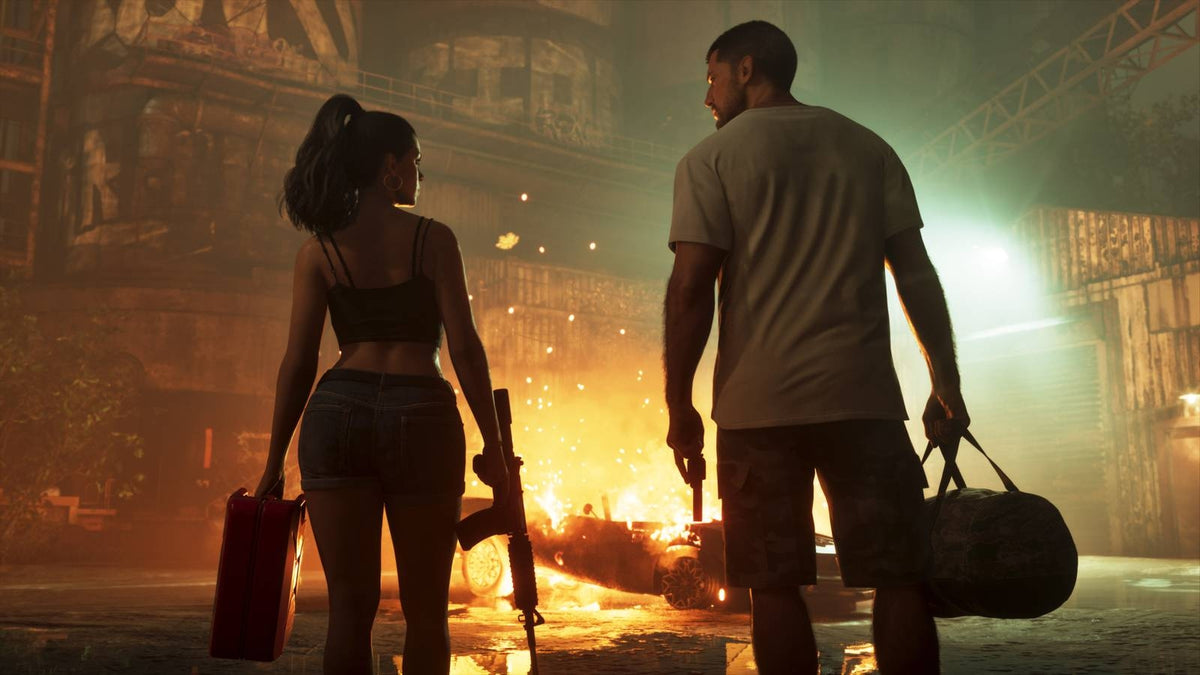
The latest GTA 6 on Xbox Cloud reports have sparked a huge conversation among gamers, especially anyone wondering whether they can join the launch hype without owning a console first. Based on the source update, Grand Theft Auto VI was reportedly tied to Xbox cloud streaming access through a Game Pass subscription, then later clarified so that streaming would not extend to PCs in the way many initially expected. Even with that clarification, the bigger takeaway remains important for Canadian buyers: blockbuster game releases change how people think about hardware, timing, performance, and whether their current setup is about to feel old.
If you are reading GTA 6 headlines and asking yourself, Should I rely on streaming, buy a console, or finally invest in a proper gaming desktop? that is exactly the right question. For many players, this is not just about one game. It is about whether your next system should be a budget gaming machine, a 1440p gaming PC, a ray tracing-ready setup, or a more versatile custom computer that can handle streaming, editing, and creator work too.
At Groovy Computers, this is where the conversation gets practical. Major releases like GTA 6 do not just create hype. They often push more buyers into the market at the same time, increase interest in stronger GPUs, and make a lot of people realize they want better long-term value than a stopgap solution can provide.
What the GTA 6 Cloud Streaming News Really Tells Us
The source article highlights something important: gamers are actively looking for ways to play new blockbuster titles without being limited by hardware availability or high upfront costs. Cloud gaming enters that conversation because it sounds convenient. In theory, streaming a massive open-world game to different devices can reduce the need for top-end local hardware. But in practice, there are tradeoffs.
Do you want to depend on connection quality, subscription limits, and platform restrictions for one of the biggest game launches in years? Or do you want a gaming PC Canada build that gives you direct local performance, stronger visual settings, lower latency, more flexibility, and far better upgrade options over time?
The report also mentioned subscription requirements, supported devices, controller support, and minimum internet speed expectations. That all matters. If a game is streamed instead of run locally, your experience depends on more than just your enthusiasm. It depends on internet stability, network congestion, image compression, latency, and service policy changes that can affect how much you can actually play.
That means the real buyer question is not simply, Can I access the game somehow? It is, What kind of experience do I actually want when I play the biggest open-world games of this generation?
Why Canadian Buyers Should Think Beyond Streaming
In Canada, cloud gaming can look attractive on paper, but many buyers still prefer the consistency of a dedicated gaming desktop. Depending on where you live, your network quality may vary dramatically. Urban users may have strong fibre connections, while rural or smaller-community users may deal with different speed tiers, higher latency, or less predictable evening congestion.
If you are in Nova Scotia, Atlantic Canada, or ordering from elsewhere in the country, it makes sense to ask a simple question: Do you want your gaming performance controlled by your own hardware, or by the condition of your internet at that moment?
That question becomes even more important with games like GTA 6, where immersion, driving physics, combat responsiveness, city density, and visual effects all shape the experience. If you are already thinking ahead to future AAA titles, then buying around your long-term gaming goals often makes more sense than buying around a temporary workaround.
This is one reason many Canadian shoppers move toward a custom gaming PC instead of relying on a service layer between them and the game. A good local system is not just for one title. It is also for the games after that, your Steam library, mods, Discord, OBS, creator tools, and whatever else becomes part of your setup over the next few years.
Are You Buying a PC for GTA 6, or for Everything You Want to Do Next?
This is one of the most important questions in the whole buying process. Are you only trying to prepare for GTA 6, or are you also planning to play other demanding open-world titles, stream to Twitch, edit clips for YouTube, or use your PC for work and creative software?
Your answer changes everything.
If you only shop around one headline, you might underspend and outgrow the system too quickly. On the other hand, if you define what you want your next PC to do for you, you are far more likely to choose a build that stays useful longer.
Ask yourself:
- Do you mainly want smooth 1080p gaming at high settings?
- Are you aiming for 1440p because that is the sweet spot for visual quality and value?
- Do you want 4K gaming or stronger ray tracing support for newer AAA games?
- Will you stream gameplay while gaming?
- Will you edit videos, record content, or create thumbnails and graphics?
- Do you want one machine that covers gaming, content creation, and general productivity?
- Are you trying to avoid another upgrade in the near future?
Those questions matter far more than a single headline about cloud access. They help define whether you need an affordable gaming machine, a balanced gaming and streaming system, or a higher-end custom setup with room to grow.
What Gaming PC Do I Need for GTA 6-Style AAA Gaming?
Even without locking ourselves to unverified PC release details, it is reasonable to say that a game with GTA 6-level hype and technical ambition is exactly the kind of release that pushes people toward stronger hardware. Large open worlds, heavier graphics loads, denser city environments, improved lighting, more demanding textures, and long-term relevance all point in the same direction: avoid buying too weak.
If you are asking, What gaming PC do I need for GTA 6? think in tiers.
Entry-Level 1080p Gaming PC
This tier is best for the buyer who wants a solid start without chasing ultra settings. It can make sense if your monitor is 1080p, your budget matters most, and you mainly want reliable performance in a broad mix of games. For some buyers, this is the smartest value point.
But ask yourself: Will you be happy if a major new release forces you to drop settings sooner than expected? If you already know you like visually rich open-world games, buying too close to the minimum can create regret.
Balanced 1440p Gaming PC
For many Canadian gamers, this is the sweet spot. A 1440p gaming PC Canada build often offers the best mix of image quality, smooth frame rates, and better long-term value. It is the tier that tends to make the most sense for players who want modern AAA performance without jumping all the way into premium flagship pricing.
If you are wondering, What PC do I need for 1440p gaming? this is often the right target if you want your system to stay satisfying beyond one launch window.
High-End 4K or Ray Tracing Gaming PC
If you want ultra settings, heavier ray tracing, higher-resolution textures, stronger longevity, and top-tier immersion, this is your lane. A premium gaming build is usually for the buyer who already knows they care about visual quality, future games, and less compromise.
Are you the kind of player who upgrades monitors, uses high refresh displays, and wants the best experience possible from new releases? If so, a stronger RTX-based system may save you from wishing you bought bigger six months later.
What If You Also Want to Stream, Record, or Create Content?
This is where the GTA 6 conversation gets even more relevant. Huge game launches create creators, not just players. Plenty of people want to clip moments, stream first impressions, post reaction videos, edit shorts, or build channels around trending releases. If that sounds like you, then you may not just need a gaming PC. You may need a gaming and streaming PC Canada setup.
Ask yourself a very practical question: Will your next PC only run games, or will it help you create around them too?
If you plan to use OBS, record gameplay, stream to Twitch or YouTube, run Discord, keep browser tabs open, and maybe even edit your footage afterward, your parts choice needs to reflect that. More CPU headroom, a capable GPU, sufficient RAM, and fast SSD storage all start to matter more.
This is why custom builds are so useful. A generic box from a mass-market seller may be technically “good enough,” but not necessarily optimized for the way you actually use it. A custom build can be balanced around your real workload instead of broad marketing labels.
Do You Need a Gaming PC, a Creator PC, or a Hybrid Build?
Many buyers think they fit neatly into one category. In reality, a lot of them do not. You might game at night, stream on weekends, edit social clips during the week, and use Adobe apps or school software at the same desk. That means your best option may be a hybrid machine.
Here is a simple way to think about it:
- Choose a gaming-focused build if your top priority is frame rate, visual settings, and game responsiveness.
- Choose a creator-focused build if your top priority is editing, exporting, multitasking, and software acceleration.
- Choose a hybrid gaming and creator build if you want one system for modern games, streaming, content production, and productivity.
What do you want your next PC to do for you a year from now? Just run games, or also help you make money, build content, finish projects, and avoid feeling boxed in?
How Pricing Pressure Changes the Buying Decision
One of the most overlooked parts of a big game release cycle is the effect it can have on buyer behavior. When enough people decide they need stronger hardware at the same time, demand rises. Even if individual parts do not spike overnight, the market can become less friendly for buyers who waited too long.
That matters in Canada because system pricing is influenced by several moving factors:
- GPU demand pressure
- CPU supply and platform shifts
- RAM and SSD price movement
- Import costs and distribution realities
- General demand around the holiday and major-release periods
So the question becomes: Is it better to buy a gaming PC now or wait?
If your current system already struggles, waiting can backfire. You may spend months dealing with poor performance only to face worse replacement conditions later. If you already know a major title, software upgrade, or creator workload increase is coming, planning ahead is usually smarter than reacting late.
Should You Finance a Better PC Instead of Buying a Cheaper One?
This is where many smart buyers rethink the whole purchase. If the lower-cost build in front of you is only barely enough, and you already suspect you will want to upgrade soon, then the “cheaper” option may not really be cheaper in the long run.
Would a stronger system now help you avoid replacing parts too soon? Would a more capable GPU, more RAM, or a faster processor give you an extra year or two of comfort? Would monthly payments make it easier to choose the machine you actually want instead of the one you will outgrow?
For many Canadians, financing is less about overspending and more about buying correctly the first time. Groovy Computers can help buyers look at the system that fits their needs now, while also considering financing up to 4 years for those who want more breathing room in the budget.
If you are asking, Should I finance a gaming PC? the better question may be: Should I lock in the right performance tier before costs rise and my current machine falls even further behind?
Which Performance Tier Fits You Best?
Not every buyer needs the same class of machine. The right answer depends on your games, your monitor, your side workloads, and how long you expect the system to stay satisfying.
Choose a Budget-Focused Build If:
- You play mostly at 1080p
- You want strong value first
- You are entering PC gaming for the first time
- You mostly play esports titles, lighter games, or mixed workloads
- You understand you may need to lower settings sooner in future AAA games
Choose a Midrange 1440p Build If:
- You want better visual quality without going fully premium
- You play modern AAA releases regularly
- You want stronger long-term value
- You may also stream, multitask, or do light editing
- You want a more future-proof gaming PC Canada option
Choose a Premium Build If:
- You care about ultra settings and stronger ray tracing
- You want 4K or high-refresh 1440p gaming
- You expect to play demanding releases for years
- You stream, record, edit, or create professionally
- You would rather buy once properly than upgrade too soon
If you are not sure where you fit, that is exactly where a custom PC builder becomes valuable. You do not have to guess your way into the right build.
What If You Need More Than Gaming Performance?
Some readers come in through gaming news but are really shopping for a more complete machine. If that is you, define your non-gaming workloads clearly before buying.
For Video Editing
If you work in Premiere Pro, DaVinci Resolve, After Effects, or short-form content tools, a stronger CPU, capable GPU, more RAM, and fast storage can dramatically improve exports, timeline smoothness, and multitasking. Ask yourself: What PC do I need for video editing, and will a gaming-only build still feel balanced when I open my editing apps?
For Photo Editing and Graphic Design
If your workflow includes Photoshop, Lightroom, Illustrator, InDesign, or Canva-heavy multitasking, system responsiveness matters more than many buyers realize. Fast SSDs, enough RAM, and the right processor can save time every day. Are you editing RAW images, batch exporting, handling large layered files, or running multiple creative apps at once?
For Content Creation
If you are gaming, clipping, designing thumbnails, editing videos, and posting constantly, then a content creation PC Canada approach may fit you better than a pure gaming build. Why settle for a system that can play the game if what you really need is a system that can also help you build around the game?
For 3D Modeling and Workstation Use
If your interest in hardware is tied to Blender, Unreal Engine, CAD, rendering, or professional multitasking, your system priorities can shift quickly. A workstation-class custom build may offer far better return than a generic gaming-first machine. Are you just playing open-world games, or are you also building virtual worlds of your own?
Why Custom PC vs Prebuilt PC Canada Still Matters
One of the strongest lessons from any hype cycle is that rushed buying often leads to poor buying. When consumers panic-shop for a trending game, they can end up with off-balance systems, weak power supplies, limited airflow, poor upgrade paths, or mismatched components.
A custom gaming PC Canada buyer usually wants something better than that. They want:
- Parts selected for balanced real-world performance
- Cooling that makes sense
- Upgrade flexibility
- Stress testing before delivery
- Confidence that the machine was built for the intended use
At Groovy Computers, that custom-first approach matters because your needs are rarely generic. Maybe you want a system for GTA 6-style gaming today, video editing next month, and stronger creator output over the next two years. A one-size-fits-all shelf machine is not always built for that.
Why Testing, Warranty, and Canadian Support Matter More During Big Upgrade Cycles
When demand rises, some buyers focus only on getting hardware fast. That is understandable, but it can also increase the risk of ending up with a system that is not properly balanced or tested. That is why trust factors matter.
Before you buy, ask:
- Has the system been properly stress tested?
- Does the builder stand behind the machine with a warranty?
- If I need help later, will support be straightforward?
- Am I buying from a company that understands custom builds, not just box-moving?
Groovy Computers is positioned for buyers who want that peace of mind. Rigorous testing, real custom build logic, and a 1-year warranty are all part of why buying from a Canadian custom PC company can feel more secure than chasing random listings or generic marketplace inventory.
What Should You Ask Before Buying Your Next Gaming Computer?
If you want to make a smarter buying decision around GTA 6, future AAA games, and long-term PC value, ask yourself these questions before checking out:
- What games do I actually play most, and how demanding are they likely to be next year?
- Am I targeting 1080p, 1440p, or 4K?
- Do I want ray tracing or am I more focused on raw frame rate?
- Will I stream, record, edit, or create content on this machine?
- How long do I want this system to feel current before upgrading?
- Would spending a bit more now save me money and frustration later?
- Does financing make sense if it lets me buy the right build instead of a temporary compromise?
Those are not small questions. They are the questions that separate a smart purchase from an expensive do-over.
What Do You Want Your Next PC to Do for You?
Do you want it to simply launch games? Do you want it to deliver smoother open-world performance at 1440p? Do you want to stream without your system choking under load? Do you want a machine that can handle gaming tonight and editing tomorrow? Do you want a custom workstation that pulls double duty for work and play?
This is the real decision point.
If your answer is bigger than “I just need something basic,” then it is worth choosing a system with enough headroom to support that vision. The best builds are not just reactive. They are aligned with where the buyer wants to go next.
Why Groovy Computers Is a Smart Fit for Canadian Buyers Right Now
Groovy Computers serves the buyer who wants more than hype and more than generic specs. Whether you need a gaming desktop for upcoming AAA releases, a streaming-capable system, a creator PC, or a workstation-class machine, the goal is the same: match the build to the real workload.
For Canadian customers, that means practical advantages:
- Custom PC expertise instead of one-size-fits-all boxes
- Build guidance based on real gaming and creator needs
- Canada-focused support and buying confidence
- Stress-tested systems
- 1-year warranty coverage
- Financing up to 4 years for buyers who want to secure stronger performance now
If you are trying to decide between a budget gaming computer, a premium RTX gaming PC, a custom creator desktop, or a more serious workstation, Groovy Computers can help narrow that down without the usual confusion.
So, Should You Wait, Stream, or Buy a Better PC Now?
If your current system is already underpowered, waiting rarely feels good for long. If cloud access sounds convenient but comes with limitations you do not love, that is another signal. And if the GTA 6 conversation has exposed a bigger truth that your setup is no longer where you want it to be, this may be the right time to buy with intent.
The strongest move is usually the one that aligns with your actual future use. If you know you want better gaming performance, stronger visual quality, smoother multitasking, or room for streaming and editing, then choosing a proper gaming PC Canada build now can be the smarter long-term decision.
Are you trying to guess your way through specs, or do you want a builder that can help match your budget to the right outcome? Visit GroovyComputers.ca if you want help choosing a custom gaming PC, creator PC, or workstation that fits what you really want to do next.
In the end, the GTA 6 on Xbox Cloud story matters because it highlights a wider shift in buyer thinking. People do not just want access anymore. They want performance, flexibility, longevity, and confidence. If that sounds like you, then a properly planned gaming PC Canada build may be far more valuable than waiting on the sidelines for the perfect workaround.
#GamingPCCanada #CustomGamingPCCanada #GamingPCBuildsCanada #GamingPCForGTA6 #1440pGamingPCCanada #4KGamingPCCanada #GamingAndStreamingPCCanada #CreatorPCCanada #CanadianCustomPCBuilders #NovaScotiaGamingPC
Groovy Computers | All Rights Reserved


Leave a comment
This site is protected by hCaptcha and the hCaptcha Privacy Policy and Terms of Service apply.