




































GTA 6 PS5 Controller Hype Is a Warning Sign for Canadian Buyers Planning a Gaming PC Upgrade
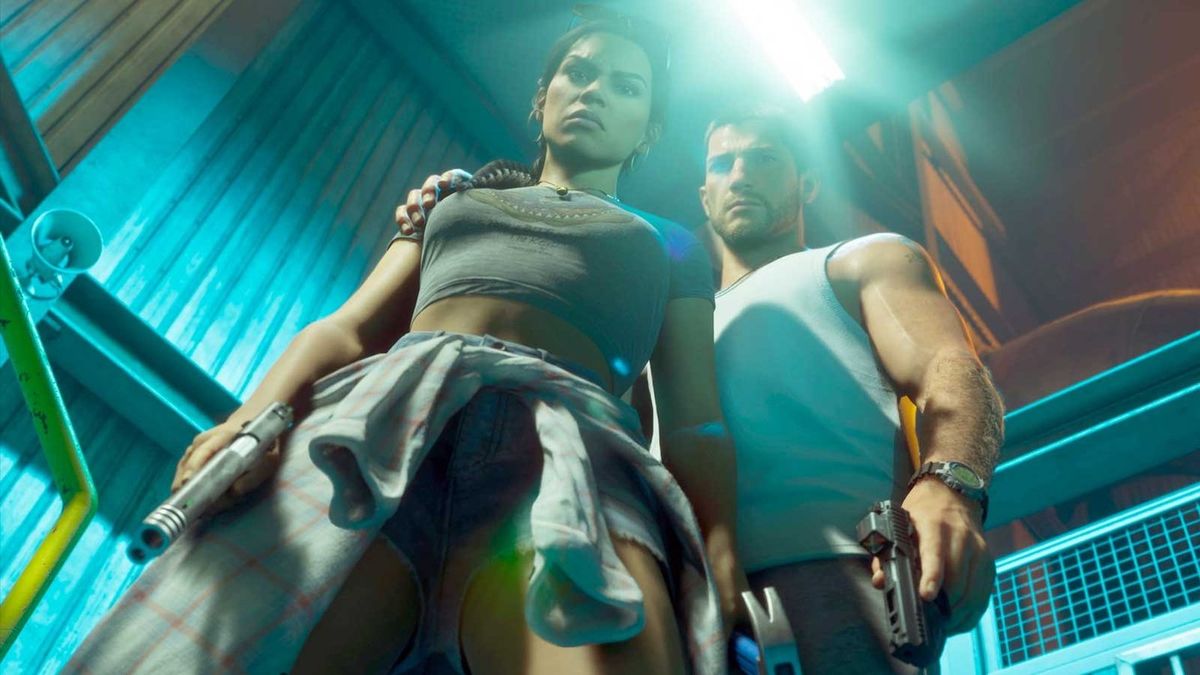
The rush around the GTA 6 PS5 controller shows exactly what happens when a major gaming release collides with collector demand, limited stock, and reseller activity. For Canadian buyers, that hype is about more than an accessory. It is a reminder that when a huge title like Grand Theft Auto VI approaches launch, gaming hardware interest surges fast, prices can get messy, and waiting too long can leave you settling for less. If you are already thinking about a Gaming PC Canada upgrade, this is the moment to plan carefully instead of reacting late.
The source story focused on special-edition PS5 controllers inspired by Vice City, with pre-orders moving quickly and scalpers listing them far above retail. The official U.S. price of $84.99 works out to roughly about $115 CAD before taxes, shipping, and any reseller markup. Once inflated resale pricing enters the picture, buyers can easily end up paying far more for the excitement of launch-week ownership. That same pattern often appears around PC parts, GPUs, premium gaming desktops, and complete systems tied to major AAA release cycles.
So what should Canadian gamers take from this? Simple: if demand can distort something as small as a themed controller, imagine what can happen when players start asking whether their current system is ready for GTA 6, ray tracing, high settings, streaming, or a full creator workflow.
What the GTA 6 accessory rush gets right about gaming demand
The source article captures a real trend: hype matters, limited products move fast, and scalpers thrive when buyers wait until the crowd shows up. That pattern is familiar across gaming. A major title can trigger last-minute spending on displays, headsets, controllers, storage upgrades, and entire systems. When enough people start searching for a gaming PC for GTA 6, pressure builds quickly across the market.
That does not mean every component suddenly disappears overnight. It does mean that buyer behaviour changes. More people stop researching casually and start buying urgently. When urgency rises, the best-value options tend to go first.
Are you planning to play one big game this year, or are you really preparing for a whole wave of new releases? Are you only thinking about GTA 6 today, or do you also want smooth performance in other open-world and ray-traced games over the next several years? Those are the questions that lead to a smarter PC purchase.
Why Canadian buyers should think beyond the controller
For many gamers in Canada, themed accessories are fun, but the bigger issue is platform readiness. A controller can add excitement to launch day, but it does not improve frame rates, visual quality, mod support, multitasking, streaming quality, or long-term upgrade flexibility. A well-chosen custom desktop does.
Canadian shoppers also deal with a different buying reality than many U.S.-based headlines suggest. Currency conversion matters. Shipping matters. Import pricing pressure matters. Availability across Canada matters. Support after the sale matters even more when you are spending serious money on a gaming or creator setup.
That is why a launch-driven story like this should push you to ask a more useful question: do you want to spend extra on hype items that can be scalped, or would you rather put your budget into performance you will still appreciate every day?
What do you want your next PC to do for you?
Before you choose a budget, choose your goal. A better buying decision starts with workload clarity, not just price tags.
Do you want your next system to handle 1080p gaming at high FPS? Do you want a 1440p Gaming PC Canada build that can push higher settings in large open-world games? Are you aiming for 4K, ray tracing, and a premium experience that still feels strong years from now?
Or is gaming only part of the picture?
Do you also want to stream to Twitch or YouTube? Edit gameplay clips for short-form content? Use Adobe Premiere Pro, DaVinci Resolve, Photoshop, Lightroom, Illustrator, or Blender? Run multiple monitors with voice chat, recording tools, browser tabs, and creative apps open at the same time?
If so, the right answer may not be a basic gaming desktop at all. You may need a gaming and creator system that balances GPU power, CPU strength, memory capacity, SSD speed, cooling, and upgrade headroom.
If GTA 6 is your trigger, what performance tier actually fits?
A lot of buyers know they want a better PC, but they are not sure how much performance they really need. That uncertainty leads to two common mistakes: underbuying and upgrading too soon, or overspending in the wrong places.
Entry tier: best for 1080p players and value-focused buyers
If your goal is smooth 1080p gaming, esports titles, everyday use, and a practical way into modern PC gaming, an entry or lower-mid tier system can make sense. This is often the right lane for first-time buyers, students, and customers who care more about responsiveness and value than ultra settings.
But ask yourself: are you buying for today only, or do you want room for tomorrow's games too? If a major release is the reason you are shopping, a bare-minimum build can feel outdated faster than expected.
Mid tier: best for 1440p gaming, streaming, and balanced longevity
For many Canadian buyers, the sweet spot is a strong mid-tier custom build. This is where 1440p gaming, high settings, fast SSDs, healthy RAM capacity, and better streaming performance start to feel meaningfully different. If you want a Custom Gaming PC Canada option that stays enjoyable across multiple new releases, this range is often the smartest value.
Do you want to game and stream from one machine? Do you record gameplay while keeping Discord, Chrome, OBS, and launchers open? Then the extra headroom in this tier matters a lot more than it looks on paper.
High end: best for 4K, ray tracing, ultra settings, and premium buyers
If your goal is maximum visual quality, stronger ray tracing, long-term ownership, and premium AAA performance, a high-end system may be the better fit. This tier is also ideal for customers who do not want to wonder whether the next big game will force an upgrade next year.
Are you the kind of buyer who would rather pay once for a stronger system than compromise twice? If yes, a premium build can be the more economical decision over time, especially when financing helps secure a better configuration before replacement costs rise.
What PC do you need if you also want to stream?
The GTA 6 launch cycle will not just create players. It will create streamers, clip channels, reviewers, mod showcases, walkthrough creators, and social content teams. If you expect your new system to handle gaming and broadcasting, your parts list needs to reflect that.
A proper Streaming PC Canada build should be chosen around more than just average FPS. You need enough CPU and GPU capability to maintain smooth gameplay while encoding video, handling overlays, managing audio devices, and recording locally. Storage speed matters. RAM matters. Cooling matters. Stability matters.
What gaming PC do you need for Twitch? What PC do you need for OBS streaming? Do you need a separate streaming PC? Most buyers do not need a dual-PC setup, but they do need a balanced single-system build that avoids obvious bottlenecks.
If your current computer already struggles when you alt-tab, open OBS, or export clips, that is not a minor annoyance. It is a sign your system may be reaching the point where a custom upgrade gives you more than just gaming performance. It gives you workflow freedom.
Are you buying for gaming only, or for content creation too?
Many launch-driven buyers discover something important after they upgrade: once they have a stronger computer, they use it for far more than games. They start editing videos, designing thumbnails, processing photos, or testing 3D tools. That is why it is smart to think about total usage, not just one release date.
A Creator PC Canada build is often the right move for customers who want one system for gaming, streaming, editing, and creative work. That kind of setup is especially useful for:
- Video editing in Premiere Pro, DaVinci Resolve, CapCut, or After Effects
- Photo editing in Photoshop, Lightroom, or Capture One
- Graphic design in Illustrator, InDesign, Canva, or Adobe Creative Cloud
- Content creation for YouTube, TikTok, podcasts, short-form clips, and brand assets
- 3D modeling and rendering in Blender, Unreal Engine, Maya, Cinema 4D, or CAD workflows
Are you buying a gaming PC that you hope can edit, or do you need a custom creator system designed to save you time every week? There is a difference, and it matters when your workload grows.
What if you need a PC for video editing, photo editing, or design?
If the GTA 6 hype has you thinking about streaming clips, editing montages, or building a creator brand, your buying decision should include those tasks from the start.
Video editing buyers
A serious Video Editing PC Canada system should focus on timeline smoothness, export speed, codec handling, RAM capacity, scratch-disk performance, and reliability under long workloads. Do you edit 1080p videos casually, or are you planning to work with 4K footage, layered effects, and larger projects? The right answer changes the build.
What PC do you need for video editing? How much RAM do you need for video editing? If your projects are getting heavier, choosing a stronger CPU, capable GPU, and fast SSD layout now can spare you a frustrating near-future rebuild.
Photo editing buyers
A strong Photo Editing PC Canada system benefits photographers, content teams, and online sellers who process large image batches, work with RAW files, and value a fast, responsive desktop. Do you just crop and export social images, or are you managing large Lightroom catalogs and colour-sensitive edits?
If you spend hours waiting on previews, imports, exports, or AI-assisted image tools, your productivity problem may actually be a hardware problem.
Graphic design and Adobe Creative Cloud buyers
A Graphic Design PC Canada build should feel quick across Illustrator, Photoshop, InDesign, browser-based collaboration, file transfers, and multitasking. Designers often underestimate how much they benefit from more RAM, faster SSDs, and a system that stays quiet and stable during long workdays.
Do graphic designers need a dedicated GPU? Sometimes yes, sometimes not heavily, but the broader point is this: a balanced custom build performs better than a generic one-size-fits-all desktop.
What if your work includes Blender, Unreal Engine, or CAD?
Not every buyer coming from a gaming headline is only a gamer. Plenty of customers want a machine that can play modern titles after hours and also handle professional workloads. If that sounds like you, a dedicated 3D Modeling PC Canada or workstation-style build may be the better route.
What PC do you need for Blender? What PC do you need for 3D rendering? Is a gaming PC good for Blender? Sometimes, but not always. GPU rendering, CPU rendering, simulation work, viewport responsiveness, and project complexity all change what “good enough” really means.
If your applications include Unreal Engine, Unity, AutoCAD, SolidWorks, Revit, or product rendering, you need more than launch hype. You need a machine chosen for stability, thermals, memory scaling, and sustained performance. That is where a custom workstation approach becomes more valuable than chasing whichever prebuilt looks flashy this week.
Why major game launches can affect PC buying conditions
The controller story is a small version of a much bigger market behaviour. Big releases concentrate buyer attention. That can create sudden pressure across:
- Popular GPU tiers
- Gaming-oriented CPUs
- High-speed DDR memory kits
- SSD capacities that suit modern game installs
- Power supplies and cooling for stronger builds
- Complete prebuilt and custom system demand
Even when prices do not explode overnight, value changes quickly. The best-balanced build at one moment can disappear, be delayed, or cost more later if enough buyers enter the market at once.
Is it better to buy a gaming PC now or wait? That depends on your timeline, your current system, and whether a major release is likely to expose the limits of what you already own. If your existing PC is already borderline, waiting often does not save money. It just compresses your decision into a worse buying window.
Should you buy a cheaper system now, or finance a better one?
This is one of the most important questions in the current market. Many buyers try to protect their budget by dropping to a lower tier than they actually need. That can work for light use, but it can also create a false economy. A system that feels strained too soon often costs more in upgrades, resale loss, and frustration than a stronger build would have.
That is why the financing question matters. If a slightly stronger build gives you better GPU longevity, more RAM, faster storage, better cooling, and a more suitable CPU for streaming or editing, monthly affordability may be smarter than buying a weaker machine outright.
Should you finance a gaming PC? Is financing a gaming PC worth it? For many buyers, yes, especially when it helps secure the right system instead of forcing a compromise that expires early.
Groovy Computers offers options that can help qualifying customers spread the cost over time, including financing up to 4 years. That can be especially useful if you are trying to buy before demand shifts, before your current machine fails you in a big release window, or before creator workloads push you into another upgrade cycle.
How much should you spend on a gaming PC in Canada?
There is no universal number, because the right spend depends on what you expect the machine to do. A customer playing esports at 1080p has very different needs than someone targeting open-world AAA gaming at 1440p while streaming and editing clips.
A better approach is to ask:
- How long do you want this PC to feel current?
- Are you aiming for 1080p, 1440p, or 4K?
- Do you care about ray tracing and higher visual presets?
- Will you stream, record, or edit content?
- Do you want a value-first build or a future-proof gaming PC Canada option?
- Would a stronger build reduce the chance of upgrading again too soon?
If you are asking, “How much should I spend on a gaming PC?” the answer should come from performance goals and replacement timing, not impulse. The cheapest route is not always the lowest-cost route over the life of the machine.
Custom PC vs generic prebuilt: why the difference matters more during high-demand periods
When gaming demand rises, some buyers grab whatever appears available first. That is understandable, but it can lead to poor part balance, limited cooling, weak upgrade paths, or configurations that look good in a product title while hiding compromises elsewhere.
A Custom PC Builder Canada approach gives you more control over what actually matters:
- Appropriate CPU and GPU pairing
- Enough RAM for gaming, streaming, or creative workloads
- Fast SSD storage for modern installs and projects
- Better case airflow and cooling
- More dependable power delivery
- A clearer upgrade path over time
- Better alignment with your budget and real use case
Custom PC vs prebuilt PC Canada is not just an enthusiast debate. It is a buying-quality question. If you are spending serious money, the configuration should fit you, not the other way around.
Why Groovy Computers makes sense for Canadian buyers
Canadian buyers want more than specs on a page. They want confidence that the system they order is built for their actual use, tested properly, and backed by real support. That is where Groovy Computers stands out.
Groovy Computers is a Canadian custom PC builder focused on gaming PCs, creator systems, and workstations that are matched to real customer needs. Whether you need a budget-friendly gaming desktop, a premium RTX-focused setup, a streaming and editing machine, or a heavier-duty workstation, the build should make sense for your goals, not just your search history.
That matters even more during demand-heavy periods. A properly selected build helps you avoid buying twice, upgrading too soon, or discovering after delivery that your new machine still struggles with the things you care about most.
Groovy Computers also emphasizes rigorous testing and includes a 1-year warranty, which is exactly the kind of reassurance buyers should want when investing in a performance desktop. If you are ordering a system in Canada, support quality is not a side detail. It is part of the value.
Are you buying before a major game release, a price spike, or a software jump?
Timing changes everything. Some buyers are shopping because their current PC is already failing them. Others are trying to get ahead of a release wave. Others know they want to stream, edit, or create more content soon and do not want to be blocked by weak hardware.
So ask yourself:
- Are you buying before a game launch you know will increase demand?
- Are you worried your current system will not handle new titles well?
- Are you about to start streaming or editing more seriously?
- Do you need a stronger machine before software workloads increase again?
- Would financing now help you secure the right system before replacement costs climb?
If your answer to even two of those is yes, delaying may not be the “safe” option it seems to be.
Which type of buyer are you right now?
The budget-conscious gamer
You want strong value, smooth gameplay, and no wasted spending. A Budget Gaming PC Canada build may be right if your expectations are realistic and your main goal is dependable 1080p or lighter 1440p gaming. But if you already know you will want to stream, mod heavily, or chase bigger AAA releases, be careful about going too low.
The balanced gamer-creator
You want one desktop that can game well, multitask smoothly, and support recording, editing, or design work. This buyer often gets the most value from a mid-tier or upper-mid-tier custom build with enough all-around strength to avoid immediate regret.
The premium performance buyer
You want visual quality, stronger longevity, and less compromise. You may care about ray tracing, 4K readiness, top-tier responsiveness, and a system that still feels premium years from now. If so, a high-end custom build is often the right fit.
The practical professional
You need a machine that supports both work and play. Your desktop may need to run creative software, rendering tools, or serious multitasking by day, then handle gaming at night. For this buyer, workstation logic matters as much as gaming specs.
What questions should you ask before ordering your next custom PC?
- What games or software will I actually use every week?
- Do I want 1080p, 1440p, or 4K performance?
- Will I use ray tracing, high-refresh displays, or multiple monitors?
- Do I plan to stream, record, or edit content?
- How much RAM and storage will I realistically need?
- Am I buying for this month only, or for the next several years?
- Would I rather upgrade once properly than patch together small upgrades later?
- Should I finance a better PC instead of buying a weaker one outright?
- Do I want help choosing a build that actually matches my goals?
Those questions can save you from buying based on hype alone. They help turn attention into strategy.
Ready to choose a better system before the rush gets worse?
If the GTA 6 accessory frenzy has you thinking about what your own setup is missing, now is the right time to turn that attention into a smarter upgrade plan. Do you want a gaming desktop built for modern AAA releases? A machine that can handle gaming and streaming? A creator system for editing, design, or content production? A workstation that can handle heavier software without constant slowdown?
If you are asking those questions, the next step is simple: visit GroovyComputers.ca and explore a build that fits your real needs. Whether you want a value-focused gaming system, a premium performance rig, or financing on a stronger custom build, Groovy Computers gives Canadian buyers a more confident way to buy.
Final thoughts: controller hype fades, good performance stays
The GTA 6 PS5 controller story is fun, but the deeper lesson is serious. Demand moves fast around major releases, and buyers who wait for the last minute often get hit by lower availability, inflated pricing, and rushed decisions. If you are already thinking about a Gaming PC Canada upgrade, a creator desktop, or a workstation purchase, now is the time to choose based on your goals, your timeline, and your long-term value.
A themed controller can make launch day more exciting. A properly chosen custom PC can improve every game, every stream, every render, and every project after that. That is the better investment.
#GamingPCCanada #CustomGamingPCCanada #GamingPCForGTA6 #StreamingPCCanada #CreatorPCCanada #VideoEditingPCCanada #3DModelingPCCanada #CanadianCustomPCBuilders #NovaScotiaTech #GroovyComputers
Groovy Computers | All Rights Reserved


Leave a comment
This site is protected by hCaptcha and the hCaptcha Privacy Policy and Terms of Service apply.