































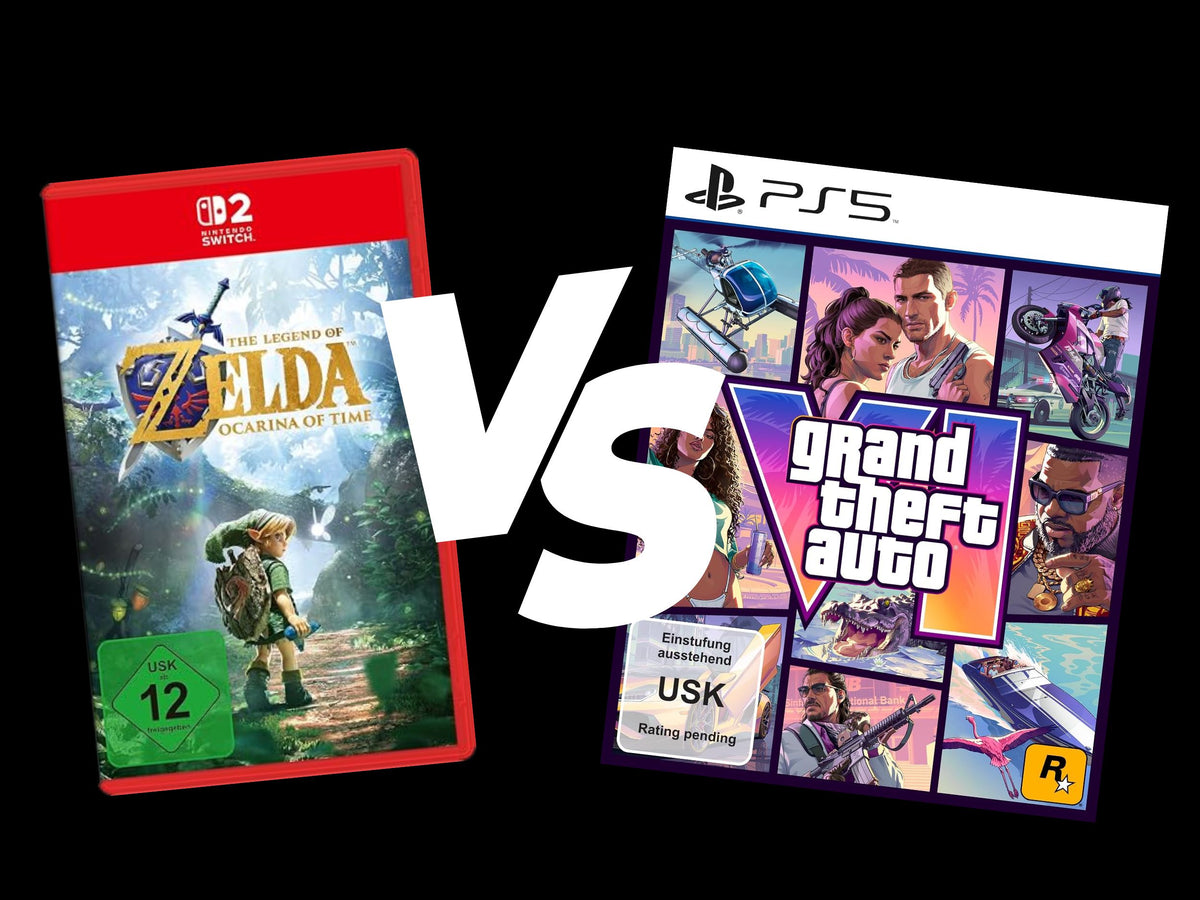
GTA 6 vs Zelda and What It Really Means for Buying a Gaming PC in Canada
The GTA 6 vs Zelda release window is more than a gaming news story. It is also a useful reminder that major game launches do not affect every player the same way, and they definitely do not affect every platform the same way. The original source highlights why Nintendo likely has little to fear from Rockstar launching Grand Theft Auto VI just two weeks after a new Zelda release: different hardware, different audiences, and a uniquely loyal customer base. For Canadian PC buyers, that same logic leads to a bigger question: if blockbuster releases are about to dominate your gaming calendar, is your current system actually ready for what you want to play next?
That is where the conversation becomes practical. If you are planning around new AAA games, open-world releases, high refresh competitive gaming, streaming, or creator work that runs alongside gaming, this is not just about release dates. It is about hardware timing, GPU demand, long-term value, and whether your next desktop should be a budget gaming system, a premium RTX build, a creator-focused workstation, or a stronger custom build financed before costs climb again.
What the Zelda vs GTA 6 Story Gets Right
The source article makes a simple but important point: not every major launch creates direct competition. A Zelda release on Nintendo hardware and a GTA 6 release on other platforms can dominate headlines at the same time without fully cannibalizing each other. People who want one experience are often not giving up the other for the same reason people shopping for a light content creation desktop are not always shopping for a 4K ray tracing monster at the same time.
That matters because too many buyers make PC decisions based only on hype instead of use case. Are you buying a system mainly for open-world cinematic games? Are you chasing high FPS in fast shooters? Do you want a machine that can game at night and edit video during the day? Or are you trying to avoid buying something now only to replace it sooner than expected when the next wave of demanding titles lands?
Nintendo can stay in its lane because its platform audience is distinct. You should think the same way when choosing your next desktop. The right system depends on what lane you are actually in.
Why Canadian Buyers Should Read This as a PC Buying Signal
In Canada, big release cycles often trigger the same pattern: renewed demand for GPUs, more shoppers looking for a gaming-ready upgrade, and a lot of confusion about whether to buy now or wait. When a game as large as GTA 6 becomes the center of gaming discussion, many buyers start asking the same questions at once. Can my current PC handle the next generation of open-world games? Do I need ray tracing performance? Is 1080p still enough? Should I step up to 1440p now so I do not regret it later?
Those questions do not only affect enthusiasts. They also affect first-time buyers, parents shopping for a student gamer, streamers moving from console capture setups to full PC workflows, and creators who want one system for gaming, editing, thumbnails, short-form content, and live streaming.
In other words, the news cycle creates pressure. If you wait until everyone else decides they need a stronger build at the same time, you may face fewer ideal options, more pricing pressure on key parts, or the temptation to settle for a weaker off-the-shelf system that looks good on paper but is poorly balanced in practice.
What Do You Want Your Next PC to Do for You?
Before you focus on a graphics card or a headline game, ask the question that actually matters: what do you want your next PC to do for you over the next several years?
- Just play new games well at 1080p?
- Move up to 1440p with strong image quality and smoother frame rates?
- Push into 4K or ray tracing territory?
- Game and stream at the same time?
- Edit YouTube videos, TikTok clips, or podcasts without slow exports?
- Handle Photoshop, Lightroom, Illustrator, or full Adobe Creative Cloud workflows?
- Run Blender, Unreal Engine, or 3D rendering tasks without choking under load?
- Buy once and avoid upgrading too soon?
This is where many Canadian shoppers either save money intelligently or waste it. A weaker machine can look cheaper up front, but if it misses your actual workload, the real cost shows up later in stutter, heat, louder fans, longer exports, and earlier replacement.
What Gaming Performance Tier Fits You Best?
If the Zelda and GTA 6 conversation has you thinking about your next upgrade, the smartest move is to choose a realistic performance tier instead of shopping only by price tag.
Entry-Level and Budget Gaming PC Canada Buyers
If your main goal is smooth 1080p gaming, esports titles, lighter AAA settings, and everyday use, a budget-focused custom system can still make excellent sense. This is often the right fit for students, first-time buyers, or households that want solid gaming performance without overspending.
But here is the key question: are you buying for the games you play now, or the games you expect to play next year? A budget gaming PC can be a smart buy, but only if it leaves enough headroom for upcoming titles and background tasks like Discord, browser tabs, game launchers, and basic recording.
If you are already wondering whether a budget system will feel outdated too fast, that hesitation matters. It may be a sign you should move one tier up instead of buying twice.
1440p Gaming PC Canada Shoppers
For many buyers, 1440p is the current sweet spot. It offers a clear visual upgrade over 1080p, gives premium monitors room to shine, and is often the best balance between image quality and cost. If you are excited by large open-world games, cinematic single-player titles, modded experiences, or high-refresh competitive play with better visual fidelity, this is the range where many gamers should focus.
Ask yourself: what PC do I need for 1440p gaming if I want to keep it for years, not months? That question usually points buyers toward a more balanced CPU and GPU combination, faster storage, and enough RAM to stay comfortable as game requirements expand.
4K and Ray Tracing Buyers
If your goal is ultra settings, stronger ray tracing, premium textures, and display-ready image quality on a large high-resolution monitor, you are no longer shopping for a basic gaming computer. You are shopping for a high-end gaming PC that can carry heavy visual loads while staying stable under long sessions.
This is where buyers should be honest with themselves. Do you really want the best gaming PC for new games, or do you simply want a better experience than your current machine? If you truly want top-tier 4K performance, cutting corners in the wrong places can undermine the entire build. High-end gaming should be matched with proper cooling, a sensible power supply, quality storage, and a case airflow strategy that supports the investment.
Planning for GTA-Scale Games on PC Even If This Story Started on Console
The source article is centered on console launches, but the buying lesson translates directly to desktop shoppers. Big open-world games change expectations. Even before exact PC requirements are fully clear, players know what these releases usually demand: strong GPU performance, capable CPUs for dense world simulation, enough RAM for modern multitasking, and SSD speed that keeps loading and asset streaming from becoming a bottleneck.
If you are already searching for a gaming PC for GTA 6, a gaming PC for upcoming games, or the best PC for new games, you are probably not only worried about one title. You are thinking about a class of games: big, expensive, graphically ambitious releases that punish older hardware and reward stronger, more balanced systems.
That leads to another important question. Is it better to buy a gaming PC now or wait? If your current system is already borderline for current AAA titles, waiting often means spending months compromising on settings, then entering the market at the same time as everyone else.
Different Games, Different Buyers, Different Hardware Decisions
One reason Nintendo may not fear Rockstar is that players do not all want the same thing. The same logic applies to custom PCs. Someone playing competitive shooters at 1080p has completely different needs than someone who wants cinematic story games at 1440p ultra settings. A streamer has different needs than a solo gamer. A video editor has different needs than a Minecraft player. A 3D artist has different needs than a university student buying a first gaming desktop.
So what kind of buyer are you?
- The value gamer: wants dependable performance, sensible pricing, and enough longevity to avoid immediate upgrades.
- The premium gamer: wants high settings, stronger ray tracing, better frame pacing, and long-term confidence.
- The gamer-streamer: needs gaming power plus encoding performance, RAM headroom, and storage for recordings.
- The creator-gamer: wants one system for games, Adobe apps, editing timelines, thumbnails, exports, and multitasking.
- The workstation buyer: needs rendering, design, simulation, or production reliability first, with gaming as a bonus.
When buyers skip this step, they often end up with mismatched systems. A flashy gaming desktop may still be the wrong machine for OBS streaming, DaVinci Resolve, Blender, or Adobe-heavy workflows.
Are You Only Gaming, or Do You Also Want to Stream and Create?
This is one of the most important decision points in the modern desktop market. Plenty of Canadian shoppers are no longer buying a PC for just one use. They want to play games, capture gameplay, stream to Twitch or YouTube, clip highlights, edit short-form content, and run creative software without the whole system feeling overloaded.
If that sounds like you, ask a more advanced question: do I need a gaming PC, a streaming PC, or a creator PC? In many cases, the right answer is a hybrid system built around your real mix of priorities.
Gaming and Streaming PC Canada Buyers
If you want to game and stream from one machine, your desktop should be built for more than average gameplay. OBS, browser tabs, chat overlays, capture tools, audio routing, and background applications all add load. A machine that feels fine for gaming alone may struggle when you ask it to perform and broadcast at the same time.
What PC do you need for streaming? That depends on whether you want casual 1080p live streaming, smoother competitive broadcasts, or a more polished multi-scene setup with better production quality. The stronger your stream ambitions, the more important it becomes to choose the right CPU, enough memory, an appropriate GPU, and a layout that stays cool under sustained use.
Video Editing and Creator PC Canada Buyers
Maybe the GTA 6 hype is not your main issue at all. Maybe you are a content creator watching game releases because they drive views, clips, reactions, shorts, and livestream traffic. In that case, the real need may be a video editing PC Canada buyers can rely on for faster playback, smoother timelines, quicker rendering, and less waiting between ideas.
Are you editing in Adobe Premiere Pro, DaVinci Resolve, After Effects, or CapCut? Are you cutting 1080p social clips, long-form YouTube uploads, or 4K footage? Do you work with large projects, colour correction, effects, and layered audio? If so, a generic gaming-first machine may not be the most efficient use of your money.
A custom creator system can be tuned for better all-around responsiveness, fast SSD performance, stronger memory configurations, and the kind of balanced hardware that saves real time every week.
Photo Editing and Graphic Design Buyers
Not every reader following gaming trends is a gamer first. Some are designers, photographers, and marketers who simply understand that hardware moves in cycles. If you work in Photoshop, Lightroom, Illustrator, Canva, InDesign, or similar creative software, your desktop should be chosen for workflow smoothness, storage speed, memory comfort, and display support, not only frame rate bragging rights.
What PC do you need for photo editing or graphic design? If your current machine hesitates on large RAW files, slows down with batches, crawls during exports, or feels cramped with multiple creative apps open, that friction is telling you something. The right custom build can remove that drag before it starts costing billable time.
3D Modeling and Workstation Buyers
For Blender, Unreal Engine, CAD, rendering, visualization, and 3D production, the conversation shifts again. Here, the question is not just whether the machine runs a game well. It is whether the system can handle sustained heavy workloads, larger memory requirements, GPU-accelerated rendering, and stability under long sessions.
What PC do you need for Blender or Unreal Engine? If that question is on your mind, you may need a workstation-minded custom build instead of a standard gaming configuration. A good gaming PC can help with lighter 3D work, but serious rendering and production benefit from a system designed around that purpose from day one.
Why Timing Matters More Than People Think
The original article is about release timing. For PC buyers, timing matters too, just in a different way. Demand spikes do not only happen when hardware launches. They also happen when a major game, holiday period, school season, content creation trend, or software wave pushes more people to upgrade at once.
When that happens, several things can become less favourable:
- Popular GPU tiers can become harder to get in the ideal configuration.
- Higher-demand parts can carry more pricing pressure.
- Buyers under time pressure are more likely to settle for weaker or poorly balanced systems.
- Last-minute shoppers often give up custom-fit value for immediate convenience.
Is now a good time to buy a gaming PC? If your current system already feels behind, waiting for perfect conditions can backfire. Buying strategically before your need becomes urgent gives you more control over the build, not less.
Should You Buy a Cheaper PC or Finance a Better One?
This is one of the most practical questions Canadian shoppers can ask. A lot of buyers know they need a stronger system, but they try to force their choice into a lower budget because they are looking only at the upfront price. The problem is that underbuying can create a shorter replacement cycle and a worse ownership experience.
Should you finance a better PC instead of buying a cheaper one? In many cases, yes, especially if the stronger system better matches your real needs over several years. If financing helps you move from a borderline machine to a properly balanced custom desktop, the monthly difference can be easier to justify than the long-term cost of upgrading too soon.
That is particularly relevant if you are shopping for a gaming and streaming PC, a custom creator PC, a video editing workstation, or a premium gaming desktop where small compromises can create bigger performance limitations later. Financing can also help buyers secure a stronger build before replacement costs rise further, especially when GPU, memory, and storage markets are under pressure.
Can you finance a gaming PC in Canada without overcomplicating the process? For many shoppers, that possibility changes the entire decision. Instead of settling immediately, they can choose a system built to last longer, perform better, and stay satisfying through more than one game cycle.
What Components Matter Most for a Modern Gaming or Creator Build?
Even if you do not want to choose every part yourself, understanding the basics helps you buy smarter.
Graphics Card
If you care most about gaming resolution, visual settings, ray tracing, and creator acceleration in some apps, the GPU is central. For many buyers, this is where the budget rises fastest, but it is also where the wrong choice becomes obvious the quickest. If your target is 1440p or stronger AAA performance, your graphics card should be chosen for the games you are moving toward, not just the ones you already finished.
Processor
The CPU matters for frame consistency, multitasking, simulation-heavy games, streaming, productivity, and creative work. If you want to run multiple applications, capture gameplay, edit, or handle heavier workloads, a stronger processor can make the system feel dramatically more responsive.
Memory
How much RAM do you need? For basic gaming, one level may be fine. For gaming plus streaming, larger modern games, editing, Adobe workloads, or 3D tasks, more memory headroom can make a major difference. RAM is often one of the least glamorous parts of a build and one of the most noticeable when you do not have enough.
Storage
Large modern games, project files, source footage, and creative assets all consume space quickly. Fast SSD storage helps with loading, responsiveness, and workflow smoothness. If you are a content creator, storage is not an afterthought. It is part of the productivity equation.
Cooling and Power Delivery
Strong parts need proper support. A custom system should be designed to sustain performance, not just boot successfully on day one. That means good airflow, sensible cooling, and a dependable power setup. If you are spending serious money, these are not luxuries. They are part of what protects the investment.
Custom PC vs Prebuilt PC Canada: Why the Difference Matters More During Demand Waves
When demand spikes or game hype pushes more people to upgrade, it becomes easier for mass-market systems to look attractive simply because they are available. But availability and suitability are not the same thing.
Custom PC vs prebuilt PC Canada buyers often ask which is better. The answer depends on how much you value part quality, workload matching, upgrade planning, cooling, and long-term ownership. A custom-built system gives more room to prioritize what matters for your use case instead of paying for specs that look impressive in a product title but do not translate into the experience you actually want.
Do you need stronger gaming performance at 1440p? Better streaming stability? Faster export times? More RAM for Adobe or Blender? More storage for growing libraries? Better thermal behaviour? These are exactly the kinds of decisions that separate a custom-fit machine from a generic box.
Why Groovy Computers Fits This Moment for Canadian Buyers
Groovy Computers is positioned for the buyer who wants more than a rushed purchase. If you are in Canada and trying to choose a gaming desktop, creator system, or workstation that actually fits your needs, the value is not just in the parts list. It is in the build logic, testing, support, and confidence behind the machine.
That matters whether you are shopping from Nova Scotia, Atlantic Canada, Ontario, Alberta, British Columbia, or anywhere else that needs dependable Canada-wide service. A Canada built gaming PC should feel like an upgrade in every sense: performance, reliability, thermal design, balance, and after-sale confidence.
Groovy Computers also makes sense for buyers who want to think one step ahead. If you are wondering whether to lock in a stronger machine before the next wave of demand, whether financing up to 4 years could help you avoid underbuying, or whether your workload justifies a more capable GPU and CPU tier, this is exactly the kind of decision support that matters.
And because every serious desktop should be more than a speculative purchase, rigorous testing and a 1-year warranty are not small details. They are part of what separates a reliable custom build from a gamble.
Which Type of Groovy Build Makes Sense for You?
If You Want a Budget-Friendly Gaming Upgrade
Choose a balanced gaming desktop built for strong 1080p play and sensible longevity. This is ideal if you want to enjoy modern titles without chasing maximum settings at any cost. Ask yourself: do I want a first gaming PC, a student gaming desktop, or a value-focused machine that still has room to breathe?
If You Want the Best 1440p Value
This is often the smartest mainstream tier. It suits players who want sharper visuals, stronger detail settings, and more confidence heading into new AAA releases. If you have been asking what gaming PC do I need for the next generation of open-world games, this may be your answer.
If You Want Premium Gaming
If your goal is high settings, stronger ray tracing, premium monitor pairing, and fewer compromises over a longer ownership cycle, a high-end custom gaming PC is the better fit. Ask yourself: how long do I want this machine to last before I feel pressure to upgrade again?
If You Want One System for Gaming, Streaming, and Editing
A creator-focused hybrid build is often the right move. This is the sweet spot for streamers, YouTubers, editors, and gamers who want one computer to do real work as well as entertainment.
If You Need Serious Production Power
For video editing, Adobe workflows, photo editing, graphic design, Blender, Unreal Engine, and rendering, choose a workstation-minded configuration. The right system can save time daily, not just improve benchmark numbers.
Questions to Ask Yourself Before You Buy
- What games or software will I actually use every week?
- Do I want 1080p, 1440p, or 4K performance?
- Do I care about ray tracing, high FPS, or both?
- Will I be streaming, recording, editing, or designing on the same machine?
- Am I buying for today only, or for the next few years?
- Would financing a stronger PC help me avoid replacing a weaker one too soon?
- Do I want a generic prebuilt, or a custom system that matches my actual workload?
- Do I want support from a Canadian custom PC builder that understands upgrade planning and system balance?
The Real Lesson From GTA 6 vs Zelda
The real takeaway is not that one game should fear another. It is that smart companies and smart buyers understand audience fit. Nintendo knows its market. Rockstar knows its market. You should know yours too.
If you are shopping for a desktop in Canada, do not let hype make the decision for you. Let your goals do that. If your next year includes bigger games, better monitors, streaming plans, creator workloads, or software that your current PC struggles to handle, the best time to plan the right build is before urgency strips away your options.
Do you want help figuring out whether you need a budget gaming system, a 1440p-ready upgrade, a premium RTX desktop, a creator PC, or a workstation that can handle demanding production tasks? Start with a custom approach built around your real workload and your real budget at GroovyComputers.ca. If financing would help you step into a stronger, longer-lasting build now instead of settling for less, that conversation is worth having before the next demand wave arrives.
For Canadian buyers, the best gaming PC is not the loudest headline build. It is the one that fits the games you want to play, the work you want to do, and the years you want to get out of it. That is why the GTA 6 vs Zelda moment is also a reminder to think ahead, buy smarter, and choose a custom build that is ready for more than one launch cycle.
#GamingPCCanada #CustomGamingPCCanada #GamingPCForNewGames #1440pGamingPCCanada #4KGamingPCCanada #CreatorPCCanada #VideoEditingPCCanada #StreamingPCCanada #CanadianCustomPCBuilders #NovaScotiaBusiness
Groovy Computers | All Rights Reserved

Leave a comment
This site is protected by hCaptcha and the hCaptcha Privacy Policy and Terms of Service apply.