






















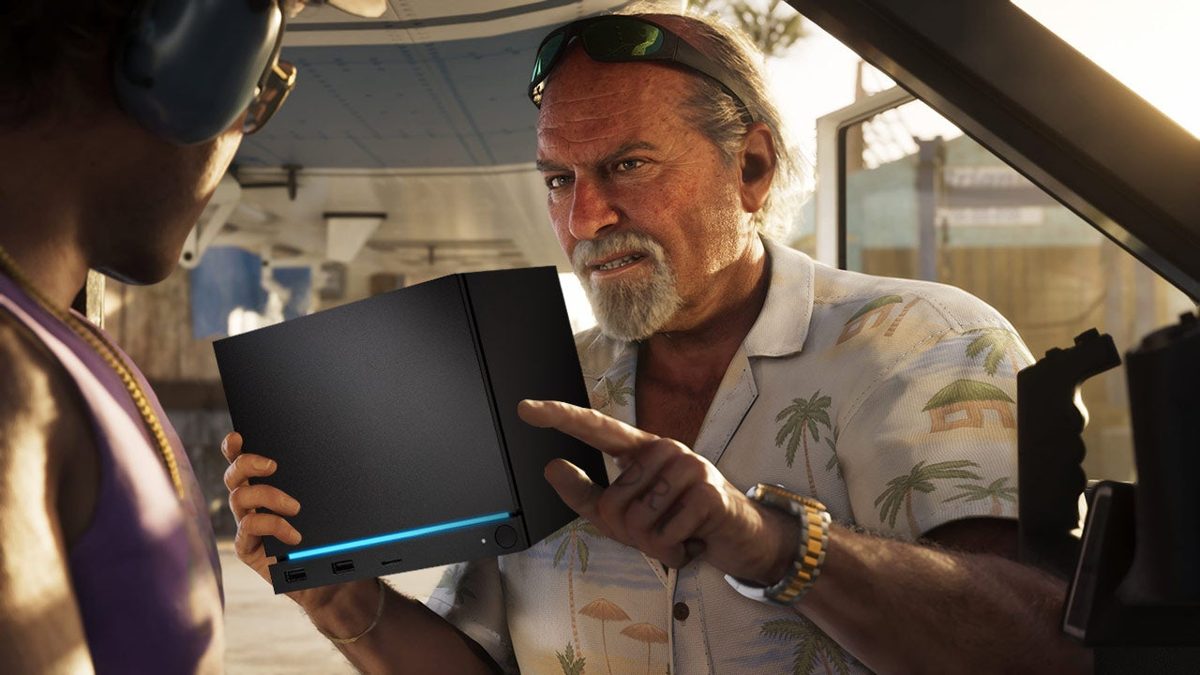
Gaming PC for GTA 6: Will a Steam Machine Be Enough, or Should Canadian Gamers Buy Smarter?
The biggest takeaway from the source discussion is simple: a compact PC may technically run Grand Theft Auto 6 when a PC version finally arrives, but that does not automatically mean it will be the best way to play it. For Canadian buyers researching a gaming PC for GTA 6, that distinction matters. If you are already thinking ahead to open-world performance, ray tracing, streaming, content creation, or long-term upgrade value, this is the moment to think beyond whether a system can launch a game and start asking whether it will actually deliver the experience you want.
That is where Groovy Computers comes in. As a Canadian custom PC builder, Groovy Computers helps shoppers connect hype-driven game launches to real-world buying decisions. A demanding title like GTA 6 does not just raise questions about frame rates. It also raises questions about GPU tier, CPU headroom, RAM capacity, cooling, storage speed, streaming support, anti-cheat compatibility, and whether buying a stronger build now could help you avoid upgrading too soon.
If GTA 6 becomes one of the defining PC releases of its generation, what do you want your next desktop to do when it arrives? Do you just want playable settings? Do you want smooth 1080p? Are you aiming for 1440p with high settings? Do you want ray tracing? Are you also planning to stream, edit clips, create YouTube content, or use the same system for Photoshop, Premiere Pro, Blender, or graphic design?
What the Source Article Gets Right About GTA 6 PC Performance
The source article makes a smart point: modern Rockstar PC releases have typically been more scalable than many gamers expect. Even when the most demanding visual features are out of reach on lower-tier hardware, strong graphics options can make a game playable across a broad range of systems. That matters because a lot of shoppers assume a blockbuster game is either “runs” or “doesn’t run,” when the real answer is usually more nuanced.
Scalability changes the buying conversation. A lower-powered machine might run a future AAA release at reduced settings, with upscaling, lower crowd density, less aggressive lighting, and compromises to texture quality or frame rate. But should you spend thousands on a system that starts with compromise from day one? That is the better buying question.
The source also correctly points toward another issue: operating system and anti-cheat support can matter just as much as raw hardware. A machine can have enough graphics horsepower to handle a game’s campaign, yet still create headaches if online modes or launcher requirements do not play nicely with the software environment. That is especially relevant for buyers looking at niche platforms, compact devices, or Linux-based gaming setups.
Why Canadian Buyers Should Think Differently About a Gaming PC for GTA 6
For Canadian shoppers, the GTA 6 conversation should not be limited to “Will this box run it?” The smarter question is, “What kind of system will still feel good six months, one year, and two years after launch?” New AAA games tend to expose weak links fast. A build that seems acceptable today can age quickly once more demanding titles, creator software updates, bigger texture packs, and heavier background workloads start piling on.
That is why many buyers across Canada are moving away from generic, one-size-fits-all systems and toward purpose-built desktops. If you are shopping in Nova Scotia, Atlantic Canada, Ontario, Alberta, British Columbia, or anywhere else in the country, your needs are not identical to someone buying only for indie games or esports. A custom gaming PC Canada shopper looking ahead to GTA 6 may also want room for Discord, Chrome tabs, recording software, OBS, mods, editing tools, and future upgrades.
Canadian pricing also changes the equation. Small form factor gaming systems and premium compact PCs can land in a price range where buyers are no longer making a budget compromise. At that point, it makes sense to ask: if you are already spending serious money in CAD, why not choose a desktop with stronger thermals, better upgradeability, more consistent performance, and fewer compatibility concerns?
Will a Steam Machine-Like PC Be Enough for GTA 6?
Maybe for some users, yes. Enough for what is the key question.
If your goal is simply to get into the single-player campaign at reduced settings and acceptable frame rates, a lower-powered or compact system could potentially do that when the PC version arrives. But if your goal is a premium experience, stable frame pacing, stronger minimum FPS in dense city areas, smoother driving, better image quality, and confidence for future updates, then “probably runs” is a much lower bar than most gamers really want.
Do you want to buy a PC that survives the launch window, or one that still feels exciting after the honeymoon period ends?
Compact systems can be appealing. They save space, they look clean, and they fit a minimalist setup. But GTA-style open-world games are often demanding in ways that go beyond average FPS. CPU load, background simulation, asset streaming, and potential online-mode overhead can punish weaker configurations. That means buyers should be careful not to judge future performance only by graphics card branding or synthetic benchmark assumptions.
What Do You Want Your Next PC to Do for You?
Before you choose a build, ask yourself a better question than “Can my PC run this game?” Ask: What do I want my next PC to do for me every day?
- Only gaming: You may want a value-focused build optimized for 1080p or 1440p AAA performance.
- Gaming + streaming: You will want more CPU and GPU headroom, plus the right encoder support and enough RAM.
- Gaming + editing: Fast storage, more RAM, and a balanced CPU/GPU combo become more important.
- Gaming + content creation: A creator-ready system can save time in exports, multitasking, and media management.
- Gaming + 3D work: If you also use Blender, Unreal Engine, or rendering tools, a workstation-minded configuration may be smarter than a pure gaming build.
Are you buying one machine for one game, or one machine for the next several years of gaming, streaming, editing, and productivity?
What PC Do You Need for 1080p, 1440p, or 4K Gaming?
This is where many buyers either overspend blindly or underspend regretfully. The right answer depends on your monitor, your expectations, and how long you want your system to stay relevant.
1080p Gaming PC Canada Buyers
If you play on a 1080p display and mainly want strong performance with good settings in modern titles, a well-balanced mid-range build can still make a lot of sense. But GTA 6 is not likely to be the kind of game most people buy a basic esports-only system for. If your idea of value is “playable now, upgrade soon,” that can become expensive over time.
Do you want a 1080p machine that is just enough for launch, or one that gives you breathing room for the next wave of AAA releases?
1440p Gaming PC Canada Buyers
For many Canadian gamers, 1440p is the real sweet spot. It offers a major image quality upgrade over 1080p without demanding the full budget jump of a 4K system. If you want GTA 6 to look impressive while staying responsive, this is likely where many buyers should focus. A stronger GPU, a modern gaming CPU, adequate cooling, and enough RAM can make the difference between a system that feels current and one that feels constrained.
If you are planning to keep your next build for years, 1440p is often the smarter target than buying a weaker machine and hoping settings tweaks will carry you indefinitely.
4K Gaming PC Canada Buyers
If your goal is 4K, ultra settings, and premium visual features, you are shopping in a different category entirely. A true 4K gaming PC Canada buyer needs to think about high-end GPU performance, stronger cooling, premium power delivery, and long-term value. This tier is for gamers who want visual impact first and who understand that future AAA titles can punish entry-level hardware quickly.
Are you chasing the best possible visual showcase for open-world games, or are you trying to maximize value per dollar? There is no wrong answer, but there is definitely a wrong build for each goal.
How Important Will Ray Tracing Be for GTA 6 Buyers?
Ray tracing is one of the easiest areas to misunderstand. It sounds like a simple on/off feature, but in real-world gaming it affects your GPU choice, target resolution, expected frame rate, and how much performance margin you need for future games.
If you want to turn on advanced lighting features and still enjoy strong frame rates, especially above 1080p, your build should not be planned around minimum viability. You should think in terms of comfort, overhead, and longevity. A ray tracing gaming PC Canada customer is usually better served by a stronger graphics tier than they initially expect.
Do you want ray tracing because you will actually use it, or are you paying for the idea of it while planning to disable it for performance? That question alone can change your whole budget.
Planning to Stream GTA 6 Too?
If you are even considering streaming, your PC requirements change immediately. Gaming and streaming on one machine means your desktop is handling the game, your stream software, encoding, browser tabs, alerts, chat tools, Discord, and often recording at the same time. That is why a gaming and streaming PC Canada build should not be chosen the same way as a basic gaming-only desktop.
What PC do you need for streaming if GTA 6 becomes your next main game? You will likely want more than the entry-level gaming recommendation. The right encoder support, enough VRAM, sufficient CPU performance, and at least sensible multitasking headroom matter much more when you add OBS or Streamlabs to the workload.
Are you planning casual Discord streaming to friends, or do you want a Twitch or YouTube-ready setup with polished overlays, smooth recording, and room to edit clips afterward?
Will Your Next PC Also Handle Video Editing, Photoshop, or Content Creation?
Many GTA buyers are not just gamers anymore. They are creators. They record gameplay, cut shorts, design thumbnails, edit TikToks, render YouTube content, and use Adobe apps between gaming sessions. That means the right machine may not be just a gaming desktop. It may be a hybrid creator PC Canada setup.
If you edit in Premiere Pro, DaVinci Resolve, After Effects, Photoshop, Lightroom, or Illustrator, your system should be planned around more than FPS. Storage speed affects media handling. RAM affects timeline smoothness and multitasking. CPU choice impacts exports and responsiveness. GPU acceleration matters in both gaming and creative software.
Is a gaming PC good for video editing? Sometimes yes, but not always in the way buyers assume. A gaming-first machine can edit video, but a properly balanced custom build often feels dramatically better for real creator work.
For Video Editors
If you need a video editing PC Canada system, think about your footage. Are you cutting 1080p clips for social media, or are you editing 4K projects with colour correction, effects, and layered timelines? The difference between those workloads is massive. If your content workflow is growing, underbuying now often means paying more later.
For Photo Editing and Graphic Design
If your next machine also needs to support Photoshop, Lightroom, Illustrator, InDesign, or Canva-heavy workflows, RAM capacity, storage responsiveness, and display pairing all matter. A good photo editing PC Canada or graphic design desktop should feel snappy under heavy project loads, not just while launching games.
For 3D Modeling and Unreal Engine
If GTA 6 hype has you thinking beyond gaming into modding, level design, Blender, or Unreal Engine work, then you may be closer to a workstation buyer than a standard gamer. A 3D modeling PC Canada or rendering-focused build should prioritize sustained performance, memory capacity, and component balance very differently from a basic prebuilt.
Single-Player Only, or Do You Care About Online Compatibility?
The source article raises a serious issue around anti-cheat and Linux-based gaming environments. That matters because some buyers assume that if a game launches, everything works. In practice, online compatibility can become the real problem. For a title as massive as GTA 6, online play is likely to be part of the value proposition for many players.
So ask yourself: are you buying for the campaign only, or are you expecting online access to matter long term?
If online play matters, a conventional Windows gaming desktop built for compatibility and support is usually the safer path. That does not mean compact or niche systems have no place. It means your purchase decision should reflect how you actually plan to use the machine, not just what looks interesting on paper.
Should You Buy a Budget Gaming PC or Finance a Better One?
This is one of the most important questions in the entire buying process, especially around a major release. A lot of people search for the cheapest possible route into new games, then end up replacing parts earlier than expected. Others choose a stronger system once and enjoy a much longer runway.
If you are deciding between a bare-minimum build and a more capable one, ask yourself what will cost more over the next few years: stretching your budget slightly now, or upgrading too soon?
For some shoppers, a budget gaming PC Canada build is absolutely the right fit. If your target is 1080p, you are fine with optimized settings, and you mainly want a good entry point into modern gaming, there is nothing wrong with choosing value. But if you already know you care about high settings, 1440p, streaming, editing, or long-term AAA readiness, financing a stronger system may be the smarter decision.
That is especially true if component pricing rises, demand spikes around major launches, or you find yourself replacing a weak GPU or low-RAM configuration much earlier than planned.
Is Financing a Gaming PC Worth It Before a Major Game Release?
For many buyers, yes, if it helps them secure the right system rather than the cheapest short-term option. A stronger desktop can offer a longer useful life, fewer compromises, and better support for both gaming and creator workloads. That is where finance gaming PC Canada interest becomes practical rather than impulsive.
Would monthly payments help you step into the performance tier you actually want instead of settling for one you already know you will outgrow?
Groovy Computers offers Canadian buyers a path to custom systems with financing options that can help reduce the pressure of paying everything upfront. If you are weighing whether to wait, consider what happens if hardware pricing moves up, if your preferred parts become harder to source, or if GTA 6-level game demands make today’s “good enough” machine feel old faster than expected.
Financing up to 4 years can make sense for shoppers who want to protect against near-term replacement costs and secure a more balanced build now.
Which Performance Tier Fits You Best?
If you are not sure what category you belong in, this is the section to read carefully.
Tier 1: Value-Focused GTA 6 Readiness
This tier is for buyers who want a practical entry into modern AAA gaming without chasing maximum settings. It suits players who are comfortable at 1080p, willing to optimize settings, and more concerned with affordability than premium visuals.
Choose this tier if you are asking: How much should I spend on a gaming PC? Can a budget gaming PC play new games? Is a lower upfront cost the priority?
Tier 2: The Smart 1440p All-Rounder
This is likely the best fit for a huge portion of GTA 6 buyers. It targets strong 1440p gaming, better headroom for future titles, and enough balance for occasional streaming or editing. If you want your desktop to feel powerful rather than merely sufficient, this is often the sweet spot.
Choose this tier if you are asking: What PC do I need for 1440p gaming? How do I avoid upgrading too soon? Can one PC handle gaming, streaming, and some content creation?
Tier 3: Premium AAA and Creator Performance
This tier is for buyers who want high settings, stronger ray tracing performance, better future-proofing, and room for serious streaming or video editing. It is also ideal for users who do not want the next major game to immediately force compromises.
Choose this tier if you are asking: Should I finance a better PC instead of buying a cheaper one? I want a premium gaming desktop, but I also edit, stream, and multitask heavily. What should I buy?
Tier 4: High-End Gaming and Workstation Hybrid
This category is for customers who need more than a gaming machine. If you use Blender, Unreal Engine, Adobe Creative Cloud, 4K editing workflows, or other professional applications, a workstation-minded build can save real time and frustration.
Choose this tier if you are asking: What PC do content creators need? What PC do I need for Blender? Is a gaming PC good for workstation use, or should I get a custom workstation?
Why Custom PC Builds Matter More When Big Games Raise the Hardware Bar
Major game releases expose weak builds. That is why custom matters. A properly configured desktop is not just about picking faster parts. It is about making sure those parts make sense together.
A good custom build considers:
- CPU and GPU balance
- Cooling that matches the performance target
- RAM capacity for gaming plus multitasking
- SSD space for large modern game installs
- Power supply quality for reliability and upgrade room
- Case airflow and thermals
- Future upgrade paths
- Real use case, not marketing fluff
That is why shoppers comparing custom PC vs prebuilt PC Canada options often discover that the right custom system feels better from day one and stays useful longer. It is not just about specs on a product card. It is about how the machine behaves under the exact workloads you care about.
Why Timing Matters More Than Many Buyers Realize
Waiting can work out sometimes. It can also backfire. If you wait until a game is close to release, demand spikes can narrow your options. Popular GPUs can become harder to find. Certain memory and storage configurations can shift in price. And when a wave of buyers all decides they need a stronger system at once, “I’ll get it later” can turn into “I should have bought when I had more choice.”
Is it better to buy a gaming PC now or wait? That depends on whether you already know your needs are growing. If your current machine is borderline today, a title like GTA 6 probably will not make that situation easier. If you also plan to stream, edit, or create content, your margin is even smaller.
Buying before pressure builds can mean better component choice, better planning, and less chance of panic-buying the wrong system.
Why Groovy Computers Is a Better Fit for Canadian Buyers
Groovy Computers is built around a simple idea: Canadian customers deserve PCs that match what they actually want to do. Not random parts thrown into a flashy box. Not vague “gaming ready” labels. Not systems that look powerful until the first demanding release exposes their weaknesses.
When you shop with Groovy Computers, you are choosing a Canadian PC builder focused on custom gaming PCs, creator desktops, and workstation-class systems designed around real use cases. That means better guidance for buyers who are asking practical questions, like:
- What gaming PC do I need for GTA 6?
- Should I buy for 1080p or 1440p?
- Do I need extra RAM for streaming and editing?
- Should I finance a stronger system now?
- Will this build still feel good in a few years?
Groovy Computers also brings the trust factors buyers should care about: rigorous testing, custom build quality, a 1-year warranty, and Canadian support from a team that understands the difference between marketing specs and real performance. Whether you are in Nova Scotia, Halifax, Trenton, New Glasgow, Atlantic Canada, or ordering from elsewhere in Canada, that confidence matters.
Need a Budget Gaming Computer, Premium RTX Build, Creator PC, or Workstation?
If this GTA 6 discussion has you thinking beyond one game, that is a good thing. The right desktop depends on the life you want the machine to have after the hype cycle. Do you need a value-focused gaming rig? A premium RTX-powered system for high settings and ray tracing? A custom creator PC for editing and streaming? Or a workstation-ready desktop for Blender, Unreal Engine, and heavy multitasking?
The best next step is to stop guessing and start matching your budget to your actual goals.
If you are asking yourself what you want your next PC to do for you, visit GroovyComputers.ca and explore a custom build that fits your gaming, streaming, editing, or workstation needs. If financing would help you move into a stronger tier before prices shift or demand climbs, Groovy Computers can help you make a smarter long-term decision.
Final Verdict: A Gaming PC for GTA 6 Should Be Chosen for Experience, Not Minimum Survival
The source article is right to suggest that smaller or less powerful systems may eventually run GTA 6 in some form. But for most serious buyers, that should not be the end of the conversation. A gaming PC for GTA 6 should be chosen based on the experience you want, the workloads you actually run, and how soon you want to replace or upgrade it.
If you only care about basic playability, your path is different from the buyer targeting 1440p, ray tracing, streaming, or content creation. If you also use Adobe apps, OBS, Blender, or professional tools, your ideal system is different again. The smart move is to buy for your real next two to four years, not just your first launch week.
So ask yourself one last question: do you want a PC that merely gets you into the game, or one that makes you glad you invested in the right build from the start?
#GamingPCForGTA6 #GamingPCCanada #CustomGamingPCCanada #GamingPCBuilderCanada #CreatorPCCanada #VideoEditingPCCanada #StreamingPCCanada #3DModelingPCCanada #CanadianCustomPCBuilders #NovaScotiaComputers
Groovy Computers | All Rights Reserved


Leave a comment
This site is protected by hCaptcha and the hCaptcha Privacy Policy and Terms of Service apply.