






















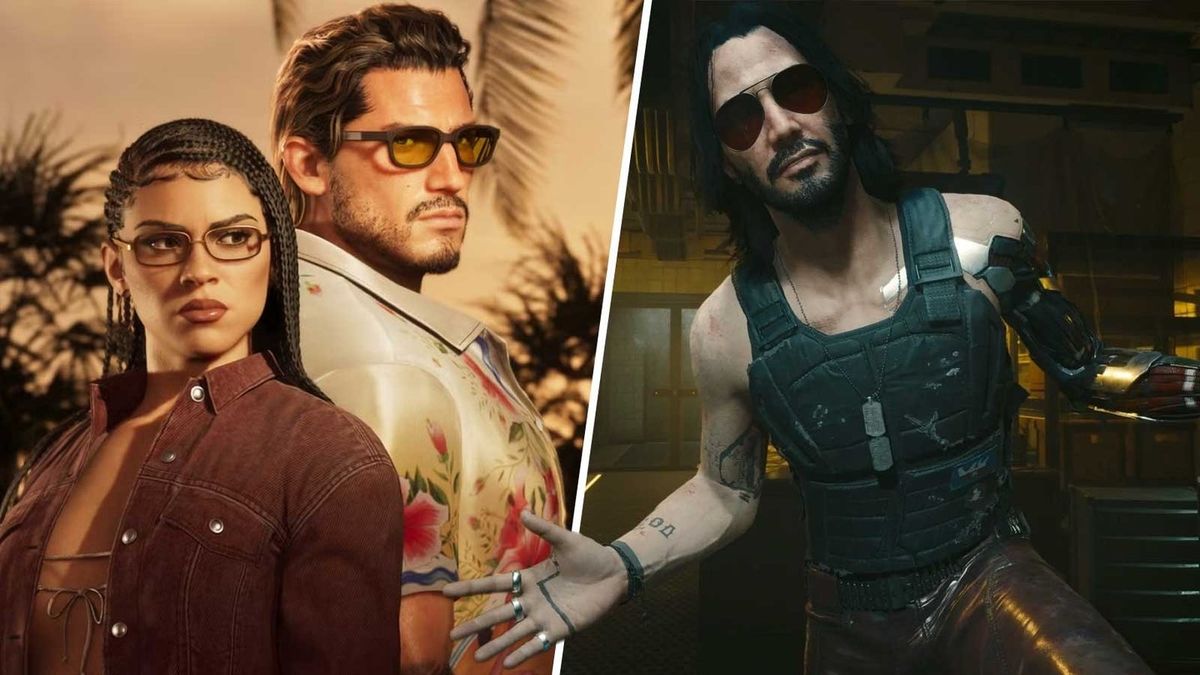
GTA 6 Launch Hype Has Canadians Asking the Right Question: Is Your Gaming PC Ready for What Comes Next?
The warning around a possible GTA 6 launch disappointment is not really about one game alone. It is about expectations, hardware pressure, pre-order emotion, and the very real gap between marketing hype and the system people actually own at home. For Canadian buyers, that matters even more. If one of the biggest open-world releases in gaming arrives with heavy performance demands, advanced lighting, dense city simulation, and massive streaming-world assets, then a lot of players will suddenly be asking the same thing at once: what kind of PC do I need for GTA 6, and should I buy now or wait?
The source discussion compares the current mood around GTA 6 to the launch cycle of Cyberpunk 2077. That comparison gets attention because it points to a familiar risk. When a blockbuster title is promoted for years, every new trailer becomes a promise in the minds of fans. People start expecting flawless visuals, high frame rates, huge NPC density, advanced ray tracing, smooth streaming, and zero compromises. But games do not launch into imagination. They launch into real hardware limits.
That is exactly why this topic matters for Groovy Computers customers across Canada. If you are planning your next setup around GTA 6, future AAA games, streaming, editing clips, or a broader creator workflow, this is not just gaming news. It is a buying signal. It tells you to think carefully about performance tier, upgrade timing, and whether a stronger custom-built system now could save you from rushing into a weaker purchase later.
What the GTA 6 vs Cyberpunk 2077 Comparison Really Means
The core concern is not that GTA 6 will automatically launch broken. The real concern is that expectations may be climbing faster than buyers are preparing. That happened before. In the case of Cyberpunk 2077, much of the backlash came from the collision between massive hype and the reality of inconsistent performance, platform differences, and features that did not fully match what many players imagined.
Now look at the warning signs people are talking about around GTA 6: heavy speculation about frame rate limits, concern over delayed platform support, pre-order anxiety, and fan analysis of every trailer frame. Even if the final release is excellent, the market around it is already being shaped by uncertainty.
For PC buyers, uncertainty changes behaviour. Some people panic-buy. Others wait too long. Others try to get by on aging systems that were already struggling in recent AAA titles. The smartest move is usually somewhere in the middle: buy based on your actual use case, not on internet overreaction.
Why Canadian Buyers Should Think Differently About GTA 6 Hardware Readiness
Canadian buyers have to think beyond headlines. A major release like GTA 6 can influence demand for GPUs, CPUs, SSDs, and complete systems, especially if the PC version lands as a showcase title or if players start upgrading in anticipation. If demand jumps while supply tightens, replacement costs can move in the wrong direction fast.
That creates a practical question: is it better to buy a gaming PC now or wait? The answer depends on what you want your system to do and how close your current machine is to the edge. If your PC already struggles with new open-world games, inconsistent frame times, texture streaming, or ray tracing workloads, waiting for one more giant release rarely makes the upgrade cheaper or easier.
For buyers in Nova Scotia, Atlantic Canada, and across the country, working with a Canadian custom builder also adds an extra layer of confidence. Instead of guessing on random marketplace systems or generic box-store specs, you can choose a build that matches your actual gaming, streaming, editing, or workstation needs, with testing and warranty support behind it.
What Do You Want Your Next PC to Do for You?
Before you chase GTA 6 performance, ask the more important question: what do you want your next PC to handle for the next several years?
Do you only want to play at 1080p and keep settings sensible? Are you aiming for 1440p high refresh gaming? Do you want 4K visual quality with ray tracing turned on? Do you also want to stream to Twitch or YouTube, record gameplay, edit footage, create thumbnails, run Discord, and keep multiple apps open without the system feeling strained?
Maybe GTA 6 is only the trigger, not the whole reason. Maybe you are also planning to play demanding titles after it. Maybe you want a gaming PC for upcoming games, not just one release. Maybe you are a creator who wants one machine for gaming at night and editing in Premiere Pro or DaVinci Resolve during the day. Maybe you work in Photoshop, Illustrator, Blender, or Unreal Engine and need your purchase to do more than just game.
That is where buying the right category matters more than buying the loudest spec sheet.
If GTA 6 Is the Trigger, What Performance Tier Fits You?
Entry-Level and Value Buyers: Are You Targeting 1080p and Good Overall Playability?
If you are looking for a budget gaming PC Canada shoppers can actually rely on, the goal is not chasing fantasy settings. It is getting strong real-world performance in modern games at 1080p with enough headroom for the next wave of releases.
This type of buyer should ask:
- Do I mainly play at 1080p?
- Am I okay adjusting settings for smoother frame rates?
- Do I need esports speed, or cinematic AAA visuals?
- Will I regret buying too close to the minimum just to save a little upfront?
A value-focused build makes sense for first-time buyers, students, and gamers moving off an older console or aging desktop. But if GTA 6-level games are your target, going too low can create a short upgrade cycle. Saving money today is only smart if the system still feels good a year or two from now.
Mainstream Enthusiasts: Do You Want 1440p to Be the Sweet Spot?
For many Canadians, 1440p is the real target. It offers a major visual jump over 1080p without the extreme cost of a top-end 4K setup. If you want high settings, smoother frame rates, and stronger longevity for open-world AAA releases, this is often the best balance.
This is also the tier where buyers often ask, what PC do I need for 1440p gaming? The answer usually points to a strong modern CPU, a capable RTX-class GPU, fast SSD storage, and enough RAM to keep large games and background tasks from choking performance.
If your current thought is, “I want GTA 6 to look impressive, but I do not need maximum settings at any cost,” then a well-balanced 1440p custom build may be your smartest long-term choice.
High-End Buyers: Are You Chasing 4K, Ray Tracing, and Maximum Headroom?
If your goal is ultra settings, advanced lighting, heavier ray tracing, and enough power for major releases over the next several years, then you are looking at a 4K gaming PC Canada buyers choose when compromise is the enemy.
This tier is ideal for customers asking:
- What PC do I need for 4K gaming?
- Do I need an RTX GPU for this game?
- How long will a high-end gaming PC last?
- Should I finance a high-end gaming PC instead of settling for a lower tier now?
High-end builds are not only about prettier screenshots. They are about smoother frame pacing under heavier loads, stronger minimum frame rates, better creator performance, and more breathing room when future games raise the bar again.
Could GTA 6 Push More Gamers Toward PC Instead of Console?
That is a question more buyers should be asking. Whenever a major title creates anxiety around console performance, frame rate limitations, or delayed platform expectations, interest in desktop gaming rises. Not everyone switches immediately, but many start researching alternatives.
Why? Because a desktop gives you flexibility. You can target higher frame rates, better visual tuning, more storage, broader peripheral support, creator workflow capability, and a clearer upgrade path. You are not locked to one fixed hardware target for the entire generation.
So ask yourself: are you buying a machine for one launch week, or are you investing in a platform that will carry you through the next few years of AAA gaming?
What If You Also Want to Stream, Edit, or Create Content?
For many buyers, a GTA 6 upgrade is really a content creation PC Canada decision in disguise. Big releases create not just players, but streamers, clip editors, YouTube creators, TikTok posters, and hobbyists who suddenly want their system to do more.
If that sounds like you, your next question should be: do I need a gaming-only system, or a gaming and streaming PC Canada buyers can use for everything?
Gaming and Streaming
If you plan to stream gameplay, record high-bitrate footage, use OBS, run voice chat, browse, and game on one system, you need more than “can it run the game?” performance. You need overhead. A proper streaming PC Canada setup should be chosen for stability under multitasking, not just benchmark bragging rights.
Ask yourself:
- What PC do I need for streaming?
- Do I want smooth gameplay while encoding video?
- Will I use one PC for gaming and recording?
- How much RAM do I need for streaming and multitasking?
If the answer includes regular streaming or recording, moving up one performance tier is often wiser than buying the bare minimum gaming machine.
Video Editing and YouTube Workflow
Maybe GTA 6 means montage edits, walkthrough uploads, commentary content, or long-form YouTube production. In that case, your buying decision starts overlapping with video editing PC Canada needs. Timeline smoothness, fast SSDs, stronger CPUs, hardware-accelerated exports, and enough memory all start to matter.
That leads to better questions:
- What PC do I need for video editing?
- Do I edit 1080p, 4K, or heavier footage?
- Will I use Premiere Pro, DaVinci Resolve, or After Effects?
- Should I buy a gaming PC that is also good for editing, or a true creator-focused build?
If your system is going to handle gameplay and production, a custom creator PC Canada customers can scale properly is often the better value than replacing a weaker machine too soon.
Graphic Design, Photo Editing, and Social Content
Some customers do not need pure gaming power. They need one balanced machine for game capture, Photoshop, Illustrator, Lightroom, Canva, social media assets, and browser-heavy multitasking. If that is you, then a graphic design PC Canada or photo editing capable build may be the right direction.
The right question here is simple: do you want your next PC to help you play, create, and work without feeling like you bought the wrong category?
3D Modeling, Game Assets, and Workstation Use
There is also a buyer segment looking at GTA 6 and thinking less like a player and more like a developer, modder, environment artist, or 3D creator. If you use Blender, Unreal Engine, Maya, Cinema 4D, or CAD tools, your ideal system may be closer to a 3D modeling PC Canada or workstation build than a standard gaming desktop.
Ask yourself:
- What PC do I need for Blender?
- What PC do I need for 3D rendering?
- Is a gaming PC good for workstation use?
- Do I need more VRAM, more RAM, faster storage, or a stronger CPU?
When your workloads include both play and production, choosing the right custom system matters far more than chasing generic “best gaming PC” advice.
Why Hype Cycles Often Lead to Bad PC Buying Decisions
Major game launches distort the market in predictable ways. People overestimate what they need in one direction and underestimate it in another. Some buy for maximum hype with no understanding of actual use. Others refuse to upgrade until the last minute and then rush into whatever is available.
Here are the most common mistakes:
- Buying too cheap for future AAA gaming
- Overspending on one part while neglecting balance
- Ignoring storage needs for modern game sizes
- Forgetting cooling, case airflow, and power quality
- Choosing based on trailer excitement instead of workload reality
- Not considering streaming, editing, or creator use that will arrive later
A smart custom build avoids these traps because it is selected around the whole experience. GTA 6 might be the spark, but your system should be built for your next several games, your apps, your display resolution, and your future plans.
Should You Buy Now or Wait for More GTA 6 Information?
This is one of the biggest buyer-intent questions right now. Is now a good time to buy a gaming PC?
If your current system is still comfortable in modern titles and you do not need an upgrade for work or content creation, waiting for clearer game requirements can make sense. But if your PC is already falling behind, waiting carries its own risks. New releases increase urgency. Hardware demand can rise. Strong GPUs can become harder to source. SSD and memory pricing can shift. And when enough buyers all decide to upgrade at once, the pressure lands on complete-system pricing too.
So the better question may be this: are you waiting for better information, or are you just delaying a decision you already know is coming?
If you already need a better system for current games, streaming, editing, or workstation tasks, then buying a balanced machine now may put you in a stronger position than waiting for panic season.
Should You Finance a Better PC Instead of Buying a Weaker One?
This is where many practical buyers start making smarter long-term decisions. If the choice is between paying cash for an underpowered build or using financing to secure a stronger, longer-lasting custom system, the second option can often be the better value.
That does not mean everyone should finance. It means you should ask the right question: should I finance a better PC instead of buying a cheaper one?
If a stronger build gives you:
- Better 1440p or 4K performance
- More usable lifespan before the next upgrade
- Enough overhead for streaming and editing
- Faster exports and smoother creator workflows
- Less risk of replacing the system too soon
then financing can be a planning tool, not just a payment method. For Canadian buyers who want to secure a stronger machine before demand shifts or replacement costs rise further, it can make a lot of sense.
Groovy Computers offers options that can help customers spread the cost over time, including financing up to 4 years where applicable. For many buyers, that opens the door to a better balanced custom build now instead of settling for a machine they outgrow early.
What Parts Matter Most If You Want a PC for GTA 6 and Future AAA Games?
GPU
Your graphics card remains the biggest factor for resolution, settings, ray tracing, and visual longevity. If your target is 1080p esports and mixed gaming, your needs are very different from a player aiming for 1440p high settings or 4K cinematic gaming.
Ask yourself: do I want just enough GPU for today, or enough to stay comfortable when the next round of demanding games arrives?
CPU
Open-world titles can lean heavily on CPU performance, especially when simulation, traffic, NPC logic, and background systems scale up. A strong CPU also helps with streaming, multitasking, and creator workloads. If you plan to do more than just game, CPU choice matters more than many buyers expect.
RAM
Modern gaming, streaming, editing, and heavy browser use can make memory limitations show up quickly. If you are trying to run a major new title, voice apps, capture tools, and background processes at the same time, too little RAM becomes an avoidable bottleneck.
SSD Storage
Large open-world games need room. Fast SSD storage helps with load times, game installs, project files, media libraries, and general responsiveness. If GTA 6 is one of several giant games you expect to install, storage should be planned from the start, not treated as an afterthought.
Cooling and Power Delivery
This is one area many generic systems cut corners on. Stable thermals and quality power matter for performance consistency, component longevity, and noise control. A system that looks flashy but runs hot and loud is not a premium experience.
Custom PC vs Generic Prebuilt: Which Is Smarter for Big Upcoming Games?
Custom PC vs prebuilt PC Canada buyers compare this all the time, and major game launches make the difference more obvious. Generic prebuilts often look good on a product card but hide compromises in motherboard quality, cooling, power supply quality, case airflow, or memory configuration.
A proper custom build is selected as a complete system. The parts are matched for your actual use case. That matters if you are buying for GTA 6, streaming, editing, or workstation tasks, because the system has to perform as a whole, not just on one headline spec.
At Groovy Computers, the value is not just in the parts list. It is in the balance, testing, reliability, and support. When buyers are nervous about spending in a volatile market, that confidence matters.
Why Testing and Warranty Matter More During Hype-Driven Upgrade Cycles
When demand spikes around a major release, buyers get more vulnerable to rushed decisions. That is when testing and after-sale support become even more important. A custom system should not just arrive looking good. It should be stress tested, configured properly, and backed by real support.
That is one reason many Canadian customers prefer working with a specialist builder rather than gambling on mystery configurations. Groovy Computers builds with real use cases in mind and includes a 1-year warranty, giving buyers more confidence when they are investing in a machine they expect to last.
If you are already wondering whether your next desktop will hold up to GTA 6, future AAA games, editing work, or 3D projects, why take chances on a build that was never really designed for your workflow in the first place?
What Kind of Buyer Should Choose Each Groovy Computers Category?
Choose a Budget-Friendly Gaming Build If:
- You mainly play at 1080p
- You want strong value without overbuilding
- You are entering PC gaming for the first time
- You want a capable setup but understand settings tradeoffs
Choose a Mainstream Gaming Build If:
- You want 1440p to be your sweet spot
- You play modern AAA games regularly
- You want better longevity than entry-level systems provide
- You may stream casually or multitask while gaming
Choose a Premium RTX Gaming PC If:
- You want high refresh 1440p or 4K gaming
- You care about ray tracing and visual fidelity
- You want stronger future-proofing
- You are trying to avoid upgrading again too soon
Choose a Creator PC If:
- You game and also edit video or stream
- You use Adobe Creative Cloud, DaVinci Resolve, or OBS
- You want fast exports and smoother multitasking
- You need one machine for play, content, and productivity
Choose a Workstation or 3D Build If:
- You use Blender, Unreal Engine, CAD, or rendering tools
- You need high memory capacity and heavier compute performance
- You want stability for professional workloads
- You need a machine built for creation first and gaming second, or both equally
What Questions Should You Ask Before Buying Your Next PC?
Before you commit, ask yourself these buying questions honestly:
- What games or software will I actually use every week?
- Am I targeting 1080p, 1440p, or 4K?
- Do I care about ray tracing, high refresh rates, or both?
- Will I stream, record, edit, or design on this same machine?
- How long do I want this system to feel current?
- Am I buying before a major release cycle that could increase demand?
- Would financing a stronger system save me from replacing a weaker one too soon?
- Do I want help choosing a balanced custom build instead of guessing from a spec list?
These questions matter more than any one rumour about GTA 6. A good buying decision is built on your real use case.
Why Groovy Computers Is a Smart Fit for Canadian Buyers Right Now
Groovy Computers is positioned for the kind of decision buyers are making right now: not just “can this run a game,” but “what should my next PC be capable of for gaming, creating, and working over the next few years?”
As a Canadian custom PC builder, Groovy Computers helps customers choose systems based on actual goals instead of generic marketing categories. Whether you need a gaming desktop, a creator-focused machine, a streaming-ready build, or a workstation-class setup, the advantage is a system selected for your needs, tested for reliability, and backed with support.
For customers in Nova Scotia and across Canada, that means access to custom builds, rigorous testing, a 1-year warranty, and financing options that can make a stronger long-term machine more practical today.
So, Is GTA 6 About to Be Another Cyberpunk 2077 Situation?
Maybe. Maybe not. The smarter takeaway is not panic. It is preparation. Hype can distort expectations, but it can also reveal buying demand early. If GTA 6 becomes the next giant benchmark title for open-world performance, then a lot of people will realize their current system is not where they want it to be.
That is your signal to plan, not rush. Think about the games you want to play, the resolution you want to target, the creator tasks you may add later, and the amount of upgrade pressure you want to avoid. Then choose a system that fits the whole picture.
If you are asking what gaming PC you need, whether a creator build makes more sense, or whether financing a better machine now could protect you from a weak short-term purchase later, visit GroovyComputers.ca. Groovy Computers can help you choose the right custom build for gaming, streaming, editing, design, content creation, or workstation performance in Canada.
In other words, the real lesson from the GTA 6 launch conversation is simple: do not build your next setup around hype alone. Build it around what you actually need, and make sure your next GTA 6 launch upgrade is a smart one.
#GTAVI #GamingPCCanada #CustomGamingPCCanada #GamingPCForGTA6 #PCForAAAGames #1440pGamingPCCanada #4KGamingPCCanada #StreamingPCCanada #VideoEditingPCCanada #CreatorPCCanada #3DModelingPCCanada #CanadianCustomPCBuilders #NovaScotiaTech #GroovyComputers
Groovy Computers | All Rights Reserved

Leave a comment
This site is protected by hCaptcha and the hCaptcha Privacy Policy and Terms of Service apply.