



































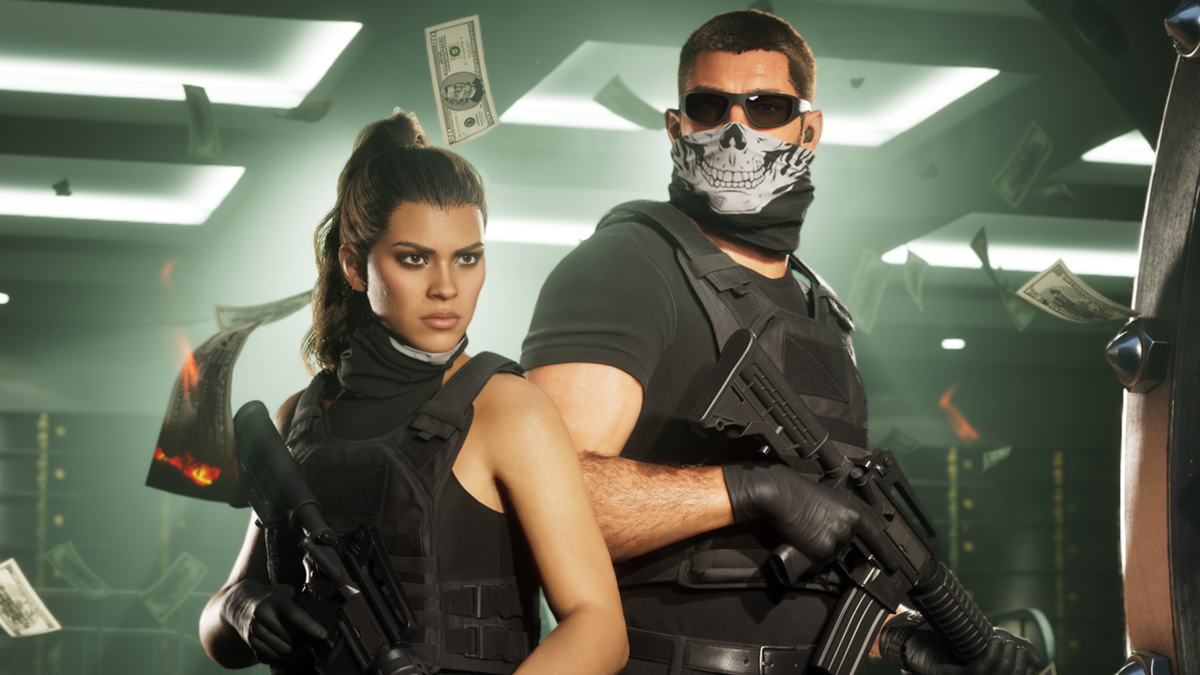
GTA 6 Morality Meter News Is a Wake-Up Call for Anyone Shopping for a Gaming PC in Canada
The latest GTA 6 morality meter reports are doing more than generating hype. They are reminding players that modern open-world games are becoming deeper, more reactive, and far more demanding on hardware. If a major title is tracking criminal behaviour states, character-specific progression, relationship systems, and highly dynamic world responses, then the real question for Canadian buyers becomes simple: is your current system actually ready for the next generation of blockbuster gaming, or are you about to outgrow it fast? For shoppers researching a Gaming PC Canada solution, this is exactly the kind of moment that separates a short-term purchase from a smart long-term custom build.
According to the source material, GTA 6 may include a criminal profile system with multiple behaviour tiers, including Professional, Aggressive, Violent, and Psycho, plus an additional hidden state that can reportedly crack and shatter if the player causes enough chaos. The reporting suggests the game is designed to react not just to what you do, but to how and why you do it. That matters because game systems like this usually point to a larger design trend: more persistent simulation, more layered AI reactions, more animation complexity, and more world-state tracking happening in the background.
For PC buyers, that should trigger another question immediately: what kind of hardware do you actually need for games that are no longer just about raw graphics, but also about systems depth, open-world density, and long-session stability?
Why does the GTA 6 morality meter matter if you are buying a PC?
At first glance, a morality meter sounds like a gameplay feature, not a hardware topic. But in reality, game design trends often tell you a lot about where system requirements are heading. Titles with branching interactions, NPC reactions, high-density environments, streaming assets, detailed lighting, and cinematic presentation tend to reward stronger CPUs, more capable GPUs, faster SSDs, and enough RAM to avoid stutters.
Are you just hoping to launch the game at lower settings, or do you want a smooth, immersive experience with strong frame pacing and visual headroom for future updates? Are you planning for 1080p now, or do you already know you want 1440p or 4K performance? Do you care about ray tracing, high refresh rate gameplay, recording clips, Discord, browser tabs, and background apps all running at once? Those answers matter more than the headline itself.
The biggest mistake many buyers make is treating a huge release like GTA 6 as if it will behave like older open-world games. It probably will not. Even if the final PC requirements are not confirmed here, the direction is clear: bigger worlds, more simulation, richer storytelling systems, and more pressure on older rigs.
What the source article gets right about player freedom
One of the most interesting takeaways from the source is that the reported system is not just there to punish players. Instead, it appears to measure what kind of criminal you are and whether your actions are seen as justified within the game world. That is a more nuanced design than a simple good-versus-evil slider.
Why does that matter to shoppers? Because the games generating the most excitement now are increasingly built around choice, replay value, and roleplaying depth. That means longer play sessions, more demand for consistency, and more importance placed on a PC that feels stable and responsive over time, not just one that can barely hit a target benchmark on launch day.
If you are investing in a system for one major release, are you also thinking about the next two or three major releases after it? If not, you may be shopping too narrowly.
Canadian buyers should think beyond one game
For Canadian shoppers, this story is a great reminder that buying for a single title is rarely the best move. A smarter approach is buying for a category of experiences. GTA 6 hype belongs to a wider class of demanding games: massive open-world titles, ray-traced visual showcases, simulation-heavy releases, and modern AAA games with dense streaming technology.
That means the better question is not just, can my PC run GTA 6? It is also, what kind of system do I need for new games over the next several years without feeling forced into another upgrade too soon?
That is where a custom build becomes valuable. Instead of settling for a generic machine that looks decent on paper, you can choose the right balance of CPU, GPU, memory, storage, airflow, and upgrade path for how you actually play. Groovy Computers helps buyers across Canada make that decision with custom builds, rigorous testing, and the confidence of a 1-year warranty.
What do you want your next PC to do for you?
Before you focus on a specific parts list, step back and ask the question that matters most: what do you want your next PC to do for you over the next few years?
- Do you want a system mainly for GTA 6, open-world games, and AAA single-player releases?
- Do you also play competitive games where high FPS matters more than ultra visuals?
- Do you want to stream gameplay on Twitch or YouTube while gaming?
- Will you edit clips, Shorts, TikToks, or full YouTube videos after you play?
- Do you need one machine that handles gaming, school, work, and creative apps?
- Are you trying to avoid replacing the whole system again in a year or two?
If you are nodding yes to more than one of those, then you are not just shopping for a game-ready desktop. You are shopping for a system strategy.
What PC do I need for 1080p, 1440p, or 4K gaming?
This is where many shoppers get stuck. They know they want a new gaming PC, but they do not know which performance tier actually fits them. The right choice depends on the display you use, the settings you want, and whether you care more about maximum visual quality or maximum frame rate.
1080p gaming: who is it for?
A 1080p-focused build is still a smart option for many players, especially if you want a Budget Gaming PC Canada style setup that can handle modern games well without overspending. This tier works best for buyers who mainly want smooth gameplay, solid settings, and better value per dollar.
But ask yourself: are you buying a 1080p machine because it fits your monitor, or because you are trying too hard to minimize the budget? If your real goal is to enjoy huge future releases with stronger settings for years, a slightly stronger tier now may save you from upgrading early.
1440p gaming: the sweet spot for many GTA-style players
For a lot of buyers, 1440p is the smartest target. It delivers a major visual upgrade over 1080p while remaining more realistic than 4K for buyers who still want strong performance in demanding AAA titles. If you want a system for open-world games, immersive single-player experiences, and high settings that still feel smooth, this is often the best place to be.
Are you planning to buy a new monitor too? If yes, it may make more sense to build around 1440p now rather than purchase a lower-tier PC and wish you had gone one step higher six months later.
4K gaming and ray tracing: who should go premium?
If your expectation is ultra settings, high-resolution textures, better lighting effects, and stronger long-term relevance for blockbuster releases, then a 4K Gaming PC Canada class build is worth considering. This is the tier for enthusiasts who want premium visual quality and who understand that open-world AAA gaming can become very demanding very quickly.
Do you want to enjoy new releases, not negotiate with them? If that sounds like you, premium performance is not just about showing off. It is about reducing compromise.
What kind of buyer fits each performance tier?
To make this easier, here is a practical way to think about it.
Choose an entry-value gaming build if:
- You play mostly at 1080p
- You want good value and solid settings
- You are okay adjusting some options in demanding games
- You are buying your first gaming desktop
- You want an affordable path into PC gaming without going too weak
Choose a mid-high gaming build if:
- You want 1440p to feel right, not barely achievable
- You play both AAA and competitive games
- You want stronger longevity
- You multitask while gaming
- You may stream, record, or edit content occasionally
Choose a premium RTX gaming build if:
- You want 4K or very high-end 1440p gaming
- You care about ray tracing and visual features
- You do not want to feel outdated quickly
- You play the biggest new releases at high settings
- You want a stronger platform for both gaming and creation work
If you are unsure where you land, that uncertainty is exactly why working with a custom builder matters. A proper recommendation should match your monitor, games, workflow, and budget, not just push the most expensive option.
Planning to stream GTA 6 or record content too?
Many buyers no longer want a machine that only plays games. They want a Gaming and Streaming PC Canada setup that can game, capture footage, manage OBS, and still stay responsive. If that is your plan, your hardware priorities shift fast.
Do you want to stream at 1080p while keeping gameplay smooth? Do you want to record long sessions for YouTube editing later? Are you using dual monitors with chat, alerts, music, and browser windows open in the background? If yes, the CPU, GPU encoder support, RAM capacity, and cooling quality all matter more.
A lot of people underestimate this. They buy for gaming alone, then add streaming later and wonder why the system feels strained. If you already suspect streaming is in your future, it is smarter to buy for that now.
Are you also a creator, editor, or designer?
The source article focuses on GTA 6, but the commercial reality is that many gaming customers are also creators. You might be clipping gameplay, editing reaction videos, designing thumbnails, making channel art, or working in Photoshop, Premiere Pro, DaVinci Resolve, or Illustrator between gaming sessions.
So ask yourself something important: is your next PC just a gaming machine, or is it also the workstation that supports your side hustle, freelance work, school projects, or content pipeline?
When a gaming PC is also a creator PC
A properly balanced custom build can serve both roles extremely well. A Creator PC Canada style system may still be an excellent gaming machine, but it puts more emphasis on multitasking, memory capacity, storage speed, and sustained performance during exports, renders, or heavy project work.
If you edit 4K footage, work with layered Photoshop files, use After Effects, or produce social content regularly, a slightly stronger system now can save time every single week. That time savings adds up. So does reduced frustration.
What if you need a video editing PC too?
If your workflow includes Premiere Pro, DaVinci Resolve, or regular 4K exports, then you may need more than a standard gaming-first configuration. A Video Editing PC Canada approach puts greater focus on core count balance, memory, scratch storage, and reliability during long workloads.
How much RAM do you need for video editing? If you are doing light clip work, moderate amounts may be enough. But if you are handling larger projects, effects, or multicam timelines, stepping up your memory and storage layout becomes much more important. This is another reason custom guidance matters.
What about photo editing and graphic design?
Photographers and designers often assume they need something completely different from a gamer, but there is overlap. A modern Photo Editing PC Canada or Graphic Design PC Canada build benefits from fast storage, responsive application performance, enough RAM, and quiet, stable operation.
Do you work in Photoshop and Lightroom after gaming? Do you build brand assets, edit social graphics, or create print layouts? If yes, your ideal system may need a better productivity balance than a gaming-only spec sheet would suggest.
Do you also work in 3D, Blender, or Unreal Engine?
Some readers following GTA 6 news are not only players. They are modders, aspiring developers, 3D artists, or Unreal Engine tinkerers. If that sounds like you, the jump from gaming desktop to 3D Modeling PC Canada or workstation-class build can be significant.
What PC do you need for Blender or Unreal Engine? That depends on whether you are mainly modeling, animating, rendering, testing scenes, or compiling larger projects. The answer is not one-size-fits-all, and that is exactly why a custom consultation can prevent expensive mismatches.
Is it better to buy a gaming PC now or wait?
This is one of the most common buyer questions, especially when hype starts building around major game releases. The honest answer is that waiting only makes sense if you have a clear reason. If your current PC already does everything you need comfortably, waiting may be fine. But if your system is already struggling, hoping things improve later can backfire.
Why? Because major game launches and broader market demand can increase pressure on high-demand components. GPU pricing can shift. Memory and SSD pricing can move. Certain tiers can become less available. Stronger-value configurations can disappear first. If you know a major upgrade is coming anyway, delay is not always savings.
Ask yourself: are you waiting because there is a real advantage, or because you are postponing a decision you already know you need to make?
Should you buy a cheaper PC now or finance a better one?
This is where timing and value meet. A lot of shoppers focus only on the lowest upfront number, but that can lead to a weaker machine that needs upgrades much sooner. In many cases, the better question is whether it makes sense to secure the right system now instead of settling for one that feels outdated early.
For some buyers, financing up to 4 years makes that possible. Rather than compromising too hard on GPU tier, RAM, storage, or CPU performance, financing can help you step into a stronger build that is better aligned with upcoming games and real workloads.
Is financing a gaming PC worth it? It can be, especially if the alternative is buying too weak, replacing too soon, or missing the specs you actually need for gaming, streaming, editing, or creation work. The smartest use of financing is not buying more than you need. It is buying correctly.
What parts matter most for games like GTA 6?
Without inventing unsupported final requirements, we can still talk about buying logic. For modern open-world AAA gaming, the most important factors usually include:
- GPU performance for resolution, settings, ray tracing, and overall visual quality
- CPU strength for simulation, AI density, world streaming, and consistent frame pacing
- Fast SSD storage for loading, asset streaming, and better responsiveness
- Sufficient RAM for background apps, smoother multitasking, and reduced bottlenecks
- Proper cooling for long-session stability and sustained performance
If you are wondering what gaming PC you need, start with your actual usage pattern. Are you a single-player immersion-first gamer? A high-refresh multiplayer player? A streamer? An editor? A hybrid user doing all of the above? The right answer changes the ideal build immediately.
Why custom builds matter more when big game releases are on the horizon
When a giant release is approaching, generic systems often disappoint buyers in familiar ways. Maybe the GPU is decent but the cooling is weak. Maybe the case airflow is poor. Maybe the power supply leaves little room for upgrades. Maybe the storage is too limited for modern game libraries. Maybe the CPU is just good enough today but not ideal for tomorrow.
A Custom Gaming PC Canada approach is stronger because it lets the system be built around your actual priorities. If your focus is 1440p open-world gaming, your parts should reflect that. If your focus is gaming plus OBS plus editing, your build should reflect that. If your focus is workstation-class multitasking, that changes the recommendation again.
Custom does not just mean personalized. It means fewer compromises hidden inside a one-size-fits-all machine.
Why testing and warranty support matter
Performance numbers are only part of the buying decision. Reliability matters just as much, especially when you are spending real money on a machine meant to carry you through demanding games and daily workloads. A custom PC should not just be assembled. It should be tested properly.
That is one reason Groovy Computers stands out for Canadian buyers. Rigorous testing helps catch instability before the system reaches you. That matters for long gaming sessions, exports, streaming runs, and multitasking use. Add the confidence of a 1-year warranty and the value becomes clearer: you are not simply ordering parts in a box. You are buying a complete, ready-to-use system with support behind it.
If you are comparing options, ask this: do you want the cheapest-looking listing, or do you want confidence that your system was built and tested to perform properly when it counts?
What type of Groovy Computers build should you be looking at?
If you are a budget-conscious gamer
Look at a value-focused gaming desktop designed for strong 1080p performance and a sensible upgrade path. This is ideal if you want to play modern games well without overspending and still leave room to grow later.
If you want the best all-around GTA 6 style setup
A mid-to-upper tier 1440p-capable build is often the sweet spot. It offers a better balance of visual quality, longevity, and flexibility for both gaming and general use.
If you want premium open-world and ray tracing performance
Step into a higher-end RTX class system designed for demanding AAA releases, stronger visual settings, and better long-term headroom.
If you stream and edit content too
Choose a gaming-and-creator balanced build with enough CPU strength, RAM, and storage speed to support both play and production.
If your work includes design, editing, or 3D creation
Consider a custom creator or workstation configuration rather than a gaming-only build. It may still game extremely well, but it will be better suited to software acceleration, multitasking, and project reliability.
What questions should you ask before buying your next PC?
- What games do I actually play now, and what major releases am I buying this system for next?
- Do I want 1080p, 1440p, or 4K performance?
- Do I care about ray tracing, ultra settings, or high FPS most?
- Will I stream, record, or edit content on the same machine?
- How long do I want this system to feel current before I upgrade?
- Would a slightly stronger GPU or CPU now save me money later?
- Am I shopping based only on price, or on total value over time?
- Would financing help me secure the right system instead of settling for a weaker one?
- Do I want a generic prebuilt, or a tested custom build matched to my real needs?
Those are the questions that lead to better purchases.
So, what should Canadian buyers do right now?
If GTA 6 news has you thinking about your current rig, do not ignore that instinct. Big upcoming games have a way of exposing weak systems fast. And if you are also creating content, editing video, designing graphics, or building a side business from your PC, then the cost of buying too little can be even higher.
The smart move is to define your target use clearly, choose the right performance tier, and work with a builder that understands both gaming and productivity needs. Groovy Computers is built for exactly that kind of buyer: people in Canada who want a properly matched custom system, tested performance, warranty-backed confidence, and options that make the purchase practical.
Need help choosing the right Gaming PC Canada build for your next big upgrade?
If you are asking yourself whether you need a budget gaming desktop, a premium RTX system, a streaming setup, a creator PC, or a workstation that can do it all, this is the right time to get real guidance. Visit GroovyComputers.ca to explore custom builds, compare performance tiers, and find out whether financing could help you secure a stronger system before demand and replacement costs shift again. If your next PC needs to handle new games, content creation, and long-term value, Groovy Computers is one of the smartest places in Canada to start.
GTA 6 hype is not just another news cycle. It is a preview of where game complexity is heading and a useful reminder that buying the right system now can spare you frustration later. If you want a Gaming PC Canada solution that is built around what you actually play, create, and plan to do next, a custom build from Groovy Computers makes far more sense than guessing your way into the wrong tier.
#GamingPCCanada #CustomGamingPCCanada #GamingPCForGTA6 #GamingPCBuilderCanada #CreatorPCCanada #VideoEditingPCCanada #StreamingPCCanada #3DModelingPCCanada #CanadianCustomPCBuilders #GamingPCsShippedCanadaWide
Groovy Computers | All Rights Reserved


Leave a comment
This site is protected by hCaptcha and the hCaptcha Privacy Policy and Terms of Service apply.