



































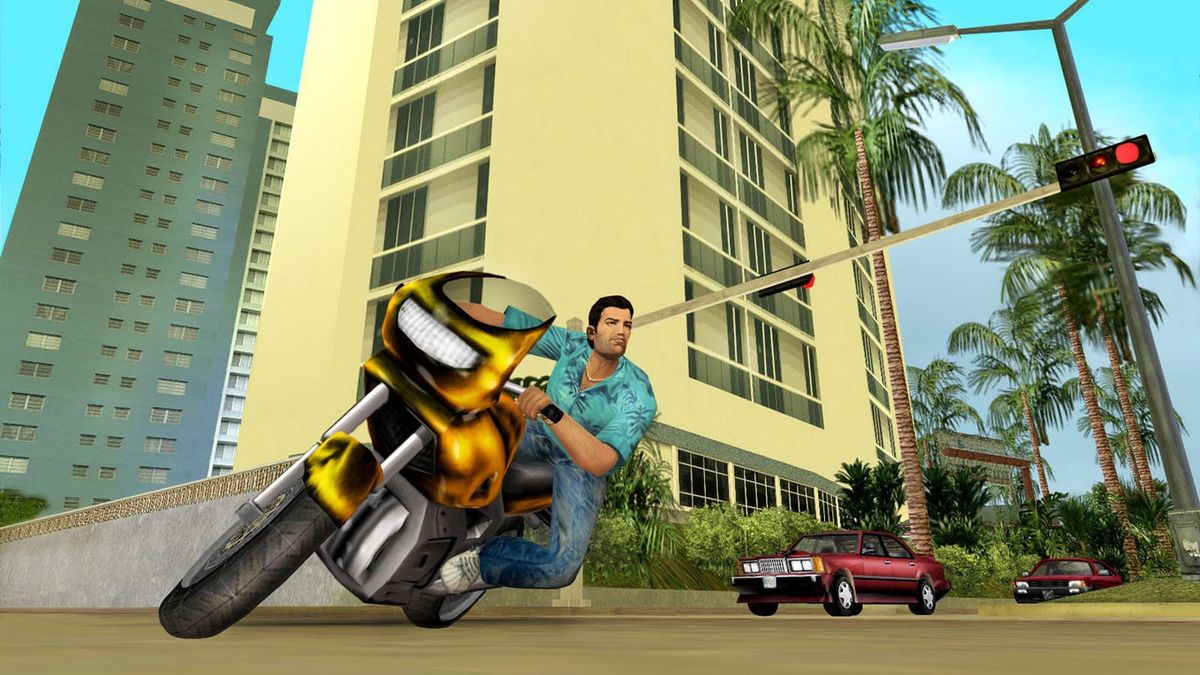
GTA: Vice City Free Story Content Is Here, and It’s the Perfect Time to Ask if Your PC Is Ready for GTA 6
The arrival of a free GTA: Vice City mission expansion is more than just a nostalgia hit. It is also a reminder that Grand Theft Auto hype is accelerating again, and for many Canadian players, that raises a bigger question: is your current system actually ready for what comes next? If you are revisiting Vice City now and planning ahead for the next wave of open-world gaming, this is the right time to think seriously about a Gaming PC Canada buyer’s strategy instead of waiting until demand spikes.
The source story highlights a fan-made mission pack called Vice City: New Legacy, a substantial mod for the original 2002 version of Grand Theft Auto: Vice City. It reportedly adds 25 original story missions, new characters, custom cutscenes, varied mission structure, and a fresh reason to return to one of Rockstar’s most iconic settings. On its own, that is exciting for longtime GTA fans. But from a PC-buying perspective, the real story is what this kind of renewed interest means for hardware timing, upgrade planning, mod performance, and future-ready gaming builds.
If you are in Canada and you have been telling yourself you will upgrade later, what does later actually mean? Before the biggest releases land? After GPU demand rises? After prices on stronger gaming hardware move up again? Those are the questions smart buyers should be asking now, not after launch windows create pressure.
Why does free GTA: Vice City story content matter to PC gamers right now?
It matters because it reconnects players with the GTA formula at exactly the moment anticipation for the next major release is building. A lot of gamers who install a Vice City mod today do not stop at one old title. They start replaying classics, revisiting modded favourites, upgrading displays, installing texture packs, streaming throwback sessions, capturing clips, and then asking the obvious follow-up: what kind of PC do I need for the next generation of Grand Theft Auto-style games?
That question quickly turns from nostalgia into purchase intent. Maybe your current desktop can still handle older GTA titles. But can it handle your real plans for the next year? Do you want smooth 1080p gameplay, stronger 1440p performance, ultra settings in newer open-world titles, ray tracing support, livestreaming, or fast clip exports for YouTube, TikTok, and Shorts? The answer changes what kind of system you should buy.
For many players, the return to Vice City is not just about one mod. It is the start of a larger upgrade cycle.
What the source story gets right about Vice City: New Legacy
The original report correctly focuses on why this mod stands out. A 25-mission fan-made expansion is not a tiny cosmetic add-on. It is much closer to DLC-sized content in spirit, especially when custom cutscenes, mission variety, fresh narrative threads, and classic-series authenticity are part of the package. For players who love the original atmosphere of Vice City, that matters.
It also matters that the mod is for the original version of GTA: Vice City rather than the later remastered release. That kind of distinction is common in PC gaming and especially common in modding communities. It is a good reminder that PC ownership rewards buyers who value flexibility, file access, game preservation, broader compatibility, and a deeper level of control over the experience.
Are you the kind of gamer who only wants to launch games, or do you want the freedom to mod, tweak, stream, record, archive, and revisit titles your own way? If it is the second one, a better custom desktop starts making even more sense.
Why Canadian buyers should think beyond one game
When GTA-related hype rises, many buyers make the same mistake: they shop too narrowly. They search for a “PC for GTA 6” or “best gaming PC for new games” and forget that the system they buy should also cover everything else they actually do.
Do you only game, or do you also stream to Twitch or YouTube? Do you record gameplay with OBS? Are you editing 1080p or 4K footage afterward? Do you use Photoshop for thumbnails, Lightroom for photography, Illustrator for design work, or Blender for 3D content? A good custom build should reflect your full workload, not just one title.
This is where Canadian buyers can get more value by thinking in categories instead of chasing one marketing headline. The right machine may be a budget gaming tower for esports and older AAA titles. It may be a 1440p gaming rig for new open-world games. It may be a hybrid gaming and streaming system. Or it may be a creator-focused workstation if your gaming hobby overlaps with paid editing, design, or content production.
What do you want your next PC to do for you?
Before you compare specs, ask the practical question most shoppers skip: what do you want this system to do for you over the next two to four years?
- Do you want a budget-friendly desktop that can handle classic GTA games, mods, and popular online titles at 1080p?
- Do you want a stronger 1440p machine for modern open-world games with high settings and better frame consistency?
- Do you want a premium build that gives you room for demanding upcoming releases, ray tracing, and higher refresh monitors?
- Do you want one PC that can game, stream, edit videos, and run creative software without feeling overloaded?
- Do you want a workstation-class system for Blender, Unreal Engine, Adobe apps, or heavy multitasking?
These are not small differences. They affect your CPU choice, GPU tier, RAM capacity, SSD planning, cooling needs, motherboard quality, power supply headroom, and upgrade path.
If you buy too low, you may save money today only to replace the system too soon. If you buy intelligently, you can avoid an early second purchase and enjoy a far better experience the whole time.
If you are excited for GTA now, should you buy before major game demand hits?
For many buyers, yes, that is worth serious consideration. Big game releases have a way of triggering hardware searches all at once. When that happens, more people start shopping for graphics cards, gaming desktops, SSD upgrades, and better displays. Even when full shortages do not happen, demand pressure can still reshape availability, shipping windows, and the cost of stronger performance tiers.
Are you comfortable waiting until everyone else is shopping for the same hardware? Or would you rather secure a properly matched custom build before the rush?
This is especially important if you know your current PC is already borderline. If you are running low VRAM, limited storage, an older CPU, or a basic power supply with no real upgrade headroom, waiting can put you in a worse position. You may end up compromising on the build you really wanted simply because timing got away from you.
Which performance tier fits you best?
One of the most useful ways to shop for a custom desktop is by matching your resolution, settings expectations, and extra workloads to a realistic performance tier.
Entry-level 1080p gaming: is this enough for you?
If your goal is to enjoy older GTA titles, modded classics, indie games, popular multiplayer games, and many mainstream releases at 1080p, an entry-level to lower-midrange gaming desktop can still make a lot of sense.
This tier is best if you are asking questions like:
- What gaming PC do I need if I mostly play at 1080p?
- Is a budget gaming PC worth it for GTA mods and everyday gaming?
- How much should I spend on a gaming PC if I am not chasing ultra settings?
For students, first-time buyers, and value-focused shoppers, this can be the sweet spot. But if you already know you will jump into newer AAA titles and want the system to stay comfortable longer, this may not be your best long-term move.
1440p gaming: is this the real sweet spot for modern open-world games?
For a lot of Canadian gamers, 1440p is where the value-to-performance balance gets very attractive. You get a sharper image than 1080p, more room to enjoy higher visual settings, and a stronger foundation for future releases.
If you are wondering what PC you need for 1440p gaming, this is usually where custom part selection matters most. You want enough GPU power to keep demanding games smooth, enough CPU performance to avoid bottlenecks in busy open-world environments, and enough RAM and SSD speed to keep the entire system responsive.
This tier is ideal if you want a machine that can handle new games well today without stepping all the way into flagship pricing.
4K and premium gaming: are you buying for wow factor or for longevity?
If your goal is 4K gaming, ultra settings, advanced lighting effects, ray tracing, high-end display pairing, and a stronger buffer for future titles, then you are shopping in premium territory. That can absolutely be worth it, but only if it matches how you actually play.
Do you use a high-resolution monitor or large display? Do you care about max settings and visual immersion more than anything else? Do you want the kind of premium gaming tower that still feels powerful years from now?
If yes, a high-end custom build may be the right answer. If not, a strong 1440p-focused configuration often delivers a better balance.
What if you also want to stream, record, or create content?
This is where many shoppers underestimate their needs. A system that feels fine for gaming alone can start to struggle once OBS, browser tabs, Discord, capture software, recording tools, background utilities, and editing apps all enter the picture.
If you are asking what PC you need for streaming, or whether a gaming PC is good for content creation, the answer is simple: it can be, but only if the build is designed for both jobs.
A proper Content Creation PC Canada approach looks at more than in-game frame rates. It considers CPU performance for encoding and exports, GPU acceleration for creative apps, RAM capacity for multitasking, fast SSDs for project files and footage, and reliable cooling for long sessions.
You may want a gaming and streaming PC if you:
- Stream gameplay regularly
- Record clips while gaming
- Edit videos for YouTube or social media
- Create thumbnails, overlays, or promotional graphics
- Need one desktop to handle both play and production
If that sounds like you, buying too low now can create frustration fast.
Are you also editing videos, photos, or graphics on the same machine?
Many GTA fans are not just players. They are creators. They cut montages, post mod showcases, produce walkthroughs, edit podcasts, design social assets, and build channel branding. If that is your workflow, then your ideal build may need to behave like both a gaming desktop and a creator workstation.
Video editing
If you work in Premiere Pro, DaVinci Resolve, After Effects, or CapCut, ask yourself: what PC do I need for video editing, and how much RAM do I need for video editing once project sizes increase? 1080p editing is one thing. 4K timelines, colour grading, effects, and exports are another.
A proper Video Editing PC Canada build should prioritize multicore CPU strength, strong GPU support where applicable, fast scratch storage, and enough RAM to avoid constant slowdowns.
Photo editing
If you use Photoshop, Lightroom, Capture One, or AI-assisted photo tools, a capable desktop can save serious time. Batch exports, RAW workflows, high-resolution image handling, and layered edits all benefit from better hardware.
Do photographers need a dedicated GPU? Sometimes yes, depending on the software and workflow. But almost always, they also need strong system responsiveness, quick file access, and enough memory overhead for modern editing tasks.
Graphic design
If your work lives in Illustrator, Photoshop, InDesign, Canva, or wider Adobe Creative Cloud tools, a smooth system is not just about speed. It is about workflow confidence. Multiple monitors, browser-heavy research, large asset libraries, and constant multitasking can expose weak hardware very quickly.
If you have ever asked whether a gaming PC is good for graphic design, the answer is that some are, but only if they are built with the right balance rather than just the flashiest gaming part list.
3D modeling and rendering
If your hobby or work includes Blender, Unreal Engine, Maya, Cinema 4D, or game asset production, your hardware requirements climb fast. In that case, you are no longer just shopping for a gaming desktop. You are likely moving toward a 3D Modeling PC Canada or workstation-oriented build.
What PC do you need for Blender? What PC do you need for 3D rendering? Those answers depend on whether you are modelling, animating, GPU rendering, CPU rendering, or all of the above. A system for those workloads needs to be chosen with care.
Why custom PC building matters more when game hype rises
When buyers rush into the market, generic systems often look easier than they actually are. A flashy preconfigured tower may list a decent GPU, but what about the motherboard quality, power supply reliability, airflow, cooler performance, storage layout, and upgrade path?
That is why Custom Gaming PC Canada demand stays strong among more informed buyers. A custom build is not just about personalization. It is about getting a balanced machine that matches your real use case.
Do you want a PC that was selected for your actual gaming resolution and software needs, or do you want to gamble on a mismatched spec list? Do you want a build that can be upgraded sensibly later, or one that forces compromises the moment your needs grow?
With Groovy Computers, buyers can approach the process more intelligently. That means choosing a system based on real-world goals, not just one headline component.
Should you finance a stronger system instead of settling for a weaker one?
This is one of the most important buying questions in the current market. If the machine you can pay for immediately is noticeably weaker than the machine you actually need, is it better to compromise now and upgrade again sooner, or consider financing to secure the right build once?
For a lot of buyers, Gaming PC Financing Canada options make the smarter long-term choice possible. Instead of buying a system that struggles with newer games, limited multitasking, or creator workloads, financing can help you move into a stronger performance tier while costs are still manageable.
Should you finance a gaming PC? That depends on your budget, timeline, and how quickly your needs are changing. But if you are buying specifically because major game releases are approaching, or because your current PC is already holding you back, financing a better-fit system can be more cost-effective than replacing an underpowered one too soon.
At Groovy Computers, financing up to 4 years can help customers secure a better gaming PC, creator PC, or workstation without having to wait and risk price changes on replacement hardware.
What parts of the market can affect PC pricing and buying timing?
Even when there is no dramatic headline shortage, full-system costs can still move based on several factors:
- GPU demand pressure from major game launches and premium gaming upgrades
- CPU demand changes as more buyers target stronger multitasking and gaming performance
- RAM pricing volatility when memory markets tighten
- SSD cost changes driven by flash pricing and demand shifts
- Shipping and supply timing affecting how quickly certain configurations can be completed
- Creator software growth pushing more users into higher-performance builds
That means “I’ll wait a bit” is not always a neutral decision. Sometimes waiting gives you more time. Sometimes it gives you fewer choices.
What kind of buyer should choose each type of build?
Choose a budget gaming PC if:
- You mainly play older titles, esports, and lighter AAA games
- You game at 1080p
- You want strong value without chasing top-tier visuals
- You are buying your first real desktop gaming setup
Choose a midrange or upper-midrange gaming PC if:
- You want a better 1080p or 1440p experience
- You play modern open-world games regularly
- You want stronger longevity and fewer near-term upgrades
- You may stream, record, or multitask while gaming
Choose a premium RTX gaming PC if:
- You want high settings, ray tracing, and stronger future readiness
- You use a high-refresh 1440p or 4K display
- You want your system to stay relevant longer
- You dislike compromise and want premium visual performance
Choose a creator PC or workstation if:
- You edit video regularly
- You work in Adobe Creative Cloud, Resolve, or photo software
- You create YouTube, TikTok, or business media content
- You use Blender, Unreal Engine, or rendering software
- You need reliability for paid or serious project work
If you are not sure which category you fit into, that uncertainty is exactly why custom guidance matters.
What questions should you ask before buying your next desktop?
Before you spend anything, ask yourself these practical questions:
- What games do I actually play most, and what games do I want to play next?
- Am I staying at 1080p, moving to 1440p, or aiming for 4K?
- Do I care about ultra settings, ray tracing, or high FPS most?
- Will I stream, record, or edit content on the same PC?
- Do I use Photoshop, Premiere Pro, Resolve, Lightroom, Illustrator, or Blender?
- How soon do I want to upgrade again if I buy too low now?
- Would financing a stronger system now save me money and hassle later?
- Do I want a tested custom build with warranty support instead of a generic spec gamble?
Those questions turn shopping from guesswork into strategy.
Why Groovy Computers is a strong fit for Canadian buyers right now
Groovy Computers is built for people who want more than a random box with flashy marketing. Canadian buyers want systems that make sense for their gaming goals, creative workloads, budgets, and upgrade timelines. That is where a custom builder stands out.
Whether you need a gaming desktop, a creator-focused tower, or a heavier workstation, Groovy Computers helps match performance to purpose. That includes sensible part selection, balanced configurations, rigorous testing, and a 1-year warranty that adds confidence when you are making a bigger hardware purchase.
For buyers in Nova Scotia, Atlantic Canada, and across the country, the value is not just in the hardware. It is in getting a system built around what you actually need it to do.
Do you want a machine that can replay classic GTA with mods today, handle major new releases tomorrow, and still support your streaming, editing, or design work in between? That is the kind of problem a proper custom PC builder is meant to solve.
Need help choosing the right gaming or creator PC?
If you are asking yourself what PC you need for GTA-style open-world gaming, 1440p performance, streaming, video editing, or a future-ready custom setup, the best next step is to talk to a builder who understands all of those workloads together. Visit GroovyComputers.ca to explore custom gaming PCs, creator systems, workstation options, and financing choices designed for Canadian buyers who want to get it right the first time.
Final thoughts: the smartest time to plan your next PC may be before the rush
The free Vice City story expansion is a fun headline, but it also signals something bigger. GTA excitement is heating up, PC gamers are looking ahead, and buyers who plan early usually have better options than buyers who wait until demand peaks. If your current machine already feels outdated, this is the moment to think beyond one mod and start building toward your next full experience.
The right Gaming PC Canada choice is not always the cheapest one today. It is the one that fits your actual gaming, streaming, editing, or creator goals without forcing a regret-driven upgrade too soon. If you want a system that is custom-built, tested, backed with a 1-year warranty, and available with financing up to 4 years, Groovy Computers is one of the best places in Canada to start that conversation.
#GamingPCCanada #CustomGamingPCCanada #GamingPCForNewGames #GTA6PCPlanning #1440pGamingPCCanada #ContentCreationPCCanada #VideoEditingPCCanada #3DModelingPCCanada #CanadianCustomPCBuilders #GroovyComputers
Groovy Computers | All Rights Reserved



Leave a comment
This site is protected by hCaptcha and the hCaptcha Privacy Policy and Terms of Service apply.