



































Gaming PC for New Games: What the Crimson Desert Denuvo News Means for Canadian PC Buyers
The latest Crimson Desert headline is not just another gaming-news flash; it is a reminder that every major PC release now lives at the intersection of game performance, DRM overhead, GPU demand, storage size, patch cycles, streaming expectations, and upgrade timing. For anyone searching for a Gaming PC for New Games, the reported Denuvo bypass in Crimson Desert raises a bigger question than piracy or protection: is your current PC actually ready for the next wave of large, visually ambitious, open-world games?
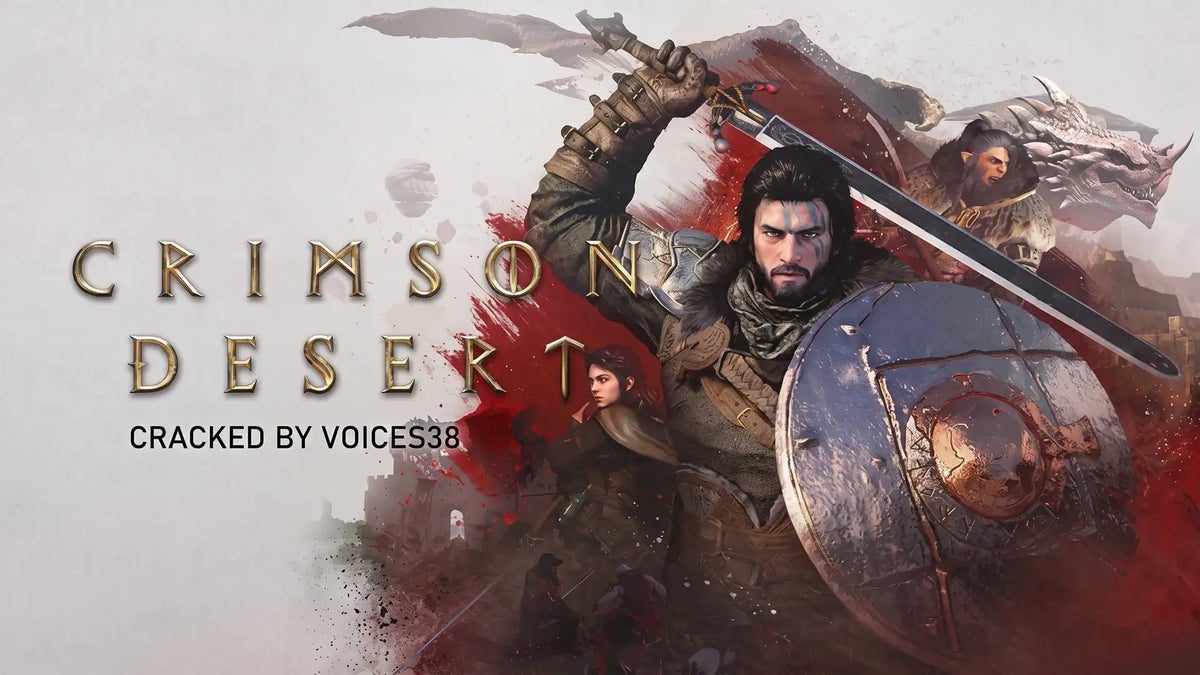
According to the source report, a hacker known as voices38 claimed to have bypassed the Denuvo protection mechanism in Crimson Desert, with a release based on game version 1.14.00 and a large 81.4 GB build. The report also claimed that this bypass did not require the specialized hypervisor-style setup that earlier workarounds sometimes relied on. Groovy Computers does not endorse piracy, illegal downloads, or bypassing copy protection. However, the news is still relevant for legitimate PC gamers because it brings attention back to an ongoing issue in modern PC gaming: players want smooth frame rates, fewer stutters, fast loading, strong GPU performance, and a system that can handle day-one patches, texture packs, ray tracing, upscaling, streaming, and future updates without needing another upgrade immediately.
So what should Canadian gamers, streamers, and creators take away from this? If a single headline about a DRM bypass can spark so much discussion around performance, game size, and hardware stress, then the real buying question becomes very practical: what should your next PC be built to do?
Why the Crimson Desert DRM Story Matters Even If You Only Buy Games Legally
Crimson Desert has been watched closely because it represents the kind of modern AAA game that can put pressure on an entire PC: the GPU has to render huge environments, the CPU has to manage simulation and open-world activity, the storage drive has to stream assets quickly, and the memory subsystem has to keep everything moving without stutter. When a game also uses heavy anti-tamper or DRM systems, players often debate whether those systems affect performance. Sometimes the impact is small, sometimes it depends on the game, and sometimes patches change the situation over time.
The important point for buyers is not whether one specific protection system is good or bad. The important point is that modern PC games are complex, constantly updated, and often demanding in ways that are difficult to predict before launch. A game may receive emergency hotfixes, new graphical modes, updated ray reconstruction, frame generation support, higher-resolution texture options, or bug fixes that change performance from one patch to the next. If you are building a Gaming PC for New Games, you are not just buying for one benchmark on one launch day. You are buying for months and years of patches, expansions, drivers, and evolving expectations.
Are you planning to play only at 1080p, or do you want a system that feels powerful at 1440p for the next several years? Do you care about ray tracing, ultra textures, and cinematic visuals? Will you be playing open-world RPGs, competitive shooters, racing titles, survival games, or upcoming AAA releases that may arrive with heavy storage and GPU requirements?
Those questions matter more than the controversy itself. A well-matched custom gaming PC can help reduce the frustration that comes from borderline hardware, rushed upgrades, and systems that were technically “good enough” when purchased but quickly fall behind once new games start pushing harder.
What the Source Report Gets Right: PC Gamers Care About Performance, Simplicity, and Stability
The source article focused on the reported removal of a complex setup requirement, noting that the alleged bypass did not need specialized virtualization or hypervisor configuration. Setting aside the illegal nature of piracy, that detail highlights something completely legitimate buyers care about too: simplicity matters. PC gamers do not want to spend more time troubleshooting than playing. They want a system that starts reliably, runs games smoothly, stays cool, and performs consistently after driver updates and game patches.
This is where a properly designed custom PC becomes different from a random low-cost desktop or a generic mass-market machine. Component matching matters. Cooling matters. BIOS configuration matters. Power supply quality matters. RAM stability matters. Storage speed matters. Cable management matters. Stress testing matters. When you buy a gaming PC, you are not just buying a list of parts; you are buying the confidence that those parts work together under real gaming loads.
At Groovy Computers, that is central to the custom-PC approach. A gaming computer should be selected around the games you actually play, the monitor resolution you want, the frame rate you expect, and the other workloads you need to run alongside the game. If you are in Canada and you want a machine that is built, tested, and supported with a 1-year warranty, a custom build can be the smarter path than guessing your way through specs.
What Do You Want Your Next PC to Do for You?
Before choosing a GPU, CPU, RAM capacity, or financing plan, ask a more useful question: what do you want your next PC to do for you every week?
Do you want to explore large open-world games like Crimson Desert at high settings without stutter? Do you want a 1440p Gaming PC Canada buyers can rely on for both today’s games and tomorrow’s releases? Do you want to stream on Twitch or YouTube while gaming? Do you want to edit clips for TikTok, YouTube Shorts, or long-form videos after you play? Do you use Photoshop, Lightroom, Premiere Pro, DaVinci Resolve, Blender, Unreal Engine, AutoCAD, Revit, or SolidWorks? Do you want one powerful desktop that handles gaming at night and professional work during the day?
This is where many buyers accidentally underspend in the wrong place. A budget gaming computer may be perfect for esports and 1080p gaming, but it may struggle if you suddenly add 4K video editing, 3D rendering, multi-monitor streaming, or ultra-quality open-world gaming. On the other hand, not everyone needs the most expensive flagship build. The best gaming PC is the one that matches your monitor, games, software, workflow, and upgrade timeline.
If you are unsure, Groovy Computers can help you choose a build that fits your actual use case instead of forcing you into a one-size-fits-all configuration. The right conversation starts with what you want to play, create, stream, render, and accomplish.
Gaming PC for New Games: Which Performance Tier Fits You?
Choosing a Gaming PC for New Games is easier when you divide your options into practical performance tiers. Instead of focusing only on one component, think about the complete experience: resolution, frame rate, visual settings, streaming, storage, multitasking, and how long you want the PC to stay relevant.
Entry-Level and Budget Gaming: Is 1080p Enough for You?
A budget gaming PC is the right choice if you mainly play esports titles, lighter multiplayer games, older AAA titles, or new releases at sensible settings. If your monitor is 1080p and you are comfortable adjusting graphics settings to maintain smooth FPS, you do not necessarily need a high-end build. The key is avoiding the cheapest possible configuration if it sacrifices upgrade room, storage speed, or power supply quality.
Ask yourself: are you playing competitive games where frame rate matters more than ultra textures? Are you buying your first gaming PC as a student or family system? Do you want the best gaming PC for the money rather than the most powerful PC available? A carefully configured budget gaming computer in Canada can be a strong value, especially when it uses a balanced CPU, a reliable GPU, fast NVMe storage, and enough RAM for modern gaming.
However, if you already know you want to play visually demanding open-world games at high settings, stream at the same time, or avoid upgrading again soon, it may be worth stepping up before prices shift.
Mid-Range 1440p Gaming: Is This the Sweet Spot for Most Canadian Gamers?
For many players, 1440p is the ideal balance of image quality, performance, and price. A strong 1440p gaming PC gives you a noticeable visual upgrade over 1080p without demanding the extreme GPU power of 4K. This is a smart tier for modern AAA games, open-world adventures, RPGs, shooters, racing games, and high-refresh gaming monitors.
If you are asking, “What PC do I need for 1440p gaming?” the answer depends on whether you want high settings, ultra settings, ray tracing, or high-refresh competitive performance. A 1440p-focused build should prioritize a strong graphics card, a modern multi-core CPU, at least 32GB of RAM for smoother multitasking, and fast NVMe storage for large game installs and asset streaming.
This tier is also excellent for gamers who dabble in content creation. If you record gameplay, edit clips, stream occasionally, or use Adobe Creative Cloud, a well-built mid-range system can deliver a strong all-around experience without jumping straight into flagship pricing.
Premium 4K and Ray Tracing: Do You Want Ultra Settings Without Regret?
If you want 4K gaming, ray tracing, ultra textures, high refresh rates, and long-term headroom, you are shopping in premium gaming PC territory. This is where GPU selection becomes critical. A 4K Gaming PC Canada buyers can trust needs more than a powerful graphics card; it also needs excellent cooling, a quality power supply, a case with airflow, a CPU that will not bottleneck the GPU, and enough RAM and SSD space for heavy games and creative software.
Ask yourself: do you want to play new games at high settings for the next several years? Are you pairing your PC with a 4K monitor or OLED display? Do you care about ray tracing, frame generation, and maximum visual quality? Are you the type of buyer who would rather invest once in a stronger system than replace a weaker one sooner?
For premium buyers, financing can also be a practical tool. Instead of compromising on the GPU or storage now and paying for upgrades later, a monthly payment option may help you secure the system you actually wanted from the beginning.
Should You Buy a Gaming PC Now or Wait?
One of the most common buyer questions is: is it better to buy a gaming PC now or wait? There is no universal answer, but the Crimson Desert discussion points to a larger trend. New games are getting larger, more demanding, and more dependent on modern GPU features. At the same time, component pricing can move quickly because of supply pressure, new hardware launches, currency changes, seasonal demand, memory pricing, SSD pricing, and spikes around major game releases.
Canadian buyers also have to consider exchange rates, shipping costs, availability, and the fact that component pricing can change before a sale period even arrives. Waiting can make sense if you are not in a rush and your current PC still does everything you need. But waiting can also mean paying more later, settling for different parts, or buying under pressure when a major game launches and everyone else is upgrading too.
Are you buying before a major release because you want to be ready on day one? Are you hoping to avoid a holiday rush, back-to-school demand, or a GPU shortage? Are you trying to lock in a stronger build before replacement costs rise? If your current PC already struggles with new games, video editing, or multitasking, waiting may cost you more in lost time and frustration than it saves in price.
How Financing Can Help You Choose the Right PC Instead of the Cheapest PC
Gaming PC Financing Canada is not just about affordability; it can also be about buying the right performance tier at the right time. A common mistake is buying the cheapest system available because it fits today’s cash budget, then upgrading the GPU, RAM, storage, or entire PC sooner than expected. That can become more expensive than choosing a better-balanced system from the start.
Should you finance a better PC instead of buying a cheaper one? If the better PC gives you the performance you actually need for 1440p gaming, 4K gaming, streaming, editing, or workstation tasks, financing may make more sense than underbuying. Groovy Computers offers financing options up to 4 years, which can help Canadian customers spread out the cost of a stronger gaming computer, creator PC, or workstation while avoiding an immediate full-payment barrier.
Consider this practical question: would you rather buy a system that barely meets your needs today, or secure a build that gives you more headroom before prices, parts, or your own software demands change? Financing is not the right choice for every buyer, but it can be valuable if it helps you avoid a short upgrade cycle.
If you are comparing a lower-tier build against a stronger GPU, more RAM, more storage, or a better CPU, the monthly difference may be smaller than the cost of replacing parts later. That is especially true if you plan to game, stream, edit, and create on the same machine.
What Games, Software, and Workloads Should Shape Your Build?
A modern custom PC should not be chosen only by looking at one game. Crimson Desert may be the headline today, but your PC also has to handle everything else you do. The best build for one person may be completely different from the best build for another.
Are You Mainly Gaming?
If you mainly play games, focus first on your monitor resolution and target frame rate. A 1080p gamer does not need the same GPU as someone chasing 4K ultra settings. A competitive player may prefer high FPS and low latency over maximum visual effects. An open-world gamer may care more about smooth frame pacing, VRAM, and consistent performance in dense environments.
For AAA games, prioritize a strong GPU, a capable modern CPU, 32GB of RAM where budget allows, and a fast NVMe SSD. Large games can consume huge amounts of storage, and keeping your operating system, launchers, games, and recording files on slow or nearly full drives can affect your experience.
Are You Gaming and Streaming?
If you want a gaming and streaming PC Canada creators can rely on, you need to think beyond raw FPS. Streaming through OBS, Streamlabs, YouTube Live, or Twitch can add CPU, GPU, memory, and network demands. Modern GPU encoders can make streaming much easier, but you still need enough system headroom to avoid dropped frames, audio issues, and performance dips while live.
Ask yourself: what PC do I need for streaming if I want to play at 1440p and broadcast at 1080p? Do I need a separate streaming PC, or can one well-built system handle gaming, recording, chat, browser sources, alerts, and editing? For many creators, one carefully configured gaming and streaming PC is the most efficient choice.
Are You Editing Video or Creating Content?
If you edit gameplay, YouTube videos, TikToks, product content, wedding footage, podcasts, or business media, your PC should be built for more than gaming. A Content Creation PC Canada buyers can depend on should balance CPU power, GPU acceleration, RAM, fast storage, and quiet reliable cooling. Adobe Premiere Pro, DaVinci Resolve, After Effects, CapCut, Photoshop, Lightroom, and other creative tools can all benefit from the right configuration.
What PC do content creators need? If you are editing 1080p clips, your needs may be modest. If you are editing 4K footage, using effects, colour grading, exporting frequently, or running multiple creative apps at once, you should consider more RAM, stronger CPU performance, and a GPU that accelerates your workflow. For serious creators, saving export time every day can be worth more than saving a small amount on the initial PC.
Are You Doing Photo Editing or Graphic Design?
Photographers and designers often underestimate how much a desktop can improve daily workflow. Lightroom catalogues, RAW photo imports, batch exports, Photoshop layers, Illustrator projects, InDesign layouts, Canva assets, and AI-assisted tools all benefit from a fast, responsive system. You may not need the same GPU as a 4K gamer, but you do need a balanced PC with enough memory, strong single-core responsiveness, fast storage, and support for multiple displays.
Do graphic designers need a dedicated GPU? Often, yes, especially if the system also handles Photoshop, AI tools, multi-monitor work, light video, or occasional 3D tasks. Do photographers need 64GB of RAM? Not always, but high-resolution RAW workflows, large catalogues, and multitasking can make extra memory valuable.
Are You Using Blender, Unreal Engine, CAD, or 3D Rendering Software?
For 3D modeling and rendering, the buying decision changes dramatically. A gaming PC can be good for Blender, Unreal Engine, Unity, Maya, 3ds Max, Cinema 4D, SketchUp, ZBrush, AutoCAD, Revit, and SolidWorks, but only if it is configured correctly. GPU rendering, CPU rendering, viewport performance, VRAM, RAM capacity, and storage all matter.
If you are asking, “What PC do I need for Blender?” or “What PC do I need for 3D rendering?” you should look beyond gaming benchmarks. A 3D Rendering PC Canada professionals can trust may need 64GB or 128GB of RAM, a powerful GPU with enough VRAM, a high-core-count CPU, and reliable thermals for long render sessions. Workstation stability is different from casual gaming performance. When your PC is tied to client deadlines, school projects, architecture work, product visualization, or game development, reliability becomes a business requirement.
Why Custom Builds Matter More When Games and Software Keep Changing
Modern PC performance is not static. Drivers change. Games get patched. Creative software adds AI features. Windows updates can shift behaviour. New monitors increase resolution and refresh-rate expectations. A generic PC that looks acceptable on paper may be poorly balanced for your actual workload.
A custom build lets you match the system to your real needs. If you need a quiet editing workstation, the cooling and case choice matter. If you need a competitive esports rig, low-latency performance and high-refresh stability matter. If you need a 4K gaming powerhouse, GPU tier and power delivery matter. If you need a family PC that can game, do homework, edit photos, and last several years, upgrade path and reliability matter.
Groovy Computers builds custom gaming PCs, creator PCs, and workstation PCs for Canadian customers who want guidance rather than guesswork. Each build can be configured around your games, software, budget, performance goals, and financing preference. That is a major advantage when the market is noisy and every new headline makes buyers wonder if their current machine is about to fall behind.
Why Canadian Buyers Should Think Differently About Timing
Buying a gaming PC in Canada is not identical to buying in the United States. Canadian customers have to consider exchange rates, Canadian-dollar pricing, shipping, provincial demand, product availability, warranty support, and whether the system is built and supported by a Canadian PC company. If a key GPU, SSD, or RAM kit jumps in price, the full system cost can change quickly.
For customers in Nova Scotia, Halifax, New Glasgow, Trenton, Atlantic Canada, and across the country, ordering from a Canadian custom PC builder can make the process feel more grounded. You are not just chasing the lowest part price. You are choosing a complete, tested system with support, warranty confidence, and a build path that fits your actual use.
Are you buying before a major game release? Before a new semester? Before a business software upgrade? Before holiday demand? Before component pricing shifts again? Timing matters because the best buying window is often when the parts you need are available, your budget is clear, and you can choose calmly instead of rushing after your old PC fails or a new game launches.
How Component Price Volatility Can Affect a Full Custom PC
When people talk about PC prices, they often focus only on the graphics card. The GPU is important, but it is not the only component that can move the final price. RAM pricing can change. SSD pricing can change. Power supply availability can change. Cases, coolers, motherboards, and CPUs can all shift depending on supply and demand. A small increase across several parts can make a complete build more expensive than expected.
That is why planning matters. If you know you need a new PC soon, waiting for a perfect price can be risky. The price of one component may drop while another rises. A sale on a GPU may not help if the RAM or SSD configuration you need becomes more expensive. A good custom PC builder looks at the whole system, not just one headline discount.
This is also where financing up to 4 years can help certain buyers. If the right build is available now, a monthly payment plan can reduce the pressure to cut critical components just to hit a short-term cash target. For example, stepping up from 16GB to 32GB of RAM, choosing a larger SSD, or selecting a better GPU may extend the useful life of the PC. The right choice depends on your workload, but the cheapest configuration is not always the best value.
Custom PC vs Prebuilt PC Canada: Which Makes More Sense for New Games?
Many Canadian buyers compare custom PCs and prebuilts when they start shopping. A prebuilt gaming PC can be convenient, especially if it is ready to ship and the specifications match your needs. But many mass-market prebuilts make compromises that are not obvious at first glance. They may use limited cooling, lower-quality power supplies, restricted motherboards, minimal storage, single-channel memory, or cases with poor airflow.
A custom gaming PC gives you more control. You can prioritize the GPU for 1440p gaming, choose extra RAM for streaming and editing, add more SSD space for large installs, select quieter cooling for a home office, or build a workstation-class configuration for rendering. You can also ask questions before you buy instead of discovering limitations after the PC arrives.
Is a custom gaming PC worth it? If you care about performance, reliability, upgrade room, support, and matching your system to your real use case, the answer is often yes. A Canada Built Gaming PC from a company that understands gaming, creator workloads, and workstation needs can be a better long-term investment than a generic tower with flashy specs and hidden compromises.
What Should You Ask Before Buying or Financing a New Gaming PC?
Before you choose a system, ask yourself a few practical questions. These questions can prevent overspending in the wrong places and underspending where it matters.
- What games do I want to play? Open-world AAA games, competitive shooters, simulation titles, esports games, and heavily modded games can all stress different parts of a PC.
- What resolution do I use? A 1080p gaming PC, 1440p gaming PC, and 4K gaming PC require different GPU targets.
- Do I want ray tracing or ultra settings? Visual quality goals can dramatically change the recommended graphics card.
- Will I stream or record gameplay? Streaming and recording require additional performance headroom.
- Do I edit video or create content? Premiere Pro, DaVinci Resolve, After Effects, Photoshop, and Lightroom may change the ideal CPU, GPU, RAM, and storage configuration.
- Do I use 3D software? Blender, Unreal Engine, CAD, and rendering workloads may require workstation-level planning.
- How long do I want to keep the PC? If you want to avoid upgrading too soon, it may be worth choosing more headroom now.
- Would financing help me buy the correct tier? A monthly payment option may be better than buying a weaker PC that needs early replacement.
- Do I want Canadian support and warranty coverage? A tested system with a 1-year warranty can offer more confidence than a random marketplace purchase.
What Kind of Buyer Are You?
Different buyers need different systems. A smart PC purchase starts by identifying which category sounds most like you.
The Budget Gamer
You want a reliable, affordable gaming PC for 1080p gaming, esports, school, and everyday use. You care about value and want a system that performs well without overspending. Your priority should be a balanced CPU and GPU, fast SSD storage, enough RAM, and a clear upgrade path.
The 1440p AAA Gamer
You want smooth performance in new games, strong visuals, and a PC that feels modern for several years. You may play Crimson Desert-style open-world titles, RPGs, shooters, and visually rich games. Your priority should be a stronger GPU, 32GB of RAM where possible, fast NVMe storage, and cooling that can sustain long gaming sessions.
The Premium 4K Gamer
You want high-end performance, ray tracing, ultra settings, and a system that pairs well with a premium monitor. You may be considering a flagship or near-flagship GPU build. Your priority should be GPU power, VRAM, CPU balance, airflow, power supply quality, and long-term upgrade headroom.
The Gamer and Streamer
You want to play, record, stream, manage overlays, monitor chat, and edit clips. Your PC should be strong enough to multitask without affecting your live broadcast. Your priority should be a modern GPU encoder, a capable CPU, 32GB or more of RAM depending on workload, and enough storage for recorded footage.
The Creator and Editor
You want a system for gaming plus video editing, photo editing, graphic design, or social media content. Your priority should be a balanced creator PC with strong CPU performance, GPU acceleration, plenty of RAM, fast SSDs, and stability during exports and multitasking.
The 3D Artist or Workstation User
You use Blender, Unreal Engine, CAD, rendering software, architecture tools, or engineering workflows. Your priority should be workstation reliability, sufficient RAM, strong CPU or GPU rendering performance, VRAM, storage capacity, and cooling for long workloads. A gaming PC may be a good starting point, but the final build should be tuned for professional software.
Why Testing and Warranty Matter More Than Ever
A PC can look powerful on paper and still disappoint if it is not assembled, configured, and tested properly. Stress testing helps reveal instability before the system reaches the customer. Thermal testing helps ensure the PC can sustain performance without overheating. Cable management and airflow help protect long-term reliability. Quality control matters because modern GPUs, CPUs, and memory kits can be sensitive to power, heat, and configuration.
Groovy Computers focuses on custom builds that are designed for real-world use, not just spec-sheet appeal. A custom gaming PC or workstation should arrive ready to perform. With rigorous testing and a 1-year warranty, Canadian buyers gain confidence that their system is more than a pile of expensive parts. It is a complete machine built to handle gaming, streaming, editing, rendering, and daily productivity.
Ready to Choose a Gaming PC for New Games?
If the Crimson Desert DRM story made you think about performance, stability, and whether your current PC is ready for the next wave of releases, that is the right instinct. The smartest next step is not to chase rumours or panic-buy the first system you see. The smartest step is to match your PC to your actual goals.
Do you want a budget gaming computer for 1080p? A 1440p gaming PC for new AAA releases? A premium ray tracing build for 4K? A gaming and streaming PC? A custom creator PC for editing and design? A 3D modeling workstation for Blender, Unreal Engine, CAD, or rendering? Or do you want help deciding whether financing could let you secure a stronger system before prices or availability change?
If you want expert help from a Canadian custom PC builder, visit GroovyComputers.ca and explore custom gaming PCs, creator PCs, workstation options, and financing. The right build should help you play smoother, create faster, stream more confidently, and avoid upgrading too soon.
Final Takeaway: The Real Story Is Game Readiness
The reported Crimson Desert Denuvo bypass may be the headline, but for legitimate gamers the bigger story is game readiness. Modern releases are large, demanding, frequently patched, and increasingly tied to advanced graphics features. Whether DRM is part of the discussion or not, players still need PCs that can deliver stable performance under real-world conditions.
A Gaming PC for New Games should be chosen around your monitor, your games, your software, your creative workload, your streaming plans, and your upgrade timeline. For Canadian buyers, it should also be chosen with pricing volatility, financing options, shipping, support, and warranty confidence in mind. Groovy Computers helps take the guesswork out of that decision by building custom systems for the way you actually play and work.
#GamingPCForNewGames #GamingPCCanada #CustomGamingPCCanada #1440pGamingPC #4KGamingPC #GamingPCFinancingCanada #CreatorPCCanada #CustomPCBuilderCanada #GroovyComputers
Groovy Computers | All Rights Reserved


Leave a comment
This site is protected by hCaptcha and the hCaptcha Privacy Policy and Terms of Service apply.