



































Korean Gaming Giants Signal the Next Wave of PC Demand: A Gaming PC Canada Buying Guide for 2026
The latest earnings surge from Krafton, NCSoft, and Pearl Abyss is more than a business headline. For Canadian gamers, streamers, creators, and workstation buyers, it is a clear signal that the next cycle of PC demand is being driven by bigger games, stronger live-service platforms, creator ecosystems, open-world visuals, user-generated content, and long-term franchise expansion. If you are searching for a Gaming PC Canada buyers guide because you want a system that can handle today’s biggest titles and tomorrow’s heavier workloads, this is exactly the moment to think strategically.
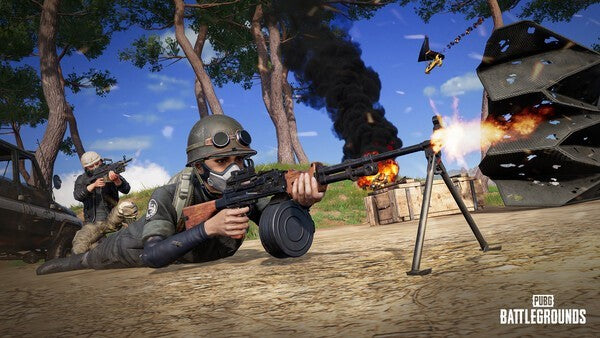
Recent industry reporting highlighted how Krafton, NCSoft, and Pearl Abyss each posted sharp profit gains through different growth strategies. Krafton continues to expand the PUBG universe while building momentum around Subnautica. NCSoft has pushed established IP and mobile casual gaming growth. Pearl Abyss saw major earnings impact from Crimson Desert, a large-scale title developed over multiple years. The common thread is simple: games are becoming bigger platforms, not just one-time releases.
That matters for your next PC. A modern gaming computer is no longer only about launching a game and playing at “good enough” settings. Many Canadian buyers now want one system that can play competitive shooters, run open-world AAA games, stream to Twitch or YouTube, edit clips for TikTok, handle Discord and browser tabs, record gameplay, manage mods, process high-resolution textures, and stay relevant long enough to avoid upgrading too soon. Is the PC you are considering built for that reality, or is it already close to its limits?
At Groovy Computers, we look at gaming news differently. When major publishers grow revenue around long-running franchises and new blockbuster releases, we see the hardware story behind the headline: higher expectations, more demanding engines, larger downloads, heavier graphics settings, stronger CPUs, more VRAM pressure, more RAM usage, and more customers asking whether they should buy now, wait, or finance a stronger build before pricing changes again.
Why Krafton, NCSoft, and Pearl Abyss Matter to Canadian PC Buyers
The source story focused on three very different gaming business strategies. Krafton expanded PUBG while growing Subnautica into a potential second major franchise. NCSoft leaned into Lineage Classic and acquisition-driven casual game growth. Pearl Abyss turned the long-development Crimson Desert into a major earnings driver. On the surface, that sounds like corporate finance. Underneath, it points to a bigger gaming trend: successful games are becoming long-term ecosystems that keep pulling players back with updates, expansions, modes, collaborations, downloadable content, creator tools, and community-driven content.
For a Canadian gamer deciding between a budget gaming computer, a premium RTX gaming PC, or a custom built gaming PC, that trend changes the buying decision. You are not only buying for one title. You are buying for years of patches, expansions, seasonal updates, graphical upgrades, anti-cheat changes, streaming tools, new display standards, and background apps that did not matter as much a decade ago.
Ask yourself this: are you buying a PC for the games you already play, or for the games you expect to care about over the next three to five years?
That question matters because a system that feels fine for one esports title at 1080p may not feel fine when you jump into a massive open-world game, stream to friends, record high-bitrate footage, use a second monitor, run voice chat, and keep multiple apps open. The stronger gaming companies become at extending the life of their franchises, the more important it becomes to choose a PC with headroom.
What Do You Want Your Next PC to Do for You?
Before choosing parts, financing a system, or comparing models, start with the real question: what do you want your next PC to do for you?
Do you want a reliable 1080p gaming PC for esports and everyday gaming? Do you want a 1440p gaming PC Canada buyers would consider the sweet spot for high refresh rates and beautiful visuals? Are you aiming for a 4K gaming PC with ultra settings, ray tracing, and a premium monitor? Do you want to stream PUBG, Call of Duty, Fortnite, Counter-Strike 2, Valorant, Minecraft, or open-world AAA games while staying smooth on camera?
Or is your PC doing more than gaming? Are you editing YouTube videos in Adobe Premiere Pro or DaVinci Resolve? Are you designing thumbnails in Photoshop, building brand assets in Illustrator, working in Canva, managing RAW photos in Lightroom, creating 3D scenes in Blender, building environments in Unreal Engine, or rendering product visuals for clients?
The best PC is not the same for every person. A competitive esports player, a Crimson Desert-style open-world fan, a streamer, a photographer, a 3D artist, and a university student all need different priorities. Groovy Computers helps Canadian buyers match the build to the workload instead of buying a generic tower that looks powerful but misses the details.
Gaming PC Canada: What Performance Tier Actually Fits You?
One of the most common questions we hear is: what gaming PC do I need? The answer depends on your target resolution, refresh rate, game type, graphics settings, and whether you are also streaming or creating content. A smart gaming PC buying guide Canada readers can trust should not push everyone into the most expensive build. It should help you choose the right tier.
Entry and Value Tier: Is a Budget Gaming PC Enough?
A budget gaming PC Canada buyer is usually looking for strong value, not maximum bragging rights. This tier can be excellent for 1080p gaming, esports titles, school work, casual content creation, and popular multiplayer games. If you mainly play competitive games at medium to high settings and you are not chasing 4K, this can be a smart starting point.
But ask yourself: are you trying to spend as little as possible today, or are you trying to avoid upgrading too soon? A cheaper system can make sense if it is properly balanced, but cutting too far on the graphics card, power supply, RAM, or storage can create frustration quickly. Many modern games keep growing after launch. Texture packs, updates, anti-cheat services, and background apps all add pressure.
If your budget is tight, a value-focused Groovy Computers build can help you prioritize the parts that matter most: a capable GPU, enough RAM, fast SSD storage, reliable cooling, and a platform that leaves room for future upgrades.
1440p Sweet Spot: Do You Want High FPS and Better Visuals?
For many Canadian gamers, a 1440p gaming PC Canada build is the best long-term balance. It offers sharper visuals than 1080p without requiring the same extreme GPU budget as 4K. If you play PUBG, open-world RPGs, racing games, shooters, survival games, or visually rich titles like Crimson Desert, 1440p can feel like the ideal upgrade.
What PC do you need for 1440p gaming? You generally want a stronger graphics card, a modern multi-core CPU, 32GB of RAM for better multitasking, fast NVMe SSD storage, and cooling that keeps performance consistent during long sessions. If you also stream or record, GPU encoder support and extra CPU headroom become even more valuable.
This is the tier where many buyers start asking whether financing makes sense. If a slightly stronger GPU or more RAM prevents an early upgrade, would monthly payments help you buy the system you actually want instead of settling for one you may outgrow?
Premium and 4K Tier: Are You Buying for Ultra Settings, Ray Tracing, and Longevity?
A premium gaming PC Canada build is for buyers who want high-end performance, visual quality, and longer relevance. If you are targeting 4K gaming, ray tracing, ultra settings, high refresh monitors, VR, heavy modding, or years of headroom, this tier deserves serious consideration.
What PC do you need for 4K gaming? You need a powerful GPU, a strong CPU, ample RAM, fast storage, high-quality power delivery, excellent airflow, and careful part matching. At 4K, the GPU does most of the heavy lifting, but that does not mean the rest of the system can be ignored. A premium graphics card in a poorly balanced build can still run hot, loud, or inconsistently.
High-end buyers should also think about the total experience. Do you want quiet operation? Do you want a clean custom aesthetic? Do you want RGB lighting, premium cabling, better case airflow, or a system designed around a specific monitor? Do you want a computer that can game, stream, edit, and render without feeling like four separate upgrades are needed later?
Why Bigger Game Franchises Push Hardware Requirements Higher
The earnings growth around PUBG, Lineage Classic, Subnautica, and Crimson Desert reflects how games are increasingly designed for long-term engagement. A game may launch as one experience, then evolve with new regions, modes, cosmetics, seasonal content, creator tools, collaborations, visual improvements, and downloadable content.
That long-tail model is great for players because it keeps games alive. It also means your PC needs to handle more than the launch version. A title that runs acceptably today may feel heavier after major updates. A game that begins as a traditional release may add larger environments, improved lighting, new assets, or more complex multiplayer systems later.
Do you want to build around minimum requirements, or do you want your PC to stay comfortable as games grow?
Minimum specs are survival specs. Recommended specs are often a better baseline. But a custom gaming PC Canada buyer who wants smooth performance should think beyond both. The real target should be your monitor, your preferred settings, your multitasking habits, and your tolerance for compromise.
Streaming, Recording, and Creator Work: Is a Gaming PC Good Enough?
Many gaming buyers are no longer just players. They are also creators. You might record gameplay clips, stream with OBS, edit highlight reels, make tutorials, upload to YouTube, post short-form content, or design thumbnails. That changes the build.
A basic gaming tower may run the game, but a gaming and streaming PC Canada customer needs more balance. Streaming adds load. Recording adds storage demand. Editing adds CPU, GPU, RAM, and SSD pressure. If you have a second monitor with chat, alerts, browser sources, Discord, music, and overlays, you are asking your system to do much more than gaming alone.
What PC do you need for streaming? A strong modern CPU, a capable GPU with efficient hardware encoding, 32GB of RAM for comfortable multitasking, and fast SSD storage are practical starting points. For higher-resolution streaming, local recording, editing, and multi-platform content creation, a stronger configuration may save you from dropped frames, stutters, and long export times.
If you want one PC for gaming, streaming, and editing, tell Groovy Computers that upfront. A custom streaming PC Canada build should be planned differently than a simple gaming desktop. The right part choices can improve your stream quality, reduce noise, shorten editing time, and make your setup feel more professional.
Video Editing, Photo Editing, and Graphic Design: When a Creator PC Makes More Sense
The gaming industry’s expansion into content platforms also overlaps with the creator economy. Players watch trailers, make reaction videos, build guides, create thumbnails, stream walkthroughs, edit shorts, design overlays, and build communities around games. That is why many customers who start by asking for a gaming PC eventually realize they need a Content Creation PC Canada build.
What PC do content creators need? The answer depends on the software. Adobe Premiere Pro, DaVinci Resolve, After Effects, Photoshop, Lightroom, Illustrator, Canva, Blender, and Unreal Engine all lean on hardware differently. Some tasks prefer high CPU performance. Some benefit heavily from GPU acceleration. Some are sensitive to RAM. Some need fast scratch disks and large storage capacity.
Video Editing PC Canada: Are You Editing 1080p, 4K, 6K, or 8K?
A video editing PC Canada buyer should start with footage type. Are you editing 1080p gaming clips, 4K YouTube videos, multi-camera footage, colour-graded projects, high-bitrate files, or effects-heavy timelines? Timeline smoothness and export speed depend on more than one part.
For Adobe Premiere Pro and DaVinci Resolve, a balanced CPU, capable GPU, 32GB to 64GB of RAM depending on workload, and fast NVMe storage can dramatically improve the experience. If you are editing long videos, using heavy effects, or working with 4K and beyond, underbuying can cost you hours over the life of the system.
Ask yourself: would saving a little upfront still feel like a good decision if every export, render, and timeline preview takes longer for the next several years?
Photo Editing PC Canada: Do You Work With RAW Files and AI Tools?
Photographers often underestimate how demanding modern workflows can be. Lightroom Classic, Photoshop, Capture One, AI denoise tools, batch exports, high-resolution RAW files, and large catalogues can turn a weak desktop into a daily frustration.
A good desktop for photo editing should prioritize fast single-core responsiveness, enough RAM, fast SSD storage, and a quality GPU where software acceleration matters. If you are a wedding photographer, studio shooter, real estate photographer, content creator, or hobbyist working with large RAW files, the right custom photo editing PC can save time every day.
Do photographers need a gaming PC? Not always. But a well-built gaming computer with the right CPU, RAM, SSD, and GPU balance can be excellent for Photoshop and Lightroom. The key is not the label. The key is whether the build matches the workload.
Graphic Design PC Canada: Are You Designing for Clients, Social Media, or Business?
Graphic designers need responsive systems. If you use Photoshop, Illustrator, InDesign, Canva, CorelDRAW, Affinity Designer, or Adobe Creative Cloud, your PC should keep up with large files, layered documents, multiple monitors, fonts, mockups, browser tools, and export tasks.
A custom graphic design PC Canada build does not always need the biggest GPU available, but it does need smart part selection. Fast storage, enough RAM, a strong CPU, reliable cooling, and display support matter. If your business depends on creative output, delays are not just annoying. They cost time, momentum, and revenue.
3D Modeling, Rendering, and Game Development: Are You Building Worlds Too?
The growth of games like PUBG, Subnautica, Lineage, and Crimson Desert also points toward a larger world of modding, user-generated content, 3D environments, game development, animation, and rendering. If you are not just playing games but creating assets, designing scenes, building in Unreal Engine, or rendering in Blender, your PC needs a workstation mindset.
A 3D Modeling PC Canada buyer should consider GPU power, CPU performance, RAM capacity, storage speed, and project complexity. Blender, Unreal Engine, Unity, Maya, 3ds Max, Cinema 4D, SketchUp, ZBrush, AutoCAD, Revit, and SolidWorks can all benefit from a properly planned system.
What PC do you need for Blender? If you are modeling simple assets, a mid-range system may be enough. If you are rendering complex scenes, using GPU rendering, building game environments, or working professionally, a stronger GPU and more RAM can make a major difference. For heavy rendering, 64GB of RAM may be a smart baseline, while more demanding professional projects can justify 128GB.
Is a gaming PC good for Blender or Unreal Engine? Sometimes, yes. A high-performance gaming PC can be a strong 3D workstation if it has the right GPU, RAM, CPU, cooling, and storage. But a gaming-focused build and a workstation-focused build are not always identical. Groovy Computers can help tune the system for your real software, not just a spec sheet.
Should You Buy a Gaming PC Now or Wait?
Canadian buyers are asking a practical question: is it better to buy a gaming PC now or wait? The answer depends on your current system, your workload, upcoming games, your budget, and how sensitive you are to component pricing.
Waiting can make sense if your current PC still handles your needs comfortably. But waiting can also create risk. GPU demand can shift quickly when major games, new creator tools, AI workloads, back-to-school buying, holiday sales, or supply constraints hit at the same time. Memory and SSD pricing can also move. Full-system costs are not fixed forever, and replacement costs can rise when multiple components become more expensive at once.
If you are buying before a major game release, before a software upgrade, before a school or work term, before a business project, or before your current system fails, timing matters. A rushed purchase often leads to compromise. A planned custom build gives you a better chance to choose the right GPU, CPU, RAM, storage, case, cooling, and upgrade path.
Ask yourself: are you waiting because you have a plan, or are you waiting because the decision feels overwhelming?
Could Financing Help You Secure a Stronger System Before Prices Shift?
Financing is not about buying recklessly. Used properly, it can help a customer secure the right system sooner instead of settling for a weaker build that becomes limiting too quickly. Groovy Computers offers financing options up to 4 years, which can make a stronger gaming, creator, or workstation PC more manageable for Canadian buyers who prefer monthly payments.
Should you finance a gaming PC? Consider financing if the better build meaningfully improves your experience, saves time, extends the useful life of the system, or supports income-producing work such as streaming, editing, design, photography, 3D modeling, or business productivity. If financing helps you move from “barely enough” to “comfortably capable,” it may be worth exploring.
Should you buy a cheap gaming PC or finance a better one? That depends on your goals. If you only need casual 1080p gaming, a budget system may be perfect. If you want 1440p, 4K, ray tracing, streaming, editing, or long-term headroom, financing a stronger system may reduce the chance of early upgrades. The cheapest PC is not always the lowest-cost PC if it needs major replacement sooner.
If you are wondering whether a gaming PC payment plan Canada option could help you secure the right build before component costs change, visit GroovyComputers.ca and explore custom gaming PCs, creator PCs, workstation builds, and financing options tailored for Canadian buyers.
Custom PC vs Generic Prebuilt: Why Part Matching Matters More Than Ever
As games and creative tools become more demanding, the difference between a carefully built custom PC and a generic prebuilt becomes more important. Two computers can advertise similar headline specs but perform very differently because of cooling, motherboard quality, power supply reliability, case airflow, RAM configuration, SSD choice, BIOS setup, and testing.
A custom gaming PC Canada buyer should not only ask, “What graphics card does it have?” You should also ask: is the power supply reliable? Is the case airflow strong enough? Is the CPU cooler appropriate? Is the RAM capacity and speed right for the workload? Is there enough SSD space for large games and project files? Has the system been stress tested? Is there warranty support in Canada?
Groovy Computers focuses on custom builds, rigorous testing, and a 1-year warranty. That matters because a gaming PC is not just a box of parts. It is a complete system that needs to work under real load. Long gaming sessions, rendering, streaming, editing, and multitasking all expose weak component choices.
Why buy a custom gaming PC? Because the right build is not just faster. It is more comfortable, more reliable, easier to upgrade, and better matched to your life.
What Questions Should You Ask Before Buying Your Next PC?
Before you buy or finance a system, use these questions to clarify what you actually need:
- What games do I play most? Competitive esports, open-world AAA games, survival games, racing games, strategy games, and heavily modded titles can require different hardware priorities.
- What resolution do I want? 1080p, 1440p, and 4K gaming all place different demands on the graphics card.
- Do I care about ray tracing and ultra settings? If yes, GPU selection becomes more important.
- Will I stream or record gameplay? OBS, Streamlabs, YouTube Live, Twitch, and local recording all add workload.
- Will I edit videos or photos? Premiere Pro, DaVinci Resolve, Photoshop, Lightroom, and After Effects benefit from balanced creator-focused specs.
- Will I use design or 3D software? Illustrator, Canva, Blender, Unreal Engine, AutoCAD, Revit, and SolidWorks may require a stronger workstation approach.
- How long do I want this PC to feel fast? Buying with headroom can reduce upgrade pressure.
- Is my budget fixed, or would financing help me get the right tier? Monthly payments may make a better long-term system more realistic.
- Do I want a ready-to-ship gaming PC or a custom build tuned to my workload? Both can be valid, but the right choice depends on timing and needs.
- Do I want help choosing? If you are unsure, Groovy Computers can help translate your games and software into a practical build recommendation.
Canadian Buying Context: Why Local Support and Canada-Wide Service Matter
Canadian PC buyers face a different buying environment than customers in larger markets. Component availability, shipping costs, exchange rates, seasonal demand, and warranty convenience can all affect the experience. Buying from a Canadian custom PC builder helps simplify that process.
Groovy Computers serves Canadian buyers who want gaming computers shipped Canada wide, custom support, and guidance from a team that understands local market realities. Whether you are in Nova Scotia, Atlantic Canada, Ontario, Alberta, British Columbia, or elsewhere in Canada, buying from a Canadian gaming PC company can make the process feel more trustworthy and less disconnected.
For customers in Nova Scotia, including communities around Trenton, New Glasgow, and Halifax, Groovy Computers offers a more personal alternative to anonymous marketplace listings. For customers across Canada, GroovyComputers.ca provides an online path to custom gaming PCs, creator desktops, and workstation builds without the guesswork of mismatched components.
Which Groovy Computers Build Category Fits You Best?
If you are still unsure what to choose, think in categories instead of part numbers. Your use case should lead the build.
Choose a Budget Gaming Computer If...
Choose a budget or value gaming PC if you want dependable 1080p gaming, esports performance, school work, everyday browsing, and a lower upfront cost. This is ideal for first-time PC gamers, students, casual players, and buyers who want the best gaming PC for the money without chasing maximum settings.
Choose a 1440p Gaming PC If...
Choose a 1440p gaming PC if you want a stronger visual experience, high FPS, modern AAA gaming, and better long-term comfort. This is a great fit for players moving beyond entry-level performance who want games to feel smooth, sharp, and immersive.
Choose a Premium RTX Gaming PC If...
Choose a premium gaming PC if you want 4K, ray tracing, ultra settings, high refresh performance, VR, heavy modding, or a system that can stay capable longer. This tier is for buyers who want fewer compromises and more headroom.
Choose a Streaming PC If...
Choose a custom streaming PC if you want to game while broadcasting, record content, run overlays, manage multiple monitors, and keep stream quality stable. If you are asking, “what gaming PC do I need for Twitch?” the answer is usually a balanced build with strong GPU encoding, enough CPU power, and 32GB or more RAM depending on the workflow.
Choose a Creator PC If...
Choose a custom creator PC if your workflow includes video editing, photo editing, graphic design, content planning, podcast editing, social media production, or Adobe Creative Cloud. If your PC helps you create content regularly, productivity matters as much as gaming performance.
Choose a 3D Modeling or Workstation PC If...
Choose a workstation PC Canada build if you use Blender, Unreal Engine, CAD, Revit, SolidWorks, Maya, Cinema 4D, rendering tools, simulation software, or professional multitasking. Workstation buyers should focus on stability, RAM, GPU capability, CPU performance, cooling, and storage planning.
The Real Cost of Underbuying: Why “Good Enough” Can Become Expensive
It is tempting to buy the cheapest PC that appears to meet today’s needs. Sometimes that is the right decision. But underbuying can become expensive if it forces upgrades too soon, limits your monitor choice, slows creative work, or prevents you from enjoying the games that made you want a new computer in the first place.
Modern games and software do not stand still. PUBG continues to evolve. Long-running franchises keep receiving updates. New open-world releases push visuals forward. Creator platforms add AI features. Editing software becomes more GPU-aware. 3D workflows grow more complex. The PC you choose now should reflect the direction your hobbies or work are moving.
Ask yourself: if your next game, project, or client workload becomes more demanding six months from now, will your PC still feel ready?
A well-planned custom build helps reduce regret. It does not mean you must buy the most expensive system. It means your budget is allocated intelligently. For some customers, that means spending more on the GPU. For others, it means more RAM, better storage, a stronger CPU, quieter cooling, or a higher-quality power supply.
Why Groovy Computers Is Built for This Moment
The gaming industry is moving fast. Major publishers are extending franchises, building platforms, expanding user-generated content, and launching ambitious titles that raise expectations. At the same time, Canadian buyers are navigating component pricing, software demands, monitor upgrades, and the question of whether financing can help them buy the right system now.
Groovy Computers is built for customers who want clarity. We help you choose between a budget gaming PC, a premium RTX gaming PC, a custom creator PC, a video editing workstation, a photo editing desktop, a graphic design PC, a streaming setup, or a 3D modeling workstation. Instead of guessing, you can match the system to your real games, software, resolution, and budget.
Every serious PC buyer should care about testing, build quality, airflow, cable management, reliability, and warranty support. Groovy Computers offers custom builds, rigorous testing, and a 1-year warranty so Canadian customers can buy with more confidence. When your PC is responsible for entertainment, school, work, income, or creative output, confidence matters.
Ready to Choose a Gaming PC Canada Build That Matches Your Future?
If the growth of Krafton, NCSoft, and Pearl Abyss tells us anything, it is that gaming is not slowing down. Franchises are expanding. Games are getting deeper. Creator ecosystems are growing. Players are doing more with their PCs than ever before. The smart move is to choose a system that fits where you are going, not only where you are today.
What do you want your next PC to do for you: dominate competitive games at high FPS, explore open-world titles at 1440p or 4K, stream with confidence, edit faster, design professionally, render 3D projects, or handle all of it in one clean custom build?
If you want expert help choosing a Gaming PC Canada build, a custom creator desktop, a streaming PC, or a workstation with financing options up to 4 years, visit GroovyComputers.ca. Groovy Computers can help you buy smarter, build stronger, and avoid settling for a system you may outgrow too soon.
#GamingPCCanada #CustomGamingPCCanada #CanadianCustomPCBuilders #StreamingPCCanada #ContentCreationPCCanada #VideoEditingPCCanada #3DModelingPCCanada #GroovyComputers
Groovy Computers | All Rights Reserved


Leave a comment
This site is protected by hCaptcha and the hCaptcha Privacy Policy and Terms of Service apply.