



































GTA 6 PC Buying Guide for Canada: What the Miami Controversy Really Means for Your Next Gaming PC
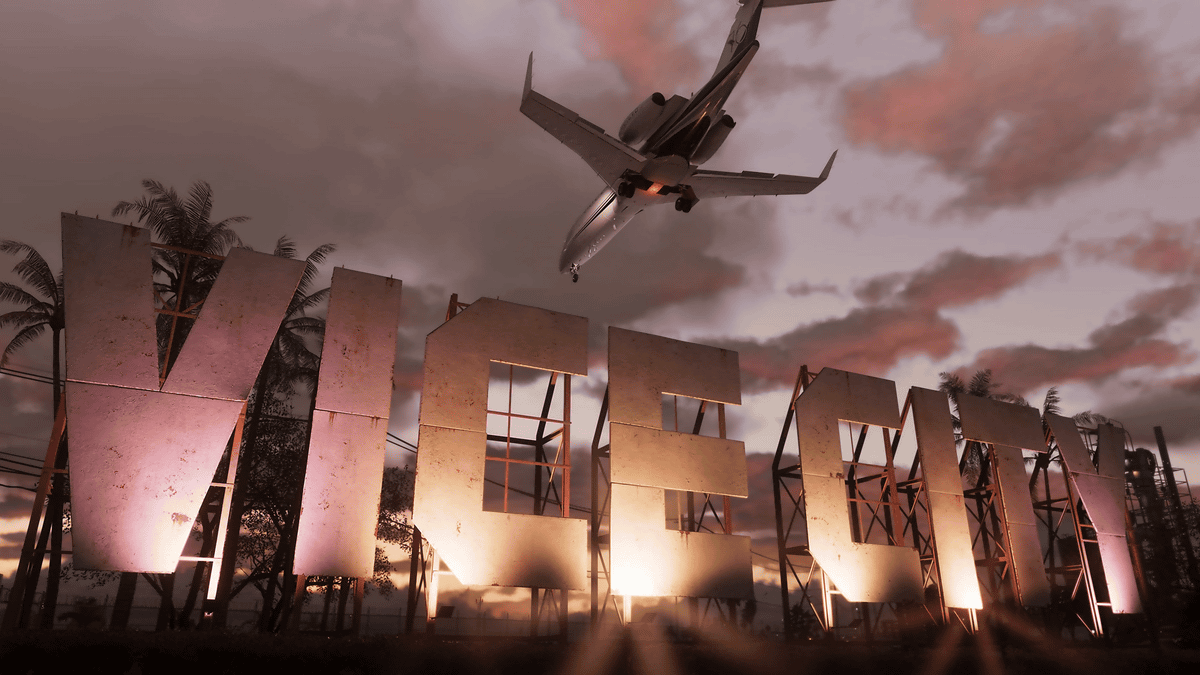
The new GTA 6 marketing controversy out of Miami is more than a strange news story. It is another reminder that GTA 6 PC buying guide questions are only going to get louder as launch hype builds. According to the source reporting, Miami-Dade officials explored a tourism collaboration tied to the game’s Vice City setting, including airport branding, harbour installations, and themed public experiences, while law enforcement pushed back because the franchise is closely associated with crime, violence, and lawlessness. For Canadian gamers, creators, and PC buyers, the bigger takeaway is simple: when a release becomes this culturally visible, demand for game-ready systems tends to rise fast.
That matters if you are asking practical questions right now. Will your current PC be enough for a major open-world release? Are you planning for 1080p, 1440p, or 4K gameplay? Do you also want to stream, edit clips, create YouTube content, or run heavier creator software on the same machine? And if you know you will need an upgrade anyway, is it smarter to lock in a stronger custom build before pricing and demand become less friendly?
Why is the GTA 6 Miami story relevant to Canadian PC buyers?
The original story focuses on branding, tourism, and public image. Miami officials reportedly saw an opportunity to turn the real-world inspiration behind Vice City into a revenue-generating promotional moment. The pushback from police and local officials came from a different angle: whether public institutions should help market a game franchise built around criminal activity. That debate will get attention on its own, but for hardware buyers in Canada, the more useful reading is this: GTA 6 is moving from gaming anticipation into mainstream cultural event territory.
When a title reaches that level, a lot of customers stop casually browsing and start actively shopping. Some want a Gaming PC for GTA 6. Others want a more complete setup for gaming, streaming, and editing. Some are finally replacing an aging machine because they do not want to buy a new game and then play it at reduced settings, unstable frame rates, or with no headroom for future titles.
If that sounds like you, the real question is not just “Can my PC run it?” It is “What kind of experience do I actually want from my next system?”
What does GTA 6 hype usually signal for the PC market?
Massive AAA releases tend to create a familiar pattern. Interest rises first, then benchmark speculation follows, then shoppers begin comparing GPUs, CPUs, RAM capacity, and SSD performance, and finally many buyers rush close to launch. That last phase is where mistakes happen.
Buyers who wait too long often face one or more of these problems:
- Popular GPU tiers selling through faster
- Less flexibility on custom build timing
- More pressure to settle for a weaker system
- Higher replacement cost when multiple parts move upward together
- Rushed decisions on gaming performance versus creator needs
That does not mean every part price always spikes at once. It does mean hype cycles make planning more valuable. If you already know you want a stronger machine for upcoming open-world games, streaming, or content creation, waiting until the last minute rarely gives you more control.
What do you want your next PC to do for you?
Before you compare specs, ask the question that actually saves money in the long run: what do you want your next PC to do for you over the next several years?
Do you just want smooth GTA 6 gameplay at 1080p? Do you want 1440p at high settings with stronger longevity? Are you aiming for 4K and ray tracing? Will you be streaming to Twitch or YouTube while gaming? Will you also be editing highlight reels in Adobe Premiere Pro or DaVinci Resolve? Are you a creator who needs one machine for gaming, thumbnails, Photoshop, Lightroom, OBS, and short-form content exports? Or are you also working in Blender, Unreal Engine, CAD, or other workstation-heavy software?
A lot of buyers still approach these decisions backwards. They start with a budget number, then try to force every use case into it. A better approach is to define the workload first, then choose the right performance tier, then decide whether financing makes more sense than buying something weaker and upgrading too soon.
What gaming PC do I need for GTA 6 and other new AAA games?
If your primary goal is a Gaming PC Canada build for major open-world releases, you should think in experience tiers rather than just minimum specs. That is especially true for games likely to stress both GPU and CPU performance, storage throughput, and system memory. Open-world games can punish weak systems not only in average FPS, but in stutter, loading behaviour, background streaming, and consistency during busy scenes.
Entry tier: 1080p gaming
This tier makes sense if you want a more affordable system for solid 1080p play and good value. It is often best for buyers who use a standard monitor, want respectable performance in today’s games, and are willing to use balanced settings rather than chase every visual feature.
You may fit this tier if you are asking:
- Can a budget gaming PC play new games well?
- Do I really need 1440p right now?
- Is this my first real gaming desktop?
A good entry-level custom build should still avoid the trap of being too entry-level. If your machine barely handles the game at launch, it may feel outdated much sooner than expected.
Mid-range sweet spot: 1440p gaming
For many Canadian buyers, this is the smartest target. A strong 1440p Gaming PC Canada setup usually offers the best balance of visual quality, frame rate, and longer-term value. If you want a machine that feels impressive now without jumping all the way into top-tier 4K pricing, this category is often where the best decisions happen.
This tier is ideal if you are wondering:
- What PC do I need for 1440p gaming?
- How much should I spend on a gaming PC if I want it to last?
- Should I buy a weaker PC now or get a better one that stays relevant longer?
For a game as anticipated as GTA 6, 1440p is likely to be the target that many serious players want, especially if they care about image quality, immersion, and not having to compromise too aggressively on settings.
High-end tier: 4K and premium visual settings
If your goal is top-end image quality, stronger ray tracing potential, higher-end display support, and more long-term confidence for future AAA releases, then a 4K Gaming PC Canada class system is where you should be looking. This is also the tier for buyers who do not want to revisit the platform question again too soon.
Ask yourself:
- Do I want ultra settings instead of “good enough” settings?
- Am I buying for a premium monitor now or soon?
- How long do I want this system to feel powerful before I consider another major upgrade?
Premium systems cost more up front, but they can make sense if your buying style is to purchase once and use the machine hard for years.
Do you also need a streaming PC or content creation PC?
A big part of GTA 6 demand will not come from gamers alone. It will also come from streamers, YouTube creators, TikTok clip editors, thumbnail designers, and hybrid users who want one machine to do everything. That changes the build logic completely.
If you plan to game and stream at the same time, your system needs more than “runs the game.” It needs stronger multitasking behaviour, enough memory overhead, a capable CPU, a suitable GPU for encoder support, and storage that can handle game installs, recordings, project files, and exports without becoming a bottleneck.
If that sounds like your workflow, you may need a Gaming and Streaming PC Canada or a Content Creation PC Canada rather than a basic gaming desktop.
Questions to ask if you stream or record gameplay
- What PC do I need for streaming?
- Will you play competitive games and AAA games on the same system?
- Do you plan to record high-bitrate local footage while gaming?
- Will you use OBS, Streamlabs, dual monitors, and browser-based overlays?
- Do you want headroom for editing immediately after recording?
A better streaming build can save you from frame drops, sluggish multitasking, and the regret of buying a machine that only does one of your tasks well.
Could GTA 6 be the reason you finally need a creator PC instead of just a gaming PC?
For many customers, yes. A lot of modern buyers are not only players. They are editors, clip publishers, Discord community managers, graphic designers, hobby photographers, podcast producers, or small business owners creating content around their gaming interests. If your computer is also where your creative work happens, buying purely for in-game performance can be shortsighted.
A proper Creator PC Canada build should consider:
- CPU strength for exports, rendering, and multitasking
- GPU acceleration for supported creative apps
- Sufficient RAM for editing, design, and background tasks
- Fast SSD storage for projects, scratch space, and responsiveness
- Cooling and reliability for long sessions
Are you making YouTube videos after every big game release? Do you cut trailers, commentary, reaction clips, or livestream highlights? Do you use Photoshop for thumbnails, Illustrator for overlays, or Lightroom for promotional images? If so, a general-purpose gaming build may not be enough.
What if you need video editing, photo editing, or graphic design performance too?
This is where a custom system becomes much more valuable than a generic off-the-shelf option. Different workloads scale differently. Some users need more GPU. Some need more CPU. Some need far more RAM than they originally expect. Others need cleaner storage planning because game installs and content projects quickly consume space.
For video editing
If you work in Premiere Pro, DaVinci Resolve, After Effects, or CapCut, think beyond launch-day gaming performance. A strong Video Editing PC Canada build should help with timeline responsiveness, smoother playback, faster exports, and better multitasking while other tools are open.
Ask yourself:
- What PC do I need for video editing?
- Are you editing 1080p, 4K, or higher-resolution footage?
- Do you add effects, colour work, subtitles, and layered assets?
- How much time are you currently losing to slow exports and laggy previews?
For photo editing
If your workflow includes Photoshop, Lightroom, Capture One, or AI-enhanced photo tools, a Photo Editing PC Canada should prioritize responsiveness, RAM capacity, fast storage, and enough graphics capability for accelerated tools and high-resolution displays.
Questions worth asking include:
- What PC do I need for photo editing?
- Do you handle large RAW libraries?
- Do you batch export often?
- Do you want one machine for both gaming and serious photo work?
For graphic design
If your day includes Illustrator, Photoshop, InDesign, Canva, branding mockups, or multi-monitor creative work, a Graphic Design PC Canada build should focus on stability, memory, SSD speed, and a balanced CPU and GPU combination suited to your real applications.
You may want to ask:
- What PC do I need for graphic design?
- Is a gaming PC good for graphic design, or do I need a creator-focused build?
- Will this system support both my gaming hobby and my paid design work without compromise?
What if your work goes beyond content creation into Blender, Unreal Engine, or rendering?
The GTA 6 conversation also naturally overlaps with game development, 3D asset work, and rendering-heavy creative pipelines. Some readers following this kind of gaming news are not only players; they are modders, hobby developers, 3D artists, and professionals who need a machine that can handle both entertainment and production.
If that is you, the right category may be a 3D Modeling PC Canada or a Workstation PC Canada rather than a typical gaming-focused build.
This is especially important if you are using Blender, Unreal Engine, Unity, Maya, Cinema 4D, CAD tools, or rendering workflows where time saved is money saved. A workstation-class custom system can reduce waiting, improve viewport behaviour, accelerate GPU rendering where supported, and handle larger scenes more comfortably.
Ask yourself:
- What PC do I need for Blender?
- What PC do I need for 3D rendering?
- Do I need gaming performance first, or production performance first?
- Will I regret buying a gaming-only machine when my creative projects become more serious?
Should you buy now or wait for closer to release?
This is one of the most common buyer-stage questions, and the honest answer depends on your current system, your workload, and your tolerance for risk. But in most cases, if you already know your PC is behind your goals, waiting only helps if you are comfortable with uncertainty.
Ask yourself a few direct questions:
- Is your current PC already struggling in modern open-world games?
- Do you want to play GTA 6 near launch rather than months later?
- Will you also need the machine for school, work, streaming, or editing before the game arrives?
- Would replacing your PC under time pressure force you into a weaker or less carefully chosen system?
If your answer to several of those is yes, then buying earlier can be the better move. It gives you time to choose the right performance tier, avoid panic shopping, and start enjoying the upgrade immediately instead of waiting for one title to “justify” it.
How does component pricing volatility affect full custom PC decisions?
Canadian buyers do not shop in a vacuum. Full-system pricing can change because of GPU demand, memory pricing, storage shifts, exchange-rate pressure, and general availability. You do not need daily market drama for this to matter. Even moderate part movement can change what fits into a build budget.
That is why “I’ll wait and see” is not always the low-risk strategy it sounds like. Waiting can mean:
- Your preferred GPU tier costs more later
- A previously balanced build now requires compromises
- You end up buying under deadline pressure
- You finance or spend the same amount but get less performance
On the other hand, planning earlier gives you the chance to build around your actual needs instead of reacting to the market. If you know you want to be ready for new AAA games, creative workloads, or both, there is real value in locking in a system while you still have options.
Which performance tier fits you best?
If you are unsure where you fit, this simplified buyer map can help.
Choose a value-focused build if:
- You mainly want 1080p gaming
- You play a mix of new games and lighter titles
- You want a first desktop that is clearly better than entry-level but still budget-aware
- You are searching for an Affordable Gaming PC Canada option without wasting money on the wrong parts
Choose a mid-range gaming build if:
- You want 1440p performance
- You care about visual quality and stronger longevity
- You may stream casually or edit clips occasionally
- You want the best balance between cost and long-term satisfaction
Choose a premium gaming build if:
- You want 4K or high-refresh 1440p
- You want stronger ray tracing capability
- You play graphically demanding AAA games regularly
- You want a High End Gaming PC Canada setup that stays relevant longer
Choose a creator or hybrid build if:
- You game, stream, edit, and design on one machine
- You want better export speeds and smoother multitasking
- You use OBS, Premiere Pro, Photoshop, Lightroom, or similar software regularly
- You care about productivity as much as raw gaming FPS
Choose a workstation-focused build if:
- You work in Blender, Unreal Engine, CAD, or rendering tools
- You need reliability under long heavy loads
- You need more RAM, more storage planning, and different part balancing than a game-first system
- You want your build tailored for both professional output and future expansion
Should I finance a better PC instead of buying a cheaper one?
For many buyers, this is the most important question in the entire process. If your budget only covers a machine that you already suspect is too weak for your real goals, it may be smarter to consider financing rather than settling.
A cheaper system can cost more in the long run if it leads to:
- Earlier replacement
- Immediate compromise on resolution or settings
- Poor streaming or editing performance
- Extra upgrade spending within a short time
- Frustration during the exact period you hoped to enjoy the machine most
That is why many shoppers ask whether it makes sense to secure a stronger custom build now instead of stepping into a lower tier that may feel outdated too soon. If a better system means smoother gaming, stronger creator performance, and longer useful life, financing can be a practical tool rather than an impulsive decision.
Groovy Computers offers Canadian buyers a way to think more strategically about this, including options that can help spread the cost over time, with financing up to 4 years for customers who want more breathing room while securing the right performance tier.
Why does a custom-built PC matter more when game hype is high?
Because hype leads many buyers toward rushed, generic decisions. A custom system gives you a much better chance of getting a build that actually matches your use case. That means part selection based on your display target, your game library, your creative software, your upgrade expectations, and your budget reality.
A better custom PC buying experience should help answer questions like:
- Is a custom gaming PC worth it?
- Custom PC vs prebuilt PC Canada: what matters more for me?
- What parts should I choose for a gaming PC if I also edit or stream?
- How do I avoid paying for the wrong bottleneck?
When a title like GTA 6 starts influencing buying behaviour, the last thing you want is a system chosen by broad marketing categories alone. You want a machine with proper balance, cooling, storage planning, and upgrade logic.
Why Canadian buyers should care about testing, warranty, and support
Specs sell systems, but support protects the purchase. That matters even more when you are buying a machine you expect to use for major game releases, everyday work, and demanding creator tasks.
Groovy Computers positions itself around what serious buyers actually need from a Canadian builder:
- Custom builds matched to real workloads
- Rigorous testing before the system reaches you
- A 1-year warranty for added confidence
- Canadian service and buying context
- Systems built for gaming, streaming, editing, design, and workstation use
If you are shopping in Nova Scotia, Atlantic Canada, or anywhere else in the country, support quality matters just as much as the parts list. A system that looks good on paper but arrives poorly configured, unbalanced, or weakly tested is not a bargain.
What should you ask before choosing your next custom PC?
Before you buy, ask yourself these practical questions:
- What game or software am I really buying this machine for?
- Am I targeting 1080p, 1440p, or 4K?
- Do I want ray tracing, high refresh rates, or maximum visual settings?
- Will I stream, record, edit, or design on this same PC?
- How long do I want this build to feel capable before I need another major upgrade?
- Would financing a stronger system help me avoid upgrading too soon?
- Do I want a generic box, or do I want a custom-built machine matched to my real needs?
These questions matter because the Miami GTA 6 story is really a signal flare. Big gaming moments do not just generate headlines. They trigger purchase decisions. The better your questions now, the better your system later.
Need help deciding what your next PC should do?
If you are reading GTA 6 news and thinking, “My current machine might not be enough,” that is the right time to plan. If you are asking whether you need a budget gaming desktop, a premium RTX gaming build, a creator-focused system, or a proper workstation, Groovy Computers can help you narrow that down based on how you actually use your PC.
Do you want a system built for new AAA games? Do you need a stronger machine for gaming and streaming? Are you editing 4K footage, building content, or working in Blender and Unreal Engine as well? Would monthly payments make it easier to secure a better long-term build instead of compromising today? Visit GroovyComputers.ca to explore custom options, compare the right performance tier, and get closer to a system that fits both your goals and your budget.
Final takeaway: GTA 6 hype is building, so buy based on your real workload
The Miami controversy shows just how large the GTA 6 moment has become. Public officials are debating branding, law enforcement is debating symbolism, and gamers everywhere are thinking about launch readiness. For Canadian buyers, the smart response is not just to follow the headlines. It is to use the moment to make a better hardware decision.
If you need a machine for open-world gaming, streaming, editing, design, or workstation-class creative work, now is the right time to define your target. A thoughtful GTA 6 PC buying guide approach means choosing the right system category, the right performance tier, and the right timing before demand pressure makes the decision harder. Groovy Computers gives Canadian shoppers a better path: custom builds, tested systems, financing options, and a warranty-backed way to buy with more confidence.
#GTAPCGuide #GamingPCCanada #GamingPCForGTA6 #CustomGamingPCCanada #CreatorPCCanada #StreamingPCCanada #VideoEditingPCCanada #WorkstationPCCanada #BuyGamingPCOnlineCanada #CanadianCustomPCBuilders
Groovy Computers | All Rights Reserved

Leave a comment
This site is protected by hCaptcha and the hCaptcha Privacy Policy and Terms of Service apply.