



































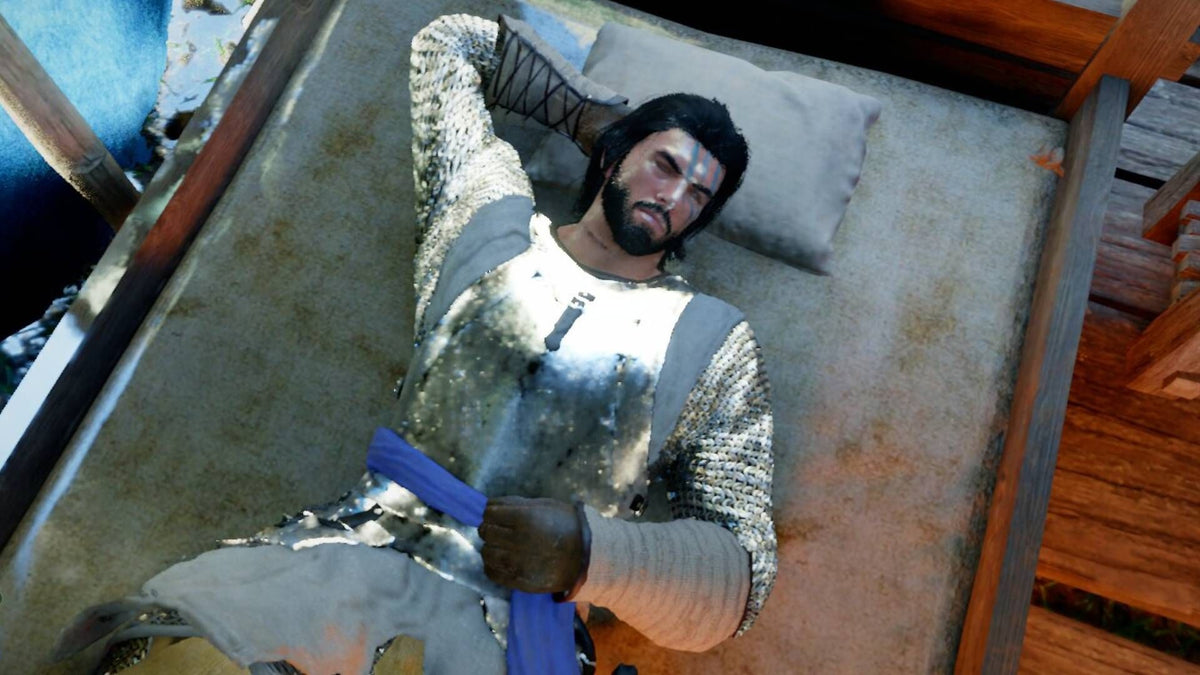
Crimson Desert’s Cozy New Patch Shows Why a Gaming PC for New Games Needs More Than Raw FPS
A Gaming PC for New Games is no longer just about whether it can push high frame rates in a boss fight. The latest Crimson Desert update, as described in the source article, is a perfect example of where modern PC gaming is headed: huge open-world action, deep systems, pets, mini-games, crafting, housing, decoration, and increasingly detailed environments that ask more from your computer than a simple benchmark number can explain.
Crimson Desert may look like a serious open-world fantasy action game on the surface, but its newest patch leans harder into cozy life sim territory by letting players decorate the area outside their house. The update also adds new furniture pieces, crafting options, outdoor decoration tools, pet-related items, and quality-of-life improvements. That might sound charming and harmless, but for PC buyers in Canada, it points to a much bigger trend: modern games are becoming wider, heavier, more layered, and more demanding over time.
So what does that mean if you are shopping for a custom gaming PC in Canada right now? It means you should not only ask, “Can this PC run today’s game?” You should ask, “Will this PC still feel smooth when the game receives major updates, higher-resolution textures, ray tracing options, creator tools, streaming overlays, and future DLC?”
That question matters because many players do not buy a gaming computer for one single launch day. They buy it for the next several years of open-world games, competitive shooters, RPGs, survival games, cozy sims, racing titles, esports, streaming, Discord, recording, editing, and maybe even content creation. If your next PC is going to carry you through major releases, seasonal updates, expansion packs, and increasingly ambitious game worlds, the right build matters more than ever.
What Crimson Desert’s Update Gets Right About Modern PC Gaming
The most interesting part of the Crimson Desert patch is not just that it adds furniture. It is that it shows how open-world games are no longer confined to one genre. A single modern title can combine combat, exploration, crafting, collecting, decoration, pet management, mini-games, traversal systems, and cinematic storytelling. The more systems a game adds, the more your PC has to manage in the background.
Outdoor decoration sounds simple until you think about what it can involve technically: more objects on screen, more textures, more lighting interactions, more shadows, more physics checks, more save data, more asset streaming, and more CPU work to track what the player has placed. If the game also includes pets, mounts, mini-games, large cities, terrain detail, weather, and combat encounters, then performance becomes a whole-system challenge.
This is why a modern Gaming PC for New Games needs the right balance of GPU power, CPU strength, RAM capacity, fast storage, cooling, and upgrade flexibility. A big GPU is important, but it is not the whole story. A poorly balanced system can still stutter, overheat, bottleneck, or run out of memory when a game expands after launch.
Are you buying a PC just to run one game at medium settings, or are you buying a system that can handle what your favourite games become after a year of patches?
Why Canadian Buyers Should Think Beyond Minimum Requirements
Minimum requirements are often the least useful number for a serious gaming PC buyer. They usually describe the lowest acceptable experience, not the experience most players actually want. If you are in Canada shopping for a gaming desktop, you are probably thinking about smooth gameplay, visual quality, long-term reliability, and whether your system will still feel strong when new games arrive.
For a game like Crimson Desert, the real question is not simply whether your PC can launch the game. The better question is whether your PC can handle a modern open world at your preferred resolution while background apps are open, updates add more features, and your standards rise over time.
Do you want 1080p gaming because you value budget and high frame rates? Are you aiming for 1440p because you want the best balance of sharp visuals and performance? Do you want 4K gaming with high settings, ray tracing, and a premium display? Do you plan to stream to Twitch or YouTube, record gameplay, edit clips, or make TikTok and YouTube Shorts from your sessions?
Those answers change the build. A budget gaming computer can be a smart choice for 1080p. A stronger graphics card and processor make more sense for 1440p. A premium RTX gaming PC becomes much more relevant for 4K, ray tracing, heavy open-world games, and content creation. A creator PC or workstation may be the better fit if you also edit video, design graphics, render 3D scenes, or work in demanding software.
What Do You Want Your Next PC to Do for You?
Before choosing a system, pause and ask the most important buying question: what do you want your next PC to do for you?
Do you want it to be your main gaming machine for new AAA open-world titles? Do you want it to handle high-FPS esports games like Counter-Strike 2, Valorant, Fortnite, or Call of Duty? Do you want to play cinematic RPGs, survival games, racing games, and ray tracing titles at high settings? Do you want it to double as a streaming PC? Do you need it for school, business, photo editing, video editing, graphic design, 3D modeling, or general workstation use?
A gaming PC is often the most versatile computer in the house, but only if it is configured properly. The same system that plays Crimson Desert smoothly at 1440p could also be used for OBS Studio, Adobe Premiere Pro, DaVinci Resolve, Photoshop, Lightroom, Blender, Unreal Engine, Canva, Illustrator, and everyday productivity. But different users need different priorities.
If you mostly game, the graphics card and gaming CPU matter most. If you stream, GPU encoding, CPU headroom, and RAM become more important. If you edit video, storage speed, RAM, CPU cores, and GPU acceleration become critical. If you work in Blender, Unreal Engine, CAD, or 3D rendering, VRAM, CPU performance, memory capacity, and cooling can dramatically affect your workflow.
That is why Groovy Computers focuses on custom builds instead of one-size-fits-all thinking. A student buying a first gaming PC does not need the same system as a 4K creator, a competitive player, a photographer, a game developer, or a business owner running heavy design software.
Which Performance Tier Fits You Best?
Choosing the right performance tier is one of the smartest ways to avoid overspending, underspending, or upgrading too soon. The best gaming computer is not always the most expensive one. It is the one that matches your games, software, monitor, budget, and future plans.
Entry-Level and Budget Gaming PCs: Is 1080p Enough for You?
A budget gaming PC in Canada is a good fit if you mainly play at 1080p, prefer value over maximum settings, and want a reliable system for popular games, esports titles, indie games, simulation games, and many new releases with sensible settings. If you are asking, “How much should I spend on a gaming PC?” this tier is often where the conversation begins.
This category is ideal for students, first-time PC gamers, family gaming setups, casual players, and anyone moving from console to PC. It can also be a smart choice if you want a clean, tested desktop instead of taking a chance on a random marketplace computer with unknown history.
But ask yourself this: will you be satisfied with 1080p, or are you already thinking about a 1440p monitor? If you know you will upgrade your display soon, buying too low now can create a second expense later.
Mid-Range Gaming PCs: Is 1440p the Sweet Spot?
For many Canadian gamers, a 1440p gaming PC is the sweet spot. It offers sharper visuals than 1080p without the extreme hardware demands of 4K. This is where open-world games, RPGs, racing titles, action games, and visually rich experiences start to feel dramatically better.
If you are wondering, “What PC do I need for 1440p gaming?” focus on a balanced system with a strong GPU, a capable modern CPU, 32GB of RAM where possible, fast NVMe storage, and proper cooling. A 1440p build is also a smart choice for gamers who stream, record clips, or multitask while playing.
Crimson Desert’s evolving feature set is exactly the kind of reason 1440p buyers should avoid weak, bare-minimum builds. As games add more assets, systems, visual settings, and post-launch content, extra headroom helps your PC stay smoother for longer.
High-End Gaming PCs: Do You Want 4K, Ray Tracing, and Ultra Settings?
A high-end gaming PC in Canada is built for players who want premium performance: 4K gaming, ultra settings, ray tracing, high refresh rates, and more future-proofing. This tier is also attractive for people who do not want to replace their system quickly.
If you are asking, “What PC do I need for 4K gaming?” the answer usually involves a premium graphics card, a high-performance CPU, 32GB to 64GB of RAM depending on your workload, a fast SSD, strong airflow, and a power supply selected for stability. A 4K gaming PC also benefits content creators because the same GPU that drives demanding games can accelerate rendering, encoding, AI tools, and creative software.
Do you want the cheapest PC that works today, or do you want a powerful system that keeps feeling premium through future game updates and new releases?
Creator and Workstation PCs: Are You Gaming, Creating, or Both?
Many buyers come to Groovy Computers because they are not just gamers. They are also streamers, editors, photographers, designers, students, business owners, architects, 3D artists, and creators. For them, a gaming-only build may not be the best answer.
A custom creator PC in Canada should be built around the software you use. A PC for Adobe Premiere Pro or DaVinci Resolve may need more RAM, fast scratch storage, and strong CPU/GPU acceleration. A photo editing PC for Photoshop and Lightroom should focus on responsive performance, high RAM capacity, quick SSD storage, and support for colour-accurate workflows. A graphic design PC for Illustrator, InDesign, Canva, and Photoshop should be smooth under multitasking and multi-monitor use. A 3D modeling PC for Blender, Unreal Engine, Maya, SketchUp, Revit, or SolidWorks needs careful attention to GPU VRAM, CPU cores, RAM, and cooling.
Is a gaming PC good for content creation? Sometimes, yes. But a gaming PC becomes a much better creator PC when it is configured intentionally for your actual workload.
Why Open-World Games Are Pushing PC Builds Harder
Open-world games are among the most demanding titles because they constantly stream assets, manage large environments, track objects, and keep many systems active at once. When a game expands with housing, decorations, pets, mounts, crafting, and mini-games, it becomes even more complex.
That does not mean every player needs an extreme PC. It means you should buy with your actual expectations in mind. If you want stable 1080p, choose value wisely. If you want 1440p high settings, do not underbuild the GPU. If you want 4K and ray tracing, accept that premium hardware is not just a luxury; it is part of the experience. If you want to stream or edit, do not treat RAM and storage as afterthoughts.
Modern game updates also make fast storage more important. A slow drive can affect load times, patch installation, asset streaming, and system responsiveness. A quality NVMe SSD can make the entire system feel more responsive, especially when games become larger and creative files pile up.
How many games do you keep installed at once? Do you record gameplay footage? Do you work with 4K video? Do you download large texture packs or expansions? Storage planning is not exciting, but it can save you from frustration later.
Gaming, Streaming, and Editing: One PC or Separate Systems?
Not long ago, some streamers needed a dedicated streaming PC to keep gameplay smooth. Today, many gamers can stream and play on one properly built system, especially with modern GPU encoding and enough system headroom. But that does not mean every gaming PC is automatically a great streaming PC.
If you want a gaming and streaming PC in Canada, ask yourself what platform you plan to use. Are you streaming through OBS Studio, Streamlabs, Twitch, YouTube Live, or TikTok Live? Are you recording locally at high quality while gaming? Are you using a webcam, microphone software, browser sources, alerts, Discord, and overlays at the same time?
Those tasks use resources. For streaming, a strong GPU with capable encoding support can make a major difference. A good CPU keeps the system responsive. 32GB of RAM is often a better target than 16GB for multitasking and modern creator workflows. Fast SSD storage helps with recording, editing, and managing large files.
If you plan to turn gameplay into YouTube videos, shorts, reels, or guides, the build should also support video editing. A PC for gaming and recording is different from a PC that only needs to run a game full-screen with nothing else open.
Video Editing, Photo Editing, and Graphic Design: When a Gaming PC Becomes a Creator PC
The line between gamers and creators keeps blurring. Players capture clips, make guides, edit highlight reels, design thumbnails, create social media graphics, and stream events. A game like Crimson Desert, with visually rich environments and evolving systems, naturally encourages screenshots, clips, tutorials, and build showcases.
If you want to edit video in Adobe Premiere Pro, DaVinci Resolve, CapCut, or After Effects, a custom video editing PC should prioritize smooth timeline playback, fast exports, RAM capacity, and storage planning. For 4K editing, 32GB of RAM can be a practical starting point, while heavier workflows may benefit from 64GB or more. GPU acceleration also matters, especially in effects-heavy timelines, colour grading, and modern AI-powered tools.
If you are a photographer using Lightroom Classic, Photoshop, Capture One, or similar tools, the experience depends heavily on CPU responsiveness, RAM, SSD speed, and overall system balance. Batch exports, RAW files, high-resolution images, AI denoise tools, and multi-layer Photoshop projects can make a weak system feel old quickly.
If you are a graphic designer using Photoshop, Illustrator, InDesign, Canva, CorelDRAW, or Affinity Designer, your PC should feel fast while multitasking across design files, browser tabs, fonts, reference images, and multiple monitors. The right desktop for graphic designers is not just powerful; it is stable, quiet, responsive, and built for long work sessions.
Are you buying a gaming PC that may become your creator workstation six months from now? If so, it is smarter to plan for that before you buy.
3D Modeling and Rendering: What If Your Games Inspire Your Work?
Open-world games do more than entertain. They inspire artists, students, developers, animators, modders, architects, and 3D creators. When games showcase detailed environments, advanced lighting, character systems, and interactive worlds, many players start exploring Blender, Unreal Engine, Unity, Maya, 3ds Max, Cinema 4D, SketchUp, ZBrush, AutoCAD, Revit, or SolidWorks.
A 3D modeling PC in Canada is not always the same as a gaming PC. Gaming performance is usually driven by real-time GPU speed and CPU gaming performance. 3D rendering may require more VRAM, more RAM, more CPU cores, and better thermal stability during long workloads. Unreal Engine can demand both strong graphics performance and significant memory. Blender rendering can lean heavily on the GPU or CPU depending on the render engine and project.
What PC do you need for Blender? The answer depends on whether you are learning basic modeling, rendering product scenes, animating characters, building game assets, or producing commercial work. A student can start with a more modest build. A professional renderer should not underinvest in memory, GPU, or cooling.
If your next PC has to handle both gaming and 3D rendering, Groovy Computers can help match the system to your actual software instead of guessing based on generic specs.
Should You Buy Now or Wait Before the Next Big Release?
One of the most common buyer questions is, “Is it better to buy a gaming PC now or wait?” The honest answer depends on your current system, your budget, your target games, and the market. But there is a real risk to waiting too long if your current PC is already struggling.
Major game releases, expansion launches, holiday sales, back-to-school demand, creator software updates, and hardware supply pressure can all change buying conditions. Component prices can move quickly. GPUs, memory, storage, power supplies, and full-system replacement costs may shift when demand rises or availability tightens.
If you wait until a major game is already out, you may be shopping at the same time as everyone else who just realized their PC cannot handle it. That can mean less selection, longer lead times, fewer ideal configurations, and more pressure to compromise. Buying earlier can give you more time to choose the right system instead of rushing into whatever is available.
Are you buying before a major game release, a school semester, a creator project, a software upgrade, or a seasonal sale period? If the PC is important to your gaming, work, or income, timing deserves serious thought.
Could Financing Help You Secure a Stronger System Before Prices Change?
Financing is not about buying more than you need. Used wisely, it can help you avoid buying too little. If you are choosing between a cheaper PC that may need upgrades soon and a stronger system that better fits your goals, financing can make the stronger option more practical.
Groovy Computers offers financing options up to 4 years where available, which can help Canadian buyers spread out the cost of a custom gaming PC, creator PC, video editing PC, or workstation PC. For many customers, that means they can choose a better GPU, more RAM, more storage, improved cooling, or a more future-ready platform instead of settling for a system that barely meets today’s needs.
Should you finance a better PC instead of buying a cheaper one outright? Ask yourself how long you want the system to last, what games or software you need to run, and whether an underpowered PC could cost you more later through upgrades, downtime, frustration, or replacement.
If a better build helps you play at the resolution you actually want, stream smoothly, edit faster, render more reliably, or avoid upgrading too soon, financing may be worth considering. The key is to choose a system that matches your real needs, not just the lowest monthly payment or the flashiest spec.
Why Custom Builds Matter More Than Generic Prebuilts
A generic prebuilt gaming PC may look attractive at first glance, but the part list often tells the real story. Two systems can advertise the same GPU class and still deliver very different experiences depending on the CPU, motherboard, RAM configuration, storage quality, power supply, cooling, case airflow, cable management, and testing process.
This is especially important for modern games and creator workloads. A powerful GPU in a poorly cooled case can run louder and hotter than it should. A weak power supply can limit long-term reliability. Too little RAM can create stutter and slowdowns. A small SSD can fill quickly with today’s massive games and video files. A mismatched CPU and GPU can leave performance on the table.
Groovy Computers builds custom PCs with the full system in mind. That means choosing parts that work well together, assembling them properly, testing for stability, and supporting the customer after the sale. Every serious gaming PC, creator PC, or workstation should be built for reliability, not just a spec-sheet headline.
Why does testing matter in a gaming PC? Because a system that looks good in a product photo still needs to perform under load. Stress testing, thermal checks, and stability validation help reduce surprises when you are gaming, streaming, editing, rendering, or working on a deadline.
What Questions Should You Ask Before Choosing a Gaming PC for New Games?
If you are unsure where to start, these questions can quickly narrow down the right direction:
- What games do you actually want to play? Open-world AAA games, esports shooters, simulation games, RPGs, racing games, survival games, and cozy life sims can all stress a PC differently.
- What resolution do you want? 1080p, 1440p, and 4K require very different GPU choices.
- Do you care about ray tracing or ultra settings? If yes, plan for a stronger graphics card and more performance headroom.
- Will you stream or record gameplay? A gaming and streaming PC should be built with encoding, multitasking, and RAM in mind.
- Will you edit videos or photos? A creator PC needs strong CPU performance, enough RAM, fast SSD storage, and GPU acceleration.
- Do you use design or 3D software? Graphic design, Blender, Unreal Engine, CAD, and rendering workloads may require a more workstation-focused configuration.
- How long do you want the PC to feel fast? If you want to avoid upgrading too soon, do not buy a system that only meets the bare minimum today.
- Are prices, availability, or timing a concern? If you are buying before a major release or busy sales period, earlier planning can reduce compromise.
- Would financing help you choose the right build? Monthly payment options may help you secure a stronger, longer-lasting system before replacement costs rise.
These questions are not just technical. They are practical. The right PC should fit how you play, work, create, and upgrade.
How Groovy Computers Helps Canadian Buyers Choose the Right Build
Groovy Computers is a Canadian custom PC builder focused on helping customers choose systems that match real-world needs. Whether you are shopping from Nova Scotia, Atlantic Canada, or elsewhere in Canada, the goal is not to push every buyer into the same build. The goal is to help you choose the right gaming PC, creator PC, or workstation for your budget and workload.
For gamers, that may mean a value-focused 1080p system, a balanced 1440p gaming desktop, or a premium 4K gaming PC. For streamers, it may mean a build optimized for OBS Studio, high-FPS gaming, recording, and multitasking. For creators, it may mean a custom creator PC with the right CPU, GPU, RAM, and storage for Adobe Creative Cloud, DaVinci Resolve, Photoshop, Lightroom, or CapCut. For 3D artists and professionals, it may mean a workstation built for Blender, Unreal Engine, CAD, rendering, and long compute sessions.
Groovy Computers also understands that Canadian PC buyers care about trust. A system should be built cleanly, tested carefully, and backed with support. A 1-year warranty adds confidence, especially when you are investing in a computer that may support your gaming, school, business, creative work, or professional projects.
If you are unsure what to choose, the best next step is simple: visit GroovyComputers.ca and compare custom PC options, financing possibilities, and builds designed for Canadian gamers and creators.
What Kind of Buyer Are You?
Not every customer needs the same recommendation. Use the categories below as a practical guide.
The New PC Gamer
You want a reliable first gaming computer that can handle popular games, schoolwork, browsing, Discord, and everyday use. You probably care about value, warranty, and avoiding confusion. A budget gaming PC or entry-level custom build may be the right fit, especially if you are staying at 1080p.
The Open-World Explorer
You love large RPGs, cinematic action games, survival games, and titles that keep expanding with updates. You should prioritize a strong GPU, a capable CPU, 32GB of RAM where possible, and fast NVMe storage. A 1440p gaming PC is often the ideal target.
The Competitive Player
You care about high FPS, low latency, and smooth performance in esports games. You may not need maximum graphics settings, but you do need a fast, stable system that can drive a high-refresh monitor. CPU performance, GPU balance, and cooling matter.
The 4K Enthusiast
You want premium visuals, ray tracing, ultra settings, and a system that feels powerful for years. A high-end gaming PC with a premium RTX-class graphics card, strong CPU, high-quality power delivery, and excellent cooling is the right direction.
The Streamer
You want to game, stream, record, run overlays, use a webcam, manage chat, and stay smooth live. A gaming PC for streaming should include enough CPU headroom, GPU encoding support, 32GB of RAM or more depending on workload, and storage for recordings.
The Creator
You edit video, photos, thumbnails, podcasts, short-form clips, or social media content. You should consider a creator PC with fast storage, a strong CPU, sufficient RAM, and a GPU selected for your editing software.
The 3D Artist or Workstation User
You use Blender, Unreal Engine, CAD, Revit, SolidWorks, Maya, or rendering software. A custom workstation PC should be configured around your projects, not just gaming benchmarks. More RAM, more VRAM, better cooling, and carefully chosen components can save serious time.
Why Buying Too Cheap Can Cost More Later
There is nothing wrong with buying within your budget. In fact, a smart budget is one of the most important parts of a good PC purchase. The problem is buying a system that is too weak for your real goals because the upfront price looks comfortable.
A low-cost system that cannot handle your monitor, games, or software may need upgrades sooner than expected. Upgrading later can involve replacing the GPU, adding RAM, expanding storage, changing the power supply, improving cooling, or even moving to a new platform. That can cost more in the long run than choosing a better-balanced build from the start.
This is where financing can become practical. If monthly payments help you choose the right system now instead of a compromise build, you may avoid the cycle of buying cheap, upgrading early, and still feeling behind.
Ask yourself: would you rather save a little today and upgrade sooner, or invest in a stronger custom PC that gives you more room for new games, streaming, editing, and future software demands?
The Real Lesson From Crimson Desert’s Cozy Patch
Crimson Desert’s decoration-focused update may seem like a small lifestyle feature, but it reflects a major shift in PC gaming. Games are becoming broader platforms. They are not just campaigns you finish and uninstall. They are living worlds that receive patches, systems, content, modes, customization, and ongoing improvements.
That means your PC should be chosen for the future of the games you play, not only their launch-day requirements. A Gaming PC for New Games needs the performance to handle expanding open worlds, smoother visuals, faster storage demands, background apps, streaming tools, and creator workflows.
If your current computer is already struggling, waiting for the next major update or game release may not make the decision easier. It may only make the buying window tighter. Component pricing, availability, and demand can change quickly, especially when exciting new games, hardware cycles, and seasonal shopping periods overlap.
The smart move is to decide what you want your next PC to accomplish, choose the tier that fits, and work with a Canadian custom PC builder that can guide you through the options.
Ready to Choose a Gaming PC for New Games?
If you are asking, “What gaming PC do I need?” the answer starts with your games, your monitor, your creative software, and your timeline. Do you want 1080p value, 1440p balance, 4K premium performance, ray tracing, streaming, video editing, photo editing, graphic design, 3D modeling, or a workstation that can do more than one job?
Groovy Computers can help you choose a Gaming PC for New Games that fits your goals instead of forcing you into a generic configuration. Whether you need a budget gaming computer, a premium RTX gaming PC, a custom creator PC, a video editing workstation, or a 3D modeling workstation, the right build should feel fast, reliable, and ready for what comes next.
Want help choosing before prices, availability, or your next must-play game put pressure on the decision? Visit GroovyComputers.ca to explore custom builds, financing options up to 4 years where available, and Canadian-built systems backed by testing, support, and a 1-year warranty.
#GamingPCForNewGames #CustomGamingPCCanada #GamingPCCanada #1440pGamingPC #4KGamingPC #CreatorPCCanada #StreamingPCCanada #VideoEditingPCCanada #3DModelingPCCanada #GroovyComputers
Groovy Computers | All Rights Reserved



Leave a comment
This site is protected by hCaptcha and the hCaptcha Privacy Policy and Terms of Service apply.