




















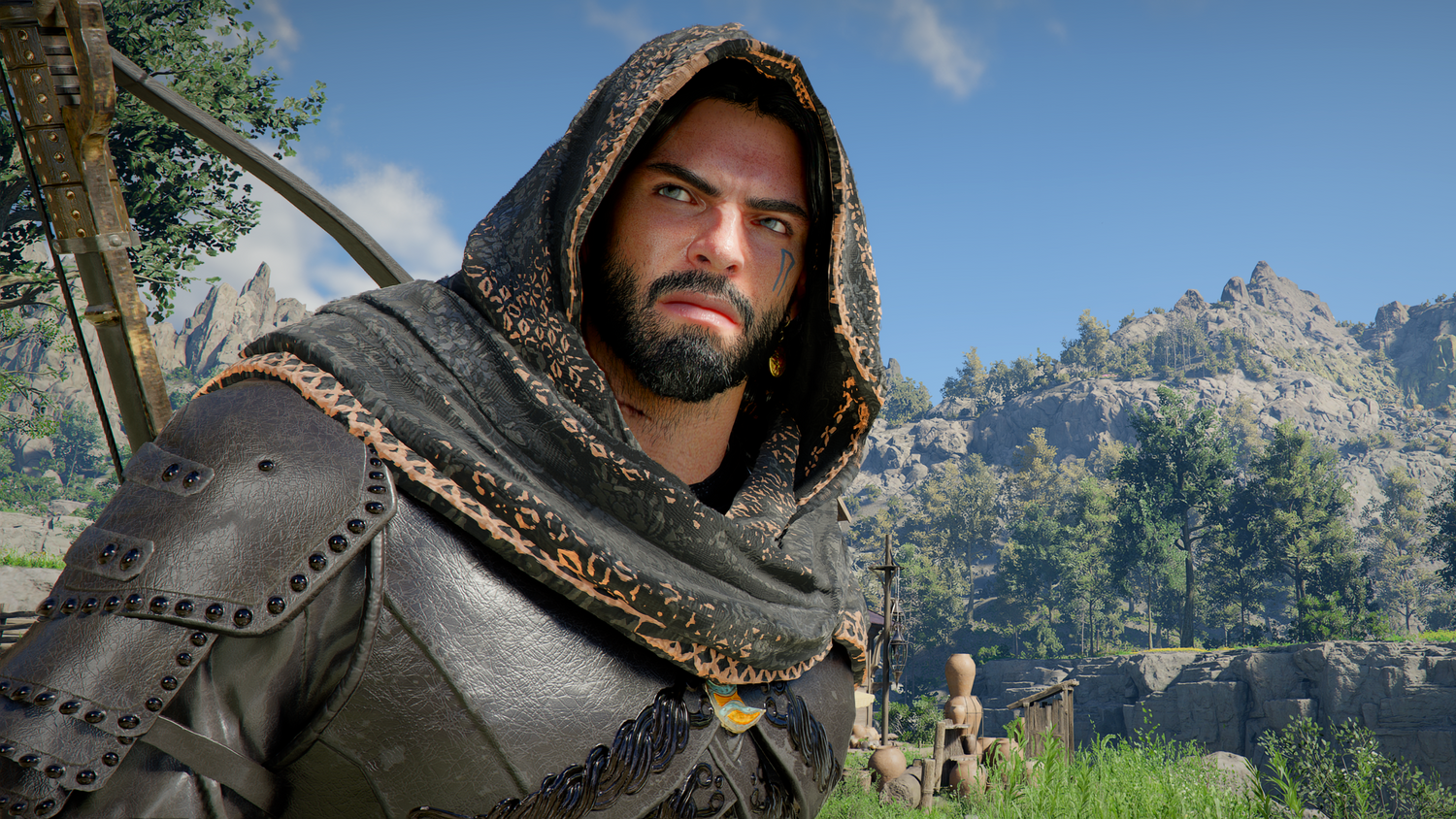
Gaming PC for New Games: What Crimson Desert DLC Means for Canadian Players Upgrading in 2026
If you are searching for a Gaming PC for New Games, Pearl Abyss confirming that Crimson Desert DLC is scheduled to release this year is exactly the kind of headline that should make Canadian PC buyers pause and ask a bigger question: is your current computer ready for the next wave of ambitious open-world games, or are you going to be fighting stutter, long load times, low settings, and upgrade regret when the content arrives?
The source report highlights that Pearl Abyss is continuing to develop additional content for Crimson Desert, with the studio reportedly refining content direction and quality while continuing to support the base game through updates. That matters because modern games are no longer static launches. They evolve. Expansions arrive. Updates add features. Visual settings change. Optimization can improve, but content complexity can also increase. If you are buying a gaming desktop in Canada today, you are not just buying for one game on one patch. You are buying for the games, DLC, updates, creator workloads, streaming plans, and display upgrades you expect to use over the next several years.
At Groovy Computers, we look at news like this through a practical Canadian custom-PC lens. A major action-adventure game with ongoing updates is not just entertainment news. It is a buying signal. It tells players, streamers, YouTubers, 3D artists, and content creators to think carefully about GPU headroom, CPU performance, RAM capacity, SSD speed, cooling, warranty, and whether financing a stronger system now could be smarter than settling for a weaker build that needs replacing too soon.
So before you rush into the cheapest desktop you can find, ask yourself: do you want a PC that merely launches the next big game, or do you want a system that makes it feel smooth, cinematic, responsive, and ready for what comes after?
Why Crimson Desert DLC Is a Bigger PC-Buying Signal Than It Looks
Crimson Desert is the kind of game that attracts attention from players who care about open-world exploration, high-end visuals, cinematic action, dense environments, and long play sessions. The source article notes that the game has received ongoing updates and that the upcoming DLC details are still limited. That uncertainty is exactly why smart PC buyers should think in performance tiers rather than minimum requirements alone.
Minimum requirements tell you whether a game might run. They do not tell you whether it will run the way you want. They do not tell you whether you can play at 1440p with high settings, stream to YouTube or Twitch, record gameplay for clips, run Discord, keep a browser open, and avoid the frame-time spikes that make combat feel inconsistent. They also do not tell you whether future DLC, texture packs, patches, or graphics settings will push your system harder than the base game did.
If you are planning for games like Crimson Desert, GTA 6 when it reaches PC, new Battlefield releases, ray tracing-heavy titles, massive RPGs, survival games, Unreal Engine projects, or competitive esports titles, the smarter question is not only “Can my PC run this game?” The smarter question is: what kind of experience do I want, and how long do I want this PC to stay relevant?
That is where a carefully selected custom gaming PC becomes more valuable than a generic desktop. A balanced build can target the resolution, refresh rate, and workload you actually care about instead of wasting budget on the wrong parts or cutting corners where performance matters most.
What Do You Want Your Next PC to Do for You?
This is the question every Canadian buyer should answer before choosing a build. Not “What is the cheapest PC?” Not “What GPU is trending?” Not “What did someone on a forum say was enough last year?” Instead, ask: what do I want my next PC to do for me every week?
Do you want to play open-world games at 1080p without overthinking settings? Do you want a 1440p Gaming PC Canada buyers would consider the sweet spot for sharp visuals and high FPS? Do you want a 4K Gaming PC Canada setup for ultra settings, ray tracing, and premium immersion? Are you planning to stream, record gameplay, edit YouTube videos, make TikToks, design thumbnails, or run creative software after you finish gaming?
Maybe you are not only a gamer. Maybe you are also a photographer working in Lightroom, a designer using Photoshop and Illustrator, a student learning Blender, a small-business owner editing promotional videos, or a creator who wants one powerful desktop for gaming, streaming, editing, and daily productivity. If that sounds familiar, you may need more than a basic gaming tower. You may need a custom creator PC, a streaming and editing PC, or a workstation-class build that still delivers excellent gaming performance.
Before you buy, ask yourself:
- What games do I want to play this year? Open-world AAA games, esports titles, survival games, ray tracing showcases, or modded games?
- What resolution do I actually use? 1080p, 1440p, ultrawide, or 4K?
- Do I care more about high FPS or maximum graphics? Competitive players and cinematic players often need different priorities.
- Will I stream or record gameplay? OBS, YouTube, Twitch, and editing software can change the ideal CPU, GPU, RAM, and storage choices.
- Will this PC also be used for work? Video editing, photo editing, graphic design, 3D modeling, rendering, CAD, and content creation can benefit from different hardware decisions.
- Do I want to avoid upgrading too soon? Spending slightly more now can often extend the useful life of the system.
What Gaming PC Do I Need for Crimson Desert-Style Open-World Games?
For visually ambitious open-world games, the GPU is usually the heart of the experience, but it is not the only part that matters. The right Gaming PC for New Games needs a balanced combination of graphics power, processor strength, fast memory, high-speed storage, reliable cooling, and a power supply that supports the build properly.
Open-world games often stress a PC in multiple ways at once. The GPU handles resolution, textures, lighting, shadows, ray tracing, and visual effects. The CPU helps with world simulation, NPC behaviour, physics, background tasks, and high-refresh-rate performance. RAM affects smooth multitasking and reduces the risk of background slowdowns. SSD speed affects loading, asset streaming, and how quickly the game can move data. Cooling affects whether your parts can maintain boost clocks during long sessions.
That is why a build that looks impressive on a spec sheet can still disappoint if it is poorly balanced. A powerful GPU paired with a weak CPU can limit high-FPS performance. A strong CPU with an entry-level GPU will not deliver premium visuals. Too little RAM can make streaming, modding, and multitasking frustrating. A small or slow SSD can become a bottleneck when modern game installs keep growing.
Do you want to play at high settings today, or do you want room for DLC, patches, higher-resolution texture packs, and future games? That answer changes the build.
Which Performance Tier Fits You Best?
Choosing a gaming PC is easier when you match the system to your real target instead of chasing random parts. Below is a practical way to think about performance tiers for Canadian buyers considering a new gaming desktop from Groovy Computers.
Entry-Level and Budget Gaming: Is a Budget Gaming PC Enough?
A budget gaming PC can be a great choice if you mostly play esports titles, lighter games, Minecraft, Roblox, Fortnite, Counter-Strike 2, Valorant, indie games, or older AAA titles at 1080p. It can also be a strong first gaming PC for students, families, or anyone moving from console to PC.
But if you are buying because you are excited for open-world games, future DLC, heavier graphics settings, and long-term use, you should be careful not to underbuy. A Budget Gaming PC Canada buyer should ask: am I comfortable lowering settings in demanding games, or will I be frustrated when the next major release needs more GPU power?
Budget systems make the most sense when expectations are clear. They are not wrong. They simply need to be matched to the right buyer. If your goal is 1080p gaming with smart settings and strong value, Groovy Computers can help you choose a balanced build. If your goal is high-refresh 1440p or 4K, you should move up a tier.
1080p High-FPS Gaming: Do You Want Smooth Gameplay Without Overspending?
A 1080p gaming PC is still a smart choice for many players. If you use a 1080p monitor, care about smooth gameplay, and want strong performance in popular titles, this tier can deliver excellent value. It is especially practical for competitive players who care more about frames than maximum visual settings.
The key is to avoid buying a system that is already near its limit. For new games and expansions, you want enough GPU memory, a capable processor, and enough RAM to handle modern background workloads. If you stream casually, record clips, or keep multiple apps open, those needs should be included in the build plan from the beginning.
Ask yourself: do I want a good 1080p experience today, or am I likely to upgrade to a 1440p monitor soon? If a monitor upgrade is coming, buying a stronger PC now may save you from replacing parts earlier than expected.
1440p Gaming: Is This the Sweet Spot for New AAA Games?
For many Canadian gamers, 1440p is the sweet spot. It looks significantly sharper than 1080p, is easier to drive than 4K, and pairs beautifully with high-refresh monitors. If you want Crimson Desert-style open-world visuals to feel immersive without jumping to the most expensive tier, a 1440p-focused build is often the best balance.
A strong 1440p gaming PC should prioritize a capable modern GPU, a CPU that will not hold back frame rates, 32GB of RAM for smoother multitasking, and a fast NVMe SSD with enough capacity for today’s massive game libraries. This is also the tier where streaming, recording, and editing start to become more realistic without feeling like you are constantly compromising.
Ask the practical question: what PC do I need for 1440p gaming if I want high settings, smooth frame rates, and room for upcoming games? The answer is usually not the cheapest available desktop. It is a balanced custom gaming PC designed around your monitor, your games, and your upgrade expectations.
4K and Ray Tracing: Are You Building for Premium Immersion?
If your goal is 4K gaming, ultra settings, ray tracing, and a premium experience in the most demanding games, you are in high-end gaming PC territory. This is where GPU selection matters dramatically, but so do thermals, case airflow, power delivery, SSD speed, and long-term upgrade planning.
A High End Gaming PC Canada buyer should think beyond frame rates alone. Do you want to run a 4K high-refresh monitor? Do you want ray tracing enabled? Do you want to stream while gaming? Do you want to edit 4K footage after recording gameplay? Do you want the system to stay strong for several years instead of feeling outdated after one major game cycle?
Premium builds are not just about bragging rights. For the right buyer, they are about reducing compromise. If you want the best experience in upcoming games, expansions, and graphically intense titles, a premium custom build can be a better long-term investment than buying mid-range now and upgrading repeatedly.
What If You Stream, Record, or Create Content Too?
Modern gaming and content creation overlap more than ever. A player excited about Crimson Desert DLC may also want to stream first impressions, record boss fights, create YouTube guides, post TikTok clips, edit thumbnails, or build a channel around new game releases. If that is you, you should not choose a PC based only on gaming benchmarks.
A Gaming and Streaming PC Canada customer should consider GPU encoding, CPU multitasking, RAM capacity, storage space, and dual-monitor workflow. OBS, Streamlabs, Discord, browser sources, alerts, overlays, and recording software all add load. If you edit the footage afterward, that adds another layer of performance needs.
Ask yourself: what PC do I need for streaming if I want my game to stay smooth while the stream looks clean? Do I need a separate streaming PC, or can one strong custom desktop handle both? For most creators, one well-built gaming and streaming PC is the smarter starting point, especially when it is configured with the right GPU, enough RAM, and fast storage.
For YouTubers and streamers, a stronger PC can save time every week. Faster exports, smoother timelines, quicker file transfers, and fewer crashes all matter. If you create content consistently, the PC is not just entertainment equipment. It is part of your workflow.
Is a Gaming PC Good for Video Editing, Photo Editing, and Graphic Design?
Yes, a gaming PC can be excellent for creative work if it is configured properly. The important detail is that “gaming PC” is not a single specification. Some gaming desktops are built mostly for frame rates and may lack the RAM, storage, or CPU strength that creative workloads need. A Groovy Computers custom build can be designed as a gaming system, a creator PC, or a hybrid that handles both.
If you use Adobe Premiere Pro, DaVinci Resolve, After Effects, CapCut, Photoshop, Lightroom, Illustrator, InDesign, Canva, Capture One, or other creative tools, your ideal build may need more memory, additional SSD storage, a stronger CPU, or a GPU selected for acceleration in your software. A Custom Creator PC Canada buyer should think about the full workflow, not just one game benchmark.
For video editing, ask: what specs do I need for 4K video editing? How much RAM do I need for video editing? Is my timeline lagging because of the CPU, GPU, storage, or memory? For photo editing, ask: how much RAM do I need for Lightroom, and do I work with large RAW files or AI photo tools? For graphic design, ask: do I need smooth multi-monitor performance, fast SSD access, and enough RAM for large Photoshop and Illustrator files?
Creative workloads reward balance. A fast SSD can make projects feel more responsive. More RAM can reduce slowdowns when multiple apps are open. A stronger CPU can speed up exports and effects. A capable RTX GPU can help with certain accelerated tasks, AI tools, and video workflows. The right answer depends on what you actually make.
What About 3D Modeling, Blender, Unreal Engine, and Workstation Use?
Open-world games like Crimson Desert do not only inspire players. They also inspire creators. Many gamers are learning Blender, Unreal Engine, Unity, Maya, 3ds Max, Cinema 4D, SketchUp, ZBrush, AutoCAD, Revit, or SolidWorks because they want to build worlds, assets, product renders, architectural visualizations, mods, or game projects of their own.
If that sounds like you, the buying question changes again. A gaming PC may work for Blender or Unreal Engine, but a dedicated 3D Modeling PC Canada or 3D Rendering PC Canada build may need more GPU memory, more system RAM, stronger CPU performance, and storage designed for large project files. For GPU rendering, the graphics card can be critical. For CPU rendering, core count matters more. For Unreal Engine, both GPU and CPU performance can matter heavily depending on the project.
Ask yourself: what PC do I need for Blender? What PC do I need for 3D rendering? Is a gaming PC good for workstation use, or do I need a custom workstation PC? If you are learning casually, a gaming-focused system may be enough. If you are using 3D software for school, client work, product design, animation, or architecture, investing in a properly configured workstation can prevent expensive bottlenecks.
Groovy Computers can help Canadian buyers choose between a gaming desktop, creator PC, rendering workstation, or hybrid system so the final build matches both play and productivity.
Is It Better to Buy a Gaming PC Now or Wait?
This is one of the most important questions in 2026. The honest answer is that waiting can help in some situations, but it can also backfire. PC component pricing is affected by GPU demand, memory pricing, SSD market pressure, exchange rates, new hardware launches, seasonal demand, game-release hype, and supply constraints. Canadian buyers also have to think about currency movement and replacement costs in Canadian dollars.
When major games, expansions, or hardware launches drive attention, demand can rise quickly. If many buyers decide at the same time that they need an upgrade, the most desirable graphics cards, CPUs, memory kits, and SSDs can become harder to secure at attractive prices. That does not mean you should panic-buy. It does mean you should plan ahead instead of waiting until the week a major game launches.
Ask yourself: are you buying before a major game release, a sale period, a software upgrade, a school term, a creator project, or a possible price spike? If you know you will need a stronger PC soon, waiting until the last minute may reduce your options. A custom build is easier to plan when parts are available, timelines are realistic, and you can choose the right configuration instead of settling for what is left.
For many buyers, the best time to buy is when you have a clear need, a realistic budget, and access to a build that fits your next few years of gaming or work. If your current PC is already struggling, the “wait forever” strategy can cost you time, enjoyment, and productivity.
Should You Finance a Better PC Instead of Buying a Cheaper One?
Financing can make sense when it helps you secure the right system instead of compromising so heavily that you need another upgrade too soon. Groovy Computers offers financing options up to 4 years, which can help Canadian customers move from “barely enough” to “built properly for my goals” while spreading payments over time.
That does not mean everyone should finance the most expensive PC possible. The smarter question is: should I finance a better PC instead of buying a cheaper one that may not handle the games, software, or resolution I actually want?
For example, if you are choosing between a low-end build that can only manage 1080p with compromises and a stronger 1440p-ready system that better fits your monitor, streaming goals, and future games, financing may help you buy once instead of buying twice. If you are a creator, financing a stronger editing PC may save hours of export time, reduce crashes, and make paid work more efficient. If you are a 3D artist, financing a better workstation may reduce render times and improve project turnaround.
Before financing, ask:
- Will a stronger system save me from upgrading too soon?
- Will better performance help me earn, study, create, stream, or work more effectively?
- Am I buying before prices rise or availability gets tighter?
- Would monthly payments help me secure the build I actually need?
- Does the PC come from a trusted Canadian custom PC builder with testing and warranty support?
If those answers point toward a stronger build, financing can be a practical tool rather than an impulse decision. It can help you lock in a better gaming computer, creator PC, or workstation before replacement costs climb further.
Why Custom Builds Matter More When Games Keep Evolving
The source article makes one thing clear: modern games are living products. Updates, DLC, quality improvements, and new features can keep players engaged long after launch. That is exciting, but it also means your PC should not be planned around the lowest possible requirement on day one.
A custom build gives you control. Instead of accepting whatever configuration a mass-market system happens to include, you can prioritize the parts that match your goals. Want a quiet gaming PC for a shared apartment? Cooling and case selection matter. Want a high-FPS esports system? CPU and monitor pairing matter. Want a 4K ray tracing machine? GPU tier and power delivery matter. Want a streaming and editing PC? RAM, GPU encoding, SSD capacity, and CPU performance matter. Want a workstation? Stability, memory capacity, cooling, and workload-specific part selection matter.
Custom does not mean complicated for the customer. It means guided. At Groovy Computers, the goal is to help you avoid mismatched parts, underpowered systems, poor airflow, weak upgrade paths, and “deal” PCs that look attractive until you discover where corners were cut.
When you buy a custom PC, you are buying a complete system. The parts need to work together. The build needs to be assembled correctly. The thermals need to be checked. The system needs to be tested. Support needs to exist after purchase. That is especially important when your PC is expected to handle expensive components, long gaming sessions, content creation, and future upgrades.
What Should Canadian Buyers Watch Before Prices Change?
Canadian PC buyers face a few realities that are easy to overlook. Component prices are not only affected by global hardware launches. They can also be affected by exchange rates, shipping costs, availability, supplier pricing, and seasonal demand. A build that looks affordable one month may become more expensive later if GPUs, RAM, SSDs, or power supplies shift upward.
GPU pressure is usually the most visible factor because graphics cards drive gaming performance and creator acceleration. But memory and storage matter too. Modern games are large. Creator projects are larger. A PC that ships with too little SSD space can force upgrades almost immediately. A system with too little RAM can feel outdated faster, especially for multitasking, editing, streaming, and 3D workloads.
CPU choices also matter. Buying too low can limit high-FPS gaming and productivity. Buying too high without a matching GPU can waste budget. The right balance depends on your use case. A competitive esports player, a 4K open-world gamer, a DaVinci Resolve editor, a Photoshop designer, and a Blender artist should not all buy the same PC.
So ask yourself: if prices increase next month, would you regret not buying the build you already know you need? If a major game or work project arrives sooner than expected, will your current PC be ready? If you are already planning to upgrade, does waiting actually improve your position, or does it simply delay the decision?
Custom PC vs Prebuilt PC Canada: Which Makes More Sense?
The phrase “prebuilt gaming PC” can mean many things. Some prebuilt systems are well-balanced and well-tested. Others are built to hit a headline price while hiding compromises in cooling, motherboard quality, power supply selection, RAM configuration, storage capacity, or upgrade room. That is why the better comparison is not custom versus prebuilt in a generic sense. The better comparison is thoughtful custom build versus one-size-fits-all system.
A custom PC from Groovy Computers can still be convenient. You do not have to build it yourself. You do not have to troubleshoot every compatibility issue. You do not have to guess whether the cooling is adequate. You get expert guidance, professional assembly, rigorous testing, and a 1-year warranty for confidence after purchase.
If you are asking “Should I build or buy a gaming PC?” the answer depends on your time, experience, risk tolerance, and support expectations. Building your own can be rewarding, but it also puts compatibility, assembly, troubleshooting, and warranty coordination on you. Buying from a Canadian custom PC builder gives you the performance benefits of a tailored system without needing to manage every technical detail alone.
For many customers, that is the sweet spot: a PC built around your goals, shipped or supported in Canada, tested before delivery, and backed by a team that understands gaming, creator workloads, and real-world performance.
Questions to Ask Before Choosing Your Next Gaming PC
If you are still unsure what to buy, use these questions to narrow the decision. They are the same kinds of questions a good custom PC builder should care about before recommending a system.
- What are your top five games for the next year? Include upcoming releases and expansions, not just what you play today.
- What monitor do you use? A 1080p 60Hz monitor needs a very different PC than a 1440p 165Hz or 4K high-refresh display.
- Do you want ray tracing? If yes, GPU tier becomes more important.
- Do you stream or record? If yes, consider GPU encoding, RAM, CPU headroom, and extra storage.
- Do you edit video? If yes, think about Premiere Pro, DaVinci Resolve, After Effects, export times, and timeline smoothness.
- Do you edit photos or design graphics? If yes, consider Photoshop, Lightroom, Illustrator, Canva, high-resolution files, and colour workflow.
- Do you use 3D software? If yes, Blender, Unreal Engine, CAD, rendering, and animation workloads may require workstation planning.
- How long do you want the PC to last? A future-proof gaming PC does not mean infinite performance, but it does mean buying with headroom.
- Would financing help you avoid a weak build? Monthly payments may make a stronger, longer-lasting system more realistic.
- Do you want help choosing? If yes, Groovy Computers can guide you toward the right gaming PC, creator PC, or workstation.
Why Groovy Computers Is Built for Canadian Gamers, Creators, and Workstation Buyers
Groovy Computers is a Canadian custom PC builder focused on helping customers choose systems that fit real needs instead of generic labels. Whether you are shopping for a gaming desktop, a premium RTX gaming PC, a custom creator PC, a video editing workstation, a photo editing PC, a graphic design desktop, a 3D modeling workstation, or a finance-friendly upgrade path, the goal is the same: build the right PC for the way you actually use it.
For Canadian buyers, trust matters. You want a system that is assembled carefully, tested properly, and supported after purchase. Groovy Computers offers custom builds, rigorous testing, and a 1-year warranty, giving customers confidence that their PC is more than a box of parts. It is a complete system designed to perform.
Groovy Computers also understands the local and national buying context. Customers in Nova Scotia, Atlantic Canada, and across the country need reliable guidance, Canada-focused pricing, and practical options. Whether you are looking for a Custom Gaming PC Nova Scotia, a gaming PC shipped Canada wide, or a custom workstation configured for demanding software, Groovy Computers can help turn confusing component choices into a clear recommendation.
If you are ready to compare builds, explore financing, or ask what system fits your games and software, visit GroovyComputers.ca.
What If You Are Buying Before a Major Game Release?
Buying before a major game release is one of the smartest times to plan carefully. Once hype peaks, more players begin upgrading, streamers start preparing content, and availability can become more competitive. If you wait until the game or DLC is already here, you may have fewer choices, longer timelines, or higher prices on the exact parts you wanted.
That does not mean every buyer needs the most expensive system. It means you should buy intentionally. If you are preparing for Crimson Desert DLC, other upcoming AAA titles, or a move to 1440p or 4K, your build should match that target now. If you are preparing for a semester of creative work, client editing, content creation, or 3D modeling, your PC should be chosen before deadlines make the decision stressful.
Ask yourself: do I want to be ready when the content launches, or do I want to start shopping after my current PC disappoints me? For many gamers and creators, being ready is worth it.
How to Choose Between Gaming, Creator, and Workstation Builds
A common mistake is assuming that one “powerful PC” is automatically perfect for every task. In reality, different workloads benefit from different priorities. Groovy Computers can build hybrids, but the starting point should still be clear.
Choose a gaming-focused PC if your main priorities are FPS, graphics settings, resolution, and smooth gameplay. This is ideal for players focused on new games, competitive titles, open-world RPGs, and high-refresh monitors.
Choose a gaming and streaming PC if you want to play, stream, record, and run creator tools at the same time. This type of system should include enough CPU and GPU headroom for OBS, Discord, browser sources, alerts, and recording.
Choose a creator PC if you spend serious time in Premiere Pro, DaVinci Resolve, After Effects, Photoshop, Lightroom, Illustrator, Canva, or Adobe Creative Cloud. These systems should be built around real project sizes, export needs, RAM usage, and storage workflow.
Choose a 3D modeling or workstation PC if you use Blender, Unreal Engine, CAD, rendering software, animation tools, or engineering applications. These builds often need more memory, stronger sustained performance, and careful GPU selection.
Still unsure? Ask one simple question: if your PC could be excellent at one main thing, what would that thing be? Gaming at 1440p? 4K ray tracing? Streaming? Editing? Rendering? Design? Once that is clear, the build becomes much easier to recommend.
Ready to Stop Guessing and Choose the Right PC?
If the Crimson Desert DLC news has you thinking about your current setup, that is a good thing. A new expansion is not just another download. It is a reminder that games, software, and creative workloads keep moving forward. Your PC should not be the reason you miss out on smooth gameplay, better visuals, faster editing, or a more reliable workflow.
Are you looking for a Gaming PC for New Games that can handle upcoming releases? Do you need a 1440p gaming PC, a 4K gaming PC, a streaming and editing PC, a custom creator PC, or a workstation for Blender, Unreal Engine, video editing, photo editing, or graphic design? Would financing up to 4 years help you secure a stronger build before prices or replacement costs move higher?
Groovy Computers can help you choose with confidence. Browse builds, ask about custom options, compare performance tiers, and plan your next upgrade around what you actually want your PC to do. Start at GroovyComputers.ca and get a Canada-built system designed for gaming, creating, streaming, working, and staying ready for what comes next.
Final Takeaway: Build for the Game You Want, Not the Minimum Requirement
Pearl Abyss continuing to support Crimson Desert is a reminder that the best PC-buying decisions are forward-looking. If you care about new games, DLC, high settings, 1440p, 4K, streaming, editing, content creation, or workstation performance, do not build around yesterday’s minimum requirements. Build around the experience you want next.
A well-planned custom gaming PC can give you smoother gameplay, better visuals, faster load times, stronger multitasking, and a longer upgrade runway. A custom creator PC can save hours in editing and design work. A workstation can make 3D rendering and professional workloads more realistic. And financing can help you choose the build that actually fits your goals instead of settling for a system you will outgrow too quickly.
If you are in Canada and wondering what gaming PC you need, whether to buy now or wait, or whether a custom build is worth it, Groovy Computers is ready to help you make the decision clearly and confidently.
#GamingPCForNewGames #GamingPCCanada #CustomGamingPCCanada #1440pGamingPC #4KGamingPC #CreatorPCCanada #StreamingPCCanada #VideoEditingPCCanada #3DModelingPCCanada #GroovyComputers
Groovy Computers | All Rights Reserved


Leave a comment
This site is protected by hCaptcha and the hCaptcha Privacy Policy and Terms of Service apply.