




































DokeV’s 2028 Window Is a Reminder to Plan Your Gaming PC for Upcoming Games, Not Just Today’s Releases
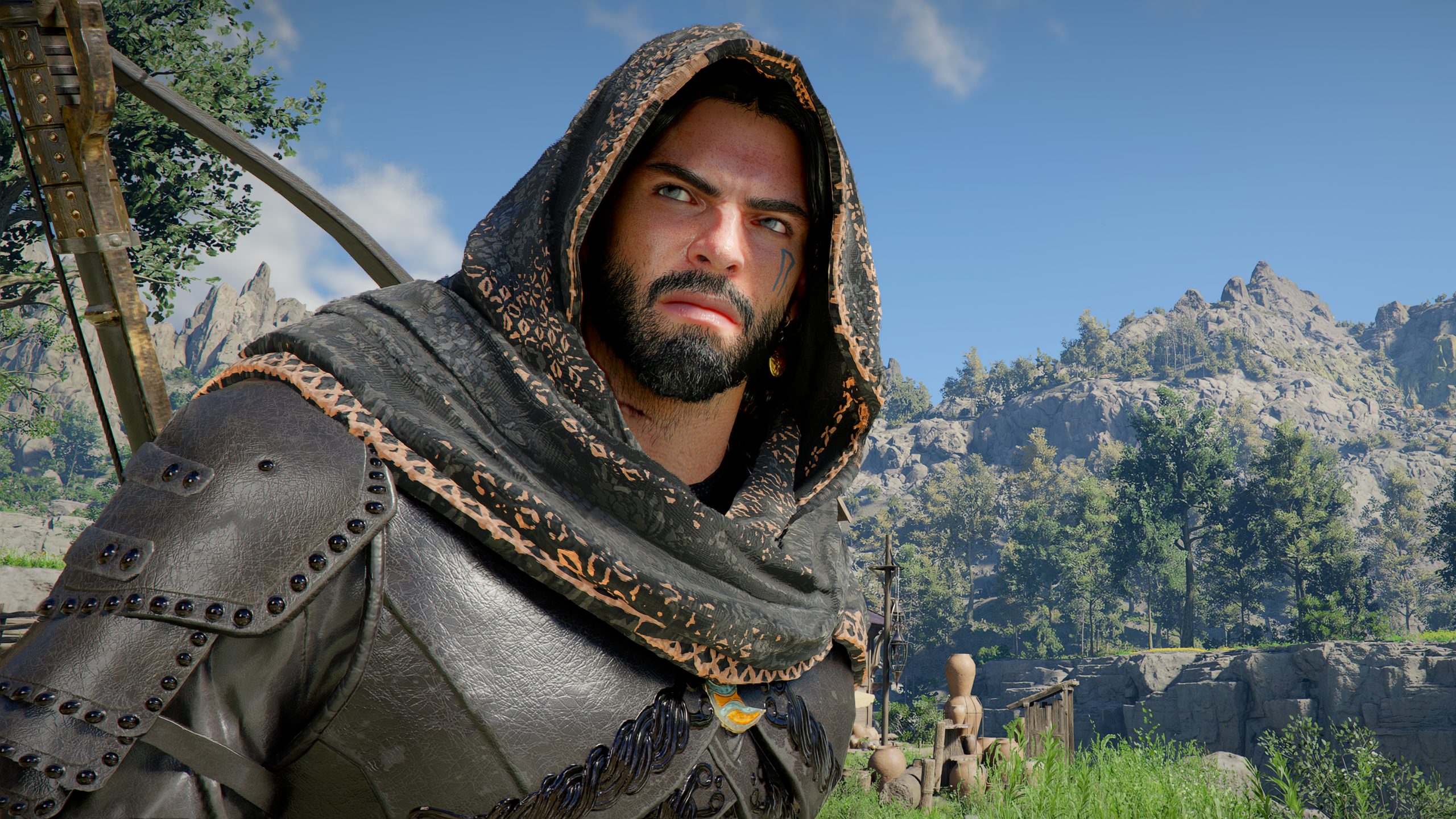
If you are shopping for a Gaming PC for Upcoming Games, the latest update around Pearl Abyss and DokeV is exactly the kind of industry news worth paying attention to. DokeV, the colourful open-world creature-collecting action-adventure first announced in 2019, is now being positioned for the second half of 2028 as Pearl Abyss reallocates more development resources toward the project after Crimson Desert. For Canadian gamers, streamers, creators, and workstation buyers, the bigger takeaway is simple: major games are getting larger, more ambitious, more visually dense, and more demanding over longer development cycles.
That matters when you are deciding whether to buy a budget gaming computer now, invest in a premium RTX gaming PC, build a custom creator PC, or finance a stronger system before hardware prices shift. A game like DokeV may still be some distance away, but its open-world design, vibrant art direction, creature systems, traversal, action gameplay, and likely next-generation visual expectations all point toward a broader trend: the PC you buy today should be chosen with tomorrow’s gaming and creative workloads in mind.
So the real question is not only, “Can my PC run today’s games?” It is also, what do you want your next PC to be ready for two, three, or four years from now?
What Happened With DokeV, and Why Should PC Buyers Care?
Pearl Abyss has indicated that development resources are being progressively reallocated to DokeV as Crimson Desert patch operations stabilize. The studio has not disclosed exact staffing numbers, but it has stated that it remains committed to a targeted launch window in the second half of 2028. It also suggested that full-scale marketing, including hands-on demos, is expected around the second half of 2027, depending on development progress and marketing strategy.
On the surface, that sounds like standard game development news. But for PC buyers, it highlights a major shift in how modern games are made. Large open-world titles are no longer static, lightweight experiences built only around one console generation. They are often multi-platform, visually ambitious, content-rich, heavily patched, and supported by long-term updates. They may include bigger worlds, more NPCs, complex physics, high-resolution assets, ray tracing features, fast traversal, cinematic cutscenes, and CPU-heavy simulation systems.
When a game is announced years before release and continues evolving behind the scenes, the final hardware expectations can be very different from what players imagined at the reveal. Have you ever watched a stunning trailer, waited years for the game, and then discovered your current PC is suddenly below the recommended specs? That is exactly the kind of frustration a smarter custom build can help you avoid.
Why a Gaming PC for Upcoming Games Requires a Different Buying Mindset
A Gaming PC for Upcoming Games should not be selected only by asking whether it can run the game you are playing this weekend. It should be chosen based on the types of games, software, resolutions, and creator workflows you expect to use during the full life of the system.
Today, a gaming desktop might be used for Fortnite, Counter-Strike 2, Valorant, Minecraft, Roblox, Call of Duty, Cyberpunk-style ray tracing games, open-world RPGs, racing simulators, survival games, and upcoming AAA releases. Tomorrow, that same PC might also need to handle OBS streaming, YouTube recording, short-form video editing, Adobe Premiere Pro, DaVinci Resolve, Photoshop, Blender, Unreal Engine, or multitasking across multiple monitors.
That is why Groovy Computers approaches custom PCs differently. The goal is not just to sell a box with a CPU and GPU. The goal is to help Canadian buyers choose a system that makes sense for the way they actually game, create, study, work, and upgrade.
Are you buying for one game, or are you buying for the next several years of gaming? Are you aiming for smooth 1080p performance, high-refresh 1440p, cinematic 4K, ray tracing, streaming, editing, or workstation tasks? Do you want the lowest possible upfront cost, or do you want to avoid replacing the system too soon?
What Do You Want Your Next PC to Do for You?
Before choosing a custom gaming PC, pause and ask a more useful question: what do you want your next PC to do for you?
Do you want a dependable 1080p gaming machine for school, esports, and everyday titles? Do you want a 1440p gaming PC in Canada that can handle new open-world games at high settings? Do you want a 4K gaming PC for ultra settings, ray tracing, and a premium monitor? Do you want to stream to Twitch or YouTube while gaming? Do you want to edit gameplay clips, build a YouTube channel, design thumbnails, or render 3D assets?
Your answer changes the entire build. A budget gaming computer can be excellent for esports and mainstream titles, but it may not be the best fit if you expect to stream, edit 4K footage, or play demanding AAA games for years without upgrades. A premium gaming desktop might cost more upfront, but it can provide more consistent performance, a longer useful lifespan, and better support for future game requirements.
For many Canadian buyers, the smartest build is not necessarily the most expensive one. It is the one that correctly matches the workload. That is where a custom PC builder becomes valuable.
Is DokeV a Sign That Open-World PC Games Are Becoming More Demanding?
DokeV is described as a creature-collecting open-world action-adventure with a vibrant world, stories, activities, and creatures known as Dokebi. While final PC requirements have not been confirmed, the type of game being described fits a broader industry pattern: open-world games increasingly push both graphics and system responsiveness.
Open-world games can be demanding because they are not just rendering a single corridor or arena. They may stream assets constantly, load wide environments, handle character animations, process AI routines, render long-distance scenery, and manage complex movement systems. If the game includes advanced lighting, reflections, particle effects, high-resolution textures, and fast traversal, the GPU, CPU, RAM, and SSD all matter.
That does not mean every open-world game requires the most expensive PC possible. It does mean that buying too low can reduce the lifespan of your system. A low-end machine may feel acceptable today, but what happens when your next favourite game recommends more VRAM, more CPU cores, faster storage, or more memory?
What PC Do You Need for 1080p, 1440p, 4K, Ray Tracing, and Streaming?
The best gaming PC is the one that matches your monitor, your games, and your expectations. A customer playing competitive games at 1080p does not need the same build as someone targeting 4K ultra settings with ray tracing. A streamer needs a different balance than a player who never records or edits.
Who Should Choose a 1080p Gaming PC?
A 1080p gaming PC is ideal if you want strong value, smooth gameplay, and high frame rates without paying for hardware you will not fully use. This tier is popular for esports, school setups, first gaming PCs, family computers, and budget-conscious buyers who still want a real desktop experience.
Ask yourself: are you mostly playing competitive titles, indie games, Minecraft, Roblox, Fortnite, Valorant, Counter-Strike 2, or lighter multiplayer games? Do you care more about responsiveness than ultra settings? If yes, a carefully configured 1080p gaming build can be a smart choice.
However, if your goal is to play upcoming open-world games at high settings for several years, stepping above the entry tier may be worth it.
Who Should Choose a 1440p Gaming PC Canada Build?
A 1440p Gaming PC Canada build is often the sweet spot for serious gamers. It offers a sharper image than 1080p, better use of modern GPUs, and a strong balance between performance and cost. For upcoming open-world games, action-adventure titles, racing games, RPGs, and high-refresh gaming, 1440p is one of the most practical targets.
Do you want your games to look noticeably sharper without jumping all the way to the cost of premium 4K performance? Do you plan to buy a 1440p monitor or already own one? Do you want a PC that feels more future-ready than an entry-level system? If so, this is the tier many Canadian gamers should seriously consider.
Who Should Choose a 4K Gaming PC Canada Build?
A 4K Gaming PC Canada build is for players who want a premium experience: high resolution, ultra settings, stronger ray tracing capability, and more long-term headroom. This tier makes sense if you own a 4K monitor or TV, care deeply about visual quality, and want a system built around high-end GPU performance.
But ask yourself honestly: are you buying for 4K because you will actually use it, or because it sounds impressive? If you are on a 1080p monitor, your money may be better spent on a balanced 1440p system plus a better display. If you already have a premium monitor, a stronger graphics card, fast CPU, sufficient RAM, and high-speed SSD storage become much more important.
Who Needs a Ray Tracing Gaming PC Canada Build?
Ray tracing can make games look more cinematic through realistic lighting, reflections, and shadows, but it also increases GPU demand. If you want ray tracing in modern AAA games, you should think carefully about GPU tier, VRAM, cooling, power supply quality, and whether you want to use upscaling technologies to maintain smoother frame rates.
Are you the type of player who turns settings down for maximum FPS, or do you love screenshots, atmosphere, and visual fidelity? Your answer should guide whether ray tracing performance is a must-have or a nice bonus.
Who Needs a Gaming and Streaming PC Canada Build?
A Gaming and Streaming PC Canada build should be more than a standard gaming desktop. Streaming adds workload. Recording adds workload. Running OBS, browser sources, chat tools, capture devices, audio software, and multiple monitors adds even more.
If you want to stream DokeV, Crimson Desert, new AAA releases, esports titles, or creative content, ask yourself: do you need smooth gameplay only, or smooth gameplay plus a clean stream? Do you want to record in high quality while gaming? Do you plan to edit those clips later? If yes, it is worth building with the right CPU, GPU encoder support, RAM capacity, and storage layout from the start.
Which Performance Tier Fits You Best?
Choosing a PC becomes easier when you think in tiers. You do not need to memorize every component model to make a good decision. You need to understand what kind of experience you want.
Value Tier: Budget Gaming PC Canada Buyers
A value-tier system is for buyers who want reliable gaming at a sensible price. This tier is great for first-time PC gamers, students, families, and players focused on 1080p. It can also be a smart choice if you mostly play lighter titles and do not need heavy streaming, editing, or ray tracing.
Question to ask: is a budget gaming PC worth it for my actual games, or will I outgrow it too quickly? If you already know you want upcoming AAA open-world games at high settings, a budget build may save money today but cost more later if you need an early GPU upgrade.
Balanced Tier: The Smart 1440p Gaming and Creator Setup
The balanced tier is often the best fit for most serious buyers. It targets strong 1440p gaming, better multitasking, good content creation capability, and more longevity than an entry build. This is where many gamers who also edit videos, stream occasionally, or use Adobe Creative Cloud should focus.
Question to ask: do I want one PC that can game, stream, edit, and handle everyday productivity without feeling limited? If the answer is yes, a balanced custom system can provide excellent long-term value.
Premium Tier: High-End Gaming PC Canada Buyers
A premium build is for players who want high frame rates, 4K gaming, ray tracing, advanced cooling, stronger CPUs, larger SSDs, and higher memory capacity. This tier is also ideal for creators who combine gaming with 4K video editing, 3D rendering, animation, game development, or heavy multitasking.
Question to ask: how long do I want this PC to feel powerful? If you want a system that stays relevant through several major game releases and software updates, investing in higher-end parts can make sense.
Workstation Tier: Custom Creator PC and 3D Modeling PC Canada Buyers
A workstation-oriented PC is not just about gaming FPS. It is about time saved. Faster exports, smoother timelines, shorter renders, quicker project loads, and fewer slowdowns can directly affect your productivity.
If you use Blender, Unreal Engine, Unity, Maya, Cinema 4D, SketchUp, AutoCAD, Revit, SolidWorks, Adobe Premiere Pro, DaVinci Resolve, After Effects, Photoshop, Lightroom, Illustrator, or InDesign, your build should be matched to that software. A Custom Creator PC Canada build or 3D Modeling PC Canada workstation may need more RAM, more CPU power, more GPU memory, and a better storage strategy than a standard gaming PC.
Question to ask: is my PC for entertainment, income, school, professional work, or all of the above? When your computer is part of your creative workflow, reliability and performance are not luxuries. They are tools.
Is a Gaming PC Good for Content Creation?
Yes, a gaming PC can be excellent for content creation if it is configured properly. The key phrase is “configured properly.” A gaming system with a strong GPU but limited RAM, a small SSD, weak cooling, or an unbalanced CPU may perform well in games but feel restricted in editing, rendering, or design workloads.
For YouTubers, TikTok creators, streamers, designers, photographers, and students in creative programs, a dual-purpose gaming and creator PC is often the best value. It lets you play demanding games, stream, record, edit, design thumbnails, manage social content, and handle school or work projects on one machine.
Are you planning to create content around upcoming games like DokeV or other open-world releases? Will you record gameplay, edit 4K footage, make shorts, design graphics, or livestream launch-day coverage? If yes, you should not treat content creation as an afterthought. It should be part of the build plan from the beginning.
What PC Do Content Creators Need in 2026 and Beyond?
Content creation software keeps becoming more capable, but also more demanding. AI-assisted tools, high-resolution footage, multi-layer timelines, effects, colour grading, noise reduction, RAW photo workflows, and GPU-accelerated rendering all benefit from stronger hardware.
A Content Creation PC Canada buyer should consider:
- CPU performance: Important for editing, rendering, encoding, multitasking, and general responsiveness.
- GPU power and VRAM: Important for gaming, GPU-accelerated effects, DaVinci Resolve, Blender, Unreal Engine, and AI-assisted tools.
- RAM capacity: 32GB is a strong starting point for many creators, while 64GB or more can be worthwhile for 4K editing, large Photoshop files, 3D work, and heavy multitasking.
- SSD speed and capacity: Fast NVMe storage helps with project loading, scratch disks, game installs, cache files, and large media libraries.
- Cooling and power quality: Sustained creative workloads can stress a PC for long periods, so stability matters.
- Upgrade path: A smarter platform choice can make future GPU, RAM, and storage upgrades easier.
Ask yourself: are you buying a PC for casual clips, or are you building a serious creator workflow? Are you editing 1080p videos, 4K videos, 6K footage, large RAW photo libraries, or 3D scenes? The more demanding the workload, the more important it becomes to build intentionally.
Why Canadian Buyers Should Think Differently About Timing
Canadian PC buyers face unique timing considerations. Component pricing can be affected by exchange rates, GPU availability, memory pricing, storage demand, shipping costs, supply constraints, seasonal sales, and sudden demand spikes around major game releases. When a highly anticipated title gets closer to launch, more buyers start upgrading at the same time.
That can put pressure on popular GPU tiers, higher-capacity SSDs, quality power supplies, and performance-focused CPUs. Waiting is not always wrong, but waiting without a plan can leave you buying during a busier, more expensive, or more limited window.
Are you buying before a major game release, before a school semester, before a creator project, before a sale period ends, or before your current computer fails? If the system is important to you, timing should be part of the buying decision.
Should You Buy a Gaming PC Now or Wait?
The honest answer depends on your current system, your budget, and your goals. If your current PC already handles your games and software well, waiting may be reasonable. But if you are already lowering settings, running out of storage, dealing with stuttering, skipping games, struggling to edit videos, or worrying about future requirements, waiting can cost you time and enjoyment.
Here are signs it may be time to upgrade:
- Your PC struggles with newer open-world games even at reduced settings.
- You want to move from 1080p to 1440p or 4K.
- You want to stream or record gameplay without frame drops.
- Your video editing timelines lag or exports take too long.
- Your photo editing software slows down with large RAW files or AI tools.
- Your 3D rendering, CAD, or Unreal Engine projects are bottlenecked.
- You are constantly uninstalling games because your SSD is too small.
- You are worried that buying a low-end PC now will force another upgrade too soon.
Question to ask: is now a good time to buy a gaming PC for your needs, or are you waiting only because choosing parts feels overwhelming? If the hesitation is uncertainty, Groovy Computers can help you narrow the build down to the right category.
Could Financing Help You Secure a Stronger System Before Costs Rise?
Financing can be useful when it helps you buy the right system instead of settling for a PC that is already too limited. Groovy Computers offers financing options up to 4 years, making it easier for qualified Canadian buyers to spread out the cost of a stronger custom gaming PC, creator PC, or workstation.
This matters because the cheapest PC is not always the best value. If a lower-cost build forces you to replace the GPU, upgrade RAM, add storage, or buy a new system earlier than expected, the “savings” can disappear quickly. Financing can help some buyers move into a better performance tier today, especially if they want a system for upcoming games, school, work, streaming, or content creation.
Ask yourself: should I finance a better PC instead of buying a cheaper one that may not last? If your goal is 1440p gaming, 4K editing, streaming, 3D rendering, or long-term reliability, monthly payments may make more sense than compromising on the parts that matter most.
Financing is not about overspending. It is about matching the system to the job. A properly chosen build can provide more performance, fewer bottlenecks, and a longer useful life.
Why Custom Builds Matter More Than Generic Prebuilt PCs
A generic prebuilt gaming PC may look appealing because the specs seem simple: CPU, GPU, RAM, storage. But the real quality of a system depends on how those parts work together. Cooling, airflow, motherboard quality, power supply reliability, cable management, BIOS setup, driver preparation, stress testing, and upgrade planning all affect the final experience.
With a custom gaming PC from Groovy Computers, the build can be aligned to your actual use case. That means a system for 1080p esports does not need to be configured like a 4K ray tracing monster. A streaming PC should not ignore encoder performance and RAM. A video editing PC should not be built around storage as an afterthought. A 3D rendering workstation should not be treated like a basic office desktop.
Would you rather buy a one-size-fits-all computer, or a PC built around your games, software, monitor, budget, and upgrade path?
What Parts Matter Most for Upcoming Open-World Games?
For upcoming open-world games, the GPU usually gets the spotlight, but a balanced system matters more than any single component. A powerful graphics card can be held back by a weak CPU, limited RAM, slow storage, poor cooling, or a low-quality power supply.
Graphics Card
The GPU is critical for resolution, visual settings, frame rate, ray tracing, and GPU-accelerated creative applications. If you want 1440p or 4K performance, the graphics card becomes one of the most important investments in the build.
Processor
The CPU affects game logic, simulation, frame pacing, streaming, editing, rendering, and multitasking. Open-world games can be CPU-sensitive, especially when there are many characters, systems, physics interactions, and background processes.
Memory
RAM matters for modern gaming and becomes even more important when you stream, edit, design, or keep multiple apps open. For many modern gaming and creator builds, 32GB is a comfortable target. For serious editing, 3D modeling, and workstation use, 64GB or more may be appropriate.
Storage
Modern games are large, and creator files are even larger. A fast NVMe SSD helps with load times, project responsiveness, operating system speed, and game installs. If you are constantly deleting games or moving media files, your next PC should include a smarter storage plan.
Cooling and Power
Performance is not only about maximum benchmark numbers. It is about stability under load. A system that runs hot, loud, or unstable can become frustrating quickly. Quality cooling and a reliable power supply are especially important for gaming, streaming, rendering, and long sessions.
What Questions Should You Ask Before Buying a Custom Gaming PC Canada Build?
Before you buy, ask practical questions that connect the PC to your real life:
- What games do I want to play now, and what upcoming games am I waiting for?
- Do I want 1080p, 1440p, or 4K gaming?
- Do I care about ray tracing, ultra settings, or maximum FPS?
- Will I stream, record, or edit gameplay?
- Do I use Adobe Premiere Pro, DaVinci Resolve, Photoshop, Lightroom, Illustrator, Blender, Unreal Engine, AutoCAD, Revit, or other professional software?
- How much storage do I need for games, footage, photos, projects, and school or work files?
- Do I want a budget gaming computer, a premium RTX gaming PC, a custom creator PC, or a workstation?
- Am I buying before a major release, school deadline, business project, or expected price increase?
- Would financing help me choose the system I actually need instead of settling too low?
- How long do I want to avoid upgrading?
- Do I want Canadian support, testing, warranty confidence, and a system built by people who understand gaming and creator workloads?
If you are not sure how to answer every question, that is normal. Most customers know what they want to do, but not always which parts make sense. That is where Groovy Computers can help.
Why Groovy Computers Is a Strong Fit for Canadian Gamers and Creators
Groovy Computers is a Canadian custom PC builder focused on gaming PCs, creator PCs, workstation systems, and performance-focused desktops built around real customer needs. Whether you are in Nova Scotia, Atlantic Canada, Ontario, Alberta, British Columbia, or elsewhere in Canada, the goal is to make buying a custom PC feel clearer, safer, and more useful.
Every serious PC buyer should care about more than a parts list. Groovy Computers emphasizes custom builds, compatibility, airflow, part matching, testing, and customer confidence. Systems are built with care, stress tested, and backed by a 1-year warranty, giving buyers more peace of mind than a random marketplace computer or a generic system that may not fit the workload.
Are you looking for a Custom Gaming PC Canada build that can handle new games? Do you need a creator desktop for editing and streaming? Are you building a workstation for Blender, Unreal Engine, CAD, rendering, or professional design? Groovy Computers can help match the build to the job instead of forcing you into a one-size-fits-all configuration.
What If You Are Buying for a Student, Teen Gamer, or Family Setup?
Not every customer is a hardcore enthusiast. Many buyers are parents, students, families, or first-time PC gamers trying to make a smart decision without wasting money. If you are buying for someone else, the most important thing is to understand what they actually do on the computer.
Do they play esports and school-friendly games? Are they interested in game development, streaming, YouTube, digital art, or 3D modeling? Are they going into a college or university program that uses design, editing, engineering, or creative software? A gaming PC can be more than entertainment. It can also be a learning tool, creative workstation, and productivity machine.
If the PC needs to last through school, hobbies, and changing interests, a slightly stronger build can be a better long-term decision than the cheapest possible option.
What If You Are a Creator Waiting for the Next Big Game?
Upcoming games create content opportunities. When a game like DokeV starts full marketing, releases demos, launches trailers, or finally arrives, creators will make reaction videos, guides, gameplay clips, streams, reviews, shorts, thumbnails, and social posts. If your PC is not ready, you may miss the moment.
For creators, performance is not just about enjoying the game. It is about capturing clean footage, keeping frame rates stable, editing quickly, exporting on time, and posting while interest is high. A slow PC can turn a trending opportunity into a missed deadline.
Ask yourself: when the next major game trend hits, do you want to be watching from the sidelines or creating content smoothly?
How to Avoid Upgrading Too Soon
The best way to avoid upgrading too soon is to build with headroom in the areas that are hardest or most expensive to fix later. That does not mean buying the most expensive parts in every category. It means making smart choices now.
For many buyers, that includes choosing a GPU appropriate for the resolution they actually want, enough RAM for multitasking, a high-quality power supply, a case with good airflow, a motherboard with upgrade room, and enough SSD capacity for modern game sizes. It also means thinking about your monitor. Buying a powerful 4K-capable PC for a basic 1080p display may not be the best use of budget unless you plan to upgrade the monitor soon.
Do you want your PC to feel good for one year, or do you want it to feel capable through multiple major releases? That question should shape the build.
A Practical Buying Guide: Which Groovy Computers PC Category Should You Consider?
If you are shopping because DokeV, Crimson Desert, or other upcoming AAA games have you thinking about your next upgrade, use this simple decision path.
Choose a Budget Gaming PC If...
- You mainly play 1080p games.
- You are buying your first gaming PC.
- You play esports, indie titles, and mainstream multiplayer games.
- You want strong value and do not need heavy streaming or editing.
- You are comfortable upgrading sooner if future AAA requirements rise.
Choose a Balanced 1440p Gaming PC If...
- You want the best blend of performance, image quality, and price.
- You play open-world games, shooters, RPGs, and new releases.
- You want high settings without jumping to full 4K cost.
- You may stream, record, or edit light-to-moderate content.
- You want a system that feels more future-ready.
Choose a Premium RTX Gaming PC If...
- You want 4K gaming, ray tracing, or ultra settings.
- You own or plan to buy a high-end monitor.
- You want long-term performance headroom.
- You play demanding AAA games and want fewer compromises.
- You may also use the PC for editing, rendering, or streaming.
Choose a Custom Creator PC If...
- You edit videos, create social content, or run a YouTube channel.
- You use Premiere Pro, DaVinci Resolve, After Effects, Photoshop, Lightroom, Illustrator, or Canva.
- You need strong multitasking and fast exports.
- You want one machine for gaming, streaming, editing, and design.
- You value reliability because the PC supports your work or income.
Choose a 3D Modeling or Workstation PC If...
- You use Blender, Unreal Engine, Unity, Maya, 3ds Max, Cinema 4D, SketchUp, ZBrush, AutoCAD, Revit, or SolidWorks.
- You work with large scenes, rendering, CAD files, simulations, or product visualization.
- You need more RAM, stronger CPU performance, and serious GPU capability.
- You care about sustained performance under long workloads.
- You want a system built for professional output, not just gaming.
Ready to Choose a Gaming PC for Upcoming Games?
If you are wondering which Gaming PC for Upcoming Games makes sense for your budget, monitor, and future plans, Groovy Computers can help you choose confidently. Instead of guessing between parts or settling for a generic prebuilt, you can shop Canadian custom PCs designed around gaming, streaming, editing, content creation, 3D modeling, and workstation performance.
Do you want a PC that is ready for today’s games and better prepared for tomorrow’s releases? Do you want help deciding between 1080p, 1440p, 4K, ray tracing, streaming, editing, or professional workloads? Do you want to explore financing up to 4 years so you can secure a stronger system before pricing or availability changes?
Visit GroovyComputers.ca to browse custom gaming PCs, creator PCs, workstation builds, and financing options built for Canadian buyers who want performance, reliability, and expert guidance.
The Bottom Line: DokeV May Be Years Away, But Your Next PC Decision Starts Now
DokeV’s long road from announcement to planned 2028 release is a reminder that gaming technology does not stand still. By the time the biggest upcoming games arrive, hardware expectations may be higher, content creation needs may be heavier, and buyers may be competing for the same popular components.
A smart PC purchase is not about panic buying. It is about planning. If your current system is already struggling, if you want to move into 1440p or 4K gaming, if you plan to stream or edit, or if you want one custom desktop that can handle work and play, now is the time to think carefully about the build that fits your future.
For Canadian gamers and creators, a well-planned custom PC from Groovy Computers can deliver the performance, testing, warranty support, and upgrade strategy needed for the next wave of games and software. Whether you need a budget gaming computer, premium RTX gaming PC, custom creator PC, video editing workstation, photo editing desktop, graphic design PC, 3D modeling workstation, or financing for a stronger build, Groovy Computers is ready to help you choose the right system.
#GamingPCForUpcomingGames #CustomGamingPCCanada #GamingComputersCanada #1440pGamingPC #4KGamingPC #ContentCreationPC #StreamingPC #GroovyComputers
Groovy Computers | All Rights Reserved

Leave a comment
This site is protected by hCaptcha and the hCaptcha Privacy Policy and Terms of Service apply.