




















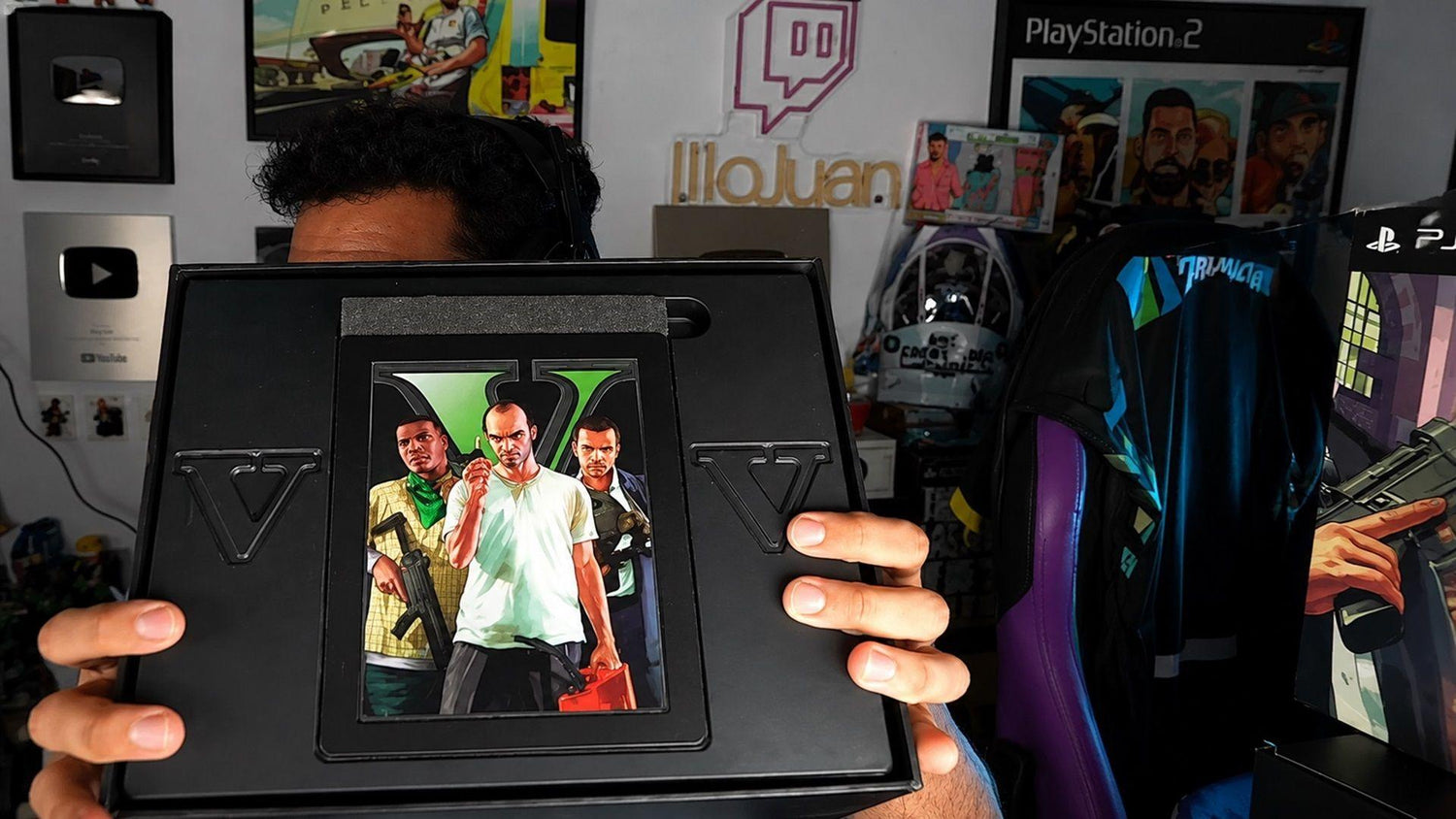
What GTA V Collector Nostalgia Really Says About Buying a Gaming PC in Canada Before the Next Big Release
The conversation around GTA V collector nostalgia is not really just about a steelbook, a printed map, or a snapback. It is about value, ownership, timing, and what buyers feel they are getting for their money. That matters far beyond console games. For anyone shopping for a Gaming PC Canada buyers can trust, the same question applies right now: when hype is rising and prices can shift quickly, are you buying something that will still feel worthwhile years from now?
The source story highlights a growing frustration in gaming culture. Older releases often gave buyers something tangible to keep, display, and remember. Newer releases increasingly push customers toward digital-only ownership, fewer physical extras, and more money spent on content that exists only inside an account. For Canadian gamers, creators, and enthusiasts, that raises a more practical question: if your next major purchase is going to be digital-first anyway, should your real investment be the hardware that actually lets you enjoy the experience at the highest level?
That is where Groovy Computers comes in. Instead of chasing disposable extras, many buyers are now putting their budget into something more lasting: a properly built custom system for gaming, streaming, editing, content creation, or workstation use. Would you rather pay more for temporary bonuses, or put that money into a machine that delivers better frame rates, smoother multitasking, faster exports, and a longer useful lifespan?
What the GTA V vs GTA 6 conversation gets right
The biggest point in the source article is simple. Buyers remember when premium editions felt premium. In the 2013 era, paying more often meant getting physical collectibles, a disc, and items that still had value years later. In today’s market, higher pricing often means digital add-ons, early access-style perks, in-game bonuses, or account-tied content that cannot be held, resold, displayed, or preserved in the same way.
That shift matters because it reflects how the wider tech market works now. Convenience is higher, but perceived value is often lower. Digital products scale well for publishers, but they do not always feel satisfying for customers. The same logic can affect PC buying if you are not careful. A generic system with vague specs, weak cooling, poor part balance, and little support may look fine on paper, but does it actually deliver long-term value when modern games and software get heavier?
In other words, the lesson is not just that people miss boxes and maps. The deeper lesson is that buyers do not want to spend serious money and walk away feeling like they own less than before. If that is already bothering people on the game side, why risk making the same mistake with your next computer?
Why Canadian buyers should think differently about value
For Canadian shoppers, the value question gets even sharper. Exchange rates, import pressure, component availability, and demand spikes can all affect system pricing here. A title as large as GTA 6 creates more than game hype. It can trigger a wave of late buyers suddenly realizing their current PC is underpowered for upcoming AAA releases, ray tracing, higher resolutions, streaming, or creator workloads.
Are you waiting until the last minute to upgrade? Are you assuming your older system will handle the next generation of open-world games at settings you will actually enjoy? Are you planning to stream, edit clips, create thumbnails, or run mod-heavy games after release?
Those are not small details. They are the difference between buying once with confidence and buying twice because the first system was not strong enough.
At Groovy Computers, the smarter Canadian approach is to build around your actual use case. That might mean a budget gaming PC for 1080p play, a stronger 1440p build for current and upcoming AAA games, a high-end RTX system for ray tracing and 4K, or a creator-focused workstation for editing and production. Value is no longer about physical freebies. Value is about performance, reliability, support, and how long your system remains satisfying.
What do you want your next PC to do for you?
Before you compare price tags, ask the question that matters most: what do you want your next PC to actually do?
Do you want to play massive open-world games at 1080p with stable performance and room to grow? Do you want 1440p ultra settings with stronger longevity? Are you aiming for 4K visuals, ray tracing, and the kind of premium experience that makes a major new release feel truly next generation?
Or is gaming only part of the story?
Do you also want to stream through OBS, record gameplay, edit YouTube videos, work in Adobe Photoshop, build content in Premiere Pro, render in Blender, or handle heavier workstation tasks? If so, a cheap one-dimensional gaming tower may not be the right answer.
That is why a custom build strategy matters. A buyer focused on esports has different needs than a buyer chasing cinematic AAA gaming. A streamer has different needs than a photographer. A graphic designer has different priorities than a 3D artist. A creator who edits 4K footage and games at night needs a very different system than a student buying a first desktop.
If big game releases are moving to digital, where should your money go instead?
If physical collector value is fading, many buyers are rethinking where premium spending belongs. For PC users, the answer is increasingly obvious: put more of the budget into hardware that improves your everyday experience.
A better CPU can help with minimum frame rates, streaming stability, rendering, and multitasking. A stronger GPU can transform your experience in new games, especially at 1440p and 4K. More RAM can keep creative workflows smooth. Faster NVMe storage can reduce load times, improve project responsiveness, and help large game libraries feel more manageable. Better cooling and part selection can protect long-term performance.
Would a temporary digital bundle improve your next two years of gaming more than moving up a GPU tier? Would downloadable cosmetic items matter more than choosing a system that stays relevant longer? For most serious buyers, the answer is no.
What gaming performance tier fits you best?
One of the most common questions buyers ask is: What gaming PC do I need? The answer depends on what you want to play, at what resolution, with what expectations.
1080p gaming: Is a budget gaming PC enough for you?
If your goal is strong mainstream gaming at 1080p, especially for competitive titles and many current releases, a well-balanced budget or entry-level performance build can make sense. This is often the right lane for first-time desktop buyers, students, and gamers who want better value than a console ecosystem can offer over time.
But ask yourself honestly: are you buying only for today, or for the next few years? If your game library is shifting toward heavier open-world titles, cinematic releases, mods, or multitasking, starting too low can lead to an earlier upgrade than expected.
1440p gaming: Is this the sweet spot for most buyers?
For many Canadian buyers, 1440p is the real sweet spot. It offers a major visual upgrade over 1080p without pushing the same cost ceiling as high-end 4K systems. If you want strong image quality, high settings, smoother longevity, and better readiness for new AAA games, this is often where a custom system starts making the most sense.
If you are wondering, what PC do I need for 1440p gaming, the answer is usually a balanced mid-to-upper performance build with a capable modern GPU, enough RAM for current workloads, and a CPU that will not hold back future titles. This is also a great range for gamers who want to stream casually or edit content without stepping immediately into workstation pricing.
4K and ray tracing: Do you want the premium experience now or later?
If your goal is 4K, ray tracing, ultra settings, or premium longevity, your parts matter even more. These builds are not just for visual enthusiasts. They are also for buyers who want to avoid replacing their system too soon, especially with major releases continuing to demand more GPU power.
So ask yourself: do you want a machine that merely runs the next big game, or one that makes it look and feel exceptional?
A 4K gaming PC Canada buyers choose should be designed with power delivery, thermals, storage, and upgrade path in mind. Premium performance is not just about dropping in a large GPU. It is about pairing the right components so the whole system remains stable, efficient, and worth the investment.
Are you also streaming, editing, or creating content?
The source article is about gaming culture, but modern buyers rarely use their machine for only one thing. The same person excited for a new release might also be recording gameplay, streaming to Twitch, editing TikTok clips, making YouTube videos, designing thumbnails, or building a side business around content.
If that sounds like you, then your next system may need to function as a Streaming PC Canada customers can rely on, not just a gaming tower.
What PC do you need for gaming and streaming?
If you game and stream at the same time, you need a system with enough CPU and GPU headroom to handle both. OBS, background apps, browser tabs, Discord, overlays, and recording all add load. If you also want smooth frame pacing in heavier titles, proper part selection becomes more important.
Do you want to stream at 1080p? Do you want to record local footage while gaming? Do you need dual-monitor support and stable multitasking? Do you want your stream quality to improve without sacrificing your in-game experience?
A purpose-built gaming and streaming system can solve those pain points far better than a random off-the-shelf machine.
What if you also edit your content?
Many buyers do not realize how quickly video work changes hardware needs. If you are cutting clips in Premiere Pro, grading in DaVinci Resolve, adding effects, exporting frequently, or managing large media libraries, then you are moving into Video Editing PC Canada territory.
Is a gaming PC good for video editing? Sometimes, yes, but only if it is configured properly. A creator-friendly machine often needs more RAM, faster storage planning, and stronger CPU or GPU balance depending on your software. If your workflow includes long-form YouTube, high-bitrate footage, 4K editing, or layered timelines, choosing the right platform matters more than chasing the lowest sticker price.
Do your creative tools matter as much as your games?
If Photoshop, Lightroom, Illustrator, InDesign, Canva workflows, or social media asset production are part of your day, then a generic gaming-first approach may leave performance on the table. A proper Creator PC Canada setup should be designed around responsiveness, storage speed, memory capacity, and a stable multitasking environment.
What PC do you need for photo editing? What PC do you need for graphic design? Do you run dozens of browser tabs, multiple Adobe apps, cloud sync, and large asset libraries all at once?
If yes, then productivity and reliability should weigh just as heavily as frame rates.
What if your work includes Blender, Unreal, CAD, or rendering?
The excitement around large-scale games often overlaps with creative and professional interest in 3D tools. Modders, asset creators, animators, indie developers, and professional users often need one machine that can both play and produce.
If you are asking, what PC do I need for Blender or Unreal Engine, that is where workstation logic begins to matter. GPU rendering, viewport performance, shader compilation, simulation work, and large project multitasking can benefit from a more deliberate build plan than a standard gaming configuration.
A 3D Modeling PC Canada buyers choose should reflect whether they are modeling casually, rendering commercially, developing game environments, or handling CAD and visualization for work. Some users need faster GPU rendering. Others need more CPU cores, more RAM, or more storage throughput. The right answer depends on your workflow, not a generic label.
Why timing matters more than ever before buying a new PC
The original story is driven by a feeling that buyers are getting less permanence for their money. On the PC side, there is a related risk: waiting too long can reduce your options or raise your total cost.
Major game launches, creator software updates, AI-assisted features, GPU demand, memory volatility, and storage pricing shifts can all change system pricing over time. No one can guarantee future component costs in a straight line, and without live pricing verification it is not responsible to claim exact moves. But the buying principle remains solid: if you know a heavy workload or major release is coming, delaying a needed upgrade can mean shopping under more pressure later.
Are you planning around a major game release? A new school term? A business content push? A freelance editing contract? A streaming upgrade? A software jump into 4K, 6K, or more complex effects work?
If you are, then buying earlier with a better plan often beats panic-buying later.
Should you buy a cheaper PC now or finance a stronger one?
This is one of the most practical questions in the market today. Many shoppers naturally focus on keeping the upfront price as low as possible. That makes sense. But if a lower-tier build leaves you upgrading sooner, replacing parts early, or feeling disappointed when new games and software arrive, was it really the cheaper choice?
That is why some customers look seriously at financing. If a stronger system gives you a better GPU tier, more RAM, better cooling, more storage, or a more suitable CPU platform, financing can help you secure that performance before future replacement costs rise.
Is financing a gaming PC worth it? That depends on your goals. If monthly affordability allows you to move from “good enough” to “actually ready,” then the math can make sense. If the upgrade means smoother gaming, stronger creator performance, and a system that lasts longer, that can be a far smarter outcome than buying the weakest option just to save a little upfront.
Groovy Computers offers options that can help Canadian buyers plan for performance more realistically, including financing up to 4 years. For many customers, that makes it easier to choose a system that fits where their workload is going, not just where it is today.
Which kind of buyer are you?
Not every customer needs the same machine. A better buying guide starts by identifying your actual buyer type.
The budget-conscious gamer
If you want dependable 1080p gaming and strong value, your best fit may be a carefully selected entry or mid-range build. The key is avoiding poor-quality low-end parts that create upgrade pain later. A Budget Gaming PC Canada shoppers choose should still be balanced, tested, and worth building on.
Ask yourself: do you mainly play competitive games, or are you buying for future AAA titles too?
The serious 1440p player
If you want stronger image quality, higher settings, and better long-term relevance, stepping up to a 1440p-oriented custom system often makes the most sense. This is usually the sweet spot for gamers who want to enjoy major titles properly without immediately entering ultra-premium pricing.
Ask yourself: do you want to avoid feeling underpowered the moment the next hardware-hungry game arrives?
The premium enthusiast
If your expectation is ultra settings, ray tracing, high refresh 1440p, or 4K gaming, you are likely a premium buyer. You care less about just meeting requirements and more about maximizing the experience. For that customer, high-end GPU selection, thermals, case airflow, power supply quality, and CPU pairing all matter.
Ask yourself: how long do you want your high-end gaming PC to feel high-end?
The hybrid gamer-creator
If you game, stream, edit, and create, your needs cross categories. You may want a machine that can run big games at night and handle Adobe Creative Cloud, OBS, and export workloads by day. This is where a Content Creation PC Canada strategy becomes especially useful.
Ask yourself: do you need one system to do everything well, or do you risk buying a gaming-only machine that slows down your real work?
The professional workstation user
If your income depends on rendering, design, media production, modeling, CAD, or multitasking-heavy workflows, then long-term reliability matters as much as speed. A proper workstation should be planned around sustained performance, memory needs, storage layout, and application behavior.
Ask yourself: is downtime more expensive than buying the right system once?
Why custom builds matter when buyer expectations are rising
The source article shows people reacting emotionally to reduced value. In PCs, one of the easiest ways to lose value is buying a machine that is mismatched to your needs. That is why Custom Gaming PC Canada buyers often do better with a specialist builder than a generic preconfigured option.
Custom building matters because different customers need different balances of CPU, GPU, RAM, storage, cooling, and upgrade flexibility. It matters because two systems with similar marketing language can perform very differently in the real world. It matters because airflow, power delivery, and component compatibility affect not just benchmark numbers, but long-term ownership experience.
Would you rather have a flashy spec sheet, or a system designed around the games and software you actually use?
Why testing and warranty support matter more than people think
When excitement is high around new releases, many buyers focus only on headline specs. But reliability is part of value too. A custom machine should not just look good in a listing. It should be assembled carefully, stress tested, and backed with support confidence.
That is especially true for anyone buying a system for more than just casual play. If your build is expected to handle gaming, streaming, editing, or workstation tasks, stability matters. Thermal behavior matters. Clean assembly matters. Troubleshooting support matters.
Groovy Computers positions itself around those fundamentals: custom builds, rigorous testing, and a 1-year warranty. That gives buyers more confidence than rolling the dice on an unknown marketplace listing or a vague big-box configuration.
What questions should you ask before choosing your next PC?
Before buying, it helps to slow down and ask the right questions.
- What games or software will I use most over the next 2 to 4 years?
- Am I targeting 1080p, 1440p, or 4K?
- Do I care about ray tracing, high refresh rates, or ultra settings?
- Will I stream, record gameplay, or edit content?
- Do I need stronger export performance for Premiere Pro or DaVinci Resolve?
- Will I use Photoshop, Lightroom, Illustrator, or other Adobe Creative Cloud apps?
- Do I need Blender, Unreal Engine, CAD, or rendering performance?
- How soon do I want to upgrade again?
- Would financing a better system now save me from replacing a weaker one too early?
- Do I want help choosing a build from a Canadian custom PC builder that actually understands these tradeoffs?
Those questions can prevent expensive mistakes. They can also reveal that the “cheapest” option may not be the best value for your use case.
Why this topic matters for Canada-wide buyers right now
In Canada, shoppers often have to balance performance goals against pricing pressure more carefully than buyers in larger markets. That is why local trust matters. Working with a Canadian custom PC builder helps when you want clearer communication, targeted recommendations, and a build strategy that reflects Canadian buying realities.
Groovy Computers serves buyers looking for gaming systems, creator desktops, and workstation-class performance with Canada-wide relevance. Whether you are shopping from Nova Scotia, Atlantic Canada, Ontario, Alberta, British Columbia, or elsewhere in the country, the same core issue applies: you want your money going into something meaningful, durable, and performance-driven.
That is the modern version of ownership. Maybe it is not a steelbook on a shelf. Maybe it is a machine that still feels fast and capable years later.
So what should your next system be: budget, premium, creator, or workstation?
If you are still deciding, here is the simplest way to frame it.
- Choose a budget gaming build if you mainly want 1080p gaming and the best upfront value.
- Choose a stronger mid-tier gaming build if you want 1440p performance, better longevity, and more comfort heading into new AAA releases.
- Choose a premium RTX gaming PC if you want ray tracing, higher settings, premium smoothness, and a longer runway before your next upgrade.
- Choose a creator PC if gaming is only part of your day and you also edit, design, stream, or produce content.
- Choose a workstation or 3D-focused build if your system will be used for rendering, CAD, Blender, Unreal, or heavier professional multitasking.
The right answer is not about hype alone. It is about matching your money to your actual goals.
Ready to stop paying for temporary extras and start investing in lasting performance?
If the GTA collector-edition conversation has reminded you that real value matters, this is the right time to ask a better question: what would a properly chosen custom PC do for your gaming, streaming, editing, or work that your current system cannot?
If you want help choosing the right performance tier, deciding whether now is the right time to upgrade, or figuring out whether financing a stronger build makes more sense than settling for less, Groovy Computers is the place to start. Explore options, compare build categories, and talk through your needs at GroovyComputers.ca.
Final takeaway
The old appeal of GTA V’s physical extras came down to one idea: buyers want to feel that their money bought something real. Today, with games becoming more digital and premium pricing becoming more abstract, that same mindset should shape your hardware decisions. A better custom system gives you something lasting: stronger performance, smoother gameplay, more creative capability, and more confidence that your purchase will still feel right well after the launch hype fades.
For Canadian shoppers, that is the smarter modern definition of value. If you are planning for new releases, creator workloads, or a stronger long-term setup, the best move may not be waiting. It may be choosing the right build now, with expert guidance, proper testing, warranty confidence, and a system designed around what you actually want your next PC to do.
#GamingPCCanada #CustomGamingPCCanada #GamingPCForGTA6 #CreatorPCCanada #VideoEditingPCCanada #StreamingPCCanada #3DModelingPCCanada #CanadianCustomPCBuilders #NovaScotiaPCBuilder #BuyGamingPCOnlineCanada
Groovy Computers | All Rights Reserved



Leave a comment
This site is protected by hCaptcha and the hCaptcha Privacy Policy and Terms of Service apply.