































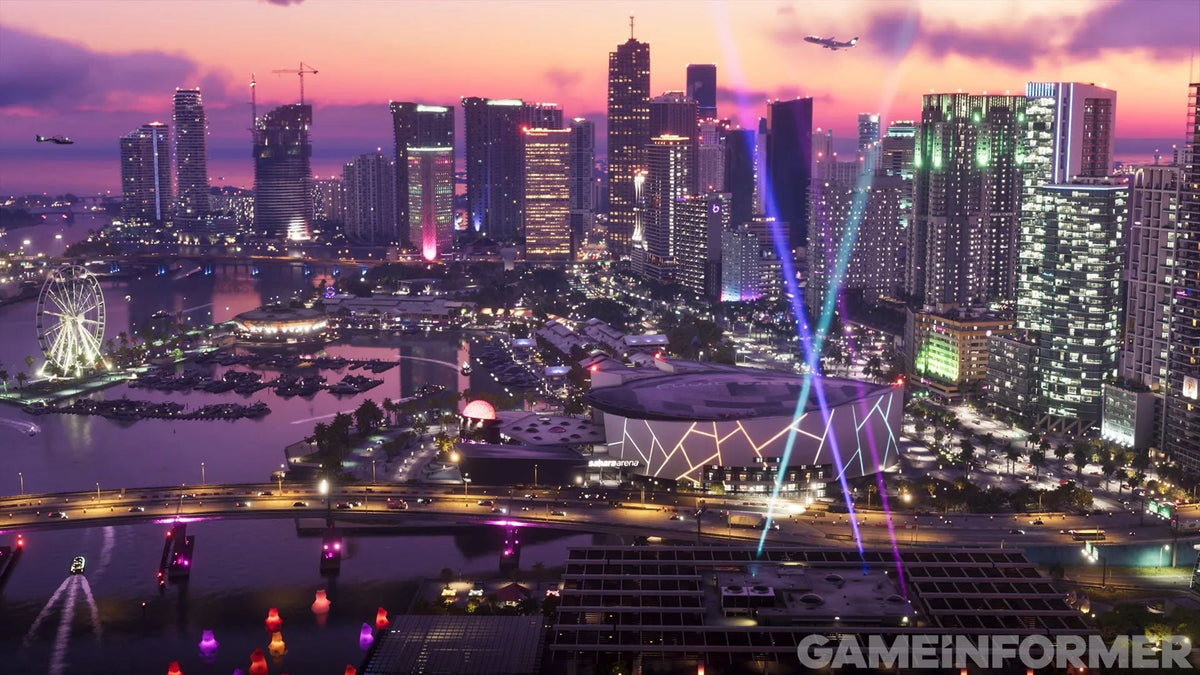
Real-Life GTA 6 Cars Spotted in Miami: What GTA 6 Hype Means for Buying the Right Gaming PC in Canada
The sight of real-life GTA 6 cars spotted in Miami is more than a flashy marketing moment. It is another clear sign that Grand Theft Auto 6 is becoming one of the biggest gaming events in recent memory, and that matters for anyone shopping for a gaming PC in Canada. When a release reaches this level of mainstream attention, demand does not just hit the game itself. It often spills over into hardware, upgrades, monitors, storage, and complete systems as players rush to prepare.
For Canadian buyers, this raises a practical question: if you are planning to play GTA 6, stream it, record it, edit clips, or build content around it, what kind of PC should you be looking at right now?
At Groovy Computers, that is where the conversation gets real. The headline about GTA-themed vehicles in Miami may be fun, but the buying decision behind the hype is serious. Do you need a budget-friendly system for smooth 1080p play? Are you aiming for a 1440p gaming setup that still leaves room for streaming? Or are you planning ahead for a premium, ray tracing-ready rig that can handle demanding new releases without feeling outdated too soon?
Why the real-life GTA 6 cars matter beyond the headline
The source story highlights how GTA 6 promotion appears to be reaching into the real world with themed vehicles on the streets of Miami, alongside other high-profile marketing moves. That fits the broader pattern around massive game launches: excitement builds far beyond traditional ads, and consumer behaviour changes with it.
People book time off. Friends talk about upgrading together. Content creators plan coverage. Streamers line up launch-night sessions. Players who have been delaying a purchase suddenly ask themselves a simple question: can my current PC actually keep up with what is coming next?
That is the key takeaway for Canadian buyers. You do not need to live in Miami to feel the ripple effect. If GTA 6 becomes the kind of title everyone wants to experience at high settings, with strong frame rates and room for multitasking, then gaming hardware demand can tighten quickly. That can affect availability, part pricing, and how long your money stretches.
What should your next PC actually do for you?
Before choosing a build, ask yourself what you really want out of your next system. Are you buying mainly for GTA 6 and other AAA open-world games? Do you also want to play competitive titles at high FPS? Are you planning to stream on Twitch or YouTube? Will you be editing gameplay in Adobe Premiere Pro, DaVinci Resolve, or CapCut? Do you also need the same machine for Photoshop, Illustrator, Lightroom, Blender, or Unreal Engine?
This is where many buyers go wrong. They shop by price first and purpose second. A better approach is to define your real use case before you compare systems.
If your answer is, “I just want a gaming PC for GTA 6 and other new games,” that points to one path. If your answer is, “I want one PC that can game, stream, record, and edit content,” that points to another. If your answer is, “I want a machine that can handle gaming plus creator work without choking on exports, renders, or heavy multitasking,” then you may need a stronger custom build than you first expected.
GTA 6 hype and Gaming PC Canada demand: why timing matters
Major releases change buying patterns. That is especially true when a game has broad crossover appeal and years of pent-up anticipation behind it. Even without official panic in the market, launch windows can push more buyers into action at the same time. That can influence prices on popular GPU tiers, memory kits, SSDs, and complete gaming desktops.
So ask yourself: is it better to buy a gaming PC now or wait until every other player, streamer, and content creator decides to upgrade at once?
For many people, waiting sounds smart until it is not. A delay can mean fewer part choices, more compromises, or spending nearly the same amount later for a weaker system than you could have secured earlier. If your current PC is already struggling in newer games, waiting for a major launch rarely makes your options easier.
What gaming PC do I need for GTA 6-style open world gaming?
Even without diving into unsupported spec claims, it is reasonable to expect a modern open-world blockbuster to reward a balanced system. GTA 6-level hype usually points buyers toward builds with strong CPU performance, a capable modern GPU, fast NVMe storage, enough RAM for current and near-future games, and cooling that keeps performance consistent over long sessions.
If you are shopping for a gaming PC for new games, think in tiers rather than chasing buzzwords.
Entry-level 1080p gaming PC buyers
If your goal is solid 1080p gaming with good settings and dependable overall value, you may not need the most expensive build. This tier makes sense if you play on a 1080p monitor, want smooth performance in current titles, and care more about smart spending than maxing every setting.
But here is the real question: do you want a system that is just enough for today, or one that gives you breathing room for tomorrow?
If you buy too close to the minimum, you may feel pressure to upgrade sooner. A slightly stronger GPU, better CPU, or more RAM can often make a much bigger long-term difference than buyers expect.
1440p gaming PC buyers
For many players, 1440p is the current sweet spot. It offers a clear visual upgrade over 1080p while staying more attainable than full 4K. If you want high settings, stronger image quality, and enough overhead for demanding open-world games, this is often the most balanced category.
Are you also planning to use Discord, browser tabs, music apps, mods, capture software, or background tools while gaming? If yes, then the right 1440p gaming PC should not just hit frame-rate targets. It should feel fast and responsive across your whole session.
4K and premium ray tracing buyers
If your target is 4K, ultra settings, and advanced visual features, you are in premium territory. This is the buyer who wants a system built for spectacle, not just playability. It is also the tier where component selection matters most, because pairing the wrong CPU, cooling setup, memory capacity, or power delivery with a high-end GPU can hold back the experience.
Do you want your next PC to last longer at the top end, or are you okay dialing settings back sooner than expected? That answer can help determine whether a premium build is truly worth it for you.
Do you also want to stream, record, or create content around GTA 6?
Plenty of buyers are not just planning to play. They want to stream launch-night sessions, cut highlight reels, upload guides, or build social content while the game is trending. That changes the kind of system you should buy.
A gaming-only machine and a gaming-and-streaming system are not always the same thing. Once you add OBS, recording, overlays, webcam feeds, chat tools, and browser sources, your PC has more to juggle. Once you add editing software, file transfers, thumbnails, and exports, the system needs even more balance.
What PC do you need for streaming? It depends on how serious you are. Casual gameplay sharing has one set of requirements. A real streaming workflow with high image quality, stable performance, and creator multitasking has another.
Gaming and streaming PC Canada buyers
If you want one machine for gaming and streaming, prioritize a build with enough CPU headroom, the right GPU features for modern encoding workflows, fast storage for captured footage, and enough RAM so your stream does not compete with the game for resources.
Do you need a separate streaming PC? Most buyers do not. A well-designed custom system can often handle both jobs effectively, especially when it is built with that exact use case in mind.
Gaming, recording, and editing in one system
This is where many off-the-shelf machines start to show their limits. Gaming is one thing. Gaming while recording high-quality footage, then editing that footage later, is another. If your workflow includes Premiere Pro, DaVinci Resolve, Photoshop, After Effects, or thumbnail design work, then a custom creator-focused build may be the better fit.
Would you rather buy one stronger system now, or end up replacing storage, adding RAM, and working around bottlenecks a few months later?
What if you need more than gaming?
Some readers land on a GTA 6 article and realize they need more than a gaming desktop. Maybe you are a student. Maybe you work in design. Maybe your side hustle includes editing, photography, animation, or 3D work. That matters because the best gaming PC for one person is not always the best creator PC for another.
Video editing and content creation
If you edit videos, timeline smoothness, playback reliability, export speed, and storage performance matter just as much as in-game FPS. A strong creator PC should be built around your actual software and footage type. Are you cutting 1080p clips, 4K social content, multicam footage, or effects-heavy projects? Do you work in Premiere Pro, DaVinci Resolve, After Effects, or CapCut?
What PC do you need for video editing? The answer usually depends on codec demands, project complexity, RAM capacity, SSD speed, and whether GPU acceleration is central to your workflow.
Photo editing and graphic design
If your machine also needs to handle Photoshop, Lightroom, Illustrator, InDesign, Canva-heavy browser use, or large asset libraries, then colour workflow, responsiveness, memory, and drive organization become part of the equation. A gaming-oriented system may still work well, but the build choices should reflect your creative software too.
Are you editing RAW photos? Working with hundreds of layers? Running AI-assisted tools? Using multiple monitors? These are the kinds of questions that separate a generic PC purchase from a properly planned build.
3D modeling, rendering, and workstation use
If your interests extend into Blender, Unreal Engine, Unity, CAD, rendering, or asset creation, your next system may need workstation-grade thinking even if gaming is part of the plan. 3D modeling and rendering buyers often need more RAM, more CPU threads, stronger GPU compute ability, and better thermal control than a typical mainstream gaming user.
What PC do you need for Blender or Unreal Engine? That depends on whether your work is more viewport-heavy, simulation-heavy, render-heavy, or all of the above. The right answer is rarely the cheapest system on the page.
Which performance tier fits you best?
If you are unsure where you fit, this breakdown can help.
- Value tier: Best for buyers who want smooth 1080p gaming, esports titles, lighter AAA play, and an affordable entry point without wasting money.
- Mainstream sweet spot: Best for 1440p gaming, stronger settings, better longevity, and room for multitasking.
- Advanced gaming and streaming tier: Best for players who want new-game readiness plus streaming, recording, and creator flexibility.
- Premium enthusiast tier: Best for 4K gaming, high refresh experiences, ray tracing ambitions, and longer-term top-end performance.
- Creator and workstation tier: Best for buyers balancing gaming with video editing, design, 3D work, rendering, or professional productivity.
Now ask yourself something simple: which sounds more like you, “I just want to play,” or “I want this system to cover everything I throw at it for years?”
Should you buy before prices change?
This is one of the biggest questions buyers ask during major game hype cycles. Should you wait for a sale, wait for another hardware release, or secure a system before demand rises?
There is no universal answer, but there is a practical one. If your current computer is already underpowered, if you know you want to be ready for upcoming games, or if your workflow is being slowed down right now, waiting can carry its own cost. That cost may show up as missed launch readiness, compromised settings, dropped frames while streaming, slower export times, or replacement pricing that has moved against you.
Component markets do not always move in a straight line. GPU demand can shift fast. RAM and SSD pricing can tighten. Popular configurations can sell through. A complete custom PC that feels comfortably within reach today may become harder to justify later if replacement costs climb.
Could financing help you secure a better PC instead of settling?
For many Canadians, this is the question that unlocks a smarter purchase. If you are torn between buying a cheaper system now or buying the right system for your real needs, financing can make the difference.
Should you finance a better PC instead of buying a weaker one outright? In many cases, yes, especially if the stronger system helps you avoid a premature upgrade, supports more games at better settings, or handles both gaming and creative work without compromise.
A payment plan can be especially useful if you are preparing for a major release, trying to future-proof your setup, or replacing an aging PC that is already costing you time and performance. Financing up to 4 years can give buyers room to choose a more appropriate build rather than chasing the lowest up-front price.
The real question is not just, “What can I spend today?” It is, “What system will still make sense for me later?”
Custom PC vs prebuilt PC Canada: why the difference matters more during high-demand periods
When a huge game release is approaching, it becomes even more important to avoid mismatched components and weak-value builds. A custom system is not just about aesthetics or part preference. It is about balance, cooling, reliability, upgrade paths, and making sure the machine actually suits your goals.
Why buy a custom gaming PC? Because your needs are not generic. You may need stronger 1440p performance, more storage for footage, additional RAM for editing, quieter cooling for recording, or a better motherboard platform for future upgrades. A one-size-fits-all system often misses those details.
That is where Groovy Computers stands out for Canadian buyers. A properly planned custom build gives you a better shot at getting exactly what you need, rather than paying for the wrong features and skimping on the right ones.
Why Canadian buyers should think differently
Buying a PC in Canada comes with its own realities. Prices are in Canadian dollars, shipping matters, inventory timing matters, and support after the sale matters. If you are shopping from Nova Scotia, Atlantic Canada, Ontario, Alberta, British Columbia, or anywhere else across the country, you want confidence that your build has been assembled and tested properly before it lands at your door.
That is especially true if you are spending for high-performance gaming, creator workloads, or workstation tasks. The wrong purchase is not just inconvenient. It can be expensive to correct later.
Would you rather risk a generic machine with unclear priorities, or order from a Canadian custom PC builder focused on real performance use cases?
Why Groovy Computers fits this moment
Groovy Computers is well-positioned for buyers who want more than a random parts list. If you are preparing for GTA 6-level gaming demand, planning a new content setup, or upgrading before hardware conditions shift, having expert help matters.
Groovy Computers builds custom systems for different kinds of buyers, including gamers, streamers, editors, designers, content creators, and workstation users. That means the recommendation can be based on what you actually plan to do, not just what looks good on paper.
Just as important, custom systems should be rigorously tested before they leave the builder. Stability, cooling, and overall build quality are not optional when you are investing in a performance machine. A 1-year warranty also adds confidence, especially for buyers who want peace of mind with a new gaming or creator setup.
Questions to ask before you choose your next build
Before you commit, take a minute to ask yourself the questions that actually shape long-term satisfaction.
- What games do I want to play over the next two to three years?
- Am I targeting 1080p, 1440p, or 4K?
- Do I care about ray tracing or just strong frame rates?
- Will I stream, record, or edit gameplay?
- Do I also use Adobe Creative Cloud, Blender, or other demanding software?
- How much storage will I need once game installs and video files start piling up?
- Do I want the cheapest system today, or the better-value system over time?
- Would financing help me buy the build I actually need instead of one I will outgrow quickly?
If you do not have clear answers yet, that is exactly why talking to a builder who understands gaming and creator workloads can save you money and frustration.
What kind of buyer should choose which Groovy Computers category?
Choose a budget-friendly gaming build if
You want a first gaming PC, mainly play at 1080p, and need strong value without overcommitting. This is ideal if you are coming from console, using an older monitor, or entering PC gaming with a sensible budget.
Choose a mainstream gaming build if
You want a better long-term fit for modern AAA titles, stronger visual settings, and more confidence for upcoming releases. This is often the best match for buyers who want to enjoy new games without immediately thinking about the next upgrade.
Choose a premium RTX gaming PC if
You care about high refresh 1440p or 4K gaming, stronger visual features, and premium overall experience. This tier suits buyers who want to stay ahead of demanding releases rather than merely keeping up.
Choose a creator PC if
You game, but you also stream, edit, design, or produce content. This type of system should be optimized for both play and productivity so your machine supports your hobbies, side business, or professional work.
Choose a workstation-focused build if
You rely on heavier software such as Blender, Unreal Engine, CAD applications, or rendering tools. In that case, your system needs to be planned around compute and workflow demands, not just gaming benchmarks.
Need help choosing a build before GTA 6 demand ramps higher?
If the real-life GTA 6 cars spotted in Miami got you thinking about your own setup, now is the right time to make that interest practical. What do you want your next PC to do for you: run new games smoothly, push 1440p or 4K, handle streaming, accelerate video editing, support graphic design, or power through 3D work without hesitation?
If you are not sure which category fits, Groovy Computers can help you choose a custom system that matches your goals, your budget, and your timeline. Whether you need a balanced gaming desktop, a stronger creator PC, or a workstation-level build with financing in mind, start by exploring GroovyComputers.ca.
Final thoughts: GTA 6 hype is exciting, but the smarter move is being ready
The headline about real-life GTA 6 cars spotted in Miami captures the scale of the moment, but the smarter takeaway for Canadian buyers is simple: major game releases often reward the people who prepare early. If you know your current system is behind, if you want a better gaming experience, or if you need one machine that can also stream, edit, and create, this is a good time to think carefully about your next upgrade path.
The right gaming PC in Canada is not just about chasing hype. It is about choosing a build that fits your real resolution target, your software needs, your performance expectations, and your budget strategy. For many buyers, that means choosing a custom system with proper testing, warranty support, and enough flexibility to avoid upgrading too soon. And if financing helps you secure a stronger build before prices move, that can be the most practical decision of all.
#GamingPCCanada #CustomGamingPCCanada #GamingPCForGTA6 #GamingPCForNewGames #GamingAndStreamingPCCanada #CreatorPCCanada #VideoEditingPCCanada #3DModelingPCCanada #CanadianCustomPCBuilders #NovaScotiaGamingPC
Groovy Computers | All Rights Reserved



Leave a comment
This site is protected by hCaptcha and the hCaptcha Privacy Policy and Terms of Service apply.