



































Resident Evil Animated Films on Hulu and Why This Is a Good Time to Rethink Your Gaming PC Canada Setup
The arrival of Resident Evil animated films on Hulu is more than a simple streaming update for horror fans. It is another reminder that the Resident Evil brand remains one of the most durable names in gaming and entertainment, with stories expanding across games, CG films, and broader digital media. For Canadian buyers, that matters because major franchise momentum often leads to renewed interest in replaying older titles, upgrading to newer entries, streaming horror content, and building a system that can handle both gaming and creator workloads without compromise. If you have been thinking about a better Gaming PC Canada option, this kind of franchise moment is exactly when many people start asking whether their current machine is still good enough.
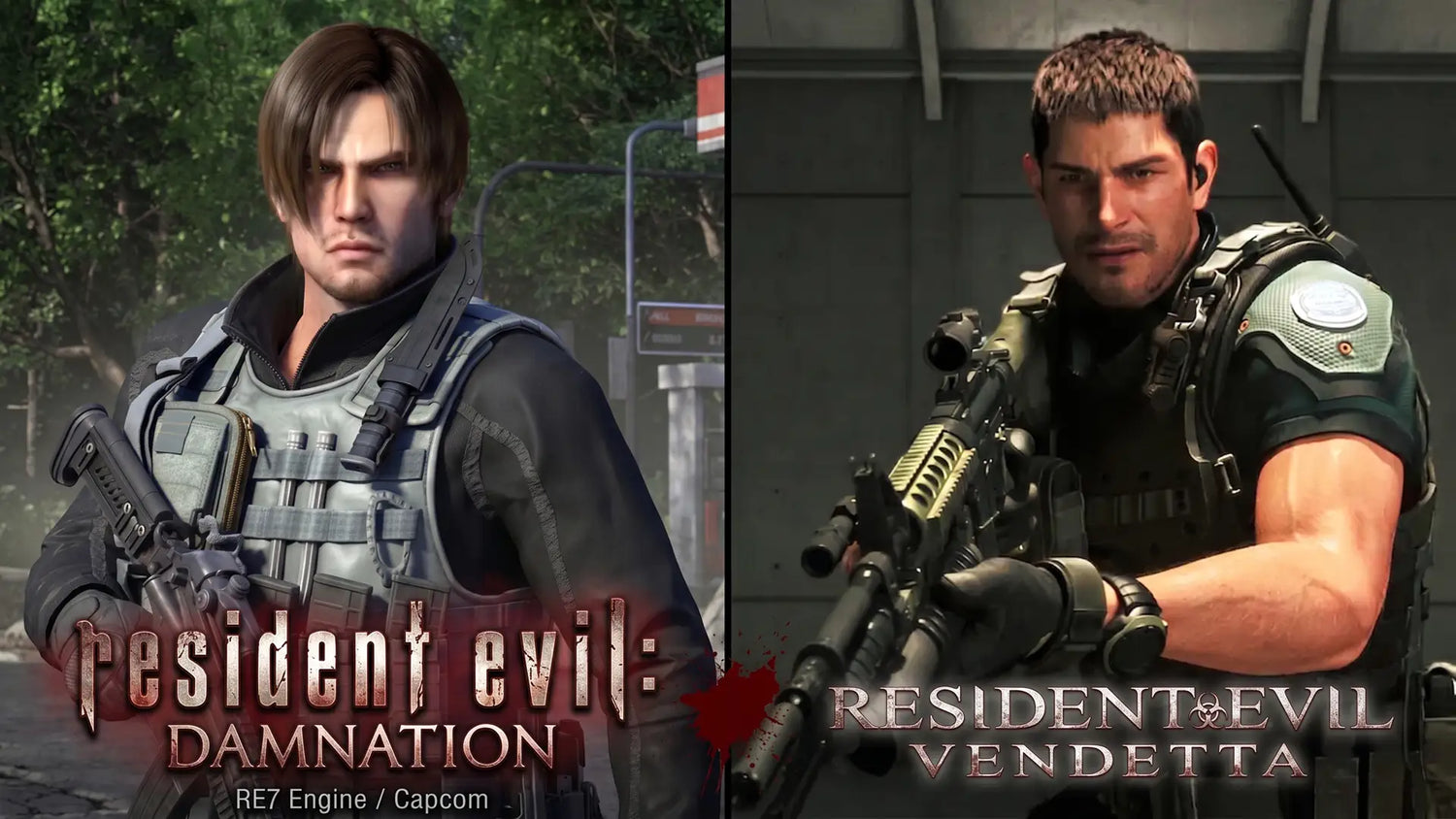
According to the source material, Hulu has added two full-length CG Resident Evil films: Resident Evil Damnation from 2012 and Resident Evil Vendetta from 2017. Both projects expand the franchise timeline between game releases and focus heavily on biological warfare, military-scale conflict, and familiar core characters such as Leon S. Kennedy, Chris Redfield, and Rebecca Chambers. For fans, this is not just background viewing. It is the kind of content that pulls people back into the franchise ecosystem.
And what usually happens next? People reinstall games. They revisit older entries. They test remakes. They start streaming. They capture clips. They upload reaction videos. They ask if their current desktop can still handle 1080p, 1440p, ray tracing, recording, and editing all in one system. If that sounds like you, this is not really just a story about two films hitting a streaming platform. It is a practical buying signal.
Why does Resident Evil franchise momentum matter for PC buyers in Canada?
When a long-running franchise returns to the spotlight, interest spikes across more than one category. Some readers simply want to watch. Others want to replay classic games. Some want a better horror gaming experience with stronger lighting, smoother frame rates, and higher texture settings. Others are creators who see an opportunity to produce themed content for YouTube, Twitch, TikTok, or short-form social clips.
That raises a useful question: what do you want your next PC to do for you?
Do you want a system mainly for story-driven gaming at 1080p? Are you aiming for a 1440p gaming setup with stronger visual quality? Do you want to experience darker, more atmospheric titles with ray tracing enabled? Are you planning to stream gameplay while running OBS, Discord, browser tabs, and background apps? Or are you trying to create franchise-related edits, thumbnails, reaction videos, and long-form uploads without slow exports and timeline lag?
These are the questions that separate a basic replacement PC from a properly matched custom build.
What the source story gets right about Resident Evil Damnation and Vendetta
The source highlights why these films still matter. Resident Evil Damnation places Leon in an Eastern European war zone where bio-organic weapons are integrated into conflict at scale. That makes it one of the more militarized and tactically framed stories in the franchise. The mention of Las Plagas mutations and battlefield control gives the movie a mechanical, systems-oriented feel that resonates with fans of the games.
Resident Evil Vendetta, meanwhile, leans into a more action-heavy setup involving Leon, Chris, and Rebecca confronting a villain with a highly lethal viral plan aimed at New York City. The source also notes the CG production approach and the effort to preserve the feel of the game characters. That matters because a lot of fans engage with Resident Evil not just as horror, but as a full visual brand built around cinematic action, recognizable character design, and technical spectacle.
From a PC-buying perspective, this kind of franchise visibility tends to revive interest in cinematic gaming experiences. And cinematic gaming experiences usually reward stronger hardware.
If you are revisiting Resident Evil, what kind of performance do you actually need?
This is where many buyers get stuck. They know they want a better computer, but they do not know which tier is actually right for them. Buying too low means upgrading again too soon. Buying too high without a purpose can waste budget that could have gone to a better monitor, more storage, or more RAM.
Entry-level gaming: Is 1080p enough for your next horror gaming setup?
If your goal is simple and focused, a 1080p Gaming PC Canada build can still be the right move. This tier makes sense for players who want strong frame rates, responsive controls, and solid image quality without pushing into premium system pricing. If you mainly play older Resident Evil titles, esports games, indie releases, and mainstream AAA games at sensible settings, this may be enough.
But ask yourself: are you only buying for today? Or are you buying for the next few years of larger game installs, heavier updates, and more demanding visual features?
If you already know you like cinematic single-player games, dark environments, detailed textures, and stronger lighting effects, 1080p may eventually feel like a stepping stone rather than a destination.
Mid-range gaming: Is 1440p the sweet spot for modern survival horror?
For many Canadian gamers, 1440p Gaming PC Canada performance is the best balance of sharp visuals and long-term value. This tier is especially attractive if you want newer games to look noticeably better, maintain stronger image quality, and feel more immersive on a larger display.
Do you want to enjoy richer detail in dimly lit scenes? Do you want smoother movement in action-heavy sections? Do you want enough GPU headroom to keep your system relevant longer instead of shopping for another upgrade early? If yes, 1440p is often the point where a custom gaming PC starts to feel genuinely transformative.
This is also the tier many buyers should consider if they want one machine for gaming plus light streaming or occasional editing.
High-end gaming: Are you chasing 4K, ray tracing, and premium visual immersion?
If you are shopping for a 4K Gaming PC Canada experience or want stronger ray tracing performance in modern titles, then you are in premium territory. This is for the buyer who wants ultra settings, stronger longevity, and less compromise.
Is an expensive build worth it for everyone? No. But if you know you want cinematic horror gaming with more visual intensity, or if you are the kind of buyer who would rather buy once and stay comfortable for years, then a high-end custom gaming PC may make more financial sense than a cheaper system that feels outdated too quickly.
This is especially true if you also stream, record high-bitrate gameplay, or edit large footage files after your sessions.
Do you only game, or do you also stream, edit, and create content?
Resident Evil fans are often not just players. They are streamers, clip editors, thumbnail designers, reviewers, and content creators. That changes the buying decision dramatically.
If you plan to stream gameplay, a system that merely runs the game is not enough. A proper Streaming PC Canada or gaming-and-streaming build needs enough CPU and GPU balance to handle the game, encoder load, OBS, browser tabs, alerts, voice chat, and multitasking without introducing stutter.
If you plan to record footage and cut videos later, then a Creator PC Canada or Video Editing PC Canada approach may be smarter than a pure gaming-focused spec. Fast storage, additional RAM, and stronger CPU performance matter more when your workflow includes editing software, exports, overlays, audio cleanup, and batch rendering.
So ask yourself honestly: are you buying a gaming PC, or are you really buying a gaming, streaming, and editing machine?
What PC do content creators need if franchise hype turns into actual workflow?
If the Hulu release has you thinking about reaction videos, lore breakdowns, franchise retrospectives, clip compilations, or gameplay-plus-commentary content, then your needs go beyond gaming alone.
A well-designed Content Creation PC Canada build should account for more than average frame rates. You may need:
- More RAM for editing timelines, browser-heavy research, and multitasking
- Fast NVMe SSD storage for game installs, media caches, project files, and exports
- A stronger CPU for rendering, background tasks, and creator software responsiveness
- A capable GPU for gaming, hardware encoding, timeline acceleration, and some AI-assisted tools
- Reliable cooling for longer sessions under mixed gaming and productivity loads
Are you editing 1080p clips for social media, or are you building full 4K YouTube uploads? Are you creating quick reaction content, or are you producing polished videos with color correction, layered effects, and audio cleanup? The answers matter, because they change what the ideal custom build looks like.
Could a gaming PC also be the right PC for video editing, photo editing, or graphic design?
Sometimes yes, but not always. A lot of buyers in Canada want one desktop that can do everything reasonably well. For many users, that is achievable with the right component balance.
If you work in Adobe Photoshop, Lightroom, Illustrator, or Canva while also gaming, your best fit may be a creator-leaning gaming build rather than a stripped-down esports machine. If you use Premiere Pro or DaVinci Resolve, storage speed and RAM become much more important. If you are building thumbnails, posters, social assets, or channel branding, then a Graphic Design PC Canada or Photo Editing PC Canada style build can still overlap with gaming, but it should not sacrifice productivity stability for flashy specs alone.
That leads to another smart question: do you want your next desktop to entertain you at night and help you earn during the day?
If yes, a custom system becomes far more attractive than a generic one-size-fits-all prebuilt.
What if your workload is heavier than gaming and editing?
Some readers use gaming news as the entry point for a much broader buying need. You may be interested in Resident Evil as a fan, but your real requirement could be 3D rendering, architectural previews, Unreal Engine work, Blender projects, CAD tasks, or serious multitasking. In that case, a standard gaming-only system may not be enough.
A proper 3D Modeling PC Canada or Workstation PC Canada build needs to prioritize sustained performance, thermal stability, memory capacity, storage planning, and long-session reliability. If your machine is both a creative tool and a business asset, downtime and instability cost more than the initial price difference between average parts and a properly matched custom build.
Are you working in Blender? Building game assets? Rendering scenes overnight? Running high-memory workflows? If so, your desktop should be selected like a workstation, not just a hobby purchase.
Should you buy now or wait if you are thinking about a better PC?
This is one of the most common questions buyers ask, and franchise-driven interest cycles often push it back into focus. The danger of waiting is not just missing out on entertainment. It is exposing yourself to uncertain replacement costs later.
GPU demand can shift quickly. Storage pricing can move. Memory pricing can change. New game releases, software updates, and seasonal buying pressure can all influence complete system cost. If your current PC is already borderline for the games and workloads you care about, waiting may not save you money. It may simply leave you with fewer options, weaker value, or a rushed decision later.
So ask yourself: is your current machine still meeting your needs, or are you just tolerating it because replacing it feels easier to postpone?
Could financing help you secure a better system before costs rise?
For some buyers, this is the most practical part of the decision. If you know you need a stronger machine, stretching into the right performance tier now can be smarter than settling for a lower-spec system that needs replacement too soon. That is where financing can make sense.
Instead of compromising on RAM, storage, cooling, or GPU class, some customers prefer to spread the cost of a better desktop over time. If financing is available for up to 4 years, that can make a higher-quality build much more realistic without forcing you into an underpowered purchase today.
Is financing a stronger PC worth it for you? That depends on your use case. If the system will support gaming, streaming, school, editing, side income, or professional workloads, then paying monthly for a machine that actually meets your needs can be more logical than buying too cheaply and upgrading twice.
This is particularly relevant if you are trying to avoid the classic buyer mistake: spending less now, then spending more overall because the first system was not powerful enough.
Which performance tier fits you best?
If you are unsure where you fit, this quick breakdown can help turn interest into a buying direction.
Choose a budget-friendly gaming tier if:
- You mainly want 1080p gaming
- You play a mix of older AAA, indie, and competitive titles
- You are replacing an aging family or student desktop
- You want a Budget Gaming PC Canada solution that still feels modern
This tier is best for buyers asking, How much should I spend on a gaming PC? when the goal is value first.
Choose a balanced mid-range tier if:
- You want stronger 1440p gaming
- You care about image quality and smoother long-term performance
- You may stream occasionally or edit short-form video
- You want better longevity without moving into luxury pricing
This is often the sweet spot for buyers asking, What gaming PC do I need for modern games without upgrading again too soon?
Choose a premium gaming tier if:
- You want 4K, ray tracing, or ultra settings
- You prefer buying high and keeping the system longer
- You play visually demanding AAA titles regularly
- You want a Ray Tracing Gaming PC Canada build with room for future releases
This tier is right for buyers asking, How long will a high-end gaming PC last?
Choose a creator or workstation tier if:
- You edit video, produce content, or stream consistently
- You use Adobe apps, DaVinci Resolve, or multi-app workflows
- You work in Blender, Unreal Engine, CAD, or rendering software
- You need reliability and speed for both play and productivity
This is best for buyers asking, What PC do content creators need? or What workstation PC do I need?
Why does a custom build matter more than a random prebuilt right now?
When buyers are excited about a franchise, a game launch, or a content trend, they often rush into whatever machine seems available. That is risky. Generic systems can look attractive at first glance, but they are often compromised in the exact places that matter later: cooling, power delivery, motherboard quality, case airflow, storage planning, upgrade flexibility, and overall part balance.
A proper custom system is not just about picking a GPU. It is about matching the whole machine to your real use case. If you want a system for horror gaming, streaming, editing, and daily multitasking, every part choice matters. You want confidence that the CPU and GPU are balanced, the RAM is adequate, the SSD setup makes sense, and the cooling solution can handle sustained loads.
That is why many buyers prefer working with Canadian Custom PC Builders that understand use-case matching rather than just spec-sheet marketing.
Why Groovy Computers makes sense for Canadian buyers
Groovy Computers is positioned for customers who want more than a box with parts in it. If you are shopping for a Custom Gaming PC Canada build, creator desktop, or workstation, the real value comes from guidance, part matching, quality assembly, and confidence after the purchase.
For buyers in Nova Scotia and across Canada, that means a better experience when you are trying to answer practical questions like these:
- Do I need a gaming-only build or a gaming-and-streaming build?
- Should I prioritize GPU power, CPU strength, or more RAM?
- Will this system still feel good in two to four years?
- Should I buy now before prices change again?
- Would financing help me get the right system instead of settling?
Groovy Computers offers the kind of support that matters in a market where buyer mistakes can be expensive: custom builds, rigorous testing, a 1-year warranty, and a stronger focus on real-world needs instead of generic sales language.
What do you want your next PC to do for you?
This is the most important question in the article, and it is the one many shoppers skip.
Do you want to revisit Resident Evil games at better settings? Do you want a system that can stream and record without choking under load? Do you want faster exports for horror-themed content? Do you need a machine that supports editing, design, school, work, and gaming in one clean setup? Are you trying to avoid the frustration of buying a PC that already feels limited a year from now?
Your answer determines the build category. Not trends. Not hype. Not random influencer specs. Your actual workflow.
Final buying takeaway: should this Hulu news push you to upgrade?
Not because of the films alone. But because the films are a reminder of how entertainment habits lead directly into hardware decisions. A franchise revival often triggers game replays, hardware comparisons, content creation plans, and a fresh look at whether your current system is still enough.
If that process has already started for you, it may be the right time to act. A stronger Gaming PC Canada setup, a balanced creator desktop, or a properly planned workstation can save frustration, improve performance, and help you avoid buying twice.
Are you still guessing which tier makes sense, or do you want real help choosing a system built around the way you actually play and work? Visit GroovyComputers.ca to explore custom build options, ask about financing, and get matched with a PC that fits your gaming, streaming, editing, or workstation goals.
For Canadian shoppers who want better performance, better part selection, and better long-term value, Groovy Computers is the kind of place to start before the next wave of demand puts more pressure on pricing and availability. If you want a custom-built desktop that is tested, supported, and ready for the next chapter of your gaming or creator setup, now is a smart time to move.
#GamingPCCanada #CustomGamingPCCanada #GamingComputersCanada #CanadianCustomPCBuilders #1440pGamingPCCanada #4KGamingPCCanada #StreamingPCCanada #CreatorPCCanada #VideoEditingPCCanada #WorkstationPCCanada #NovaScotiaTech #GroovyComputers
Groovy Computers | All Rights Reserved



Leave a comment
This site is protected by hCaptcha and the hCaptcha Privacy Policy and Terms of Service apply.