



































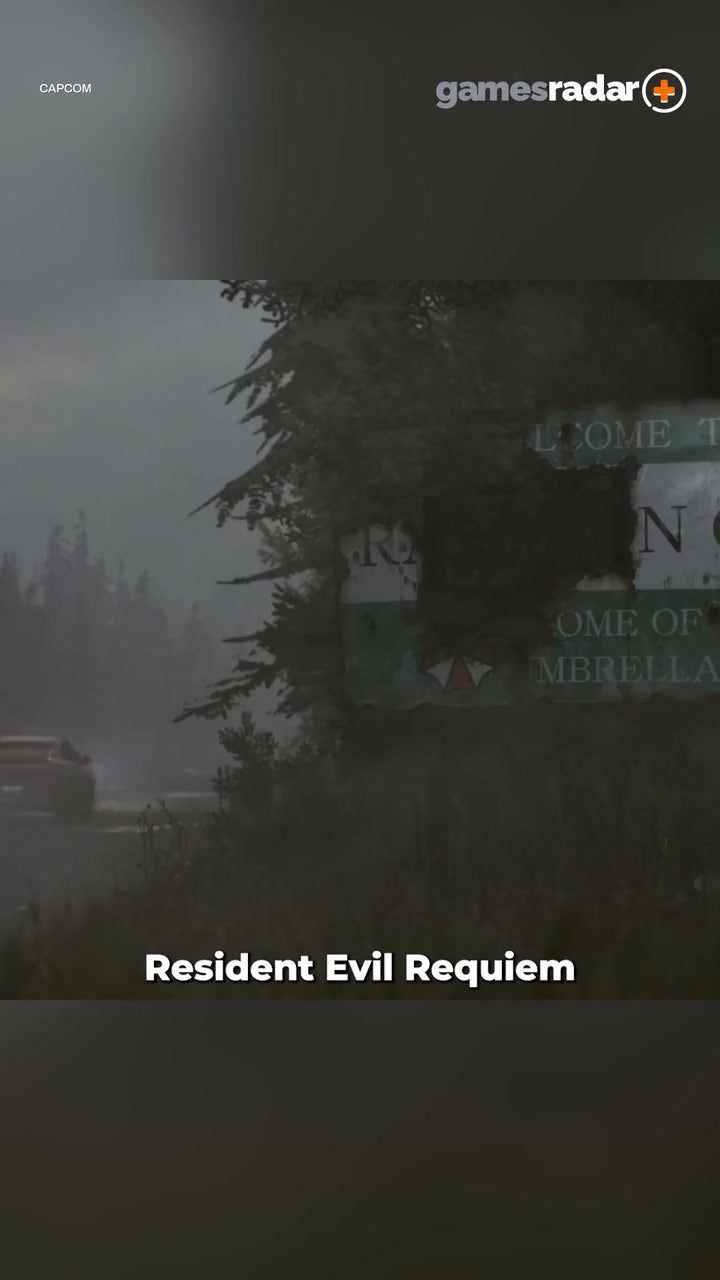
Resident Evil Requiem PC Guide: What Phantom Chapter 2 Reveals About Buying the Right Gaming PC in Canada
The reveal of lost content tied to Resident Evil Requiem, including the cut “Phantom Chapter 2,” does more than spark fan curiosity. It reminds PC gamers that major horror releases often evolve deep into development, and that usually means one thing for players: final visuals, lighting, effects, and performance demands can shift closer to launch. For anyone researching a Gaming PC Canada buyers can trust for upcoming AAA titles, this is exactly the moment to think ahead instead of reacting late.
When a game’s development story includes removed chapters, hidden concepts, or major design changes, it usually signals ambition. And ambitious games tend to push hardware harder. More detailed environments, heavier atmosphere, advanced shadows, more cinematic effects, richer audio layers, and stronger ray tracing expectations all add up. So the real question is not just what players missed in Phantom Chapter 2. The bigger buying question is this: what kind of PC do you want ready when the next demanding survival horror release lands?
For Canadian buyers, this matters even more. Waiting until a release window gets crowded can mean paying more for the same GPU tier, settling for weaker parts, or rushing into a generic system that is poorly matched for your games, streaming plans, or creative work. That is why this article turns the Resident Evil Requiem news into something practical: a detailed guide to choosing the right custom PC from Groovy Computers for horror gaming, AAA gaming, streaming, editing, and future-ready performance.
Why does a lost chapter matter to PC buyers?
A cut chapter like Phantom Chapter 2 tells us that the creative scope behind Resident Evil Requiem was likely larger than what the final product may show on the surface. Games with that kind of production complexity often lean into high-end lighting, cinematic set pieces, dense effects, and moody environmental storytelling. On PC, those are exactly the features that separate a basic experience from a smooth, immersive one.
Are you the kind of player who just wants the game to run at acceptable settings, or do you want dark corridors, volumetric lighting, detailed texture work, stable frame rates, and the visual atmosphere that survival horror depends on? Do you want a system that only survives launch day, or one that still feels strong for the next wave of demanding releases after it?
That is the difference between buying for today and buying intelligently.
What the source story gets right about hype, hidden content, and demand
The excitement around Phantom Chapter 2 is not just about trivia. It taps into a pattern that shows up again and again in big game cycles: once a title starts trending because of lost content, director commentary, hidden features, or development reveals, more players begin planning a replay, a first playthrough, or a full hardware upgrade. That hype pushes game-specific PC searches higher and brings late buyers into the market fast.
In other words, game buzz creates hardware demand.
That does not mean every gamer needs a flagship rig. It does mean buyers should avoid underestimating how quickly “I’ll just wait” turns into “everything I wanted is more expensive or out of stock.” If you are looking for a Gaming PC for New Games, timing matters. If you also stream, edit clips, record gameplay, or create YouTube content, timing matters even more.
What do you want your next PC to do for you?
Before you compare GPUs, case designs, or monthly payments, ask the most useful question first: what do you actually want your next PC to handle over the next two to four years?
- Just gaming? Then your main focus is resolution, FPS target, and visual quality.
- Gaming and streaming? Then encoding support, CPU balance, cooling, and RAM become more important.
- Gaming plus video editing? Then storage speed, export performance, memory capacity, and GPU acceleration matter more.
- Horror gaming with ray tracing? Then GPU tier jumps in importance quickly.
- AAA gaming and content creation? Then you may be better off with a hybrid creator-gaming build rather than a pure budget gaming system.
It is easy to shop by price alone. It is smarter to shop by workload. If Resident Evil Requiem is on your radar, what else is on your list? Competitive shooters? Open-world RPGs? OBS streaming? Premiere Pro? DaVinci Resolve? Photoshop? Blender? The right answer changes the right build.
What gaming PC do you need for survival horror and upcoming AAA games?
Survival horror games are often judged by atmosphere, not just raw frame rates. That means dips, stutter, weak 1% lows, poor lighting performance, and limited VRAM can hurt the experience more than many buyers expect. A strong Custom Gaming PC Canada shoppers choose for these games should not only hit average FPS targets. It should deliver smooth frame pacing, fast load times, and enough graphics headroom for advanced settings.
Entry tier: Is 1080p enough for your next horror gaming PC?
If you are targeting 1080p and want solid performance in modern games with sensible settings, an entry-to-lower-midrange build can still make sense. This tier is best for buyers who want a Budget Gaming PC Canada customers can rely on for esports, older AAA games, and newer titles with balanced settings rather than everything maxed out.
This tier may fit you if your real priorities are:
- 1080p gaming
- good value per dollar
- starter streaming or recording
- faster load times over ultra visuals
- an upgrade path later
But ask yourself honestly: if you are already interested in cinematic releases like Resident Evil Requiem, will you be happy lowering shadows, textures, effects, or ray tracing features sooner than expected? If not, buying too low now can mean upgrading too soon.
Midrange sweet spot: What PC do you need for 1440p gaming?
For many buyers, 1440p is the real sweet spot. This is where a 1440p Gaming PC Canada shoppers choose starts delivering the visual sharpness and performance balance that makes modern AAA titles feel meaningfully better without forcing you into ultra-premium pricing.
A good 1440p build is ideal if you want:
- strong high-settings performance in new games
- better visual clarity than 1080p
- room for some ray tracing or upscale technologies
- gaming plus Discord, browser tabs, and background apps
- light-to-moderate streaming and editing
If you are asking, What PC do I need for 1440p gaming? this is usually the category to explore first. For many Canadian gamers, it is the best long-term value point before premium costs rise sharply.
Premium tier: Do you want 4K, ray tracing, and long-term headroom?
If your goal is a 4K Gaming PC Canada buyers can use for top-tier visuals, demanding horror games, and broader AAA longevity, then you are shopping in a different category entirely. Here, GPU strength becomes the defining factor, but cooling, power delivery, CPU pairing, and case airflow also matter because premium systems need to stay stable under sustained load.
This tier is best for customers who want:
- 4K or high-refresh 1440p gaming
- strong ray tracing performance
- higher texture settings and more VRAM confidence
- longer upgrade cycles
- better results for gaming, streaming, and editing on one machine
Are you trying to avoid buying again in two years? Do you want a system that feels exciting now instead of merely acceptable? A premium build may cost more upfront, but it often costs less in frustration and replacement pressure later.
Is a gaming PC enough, or do you also need a streaming and creator system?
This is where many buyers get stuck. They start by shopping for a game, then realize they also want to stream boss fights, upload clips, run OBS, edit trailers, make TikTok content, or produce YouTube breakdowns. Suddenly the question changes from Can my PC run this game? to Can my PC run this game while doing everything else I want to do?
If that sounds like you, you may not need just a gaming desktop. You may need a Gaming and Streaming PC Canada buyers choose for multi-purpose performance.
What PC do you need for streaming horror games smoothly?
Streaming adds real load. Encoding, scene transitions, overlays, chat tools, browser sources, alerts, and recording can all compete with your game for system resources. A proper Streaming PC Canada setup should be balanced, not just GPU-heavy.
You should think harder about a dual-purpose gaming and streaming build if you want:
- OBS or Streamlabs running while gaming
- 1080p or 1440p livestreams
- stable frame rates while multitasking
- clean gameplay capture for YouTube or Twitch
- a better experience on dual monitors
Do you need a separate streaming PC? Most buyers do not. A well-configured modern custom system can handle gaming and streaming together far better than a poorly balanced “cheap deal” machine.
Is CPU or GPU more important for gaming and streaming?
The real answer is balance. GPU strength drives game visuals, but CPU capacity still matters for background tasks, encoding scenarios, and maintaining responsiveness. RAM matters too, especially once you add multiple apps. If you plan to game, stream, record, and keep browser tabs open while following guides or managing chat, the system should be built for that reality from day one.
Could Resident Evil Requiem hype also push creator demand?
Absolutely. Big game releases do not just drive gaming upgrades. They also trigger content creation demand. Review videos, lore explainers, reaction content, stream highlights, thumbnails, fan edits, and social clips all increase around major launches.
So ask yourself: are you just playing, or are you creating around the game too?
If your answer includes editing, thumbnails, photography assets, social media graphics, or 3D work, then a gaming-only build may not be the most efficient use of your budget. A stronger hybrid system can save time every week.
What if you also need a Video Editing PC Canada creators can depend on?
If your workflow includes Premiere Pro, DaVinci Resolve, After Effects, CapCut, or regular 4K exports, your priorities shift. A proper Video Editing PC Canada buyers need should emphasize CPU performance, GPU acceleration where relevant, fast SSDs, and enough RAM for smooth timelines and multitasking.
You should move toward a creator-focused build if you are asking questions like:
- What PC do I need for video editing?
- How much RAM do I need for video editing?
- Is a gaming PC good for video editing?
- What specs do I need for 4K video editing?
A gaming PC can be good for editing, but only if it is configured intelligently. That means the right CPU class, enough memory, enough storage, and a sensible GPU tier. If your current system stutters on playback, crawls during exports, or fills up instantly, that is not just annoying. It is lost productivity.
Who should consider a custom creator PC instead of a pure gaming rig?
You should lean toward a creator build if you:
- edit 4K footage regularly
- record gameplay and export often
- use Adobe Creative Cloud daily
- need large project files on fast storage
- want a system that can game at night and work during the day
For that kind of buyer, a Custom Creator PC Canada shoppers can order from Groovy Computers is often the smarter long-term fit.
What about photo editing, graphic design, and content creation?
Not every buyer following a horror game story is only a gamer. Some are designers, photographers, marketers, streamers, or all of the above. If that is your situation, the best PC decision is not always the most obvious one.
Do you need a Photo Editing PC Canada professionals can trust?
If you work with Photoshop, Lightroom, Capture One, or AI photo tools, a good photo editing setup needs fast responsiveness, solid memory capacity, and room for storage growth. If you are editing high-resolution RAW files, batch exporting, or working across multiple displays, the system should feel fluid under real use, not just look good on a spec sheet.
Ask yourself: do you spend more time waiting on previews, imports, exports, and brush responsiveness than you should? If yes, a proper photo editing desktop can make every session smoother.
What PC do you need for graphic design and Adobe workflows?
If your work revolves around Illustrator, Photoshop, InDesign, branding, ad creatives, or digital campaign assets, a Graphic Design PC Canada buyers choose should prioritize consistency, memory, storage speed, and multi-app responsiveness. Designers often run more programs at once than they realize, especially when cloud sync, fonts, reference windows, and browser research are all open too.
Do you need extreme GPU power for every design task? Not always. But do you need a system that feels snappy, stable, and capable across your daily workflow? Absolutely.
Is a content creator better off with one stronger all-around PC?
For many people, yes. A Content Creation PC Canada shoppers invest in can combine gaming, streaming, editing, design, and social media production in one cleaner setup. That can be far more practical than buying a weak gaming rig now and replacing it later once your channel, freelance work, or creative demands grow.
If you are building a brand, growing a channel, or monetizing your content, your PC is not just a toy. It is part of your production pipeline.
What if you need 3D modeling, Blender, or workstation performance too?
The overlap between gaming and 3D work is real. Many buyers interested in cinematic games also work in Blender, Unreal Engine, Maya, CAD, or rendering tools. If that is you, the wrong build can leave serious performance on the table.
A 3D Modeling PC Canada customers need for real production work should be selected based on whether your software leans harder on GPU rendering, CPU rendering, scene complexity, memory footprint, viewport interaction, or export time.
What PC do you need for Blender or Unreal Engine?
If you are asking that question, think about your actual workflow:
- Are you rendering stills or long animations?
- Are you sculpting, texturing, simulating, or lighting scenes?
- Are you creating game assets while also gaming on the same machine?
- Do you need 64GB RAM now, or will 32GB be enough for a while?
- Would a stronger GPU save you hours over the life of the system?
For this buyer, a custom workstation or creator-workstation hybrid usually makes more sense than chasing generic gaming specs alone.
Which performance tier fits you best?
One of the most useful ways to shop is to match yourself to a realistic performance tier rather than a marketing headline. Here is a practical breakdown.
Tier 1: Value-focused buyer
You care most about getting into PC gaming at a reasonable cost. You mostly play at 1080p, want strong everyday usability, and may upgrade later.
This tier fits you if:
- you want a first gaming PC
- you mostly play competitive or mixed titles
- you do not need heavy ray tracing
- you want the lowest practical entry point without going disposable
Tier 2: Balanced mainstream buyer
You want stronger AAA performance, 1440p capability, better visuals, and enough power for some streaming or creative work.
This tier fits you if:
- you want a better long-term value system
- you are buying for current and upcoming games
- you want gaming plus light creator workloads
- you want to avoid replacing your system too soon
Tier 3: Enthusiast or premium buyer
You want high-refresh 1440p or 4K gaming, stronger ray tracing, and room for more serious streaming, editing, or workstation use.
This tier fits you if:
- you want top-tier visual quality
- you value longevity
- you want fewer compromises in upcoming games
- you may also use demanding software regularly
Tier 4: Hybrid creator-workstation buyer
You game, but you also edit, design, render, model, or produce content consistently. Performance is productivity.
This tier fits you if:
- your PC supports your income, studies, or business
- you use Adobe apps, OBS, Blender, or Resolve often
- you need memory, storage, and thermal stability
- you want one strong system instead of two mediocre ones
Is it better to buy now or wait?
This is one of the biggest questions in custom PC shopping, and it becomes more important around major game hype cycles. If you are asking Is it better to buy a gaming PC now or wait?, the answer depends on what waiting is likely to cost you.
Waiting can make sense if you have no urgency, no demanding software needs, and no problem missing launch windows. But waiting can hurt if you are already close to the edge of your current system’s capabilities.
You should think carefully about buying now if:
- your current PC struggles in modern games
- you plan to buy before a major release period
- you also need the system for streaming or work
- you want stronger hardware before price pressure rises
- you are tired of upgrading one weak component at a time
GPU pressure, memory pricing, SSD fluctuations, and overall system demand can all change buying conditions faster than many shoppers expect. The cheapest time to buy is not always a big public sales event. Sometimes it is simply before demand spikes and compromises start.
Should you finance a stronger system instead of buying a cheaper one?
This is where many smart buyers rethink their plan. A weaker budget system may look safer at checkout, but if it leaves you replacing parts early, lowering settings immediately, or struggling with creative workloads, it may not be the best value after all.
So ask the real question: should you buy a cheaper PC now, or finance the right PC once and enjoy it longer?
For buyers who want more headroom, financing can be a practical tool, not a luxury. Groovy Computers offers financing options up to 4 years, which can help customers secure a stronger custom gaming PC, creator PC, or workstation before replacement costs rise further.
If you are debating this, consider:
- Would a better GPU keep you happy for much longer?
- Would more RAM save you from an upgrade next year?
- Would a faster SSD improve both gaming and work every day?
- Would a stronger CPU help with streaming, rendering, or multitasking?
- Would monthly payments make the right build realistic now instead of settling?
That is not about overspending. It is about buying intelligently for how you actually use your machine.
Why custom builds matter more when game demands keep changing
Resident Evil Requiem and its cut Phantom Chapter 2 are a reminder that games are not static products during development. Features shift, effects get upgraded, and performance expectations can move. That is exactly why custom builds matter.
A generic mass-market PC often cuts corners where buyers do not notice until later: airflow, motherboard quality, power supply quality, storage configuration, memory balance, or upgrade flexibility. A properly planned custom system is different. It is built around your target use case.
With Groovy Computers, that means customers can shop for what actually matters:
- the right gaming target
- the right creator workload
- the right budget range
- the right upgrade path
- the right balance between performance today and longevity tomorrow
Why Canadian buyers should think differently
Canadian PC buyers face a different market reality than many general tech readers. Shipping, part availability, exchange pressure, and regional support all matter more here. That is why working with a Canadian Custom PC Builders brand matters.
Groovy Computers serves Canadian shoppers who want custom systems built with care, tested properly, and shipped with confidence. Whether you are in Nova Scotia, Halifax, Trenton, New Glasgow, elsewhere in Atlantic Canada, or ordering from another province, support and trust are part of the purchase decision.
Would you rather buy a PC from a random seller with vague specs and uncertain support, or from a Canadian custom PC company that understands your buying context? For many shoppers, the answer becomes obvious once they think past the headline price.
Why testing and warranty support should be part of your buying decision
A powerful spec list is not enough on its own. A custom PC should also be stable. That is especially true if you are buying for demanding games, long sessions, streaming, or creator workloads. Groovy Computers emphasizes rigorous testing and includes a 1-year warranty, which matters for peace of mind and long-term value.
If you are investing in a machine for Resident Evil Requiem, future AAA games, editing, design, or professional workloads, ask yourself:
- Has the system been stress tested properly?
- Was it built with part compatibility in mind?
- Is there a real support path after purchase?
- Will the cooling hold up under extended sessions?
- Are you buying a PC or buying confidence too?
Those are not small details. They are part of what separates a good deal from a risky one.
What kind of buyer should choose Groovy Computers?
Groovy Computers is a strong fit if you want more than a one-size-fits-all machine. It is especially relevant for buyers who:
- want a Custom PC Builder Canada customers can trust
- need help matching budget to performance tier
- want a gaming PC for upcoming AAA games
- need gaming plus streaming capability
- need a custom creator PC or workstation
- want financing instead of settling for less
- care about testing, support, and warranty
If you are unsure whether you need a budget gaming computer, a premium RTX gaming PC, a custom creator desktop, a video editing workstation, or a 3D modeling system, that is exactly where guided buying matters most.
Still wondering what PC you need for Resident Evil Requiem and beyond?
Then start with the right questions.
- Do you want 1080p, 1440p, or 4K gaming?
- Do you care about ray tracing, ultra settings, or just reliable smooth play?
- Will you stream to Twitch, YouTube, or TikTok?
- Will you edit clips in Premiere Pro or DaVinci Resolve?
- Do you work in Photoshop, Illustrator, Lightroom, or Blender too?
- Are you buying before a big game release or trying to wait out pricing pressure?
- Would financing help you buy the system you actually want instead of the one you will outgrow?
Those answers point to the right category far faster than shopping by hype alone.
Ready to choose the right Gaming PC Canada buyers can actually grow with?
If the Phantom Chapter 2 reveal has you thinking about your next horror-ready setup, this is a smart time to act before the next wave of buyer demand arrives. Whether you need a value-focused gaming desktop, a high-end AAA system, a streaming-ready rig, or a creator workstation, Groovy Computers can help you move from “I am not sure what I need” to “this build makes sense.”
Want help choosing a custom build that fits your games, your software, your budget, and your timeline? Visit GroovyComputers.ca to explore custom options, compare performance tiers, and see whether financing a stronger system now makes more sense than upgrading twice later.
Final thoughts: the lost chapter is a reminder to buy with the future in mind
Resident Evil Requiem’s lost Phantom Chapter 2 is an intriguing piece of development history, but for PC buyers it also carries a practical lesson. Big modern games are built with bigger ambitions, and those ambitions usually land on your hardware. If you want a Gaming PC Canada shoppers can rely on for demanding new releases, streaming, editing, and long-term value, the smartest move is not chasing the cheapest system. It is choosing the right one.
Groovy Computers gives Canadian buyers a stronger path: custom builds, practical guidance, rigorous testing, a 1-year warranty, and financing up to 4 years for customers who want to secure more performance before pricing or demand shifts again. If your next PC needs to do more than just boot the game, buy like that now.
#GamingPCCanada #CustomGamingPCCanada #GamingPCForNewGames #1440pGamingPCCanada #4KGamingPCCanada #StreamingPCCanada #VideoEditingPCCanada #ContentCreationPCCanada #CanadianCustomPCBuilders #GroovyComputers
Groovy Computers | All Rights Reserved


Leave a comment
This site is protected by hCaptcha and the hCaptcha Privacy Policy and Terms of Service apply.