



































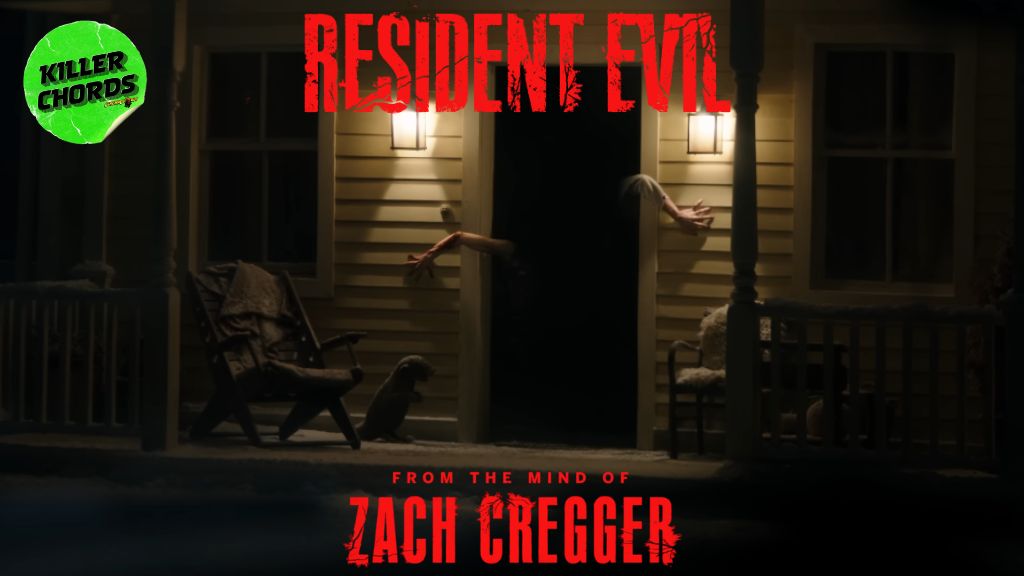
Resident Evil Trailer Debuts: What Kind of PC Do You Need for Survival Horror Gaming in Canada?
The new Resident Evil trailer has done exactly what a major franchise reboot is supposed to do: create buzz, raise expectations, and get fans thinking about how they want to experience the next wave of horror gaming. The source report highlights Columbia Pictures and Constantin Film’s upcoming reboot, directed by Zach Cregger, with inspiration drawn from classic Resident Evil 2, Resident Evil 3: Nemesis, and Resident Evil 4. For PC buyers, that kind of momentum matters. Why? Because every time a major survival horror property surges back into the spotlight, demand rises not just for the movie, but for the games, remakes, mods, streaming content, and high-fidelity PC experiences tied to the brand. If you are in Canada and wondering whether your current system is ready, this is the right time to ask.
Are you planning to replay the older Resident Evil titles at higher settings? Do you want smooth 1080p gameplay, sharper 1440p visuals, or a full 4K horror experience with stronger lighting effects and better immersion? Are you only gaming, or do you also want to stream, edit reaction videos, create content, or build a machine that can handle Blender, Photoshop, Premiere Pro, and demanding multitasking at the same time? Those are the questions that separate a quick impulse purchase from a smart long-term custom PC decision.
Why the Resident Evil Trailer Matters to PC Buyers
The trailer itself is film news, but the buying signal behind it is broader. A franchise reboot tends to reactivate the entire fan ecosystem. That means returning players, new players, streamers, creators, horror fans, and people who suddenly want a stronger system before demand spikes around seasonal sales, big game launches, or GPU price movement. The original article correctly focuses on the cast, creative team, and game-inspired direction. For Groovy Computers readers, the more practical question is this: what does renewed Resident Evil hype mean for your next PC?
For many buyers, it means their current system may be “fine” for older games, but no longer ideal for modern gaming expectations. Maybe you are tired of lowering settings. Maybe your frame rates dip during intense scenes. Maybe you want ray tracing, better shadows, faster load times, and enough headroom to run Discord, OBS, Chrome, mods, and recording tools without your PC feeling overwhelmed. Or maybe the trailer reminded you that your backlog is full of visually rich games you have never properly experienced on a strong desktop.
That is where a Gaming PC Canada buying decision becomes less about chasing hype and more about matching hardware to what you actually want to do.
What Do You Want Your Next PC to Do for You?
Before looking at specs, ask yourself a more useful question: what job should your next computer do over the next three to five years?
Do you want a budget-friendly machine that can handle horror games, esports titles, and everyday multitasking without draining your budget? Do you want a 1440p gaming system that feels smooth and modern now instead of barely acceptable? Do you want a premium RTX build for ray tracing, streaming, and future AAA releases? Or are you really shopping for a dual-purpose machine that can game at night and power content creation or editing workloads during the day?
Many customers start with a single game in mind, then realize they also want better performance in everything else. One trailer leads to one game reinstall, then one capture card search, then one editing project, then a realization: maybe it is time for a better system altogether.
Ask yourself these practical questions
- What games do you play most often? Survival horror, open-world AAA games, esports titles, modded games, or a mix?
- What resolution do you want? 1080p, 1440p, or 4K?
- Do you care about ray tracing? Or is high FPS your priority?
- Will you stream to Twitch or YouTube?
- Will you edit videos, thumbnails, or short-form content?
- Do you need lots of storage for game libraries, recordings, and project files?
- Would financing a stronger PC now help you avoid replacing a weaker one too soon?
What PC Do I Need for Resident Evil-Style Gaming?
If your main goal is horror gaming, cinematic visuals, and stable performance in modern titles, your ideal build depends on how you want the experience to feel. Survival horror is not just about average frame rate. It is about consistency, image quality, lighting, responsiveness, and atmosphere. A weak system can technically run a game but still ruin tension with stutter, slow loading, noisy thermals, or inconsistent performance.
Entry-level: good for 1080p gaming
If you mostly play at 1080p and want solid value, an entry-level or lower-midrange custom build can make a lot of sense. This tier is ideal if you want a Budget Gaming PC Canada buyers can rely on for horror titles, indie games, esports games, and older AAA releases at good settings. It is also a strong fit for first-time desktop buyers, students, and gamers moving from console or laptop play.
But here is the key question: are you buying only for today, or for the next few years of bigger game releases? If your answer includes “I do not want to upgrade again soon,” then going a little stronger now may save money later.
Midrange: the sweet spot for 1440p
For many Canadian gamers, 1440p is where the value really starts to show. A 1440p Gaming PC Canada shoppers choose often delivers the best balance of visual quality, high settings, smoother performance, and long-term usefulness. This is the tier where horror games look more dramatic, textures hold up better, and modern titles feel far more premium than they do on entry-level hardware.
If you are asking, what PC do I need for 1440p gaming? the answer is usually a well-balanced CPU and GPU combination, enough RAM for modern multitasking, and fast NVMe SSD storage. This is also the ideal bracket for gamers who may want to start streaming or recording later, even if they are not doing it on day one.
High-end: for 4K, ray tracing, and longevity
If your goal is immersive 4K visuals, ray tracing, and stronger performance in demanding new releases, then a High End Gaming PC Canada buyers invest in can be worth it. This category makes sense for enthusiasts who want fewer compromises, better visual fidelity, and longer relevance as future titles become more demanding.
Should you buy a premium build just for one game franchise? Probably not. But should you choose a premium build if you play lots of major AAA releases, want ultra settings, and hate the idea of replacing your PC too early? Absolutely, that can be a smart move.
Are You Just Gaming, or Also Streaming and Creating Content?
This is where many buying guides stop too early. Plenty of people who get excited about a trailer are not just players. They are streamers, YouTubers, TikTok creators, podcasters, editors, thumbnail designers, or aspiring creators who want one machine to do it all.
If that sounds like you, then the right answer may not be a standard gaming desktop at all. You may need a Gaming and Streaming PC Canada buyers can use for gameplay, OBS, browser tabs, overlays, chat tools, Discord, and recording software without performance falling apart.
What PC do I need for streaming?
If you want to stream horror games, the build needs enough overhead for your encoder, capture workflow, scene transitions, and multitasking. Smooth gaming alone is not enough. You want a system that still feels responsive when your audience is live, your recording is running, and your browser has too many tabs open.
Are you planning to stream at 1080p? Do you want to record high-bitrate footage for later edits? Do you need dual-monitor productivity for chat, alerts, and moderation tools? If yes, then a custom streaming setup gives you far better long-term value than buying a bargain machine that struggles the moment you ask it to do two things at once.
Do you also edit your content?
If you cut gameplay clips, produce long-form YouTube videos, or create cinematic short-form content, then you may be closer to a Creator PC Canada customer than a pure gaming customer. Stronger multicore CPU performance, more RAM, fast scratch storage, and the right GPU acceleration can make a huge difference in Premiere Pro, DaVinci Resolve, After Effects, and thumbnail workflows.
Would you rather wait on exports, proxies, renders, and file transfers every week, or invest in a system that saves time every single day? That is the kind of question that changes a buying decision fast.
Why Canadian Buyers Should Think Differently Right Now
Canadian PC shoppers do not buy in the same conditions as every other market. Exchange rate pressure, import costs, GPU demand swings, memory fluctuations, SSD pricing changes, and shipping variables can all affect system pricing here. Even when a part seems stable, full-system replacement cost can shift faster than many buyers expect.
That is why “I will wait a bit” is not always the money-saving move people think it is. Sometimes waiting helps. Sometimes it means paying more for the same performance tier later. Sometimes it means settling for weaker parts because the better-value options disappeared.
Are you buying before a major game release cycle? Before holiday demand returns? Before creator software pushes harder AI features and heavier hardware acceleration? Before you need the PC for school, work, streaming, or a content project? Timing matters more than most casual buyers realize.
Is It Better to Buy a Gaming PC Now or Wait?
This is one of the most important buyer-stage questions in the market. The honest answer is not always “buy now,” but it often comes down to what your current system is costing you in frustration, lost time, and reduced performance.
If your current PC still handles your needs comfortably, waiting may be reasonable. But if you are already dropping settings, avoiding newer titles, skipping streaming, delaying content work, or dealing with poor load times and thermal issues, waiting can become expensive in a different way. You are still paying, just in lost experience and productivity.
Ask yourself this: if prices rise modestly, or if the better GPU tier becomes less attractive later, will you wish you had secured the stronger system earlier? For many buyers, especially those considering a more capable custom build, the answer is yes.
Should You Finance a Better PC Instead of Buying a Weaker One?
For buyers trying to balance budget and long-term value, financing can be the difference between replacing a system too soon and buying a build that actually lasts. A cheaper system may feel safer at checkout, but if it leaves you wanting more in a year, it may not be the real budget choice after all.
Would monthly payments make it easier to move up from basic 1080p performance to a stronger 1440p-ready build? Would a slightly better GPU, more RAM, or more SSD space keep you from upgrading too quickly? Would financing a creator or workstation configuration now help you avoid downtime later as your editing, streaming, or design workload grows?
For many customers, the smartest move is not the absolute cheapest machine. It is the strongest sensible machine they can comfortably support. Groovy Computers can help buyers explore custom options with financing up to 4 years, which can be especially useful when you want better performance before replacement costs rise again.
Which Performance Tier Fits You Best?
Not every buyer should choose the same category. The right system depends on your games, software, timeline, and expectations.
Choose a value-focused gaming PC if:
- You mainly play at 1080p
- You want strong everyday gaming without overspending
- You play a mix of horror titles, esports, and lighter AAA games
- You are buying your first serious desktop
- You want better reliability than a random marketplace system
Choose a 1440p sweet-spot build if:
- You want modern image quality and smoother long-term gaming
- You want room for newer AAA releases
- You may stream, record, or multitask while gaming
- You want a stronger upgrade path and better longevity
Choose a premium RTX gaming PC if:
- You want high settings, ray tracing, and stronger future readiness
- You play visually demanding games regularly
- You want 4K or top-tier 1440p performance
- You do not want to compromise every time a new major title drops
Choose a creator or workstation PC if:
- You edit video in Premiere Pro or DaVinci Resolve
- You create thumbnails, graphics, or marketing assets in Photoshop and Illustrator
- You work in Blender, Unreal Engine, CAD, or rendering workflows
- You need stable multitasking and time-saving performance, not just gaming FPS
What If You Need More Than a Gaming PC?
One of the biggest mistakes buyers make is shopping only by game title when their real need is broader. If you game, stream, edit, and design, then your best fit may be a Content Creation PC Canada buyers would choose over a basic gaming tower. If you render 3D scenes, work in Blender, or build Unreal Engine projects, you may need a 3D Modeling PC Canada or a Workstation PC Canada configuration instead.
What PC do content creators need? The answer depends on your actual workflow. Are you mainly cutting 1080p clips for social media? Are you exporting 4K footage for YouTube? Are you building motion graphics? Are you managing large RAW photo libraries? Are you handling 3D assets and GPU rendering? Once you know your primary bottleneck, selecting the right custom build becomes much easier.
For video editing
A Video Editing PC Canada buyers trust should focus on export speed, timeline responsiveness, codec support, storage performance, and enough memory for modern project sizes. If your horror gaming setup is also your editing setup, the right build can serve both without compromise.
For photo editing and graphic design
If you are producing thumbnails, promotional art, poster concepts, channel branding, or editing high-resolution images, a Photo Editing PC Canada or Graphic Design PC Canada system can be a smarter fit than a gaming-only machine. Fast SSDs, reliable RAM capacity, strong multitasking, and a balanced CPU/GPU combo matter more than people think here.
For 3D modeling and rendering
If the cinematic tone of the new trailer has inspired you to create your own horror environments, character sculpts, animations, or game-ready assets, then a PC for Blender Canada or Unreal Engine-capable workstation may be the better path. In that scenario, “can my PC run games” is no longer the most important question. The better question is: can it render, preview, compile, simulate, and multitask efficiently enough for your creative goals?
Why Custom Builds Matter More When Buying Conditions Are Uncertain
When pricing feels unstable, part selection matters even more. A custom system is not just about aesthetics or preference. It is about balance, thermals, upgrade path, quality control, and making sure your money goes into the parts that actually affect your experience.
Should you overpay for one flashy component while bottlenecking the rest of the system? Should you choose a low-capacity SSD if you already know modern games and video files eat storage fast? Should you buy a machine with little upgrade flexibility if you expect your needs to grow? These are exactly the problems a thoughtful custom build solves.
At Groovy Computers, the advantage is not simply that you can buy a PC. It is that you can get a system configured for what you really do, whether that is gaming, streaming, editing, design, or workstation use. That matters even more when you want to avoid waste, poor part matching, or a disappointing “deal” that turns expensive later.
Why Testing and Warranty Support Matter
Any system can look good in a product photo. What matters is how it behaves after hours of gaming, streaming, rendering, and multitasking. That is why stress testing, assembly quality, cooling logic, and support matter so much in a serious purchase.
Would you trust your next PC to handle a big horror release weekend, a stream, a school deadline, or a client export if it was assembled with no care for balance or thermals? Most buyers would not. Groovy Computers emphasizes custom-built systems, rigorous testing, and a 1-year warranty, giving Canadian customers more confidence than they get from anonymous or inconsistent marketplace listings.
Custom PC vs Prebuilt PC in Canada: Which Makes More Sense?
This question comes up constantly, and the answer depends on the quality of the options in front of you. A generic prebuilt can be convenient, but convenience is not always value. Weak airflow, limited upgrade paths, unnamed power supplies, poor motherboard choices, or imbalanced CPU/GPU pairings can all reduce the long-term value of a “quick buy.”
A properly designed custom system gives you better control over the things that matter most: the performance target, the workload priority, the cooling approach, the storage layout, and the upgrade future. If you are serious about getting the right machine instead of just getting any machine, custom usually wins.
And if you are unsure what parts you should choose for a gaming PC, creator setup, or workstation build, that is exactly where guidance matters. You do not need to become your own hardware analyst. You just need the right builder.
What Should Horror Fans and Gamers Do Next?
If the new reboot trailer has put Resident Evil back on your radar, use that momentum productively. Think beyond the movie release itself. Think about your full setup. Think about the games you want to revisit, the new ones you want to enjoy properly, and the workload your current machine keeps struggling to handle.
Are you due for your first real desktop upgrade? Are you trying to decide between a budget build and a stronger midrange system? Do you want a machine that can game now and still hold up for streaming, editing, and future releases later? Do you want to avoid panic-buying after prices change or demand spikes? Those are all smart reasons to start planning now rather than waiting until your system fully gives up on you.
Need Help Choosing the Right Build From Groovy Computers?
If you are asking what gaming PC do I need, or whether a stronger custom build makes more sense than settling for a weak one, Groovy Computers is the place to start. Whether you need a budget gaming desktop, a 1440p sweet-spot system, a premium RTX machine, a streaming setup, a creator PC, or a workstation-ready build, the goal is the same: match the hardware to the real job. If financing would help you secure the right system before prices move again, explore your options at GroovyComputers.ca.
The Bottom Line on the Resident Evil Trailer and Your Next PC
The Resident Evil trailer is more than entertainment news. It is a reminder of how quickly hype cycles can turn into buying decisions for gamers, streamers, and creators. If your current PC is already falling behind, waiting may not improve your situation. The smarter move may be choosing the right custom system now, while you still have control over your budget, your performance tier, and your upgrade timeline.
Whether you want survival horror at 1080p, smoother 1440p performance, high-end ray tracing, streaming capability, faster editing, or a machine that can do all of the above, the key is choosing a build that fits your real life, not just a minimum requirement chart. Canadian buyers who want confidence, customization, testing, warranty support, and a clearer path forward should keep Groovy Computers on their shortlist.
#ResidentEvilTrailer #GamingPCCanada #CustomGamingPCCanada #GamingPCBuilderCanada #1440pGamingPCCanada #HighEndGamingPCCanada #CreatorPCCanada #VideoEditingPCCanada #StreamingPCCanada #CanadianCustomPCBuilders #NovaScotiaComputers #GroovyComputers
Groovy Computers | All Rights Reserved


Leave a comment
This site is protected by hCaptcha and the hCaptcha Privacy Policy and Terms of Service apply.