






















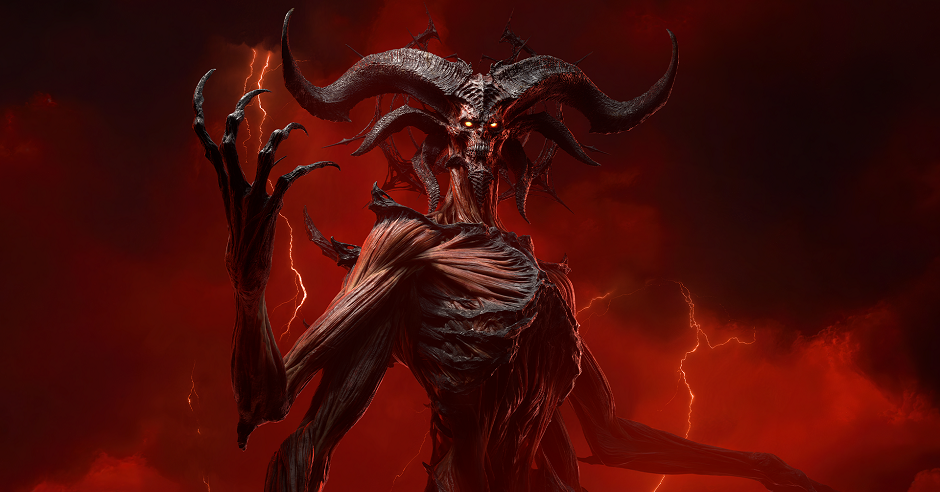
Diablo 4 Lord of Hatred and the Real Question for Canadian Players: What Kind of PC Do You Need Next?
The new Diablo 4 Lord of Hatred expansion does more than add another dark chapter to Blizzard’s action RPG universe. It reminds players why modern AAA games keep pushing hardware demands higher, especially once you care about smoother frame rates, sharper visuals, faster load times, better multitasking, and a system that will not feel outdated too soon. If you are in Canada and you are asking yourself whether your current PC is still enough for Diablo 4, upcoming releases, streaming, or creator work, this is the right time to think beyond one game and choose a system that actually fits your next few years.
The source review highlights what makes this expansion compelling: a grim cinematic tone, a meaningful campaign, fresh classes, stronger lore, and enough mechanical changes to make the DLC feel substantial rather than disposable. That matters for PC buyers because games like this are no longer just about “can it launch?” They are about how you want to experience them. Do you want a basic setup that gets you into Sanctuary at 1080p? Do you want a cleaner 1440p experience with headroom for bigger fights and future updates? Or are you aiming for a premium system that can handle ray tracing, background apps, Discord, browser tabs, streaming tools, and your next library of games without constant compromise?
For many buyers, that is where a generic spec sheet stops being useful. A good custom PC decision is not only about today’s minimum requirements. It is about how you actually play, what else you run at the same time, and whether you want this purchase to remain satisfying after the next expansion, the next game launch, and the next round of price changes in the PC market.
What the Diablo 4 Lord of Hatred Review Tells Us About Modern PC Gaming
The review describes Lord of Hatred as a chunky DLC with a dark story, new zones, new classes, and broader systems changes to crafting, skills, and endgame play. That combination matters because major expansions often pull players back in for long sessions. You are not just logging on for ten minutes. You are likely running extended campaigns, farming, testing builds, grouping with friends, watching guides, and jumping between gameplay and web tools.
That creates a different hardware conversation. A system that technically runs the game may still feel limiting if it struggles with crowded combat effects, stutters while multitasking, or slows down when you stream, record, or alt-tab repeatedly. Have you noticed your current machine feels fine in quiet scenes but chokes when the action gets chaotic? Are you trying to decide whether you need a full upgrade now, or whether one more stopgap upgrade will just delay the inevitable?
Diablo-style games also highlight something many buyers underestimate: consistency matters as much as raw average FPS. Fast storage, enough memory, balanced CPU and GPU pairing, and proper cooling all help a system feel responsive across long play sessions. That is especially true when a game receives updates, seasonal content, and future visual enhancements.
Why Canadian Buyers Should Think About More Than One Game
If you are shopping for a Gaming PC Canada buyers can trust, the smart move is to avoid building around one title only. Diablo 4 may be the trigger that gets you shopping, but your next system should also be ready for other modern releases, more demanding open-world games, competitive titles, and any creator or productivity tasks you already do on the same machine.
Ask yourself a simple question: when you buy your next PC, are you buying a Diablo machine, or are you buying a platform for the next three to five years of gaming?
That distinction matters. A value-oriented build can absolutely handle Diablo 4 and many current games well, but if you also want higher refresh 1440p gameplay, streaming, content creation, or stronger longevity, you may be better served by stepping into a higher tier right away. Canadian buyers especially benefit from planning ahead because full-system costs can shift when GPU demand rises, memory pricing changes, or premium parts become harder to replace at the same value later.
Would you rather buy the cheapest machine that works today, then replace it sooner than expected? Or would you rather lock in a more balanced custom build now, avoid mid-cycle regret, and have room for the next wave of games?
What Do You Want Your Next PC to Do for You?
This is the question too many buyers skip, and it is the one that matters most.
Do you want your next PC to run Diablo 4 smoothly at 1080p and stay affordable?
Do you want 1440p gaming with stronger settings, better consistency, and room for newer AAA games?
Do you want 4K-capable performance, premium visuals, and a system that feels high-end every time you sit down?
Do you also plan to stream on Twitch or YouTube, record gameplay, edit clips, create thumbnails, or run creative software after your gaming session ends?
Are you a player by night and a creator by day? If so, your buying decision should not stop at gaming alone. A well-planned system can support Gaming and Streaming PC Canada needs, creator workloads, and workstation-style multitasking in one build without forcing you into compromise later.
Is Diablo 4 Pulling You Toward a Budget Build, a Sweet-Spot 1440p Build, or a Premium Gaming PC?
Entry-Level and Budget Buyers
If your main goal is straightforward action RPG performance, esports gaming, and everyday use, a Budget Gaming PC Canada build may be enough. This category is for players who want strong value, fast SSD responsiveness, solid 1080p performance, and a sensible path into modern gaming without overspending.
This tier makes sense if you are asking questions like: How much should I spend on a gaming PC? Can a budget gaming PC play new games well? Do I really need ultra settings, or do I just want the game to feel smooth and responsive?
A budget build can be ideal for first-time desktop buyers, students, and players coming from aging hardware. But here is the catch: if you already know you will want better textures, stronger minimum FPS, or more demanding titles soon, buying too low can turn “saving money” into “upgrading twice.”
The 1440p Sweet Spot
For many Canadian gamers, this is the best balance of cost, performance, and longevity. A mid-to-upper-tier custom gaming PC built for 1440p gives Diablo 4 room to breathe while also preparing you for future AAA releases, higher settings, and smoother overall system behaviour.
If you have been asking, what PC do I need for 1440p gaming, this is usually the answer range worth serious attention. It is often the smartest performance tier for buyers who want noticeable visual quality without going all the way into flagship pricing.
This is also the tier where streaming, Discord, browser tabs, launchers, and background tasks start to feel easier to manage if the rest of the build is selected properly. A custom builder matters here because component balance becomes more important than chasing one flashy part.
Premium and High-End Buyers
If you want ultra settings, maximum smoothness, premium visual fidelity, stronger multitasking, and longer-term confidence, you are likely looking at a High End Gaming PC Canada category build. This is where buyers start thinking less about “can it run Diablo 4?” and more about “how long will this system stay impressive?”
Are you planning for 4K? Do you care about ray tracing performance in modern games? Do you want your next PC to feel elite rather than merely acceptable? Are you the kind of buyer who would rather invest once and enjoy the result for years?
If yes, a premium custom build can make more sense than gradually upgrading around an old platform. It is also where financing can become a practical tool rather than just a convenience.
What If You Also Want to Stream, Record, or Create Content?
The source review focused on gameplay and story, but modern players rarely stop there. A lot of Diablo players now clip moments, stream seasons, record build showcases, or create social content around their games. That means your ideal system might not just be a gaming desktop. It might need to function as a Streaming PC Canada setup or even a broader Content Creation PC Canada solution.
So ask yourself: are you just playing, or are you also publishing?
If you stream, your PC needs enough overhead for your game, streaming software, browser sources, chat tools, overlays, and audio applications. If you edit footage afterward, your hardware choices matter even more. Video exports, timeline smoothness, thumbnail design, and multitasking can benefit from stepping beyond a gaming-only mindset.
This is where Groovy Computers can help buyers avoid common mistakes. Many systems look good in a headline but are poorly balanced for real mixed-use workloads. A custom build designed for gaming plus recording plus editing can feel far better than a generic machine built around one marketing spec.
Is a Gaming PC Good for Video Editing, Photo Editing, and Graphic Design Too?
Sometimes yes, but not always equally well.
If you are also working in Adobe Premiere Pro, DaVinci Resolve, Photoshop, Lightroom, Illustrator, or other creative tools, the right answer depends on how serious those workloads are. A strong gaming PC can overlap nicely with creator tasks, especially for hobbyists or side-hustle creators. But if your income depends on faster exports, large project files, heavy RAW photo work, or large-format design projects, a purpose-built Creator PC Canada or Video Editing PC Canada system may be the better choice.
Do you edit 1080p clips for social media, or are you managing heavier 4K timelines? Are you making a few thumbnails a week, or spending hours in Photoshop and Illustrator every day? Do you need a machine that games well after work, or a machine that earns its keep during work?
The more often you create, the more your buying decision should prioritize memory, storage speed, CPU capability, cooling, and overall workflow stability. The best build is the one that reflects your real time usage, not the one that looks best in a spec race.
What About 3D Modeling, Blender, Unreal Engine, and Workstation Use?
There is another type of buyer reading gaming articles right now: the person who enjoys dark fantasy games but also needs real horsepower for 3D work, rendering, asset creation, CAD-style tasks, or Unreal Engine development. If that sounds like you, a gaming-first build may not be enough.
What PC do you need for Blender? What PC do you need for 3D rendering? Is a gaming PC good for workstation use, or should you step into a more specialized system?
If your system has to handle viewport work, rendering, heavy multitasking, simulation, large scene files, or professional productivity, a 3D Modeling PC Canada or Workstation PC Canada approach is smarter. You may still want strong gaming performance, but your parts need to be selected for a broader purpose. That includes RAM capacity planning, storage layout, thermal management, and ensuring the GPU and CPU are not mismatched for your real workloads.
For a lot of buyers, this is exactly why custom building matters. One machine can absolutely serve gaming and serious creative work, but only if the parts are chosen with the right priorities from the start.
Which Performance Tier Fits You Best?
If you are unsure where you land, use this simple framework.
- Choose an entry or value tier if you mainly want 1080p gaming, a responsive system, lower upfront cost, and solid performance in current titles without chasing every visual setting.
- Choose a strong mid-range or upper-mid tier if you want 1440p gaming, better headroom for future titles, smoother multitasking, and better long-term value.
- Choose a premium tier if you want top-end settings, higher resolutions, stronger streaming and creator flexibility, and the best chance of avoiding another upgrade too soon.
- Choose a creator or workstation-focused configuration if gaming is only one part of the picture and your real workflow includes editing, design, rendering, or professional software.
Still deciding? Ask yourself what would annoy you more six months from now: spending a bit more today, or realizing you bought too low for what you actually wanted?
Should You Buy Now or Wait?
This is one of the most common questions in the Canadian PC market, and it is never as simple as people hope.
If you wait, you might see a sale. You might also run into stronger demand, shifting GPU availability, storage price changes, or a situation where the exact parts that offered the best value are no longer the easiest to source. Waiting can work if your current system is still serving you well and your needs are stable. But waiting can also mean paying more to replace a machine after it already feels frustrating.
Are you buying ahead of a game backlog you actually want to enjoy? Are you planning around upcoming releases, seasonal gaming, software upgrades, school, streaming, or a creative project ramp-up? Do you want to secure a stronger build before your old machine turns every session into troubleshooting?
For many buyers, the right move is not chasing the mythical perfect moment. It is buying when the need is real and choosing a system with enough headroom to stay satisfying.
Could Financing Help You Secure a Better PC Before Replacement Costs Rise?
For some shoppers, the biggest mistake is not buying too early. It is buying too small because of the immediate upfront number, then replacing the system sooner than expected. That is where financing becomes useful in a practical way.
If you are deciding between an underpowered machine today and a noticeably stronger custom build that will last longer, does it make more sense to stretch the system life instead of minimizing the first payment? Would monthly affordability help you move into better GPU, CPU, RAM, or storage choices now rather than paying twice later?
Groovy Computers helps Canadian buyers think through that logic clearly. If financing up to 4 years helps you secure the right system before prices move or before your current PC becomes a bigger problem, it can be a smart decision rather than an impulse one. The goal is not simply to finance. The goal is to buy well.
Why Custom Builds Matter More Than Ever
Not all PCs are equal, even when two systems seem similar on paper. The quality of the parts, cooling choices, power delivery, storage configuration, airflow, and build balance all affect your real experience. That matters whether you want a gaming desktop, a creator machine, or a workstation.
A proper Custom Gaming PC Canada build is about matching parts to your actual goals, not just throwing in one headline component and cutting corners elsewhere. Do you want a machine that looks impressive in a listing, or one that feels consistently great in real use? Do you want a random box of compromises, or a system assembled with upgrade paths, stability, and long-term value in mind?
Custom building is especially valuable if you are trying to balance multiple goals such as gaming plus streaming, editing plus design work, or productivity plus premium visuals. It is also valuable when price pressure exists, because you want every dollar going into the build to do useful work.
Why Groovy Computers Is a Strong Fit for Canadian Buyers
Groovy Computers is built around what serious buyers in Canada actually need: carefully matched custom systems, practical buying guidance, rigorous testing, and confidence after the sale. If you are comparing options, that matters.
Would you prefer to guess your way through a purchase, or work with a Canadian custom PC builder focused on helping you choose the right category from the start?
Groovy Computers serves gamers, streamers, creators, and workstation users who want more than generic prebuilt marketing. Whether you are in Nova Scotia, Atlantic Canada, or ordering from elsewhere in the country, the advantage is the same: purpose-built systems, tested performance, and a 1-year warranty that supports buyer confidence.
That trust matters when you are spending real money on a machine that needs to perform for gaming nights, streaming sessions, editing deadlines, or client work. A system should not just arrive. It should be built to do its job properly.
Questions to Ask Before You Choose Your Next PC
- What games are you playing now, and what new games do you expect to buy next?
- Are you targeting 1080p, 1440p, or 4K?
- Do you care about ray tracing, ultra settings, or high refresh smoothness?
- Will you stream, record, or edit your gameplay?
- Do you also use Adobe, DaVinci, Blender, Unreal Engine, or design software?
- How long do you want this PC to feel current before you need another major upgrade?
- Would financing a better build now save you from replacing a cheaper system too soon?
- Do you want help choosing between a budget gaming computer, premium RTX gaming PC, custom creator PC, editing workstation, or 3D modeling workstation?
These are not filler questions. They are the questions that separate a satisfying PC purchase from an expensive compromise.
From Diablo 4 to Your Next Build: What Should You Do Now?
If Lord of Hatred has you excited to jump back into Diablo 4, take the opportunity to think bigger than one expansion. Your next PC should support not only this game, but the way you actually use your computer every week. That may mean an affordable gaming desktop, a stronger 1440p machine, a premium performance build, or a custom creator or workstation system that handles far more than gaming.
If you are asking what gaming PC you need, whether now is a good time to buy, or whether financing a stronger build makes more sense than settling for less, the best next step is to talk to a builder who understands all of those paths. Visit GroovyComputers.ca to explore custom builds, compare options, and get help choosing a system that fits your games, your software, your budget, and your plans.
Diablo 4 Lord of Hatred is a reminder that modern games are only getting bigger, darker, and more demanding. If your current PC is already feeling stretched, waiting too long can leave you buying under pressure instead of buying smart. A well-chosen system from Groovy Computers can help you play better now, create more smoothly later, and avoid upgrading again before you should.
#Diablo4 #LordOfHatred #GamingPCCanada #CustomGamingPCCanada #CanadianCustomPCBuilders #BudgetGamingPCCanada #HighEndGamingPCCanada #StreamingPCCanada #CreatorPCCanada #VideoEditingPCCanada #3DModelingPCCanada #WorkstationPCCanada #NovaScotiaTech #GroovyComputers
Groovy Computers | All Rights Reserved



Leave a comment
This site is protected by hCaptcha and the hCaptcha Privacy Policy and Terms of Service apply.