



































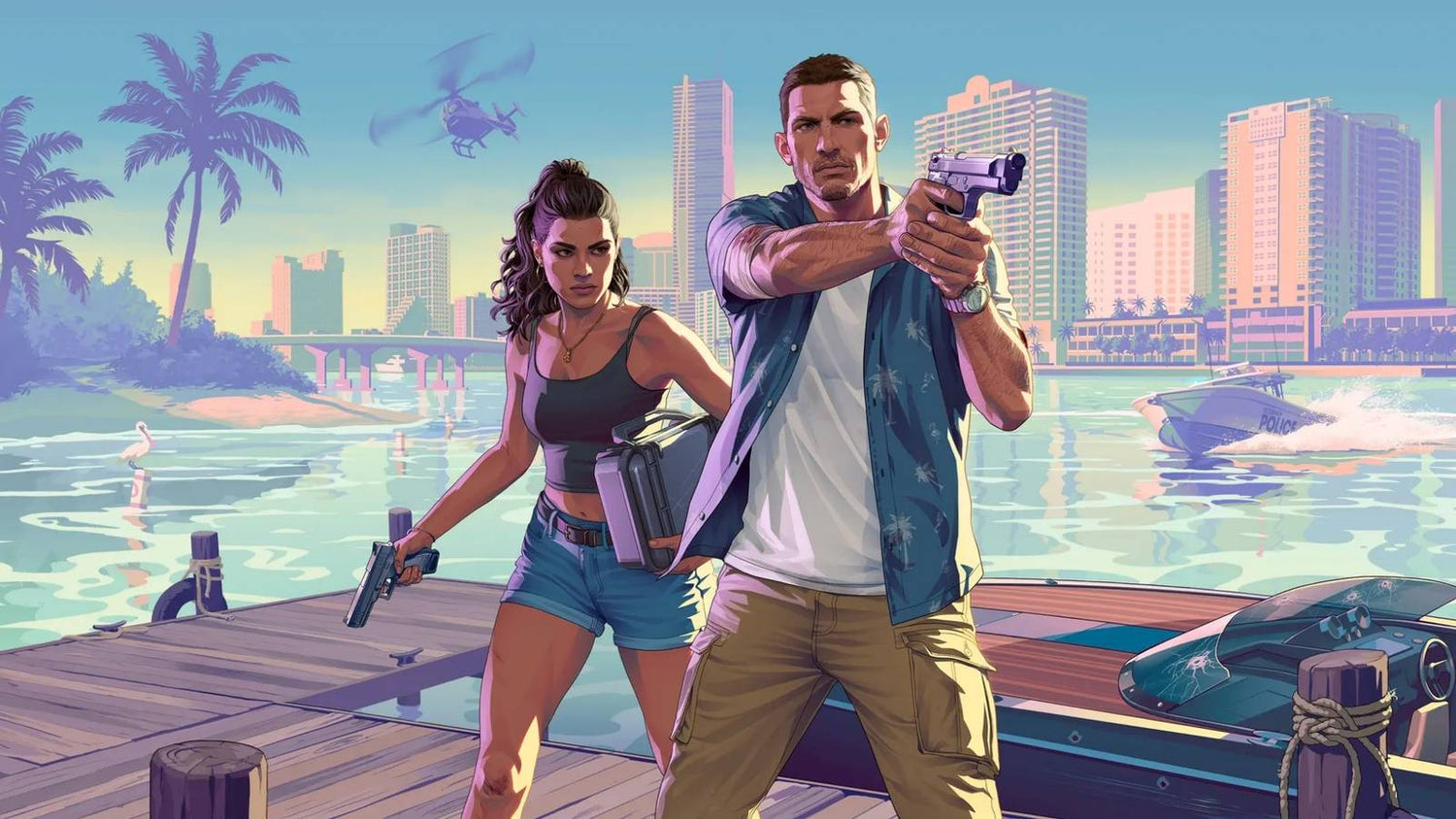
Grand Theft Auto 6 Pre-Orders Open Next Week: What Canadian Buyers Should Know Before Choosing a Gaming PC for GTA 6
The Grand Theft Auto 6 pre-order announcement matters for more than just console players. It is one of the clearest signals yet that the next major wave of open-world gaming demand is approaching, and that has real implications for anyone planning a Gaming PC Canada purchase. When a blockbuster release starts locking in dates, buyers begin asking the same practical questions: Will my current system keep up? Should I upgrade now or wait? If I also stream, edit, or create content, what kind of PC should I actually buy?
For Canadian customers, that conversation is even more important. Demand spikes around major game launches can put pressure on GPUs, high-performance CPUs, fast SSDs, and complete system pricing. Even though the source news focuses on pre-orders opening for Grand Theft Auto 6 on consoles, the broader takeaway is simple: high-end gaming demand is building, and smart buyers should start planning their next system before they are forced into a rushed decision.
If you have been waiting for a reason to finally replace an aging desktop, this is it. Grand Theft Auto 6 is exactly the kind of release that pushes players to move from “good enough” hardware to a more capable custom build. And if you are not just gaming, but also streaming to Twitch, clipping gameplay for YouTube, editing in Premiere Pro, designing thumbnails in Photoshop, or rendering assets in Blender, your next computer needs to be chosen with more care than ever.
What did the Grand Theft Auto 6 pre-order news actually confirm?
Based on the source material provided, Grand Theft Auto 6 pre-orders are set to open on June 25, 2026, with the game scheduled to launch on PlayStation 5 and Xbox Series X/S on November 19, 2026. That matters because pre-orders typically signal stronger confidence in a release window. While no one should pretend delays are impossible in gaming, this kind of announcement usually tells the market that the publisher is moving from speculation into full launch preparation.
There is still no confirmed PC release date in the source, which is normal for a title of this scale. That does not reduce the relevance of the announcement for PC buyers. In many cases, major console launches create a second wave of PC demand later, as players decide they want better frame rates, better graphics settings, mouse-and-keyboard support, mod potential, faster load times, or a machine that can do more than just play one game.
So the better question may not be “Is GTA 6 on PC today?” but rather “What do you want your next PC to be ready for when the biggest games of this generation arrive?”
Why should Canadian PC buyers care about a console-first GTA 6 release?
Because blockbuster games reshape buying behaviour. Even when a title launches on console first, it changes what people expect from hardware across the board. Players start comparing visual quality, asking about ray tracing, thinking about 1440p and 4K, and reconsidering whether an older graphics card still makes sense. At the same time, creators begin planning reaction videos, streams, comparison content, highlight edits, social posts, and channel growth around the release.
That means one game can affect several kinds of customers at once:
- Gamers who want a stronger machine for upcoming AAA titles
- Streamers who need smooth gameplay and stable OBS performance
- Video editors cutting gameplay footage, shorts, and long-form content
- Graphic designers making thumbnails, promotional visuals, and overlays
- Content creators who need one PC for gaming, editing, streaming, and multitasking
- 3D artists and mod-focused users who may eventually want the horsepower for asset work, rendering, or game-related creative projects
Are you buying a PC just for gaming, or do you want one system that can handle your full digital life for the next several years? That one question can change what type of build gives you the best value.
What do you want your next PC to do for you?
Before looking at specs, pricing, or financing, it helps to define your real use case. Too many buyers shop by buzzwords alone. They know they want a “good gaming PC,” but they have not yet decided whether they are chasing high FPS esports performance, cinematic 1440p gameplay, 4K visual quality, livestreaming stability, or creator productivity.
Ask yourself a few practical questions.
Do you mainly want a Gaming PC for GTA 6 and other new AAA games at strong settings?
Do you want to stream while gaming, with smooth performance and reliable encoding?
Will you also edit gameplay videos for YouTube or TikTok?
Do you work in Adobe Creative Cloud, DaVinci Resolve, Photoshop, Lightroom, Illustrator, Blender, or Unreal Engine?
Are you trying to avoid buying something that feels outdated too soon?
Would financing a stronger system now make more sense than buying a weaker one and replacing it early?
The right answer for one customer can be completely wrong for another. That is why a custom PC strategy matters.
What kind of Gaming PC for GTA 6 should you be thinking about?
Even without official PC requirements in the source, it is reasonable to expect Grand Theft Auto 6 to influence demand for modern gaming hardware. Games of this scale typically reward balanced systems with strong GPUs, capable CPUs, enough RAM for modern multitasking, and fast NVMe SSD storage for open-world performance and load times.
If you are asking, what gaming PC do I need? the answer depends on the experience you want.
Entry-level to value-focused gaming
This tier makes sense if your goal is solid 1080p gaming in modern titles with sensible settings, and if you want an affordable upgrade path into current-generation PC gaming. A buyer in this category may be coming from an older console, an outdated prebuilt, or a general-use desktop that simply is not made for demanding games.
This is often the right choice if you are focused on value and do not need ultra settings in every title. But ask yourself: if you already know you want to play larger open-world games for years, will a lower-tier system satisfy you, or will you be shopping again sooner than expected?
Mainstream 1440p performance
For many Canadian gamers, this is the sweet spot. A 1440p Gaming PC Canada build can offer excellent visual quality, stronger longevity, and much better flexibility for upcoming releases. It is also a smart zone for customers who want to play modern games at high settings while leaving room for future demands.
If you are wondering, what PC do I need for 1440p gaming? this is often the category to focus on. It balances price, image quality, and long-term usability better than many ultra-budget systems.
High-end 4K and ray tracing builds
If your goal is premium performance, visual fidelity, and stronger future-proofing, a high-end custom build is where the conversation changes. This is the tier for buyers who care about 4K, advanced lighting features, high texture settings, better minimum frame rates, and staying ahead of new game requirements rather than constantly reacting to them.
Are you the kind of buyer who upgrades every year, or would you rather buy once and enjoy your machine for longer? If the answer is the second one, premium hardware often makes more sense than many people think.
What if you also want to stream?
The GTA 6 conversation is not only about playing. It is also about broadcasting, recording, clipping, and publishing. A Gaming and Streaming PC Canada build has to do more than run the game itself. It has to handle background apps, browser tabs, audio tools, overlays, chat management, and streaming software without feeling unstable.
If you are asking, what PC do I need for streaming? here are the real questions underneath that question:
- Are you streaming at 1080p or planning to grow into higher-quality output?
- Do you want to game and stream on one machine?
- Will you also record locally while live?
- Do you use OBS or similar software regularly?
- Do you care more about maximum in-game FPS or smoother overall production quality?
A stronger CPU, a modern GPU with excellent encoding support, enough RAM, and fast storage can make a major difference to stream stability. If your goal is to build a channel around big game launches, cutting corners too aggressively can become expensive later.
Could this hype cycle also be the right time to upgrade your creator PC?
Yes, especially if gaming is only part of your workflow. Many customers start by shopping for a gaming desktop, then realize they also need a machine for editing, design, photo work, or production. That is where a Creator PC Canada or Content Creation PC Canada build becomes more relevant than a generic gaming-only setup.
Think about what happens around a release like GTA 6. Content volume goes up. More capture footage gets recorded. More B-roll gets stored. More clips need editing. More thumbnails need designing. More social posts need exporting. If your current system already struggles in Premiere Pro, DaVinci Resolve, Photoshop, or Lightroom, a major gaming release can expose every weakness in your workflow.
So ask yourself: are you really shopping for a gaming PC, or are you shopping for a computer that needs to game, stream, edit, and create without wasting your time?
Do you need a Video Editing PC, Photo Editing PC, or Graphic Design PC instead of a gaming-only build?
This is where many buyers make better long-term decisions. If your income, side hustle, school projects, or business content depends on your machine, then your build should reflect that.
Video editing buyers
If you work in Premiere Pro, DaVinci Resolve, After Effects, or CapCut, your system should be chosen for export speed, timeline responsiveness, playback smoothness, storage performance, and RAM capacity. A proper Video Editing PC Canada build can save serious time every week.
What PC do you need for video editing? That depends on your footage resolution, codec complexity, plugin use, and multitasking habits. Basic edits and shorts are one thing. Multi-layer 4K timelines, colour work, motion graphics, and batch exports are another.
Photo editing buyers
Photographers and image-heavy users should think about RAM, SSD speed, colour workflow, and responsiveness in software like Photoshop and Lightroom. A proper Photo Editing PC Canada setup can make RAW handling, AI tools, and bulk processing much smoother.
Are you editing the occasional image, or processing large shoots every week? Do you want your machine to feel instant when zooming, masking, exporting, and moving between apps?
Graphic design buyers
For branding, layout, digital ad design, print prep, Illustrator work, Canva-heavy business use, and Adobe Creative Cloud multitasking, a Graphic Design PC Canada build should prioritize stability, monitor support, RAM headroom, and CPU responsiveness.
If you regularly switch between Photoshop, Illustrator, InDesign, browser tabs, communication tools, and cloud assets, a weak system can slow every step of your day.
What if you need Blender, Unreal Engine, or 3D rendering power too?
Some customers read gaming news because they love games, but their actual buying need is a workstation. If you model, render, animate, texture, or build environments, your ideal machine may be closer to a 3D Modeling PC Canada or 3D Rendering PC Canada configuration than a pure gaming desktop.
A proper workstation-oriented custom build matters if you use:
- Blender
- Unreal Engine
- Unity
- Maya
- Cinema 4D
- 3ds Max
- CAD or visualization tools
What PC do you need for Blender or Unreal Engine? Usually one with stronger rendering capability, more memory headroom, fast scratch storage, and the kind of cooling and part matching that supports sustained heavy loads. If that sounds like your situation, buying a generic gaming box may not be the smartest move.
Is it better to buy now or wait?
This is one of the biggest buyer questions in any hype cycle. There is no universal answer, but there are smart ways to think about it.
If your current machine already meets your needs, waiting can be reasonable. But if your system is aging, unstable, too slow for your workloads, or likely to force a panic purchase later, waiting can become expensive in hidden ways. Lost time, lower productivity, frustrating gaming performance, rushed replacement decisions, and weaker part selection all carry real costs.
Ask yourself:
- Is your current PC already struggling in modern games?
- Are you planning to buy before a major game release period?
- Would a sudden demand spike make better hardware harder to get?
- Do you need your next PC ready for back-to-school, holiday demand, or creator workload growth?
- Would you rather choose calmly now than settle later under pressure?
Major releases can change buyer behaviour quickly. That does not mean panic buying is smart. It does mean proactive planning is smart.
How do component price changes affect a full custom PC purchase?
When customers think about pricing, they often focus only on the graphics card. But complete system costs are affected by several categories at once:
- GPU pricing: often the biggest pressure point for gaming and creator systems
- CPU pricing: especially important for streaming, editing, and workstation builds
- RAM costs: significant for multitasking, content creation, and future-proofing
- SSD pricing: especially relevant for large game libraries, footage storage, and project work
- Cooling and power delivery: essential for build quality, stability, and long-term reliability
When demand rises, complete systems often rise with it. That is why timing matters. A buyer who waits too long may not only pay more, but may end up compromising on the exact performance tier they originally wanted.
Which performance tier fits you best?
If you are unsure what category you fall into, use this simple framework.
Choose a budget-focused gaming build if:
- You mainly want 1080p gaming
- You play a mix of current titles but are not obsessed with max settings
- You want strong value and a reasonable path into PC gaming
- You are moving from an older console or aging desktop
Choose a mainstream performance build if:
- You want 1440p gaming with better long-term value
- You play large open-world and AAA titles regularly
- You want stronger frame rates and better settings without jumping to the highest budget tier
- You may also do some streaming or content creation
Choose a premium gaming build if:
- You want 4K or high-end 1440p performance
- You care about ray tracing, visual quality, and longevity
- You want a system that feels relevant for longer
- You would rather buy strong once than upgrade too soon
Choose a creator or workstation build if:
- You edit video, design graphics, process photos, or stream seriously
- You use Adobe apps, Resolve, Blender, or Unreal Engine often
- You need productivity, responsiveness, and stability as much as gaming performance
- You want one machine to support both work and play
If you are stuck between two tiers, that is often the moment when expert guidance matters most. The wrong compromise can leave you paying for upgrades earlier than planned.
Should you finance a stronger PC instead of buying a cheaper one?
For many buyers, yes, that can be the smarter move. If you know you need better performance for new games, streaming, editing, or workstation tasks, financing can help you secure the right build before replacement costs rise or your current machine becomes a bigger problem.
This is especially true if the cheaper option means:
- Replacing the GPU too soon
- Running out of RAM early
- Settling for limited storage
- Missing the performance needed for streaming or editing
- Buying twice instead of buying correctly once
Canadian customers often ask whether financing a gaming PC is worth it. The better question is this: would manageable payments on the right system give you more value than paying upfront for a weaker one that you outgrow quickly? If the answer is yes, financing becomes a planning tool, not just a payment tool.
For buyers trying to secure a stronger gaming desktop, creator system, or workstation while market pricing remains unpredictable, financing up to 4 years can make a meaningful difference.
Why does custom building matter more when major game releases are driving demand?
Because not all PCs are balanced properly, and not all buyers need the same thing. During hype cycles, rushed shoppers often overpay for flashy specs that do not actually match their priorities. A custom build reduces that risk.
A proper custom PC should account for:
- The games you actually play
- Your target resolution, such as 1080p, 1440p, or 4K
- Whether you stream or record gameplay
- Whether you edit videos, photos, or design content
- Whether you need more RAM, more storage, or stronger cooling
- Whether future upgrades matter to you
Custom building is not just about picking parts. It is about matching performance to real-life use. That is why custom PC buyers are often happier in the long run than buyers who grab the first “gaming” machine they see.
Why Groovy Computers makes sense for Canadian buyers
Groovy Computers is positioned for the kind of buyer who wants more than a random box with RGB. If you want a custom gaming PC, creator PC, or workstation selected with actual use in mind, Groovy Computers offers the kind of guided approach that matters when buying conditions are changing.
For Canadian customers, that means more confidence in the things that truly matter:
- Custom builds matched to your goals
- Support for gaming, streaming, editing, and workstation workloads
- Rigorous testing before the system reaches you
- A 1-year warranty for added peace of mind
- Financing options that can help you step into a stronger machine sooner
- A Canadian custom PC builder that understands local buyers and Canada-wide demand
Whether you are in Nova Scotia, Atlantic Canada, or ordering from elsewhere in the country, the value of buying from a Canadian PC builder is not just convenience. It is relevance, support, and better alignment with what buyers here actually need.
What should you ask before placing your next PC order?
Before you commit, ask yourself these final questions:
- What games or software do I need this PC to run well over the next few years?
- Am I targeting esports performance, 1440p gaming, or 4K gaming?
- Do I want to stream, edit, or create on the same system?
- How much storage will I realistically need for games, footage, and project files?
- Would I be happier with a balanced custom build instead of the cheapest option available?
- Do I want to avoid upgrading again too soon?
- If prices shift, would I regret not locking in a stronger system earlier?
These are not small questions. They determine whether your next PC feels like an upgrade or just a temporary patch.
The real takeaway from the GTA 6 pre-order announcement
The source story is about Grand Theft Auto 6 pre-orders opening next week, but the broader meaning is bigger. A major gaming cycle is moving closer, buyer attention is rising, and the smartest customers will use this moment to plan rather than react. If you have been thinking about upgrading your Gaming PC Canada setup, moving into a Streaming PC Canada build, or replacing a slow creator workstation, this is the right time to think carefully about what your next system should deliver.
Do you want a PC that is merely adequate today, or a custom build that is ready for upcoming games, heavier software demands, and the way you actually use your machine? If you want help choosing the right tier, the right workload balance, or whether financing makes sense for your situation, visit GroovyComputers.ca and explore a better way to buy a custom PC in Canada.
#GamingPCCanada #CustomGamingPCCanada #GamingPCForGTA6 #GamingPCForNewGames #CreatorPCCanada #StreamingPCCanada #VideoEditingPCCanada #3DModelingPCCanada #CanadianCustomPCBuilders #GroovyComputers
Groovy Computers | All Rights Reserved



Leave a comment
This site is protected by hCaptcha and the hCaptcha Privacy Policy and Terms of Service apply.