




































GTA 6 Pre-Orders Are Official: What Canadian Buyers Should Know Before Choosing a Gaming PC for GTA 6
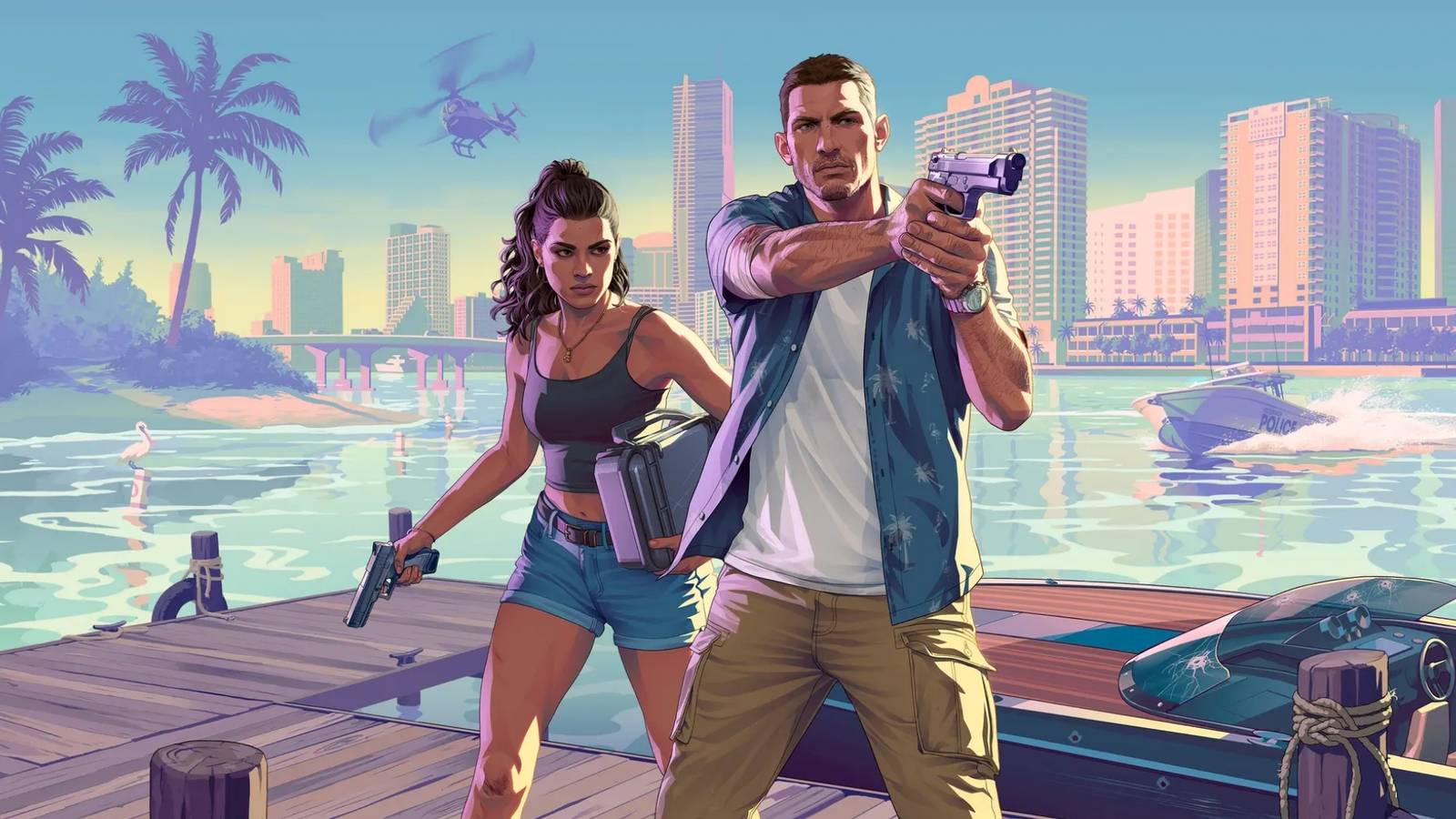
GTA 6 pre-orders are now officially on the calendar, and that matters for far more than console players. For Canadian shoppers thinking about their next upgrade, this is exactly the kind of major release that changes buying behaviour across the entire market. When a blockbuster game like Grand Theft Auto 6 starts moving from hype to purchase phase, demand for better hardware usually follows. If you have been wondering whether now is the right time to plan a new system, compare performance tiers, or secure a stronger build before prices shift again, this is the moment to pay attention.
According to the source material, Rockstar confirmed that Grand Theft Auto 6 pre-orders begin on June 25, with launch set for November 19, 2026, and no launch-day PC version confirmed. That headline is important even for PC buyers because big game releases shape the broader gaming market. They push players to reconsider aging setups, compare console and desktop value, and decide whether they want a system that is ready not just for one game, but for the next several years of AAA releases, esports titles, streaming, recording, and creative work.
For Groovy Computers, the bigger story is not just that GTA 6 is coming. It is that Canadian customers are entering another decision window: do you wait, buy a basic machine, or step into a custom-built PC that is properly matched to what you actually want to play and create?
What Did the GTA 6 Pre-Order News Confirm?
The source confirms several key points that matter to gamers and buyers:
- GTA 6 pre-orders begin June 25.
- The announced release date is November 19, 2026.
- Launch platforms mentioned are PlayStation 5 and Xbox Series X|S.
- No PC launch version was confirmed in the source.
- Pricing had still not been officially revealed at the time of the source.
That final point matters a lot. Whenever one of the biggest games in the world approaches launch and price uncertainty is still in play, customers start asking broader value questions. If a premium game costs more, and accessories, storage, subscriptions, and peripherals all add up, does it make more sense to invest in a platform that can do much more than just run one title?
That is where the custom desktop conversation gets serious.
Why Does GTA 6 Matter to PC Buyers in Canada if PC Wasn’t Confirmed at Launch?
Because major releases influence buying decisions long before a PC version appears. Some players will buy a console for launch-day access. Others will hold off and prepare for the inevitable wave of next-generation open-world games that demand stronger hardware, larger SSDs, more VRAM, and better cooling. Still others will ask a more practical question: if I am about to spend serious money anyway, should I put that budget toward a machine that can handle gaming, streaming, editing, school, work, and content creation?
That is a smart Canadian buying question.
For many households, the real comparison is no longer just console versus PC. It is short-term spend versus long-term value. A properly matched desktop can cover modern gaming, Discord, browser tabs, OBS, video exports, Photoshop work, and future upgrades much better than a closed platform. And in a market where pricing pressure can hit GPUs, memory, storage, and full systems with little warning, buying strategically matters.
What Do You Want Your Next PC to Do for You?
Before you focus on brand names, case styles, or raw specs, ask the question that actually saves money: what do you want your next PC to do for you over the next three to five years?
Do you only want a machine for competitive games at 1080p? Do you want a gaming PC for GTA 6-level open-world games when they hit PC? Do you want high FPS in esports titles and enough overhead for streaming? Are you also editing YouTube videos, cutting TikTok content, working in Adobe Creative Cloud, managing RAW photos, or rendering 3D scenes in Blender?
If you are asking those questions now, you are already thinking like a smarter buyer than someone who picks the cheapest box with a flashy GPU label and hopes for the best.
What Gaming PC Do I Need for Big Upcoming Games?
If your buying mindset starts with GTA 6, expand that mindset to the entire category of modern AAA releases. Open-world games, ray tracing, denser city environments, AI-assisted effects, and heavier background asset streaming all point in one direction: stronger baseline hardware is becoming more important, not less.
So what kind of gaming system should a Canadian buyer consider?
Entry-Level 1080p Gaming PC
This tier fits buyers who mainly play esports titles, lighter multiplayer games, older AAA titles, or want a budget-conscious first gaming desktop. It can also suit students who want solid all-around use with gaming on the side.
Ask yourself: are you mainly playing Fortnite, Valorant, Counter-Strike 2, Roblox, Minecraft, or similar titles at 1080p? Are you okay dialing back settings in future heavy releases? Do you want strong value now without overspending?
If yes, an entry-level build can be the right move. But if your real goal is to avoid upgrading too soon, you may want to step up one level.
1440p Gaming PC
For many customers, this is the sweet spot. A 1440p gaming PC offers a much stronger balance of visual quality, long-term relevance, and better performance in demanding titles. This is where a lot of buyers who are serious about upcoming games should focus.
Do you want smoother gameplay in modern open-world titles? Do you want enough GPU headroom for high settings, stronger texture packs, better lighting, and more confidence over the next several years? Are you planning to buy one solid system instead of replacing a weaker one too early?
If so, a 1440p-focused custom build often delivers the best value-to-longevity ratio.
4K and Ray Tracing Gaming PC
This tier is for premium buyers who want top-tier image quality, heavy AAA gaming, stronger ray tracing performance, and more future-proofing. It is also ideal for customers pairing gaming with creator workloads, especially if they want a machine that feels premium every day, not just adequate.
Do you want ultra settings where possible? Are you buying a premium display now or soon? Do you care about long-term headroom more than lowest upfront cost? Do you want one of the best PC for new games options available in Canada?
Then a high-end build makes sense, especially if monthly payments make that tier more accessible.
Should You Buy a Basic Gaming PC or Finance a Better One Before Prices Shift?
This is one of the most important questions in the market right now. A lot of buyers make the mistake of shopping only by sticker price. But the cheaper machine is not always the cheaper decision.
If you buy too low, what happens six to twelve months later when a new game, creator app update, or display upgrade pushes your system past its comfort zone? If you need a GPU upgrade, more RAM, more storage, or a better CPU sooner than expected, your “budget” buy may end up costing more overall.
That is why many Canadian customers look at financing when they want to secure a stronger custom build without waiting until replacement costs rise again. Financing can help you move from “good enough today” to “still strong years from now.”
Would a slightly higher performance tier save you from upgrading too soon? Would a better GPU now help with both gaming and editing? Would more RAM now keep your system useful for streaming, design work, or heavier multitasking later?
Those are the right questions to ask before making a short-term decision.
Why Canadian Buyers Should Think Differently About Price
The original reporting discusses price uncertainty around the game itself, with speculation that it could land at a premium level. For Canadians, the bigger issue is that game prices are only one piece of the puzzle. Software, peripherals, storage expansion, display upgrades, taxes, and hardware volatility all hit differently in Canada.
If a new major release pushes players toward hardware upgrades, that can tighten demand across parts and full systems. GPUs remain the biggest pressure point in most gaming and creator builds, but they are not the only one. RAM prices can move. SSD pricing can tighten. High-performance cooling and power delivery matter more as system wattage and sustained workloads rise. Even if one part category stabilizes, another can shift unexpectedly.
That is why a Canada-focused buying strategy should be about total ownership value, not just the lowest visible price.
A good custom gaming PC Canada buyers choose today should be selected around realistic use, upgradability, cooling, and performance headroom. It should also be tested properly and backed by support you can trust.
What If You Also Stream, Record Gameplay, or Make Content?
Many buyers coming in through a game-specific search are not just gamers anymore. They stream on Twitch, upload to YouTube, clip for TikTok, record podcasts, edit shorts, and create thumbnails. That changes the build recommendation fast.
Ask yourself: are you only playing, or are you also capturing gameplay, running OBS, using Discord, keeping multiple browser tabs open, and exporting content after your session ends?
If that sounds like your workflow, you should not be shopping like a pure entry-level gamer.
Gaming and Streaming PC Canada Buyers Should Consider
- More CPU overhead for multitasking and background processes
- A stronger GPU for gaming performance and encoder support
- More RAM for smoother streaming and application switching
- Fast SSD storage for game installs, recordings, and project files
- Reliable cooling for long play and stream sessions
Do you need a separate streaming PC? For most customers, no. A well-configured custom gaming and streaming PC Canada buyers choose through Groovy Computers can handle both roles very well if the parts are selected properly.
Is a Gaming PC Good for Video Editing, Photo Editing, and Graphic Design Too?
Sometimes yes, but only if it is built with the right balance. A machine chosen purely for gaming aesthetics or one headline GPU can be poorly matched for creator work if RAM, storage layout, CPU capability, or cooling are neglected.
That is why Groovy Computers does more than point at one category and say “this is enough.” The better question is: what software are you actually running?
PC for Adobe Premiere Pro Canada and DaVinci Resolve Users
If you edit videos, timeline smoothness, export times, codec support, storage speed, and memory capacity matter. A proper Video Editing PC Canada build should be selected around your footage type and output goals.
Are you editing 1080p social content, 4K YouTube videos, multicam footage, or effects-heavy projects? Do you use Premiere Pro, DaVinci Resolve, After Effects, or CapCut? Do you need a system that can game at night and edit during the day?
If yes, you likely need more than a basic gaming tower. A stronger creator-focused configuration can save real time every week.
PC for Photoshop Canada, Lightroom, and Photography Work
Photo editing workloads benefit from responsive storage, enough RAM, good CPU performance, and a build that stays stable under long sessions. If you are a photographer, designer, or social media manager, ask yourself: are you handling large RAW libraries, AI-enhanced image tools, layered composites, or multi-app Adobe workflows?
If so, a Photo Editing PC Canada setup or Creator PC Canada build may be a better fit than a gaming-first machine.
Graphic Design and Content Creation
Graphic designers often need a system that feels fast across Illustrator, Photoshop, InDesign, Canva, browser tools, and communication apps all at once. Content creators often need one machine that can game, stream, edit, design, and upload. That is where a balanced custom creator build becomes especially valuable.
Would you rather buy one stronger system that does all of it well, or buy a cheaper system now and hit frustrating slowdowns later? That is the kind of choice this GTA 6 buying moment should push you to think through.
What If Your Work Includes Blender, Unreal Engine, CAD, or 3D Rendering?
Then you are not really shopping in the same category as a basic gamer at all.
A customer searching because of gaming hype may also be a student in animation, an architectural visualization user, an indie developer, or a freelancer doing product renders. If that is you, the right answer may be a 3D Modeling PC Canada build or full workstation-class configuration rather than a standard gaming desktop.
Do you need GPU rendering speed? Do you need CPU strength for simulation, compiling, or background tasks? Are you working in Blender, Unreal Engine, Maya, SolidWorks, Revit, AutoCAD, or other demanding software?
If yes, then the best system for you may be a custom workstation with gaming capability rather than a gaming PC that struggles once your real workload starts.
Which Performance Tier Fits You Best?
One of the most helpful buying questions is not “what is the best PC?” It is “what is the right performance tier for how I actually use my computer?”
Choose a Value-Oriented Tier If:
- You mainly play esports or lighter games
- You want 1080p performance first
- You are a student or first-time buyer
- You need a Budget Gaming PC Canada option without overcommitting
- You can accept lower settings in future heavy releases
Choose a Mid-Range Performance Tier If:
- You want a stronger 1080p or solid 1440p experience
- You play newer AAA games regularly
- You may stream occasionally
- You want better long-term value
- You are trying to avoid upgrading again too soon
Choose a High-End Tier If:
- You want 1440p at high settings or 4K capability
- You care about ray tracing and image quality
- You stream, record, or edit regularly
- You use demanding software alongside gaming
- You want a more Future Proof Gaming PC Canada buyers can rely on longer
Choose a Creator or Workstation Tier If:
- Your PC earns you money or supports school and professional output
- You use Premiere Pro, DaVinci Resolve, Photoshop, Illustrator, Blender, or CAD software
- You need stability under long workloads
- You need more RAM, storage planning, and smarter component matching
- You want one system for gaming plus serious production work
Why Timing Matters More Around Big Game Releases
Big releases change buyer behaviour. They create urgency, trigger upgrades, increase search demand, and pull many shoppers into the same decision cycle at once. Even when the title in question is not launching on PC immediately, the hype still influences the market.
Are you planning your purchase around a major game release? Are you hoping to upgrade before the holiday period? Are you trying to buy ahead of possible price changes in GPUs, memory, or storage? Are you waiting for your current machine to fail first?
Waiting sounds safe until the market moves the wrong way. If your current system is already near its limit, a planned upgrade is usually better than a forced one.
Why Custom PC vs Prebuilt PC Canada Is Still the Right Question
When demand rises, generic mass-market systems often cut corners where less experienced shoppers do not notice at first. That can mean weak cooling, poor airflow, limited upgrade room, mismatched memory, bargain power supplies, or storage setups that look acceptable on paper but feel cramped in real use.
A custom build is not just about personalization. It is about proper part selection for the way you actually use your machine.
Do you want a system built around the games you play and the software you use? Do you want help deciding whether your budget belongs in the GPU, CPU, RAM, or storage first? Do you want cleaner upgrade paths instead of boxed-in compromises?
That is where working with Canadian custom PC builders makes a real difference.
Why Groovy Computers Is a Strong Fit for Canadian Buyers Right Now
Groovy Computers is positioned for exactly this kind of buyer moment: when customers want more than a generic recommendation and need real guidance before spending serious money.
Whether you are looking for a gaming PC for upcoming games, a streaming and editing setup, a custom creator tower, or a workstation that can handle demanding software, the goal is the same: match the hardware to the user, not the other way around.
Groovy Computers serves Canadian buyers who want custom builds, practical advice, rigorous testing, and confidence in what they are purchasing. That means a system should not just look good in a headline. It should make sense for your monitor, target resolution, game library, workload, and budget. It should also be backed by a 1-year warranty and built with the kind of care that matters when system costs are meaningful.
And if you are trying to move into a stronger tier sooner, financing up to 4 years can make that decision much more practical. For many customers, that means avoiding the trap of buying a weaker machine today only to replace or upgrade it early.
Should You Finance a Gaming PC in Canada?
This depends on your goals, but for many customers, yes, financing can be the smarter move.
If your current system is already struggling, if your work depends on smoother performance, or if you want better long-term value from a stronger GPU and CPU combination, financing can help you secure the right build at the right time. The key is using financing strategically, not emotionally.
Ask yourself: would monthly payments let you move from an entry-level machine to a noticeably stronger one? Would that stronger build last longer and delay future upgrade costs? Would it let you game, stream, edit, or create without immediate compromises?
If the answer is yes, then financing a custom PC can be a rational purchasing decision, not just a convenience feature.
Questions to Ask Before You Buy Your Next PC
- What games do I actually want to play over the next few years?
- Am I targeting 1080p, 1440p, or 4K?
- Do I care about ray tracing, ultra settings, or very high FPS?
- Will I stream, record gameplay, or edit content too?
- Do I use Premiere Pro, DaVinci Resolve, Photoshop, Lightroom, Illustrator, Blender, or CAD tools?
- How much storage do I really need for games, projects, and recordings?
- Would I rather pay less now and upgrade sooner, or buy stronger and keep the system longer?
- Would financing help me secure the better long-term build?
- Do I want a generic box, or a tested custom system with a warranty and support in Canada?
The Bottom Line on GTA 6 Pre-Orders and Your Next PC
The GTA 6 pre-order announcement is bigger than one game. It is a signal that another major buying cycle is beginning. Gamers are reassessing old hardware. Content creators are looking at stronger all-in-one systems. Students and professionals are trying to buy smarter before demand and pricing conditions become less friendly.
If you are asking what gaming PC do I need, whether now is a good time to buy, or whether you should finance a better custom build instead of settling for less, this is the right time to get serious about the decision. The smartest move is not to chase hype blindly. It is to choose a system that fits what you actually want to do next.
Want help deciding whether you need a budget gaming computer, a 1440p performance build, a premium RTX gaming setup, a custom creator PC, or a workstation for editing and 3D work? Visit GroovyComputers.ca and let Groovy Computers help you choose a custom-built system that matches your gaming goals, creative workload, budget, and upgrade timeline.
For Canadian buyers, especially those shopping in Nova Scotia, Atlantic Canada, or anywhere across the country through online ordering, this is exactly when expert guidance matters most. GTA 6 pre-orders may be the headline, but the real opportunity is making sure your next system is ready for more than just one launch window. A properly chosen custom gaming PC Canada shoppers can trust should be ready for the games you want, the software you use, and the performance you do not want to outgrow too soon.
#GTA6 #GamingPCCanada #CustomGamingPCCanada #GamingPCForGT6 #GamingPCForNewGames #CreatorPCCanada #VideoEditingPCCanada #StreamingPCCanada #3DModelingPCCanada #CustomPCBuilderCanada #NovaScotiaComputers #CanadianCustomPCBuilders
Groovy Computers | All Rights Reserved

Leave a comment
This site is protected by hCaptcha and the hCaptcha Privacy Policy and Terms of Service apply.