




































Gaming and Creator PC Canada: What Crimson Desert’s Video Challenge Says About the Future of Gaming, Streaming, and Content Creation
Gaming and Creator PC Canada searches are no longer just about frame rates. They are about capturing gameplay, editing clips, streaming, posting short-form videos, rendering cinematic footage, and being ready when a major game turns into a social media moment overnight. Crimson Desert’s new community video challenge is a perfect example of where PC gaming is going: the best gaming experiences are not only played anymore, they are recorded, edited, shared, and judged by a global audience.
Pearl Abyss has invited Crimson Desert players to submit their own in-game videos, with the opportunity for selected winners to receive a fully sponsored trip to South Korea, including a visit to the Pearl Abyss Korea headquarters, round-trip airfare, accommodation, special Crimson Desert merchandise, and a commemorative golden coin. The challenge asks players to capture actual in-game footage, keep copyrighted music in mind, and submit either short-form videos under one minute or longer cinematic-style videos between one and three minutes before the stated deadline.
For players, streamers, editors, and aspiring creators across Canada, the bigger takeaway is obvious: modern gaming is becoming a creator pipeline. If you want to participate in community challenges, produce highlight reels, build a YouTube channel, stream to Twitch, post to TikTok, or simply preserve your best moments in games like Crimson Desert, your PC needs to do more than “run the game.” It needs to run the game smoothly, record it cleanly, handle editing software, export quickly, and stay reliable under pressure.
That is where Groovy Computers comes in. As a Canadian custom PC builder, Groovy Computers helps customers choose systems that match real workloads: gaming, streaming, video editing, photo editing, graphic design, content creation, 3D modeling, rendering, and professional workstation use. If you are buying a new PC because a game, event, creator opportunity, or software upgrade has raised your expectations, the smartest question is not just “Can this PC play it?” It is “Can this PC do everything I want next?”
Why a Crimson Desert Video Challenge Matters to Canadian PC Buyers
At first glance, a community video contest sounds like a fun fan event. But for PC buyers, it highlights a major shift in gaming hardware demand. Players are no longer satisfied with a system that barely reaches playable settings. They want high FPS, beautiful visuals, clean capture, smooth multitasking, and enough storage to manage large game files and video projects.
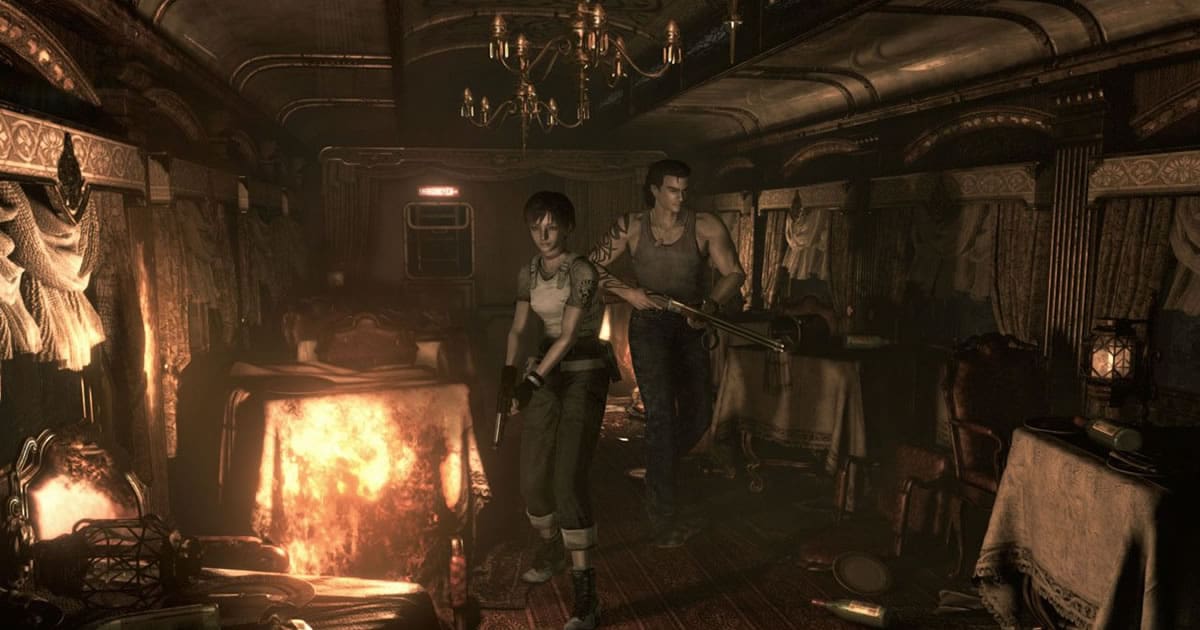
Crimson Desert is an open-world action RPG built around cinematic environments, fast combat, traversal, mounts, physics-heavy moments, and the kind of unpredictable gameplay that can turn into viral clips. When a game asks players to capture “fun and incredible videos,” the quality of the PC becomes part of the creative process.
Can your current system record gameplay without frame drops? Can it handle 1440p or 4K footage? Can it export a finished video fast enough for a deadline? Can you keep Discord, OBS Studio, editing software, browser tabs, music tools, and the game open at the same time? These are the kinds of questions that separate a basic gaming desktop from a true gaming and creator PC.
For Canadian customers, timing matters too. When a major game gains momentum, demand can rise for GPUs, high-speed SSDs, higher-capacity RAM, stronger power supplies, and better cooling. If you are planning to buy before a major release, before a sale period, before a software upgrade, or before component pricing shifts again, waiting too long can make the buying decision harder.
What Do You Want Your Next PC to Do for You?
Before choosing a custom PC, ask yourself a practical question: what do you want your next PC to do for you over the next three to five years?
Do you want to play open-world games at high settings? Do you want to capture clips for social media? Do you want to stream on Twitch or YouTube while gaming? Do you want to edit 4K video in Adobe Premiere Pro, DaVinci Resolve, CapCut, or After Effects? Do you want to build thumbnails in Photoshop, design overlays in Illustrator, produce content for clients, or experiment with 3D modeling in Blender or Unreal Engine?
A gaming PC for new games is not always the same as a content creation PC. A creator PC is not always the same as a professional rendering workstation. A budget gaming computer may be perfect for 1080p gaming, but it may not be the right choice if you want to record, stream, edit, and avoid upgrading too soon.
That is why Groovy Computers focuses on custom builds. Instead of forcing every customer into the same generic configuration, a proper custom PC should be selected around your actual use case: the games you play, the resolution you want, the software you use, the files you work with, and the amount of time you want to save every week.
Gaming and Creator PC Canada: Why One System Often Needs to Do Both
A Gaming and Creator PC Canada buyer is usually looking for one powerful desktop that can handle both entertainment and production. That might mean playing Crimson Desert at high settings, recording the best moments, editing a one-minute social clip, exporting a YouTube video, and then switching to school, business, design, or freelance work.
This is where a carefully built desktop has a major advantage. A gaming laptop may seem convenient, but a gaming desktop can usually offer better cooling, stronger sustained performance, easier upgrades, more storage options, quieter operation, and better long-term value. If you want your PC to remain useful through multiple game releases and creator software updates, those advantages matter.
The ideal gaming and creator PC should balance several components:
- GPU performance for high-FPS gaming, ray tracing, video encoding, GPU-accelerated effects, 3D rendering, and smooth playback.
- CPU performance for multitasking, background encoding, timeline responsiveness, exporting, simulation, and workstation tasks.
- RAM capacity for modern games, editing software, browser tabs, Discord, OBS, Adobe Creative Cloud, and large project files.
- Fast SSD storage for game loading, footage storage, editing cache, project files, and rapid system response.
- Cooling and airflow so performance stays consistent during long gaming, streaming, rendering, and exporting sessions.
- Power supply quality to support stable performance and future upgrades.
- Build testing so your system is not just assembled, but verified under real performance conditions.
If you are asking “is a gaming PC good for content creation?” the answer is: it can be, if it is built correctly. A high-quality custom gaming PC with the right CPU, GPU, memory, storage, and cooling can become an excellent streaming and editing PC. But a random low-cost gaming desktop with minimal RAM, limited storage, weak cooling, or an imbalanced GPU/CPU pairing may disappoint you quickly.
What PC Do You Need for Crimson Desert-Style Gameplay Capture?
For a visually ambitious open-world action RPG, the right PC depends on your target experience. Are you comfortable with 1080p? Do you want 1440p high refresh gaming? Are you trying to play at 4K with ultra settings and ray tracing where supported? Do you want to record at the same time? Do you want your footage to look good enough for a contest, portfolio, channel, or client project?
A basic gaming PC can run many titles at 1080p, but once you add recording, streaming, editing, and high-resolution output, the system requirements grow. The jump from playing a game to producing polished video content is where many budget systems begin to feel limited.
Do You Want 1080p Gaming and Simple Clip Capture?
If you mainly want 1080p gaming, casual recording, and short social clips, you may not need the most expensive system. A value-focused custom gaming PC can be a smart choice if it includes a modern multi-core CPU, a capable graphics card, 16GB to 32GB of RAM, and a fast NVMe SSD.
This type of build is ideal for players who want a reliable first gaming PC, students who need one desktop for school and gaming, or casual creators who record occasional gameplay highlights. If you are asking “how much should I spend on a gaming PC?” the real answer depends on whether you want only playable performance today or smoother performance that lasts longer.
Do You Want 1440p Gaming, Streaming, and Editing?
For many Canadian gamers, 1440p is the sweet spot. A 1440p Gaming PC Canada build gives you sharper visuals than 1080p without requiring the same level of GPU investment as high-end 4K. It is also a strong target for streamers and creators because the footage looks modern, detailed, and clean.
If you want to play Crimson Desert-style open-world games, stream through OBS Studio, record gameplay, and edit videos for YouTube or TikTok, this tier is where the build should become more serious. You should look at a stronger GPU, 32GB of RAM as a practical baseline for creator multitasking, a fast primary SSD, and enough secondary storage for recorded footage.
Ask yourself: will you be running a game, OBS, Discord, a browser, a music app, and editing software in the same day? If so, a cheap gaming PC may save money upfront but cost you time and frustration later.
Do You Want 4K, Ray Tracing, Ultra Settings, and Long-Term Headroom?
A premium 4K gaming and creator build is for players who want maximum visual quality, high-end monitors, ray tracing support, fast exports, and more future-proof performance. If you are asking “what PC do I need for 4K gaming?” or “how long will a high-end gaming PC last?” you are already thinking beyond basic requirements.
A 4K Gaming PC Canada build should prioritize a high-performance GPU, a strong CPU, 32GB to 64GB of RAM depending on your creative workload, high-quality cooling, and a power supply that leaves upgrade room. If you also edit 4K footage, use After Effects, render in Blender, or work with large media projects, this tier can save serious time.
For premium buyers, financing can also change the decision. Instead of buying a weaker system now and upgrading sooner, some customers choose to finance a stronger custom PC and keep it useful for longer. The key question is whether better performance today will save you enough time, improve your content quality, and reduce upgrade pressure later.
Performance Tier Guide: Which Custom PC Fits You Best?
Choosing a PC is easier when you match the build to the job. Below is a practical way to think about performance tiers without getting lost in part names.
Entry-Level Gaming PC: Who Is It For?
An entry-level gaming PC is best for 1080p gaming, school use, everyday productivity, and lighter creator tasks. It can be a smart option if your budget is firm and you mainly want to play popular games without pushing ultra settings.
Ask yourself: are you okay lowering some graphics settings in demanding games? Will you mostly play esports titles, older games, or less demanding releases? Are you recording only occasional clips instead of running a full creator workflow? If yes, a budget gaming computer may be enough.
However, if you are already thinking about streaming, 1440p gaming, or editing 4K footage, buying too low can become expensive later. The cheapest PC is not always the best value if it forces an upgrade too soon.
Mid-Range Gaming and Creator PC: The Sweet Spot for Many Buyers
A mid-range gaming and creator PC is often the best fit for Canadian customers who want strong 1080p or 1440p performance, smooth streaming, practical editing capability, and better longevity. This is where a custom build can be tuned carefully for value: enough GPU for modern games, enough CPU for multitasking, enough RAM for creator apps, and enough SSD capacity for large files.
If you want to record Crimson Desert gameplay, cut short-form clips, edit YouTube videos, use Photoshop, run multiple monitors, or stream to Twitch, this tier is usually more comfortable than a basic gaming desktop.
Could you buy a cheaper system? Possibly. But should you, if you already know you want to create content? That is the real buying question.
High-End Gaming PC: For 4K, Ray Tracing, and Maximum Visual Quality
A high-end gaming PC is for players who want premium graphics, high refresh rates, ray tracing, 4K monitors, and fewer compromises in new AAA games. It is also ideal for creators who want GPU acceleration for editing, effects, encoding, and rendering.
If you want a premium RTX gaming PC, the GPU becomes a major decision. But the rest of the system still matters. A powerful GPU paired with weak cooling, insufficient RAM, or limited storage can create bottlenecks. A proper custom high-end gaming PC should be balanced from top to bottom.
Ask yourself: do you want to avoid upgrading for as long as possible? Do you want your PC ready for the next wave of open-world games, creator tools, AI-assisted editing features, and higher-resolution monitors? If yes, a high-end build may make more sense than cycling through cheaper systems.
Creator Workstation: For Editing, Design, 3D Modeling, and Professional Use
A creator workstation is different from a gaming-only PC because it is designed around time savings and workload reliability. If your PC helps you earn income, build a portfolio, run a business, or deliver client projects, every slow export and crash costs more than just patience.
A Content Creation PC Canada build may include more RAM, more storage, a stronger CPU, a GPU selected for acceleration, and a quieter cooling profile for long work sessions. A video editing PC may prioritize export speed and timeline performance. A photo editing PC may focus on fast SSDs, RAM, and strong single-core performance. A 3D modeling workstation may require more GPU power and memory depending on the software.
What PC do content creators need? The answer depends on whether you are making gameplay clips, editing weddings, producing YouTube videos, designing brand assets, working in Blender, or running CAD and rendering workloads. Groovy Computers can help match the build to the actual software instead of guessing.
Streaming, Recording, and Editing: Why Your PC Needs More Than FPS
High FPS is important, but it is only one part of the content creation equation. A stream can look bad even if the game runs well. A recording can stutter if the PC is overloaded. An edit can feel slow if the system lacks RAM or fast storage. A render can take too long if the CPU and GPU are not matched to the workload.
If you are planning to capture in-game footage for events, contests, YouTube, TikTok, Instagram Reels, or a personal portfolio, think about the full workflow:
- Play the game at the resolution and settings you want.
- Record clean footage using OBS Studio or another capture tool.
- Store large video files without constantly deleting games.
- Edit footage in software like Premiere Pro, DaVinci Resolve, CapCut, or After Effects.
- Export quickly enough to meet deadlines or post while the trend is still active.
- Share the final video without quality loss from a rushed workflow.
A Streaming PC Canada buyer should ask: what PC do I need for streaming if I also want to game at high settings? Do I need a separate streaming PC, or can one well-built custom desktop handle both? For many users, a single properly configured gaming and streaming PC is the best balance of performance, cost, and convenience.
For OBS Studio and modern streaming workflows, GPU encoding can be extremely helpful. But CPU, RAM, network stability, storage, and cooling still matter. If your PC is underbuilt, your stream may show dropped frames, poor quality, audio sync problems, or inconsistent performance during demanding scenes.
Video Editing PC Canada: What If You Want to Turn Gameplay Into Real Content?
Crimson Desert’s video challenge is built around creativity. Short and snappy videos under one minute can still require editing skill: trimming, timing, transitions, captions, audio balancing, colour tweaks, compression, and export settings. Longer videos between one and three minutes may involve cinematic pacing, multiple scenes, voiceover, music licensing awareness, and more advanced editing.
That is why a Video Editing PC Canada build deserves serious attention if you want to do more than basic gaming. Editing performance depends heavily on the footage format, resolution, effects, software, and project complexity.
If you are working with 1080p footage, a modest creator-capable gaming PC may be enough. If you are editing 1440p or 4K gameplay, adding effects, using colour correction, stacking audio, or exporting frequently, you should consider 32GB of RAM as a practical minimum and 64GB if your work becomes heavier. Fast NVMe SSD storage also matters because editing directly from slow drives can make even a powerful PC feel sluggish.
Ask yourself: what specs do you need for 4K video editing? How much RAM do you need for video editing? Is your current PC slow because of the CPU, GPU, RAM, storage, or all of the above? These are the questions Groovy Computers can help answer before you spend money in the wrong place.
Photo Editing, Graphic Design, and Social Content: Are You Building More Than Gameplay Clips?
Many gaming creators quickly become multi-discipline creators. You may start by recording gameplay, then realize you need thumbnails, overlays, channel art, logos, social posts, sponsor graphics, and short-form edits. That means your PC may also need to handle Photoshop, Lightroom, Illustrator, Canva, InDesign, Capture One, or Adobe Creative Cloud workflows.
A good desktop for photo editing does not always require the same GPU as a 4K gaming machine, but it does need fast responsiveness, enough RAM, strong storage, and dependable performance with large files. A graphic design PC should feel smooth when working across multiple apps and monitors. A content creation PC should let you move from editing to design to posting without constant slowdowns.
Are you a photographer who also games? A streamer who designs your own overlays? A small business owner creating marketing content? A student learning Adobe tools? A custom creator PC can be configured to fit those mixed needs better than a generic prebuilt that only advertises one headline spec.
3D Modeling and Rendering: What If Your Game Content Becomes a Bigger Creative Workflow?
Open-world games inspire more than gameplay clips. They can push creators toward 3D art, modding concepts, animation, virtual production, architectural visualization, environment design, and game development. If you are using Blender, Unreal Engine, Unity, Maya, 3ds Max, Cinema 4D, SketchUp, ZBrush, AutoCAD, Revit, or SolidWorks, your PC requirements can change dramatically.
A 3D Modeling PC Canada build usually needs more than gaming performance. It may require a powerful GPU for viewport performance and GPU rendering, a strong CPU for simulation and CPU rendering, 64GB or more RAM for complex scenes, and fast SSD storage for project assets. A 3D rendering PC may also need sustained thermal performance because renders can push the system for long periods.
Is a gaming PC good for Blender? Sometimes. But if your work matters, a workstation PC vs gaming PC decision should be based on your actual projects. A gaming-focused system may be excellent for real-time engines, while a workstation-focused build may be better for heavy rendering, CAD, and professional applications.
If your creative path is expanding, do not buy only for the game you are playing today. Buy for the skills, software, and projects you want to grow into.
Canadian Buying Reality: Why Timing Matters Before Demand and Prices Shift
Canadian PC buyers face a different reality than shoppers in larger markets. Component availability, exchange rates, shipping costs, seasonal demand, GPU supply pressure, memory pricing, SSD pricing, and product refresh cycles can all affect final system cost. When a popular game, creator trend, or major hardware wave increases demand, the best-value configurations can move quickly.
Is it better to buy a gaming PC now or wait? There is no universal answer, but there is a practical way to think about it. If your current PC still handles your games and workloads comfortably, waiting may be fine. But if you already know your system is holding you back, and you are planning to create, stream, edit, or play major upcoming games, delaying can expose you to higher replacement costs or reduced availability.
Waiting can be especially risky if you need a full system, not just one part. A complete custom PC depends on the right combination of GPU, CPU, motherboard, RAM, SSD, cooling, case, power supply, and operating setup. If one major component category spikes in price or becomes harder to source, the entire build can become less attractive.
That is why many customers choose to secure a stronger custom PC before a major game release, a busy sale season, a school or work deadline, or a known creator project. The goal is not panic buying. The goal is avoiding a rushed purchase when demand is already high.
Could Financing Help You Secure a Stronger PC Before Replacement Costs Rise?
Financing is not about buying more than you need. It is about giving yourself the option to buy the right system instead of settling for a weaker one that may need replacement too soon. Groovy Computers offers financing options up to 4 years, which can help Canadian customers spread out the cost of a custom gaming PC, creator PC, video editing PC, or workstation PC.
Should you finance a gaming PC? The answer depends on your budget, your workload, and how important performance is to you. If a better PC helps you stream consistently, edit faster, complete school projects, support freelance work, or enjoy new games without frustration, financing may be worth considering.
Should you finance a better PC instead of buying a cheaper one? That question matters when the cheaper system creates compromises you already know you will outgrow. For example, buying too little RAM, too small an SSD, or too weak a GPU may save money today but force upgrades later. A properly selected financed system can sometimes be the more stable long-term choice.
Can you finance a custom PC in Canada through Groovy Computers? If you are considering a stronger system and want to understand payment options, build categories, and availability, visit GroovyComputers.ca and explore current custom PC options.
Custom PC vs Generic Prebuilt PC Canada: Why Build Quality Matters More Now
When gaming and creator workloads are light, almost any modern desktop can feel fast at first. But once you add demanding games, streaming, editing, exporting, multitasking, and long sessions, build quality becomes much more important.
A custom PC vs prebuilt PC Canada decision should not be reduced to price alone. A low-cost prebuilt may use a recognizable CPU or GPU but cut corners on cooling, power supply quality, motherboard features, RAM configuration, SSD capacity, airflow, or upgrade space. Those details affect stability, noise, thermals, and long-term reliability.
With Groovy Computers, the goal is not just to assemble parts. The goal is to build a balanced system for the customer’s use case. That means matching the GPU and CPU properly, ensuring the case and cooling fit the workload, selecting enough RAM and storage, and testing the system so it is ready for real use.
Why does testing matter in a gaming PC? Because a system can turn on and still fail under load. Gaming, streaming, editing, and rendering can reveal instability that casual use may not. Rigorous testing helps protect your investment and gives you confidence before you rely on the PC for a contest, stream, school project, client deadline, or major game launch.
Groovy Computers also provides a 1-year warranty, giving Canadian buyers added confidence when purchasing a custom gaming PC, creator PC, or workstation PC.
What Should You Ask Before Buying a Gaming and Creator PC?
Before choosing your next desktop, take a few minutes to answer the questions that actually shape performance. These questions are more useful than chasing a random part list.
- What games do you want to play? Are they esports titles, open-world AAA games, ray tracing games, simulation games, or upcoming releases?
- What resolution do you want? Is 1080p enough, or do you want a 1440p gaming PC or 4K gaming PC?
- Do you care more about high FPS or maximum visual settings? Competitive gamers and cinematic players often need different builds.
- Will you stream or record? If yes, you need to account for OBS Studio, encoding, storage, and multitasking.
- Will you edit video? Premiere Pro, DaVinci Resolve, After Effects, and CapCut can all change your ideal CPU, GPU, RAM, and SSD choices.
- Will you edit photos or design graphics? Photoshop, Lightroom, Illustrator, Canva, and InDesign benefit from fast responsiveness and enough memory.
- Will you do 3D modeling or rendering? Blender, Unreal Engine, CAD, and animation workloads may require workstation-level planning.
- How long do you want the PC to last before major upgrades? Future-proofing is not about buying the most expensive parts; it is about avoiding obvious bottlenecks.
- Are you buying before a major release, sale period, or price change? Timing can affect availability and value.
- Would financing help you choose the right build instead of settling? Monthly payments may make a stronger, longer-lasting system more practical.
If you are unsure how to answer these questions, that is exactly when a custom PC builder becomes valuable. The right guidance can prevent overbuying in the wrong place or underbuying where it matters most.
Budget Gaming Computer or Premium RTX Gaming PC: Which One Is Right for You?
Not every customer needs a flagship system. But every customer deserves the right system for their goals. A budget gaming computer can be a great choice for 1080p gaming, students, first-time PC buyers, and everyday use. A premium RTX gaming PC can be the right choice for 1440p high refresh, 4K gaming, ray tracing, content creation, streaming, and long-term performance.
The best gaming PC Canada buyers should consider is not always the most expensive one. It is the one that fits your monitor, games, software, and upgrade timeline. If you have a 1080p monitor and no creator workload, you may not need a high-end GPU. If you have a 4K monitor, want to stream, and edit videos weekly, a budget system may create bottlenecks immediately.
Ask yourself: would you rather save money upfront and upgrade sooner, or invest in a stronger build that stays comfortable longer? Would financing up to 4 years help you move into the tier you actually need? Are you trying to buy before a major game release or creator deadline? These questions can change the smartest choice.
Why Canadian Custom PC Builders Are More Important for Mixed Gaming and Creator Workloads
Canadian customers benefit from working with a builder that understands local buying conditions, shipping realities, warranty expectations, and the needs of gamers and creators across the country. Groovy Computers serves Canadian buyers looking for custom gaming PCs, creator PCs, streaming PCs, video editing PCs, and workstation PCs with Canada-wide relevance and local Nova Scotia roots.
Whether you are in Nova Scotia, Atlantic Canada, Ontario, Alberta, British Columbia, or elsewhere in Canada, buying from a Canadian custom PC company can make the process feel more direct and trustworthy. You are not just buying a box of parts. You are buying a configured system, support, testing, and a clearer path to the performance you need.
For customers near Trenton, New Glasgow, Halifax, and across Nova Scotia, Groovy Computers offers the added confidence of dealing with a Canadian business focused on real customer outcomes. For customers ordering online elsewhere in Canada, the benefit is still the same: a custom PC built around your goals rather than a one-size-fits-all configuration.
Creator Trends Are Raising the Bar for PC Performance
The Crimson Desert community challenge reflects a broader trend: games are becoming content engines. Players are not just completing quests; they are clipping hilarious physics moments, cinematic boss fights, character interactions, creative traversal, unexpected bugs, speedrun attempts, and roleplay scenes. The community turns these moments into short-form videos, reaction content, streams, tutorials, and edits.
At the same time, creator software is becoming more demanding. AI-assisted editing tools, higher-resolution footage, advanced effects, multi-track timelines, noise reduction, colour grading, and GPU-accelerated workflows can all increase system requirements. A PC that felt powerful for gaming alone may start to struggle when content creation becomes part of the routine.
This is why Groovy Computers encourages buyers to think beyond minimum specs. Minimum specs are about launching software. A good custom PC is about enjoying the process, saving time, and reducing friction.
What happens when your channel grows? What happens when you move from 1080p to 1440p? What happens when you start editing 4K footage? What happens when you add a second monitor, a capture workflow, a microphone chain, and design software? Planning for realistic growth can help you avoid buying twice.
How Storage, RAM, Cooling, and Power Supply Choices Affect Real-World Use
Many PC buyers focus almost entirely on the graphics card. The GPU is important, especially for gaming, ray tracing, streaming, video acceleration, and rendering. But the supporting components can determine whether the full system feels smooth or frustrating.
RAM: How Much Do Creators Actually Need?
For basic gaming, 16GB can still work in many cases, but 32GB is increasingly attractive for gaming and creator multitasking. If you edit video, run Adobe Creative Cloud apps, keep many browser tabs open, or stream while gaming, 32GB gives the system more breathing room. For heavier 4K editing, After Effects, large Photoshop files, 3D scenes, and workstation tasks, 64GB or more may be appropriate.
How much RAM do creators need? The honest answer is: enough that your workflow stops fighting you. If your PC constantly slows down when switching apps, previewing edits, or exporting projects, RAM may be part of the problem.
SSD Storage: Why Fast Capacity Matters
Modern games are large. Recorded gameplay files are larger. Editing caches, project files, exports, thumbnails, and backups can fill storage quickly. A small SSD may look fine on paper but become a headache within months.
A gaming and creator PC should usually include a fast NVMe SSD for Windows, applications, active games, and current projects. Additional SSD storage can be valuable for footage libraries and editing work. If you are recording high-bitrate gameplay, do not underestimate how quickly files accumulate.
Cooling: Why Sustained Performance Beats Short Bursts
A PC that performs well for five minutes but overheats during long sessions is not a strong creator machine. Gaming, streaming, rendering, and exporting can keep components under load for extended periods. Good airflow, quality cooling, and clean cable management help maintain stable performance.
This is one of the reasons custom PC building matters. The right case, fans, cooler, and component layout can improve noise, thermals, stability, and upgrade flexibility.
Power Supply: Why Reliability Starts with the Foundation
A quality power supply is not exciting, but it is essential. It supports system stability, protects upgrade potential, and helps ensure the PC can handle demanding components safely. Cutting corners here can create problems that are difficult to diagnose later.
If you are buying a custom PC to last, the power supply should match the build and leave sensible headroom. This is especially important for high-end GPUs and future upgrades.
Buying Before a Major Game Release, Sale Period, or Software Upgrade: Should You Wait?
Many customers delay buying because they hope prices will drop. Sometimes waiting helps. But waiting can also backfire when demand rises, supply tightens, or the exact build you wanted becomes more expensive. The PC market is affected by GPU launches, memory pricing, storage pricing, exchange rates, shipping pressures, seasonal sales, and sudden demand from new games or creator trends.
If your current PC is already limiting you, ask yourself what waiting is costing. Are you missing content opportunities? Are your streams unreliable? Are exports taking too long? Are you avoiding games you want to play because your system cannot handle them? Are you delaying a creator project because your PC feels outdated?
For some buyers, the right move is to wait for a specific budget window. For others, the better move is to secure a balanced system now, especially if financing makes the monthly cost manageable and the PC will be used heavily.
There is also a psychological benefit: once your system is ready, you can focus on playing, creating, learning, streaming, and publishing instead of constantly researching parts and worrying about the next price shift.
How Groovy Computers Helps You Choose the Right Build
Groovy Computers is built for customers who want a PC chosen around real needs, not confusing spec sheets. Whether you are shopping for a Custom Gaming PC Canada build, a Content Creation PC Canada build, a Streaming PC Canada build, a Video Editing PC Canada build, or a workstation for 3D modeling and rendering, the goal is to match the hardware to the outcome.
Do you need high FPS for competitive gaming? Do you need beautiful visuals for open-world adventures? Do you need GPU encoding for streaming? Do you need more RAM for editing? Do you need a fast SSD for large footage files? Do you need a workstation that can render overnight reliably? These are the questions that should shape your build.
Groovy Computers offers custom builds, rigorous testing, Canadian-focused support, financing options up to 4 years, and a 1-year warranty. That combination matters when you are investing in a system that may become your gaming station, editing suite, streaming setup, school computer, business tool, and creative platform all at once.
Ready to Build a Gaming and Creator PC Canada Buyers Can Rely On?
If Crimson Desert’s video challenge has you thinking about capturing better gameplay, starting a channel, upgrading for open-world games, editing short-form content, streaming consistently, or finally replacing a PC that struggles under modern workloads, this is the right time to plan your next build carefully.
What do you want your next PC to do: play, stream, edit, render, design, create, or all of the above? If you want help choosing the right performance tier, visit GroovyComputers.ca to explore custom gaming PCs, creator PCs, workstation options, and financing solutions built for Canadian buyers.
A Gaming and Creator PC Canada build should not be a guessing game. It should be a balanced, tested, upgrade-aware system that fits your games, your software, your monitor, your budget, and your future plans. Whether you are preparing for the next major game release, entering a community challenge, launching a stream, editing 4K content, or building a professional creative workflow, Groovy Computers can help you move from “Can my PC run it?” to “What can I create next?”
Final Takeaway: The Best Gaming PC Is the One That Matches Your Next Move
Crimson Desert’s community challenge is more than a fun contest. It is a reminder that gaming culture now rewards players who can capture, edit, and share their best moments quickly. The right PC can help you enjoy the game, produce better content, meet deadlines, and avoid the frustration of hardware that falls behind your goals.
For Canadian buyers, the smartest path is to choose a custom PC based on your real performance target: 1080p value gaming, 1440p gaming and streaming, 4K ultra settings, video editing, content creation, 3D modeling, or professional workstation use. Add in component pricing uncertainty, demand spikes, and the option to finance a stronger system, and the decision becomes even more important.
If you want a reliable custom build from a Canadian custom PC builder, Groovy Computers is ready to help you choose a system that makes sense today and stays useful tomorrow.
#GamingAndCreatorPCCanada #CustomGamingPCCanada #ContentCreationPCCanada #StreamingPCCanada #VideoEditingPCCanada #GamingComputersCanada #GroovyComputers
Groovy Computers | All Rights Reserved

Leave a comment
This site is protected by hCaptcha and the hCaptcha Privacy Policy and Terms of Service apply.