



































Subnautica 2 DLSS Update: What Frame Generation and Super Resolution Mean for Your Next Gaming PC in Canada
The latest Subnautica 2 DLSS update is more than a quick gaming headline. It is another strong signal that modern PC gaming is increasingly shaped by AI-assisted performance features such as frame generation, super resolution, ray tracing support, and low-latency technologies. According to the source material, NVIDIA has added four more games to its DLSS-supported list for the fourth week of June 2026, with Subnautica 2 receiving DLSS Frame Generation and an upgraded DLSS Super Resolution model. For Canadian gamers planning a new system, that matters. If you are wondering what kind of PC you need for upcoming games, whether your current GPU is still enough, or whether now is the right time to step into a stronger custom build, this is exactly the kind of update worth paying attention to.
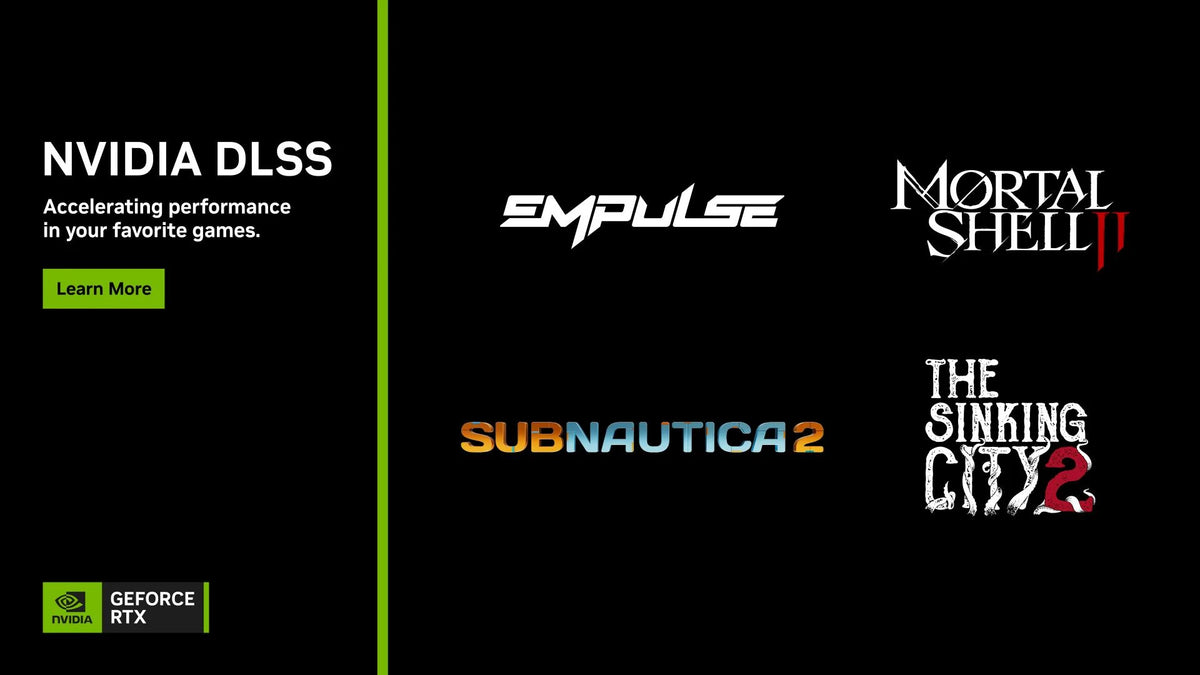
The source also highlights other titles joining the latest DLSS wave, including Mortal Shell II, The Sinking City 2, and Empulse, each getting combinations of DLSS Super Resolution, Multi Frame Generation, NVIDIA Reflex, and ray-traced effects. That wider pattern is important. This is not just about one game. It is about the direction new releases are taking, and what that means for anyone shopping for a Gaming PC Canada buyers can rely on for the next several years.
Why does the Subnautica 2 DLSS update matter if you are shopping for a gaming PC?
Because game support tells you where hardware value is heading.
When more new and upcoming games add DLSS features, the value of an RTX-based gaming system becomes easier to justify for players who want smoother gameplay, better image quality at higher resolutions, and more flexibility with future titles. If you are asking yourself, What gaming PC do I need for new games?, you should not look only at raw frame rates in older titles. You should also look at what modern game engines and new releases are expecting from your hardware.
Subnautica 2 is exactly the kind of game that makes this conversation relevant. Open-world exploration titles can be visually demanding, especially when you want higher settings, a large display, strong draw distances, rich lighting, and a fluid frame rate that keeps the experience immersive. Add in modern upscaling and frame generation support, and suddenly the difference between an outdated GPU and a current, well-matched system becomes much more obvious.
If your current PC already struggles with recent AAA games, what happens when your next must-play title expects stronger GPU acceleration, more VRAM headroom, faster storage streaming, and better frame pacing? Do you want a system that can merely launch the game, or one that lets you enjoy it properly?
What the source article gets right about NVIDIA DLSS and new game support
The source article is concise, but it correctly captures the real takeaway: NVIDIA continues to expand DLSS support across both upcoming and current titles, and these support lists increasingly include performance-enhancing technologies beyond basic upscaling.
In this latest update, the source notes the following:
- Mortal Shell II gets DLSS Super Resolution, DLSS Multi Frame Generation, ray-traced reflections, and ray-traced global illumination.
- The Sinking City 2 gets DLSS Super Resolution, DLSS Multi Frame Generation, and ray-traced lighting effects.
- Empulse gets DLSS Dynamic Multi Frame Generation, DLSS Super Resolution, NVIDIA Reflex, and ray-traced effects.
- Subnautica 2 gets DLSS Frame Generation and DLSS Super Resolution with an upgraded latest model.
That lineup shows a clear trend. Newer games are not just adding one NVIDIA feature for marketing value. They are stacking multiple rendering and responsiveness technologies together. That means your GPU choice matters more than ever, but so does the full system around it. CPU balance, RAM capacity, SSD speed, thermals, airflow, and power delivery all contribute to whether you actually get the benefit of those features in real-world play.
What does DLSS Frame Generation and Super Resolution actually mean for gamers?
For many buyers, the technical names can sound more complicated than they need to be.
DLSS Super Resolution is designed to improve performance by rendering the game internally at a lower resolution and then intelligently reconstructing a higher-quality final image. In practical terms, that can help you push higher settings or higher resolutions without the same performance penalty you would otherwise face.
DLSS Frame Generation goes further by generating additional frames between rendered frames. In supported scenarios, that can dramatically improve perceived smoothness, especially in visually demanding games where your GPU is under heavy load.
So what does that mean for a buyer?
- If you play at 1080p, DLSS can help maintain higher refresh rates or let you increase visual settings.
- If you play at 1440p, DLSS can make higher-quality gaming much more accessible on mid-range and upper-mid-range systems.
- If you play at 4K, these technologies can be the difference between a system that feels premium and one that feels compromised.
Are you planning to play open-world titles on a 1440p monitor? Are you trying to move into 4K gaming without overspending on unnecessary parts? Are you interested in ray tracing, but worried that turning it on will crush your frame rate? These are exactly the situations where modern GPU features start influencing your buying decision.
Why should Canadian buyers think differently about this update?
Because Canadian PC buyers often feel pricing pressure faster and more sharply than buyers in larger markets.
GPU demand, exchange-rate effects, shipping costs, inventory swings, and sudden popularity spikes around major game launches can all affect full-system pricing in Canada. That is why gaming headlines like this should not be treated as trivia. They are often early indicators of where performance expectations are moving next.
When more games adopt advanced rendering and AI-assisted performance tools, buyers who wait too long may find themselves needing a larger upgrade later. Instead of replacing only a GPU, they may end up needing a full platform refresh with a new CPU, more RAM, a larger SSD, and a stronger power supply. That can make waiting feel cheaper in the short term but more expensive in the long term.
If you are in Nova Scotia, Atlantic Canada, or ordering from elsewhere across the country, are you trying to avoid that trap? Would you rather buy once, buy smart, and get a system that stays relevant longer?
What do you want your next PC to do for you?
This is the most important question in the entire buying process.
Do you want your next system to handle Subnautica 2 and other new games at high settings? Do you want a 1440p Gaming PC Canada players can use for both single-player immersion and competitive multiplayer? Do you also stream on Twitch or YouTube? Do you edit videos after your gaming sessions? Are you using Photoshop, Lightroom, Illustrator, Premiere Pro, DaVinci Resolve, Blender, or OBS alongside your games?
A lot of buyers begin by searching for the best gaming PC, but what they actually need is a system tailored to everything they do, not just one title. A gamer who streams and edits clips has very different needs from a pure esports player. A content creator who games at night and edits 4K footage during the day may be better served by a creator-focused build than a basic budget gaming tower.
So ask yourself:
- Do you only want smooth gaming, or do you also need streaming performance?
- Are you gaming at 1080p now but planning to move to 1440p soon?
- Do you care more about ultra settings, higher FPS, or long-term upgrade room?
- Are you choosing a system for one game, or for the next three years of games and software?
What PC do you need for Subnautica 2, new AAA games, and DLSS-era gaming?
While the source article does not provide official system requirements, it gives us enough context to discuss buying tiers intelligently. Since Subnautica 2 is receiving DLSS support, the clearest recommendation for buyers interested in this title and similar upcoming games is to focus on an RTX-equipped system with enough GPU headroom for your target resolution.
Entry tier: Who should choose a budget gaming PC?
A Budget Gaming PC Canada buyers choose today still makes sense if your goals are straightforward.
This tier is best for players who:
- Primarily game at 1080p
- Want solid performance in a mix of older and newer games
- Do not need maximum ray tracing performance
- Want a practical first gaming PC
- Are trying to stay within a controlled budget without buying something underpowered
But here is the key question: if you are already excited about newer AAA games with advanced lighting, DLSS support, and future visual upgrades, do you really want to buy at the bare minimum?
For some customers, the cheapest acceptable build is not actually the best value. It may save money now, but require an earlier upgrade.
Mid-range tier: Is this the best fit for most gamers?
For many Canadian buyers, the sweet spot is a strong Custom Gaming PC Canada build aimed at 1440p gaming.
This tier is often ideal for customers who want:
- High settings in new games
- Strong DLSS support value
- A good balance of cost and longevity
- Room for streaming, Discord, browser tabs, and background apps
- A system that does not feel outdated too soon
If you are asking, What PC do I need for 1440p gaming?, this is usually the most sensible answer. It is where visual quality, refresh rate, and platform lifespan tend to meet in the most practical way.
This is also where many buyers should pause and think carefully. If your current plan is to buy a lower-tier system and replace it sooner, would it be smarter to step up once and get the smoother experience now?
High-end tier: Who should consider a premium RTX gaming PC?
A 4K Gaming PC Canada buyers choose for premium performance is for a different kind of customer.
This tier is best for people who want:
- 4K gaming or high-refresh 1440p gaming
- Ray tracing with fewer compromises
- Longer useful life before the next major upgrade
- Streaming, recording, and multitasking headroom
- A flagship-class experience in upcoming games
Are you the type of buyer who notices stutter, unstable frame pacing, or reduced visual settings right away? Do you want a Ray Tracing Gaming PC Canada customers can trust for premium single-player experiences? Do you intend to keep your next system for years rather than treating it as a temporary stopgap?
If so, a high-end custom build may be the smarter move, especially if major game releases are already pushing you toward an upgrade.
What if you game, stream, and create content on the same PC?
That is where many buyers underestimate what they actually need.
A lot of people start by shopping for a gaming desktop, then realize they also want to stream with OBS, record gameplay, edit highlights for YouTube, cut short-form clips for TikTok, and maybe run Photoshop or Premiere Pro on the same machine. Suddenly, the buying conversation changes.
If that sounds like you, a Gaming and Streaming PC Canada customers choose should prioritize more than just gaming FPS. It should also consider:
- CPU multitasking capability
- GPU encoder usefulness for streaming and recording
- RAM capacity for simultaneous workloads
- Fast SSD storage for large game files and captured media
- Cooling that can sustain heavy sessions without thermal throttling
Are you trying to stream at 1080p while gaming at high settings? Do you want to edit your footage on the same system afterward? Are you tired of choosing between a gaming PC and a creator PC when what you really want is one properly balanced machine?
That is exactly where a custom build makes sense.
Could this gaming trend also affect creators, editors, and 3D users?
Absolutely.
Even though the source topic is gaming-focused, the broader trend behind it matters for creators too. When GPU-accelerated features become more central to mainstream entertainment software, demand for stronger graphics hardware tends to stay elevated. That affects not just gamers, but also people shopping for a Creator PC Canada, a Video Editing PC Canada, or a 3D Modeling PC Canada.
If you are editing 4K video, rendering in Blender, working in Unreal Engine, building motion graphics, or handling Adobe Creative Cloud workloads, you may already need a higher-performance machine than you think. And if GPU pricing tightens because gaming demand intensifies around major releases, waiting can hurt creator buyers too.
Ask yourself:
- Are exports, renders, and previews already slowing down your workflow?
- Do you need more VRAM and stronger GPU acceleration for editing or 3D work?
- Would more RAM save you frustration every single day?
- Is your current system costing you time, even if it still technically works?
How do you decide which performance tier fits you best?
If you are not sure what tier you need, start with your display, your games, and your second-most-important workload.
If you mostly play at 1080p
You may be fine with a value-focused build, especially if you play competitive titles, lighter games, or a mix of old and new releases. But if your game library is shifting toward cinematic AAA titles with advanced visual features, buying a little higher now can be the better long-term move.
If you want 1440p to feel smooth and impressive
This is where many buyers should aim. A good 1440p system can offer excellent visual quality, strong responsiveness, and enough room for upcoming games that continue adding DLSS and advanced lighting features. If you are wondering how much should I spend on a gaming PC, this middle tier often gives the best balance of enjoyment and staying power.
If you want 4K or heavy ray tracing
Do not underbuy. Premium gaming places much more pressure on the GPU, and buyers chasing 4K often regret trying to save too aggressively. If your goal is top-tier visual quality, the right answer is usually a stronger GPU paired with a balanced CPU, enough RAM, and storage that keeps modern games loading and streaming smoothly.
If you stream, edit, or create as well as game
Lean toward a stronger overall system, not just a gaming-only spec sheet. More RAM, more SSD capacity, better cooling, and a better multitasking CPU can make a huge difference in everyday use.
Is it better to buy now or wait?
This is one of the most common and most important questions for Canadian shoppers.
The source article itself is a reminder that software keeps moving. New games continue to adopt more advanced rendering features, and performance expectations rise with them. When that happens, buyers who wait too long can run into several problems at once:
- Their current PC falls further behind
- More upcoming games become harder to run well
- Desired GPUs may become harder to find in the exact tier they want
- Full upgrade costs may rise if multiple parts need replacement at once
That does not mean everyone should rush blindly into a purchase. It does mean you should think strategically. If you already know your current system is near its limit, and your next few games will be more demanding, what exactly are you waiting for? A lower price is never guaranteed. Better stock is never guaranteed. Easier upgrade timing is never guaranteed.
For many buyers, the better question is not Should I wait? but How long can I comfortably keep using my current PC before the compromise gets worse?
Could financing help you secure a better system before costs rise?
For the right buyer, yes.
If your current PC is already holding you back, choosing a weaker machine just to reduce the upfront cost can become expensive in a different way. You may end up replacing it sooner, missing the performance you actually wanted, or spending more on upgrades than you would have by selecting the right build the first time.
That is why some customers look at financing as a practical tool rather than an impulse decision. With financing options up to 4 years, a stronger system can become more manageable while helping you avoid settling for a build that will feel limited too quickly.
Would a better GPU tier save you from upgrading again next year? Would more RAM make your gaming, streaming, or editing setup feel smoother immediately? Would spreading out the cost help you buy the PC you actually need instead of the one you are only tolerating?
Those are smart questions, especially when replacement costs and component pricing can shift unexpectedly.
Why custom builds matter more when games keep getting more demanding
Not all PCs are built with the same care, and that becomes obvious when modern games start pushing every part of the system.
A proper custom build is not just about choosing a GPU. It is about making sure the whole machine is designed to support the experience you want. That includes:
- Balanced CPU and GPU pairing
- Appropriate RAM for gaming and multitasking
- Fast SSD storage for newer game installs and load times
- Reliable cooling for sustained boost performance
- Quality power delivery and upgrade headroom
- Careful testing for stability before the system reaches you
If you are comparing a random generic prebuilt to a tailored custom machine, ask yourself what happens six months later. Is the cooling still good enough? Is the power supply trustworthy? Is there room to upgrade? Was the system actually matched to your monitor, your games, and your other software?
That is why many shoppers end up preferring Canadian Custom PC Builders who understand the use case instead of just moving boxes.
Why Groovy Computers is a strong fit for Canadian buyers reading gaming news like this
Groovy Computers is not just for people who already know every part they want. It is also for buyers who know what they want to do and need expert help translating that into the right system.
If reading about the Subnautica 2 DLSS update has you thinking about your own setup, Groovy Computers can help you choose a build based on real usage, not guesswork. Whether you need a gaming-focused tower, a streaming-ready setup, a creator desktop, or a more advanced workstation, the goal is the same: get the right performance tier without wasting money on the wrong parts.
Groovy Computers serves Canadian customers looking for custom PCs with thoughtful component selection, rigorous testing, and a 1-year warranty for added confidence. That matters when you are investing in a machine expected to handle demanding games, creator workloads, or both. It also matters when you want support from a real Canadian PC Builder instead of gambling on a vague marketplace listing.
For shoppers in Nova Scotia and Atlantic Canada, that local trust matters even more. For buyers elsewhere in the country, so does the ability to order from a Canadian company that understands the realities of performance-focused builds in this market.
What questions should you ask before buying your next gaming or creator PC?
Before you choose a system, ask yourself the questions that actually affect long-term satisfaction:
-
What games or software will I use the most?
Is this mainly for new AAA games, competitive gaming, streaming, video editing, or a combination? -
What resolution am I targeting?
Are you staying at 1080p, moving to 1440p, or planning for 4K? -
Do I care about ray tracing and DLSS support?
If yes, an RTX-based build becomes much more important. -
Will I stream or record gameplay?
If so, your CPU, GPU features, and RAM matter more than a simple gaming-only checklist suggests. -
Do I want this PC to last several years?
If yes, buying too low can become false economy. -
Will I also use Adobe, Blender, or other creator tools?
Your ideal system may need creator-class balance, not just gaming speed. -
Would financing a stronger system make more sense than replacing a weaker one sooner?
That is often the smarter long-term question.
Need help choosing the right custom PC for Subnautica 2 and the next wave of games?
If you are asking what your next PC should really be capable of, that is the right time to talk to a builder that understands both gaming trends and real buyer needs. Whether you want a budget-friendly entry point, a 1440p sweet-spot system, a premium RTX gaming machine, or a hybrid gaming-and-creator setup, Groovy Computers can help match the build to your goals.
Want a system that is ready for new games instead of barely catching up to them? Want to avoid upgrading too soon? Want a custom recommendation based on your monitor, your game library, your workload, and your budget? Visit GroovyComputers.ca to explore your options, ask about a custom build, and see whether a stronger PC or financing plan makes the most sense for you.
Final thoughts: the Subnautica 2 DLSS update is really a buying signal
The biggest takeaway from this news is not just that Subnautica 2 supports new NVIDIA technologies. It is that the modern PC gaming landscape keeps moving toward more demanding visual pipelines and more feature-dependent performance. The latest Subnautica 2 DLSS update is another reminder that if you plan to enjoy upcoming games properly, your hardware choices matter more than ever.
For Canadian buyers, that means thinking beyond a single headline. What do you want your next PC to handle? What performance tier will still feel good a year from now? Are you buying just enough for today, or building for the games and workloads that are already on the horizon?
If you want confidence, custom guidance, tested reliability, warranty-backed support, and a build tailored to the way you actually play or create, Groovy Computers is the smart place to start.
#Subnautica2 #NVIDIADLSS #GamingPCCanada #CustomGamingPCCanada #1440pGamingPCCanada #4KGamingPCCanada #CreatorPCCanada #CanadianCustomPCBuilders #GamingPCForNewGames #GroovyComputers
Groovy Computers | All Rights Reserved



Leave a comment
This site is protected by hCaptcha and the hCaptcha Privacy Policy and Terms of Service apply.