






















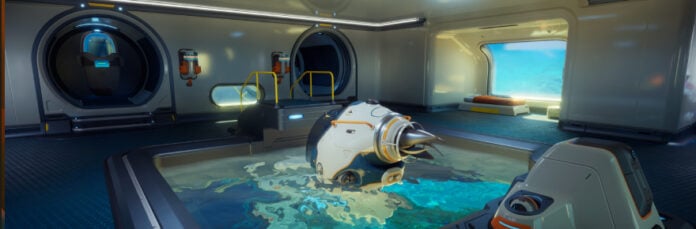
Subnautica 2 Lawsuit Fallout and Why It Matters for Your Next Gaming PC in Canada
The Subnautica 2 lawsuit story ended with a major settlement, bigger-than-expected payouts for developers, and the departure of Unknown Worlds’ CEO, but the bigger takeaway for Canadian PC buyers is not just corporate drama. It is what this kind of high-profile game launch tells us about demand, timing, hardware expectations, and why so many players start asking the same question after a headline like this: what kind of system do I actually need to enjoy new games properly?
When a major release powers through controversy and still attracts millions of players in early access, it sends a clear signal across the gaming market. Interest spikes. Streamers jump in. creators start clipping content. Friends pull friends into co-op sessions. Suddenly, buyers who were “waiting a bit longer” are comparing GPU tiers, SSD sizes, cooling setups, and whether a budget machine will hold up through the next wave of demanding PC games.
That is exactly where Groovy Computers can help. For Canadian buyers looking at a custom gaming PC, a gaming and streaming setup, or even a creator workstation that can handle gameplay, recording, editing, and day-to-day productivity, this kind of moment matters. Hype around a big title does not just sell copies of a game. It changes what people expect from their hardware.
What happened in the Subnautica 2 lawsuit, and why should PC buyers care?
Based on the source reporting, Krafton and the former Unknown Worlds leadership reached a mutual settlement that ends the legal fight tied to delays, management changes, and a very large payout tied to launch timing. The settlement reportedly results in compensation that is significantly more than originally planned, with bonuses extending not just to executives and original workers but also to later hires. At the same time, CEO Ted Gill is stepping down, and the companies are now looking for leadership from outside both sides.
For gamers, the legal saga may feel like background noise compared to the game itself. But from a buying perspective, it highlights something important: a game can be surrounded by controversy, yet still become a performance-driving, community-shaping release. In other words, if you were hoping legal uncertainty would cool demand, that did not happen here.
So what happens next when a game succeeds anyway? More players jump in. More streamers cover it. More content creators edit footage from it. More buyers ask whether their current PC can handle smooth 1440p gameplay, multiplayer sessions, mods, background apps, Discord, browser tabs, capture software, and maybe even OBS at the same time.
Why are Canadian buyers looking at this differently?
In Canada, buying decisions around a new PC are rarely just about one game. They are about value, longevity, upgrade timing, and whether the system you choose now will still feel strong a year or two from now. A lot of buyers are asking smarter questions than they used to. Should you grab a lower-cost machine that handles today’s launch and risk upgrading sooner? Or should you step into a stronger custom build now and avoid replacing your GPU, adding RAM, or swapping storage too early?
That is especially relevant when hardware pricing can shift with demand. Popular game launches, creator trends, seasonal sales, AI-related GPU pressure, and general component volatility can all affect system pricing. If you are trying to plan carefully, it makes sense to think in terms of total use, not just today’s minimum requirements.
And because Groovy Computers is a Canadian custom PC builder, this is where local buying context matters. Canadian shoppers are balancing gaming goals, shipping confidence, support expectations, and the appeal of getting a properly matched system instead of gambling on an underpowered box that looked good in a quick spec list.
What do you want your next PC to do for you?
Before you choose a system, ask yourself a simple question: what do you want your next PC to do for you over the next two to four years?
Do you want a reliable Gaming PC Canada buyers can count on for new survival titles, open-world games, and co-op experiences at high settings?
Do you want a machine that can game and stream at the same time without stutters when OBS, Discord, browser tabs, and recording software are all open?
Do you also edit clips for YouTube, TikTok, or long-form content and need a Creator PC Canada customers can use for exports, thumbnails, Lightroom work, and short-form video production?
Are you trying to move into Blender, Unreal Engine, or heavier productivity work and need something closer to a workstation than a standard gaming tower?
Or are you mainly asking the budget question: how much should I spend on a gaming PC so I do not regret it six months from now?
The right answer depends less on a single headline and more on your real use case. But headlines like this one are useful because they remind buyers that major games do not arrive in isolation. They arrive into an ecosystem of streaming, capture, mods, patches, roadmaps, and social momentum.
The hidden lesson from Subnautica 2: game hype changes PC buying behaviour
Subnautica 2 is not just another release. It sits at the intersection of several hardware-heavy trends: immersive environments, multiplayer interest, creator coverage, and long-tail engagement through early access updates. Games like this tend to stick around in a person’s rotation longer than a quick weekend install.
That matters because a system that “technically runs it” is not always the same as a system that feels great to live with. You may be able to launch a new title on older hardware, but are you happy with the result if load times drag, textures hitch, fan noise spikes, or your frame rate craters the moment you start streaming or multitasking?
That is where many buyers begin to realize they do not just need a computer that passes minimum specs. They need a balanced custom build that matches how they actually use their machine.
What PC do you need for new games like Subnautica 2?
If you are searching what gaming PC do I need or best PC for new games, the answer comes down to resolution, frame rate targets, and whether your gaming setup includes extra workloads like streaming or editing.
Entry-level buyers: are you aiming for solid 1080p gaming?
If your goal is dependable 1080p gaming with good settings, fast boot times, and a smoother experience than an aging hand-me-down system, a Budget Gaming PC Canada shoppers choose should focus on balanced CPU and GPU performance, at least 16GB of RAM, and SSD storage large enough to handle modern install sizes.
Is this enough for every future release at ultra settings? Not always. But for many players, 1080p remains the value sweet spot. If you mainly want to enjoy survival games, co-op titles, esports, and general AAA releases without overspending, this tier makes sense.
The key question is this: do you want a system that meets the moment, or one that gives you breathing room for the next wave of games too?
Mainstream enthusiasts: do you want 1440p to be your standard?
For a lot of Canadian gamers, 1440p is the real target. It looks sharper, feels more premium, and better matches what buyers expect from a modern Custom Gaming PC Canada build. If you want high settings, stronger visual quality, and enough GPU overhead to keep future titles comfortable, this is where a lot of value lives.
If you have ever asked what PC do I need for 1440p gaming, you are probably already past the true budget tier. You are looking for a system that handles demanding games now while staying useful longer. That often means stepping up in GPU class, CPU capability, and cooling quality so the whole machine remains stable under real use.
Premium buyers: are you targeting 4K, ray tracing, or ultra settings?
If your answer is yes, then you are not shopping for “good enough.” You are shopping for a 4K Gaming PC Canada buyers can use for premium visuals, heavier texture loads, ray tracing features, and stronger long-term relevance.
Would a lower tier work today? Maybe. But if you know you want maximum visual quality, a high refresh monitor, or enough horsepower for top-end gaming plus recording, cheaping out early can be the more expensive move later.
This is also where financing enters the conversation naturally. Many buyers ask: should I buy a cheaper PC now or finance a better one that lasts longer? If the stronger build saves you from an early GPU replacement or a full-platform upgrade, the premium route can actually be the smarter long-term purchase.
Do you also stream, record, or create content?
Not every gaming buyer is just gaming anymore. Many are streaming on Twitch, posting clips to YouTube, editing vertical shorts, building thumbnails, or handling a mix of gameplay and creator work. If that sounds like you, a standard gaming tower may not be the best fit on its own.
A proper Streaming PC Canada customers should consider needs more than raw game FPS. It needs enough CPU and GPU headroom for OBS, background capture, audio tools, browser sources, overlays, chat apps, and sometimes local recording at the same time.
So ask yourself: what PC do I need for streaming if I also want good in-game performance?
If you are gaming and streaming on one machine, balance matters. You want a CPU that can handle multitasking, a GPU that supports strong encoding performance, enough RAM to prevent bottlenecks, and storage that can keep up with both gameplay and media files.
If you are also editing those clips after the stream ends, then you are crossing into Content Creation PC Canada territory. That means your system choice should reflect video exports, timeline smoothness, asset management, and real-world multitasking.
Could this kind of gaming trend push you toward a creator PC instead?
This is one of the smartest questions buyers can ask. Some people shop for a gaming PC, but what they really need is a hybrid machine for gaming, streaming, and editing. Others think they need a workstation, when in reality a higher-tier gaming-and-creator setup would handle everything beautifully.
If you edit in Adobe Premiere Pro, DaVinci Resolve, CapCut, or Photoshop, your ideal system may need more RAM, faster storage, and stronger multi-core performance than a pure gaming build. If you work in Illustrator, Lightroom, or social media design workflows, you may also benefit from a cleaner creator-focused configuration.
That is why the real question is not just can my PC run this game? It is what else do I expect this machine to do every week?
When should you consider a creator-focused system?
You stream and record gameplay regularly
You edit 1080p or 4K footage for YouTube or social media
You use Photoshop, Lightroom, or Illustrator alongside gaming
You want faster exports and smoother multitasking
You want one machine instead of outgrowing a gaming-only system too fast
In these cases, stepping into a Custom Creator PC Canada build can make more sense than buying a strictly gaming-focused configuration.
What if your work includes Blender, Unreal Engine, or 3D workloads?
Some readers arrive through gaming news but quickly realize their needs are broader. If you are modeling environments, learning Blender, working in Unreal Engine, rendering scenes, or juggling game dev tools, your shopping criteria change again.
A 3D Modeling PC Canada or rendering-focused workstation needs different priorities than a basic gaming desktop. GPU performance matters, but so do memory capacity, CPU strength, thermal stability, and storage layout. Fast load times and smooth viewport responsiveness are great, but so is not waiting forever on renders or compiles.
So ask yourself honestly: is a gaming PC good for Blender, or do I need a workstation-style build?
For some users, a powerful gaming PC overlaps nicely with entry-to-mid 3D workloads. For others, especially those working professionally or studying seriously, a proper Workstation PC Canada setup is the better investment.
Which performance tier fits you best?
Many buyers do not need a lecture on parts. They need clarity. Here is a practical way to think about performance tiers before you order.
Tier 1: Value-focused and practical
This is the buyer who wants smooth 1080p gaming, fast everyday performance, and a machine that is clearly better than a generic office desktop. If you are mostly playing at mainstream settings and not pushing heavy creator workloads, this tier can be excellent value.
Best for buyers asking:
Is a budget gaming PC worth it?
Can a budget gaming PC play new games?
What is the best gaming PC for the money?
Tier 2: Balanced performance for modern gaming
This is where many buyers should aim. Strong 1440p performance, better upgrade longevity, more confidence with new releases, and enough muscle for light streaming or editing. If you want a machine that still feels good as game requirements creep upward, this tier often hits the sweet spot.
Best for buyers asking:
What PC do I need for 1440p gaming?
Is it better to buy a gaming PC now or wait?
How long will this system stay relevant?
Tier 3: Premium gaming and creator power
This tier is for buyers who want strong 1440p or 4K gaming, ray tracing, high refresh targets, streaming, editing, and stronger long-term value. If you are the kind of user who would rather buy once and buy right, this is often the smarter path.
Best for buyers asking:
What PC do I need for 4K gaming?
Should I finance a high-end gaming PC?
Best gaming and streaming PC for long-term use?
Tier 4: Workstation-grade and specialized
This is for serious content creation, rendering, 3D work, heavy editing, and demanding productivity. If your machine is part of your income, your coursework, or your professional output, stability and efficiency matter just as much as raw speed.
Best for buyers asking:
What PC do I need for video editing?
What PC do I need for Blender?
Workstation PC vs gaming PC for 3D modeling?
Why does timing matter when a major game succeeds in early access?
Because market momentum changes buying conditions. A hit early access launch can fuel interest in game-ready PCs, streaming setups, storage upgrades, and higher GPU classes. At the same time, component pricing never exists in a vacuum. GPU demand can rise. Certain CPU tiers become more attractive. SSD and memory pricing can shift. And once enough buyers all decide to upgrade at once, value can disappear fast.
Are we saying every headline means prices will spike tomorrow? No. But it is smart to recognize that waiting is not always the safe move people assume it is.
If you are already close to upgrading, the better question may be: should I buy before my current PC forces the decision on me?
That is especially true if your system is already showing age in newer games, if your storage is constantly full, if your CPU is struggling while streaming, or if you know your next few months include major releases and heavier software use.
Is financing a stronger PC worth considering?
For many Canadian buyers, yes. Financing is not just about affordability in the abstract. It is about matching your purchase to your actual needs instead of settling for a weaker build that you outgrow too soon.
If you have been asking can I finance a gaming PC in Canada or should I finance a better PC instead of buying a cheaper one, think about the total picture. A stronger custom system may give you better gaming performance, more creator flexibility, longer useful life, and fewer near-term upgrade costs.
Groovy Computers offers options that can help buyers spread out the cost of a better system, including financing up to 4 years. For someone trying to secure more GPU headroom, more RAM, or a more capable all-around build before replacement costs rise further, that can be a practical move rather than an impulsive one.
The right question is not “should I finance because I have to?” It is “would financing help me buy the right machine the first time?”
What should you ask before buying your next custom PC?
Here are the questions worth asking before you commit:
What games am I really going to play over the next year?
Am I staying at 1080p, moving to 1440p, or planning for 4K?
Do I care about ray tracing, ultra settings, or high refresh gaming?
Will I stream with OBS, record footage, or upload content regularly?
Do I edit video, photos, or design assets on this same machine?
Do I need more storage than I think because game installs and media files keep growing?
Would I rather finance a better system now than upgrade again too soon?
Do I want a generic prebuilt, or a custom system tested for stability and matched to my actual use?
If those questions feel familiar, you are exactly the kind of buyer who benefits from speaking with a Canadian custom PC builder instead of guessing through a sea of uneven listings.
Why choose Groovy Computers instead of gambling on a random prebuilt?
When the market gets noisier, build quality matters more. A custom PC is not just about flashy specs. It is about part selection, airflow, compatibility, power delivery, cooling, cable management, upgrade paths, and whether the machine has actually been tested as a complete system.
Groovy Computers is built around that idea. Canadian buyers want confidence. They want a machine assembled with care, stress-tested properly, backed by a 1-year warranty, and designed for the way they really play or work.
That is particularly important when your needs overlap. Maybe you want a gaming machine that can also stream. Maybe you need a creator desktop that can also handle AAA titles after hours. Maybe you want a workstation-style build without overspending on features you will never use.
A custom builder helps you avoid both mistakes: underbuying and overbuying.
Are you buying for one game, or for the next era of your setup?
The Subnautica 2 story is a reminder that big games can survive controversy and still become major platform moments. If that pushes you to think about upgrading, do not frame the decision too narrowly. You are not just buying for one launch weekend.
You are buying for the next stretch of your gaming life.
Will your next system be used for new open-world releases, multiplayer survival, content creation, school, work, editing, and streaming? Do you want something entry-level and affordable, or something stronger that gives you room to grow? Are you trying to avoid the frustration of another near-future upgrade?
Those are the questions that lead to a better result.
Need help choosing the right custom gaming PC in Canada?
If you are wondering what performance tier fits you, whether a budget build is enough, whether a premium system makes more sense, or whether financing could help you secure a stronger machine now, Groovy Computers is the place to start.
Whether you need a gaming PC, a gaming and streaming setup, a creator system, or a workstation-grade build, you can explore options and request guidance at GroovyComputers.ca. If your question is simple, ask it. If your use case is mixed, even better. That is exactly where a custom builder adds value.
In a market shaped by major game launches, shifting buyer demand, and evolving performance expectations, the smartest move is not chasing hype blindly. It is choosing a system that is ready for what you actually want to do next. And if the Subnautica 2 lawsuit aftermath has you thinking harder about game-ready hardware, that may be your signal to upgrade with purpose.
#Subnautica2 #GamingPCCanada #CustomGamingPCCanada #CreatorPCCanada #StreamingPCCanada #WorkstationPCCanada #BudgetGamingPCCanada #4KGamingPCCanada #CanadianCustomPCBuilders #GroovyComputers
Groovy Computers | All Rights Reserved


Leave a comment
This site is protected by hCaptcha and the hCaptcha Privacy Policy and Terms of Service apply.