



































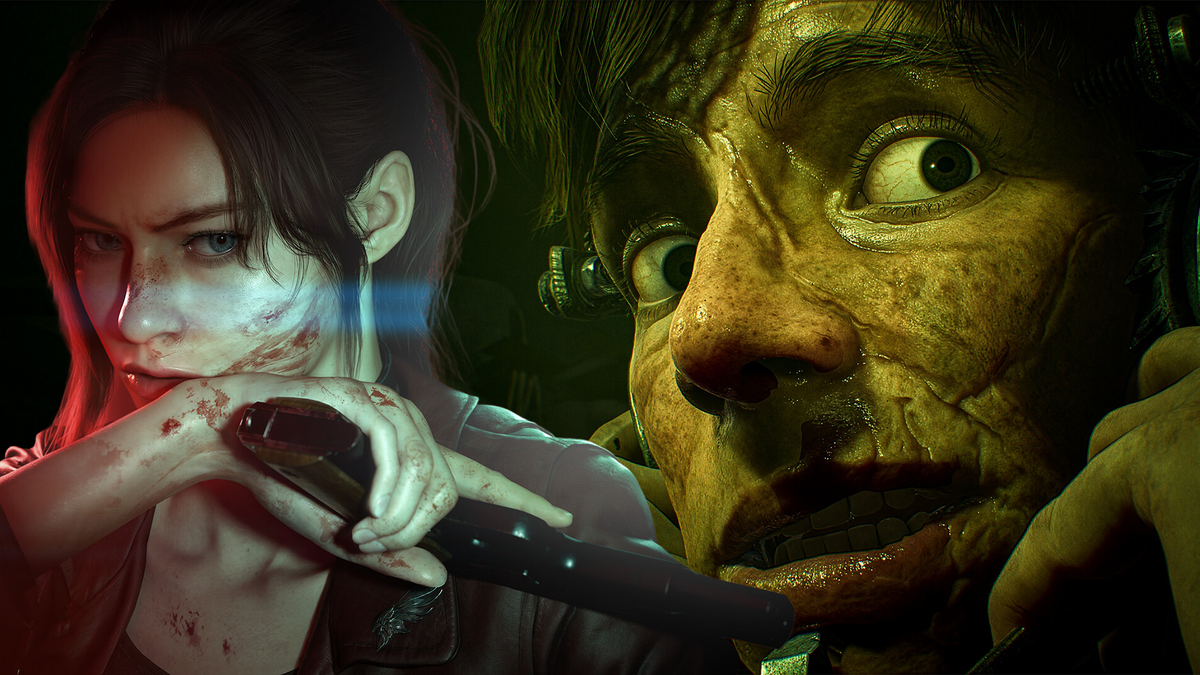
Best New Horror Games 2026: What Kind of Gaming PC Do You Need in Canada?
The best new horror games 2026 lineup is doing more than building hype. It is also giving Canadian PC buyers an early warning about what their next system may need to handle. Between cinematic remakes, ray-traced survival horror, co-op action, stealth-heavy first-person games, and weird genre-bending indie releases, the latest horror wave is shaping up to be demanding on both hardware and budgets. If you are wondering whether your current computer can keep up, or whether now is the right time to move into a stronger custom build, this is the right moment to think it through.
Recent horror game reveals highlighted a wide range of experiences, from large-scale releases like Resident Evil Veronica, Silent Hill: Townfall, and Alien: Isolation 2 to more experimental titles like Fractured Blooms, Lily’s World XD, Dreadmoor, and Tenebris Somnia. That matters because not every player needs the same machine. Are you trying to play upcoming horror games at 1080p on a sensible budget? Do you want 1440p ultra settings with ray tracing? Or are you also planning to stream, edit YouTube videos, create thumbnails, or render 3D assets on the same system?
For Canadian buyers, this conversation is even more important. Hardware pricing can shift quickly, GPU demand can spike around major game cycles, and replacing a weak system later often costs more than choosing the right platform the first time. A well-matched custom PC is not just about getting more frames today. It is about avoiding an underpowered purchase that feels old too soon.
Why the best new horror games 2026 matter for PC buyers
The latest horror releases are a useful buying guide because they show exactly where PC gaming is heading. Big-budget horror is leaning harder into detailed lighting, heavier environments, cinematic effects, atmospheric fog, larger textures, and more demanding enemy AI behaviour. Even games that are not pure graphical showcases can still stress a system through high asset density, unstable frametimes, or the extra overhead that comes from recording gameplay, voice chat, browser tabs, Discord, and OBS all running at once.
That means the real question is not just, Can my PC run it? The better question is: How do you want it to run?
Do you want playable settings, or do you want smooth, immersive performance that makes stealth, reaction time, and visual atmosphere feel right? Horror games especially benefit from consistency. Stutter during a chase scene, weak minimum FPS in a dark corridor, or heavy frame drops when lighting effects kick in can make a great game feel worse than it should.
What do you want your next PC to do for you?
Before you shop by price alone, ask yourself what your next PC really needs to accomplish over the next few years.
- Only gaming? You may need a focused gaming build with a strong GPU and balanced CPU.
- Gaming plus streaming? You will want more CPU headroom, better thermal planning, and enough memory for OBS, chat tools, and background apps.
- Gaming plus video editing? A creator-leaning system with more RAM and storage speed may save you hours over time.
- Gaming plus Photoshop, Illustrator, or Lightroom? A hybrid content creation system may be the smarter long-term purchase.
- Gaming plus Blender or Unreal Engine? You may already be closer to workstation territory than standard gaming territory.
This is where many buyers get stuck. They search for a gaming desktop, but what they really need is a more versatile custom system. If your PC has to game at night, stream on weekends, and edit content during the week, buying too close to the minimum can become frustrating very quickly.
Which upcoming horror games look like the biggest hardware test?
Not every title in the current horror lineup puts the same kind of stress on a PC. Some games are likely to be more GPU-heavy, some more CPU-sensitive, and some simply more punishing if you are trying to layer streaming or recording on top.
Resident Evil Veronica and the remake factor
A full remake in a modern horror franchise usually means far more than a simple visual touch-up. It can mean rebuilt assets, heavier lighting systems, new animation work, expanded environments, and modern effects that push a machine much harder than the original ever did. If you are planning for this kind of release, a gaming PC for new games should not be built around bare-minimum expectations.
Are you hoping to enjoy horror remakes with stronger image quality, better texture settings, and enough overhead for future patches and DLC? If so, targeting a system built for comfortable 1440p gaming rather than entry-level survival may be the smarter move.
Alien: Isolation 2 and smooth stealth performance
Stealth horror lives and dies on responsiveness. A game like Alien: Isolation 2 is not just about average FPS. It is about tension, movement clarity, input feel, and maintaining immersion while lighting, shadows, and enemy behaviours remain stable. If you are the kind of player who loves atmospheric first-person horror, this is exactly where weak GPUs and older CPUs start to show their age.
Do you want to play with headphones on, lights off, and settings turned up enough to make the environment truly effective? Then your performance target should include stable frametimes, a capable graphics card, and enough memory to keep the whole system comfortable.
Silent Hill: Townfall and visual atmosphere
Fog, reflections, environmental detail, and audio-visual tension can be deceptively demanding. A game with strong atmosphere is often more enjoyable when you are not compromising everything down to low settings. If your interest in horror gaming is driven by immersion rather than pure competitive FPS, then a higher-tier GPU becomes easier to justify.
Co-op action horror like Aliens: Fireteam Elite 2
Fast movement, multiplayer chaos, effects-heavy firefights, and squad-based action can push both the CPU and GPU in different ways than a single-player stealth game. If you plan to game with friends while voice chat, overlays, and clips are running, should you really buy the cheapest option available? For many players, that answer is no.
Experimental indies still benefit from better hardware
It is easy to assume that smaller games always need smaller PCs. Sometimes that is true, but not always. Indie horror can be surprisingly uneven in optimization, and games with unusual art direction, simulation systems, or hybrid visual techniques can still benefit from fast storage, healthy RAM capacity, and a modern processor. Titles like Fractured Blooms, Lily’s World XD, Grave Seasons, and Dreadmoor may not all require premium hardware, but they still feel better on a system with breathing room.
What gaming PC do I need for 1080p, 1440p, or 4K horror gaming?
This is where a lot of buying decisions become much easier. Resolution and expectations matter more than hype alone.
1080p gaming PC Canada: Who is it for?
A 1080p-focused build is ideal for buyers who want strong value, smooth gameplay, and a realistic entry point into new releases without overspending. If your monitor is 1080p, your budget matters, and you mainly want excellent playability with sensible settings, a balanced mainstream gaming desktop can still go a long way.
This tier is often a strong fit if you are asking:
- Is a budget gaming PC worth it for new horror games?
- Can I get solid performance without chasing ultra settings?
- Do I want a first gaming PC that still has a decent upgrade path?
A budget gaming PC Canada build makes sense for students, first-time buyers, and players who care more about smooth experience than maximum visual excess. The key is not buying too weak. The wrong budget build can become an upgrade problem faster than expected.
1440p gaming PC Canada: The sweet spot for most buyers
For many Canadian gamers, 1440p is the best balance of sharpness, image quality, and long-term value. It is the tier where modern horror titles can really start to look the way they were meant to look, especially when lighting, shadow detail, and environmental effects matter.
If you are asking What PC do I need for 1440p gaming?, you are probably not looking for the cheapest machine. You are looking for the smart one. A quality 1440p system is often the sweet spot for people who want new releases to feel impressive now without stepping all the way into premium 4K pricing.
This is also an excellent tier for buyers who plan to stream casually, record gameplay, or keep the same system for several years.
4K gaming PC Canada: When premium really makes sense
Are you aiming for large-screen gaming, ultra settings, stronger ray tracing performance, and the most visually dramatic version of upcoming horror games? Then you are shopping in premium territory. A 4K gaming PC Canada build is for buyers who want very high-end performance and understand that future-proofing at the top end costs more upfront.
This level makes sense if you are asking:
- What PC do I need for 4K gaming?
- Should I buy a premium RTX gaming PC now or wait?
- How long will a high-end gaming PC last?
For the right customer, a premium build can be the more economical decision over the long term because it delays the urge to replace the whole system too soon.
Do you also want to stream these games?
A lot of buyers who start by shopping for horror gaming performance are actually shopping for a gaming and streaming PC Canada setup without realizing it. If you want to stream tense single-player games, co-op survival sessions, or reaction content, your PC needs more than enough power to simply run the game.
What PC do you need for streaming? That depends on how you stream.
- If you want occasional 1080p streaming while gaming, a balanced mid-range system may be enough.
- If you want cleaner multitasking with OBS, browser sources, alerts, clips, Discord, and voice processing, more CPU and RAM headroom matters.
- If you plan to stream and record at the same time, storage speed and capacity matter much more than many buyers expect.
Do you need a separate streaming PC? Most buyers do not. A well-planned custom system can handle gaming and streaming together very effectively. The mistake is buying a gaming-first machine with no creator overhead, then discovering that stream quality, background app stability, or export speed feels disappointing.
Are you planning to edit your horror gameplay, Shorts, TikToks, or YouTube videos too?
This is where a normal gaming search often turns into a creator PC Canada decision. If your workflow includes Adobe Premiere Pro, DaVinci Resolve, Photoshop, Lightroom, After Effects, or thumbnail design tools, your ideal build changes.
Is a gaming PC good for video editing? Sometimes, yes. But only if it has the right CPU, enough RAM, proper storage planning, and a GPU suited to both gaming and accelerated creative work.
Ask yourself:
- Will you be editing 1080p clips or 4K footage?
- Do you want fast exports and smooth timelines?
- Do you open multiple Adobe apps at once?
- Do you need lots of local storage for captured footage?
If that sounds like you, then a video editing PC Canada or hybrid content creation build may be the better fit than a standard gaming desktop. This is especially true for creators who want one machine to play new games, capture footage, and turn that footage into finished content without frustration.
What about Photoshop, thumbnails, social media graphics, and creator branding?
Many gaming customers are also doing design work. Channel art, overlays, social posts, thumbnails, sponsor graphics, posters, merch concepts, and image cleanup can all become part of a creator workflow. If you are working in Photoshop, Illustrator, Canva, InDesign, or similar software, then a graphic design PC Canada or multi-purpose creator setup may make more sense than a basic gaming-only machine.
How much RAM do you need for graphic design? How much GPU matters for Photoshop? Those answers depend on project scale, display setup, and how many applications you run at once, but the larger point is simple: buying with your full workflow in mind gives you better value than buying twice.
Could these horror trends also push 3D artists and game creators to upgrade?
Absolutely. The same visual trends making horror games more atmospheric are also shaping expectations in 3D pipelines, Unreal Engine scenes, Blender work, animation previews, and game asset production. If you are inspired by these new releases not just as a player but as someone who wants to create environments, characters, props, or cinematic scenes, then your needs may fit a 3D modeling PC Canada or custom workstation PC Canada category.
What PC do you need for Blender? What PC do you need for Unreal Engine? If you are doing active development, scene assembly, shader work, texture baking, rendering, or viewport-heavy workflows, then your system needs change dramatically compared with standard gaming.
That is where a custom workstation becomes a smarter investment. More memory, stronger cooling, faster SSD planning, and the right CPU-GPU balance can save time every single week.
Which performance tier fits you best?
If you are not sure where you fall, this simplified buying guide can help.
Entry-level value tier
Best for buyers who want to play current and upcoming games at 1080p with sensible settings and careful budgeting. This tier is ideal if you want a first desktop, mostly game casually, and are not trying to stream or edit heavily from day one.
Good fit questions:
- Do I mainly want affordable entry into PC gaming?
- Am I okay prioritizing value over premium visuals?
- Do I want an upgrade path instead of paying for everything now?
Mid-range sweet-spot tier
Best for 1440p gaming, stronger image quality, better long-term value, and some streaming or editing flexibility. This is often the safest recommendation for buyers excited about the best new horror games 2026 and other major upcoming releases.
Good fit questions:
- Do I want my next PC to last through multiple game cycles?
- Am I aiming for 1440p instead of settling for 1080p?
- Do I want to stream, clip, or edit without feeling cramped?
High-end enthusiast tier
Best for premium 1440p or 4K gaming, ray tracing, high refresh rates, top-tier immersion, and stronger future-proofing. This tier makes sense for demanding players, serious streamers, and buyers who do not want to revisit the same upgrade conversation too soon.
Good fit questions:
- Do I want the best visual version of major new releases?
- Do I plan to keep this PC for years?
- Would I rather buy stronger once than upgrade too soon?
Hybrid creator or workstation tier
Best for customers who game but also need serious editing, design, rendering, or production capability. If your PC has to earn its keep beyond gaming, this tier is often where the real value is.
Good fit questions:
- Will I use Adobe Creative Cloud, DaVinci Resolve, Blender, or Unreal Engine?
- Do I need this machine for both entertainment and income-producing work?
- Would slow exports or weak multitasking cost me time every week?
Is it better to buy a gaming PC now or wait?
This is one of the most important questions Canadian buyers ask. And while every market cycle is different, waiting is not automatically the safer move.
Why? Because major release hype, GPU demand, memory fluctuations, storage pricing pressure, and seasonal spikes can all change the buying landscape. If you know your current PC is already close to its limit, waiting until a game launches may leave you shopping under pressure rather than planning with confidence.
Should you buy a gaming PC before prices go up? If you already know you want to play several major upcoming releases, need a machine for streaming or editing, and do not want to scramble later, there is a strong argument for buying before demand tightens. The right time to buy is often when you can still choose carefully, not when you are forced into replacing an inadequate system fast.
Should I finance a better PC instead of buying a cheaper one?
For many buyers, yes, that can be the smarter move. A weaker system bought purely to hit a lower price point can become more expensive in the long run if it needs upgrades too soon or fails to deliver the experience you actually wanted. That is why many customers explore finance custom PC Canada options rather than compromising too hard on performance.
Is financing a gaming PC worth it? It often is when financing helps you move from “barely enough” to “comfortably right.” If stretching slightly gives you better resolution performance, more memory, stronger multitasking, or longer usable life, that can be a more rational choice than underbuying.
At Groovy Computers, financing up to 4 years can help Canadian customers secure a stronger gaming, creator, or workstation system before replacement costs rise further. If you are weighing a lower-spec machine against a better long-term platform, ask yourself: would monthly flexibility help you buy the system you actually need instead of the system you will outgrow?
Why custom builds matter more when game demands are rising
Off-the-shelf systems often look simple, but simple does not always mean well-matched. A custom build gives you more control over where your budget goes, which matters a lot when modern games and creator software place uneven demands on a system.
Why buy a custom gaming PC instead of a generic prebuilt? Because part selection, cooling, memory planning, storage layout, power delivery, and upgrade path all matter. A system built for 1440p horror gaming and OBS streaming should not be configured the same way as a system built for entry-level esports titles. A machine that needs to handle Premiere Pro and Photoshop should not be treated the same as one built only for weekend gaming.
Custom PC vs prebuilt PC Canada is not just a branding question. It is a performance and longevity question.
Why Groovy Computers is a strong fit for Canadian buyers
Groovy Computers is built around what many buyers actually need: a trustworthy Canadian custom PC builder that can help match the right system to the right use case. Whether you are looking for a gaming desktop for upcoming horror releases, a hybrid streaming and editing rig, or a more advanced workstation-style build, the goal is to help you buy smarter, not just faster.
For customers in Nova Scotia and across Canada, that means access to custom builds, practical guidance, rigorous testing, and a 1-year warranty for confidence after purchase. When hardware costs are volatile and release calendars are heating up, support and proper system planning matter even more.
Do you want a PC that is stress-tested and built around your actual games and software? Do you want help deciding whether a budget build is enough or whether a premium GPU tier makes more sense? Do you want to avoid replacing an underpowered machine a year from now? That is exactly where Groovy Computers can help.
What should you ask before buying your next PC?
Before you make your decision, ask these practical questions:
- What games do I want to play over the next 1 to 3 years?
- Do I want 1080p, 1440p, or 4K performance?
- Do I care about ray tracing, ultra settings, or high refresh gameplay?
- Will I stream, record, or edit content on the same machine?
- Do I use Photoshop, Premiere Pro, DaVinci Resolve, Lightroom, Illustrator, Blender, or Unreal Engine?
- How soon would I regret buying too low?
- Would financing help me secure a better long-term build?
- Do I want a tested custom system with warranty support in Canada?
If those questions are making your decision clearer, that is a good sign. The right PC purchase is usually less about chasing random specs and more about matching a system to your actual habits.
Final thoughts: the best new horror games 2026 are also a buying signal
The best new horror games 2026 slate is exciting on its own, but it also signals where game performance expectations are heading. Whether you are interested in cinematic remakes, first-person stealth horror, co-op action, content creation, or a broader custom desktop that can handle both play and productivity, now is a smart time to evaluate your setup honestly.
Are you buying for one game, or for the next few years? Are you trying to spend the least today, or the smartest overall? And if a stronger system would better match your goals, would monthly flexibility make that decision easier?
If you want help choosing the right custom gaming PC, creator PC, or workstation for upcoming releases and real-world workloads, visit GroovyComputers.ca. If you are unsure what performance tier fits you, or whether financing makes sense before prices shift, Groovy Computers can help you build with more confidence.
#BestNewHorrorGames2026 #GamingPCCanada #CustomGamingPCCanada #1440pGamingPCCanada #4KGamingPCCanada #CreatorPCCanada #VideoEditingPCCanada #StreamingPCCanada #CustomPCBuilderCanada #NovaScotiaPCBuilder
Groovy Computers | All Rights Reserved


Leave a comment
This site is protected by hCaptcha and the hCaptcha Privacy Policy and Terms of Service apply.